Best Webcam for Teaching Online: What Teachers Should Look For in 2026
This comprehensive guide evaluates the top webcams for online education based on image sharpness, field of view, and audio performance, matching specific hardware strengths to distinct teaching scenarios like hybrid lecturing, language tutoring, and online course creation.
Online Teaching
Webcams for Teachers
Remote Education
Updated: Aug 19, 2026 · 7 minutes read
Global Business, Brought Near.
No Installer, No Hassle, Just Works.
Whether you teach English from a home studio, lecture university students across time zones, or run a professional development course on Zoom, your webcam is the foundation of how students experience you in today’s hybrid learning environment. A blurry image, washed-out face, or choppy audio doesn’t just hurt first impressions — it actively undermines learning engagement.
But choosing the best webcam for teaching online isn't straightforward. The market now spans everything from $25 plug-and-play models to $250 AI-powered gimbals. What works for a solo language tutor is very different from what a corporate trainer presenting to 30 people on a hybrid setup needs.
This guide cuts through the noise. We've organized our picks by teaching scenario so you can match the right camera to the way you actually work.
Key Takeaways
Match Camera to Scenario: Choosing a webcam depends entirely on your instructional setup; wide hybrid classrooms need 4K tracking video bars, while 1-on-1 desk tutors thrive with compact, light-correcting 1080p cameras.
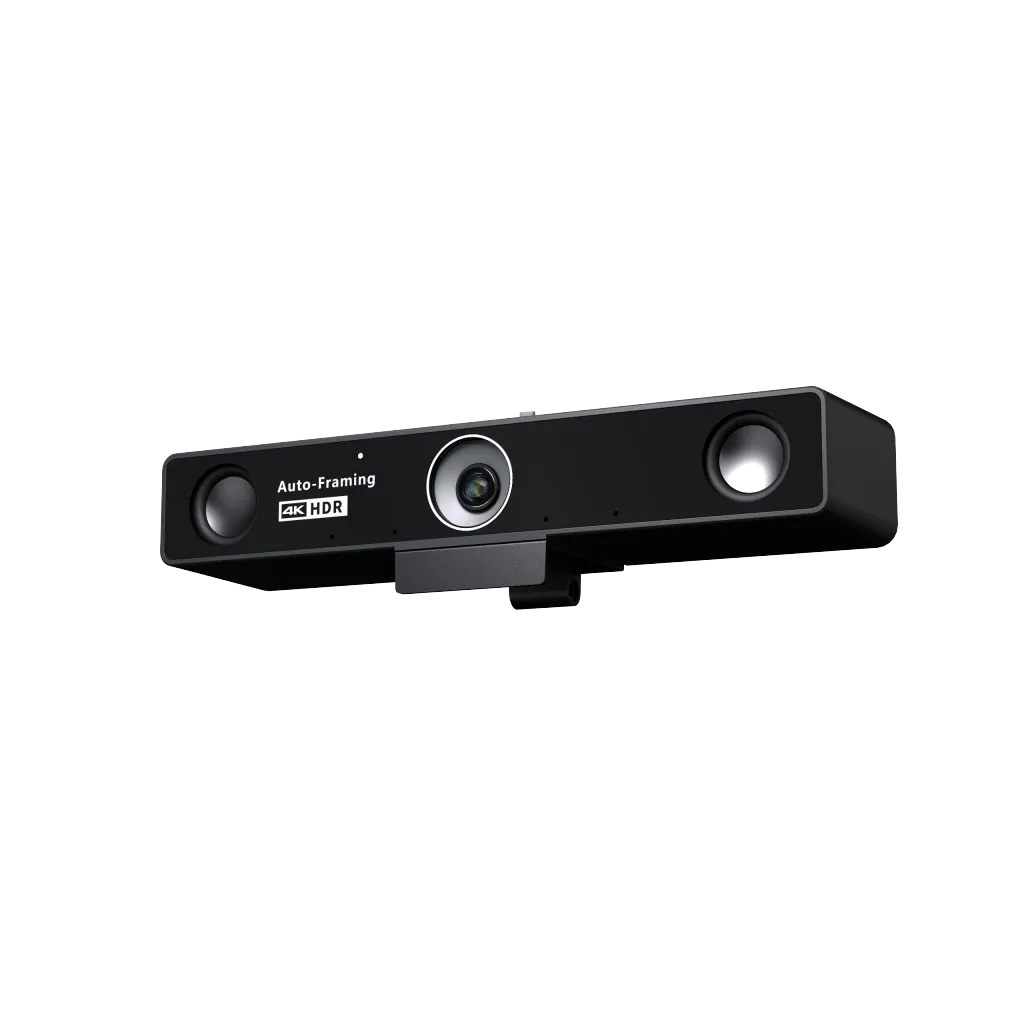
Nearity V30S (Best Overall): A 4K conference video bar featuring a 120-degree distortion-free view, AI auto-framing for whiteboard writing, and a powerful 5-meter dual-microphone array with deep-learning background noise suppression.
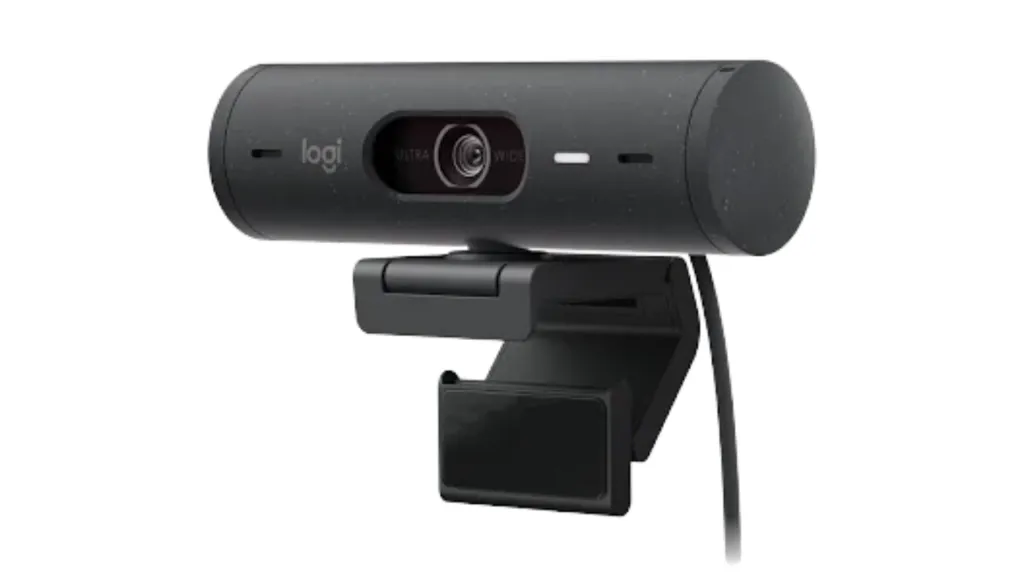
Logitech Brio 500 (Best for Desk Tutors): Offers crisp 1080p resolution with "Show Mode," allowing language and math teachers to seamlessly tilt the lens downward to display books or handwriting right-side up.
Obsbot Tiny 2 (Best for Active Presenters): Features a motorized mechanical gimbal with deep-learning AI auto-tracking and gesture/voice control for active lecturers who stand and move across large halls.
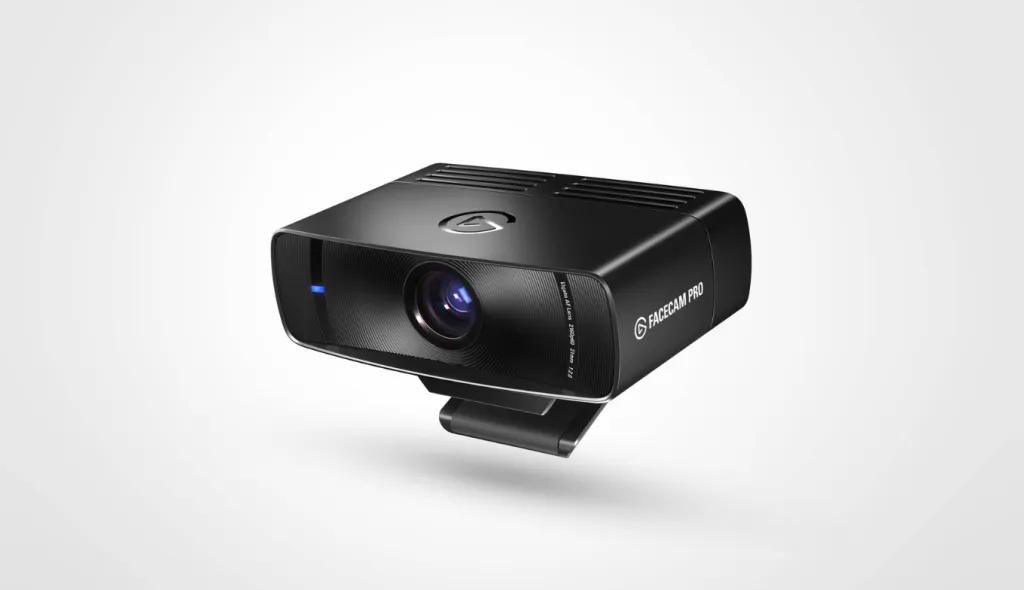
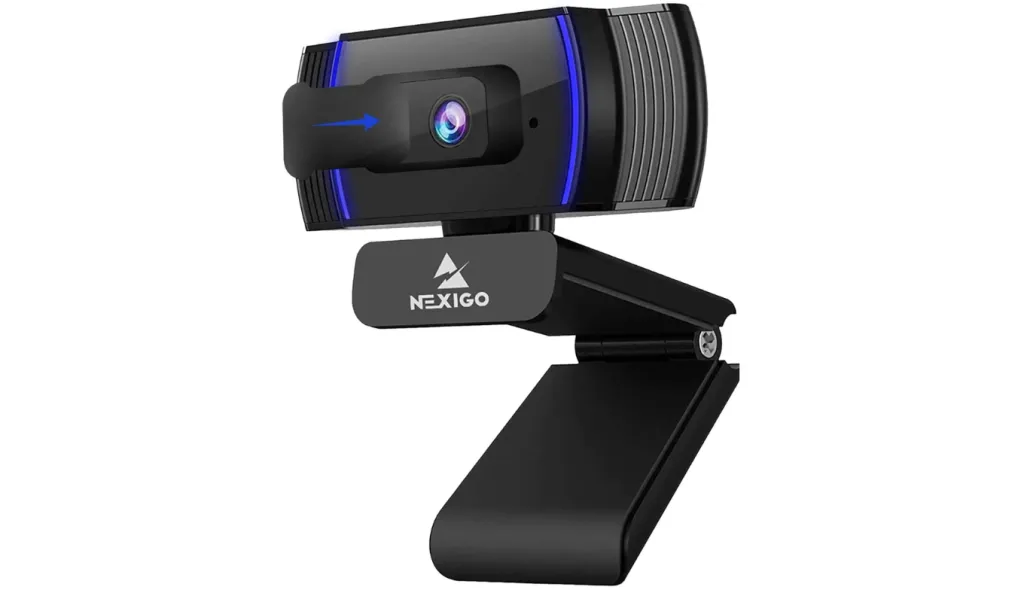
Specialized Alternates: The Elgato Facecam Pro delivers studio-grade 4K at 60 fps for premium course creators, while the NexiGo N930AF provides a highly reliable, plug-and-play autofocus 1080p camera for budget-conscious starters.
How We Chose the Best Webcam for Online Teaching
To compile this list, we evaluated dozens of models against the rigorous demands of modern online education. We focused on five key operational pillars:
Resolution and Image Sharpness: Clear video is crucial for reading handwriting, facial cues, or physical props. We looked for options ranging from high-quality 1080p up to professional-grade 4K resolutions.
Field of View (FOV) & Versatility: While online language teachers often need a tight, focused frame, hybrid educators and science teachers require ultra-wide angles to capture physical whiteboards or workspaces.
Audio Quality & Noise Suppression: Remote teaching requires clear, uninterrupted speech. Webcams that feature built-in microphone arrays with AI noise reduction scored significantly higher.
Lighting Correction: Most home offices and classrooms suffer from harsh fluorescent lighting or deep shadows. Advanced low-light and high dynamic range (HDR) features ensure you look natural in any setting.
Ease of Setup: Teachers do not have time for complex technical configurations. Plug-and-play simplicity is a high priority.
Whether you teach online classes independently, manage hybrid K-12 classrooms, or run professional corporate training sessions, this guide matches your scenario to the right tool.
Quick Comparison: The Best Webcams for Teaching at a Glance
Model
Max Resolution
Field of View (FOV)
Key Highlight
Best For
Nearity V30S
4K UHD @ 30 fps
120 degrees
AI Auto-Framing & Integrated Audio Bar
Hybrid Classes, Whiteboards & Active Presenters
Logitech Brio 500
1080p HD @ 30 fps
90 / 78 / 65 degrees
"Show Mode" for physical tabletop demos
Language Teachers & Daily Desk Use
Obsbot Tiny 2
4K UHD @ 30 fps
86 degrees
AI-Powered Gimbal Tracking
Lecturers who move around the room
Elgato Facecam Pro
4K UHD @ 60 fps
Up to 90 degrees
Studio-Grade Manual Settings
High-End Independent Course Creators
NexiGo N930AF
1080p HD @ 30 fps
65 degrees
Highly affordable, plug-and-play
Budget-Conscious Teachers & Starters
Detailed Reviews: The Top Webcams for Online Teaching
Nearity V30S – Best Overall for Interactive, Board-Writing, & Hybrid Classrooms
For educators who require a professional-grade setup that handles physical whiteboards, classroom movement, and high-fidelity audio, the Nearity V30S is an exceptional, all-in-one powerhouse.
Rather than being a simple clip-on camera, the V30S is designed as an intelligent conference video bar. Powered by an advanced 8-megapixel CMOS sensor, it captures video in true 4K Ultra-High-Definition at 30 fps. This means every piece of text on a physical board behind you is perfectly readable, without the usual pixelation or blur associated with standard webcams.
Real-World Practical Advantages:
The Wide-Angle Whiteboard Solution: With an ultra-wide 120-degree distortion-free field of view and 3x digital zoom, teachers can easily frame an entire classroom, blackboard, or interactive flat panel.
Dynamic AI Tracking: If you walk from your computer to a physical whiteboard, the integrated AI-powered auto-framing automatically and smoothly centers you in the shot. This removes the distraction of having to manually adjust your camera mid-lesson.
Studio-Level Audio Integration: No external microphone is required. The V30S houses a dual-MEMS microphone array that picks up clear speech within a 5-meter (approximately 16 feet) radius. Utilizing a deep-learning AI noise cancellation algorithm, it actively suppresses distracting background sounds like keyboard clicks, clicking pens, air conditioners, and household chatter.
Built-in Full-Duplex Speaker: Unlike traditional webcams, the V30S features its own integrated speaker, delivering robust audio that lets you hear your remote students clearly without relying on low-quality laptop speakers.
Complete Classroom Control: It includes a dedicated physical remote control so you can manually pan, tilt, zoom, or mute the camera from across the room.
Best Suited For: University lecturers, corporate trainers, hybrid K-12 school teachers, and niche educators (such as art, music, or cooking instructors) who need to capture wide, dynamic, and high-resolution spaces with flawless audio.
Considerations: Because it is an all-in-one video bar, it is larger and heavier than a standard desktop clip-on camera, making it less ideal for teachers who work on the go with ultra-light laptops.
Logitech Brio 500 – Best for Language Teachers & Daily Workspace Use
If you are a remote language teacher or tutor conducting 1-on-1 virtual sessions from your desk, the Logitech Brio 500 offers a highly reliable, compact desktop solution.
The Brio 500 shoots in crisp 1080p resolution at 30 fps (or 720p at 60 fps). Its design focus is on personal presentation, featuring automatic light adjustment (RightLight 4) that balances harsh light or dark rooms, ensuring your facial expressions and lip movements remain fully visible to students.
Real-World Practical Advantages:
Show Mode: This specialized hardware feature allows you to tilt the camera downward to show your desktop workspace. The software automatically flips the image right-side up, which is incredibly useful for math teachers showing handwritten steps, or art teachers demonstrating sketching techniques.
Adjustable Field of View: You can switch between 90, 78, and 65-degree fields of view to crop out messy home-office backgrounds.
Integrated Privacy Shutter: A simple physical dial on the side lets you quickly spin a shutter over the lens when your class is over.
Best Suited For: Online language teachers (ESL, Spanish, French, etc.) who rely heavily on facial clarity and mouth articulation, as well as tutors conducting desk-based 1-on-1 sessions.
Considerations: It is limited to 1080p resolution, which lacks the fine-grain detail required for distant whiteboard readability in larger hybrid teaching rooms.
Obsbot Tiny 2 – Best for Active Presenters and Lecture Halls
For university lecturers and teachers who prefer to stand, pace, and utilize physical gestures, the Obsbot Tiny 2 represents a revolutionary approach to camera movement.
The Tiny 2 is a physical PTZ (Pan-Tilt-Zoom) camera mounted on a motorized, two-axis mechanical gimbal. Powered by powerful deep-learning algorithms, the camera physically rotates to follow you as you walk, jog, or present, keeping you dead-center without losing focus.
Real-World Practical Advantages:
Mechanical Auto-Tracking: Unlike digital cropping, which degrades image quality, the Obsbot physically rotates its lens to track your movement, maintaining native 4K clarity.
Gesture Control: You can control the zoom or start/stop tracking simply by raising your hand in front of the lens. This is perfect for solo presenters who do not want to break their flow to click on software settings.
Voice Control: You can tell the camera to "Zoom In," "Zoom Out," or "Track Me" using simple verbal commands.
Best Suited For: University lecturers, fitness instructors, dance teachers, and highly animated educators who present in large lecture halls or studio spaces.
Considerations: The motorized gimbal makes this unit more fragile than static webcams. It also carries a premium price tag that may exceed a standard remote teacher's budget.
Elgato Facecam Pro – Best for Course Creators & Niche Skill Educators
If your business relies on selling pre-recorded courses, high-end YouTube tutorials, or professional training masterclasses, the Elgato Facecam Pro offers pristine, broadcast-ready video quality.
As the world's first webcam capable of capturing 4K video at 60 fps, the Elgato Facecam Pro delivers ultra-smooth motion. It features a studio-grade autofocus lens and a large sensor that excels at capturing vibrant color and razor-sharp detail.
Real-World Practical Advantages:
DSLR-Like Control: Via the Elgato Camera Hub software, you can manually adjust shutter speed, ISO, color temperature, and exposure, giving you complete creative control over your studio aesthetic.
Onboard Flash Memory: Once you save your setting preferences, they are stored directly on the camera hardware, so they stay consistent across different computers.
Super-Smooth 60 fps Motion: Great for teaching hands-on skills (like playing an instrument or crafting) where fluid, high-frame-rate detail is crucial.
Best Suited For: High-end independent course creators, corporate trainers, and niche skill-based teachers who produce recorded, monetized content.
Considerations: It does not feature a built-in microphone, as it is designed to be paired with a dedicated studio-grade external microphone.
NexiGo N930AF – Best Budget Webcam for Starters
If you are just beginning your online teaching journey or need a reliable, low-cost option to replace a broken laptop camera, the NexiGo N930AF is a highly capable entry-point.
Despite its budget price, the NexiGo N930AF delivers full 1080p HD resolution at 30 fps with responsive auto-focus capabilities.
Real-World Practical Advantages:
Instant Auto-Focus: Keeps your image sharp even when you lean in close to show props, textbook passages, or flashcards.
Highly Portable: Compact, folding design makes it easy to slip into a laptop bag.
Privacy Cover Included: A simple slide-on plastic cover ensures absolute physical privacy when your remote classroom is offline.
Best Suited For: K-12 remote school teachers, part-time online language tutors, and educators working with limited budgets.
Considerations: Color reproduction and low-light adjustment are basic, meaning you will need decent ambient room lighting to look your best.
Scenario-Based Selection Guide: Which One Fits You?
To make your final decision easier, find the scenario below that best matches your teaching environment and goals:
Scenario A: "I teach in a classroom environment, write on whiteboards, and run hybrid classes."
Your Match:Nearity V30S
Why: In hybrid classrooms or large teaching studios, you cannot stay glued to your desk. You need a wide 120-degree view, crisp 4K detail to render whiteboard text legible, and AI auto-tracking that moves as you write. Crucially, the V30S’s integrated AI-noise-cancelling microphone bar captures your voice perfectly from across the room, ensuring remote students hear you as clearly as those sitting in the front row.
Scenario B: "I teach 1-on-1 language lessons or academic tutoring from a home desk."
Your Match:Logitech Brio 500
Why: For close-up, screen-focused work, you do not need ultra-wide room tracking. You need natural skin tones, reliable low-light compensation for evening lessons, and a focused field of view. The Brio 500 delivers all of this at a compact form factor that clips easily to any computer screen.
Scenario C: "I create premium, pre-recorded online courses and upload educational videos."
Your Match:Elgato Facecam Pro
Why: For monetized asynchronous learning, production value is everything. Capturing video in 4K at a buttery-smooth 60 fps ensures your videos look cinematic, fluid, and professional.
Scenario D: "I am a new tutor starting out and need a basic, affordable upgrade."
Your Match:NexiGo N930AF
Why: If you just need a functional, reliable camera with auto-focus to replace a terrible built-in webcam, this model gives you clear 1080p resolution without breaking the bank.
FAQs
1. Is a 1080p webcam sufficient for online teaching, or should I invest in a 4K camera?
For standard 1-on-1 language lessons, conversational tutoring, or desk-based lectures, a high-quality 1080p webcam is completely sufficient. It balances bandwidth demands while keeping your facial features clear. However, if you write on a physical blackboard behind you, teach hybrid classes, or present intricate diagrams, a 4K camera (such as the Nearity V30S) is highly recommended. The extra pixel density ensures that small handwritten text remains perfectly legible for remote viewers.
2. Is a wide-angle webcam better for online teaching?
It depends on how you teach. A wide field of view (90°–120°) is beneficial if you show physical materials, write on a whiteboard, host multiple people in the room, or move around during class. For pure one-on-one conversation from a fixed desk, a standard 65°–78° field of view keeps the framing tight on your face, which is often more engaging for the student. The Nearity V30S (120°) suits the former; the Logitech Brio 500 (90°) suits the latter.
3. Do I need a separate external microphone, or is a built-in webcam mic enough?
Standard laptop webcams have basic microphones that capture tinny and echoing sound. While a dedicated USB external microphone is a great addition, it is not always necessary if you choose a smart, high-performance video bar. Devices like the Nearity V30S integrate a dual-microphone array powered by deep-learning AI noise suppression, actively filtering out ambient room sounds (like keyboard clatter, household noise, or HVAC systems) to capture studio-clear voice without any extra gear.
4. Can I use these webcams with Zoom, Google Meet, and Teams?
Yes. All webcams listed in this guide are plug-and-play USB devices compatible with Windows, macOS, and major conferencing platforms including Zoom, Google Meet, Microsoft Teams, and Webex. No proprietary software is required for basic operation.
5. Does the Nearity V30S work without installing any software?
Yes. The V30S uses a standard USB plug-and-play connection and requires no driver installation or proprietary software for core operation. It is recognized immediately by Windows, macOS, and all major conferencing platforms. The remote control ships in the box and works out of the package, allowing adjustment of zoom, volume, and AI functions during a live session.
Conclusion
Your choice of technology is a direct reflection of your virtual classroom's quality. While a standard budget camera works fine for general conversational sessions, demanding educational settings—especially those that involve physical whiteboards, classroom demonstrations, or hybrid formats—demand a premium solution like the Nearity V30S.
Evaluate your environment, identify your primary visual needs, and invest in a tool that allows your students to see, hear, and learn without limitations.