What Is Field of View? Camera and Webcam FOV Explained
This comprehensive guide explains the technical definition of Field of View (FOV) and provides a practical framework for selecting the ideal webcam angle based on room size and participant count.
Field of View
Webcam FOV
Video Conferencing
Updated: Aug 19, 2026 · 7 minutes read
Global Business, Brought Near.
No Installer, No Hassle, Just Works.
Have you ever joined a video conference only to find that half the room is missing from the screen? Or started a one-on-one call where your camera shows far too much of your messy home office? These common issues are often caused by choosing the wrong camera field of view.
When purchasing a webcam or conference camera, most buyers focus on specs like 4K resolution, AI auto-framing, or dual microphones. However, one important parameter is often overlooked: field of view. FOV determines how much physical space your camera can capture, directly affecting whether your entire team fits naturally into the frame or gets awkwardly cut out.
In this guide, we will explain what field of view means, why it matters for video meetings, and how to choose the right FOV for different scenarios, including whether a 120 degree field of view webcam is the right option for your setup.
Key Takeaways
FOV Definition: Field of View is the maximum observable area a camera lens can capture, usually measured diagonally in degrees.
Importance of Framing: The right FOV captures essential non-verbal cues like hand gestures and posture without showing distracting background clutter.
Usage Standards: 60°–78° is best for solo professionals; 90° is ideal for executive desks; 120° is the mandatory minimum for huddle rooms.
The 120° Advantage: Wide-angle lenses solve the "proximity problem" in small rooms, allowing participants sitting close to the screen to remain in the frame.
Quality Balance: High FOV should be paired with 4K resolution and distortion-free lenses to prevent "fisheye" warping and grainy images.
What Is Field of View ?
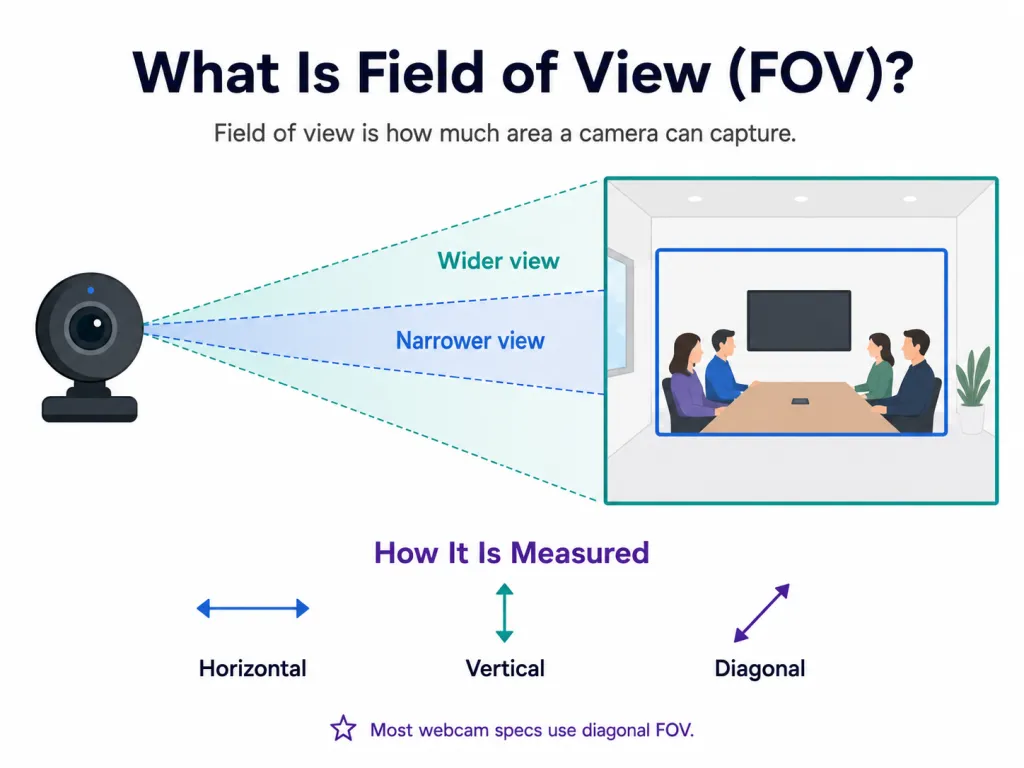
If you are looking for a simple definition for field of view, think of it as the maximum observable area that a camera lens can "see" at any given moment. Measured in degrees, it determines how wide or narrow the resulting image will be.
When you look at the specifications of a webcam or conference camera, the field of view (often abbreviated as FOV) tells you the angle of the visual capture. A smaller number indicates a narrow, tightly focused shot, while a larger number represents a wider shot capable of capturing more of the surrounding environment.
It is important to note that a camera field of view is typically measured in three different ways:
Horizontal FOV: The width of the image from left to right.
Vertical FOV: The height of the image from top to bottom.
Diagonal FOV: The measurement from one corner of the lens to the opposite corner.
In the consumer and enterprise electronics industry, manufacturers usually advertise the diagonal field of view because it offers the largest number. When you see a camera marketed with a "90-degree" or "120-degree" lens, it is almost always referencing this diagonal measurement.
Camera Field of View vs. Webcam Field of View
While the technical definition remains consistent, the application of camera field of view varies significantly depending on the industry. In broader fields such as security surveillance, professional photography, and machine vision, a wide FOV is often prioritized to monitor expansive areas or capture sweeping landscapes. For a security camera, a massive FOV is a safety feature; for machine vision, it is a data-gathering necessity.
In contrast, webcam field of view is far more specialized. It focuses specifically on the human element within a professional context—video conferencing, remote work, live streaming, and online education. Here, the primary goal is "framing." The objective is not just to see as much as possible, but to ensure that "people and their backgrounds are captured correctly." A webcam must balance showing enough of the room for team inclusion while avoiding the capture of unnecessary or distracting environment details that could compromise a professional image.
Why Field of View Matters for Video Meetings
You might wonder why a simple degree measurement carries so much weight in the business world. The answer lies in how we communicate. Non-verbal cues—such as hand gestures, posture, and eye contact—make up a massive portion of human communication. The camera field of view dictates exactly how much of that non-verbal context is translated across the screen.
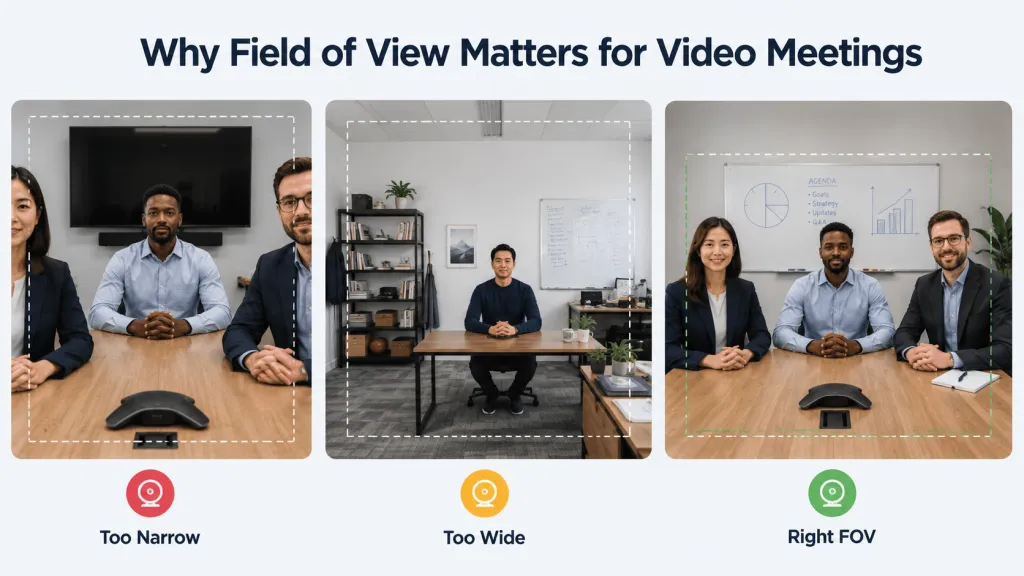
For team meeting rooms specifically, FOV directly influences how much of the physical collaboration space is visible to remote participants. Choosing the wrong FOV can lead to several professional hurdles:
When FOV is Too Narrow: In group settings, a narrow lens creates a "cramped" feeling. Participants sitting at the ends of the table are often cut out of the frame, forcing everyone to squeeze together uncomfortably. This excludes key team members from the visual conversation and makes the meeting look disorganized.
When FOV is Too Wide: For individual video calls, an ultra-wide lens captures far too much background. This makes the subject appear small and distant, while inviting visual distractions—like open doors or office clutter—into the professional frame.
The Benefit of a Correct FOV: When the FOV matches the environment, the framing feels natural. Remote attendees can clearly see both the speakers and the surrounding meeting context (like whiteboards or prototypes), fostering a more engaging and inclusive "in-person" feel.
Matching the camera field of view to the specific environment ensures that participants are framed perfectly, maintaining a natural and professional dynamic during every call.
A Guide to Webcam FOV Degrees: Which One Do You Need?
To make an informed purchasing decision, it helps to break down the standard FOV ranges available on the market today. Each range serves a very specific use case.
FOV
Best For
Explanation
60°–78°
Personal calls, laptop use
Focuses tightly on the individual; captures minimal background.
90°
Home office, small meeting room
Fits 1–3 people comfortably; ideal for standard professional setups.
120°
Huddle room, small team meeting
Captures a wide table and multiple participants in small spaces.
180°
Small-to-medium conference room
Essential for covering the entire width of a collaboration space.
360°
Round-table meetings
Provides an immersive experience for participants seated in a circle.
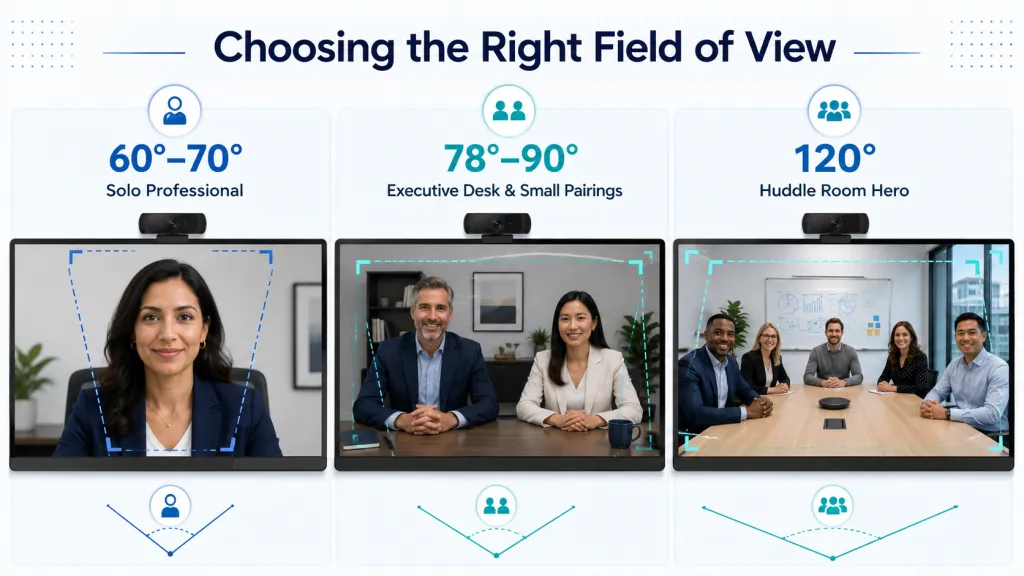
60° to 70°: The Solo Professional
A camera with a 60-to-70-degree FOV is highly tailored for individual use. It captures the user’s head and shoulders, leaving very little room for the background. This narrow frame is especially useful for remote workers using a webcam for MacBook in shared workspaces, open-plan offices, or cluttered home environments. Because the lens physically crops out the periphery, you do not have to rely as heavily on artificial software background blur, keeping the focus entirely on you.
78° to 90°: The Executive Desk and Small Pairings
This is the standard range for high-end business webcams. An 80-to-90-degree camera field of view is wide enough to capture a single person with comfortable breathing room, allowing for expressive hand gestures. It is also wide enough to comfortably fit two people sitting side-by-side at a desk. This makes it an excellent choice for executive offices, dual-host webinars, or standard cubicle setups where you want to show off a professional, branded background.
120°: The Huddle Room Hero
This is where enterprise collaboration truly shines. A 120 degree field of view webcam is explicitly designed to capture a wider physical space, making it the absolute gold standard for huddle rooms, small conference rooms, and collaborative team spaces. During Zoom meetings, a 120-degree FOV helps ensure that everyone around the table appears clearly on screen, rather than being cropped out or squeezed into the edges of the frame. At 120 degrees, a camera can sit relatively close to a meeting table while still capturing three to five people sitting across from it. It is also the ideal FOV for educators and presenters who need to stand up, move around, or point to a physical whiteboard during a presentation.
Maximizing Small Spaces with 120° FOV Technology
As companies transition heavily into hybrid models, the huddle room—a small meeting space designed for quick team collaborations—has become the most important room in the modern office. Consequently, the demand for wide-angle technology has skyrocketed.
What is a 120 Degree Field of View Webcam?
A 120 degree field of view webcam is specifically engineered to solve the "proximity problem" of small meeting spaces. In a compact room, the camera is usually mounted right at the edge of the display monitor, which is very close to the people sitting at the table. A standard webcam would cut off the participants sitting on the outer edges. A 120-degree lens pulls everyone into the frame effortlessly, even when they are sitting close to the screen.
However, buyers must be cautious. Lower-quality wide-angle lenses often suffer from the “fisheye” effect, where the edges of the video look warped. When investing in a webcam for conference room setups, it is vital to choose hardware with a distortion-free lens to ensure participants look natural.
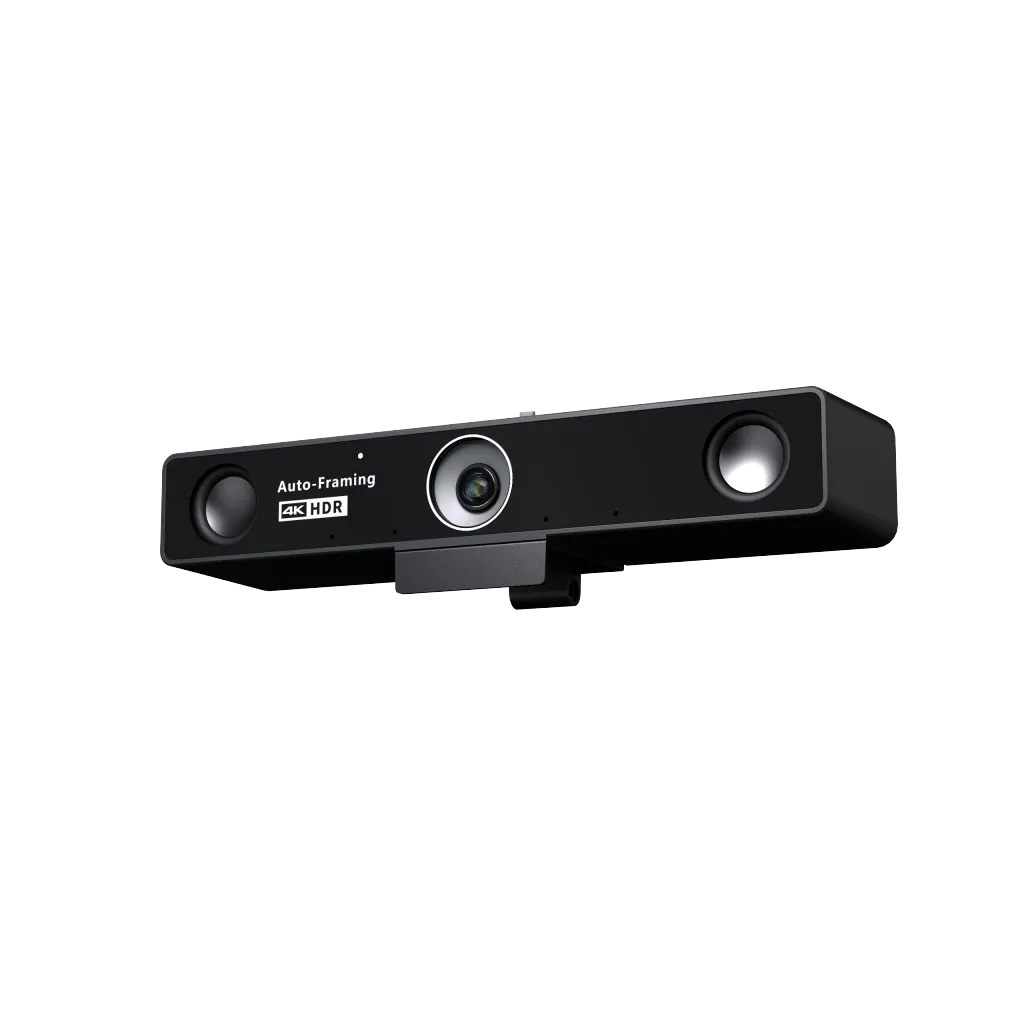
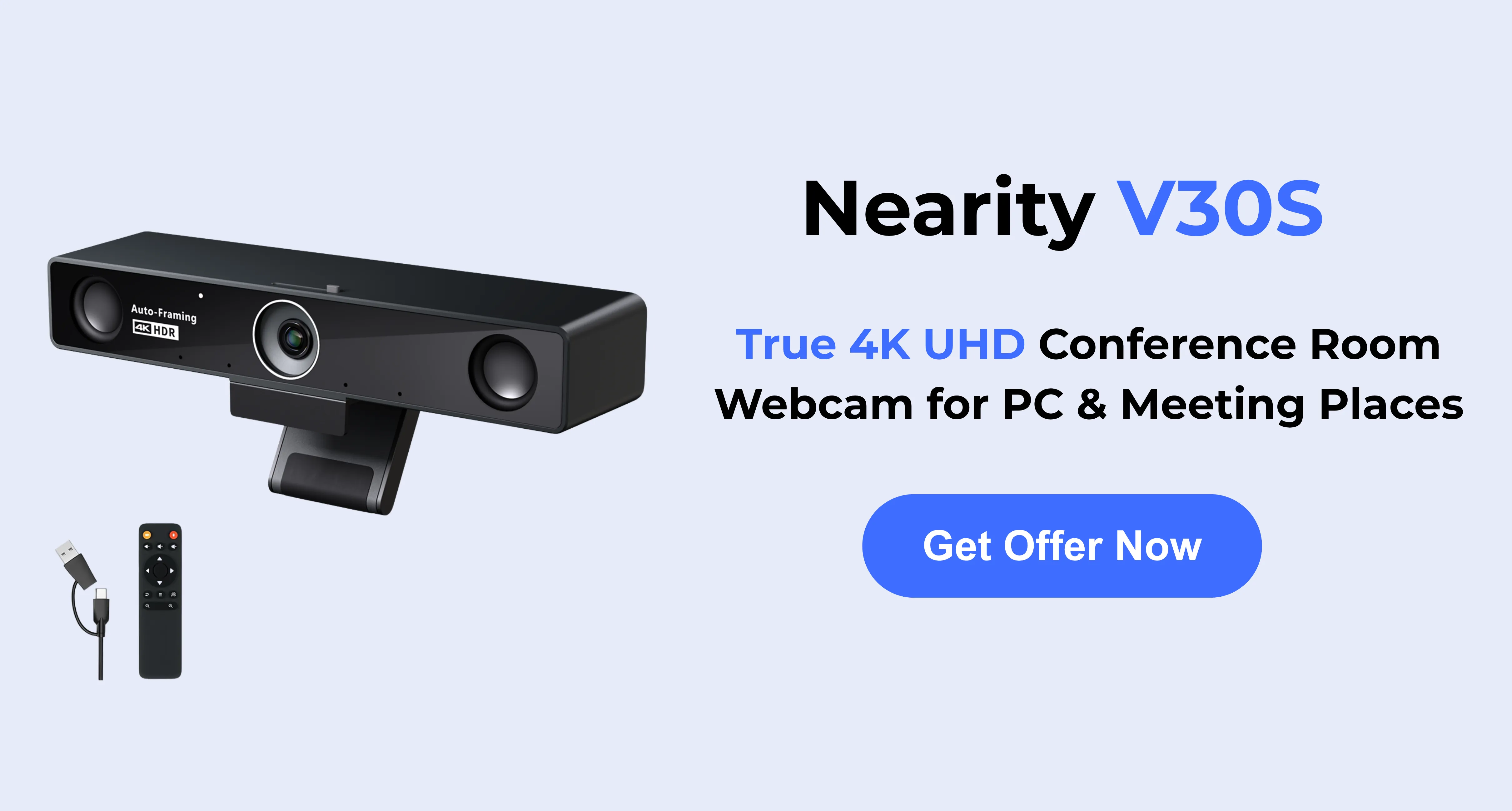
Top Recommendation: The Nearity V30S 4K Conference Webcam
If you are an IT manager, business owner, or educator looking to optimize a huddle room or mid-sized meeting space, the Nearity V30S is a premier solution. It integrates field of view, 4K resolution, and enterprise-grade audio into one seamless device:
Distortion-Free 120° FOV and 4K Clarity: The V30S easily captures everyone in the room without "fisheye" warping. It boasts an 8-megapixel CMOS sensor for true 4K Ultra HD resolution, ensuring razor-sharp details for remote participants.
3x Digital Zoom and Smart Framing: Sometimes a 120-degree FOV is perfect for the whole team, but what if a single person starts presenting? The V30S features 3x digital zoom and a remote control, allowing you to frame a specific speaker without losing visual clarity.
Superior Audio Pickup: It features a dual MEMS microphone array with AI noise reduction (5m/16ft radius). For larger rooms, you can add the AM01 expansion mic to extend the range to 8m (26ft).
Privacy and Ease of Use: With plug-and-play USB setup, an integrated privacy cover, and no cloud-data storage, it ensures both convenience and strict enterprise privacy.
How to Choose the Right FOV for Your Workspace
As you evaluate your current setup or plan out new office spaces, use this quick checklist to match your environment to the ideal camera field of view:
Assess the Room Size: Is it a single desk, a small huddle space, or a massive boardroom? The smaller the room with multiple people, the wider the FOV you will need.
Count the Participants: If it is just you, a 60° to 90° FOV is perfect. If you have 3 to 6 people gathered around a table, a 120 degree field of view webcam is the mandatory minimum to ensure inclusion.
Evaluate the Background: If your background is distracting or contains sensitive information, opt for a narrower FOV to naturally crop out the environment, or ensure your wide-angle camera has smart zooming capabilities like the Nearity V30S.
Consider Movement: Do you pace, use a whiteboard, or demonstrate physical products? A wider FOV gives you a larger "stage" to work within without walking off-camera.
FAQs
What is the definition for field of view?
Field of view is the visible area a camera can capture through its lens, usually measured in degrees.
What is the best field of view for video conferencing?
For personal calls, 78°–90° is usually enough. For group meetings, 120° or wider is often better.
Does Nearity have a 120-degree conference camera?
Yes. Nearity 120 Max is a 120-degree conference camera designed for long-table meetings and multi-person collaboration. Its wide field of view helps capture more participants in the room, making it a practical choice for huddle rooms, team discussions, and professional video conferencing setups.
Does Nearity have a 360-Degree conference camera?
Yes. Nearity 360 Alien is a 360-degree conference camera that is especially suitable for round-table meetings and small group discussions. It captures participants from all directions, helping remote attendees follow the conversation more naturally in collaborative meeting scenarios.
Does a higher FOV mean better video quality?
Not necessarily. FOV refers to the width of the shot, while resolution (like 1080p or 4K) refers to the detail or pixel density. In fact, if you have a wide FOV with low resolution, the image can look grainy when zoomed in. A high-quality device like the Nearity V30S pairs a wide 120° FOV with 4K resolution to maintain clarity.
Can I change the field of view via software?
Many modern conference cameras come with software or remote controls that allow for "Digital Zoom" or "AI Framing." This allows you to crop into a wide 120° shot to create a narrower 90° or 60° frame. However, keep in mind that digital cropping reduces the effective resolution unless you start with a high-resolution 4K sensor.
Conclusion
Understanding what is field of view is the foundational step in building an effective video conferencing setup. It is the invisible parameter that dictates the professionalism, comfort, and inclusivity of your virtual meetings.
By matching the right camera field of view to your specific workspace, you eliminate awkward framing and ensure that remote collaboration feels as natural as sitting in the same room. For teams, educators, and huddle rooms, upgrading to a 120 degree field of view webcam like the Nearity V30S provides the perfect combination of ultra-wide framing, crystal-clear 4K resolution, and enterprise-grade audio.
Don't let poor hardware dictate how the world sees your business. Assess your space, understand your FOV needs, and invest in technology that captures the best version of your team