Nearity V30S vs Logitech Rally Bar Mini: Which Conference Camera is Right for Your Small Room in 2026?
This comprehensive guide breaks down the choice between the flexible, cost-effective Nearity V30S plug-and-play webcam and the premium, enterprise-grade Logitech Rally Bar Mini appliance for small meeting spaces.
Video Conferencing
Logitech Rally Bar Mini
Hybrid Work
Updated: Aug 19, 2026 · 8 minutes read
Global Business, Brought Near.
No Installer, No Hassle, Just Works.
When IT professionals, office administrators, and SMB owners search for the Logitech Rally Bar Mini, they are typically looking for reliable video conferencing equipment to outfit their small meeting rooms, medium conference rooms, or hybrid workspaces. While Logitech’s system frequently emerges as a top-tier choice, the critical question many buyers face is this: Do you truly need a full enterprise room appliance? Not every team requires a complex, enterprise-grade video bar.
In this comprehensive guide, we will compare the Nearity V30S and the Logitech Rally Bar Mini to help you determine which device is the best fit for your specific meeting room needs and budget constraints.
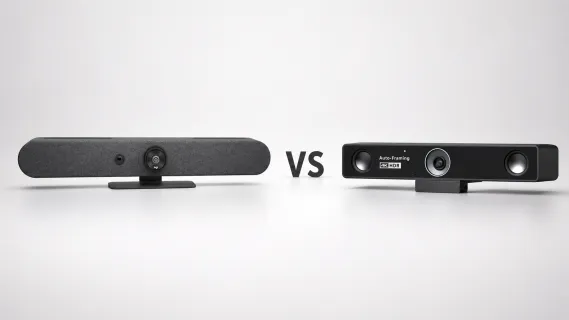
It is important to understand the fundamental difference right away: the Logitech Rally Bar Mini is a full all-in-one video bar designed for standardized room deployments, while the Nearity V30S is a more lightweight, plug-and-play 4K conference webcam solution. By analyzing their video quality, audio performance, setup complexity, room coverage, and overall cost, our goal is to help you make a decision-driven choice rather than overspending on unnecessary hardware.
Key Takeaways
Logitech Rally Bar Mini is best for standardized, enterprise-wide deployments requiring built-in computing (Appliance Mode).
Nearity V30S offers a more affordable, 4K plug-and-play solution ideal for BYOD (Bring Your Own Device) environments.
The V30S features a 120° ultra-wide field of view, which is often superior for small huddle rooms where participants sit close to the camera.
Logitech provides motorized Pan-Tilt-Zoom (PTZ) and deep integration with Microsoft Teams/Zoom Rooms.
Nearity scales easily to medium rooms via optional expansion microphones, providing high ROI for growing businesses.
Quick Verdict: Nearity V30S or Logitech Rally Bar Mini?
Before diving into the detailed technical breakdown, here is the bottom line:
Choose the Logitech Rally Bar Mini if you are outfitting a standardized, enterprise-wide Microsoft Teams Room or Zoom Room deployment where budget is not a primary concern, and you require built-in computing (appliance mode) with motorized pan-tilt-zoom (PTZ) features.
Choose the Nearity V30S if you want a simpler, more affordable, yet highly professional 4K meeting camera for huddle rooms, small-to-medium rooms, or BYOD (Bring Your Own Device) setups. It delivers the essential 4K video, wide 120° field of view, and excellent plug-and-play audio needed for modern meetings, without the deployment barrier of a full video bar system.
Choose
Best For
Nearity V30S
Teams that need a flexible 4K conference webcam for small and medium meeting rooms
Logitech Rally Bar Mini
Businesses that need a full all-in-one video bar with enterprise room system features
Nearity V30S vs Logitech Rally Bar Mini: Key Differences at a Glance
What Is Nearity V30S?
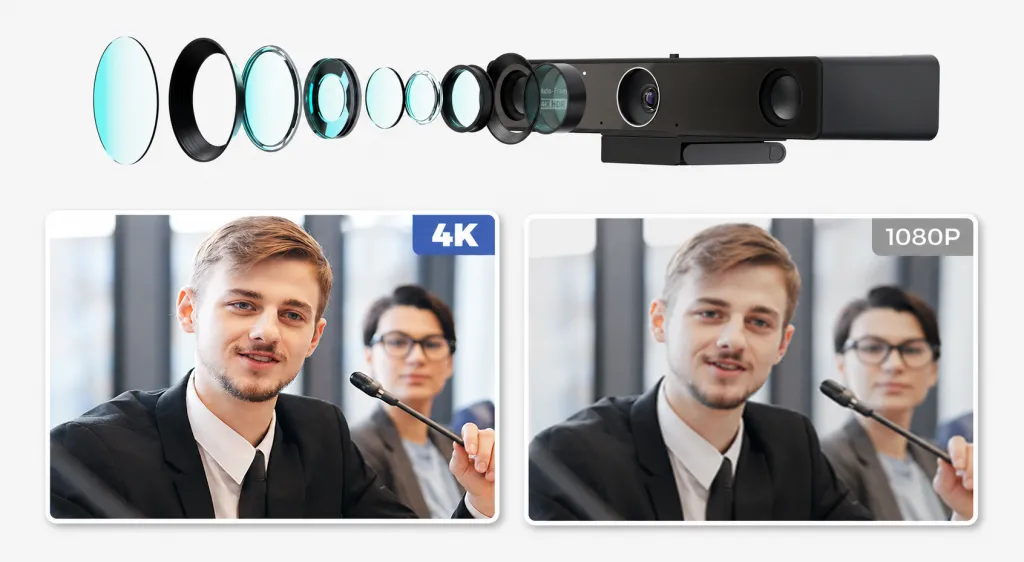
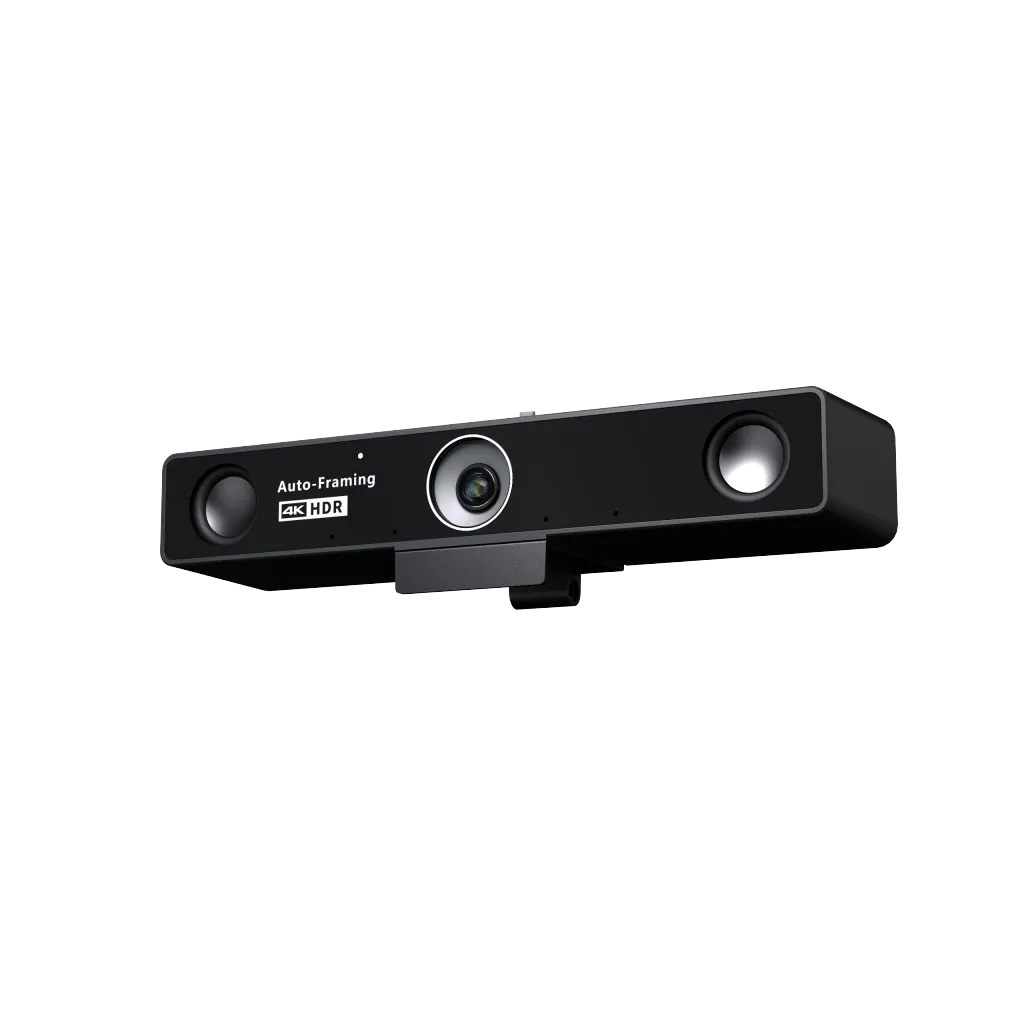
Nearity V30S is a 4K conference webcam designed for huddle rooms, small meeting rooms, and medium-sized hybrid workspaces. It features 4K UHD video, a 120° wide-angle field of view, built-in microphones and speaker, AI noise reduction, remote control, and USB plug-and-play setup.
Unlike a full video bar system, Nearity V30S focuses on flexible and simple deployment. It is suitable for teams that want clear video, reliable meeting audio, and easy compatibility with platforms like Zoom, Microsoft Teams, Google Meet, and Webex without a complex installation process.
What Is Logitech Rally Bar Mini?
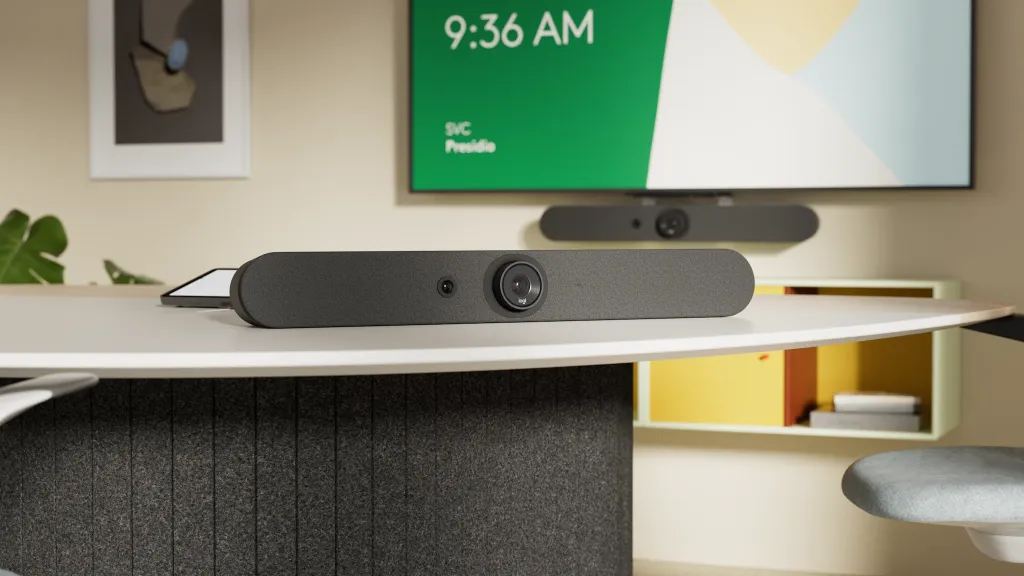
Logitech Rally Bar Mini is an all-in-one video bar designed for small to medium meeting rooms. It integrates a camera, microphones, speakers, and smart meeting features into one device, making it suitable for fixed conference rooms and enterprise deployments.
As part of the broader Logitech Rally Bar product family, the Logitech Rally Bar Mini is often used by businesses that need standardized meeting room setups, IT management, and compatibility with platforms such as Microsoft Teams Rooms and Zoom Rooms. Compared with a USB conference webcam, it usually requires a larger budget and more structured deployment.
Feature-by-Feature Comparison Table
Feature / Factor
Nearity V30S
Logitech Rally Bar Mini
System Architecture
USB Plug-and-Play Webcam
All-in-One Appliance (CollabOS) or USB
Video Resolution
4K UHD
4K UHD
Field of View (FOV)
120° Ultra-Wide Angle
113° (163° with motorized Pan/Tilt)
Audio Technology
AI Noise Reduction, Full-duplex, Dual Mics
RightSound, Beamforming Mics, Anti-vibration
Microphone Expansion
Yes (Optional expansion mics available)
Yes (Rally Mic Pods)
Setup Complexity
Very Low (Zero Configuration)
Moderate to High (Requires IT provisioning)
Best Use Case
Huddle rooms, BYOD spaces, SMBs
Standardized Enterprise Teams/Zoom Rooms
Cost Profile
Highly Affordable & Cost-Effective
Premium / Enterprise Pricing
Video Quality Comparison
Resolution and Image Clarity
Both Nearity V30S and Logitech Rally Bar Mini are designed for professional video conferencing, but they serve slightly different meeting room needs. Nearity V30S provides 4K UHD video, helping teams present a clearer and sharper image than standard laptop webcams or basic conference cameras.
Logitech Rally Bar Mini also delivers high-quality video as part of its integrated all-in-one video bar system. It is built for dedicated meeting rooms where businesses want camera, audio, and room system features to work together in one device.
For teams that mainly need clear 4K meeting visuals with simple setup, Nearity V30S is a practical choice. For companies that want a more complete video conferencing appliance, Logitech Rally Bar Mini offers a more advanced room-based experience.
Field of View and Room Coverage
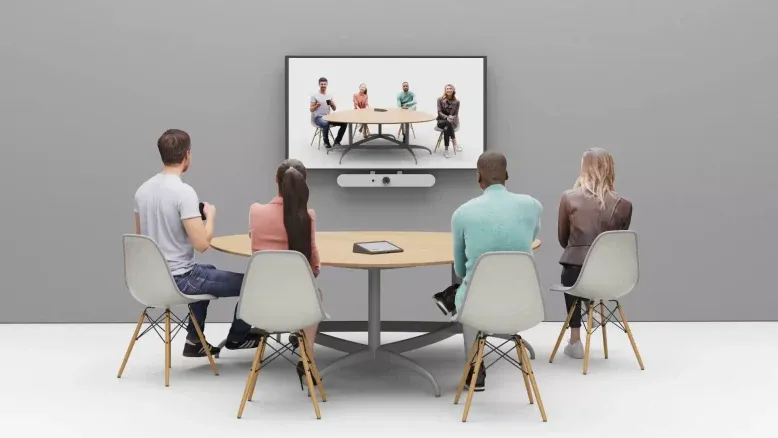
Nearity V30S features a wide-angle view, making it suitable for huddle rooms, small meeting rooms, and meetings with multiple participants sitting around a table. Its wide field of view helps capture more people in the frame without requiring a complicated camera setup.
Logitech Rally Bar Mini is designed to be installed at the front of a meeting room and is better suited for fixed small to medium-sized conference rooms. It offers a more integrated room coverage experience, especially for businesses that need auto-framing and a dedicated video bar setup.
If your team simply needs a clear, wide-angle camera for everyday hybrid meetings, Nearity V30S is often enough. If your company needs a more complete automatic framing system and enterprise-style room experience, Logitech Rally Bar Mini has the stronger advantage.
Audio quality is another important factor when comparing Nearity V30S and Logitech Rally Bar Mini. Since Logitech Rally Bar Mini is an all-in-one video bar, its audio system is designed for a more complete meeting room deployment. It combines built-in microphones and speakers to support small to medium conference rooms.
Nearity V30S also includes built-in microphones and a speaker, making it suitable for huddle rooms, personal offices, and small team meetings. For everyday hybrid meetings, its built-in audio can meet the needs of many teams without requiring extra audio equipment.
For larger rooms or more complex audio environments, Logitech Rally Bar Mini may be the better option because it is built as a more complete room system. However, for many small teams, the question is not which device has the most advanced audio system, but which one delivers clear enough meeting audio with the least setup complexity.
In this case, Nearity V30S offers a balanced solution for teams that want reliable meeting audio, simple operation, and fewer devices on the meeting table.
Setup and Installation: Plug-and-Play vs Full Room System
Nearity V30S Setup
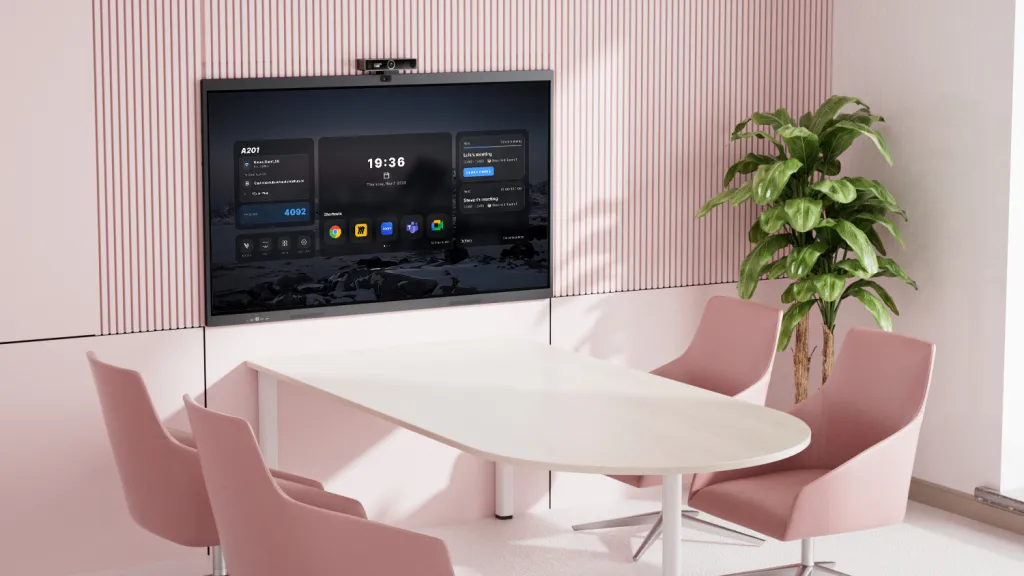
Nearity V30S is built for simple USB plug-and-play setup. Users can connect it to a laptop and quickly start a meeting without complicated installation, dedicated room controllers, or heavy IT support.
This makes Nearity V30S especially suitable for BYOD meetings and laptop-based meeting rooms. It can also be moved between different rooms more easily, which is helpful for teams that need flexible meeting spaces instead of fixed conference room systems.
For small businesses, hybrid teams, and offices without dedicated AV staff, this simplicity is one of the biggest advantages of Nearity V30S.
Logitech Rally Bar Mini Setup
Logitech Rally Bar Mini is better suited for fixed meeting rooms and IT-managed deployments. It is designed as a complete room system, which means it can provide a more integrated meeting experience, but it also requires more planning around installation, room layout, platform setup, and device management.
For companies with larger budgets, dedicated IT support, and standardized meeting room requirements, Logitech Rally Bar Mini can be a strong choice. However, it may be more than some small teams need.
In short, Nearity V30S wins for simplicity, while Logitech Rally Bar Mini wins for fully integrated room deployment.
Compatibility with Zoom, Microsoft Teams, Google Meet, and Other Platforms
Both Nearity V30S and Logitech Rally Bar Mini are designed for modern video conferencing platforms. Nearity V30S works well for teams using popular tools such as Zoom, Microsoft Teams, Google Meet, and Webex. Because it functions as a USB conference webcam, it is especially flexible for teams that switch between different meeting platforms.
This makes Nearity V30S a good fit for BYOD meeting rooms, remote teams, and companies that do not rely on only one video conferencing ecosystem. Users can simply connect the device to their laptop and choose their preferred meeting app.
Logitech Rally Bar Mini is also built for major enterprise meeting platforms, especially businesses that use dedicated room systems such as Microsoft Teams Rooms or Zoom Rooms. It is a better fit for organizations that have already standardized their meeting rooms around one platform and want a managed, consistent deployment.
If your team uses multiple platforms and values flexibility, Nearity V30S is easier to adapt. If your company wants a dedicated meeting room system with centralized management, Logitech Rally Bar Mini may be the stronger option.
Cost and Value: Which Offers Better ROI?
Cost is one of the biggest differences between Nearity V30S and Logitech Rally Bar Mini. Logitech Rally Bar Mini is a higher-end, more complete meeting room device. It is designed for companies that want an enterprise-grade all-in-one video bar with integrated camera, microphones, speakers, and room system features.
Nearity V30S is better suited for teams with a smaller budget or businesses that do not want to overbuild their meeting rooms. If your office already has laptops, displays, and meeting software, V30S can quickly upgrade the video conferencing experience without requiring a full room system.
For companies that do not need a full enterprise video bar, Nearity V30S can provide a more efficient return on investment by focusing on the essentials: 4K video, built-in meeting audio, wide room coverage, and simple USB deployment.
However, if a business is building a dedicated conference room from scratch and wants a complete fixed system, Logitech Rally Bar Mini may justify the higher investment. The better choice depends on whether your team needs a full video bar system or a simpler 4K conference webcam that covers the core meeting needs at a lower deployment cost.
Conclusion: Making the Right Decision for Your Workspace
In 2026, the definition of a "great meeting room" has shifted from complex enterprise installations to agile, user-friendly setups that just work.
If your organization is building out a comprehensive, standardized, appliance-based Microsoft Teams or Zoom infrastructure where budget is a secondary concern, the Logitech Rally Bar Mini remains an outstanding, premium piece of hardware. It is a true enterprise solution.
However, for a vast number of modern use cases, an enterprise video bar is simply over-engineered. If you are an SMB owner, an IT manager outfitting huddle rooms, or a team that relies on the flexibility of BYOD meetings, the Nearity V30S is the clear, pragmatic choice.
The V30S proves that you do not need to invest in a massive, expensive video appliance to get professional 4K video and AI-enhanced audio. By focusing on a simple USB plug-and-play architecture, a massive 120° field of view, and excellent full-duplex communication, the Nearity V30S provides exactly what modern hybrid teams need to collaborate effectively—without the enterprise price tag.
Can the Nearity V30S be used in medium-sized conference rooms?
Yes. While optimized for huddle and small rooms with its 120-degree FOV, the V30S supports optional expansion microphones. This allows it to scale effectively into medium-sized rooms, ensuring voices at the far end of the table are picked up clearly.
Does the Nearity V30S require special software to run on my laptop?
No. The Nearity V30S is a true plug-and-play USB device. It is universally compatible with standard video conferencing platforms like Zoom, Microsoft Teams, Google Meet, and Webex without the need to install proprietary drivers or IT management software.
How does a wide-angle lens (V30S) compare to a PTZ camera (Logitech) in a huddle room?
In a small huddle room where participants are sitting close to the display, a wide-angle lens (like the 120° FOV on the V30S) is highly advantageous because it naturally captures everyone without needing to physically move. Motorized PTZ (Pan-Tilt-Zoom) cameras are better suited for longer, deeper rooms where the camera needs to physically turn to focus on a distant speaker.