Jabra PanaCast Alternatives: 180° vs 360° Cameras (2026)
Compare Jabra PanaCast 50 with 360° conference cameras by room layout, deployment, and meeting style to choose the right setup for your team.
jabra panacast
jabra panacast 50
jabra panacast alternative
Updated: Oct 22, 2026 · 8 minutes read
Global Business, Brought Near.
No Installer, No Hassle, Just Works.
Jabra PanaCast 50 is designed around panoramic 180° front-of-room coverage, which suits rooms where participants face a display. A 360° camera is often a better architectural fit for central tables and discussion-led meetings. The right choice depends on seating, audio needs, room-system requirements, and how IT plans to manage the space.
Key Takeaways
Choose a 180° video bar when participants face one display and the room is organized around a front wall.
Choose a center-of-table 360° camera when participants sit on multiple sides and discussion moves around the table.
For a 12-person room, compare seating geometry and microphone coverage before comparing camera resolution alone.
Nearity 360 Aliendelivers 4K video over USB-C or offers wireless connectivity via an optional dongle, giving teams the flexibility to choose the setup that best fits their meeting room.
Jabra PanaCast 50 is a strong option for rooms where participants face a front display, thanks to its 180° panoramic camera design. But it is not a 360° camera. If people sit around a central table, face different directions, or collaborate across the room, a center-of-table 360° conference camera may fit the room better. Nearity 360 Alien is one alternative to evaluate when you want 360° video and integrated audio in a single device.
The decision is less about which camera has the longest spec sheet and more about where the camera belongs in the room.
What Is Jabra PanaCast 50?
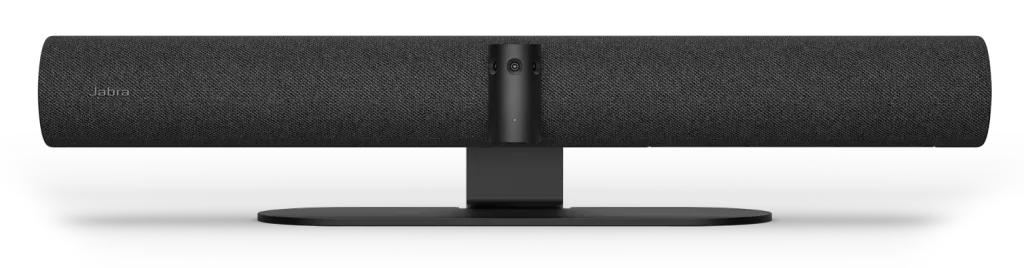
Jabra PanaCast 50 is a front-of-room video bar built around a multi-camera array. Jabra’s product documentation lists three 13-megapixel cameras and real-time AI video stitching, producing a panoramic 180° horizontal field of view. The product supports features such as Virtual Director, Intelligent Zoom, Dynamic Composition, and HDR, depending on the model and configuration.
Audio is integrated into the bar: Jabra lists an eight-microphone beamforming array and four speakers. It also supports multiple mounting approaches, including wall and screen mounting, as well as a table stand. The important distinction is not that it must be wall-mounted; it is that the system is designed primarily around a front-of-room video-bar layout.
That architecture works well when the display is the visual focus of the room. A wide field of view can include participants seated close to the front wall, while automatic framing can help remote attendees follow the conversation. The PanaCast 50 family also includes different deployment options, including USB/BYOD and room-system configurations. A buyer considering a Jabra PanaCast 50 Room System should evaluate the complete room package—not just the camera bar—including its compute, platform, management, and meeting-join workflow.
Best Jabra PanaCast Alternatives in 2026
These options serve different deployment needs; they are not interchangeable spec-for-spec replacements.
Nearity 360 Alien — Best Standalone 360° Alternative
Nearity 360 Alien is designed for rooms where the camera belongs in the middle of the conversation. The manufacturer lists a four-camera array, distortion-free 360° panoramic video, AI-assisted Discussion, Global, and Presentation modes, six microphones, and an integrated speaker. Discussion mode frames active speakers; Global mode shows a wider room view; Presentation mode focuses on the current speaker.
It supports USB plug-and-play and lists compatibility with Microsoft Teams, Zoom, Google Meet, Webex, and other platforms on Windows, macOS, ChromeOS, and Linux. The wireless dongle is an option rather than a built-in wireless connection. Two optional AM01 expansion microphones can extend audio pickup for larger spaces; confirm the right configuration for your room before ordering.
The key deployment difference is simplicity of placement: instead of adapting the room around a front-of-room camera, 360 Alien sits at the center of the table. It is worth evaluating for medium rooms with participants on multiple sides, discussion-led meetings, and teams that prefer an all-in-one camera and speakerphone rather than a separate camera, microphone, and speaker setup.
The live U.S. product page lists the device from $1,399; bundles and promotions may change. Review the current package contents and output limits before procurement.
Best for:Medium to large conference rooms, central-table layouts, and discussion-led meetings where participants sit on multiple sides of the table.
Decision: If your priority is full-room coverage from the center of the table with one all-in-one device, consider Nearity 360 Alien. Use the product page to review details or arrange a demo.
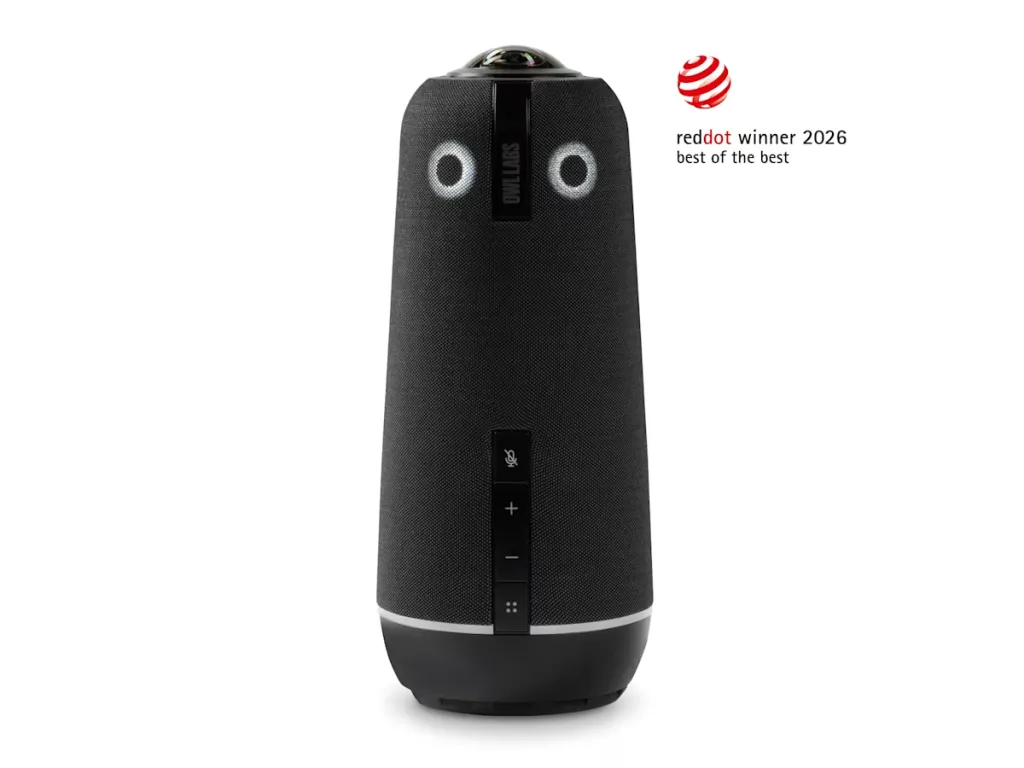
Meeting Owl 4+ — Best for Teams Comfortable With an App-Managed 360° Workflow
Meeting Owl 4+ is an established option for teams looking for a center-of-table 360° camera with app-supported management. Its camera architecture and software-based participant views differ from Nearity 360 Alien's four-4k lenses design, so buyers should compare real-world video output, participant framing, and platform requirements when evaluating the two systems.
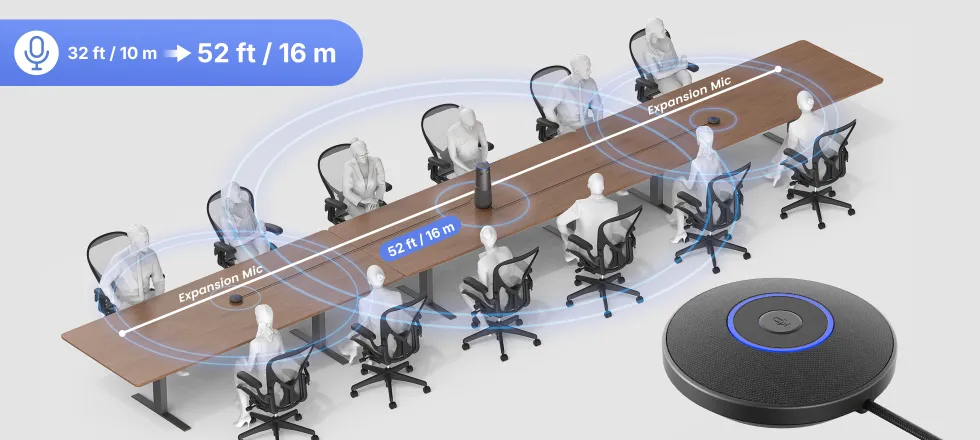
Nearity 360 Alien takes a different approach with four cameras, 360° panoramic video, and support for up to two optional AM01 expansion microphones. Its audio pickup can extend up to 16 m (52 ft) with the supported expansion configuration. Basic USB operation does not require a dedicated app, while an optional wireless dongle provides another connection option.
The better fit depends on room size, required audio coverage, preferred workflow, and total system cost. Compare the Nearity 360 Alien and Meeting Owl before deciding.
Kandao Meeting Pro — Best for Built-In Computing
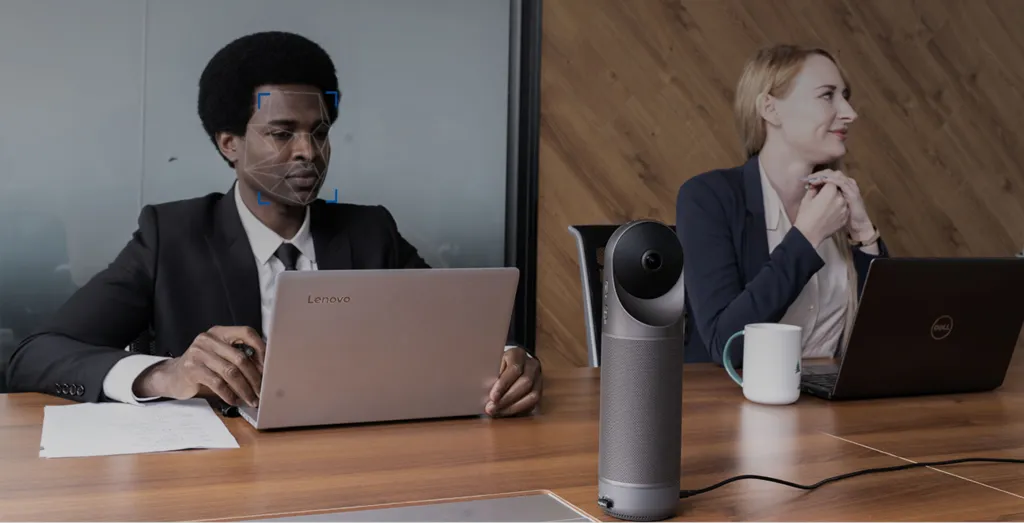
Kandao Meeting Pro combines a 360° camera, microphones, speaker, and Android-based standalone operation. The manufacturer’s technical page lists 1080p/720p output for the Meeting Pro model, so buyers should check the exact version rather than assume it offers 4K output. It can also operate in USB-camera mode.
Best for: teams that want the option to run supported meeting software on the device itself rather than relying exclusively on a connected computer. Verify current app support and security requirements with IT.
Yealink SmartVision 60 — Best for Teams Rooms Standardization
Yealink positions SmartVision 60 as a 360° device developed with Microsoft for Teams Rooms environments. Its official datasheet describes a 10K panoramic camera and Teams-oriented AI capabilities, including participant identification and intelligent speaker functions. This is a different buying decision from a simple BYOD camera: confirm current certification, room-system requirements, supported features, and management fit before standardizing it across locations.
Best for: organizations prioritizing managed Microsoft Teams Rooms deployments and consistent enterprise workflows.
Jabra PanaCast 50 vs. 360° Conference Cameras: What’s the Difference?
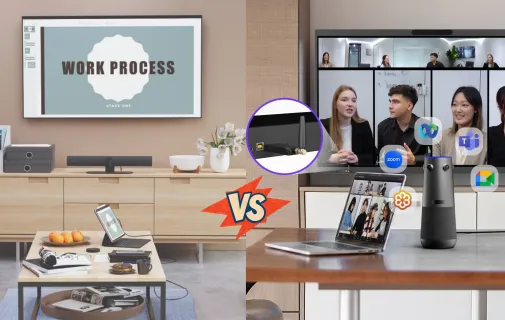
The core difference is the direction the camera is designed to see from.
Jabra PanaCast 50: front of room → 180° → participants generally face the camera and display.
360° conference camera: center of table → 360° → participants can sit around the camera and face one another.
That difference can matter more than small specification differences. A high-resolution front-facing camera still depends on seating orientation. A 360° camera can capture around the table, but it does not automatically deliver better image quality or clearer audio in every room.
Factor
Jabra PanaCast 50
360° all-in-one camera
Camera architecture
Front-of-room multi-camera array
Panoramic coverage around a central position
Field of view
180° horizontal
360° panoramic
Typical placement
Front wall or display area; other mounts supported
Center of the conference table
Best room layout
Front-facing
Central-table or multi-directional
Participant orientation
Usually toward the display
Participants can face each other
Room flexibility
Strong when the front-of-room layout is fixed
Flexible when the conversation is distributed around the table
A 180° video bar is not a compromise if the room is designed for it. It may be the more natural choice in these situations.
1. A traditional front-facing conference room
If most attendees sit on one side of a table or in rows facing a display, the camera’s wide frontal view aligns with how people already participate. AI framing can help keep the group or active speakers visible without asking the team to change its seating habits.
2. The table sits close to the front wall
Jabra highlights the 180° field of view as a way to include people even when the table is positioned close to the wall. That can be valuable in compact rooms where moving furniture farther back is not practical.
3. IT is standardizing front-of-room systems
If your organization already deploys video bars and has established mounting, cabling, platform, and remote-management standards, staying with a consistent architecture may simplify support. Choose the specific PanaCast configuration based on whether users need BYOD connectivity or a dedicated Teams Rooms/Zoom Rooms experience.
4. Presentation is the dominant meeting style
Training, status reviews, and meetings where a presenter faces the room may benefit from a front-of-room camera and display as the visual anchor.
If your room is organized around a front display and participants naturally face forward, Jabra PanaCast 50 is a strong fit.
When Should You Consider a 360° Jabra PanaCast Alternative?
A 360° alternative becomes more relevant when the room is organized around conversation rather than a single front-facing direction.
Consider it when:
Participants sit on multiple sides of a central table.
People frequently turn toward colleagues across the table.
The table cannot—or should not—be moved close to the front wall.
Discussion and collaboration matter more than presentation alone.
The room layout changes frequently.
The team wants the camera positioned where the conversation happens.
A 360° conference camera is not automatically better for every medium room. Its advantage is architectural: it captures participants around the device instead of viewing the group primarily from one side. Audio pickup, camera height, lighting, room acoustics, and the output mode still need to be assessed.
180° vs. 360°: Which Is Better for Hybrid Meetings?
The right camera depends on how your team meets, how the room is arranged, and what remote participants need to see and hear. Use the comparison below to identify which setup better fits your meeting room.
Decision Factor
180° Front-of-Room Camera
360° Center-of-Table Camera
Room layout
Best for rooms where participants sit facing a front display.
Best for rooms where participants sit around a central table.
Meeting style
Suits presentations, training, and presenter-led meetings.
Suits group discussions and collaboration between participants on different sides of the table.
Remote participant visibility
Captures the group from the front; visibility depends on seating positions and room layout.
Captures the room from the center, helping remote attendees see participants around the table.
Audio coverage
Evaluate the built-in microphone range and any expansion options for the room.
Evaluate pickup across the table and whether expansion microphones are needed for larger spaces.
Camera placement
Typically positioned near the front display or wall, with mounting options depending on the model.
Positioned among participants, usually near the center of the table.
IT and deployment
A natural fit for organizations already standardized on front-of-room video bars; confirm the required BYOD or room-system configuration.
A potential fit for USB-based meeting setups; confirm platform compatibility, connection options, and device-management requirements.
Which Setup Fits Your Team?
Choose a 180° camera if your meetings revolve around a front display, presentations are the main use case, or your organization already has a standardized front-of-room setup.
Consider a 360° camera if participants sit on multiple sides of a central table, discussions move around the room, and remote attendees need a view of the group from multiple directions.
Neither setup is automatically better for every room. Before deciding, check the seating layout, microphone coverage, connection requirements, and compatibility with your existing meeting platform.
Real-World Example: A 12-Person Conference Room
Imagine a U.S. company with 12 employees seated around one central table. A display is mounted at the front, but people spend much of the meeting discussing work with colleagues sitting opposite them. Remote attendees need to see who is speaking and understand the exchange.
With a front-of-room design, the camera is positioned toward the group. Its 180° view can work well, but visibility is influenced by the room’s geometry and the direction people face.
With a center-of-table design, the camera sits among participants, capturing the entire table so everyone has a chance to be seen and heard clearly. When everyone is visible and every voice can be heard, every participant can engage, every perspective can be shared, and every decision matters.Rather than directing attention toward a single front wall, a 360° setup supports more natural, face-to-face collaboration—with everyone seated at the same table, contributing to the conversation.
For larger rooms or extended conference tables, add two expansion microphones to extend audio pickup to up to 52 ft (16 m). This gives participants seated farther from the camera more opportunity to be heard clearly, helping remote attendees follow the discussion without missing contributions from across the room.
Is Nearity 360 Alien a Good Jabra PanaCast Alternative?
It can be—when the problem is room geometry rather than a need for a different brand of camera.
If everyone sits around a table, a front-facing camera may not match how the team collaborates. Nearity 360 Alien combines a central placement concept, 360° video, AI view modes, integrated audio, and USB connectivity in one device. That can reduce the need to assemble separate camera and speakerphone components for a basic BYOD room.
Before purchasing, validate three things: whether the central position works with the table and display; whether the built-in microphones cover the room or expansion mics are needed; and whether USB 4K output versus 1080p HDMI/dongle output matches your workflow.
Explore the Nearity 360 Alien product details. Organizations evaluating several rooms can request a demo or quote to review deployment needs and package options.
FAQ
What is the difference between Jabra PanaCast 50 and a 360° conference camera?
PanaCast 50 uses a front-of-room 180° panoramic camera array. A 360° camera is typically placed in the center of a table to capture participants around it. The better fit depends on room layout and meeting style.
Is Jabra PanaCast 50 a 360° camera?
No. It provides a 180° horizontal field of view using a multi-camera array and panoramic stitching.
Is Jabra PanaCast 50 a good choice for a medium conference room?
It can be a strong choice when participants face a front display and the room suits a front-of-room video bar. Check room dimensions, microphone coverage, and the selected BYOD or room-system configuration.
What is the best Jabra PanaCast alternative?
There is no universal best alternative. For a central-table room that needs 360° coverage from a standalone device, Nearity 360 Alien is one option to evaluate. For other needs, compare ecosystem, video output, audio coverage, and room management.
Are 360° conference cameras better for central conference tables?
They can be a better architectural fit because the camera sits among participants and captures around the table. Image quality and voice pickup still depend on the device, room acoustics, seating, and output configuration.
Does Nearity 360 Alien work with Microsoft Teams and Zoom?
NearHub lists compatibility with Microsoft Teams, Zoom, Google Meet, Webex, and other platforms through its USB camera and speakerphone connection. Confirm compatibility with your specific computer and room setup before deployment.
Is Nearity 360 Alien a standalone conference camera?
It is an all-in-one camera and speakerphone designed for USB plug-and-play use. Basic use does not require a dedicated app or account; the optional wireless dongle enables a wireless connection.
Final Verdict: Choose the Camera Architecture That Fits the Room
Choose Jabra PanaCast 50 when your room is built around a front display, participants primarily face forward, and your IT team prefers a front-of-room video bar or compatible room-system configuration.
Consider a 360° camera when meetings revolve around the table, not just the screen. A front-facing camera captures the group from one direction; a center-of-table design brings every seat into view, helping remote attendees follow who is speaking and how the discussion unfolds across the room.
For teams ready to make that shift, the Nearity 360 Alien offers more than panoramic coverage. Its four 4K lenses create a distortion-free 360° view, while AI-powered Discussion, Global, and Presentation modes adapt the video to different meeting styles. Six built-in microphones capture voices around the table, and up to two expansion mics extend audio pickup to 52 ft (16 m) for larger rooms and longer tables. With USB-C plug-and-play connectivity, an optional wireless dongle, and expandable audio, 360 Alien helps teams bring everyone into the conversation without adding unnecessary setup complexity.
For a multi-room rollout, request a quote or book a demo to assess the right configuration for your room layouts, platform requirements, and audio coverage.