Learn why laptop microphones and room design leave remote participants outside the conversation—and how to build a hybrid meeting everyone can follow.
Hybrid Meeting Audio
Conference Room Microphone
Updated: Sep 17, 2026 · 8 minutes read
Global Business, Brought Near.
No Installer, No Hassle, Just Works.
When remote participants cannot hear everyone, the problem is rarely just volume. A laptop microphone, uneven room coverage, side conversations, acoustics, and meeting habits can all remove parts of the discussion. Better hybrid meeting audio begins by designing the room and its equipment around the remote listener's experience.
Key Takeaways
If more than one person shares a room, test every normal speaking seat through a remote account instead of trusting what people hear locally.
A long table or a second speaking zone may require two or more pickup points; moving one laptop rarely creates consistent coverage.
Keep only one active room audio path during a call, because additional uncoordinated laptop microphones and speakers can introduce echo and feedback.
Add one or two expansion microphones only after a remote test identifies repeatable weak zones that placement and room treatment cannot correct.
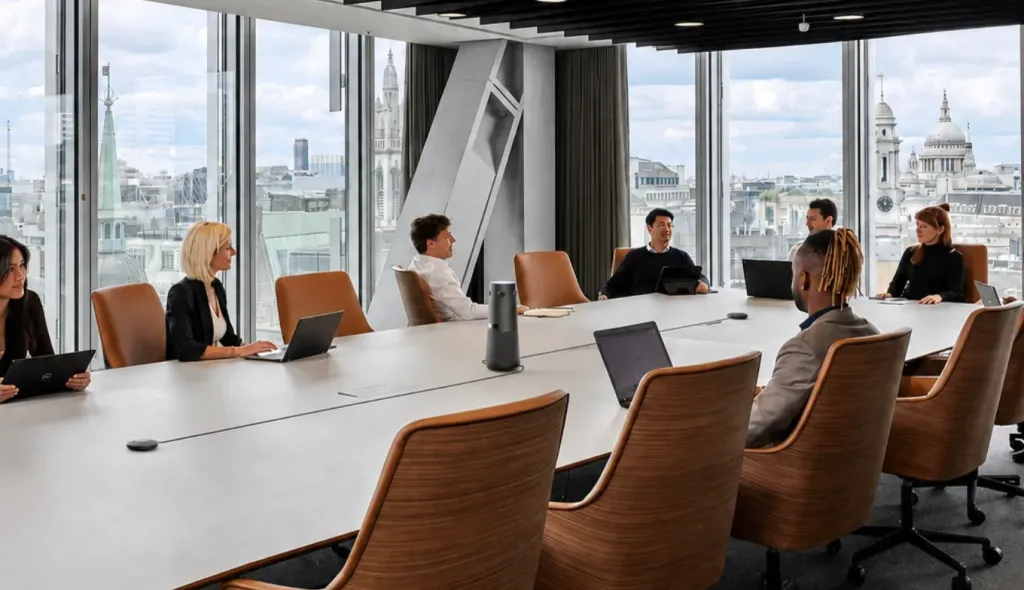
Hybrid meeting audio often fails invisibly. Eight colleagues around a table hear one another naturally, while a laptop at one end runs the call. The nearby host sounds clear to remote participants, but the quiet analyst at the far end fades out and a side comment produces laughter without context.
This is a participation problem, not simply a volume problem. When remote participants cannot reliably hear in-room participants, they cannot judge when to respond, challenge an assumption, or understand why a decision changed. A hybrid meeting works only when normal speech from every intended position reaches the far end clearly.
Hybrid Meeting Audio Is a Remote Experience Problem
People in the room hear direct sound, turn toward a quiet speaker, read expressions, and infer missing words from reactions. Remote participants receive only what the selected microphone captures and the meeting platform transmits. That is why “it sounds fine in the room” is not an acceptance test: local listeners evaluate the room, while remote listeners evaluate it through the system.
Poor hybrid meeting audio gives the room and the remote team different levels of access. Nearby speakers dominate, side discussions become private, and remote attendees spend attention reconstructing context. Because asking for repetition carries a social cost, many eventually stop asking.
The Most Common Problem: One Laptop Is Expected to Hear the Entire Room
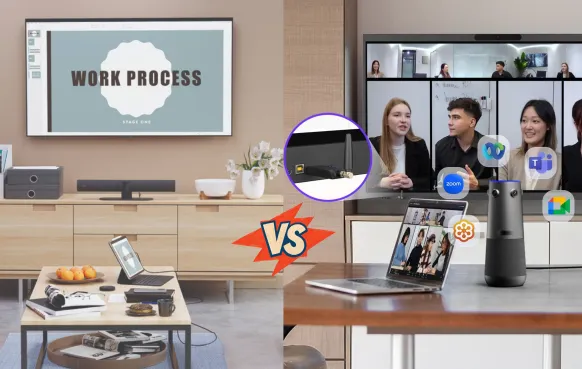
The typical improvised hybrid room begins when someone opens Teams, Zoom, Google Meet, or Webex on a laptop. The problem begins when that personal device becomes the camera, microphone, speaker, and room controller for six or eight people.
A built-in laptop microphone can work for one person close to the screen or a very small nearby group. It is not automatically a conference room microphone. Around a shared table, voices reach it from different distances, angles, and levels.
The nearby host sounds dominant; someone halfway down the table sounds softer; the far participant turns toward the display and becomes difficult to understand. Keyboard taps and table noise compete with speech. A green input meter or one clear host voice proves only that the microphone is active—not that the room is covered.
Why “Just Move the Laptop Closer” Is Not a Complete Solution
Moving the laptop may improve one voice while weakening the opposite end, obstructing sightlines, or disrupting the camera and display connections. It also makes every host rebuild the room differently.
Use repositioning as a test. If moving the laptop creates a different weak seat, the room has a coverage problem. If everyone becomes clearer only when they gather close, the microphone suits a smaller meeting footprint.
Dedicated Hybrid Meeting Equipment Changes the Audio Experience
Purpose-built audio equipment starts from a different assumption: several people will share one room, and each needs a reliable path into the call.
Easy to operate if every seat stays within useful range
Long table with one weak end
Base device plus an expansion microphone
Adds coverage, cable routing, and another placement decision
Presenter plus seated audience
Separate presenter and audience capture
Better zone coverage, but more operating complexity
Large, irregular, or divisible room
Distributed tabletop or ceiling audio with DSP
Stronger design flexibility, usually requiring professional planning
The distinction is personal capture versus room capture. A room system should account for several speakers, control echo, and cover the places where people actually talk.
Microsoft’s Teams Rooms device guidance says every participant should be within microphone range and a large table may require two or more microphones. These are planning principles, not a universal hardware prescription.
Room Layout Determines Who Gets Heard
Headcount alone does not define the requirement. Six people around a compact table differ from six people along a long table; a moving presenter differs from a seated boardroom group.
Before choosing a hybrid meeting microphone, map every seated and standing speaking position, note when people turn toward a display, and identify noise, reflective surfaces, and zones that must be active together.
If one device covers the table but not the presentation wall, the capture architecture does not match the workflow. An expansion microphone may fix one weak end without covering a presenter walking across the front.
Glass, bare walls, and hard tabletops also reflect sound. Increasing sensitivity may raise reflected sound and background noise with the voice, so placement and acoustics must be evaluated together.
Side Conversations Are Where Remote Participants Disappear
The most damaging gaps are often brief exchanges that change what the group thinks. In a project review, someone quietly notes that a supplier has not confirmed delivery. A short discussion follows and the launch date changes. The remote operations lead hears fragments and the revised date—but not the risk behind it.
Local participants turn toward the speaker; a remote attendee cannot aim the microphone. If the exchange matters, the host must bring it back into the shared audio path.
The host can intervene without making the meeting feel scripted:
“Could you repeat that for the remote team?”
“Let’s take one voice at a time—the supplier risk changes the date.”
“Before we decide, I want to hear from the people joining remotely.”
“I’m going to summarize the point that was discussed at this end of the table.”
Equipment can capture more of the room, but it cannot decide which conversation deserves attention.
Clear Audio Also Depends on How the Meeting Is Run
Even a well-equipped room fails when people talk over one another or the host never pauses for the far end. Full-duplex processing cannot turn three simultaneous conversations into one intelligible exchange.
Protect remote access with a few ordinary meeting habits:
Ask the presenter to state the conclusion, blocker, and requested decision clearly.
Repeat a quiet question before answering it.
Pause after asking remote participants for input; transmission and social timing are not instant.
Keep one active room audio path. Personal laptops can join for content, but their microphones and speakers should remain muted unless the room is deliberately configured to coordinate them.
Name the decision and owner aloud so nobody has to infer them from nods inside the room.
Microsoft’s coordinated Teams Rooms guidance warns that multiple active microphones and speakers can create echo and feedback. More open devices are not the same as a designed audio system.
When Does a Hybrid Meeting Need an Expansion Microphone?
An expansion microphone is justified when the room has a repeatable weak zone that sensible base-device placement cannot cover—not because the accessory exists or the room reaches an arbitrary headcount.
Run a remote test with the quietest expected speaker at every seat under normal conditions. If the same far seats remain weak after placement and acoustic corrections, test an expansion microphone near that zone.
One added microphone may cover one weak end of a regular table; two may suit two predictable weak ends. Several separated zones or movable layouts point toward distributed audio.
It cannot repair incorrect device selection, overlapping speech, severe reverberation, or exclusionary facilitation. It extends capture; it does not redesign the meeting.
How Nearity 360 Alien Fits a Hybrid Meeting Room
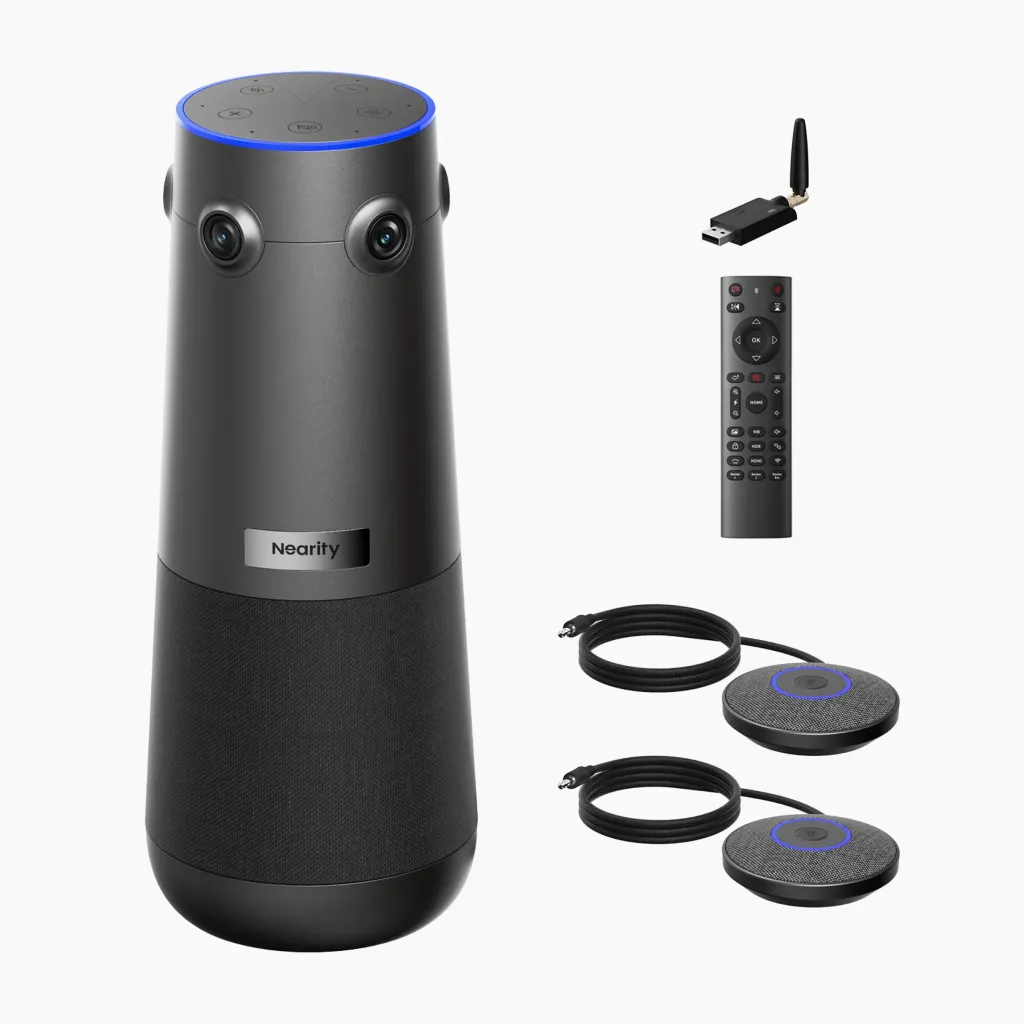
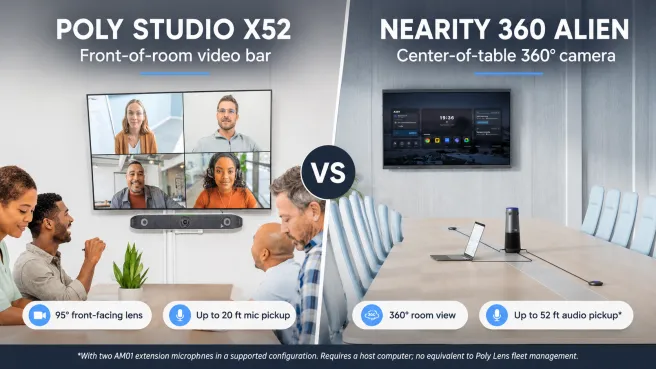
Nearity 360 Alien is relevant when a company wants to replace a laptop-only setup with one table-centered camera and speakerphone workflow. It features four-camera 360-degree video, six omnidirectional microphones, a built-in speaker, AI noise and echo processing, and selectable meeting views.
The central position can reduce the near-versus-far imbalance created by a laptop at one end, while the 360-degree view can help remote viewers connect voices with people.
Nearity states that the system supports up to two expansion microphones. Treat its coverage figures as manufacturer guidance, not a substitute for an occupied-room test.
A compact USB speakerphone may be enough for a small group; a video bar may better match presentation-led meetings; an irregular or divisible room may need distributed audio. Use the conference room setup framework to match the audio choice to the whole room.
Choose it when table-centered discussion, 360-degree context, integrated audio, and simple operation match the real meeting pattern.
Evaluate Hybrid Meeting Audio from the Remote Participant’s Seat
Ask a colleague outside the room to join with headphones without telling them which seat should be difficult.
Run one short agenda item with a presentation, a far-end question, a disagreement, and a decision. Ask the observer:
Which speakers were consistently difficult to understand?
Could they follow a quiet question and the comment that changed the decision?
Could they tell when there was space to enter the conversation?
Did noise or echo increase their listening effort?
Record weak zones, then repeat after changing one variable such as placement, room treatment, input selection, or coverage.
The pass condition is conversational access: remote participants understand normal speech from every intended zone, follow decisions, and contribute without repeated reconstruction.
Frequently Asked Questions
Why can remote participants hear some people but not everyone in the room?
People sit at different distances and angles from the microphone. A laptop or front-of-room device may capture nearby voices clearly while distant, quiet, or off-axis speakers fall outside its useful coverage. Room reflections and objects on the table can make the difference larger.
Can we use a laptop microphone for a hybrid meeting?
A laptop microphone can work for one person or a very small group seated close to it. It becomes unreliable when participants are spread around a table, turn toward a display, or speak from several zones. Test every seat remotely before treating it as a room solution.
When does a hybrid meeting room need an expansion microphone?
Consider an expansion microphone when a remote test reveals one repeatable weak zone that cannot be corrected by sensible device placement or acoustic improvements. Several independent speaking zones may require a distributed audio design instead of repeatedly extending one tabletop system.
Will a dedicated conference room microphone fix every hybrid meeting audio problem?
No. Dedicated equipment can improve voice coverage, echo control, and consistency, but it cannot stop overlapping speech, make side conversations inclusive, repair severe room acoustics by itself, or ensure that a host invites remote participants into the discussion.
Better Hybrid Meeting Audio Is About Participation, Not Volume
Good hybrid meeting audio carries the parts of the conversation that let a remote colleague understand, disagree, and help decide. If one laptop must capture an entire room, map the real speaking zones, test them remotely, and correct placement and meeting behavior before buying more equipment. Then choose a dedicated device, expansion microphone, or distributed system according to the weak zones the test reveals.
The decisive question is not “Can the room hear itself?” It is “Can someone outside the room participate as the conversation happens?”