Logitech Sight Alternatives for 360° Meetings: 2026 Buyer's Guide
Logitech Sight is a tabletop AI camera — but it is designed to work with a front-of-room Rally Bar, not as a standalone device.
logitech sight
logitech sight alternative
logitech sight alternatives
Updated: Sep 4, 2026 · 8 minutes read
Global Business, Brought Near.
No Installer, No Hassle, Just Works.
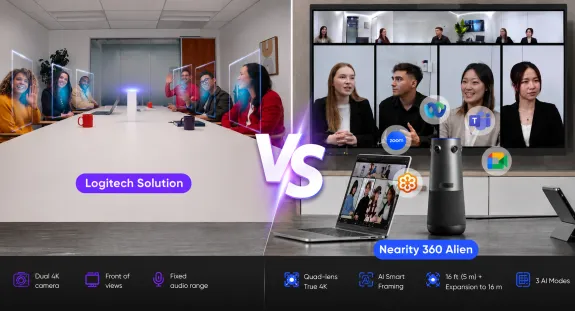
If you want one device to handle a 360° meeting room, Logitech Sight is not designed as a standalone all-in-one solution. Sight is built to work with a front-of-room camera — Logitech's Rally Bar family — while standalone 360° alternatives combine room coverage, microphones, and a speaker in a single device.
This guide explains what Logitech Sight actually is, what a complete Sight deployment involves, and which standalone alternatives are worth shortlisting in 2026.
Key Takeaways
Logitech Sight is a companion camera: 315° coverage, no speaker, and Logitech's own documentation positions it as working with a front-of-room Rally Bar — its $2,199 MSRP is not the full deployment cost.
A reference Sight + Rally Bar Mini configuration costs approximately $5,698 in hardware, while standalone 360° all-in-ones like the Nearity 360 Alien cover a room from one $1,399 device with one extansion mic.
Sight uses a 315° field of view and a 7.5 ft microphone radius because the paired Rally Bar covers the rest — standalone alternatives carry their own speakers and wider audio pickup.
If your organization already runs Rally Bars and Logitech Sync, Sight's two-camera architecture is a strength, not a flaw — standardization can outweigh deployment simplicity.
What Is Logitech Sight — and Who Is It Actually For?
Logitech Sight is a tabletop AI camera for hybrid meeting rooms, and on its own terms it is an impressive piece of engineering. Rather than mounting at the display like a traditional video bar, Sight sits in the middle of the table, capturing participants from the perspective remote attendees actually want: face-on, at eye level, from within the conversation.
The hardware reflects serious intent. Sight uses dual 4K cameras to cover a 315° horizontal field of view, a seven-microphone beamforming array with a pickup radius of about 7.5 feet, and AI-driven framing that Logitech calls RightSight Smart Switching. The software intelligently decides whether the front-of-room camera or the tabletop camera has the better view of whoever is speaking.
Sight integrates with Microsoft Teams, Zoom, and Google Meet, and it is managed through Logitech Sync, Logitech's fleet administration platform.
Who is it for? Sight was designed for medium-to-large meeting rooms in organizations that run — or plan to run — Logitech's Rally Bar ecosystem. If your company already has Rally Bars on the wall and a Sync-managed fleet behind them, Sight adds the table-level perspective to an existing room system.
That last point contains the detail that sends many buyers searching for alternatives — so let us address it directly.
The Catch: Sight Requires a Rally Bar
Sight is a companion camera, not a complete room solution. Logitech's own product page describes Sight as a companion device to Rally Bar and Rally Bar Mini, and specifies Rally Bar or Rally Bar Mini as part of the appliance-mode room solution.
The design decisions follow from that architecture:
The 315° field of view is deliberate. Sight leaves a roughly 45° wedge uncovered, aimed at the front of the room, because the paired Rally Bar owns that angle. It is not a full 360° standalone view; it is 315° of a two-camera system.
There is no built-in speaker. Audio output comes from the front-of-room bar, so remote voices play from the display rather than from the table.
The microphone radius is short by design. At roughly 7.5 feet of pickup, Sight's mics cover the immediate table; the bar's beamforming array and optional mic pods handle the rest of the room.
Deployment is a room project, not a desk unboxing. Depending on the room architecture, Sight requires PoE+ power/connectivity, while the Rally Bar or Rally Bar Mini handles the front-of-room system. Logitech also supports appliance mode and USB mode configurations.
None of this makes Sight a bad product. It makes Sight a component. And this is the distinction most buyers need to internalize before comparing prices: there is a difference between buying a camera and deploying a complete meeting-room system.
That difference shows up most clearly in the budget. Sight's standalone hardware MSRP is $2,199. A reference deployment — Sight plus the Rally Bar Mini ($3,499 MSRP) that Logitech designs it to work with — totals approximately $5,698 in hardware, before a touch controller, mic pods, mounting, or installation time. Treat that figure as an example configuration rather than a universal price: room sizes vary, some organizations pair Sight with the full-size Rally Bar, and current pricing should always be verified with Logitech or your reseller. But directionally, the complete Sight experience costs meaningfully more than the number on Sight's own spec sheet.
For organizations with dedicated AV teams and standardized room builds, that is a managed, predictable cost. For everyone else, it raises an obvious question: is there a device that covers the whole table by itself?
Quick Comparison: Logitech Sight vs Standalone 360° Alternatives
Category
Logitech Sight
Nearity 360 Alien
Meeting Owl 4+
Kandao Meeting Pro
Yealink SmartVision 60
Device architecture
Tabletop companion camera for Rally Bar systems
Standalone 360° all-in-one
Standalone 360° all-in-one
Standalone 360° with built-in Android system
Standalone 360° for Teams Rooms
360° coverage
315° (wedge reserved for front bar)
Full 360° (4 × 120° lenses)
Full 360° (single fisheye)
Full 360° (fisheye array)
Full 360°
Camera system
Dual 4K cameras
4 × Sony Starvis True 4K lenses
64MP fisheye, 4K output
360° capture with on-device processing
360° multi-lens design
Microphones
7 beamforming mics, ~7.5 ft radius
6-mic array; up to 2 expansion mics (~16 m total)
8 omni mics, ~18 ft radius
Integrated mic array
Multi-mic array
Speaker
None — via the paired bar
83 dB full-duplex, built in
Built-in 360° speakers
Built-in speaker
Built-in speaker
Requires companion device
Yes — Rally Bar / Rally Bar Mini (as designed)
No
No
No
No
Host PC / compute dependency
CollabOS appliance or room PC
None — USB or wireless dongle
None — USB plug-and-play
None — Android OS runs natively
Runs within Teams Rooms system
Room deployment complexity
Multi-device room project
No IT tickets
Single device, app-guided
Single device
Teams Rooms deployment
Best fit
Rally Bar estates, managed fleets
Teams wanting one device, any room size
Small-to-medium rooms, app-centric users
Rooms without a host PC
Microsoft Teams standardization
Specifications per official manufacturer pages; Kandao and Yealink cells are qualitative where we could not verify numbers from authoritative sources. Verify current pricing before purchase.
Ranked by use case, not by arbitrary preference — the right choice depends on what your room and your IT organization actually look like.
Nearity 360 Alien — Best Standalone 360° Alternative
The Nearity 360 Alien is the most direct architectural answer to Sight: a tabletop 360° camera that needs no companion device because everything Sight delegates to a Rally Bar is already inside it.
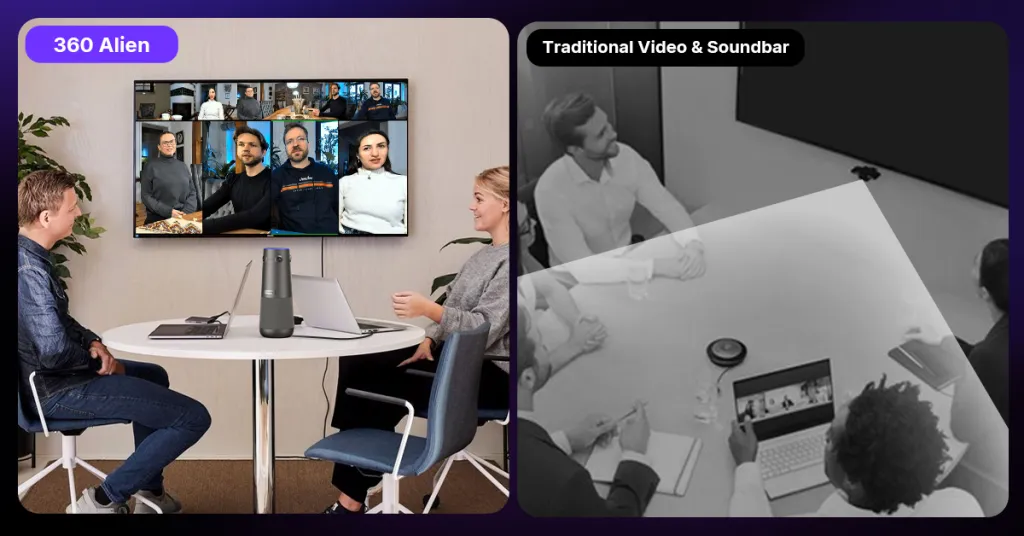
The camera system uses four Sony Starvis lenses, each capturing a 120° sector in true 4K. Because every lens faces its sector head-on, the stitched panorama avoids the stretched, soft edges that single-fisheye designs produce — participants at the side of the table look as clear as those in the middle, and coverage is a full 360° rather than Sight's 315°. For hybrid meetings, that addresses a basic but important problem: remote participants need to see the people around the table, not just the people sitting closest to the display. Compared with a single-fisheye design, the multi-lens approach is also intended to maintain more consistent image quality across different areas of the room.
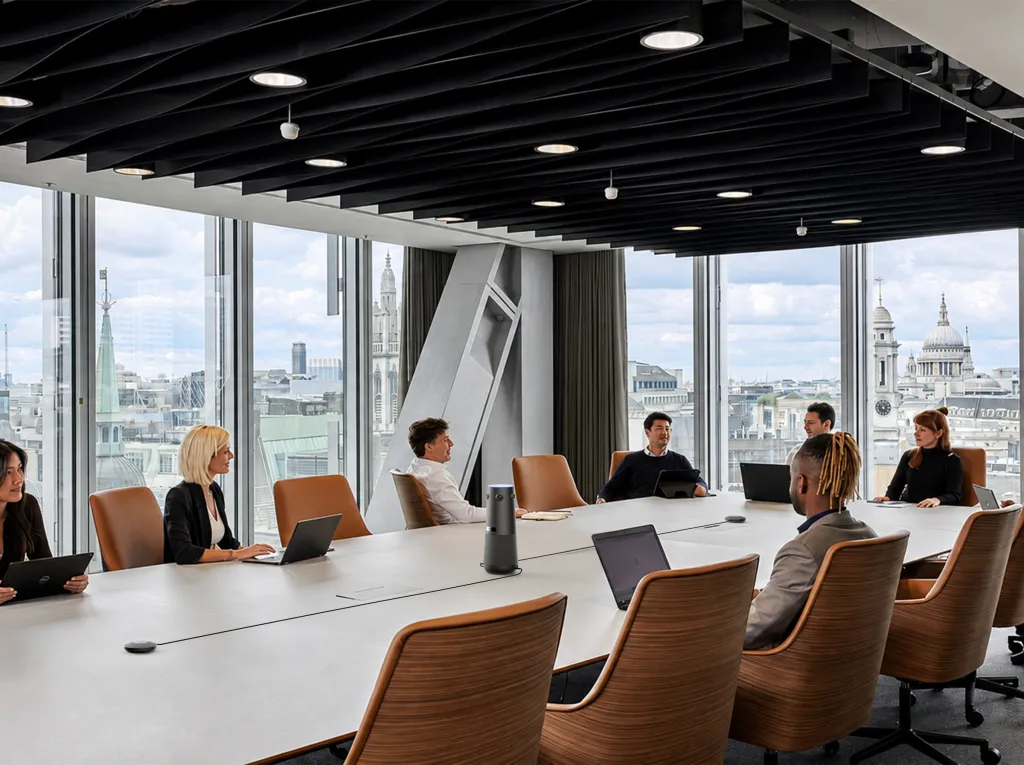
Audio is built in, not borrowed. A six-microphone array handles pickup out to a 5.5 m (18 ft) radius, and for long tables you can attach up to two expansion microphones, extending effective coverage to roughly 16 m (52 ft). An 83 dB full-duplex speaker sits in the same device, so remote voices come from the center of the conversation — not from a bar at the far wall. In practical terms, that covers rooms of up to 30+ participants from a single piece of hardware.
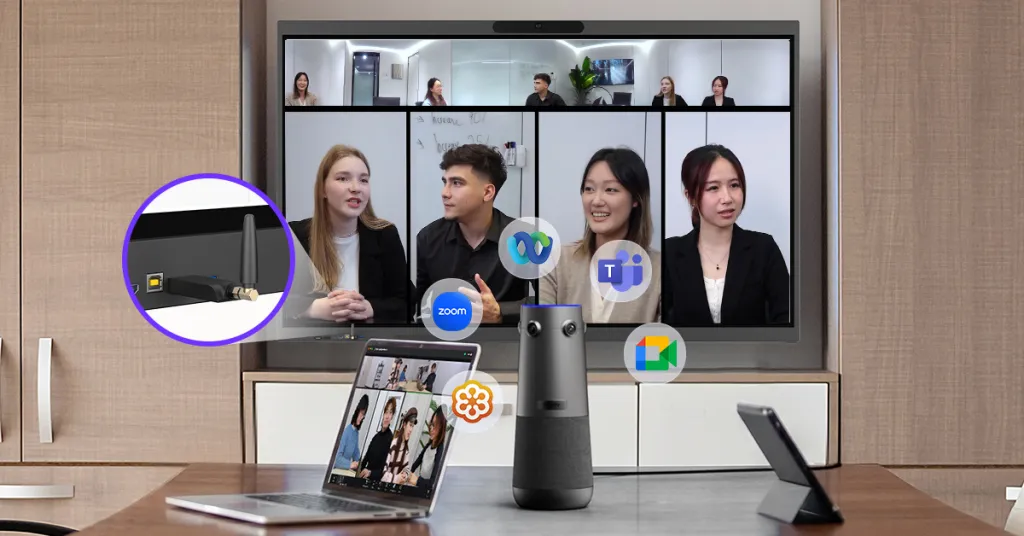
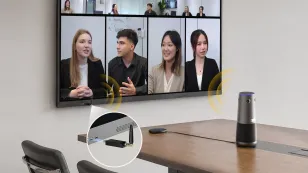
Deployment is the sharpest contrast with the Sight architecture. The 360 Alien connects over USB — or through an included wireless dongle — with no dedicated app, no account creation, no appliance compute layer, and no pairing choreography between devices. A physical remote control handles zoom, privacy, and its three AI framing modes (Discussion, Global, and Presentation). For an IT manager, the support burden is close to "plug it in"; for a facilities manager, there is nothing to mount.
For room planning, Nearity's recommended configurations are more useful than a generic participant-count claim:
3–6 people: 360 Alien ×1
6–12 people: 360 Alien ×1 + expansion mic ×1
12–20 people: 360 Alien ×1 + expansion mic ×2
Platform flexibility is universal: as a standard USB/UVC device it works with Zoom, Microsoft Teams, Google Meet, Webex, and BYOD laptops without drivers.
The honest framing of the architectural difference:
Sight + Rally Bar is a companion-camera system: two cameras, coordinated by CollabOS, managed by Sync — superb for standardized fleets.
360 Alien is a device: camera, microphones, and speaker in one unit, at $1,399 with expansion mic, deployable by anyone in the office.
Neither architecture is universally better — the next sections will be precise about when each wins. But if your priority is one device covering the whole room with integrated audio, the 360 Alien is the strongest fit on this list. See the full 360 Alien specifications and deployment options for room-by-room details.
Meeting Owl 4+ — Best for App-Managed Simplicity
The Meeting Owl 4+ ($1,999) is the other well-known standalone 360° option: a single tabletop device with a 64MP fisheye sensor outputting 4K, eight omnidirectional microphones with an 18 ft pickup radius, and built-in 360° speakers. It is genuinely standalone — no companion bar required — and its Owl app guides setup in minutes.
Two things to weigh: its single-fisheye optics dewarp a circular image into a rectangular frame, which softens edge-of-room clarity compared to multi-lens designs; and its ceiling is one expansion microphone, so larger rooms mean pairing two full devices. For small-to-medium rooms where app-managed simplicity is the priority, it remains a strong contender. We have a deeper look at Meeting Owl alternatives if the Owl is also on your shortlist.
Kandao Meeting Pro — Best for Rooms Without a Host PC
Kandao's Meeting Pro line takes a different route to independence: the camera runs its own Android-based meeting system, so it can join calls without a laptop or room PC driving it. For huddle spaces, shared rooms, or satellite offices where no dedicated host computer exists, that standalone-operation model is the entire value proposition. The trade-offs are a smaller software ecosystem and less enterprise management tooling than Logitech or Yealink offer — evaluate it on whether host-free operation solves a real problem in your rooms.
Yealink SmartVision 60 — Best for Teams Rooms Standardization
Yealink's SmartVision 60 is a 360° tabletop camera built specifically for Microsoft Teams Rooms environments, developed within Microsoft's device ecosystem. If your organization is standardizing on Teams Rooms and wants center-of-table video inside that managed framework, it is the most natural fit on this list — the enterprise certification and Teams integration are the point. The flip side is that its value is tightly coupled to the Teams Rooms stack; outside that ecosystem, more platform-agnostic devices make more sense.
One Device vs Two: What Each Deployment Actually Involves
Specifications tell you what a camera captures. Deployment architecture tells you what owning it is like. This second comparison matters more for total cost and IT workload than any spec sheet row:
Deployment Factor
Sight + Front-of-Room Camera
Standalone 360° Camera
Number of core devices
2+ — tabletop camera plus a front-of-room bar
1
Camera coverage
Split: bar covers front, Sight covers table (315°)
Full 360° from one position
Audio architecture
Speaker in the bar; mics split across both devices; optional mic pods
Integrated mic array and speaker in one unit; expansion mics if needed
Cabling
Bar cabling at the display, PoE+ cable run to the table for Sight
One USB cable — or a wireless dongle with no cable across the room
Power requirements
Multiple powered devices
Single powered device
Compute / room-system dependency
CollabOS appliance mode or room PC
None for basic operation — the host laptop is the computer
Select the device as camera, mic, and speaker in your meeting app
Troubleshooting surface
Two devices, a cable path, and a software coordination layer
One device — unplug and replug resolves most issues
Fleet management
Sync is excellent at scale — a genuine strength
Per-device management; lighter tooling
Best suited organization
Enterprises with AV/IT staff and standardized room builds
SMBs and mid-market teams without dedicated AV staff
Example: 12-person conference room
Here is what the two architectures look like in the same room. This is an illustrative scenario, not a quote — verify current pricing and requirements with each vendor.
Option A: Logitech Sight + Rally Bar Mini. The Rally Bar Mini mounts at the display; Sight sits on the table and connects back to the bar over PoE+; CollabOS runs the room in appliance mode; RightSight Smart Switching arbitrates between the two cameras as speakers change. You get two coordinated perspectives and Sync-managed fleet control. Hardware is approximately $5,500 in this configuration, and installation realistically involves mounting, cable runs, and IT configuration time.
Option B: Nearity 360 Alien. One device goes in the center of the table and connects to the room laptop over USB or its wireless dongle. The four-lens array covers all twelve seats; the built-in 6-mic array with an 18 ft radius covers a 12-person table, with a $150 expansion mic available if the table runs long. There is nothing to mount, pair, or enroll — the meeting starts when you open Zoom or Teams. Hardware is $1,399 (with expansion mic), or roughly $1,699 with two expansion mic.
For a 12-person room, the practical difference is not image quality — both produce professional video. It is the number of devices, the cabling, the configuration dependencies, and roughly $4,000 in hardware. Multiply that across ten rooms and the architectural choice becomes a line item your CFO will notice. If you are weighing layouts room by room, our guide to cameras for different conference room sizes maps options to room dimensions.
When Sight + Rally Bar Is Actually the Right Choice
Balance matters here, because Sight's architecture is a feature for a real class of buyer. Choose the Logitech path when:
You already own Rally Bars. Adding Sight to an existing Rally Bar estate is the most cost-effective way to get table-level perspective — you are extending an investment, not starting one.
Your organization has standardized on Logitech. One vendor, one management plane, one support contract. Procurement simplicity has real dollar value.
Your IT team lives in Logitech Sync. Managing hundreds of rooms — firmware, health monitoring, settings — is where Sync earns its keep, and single-device alternatives do not match that depth.
Teams Rooms certification is a hard requirement. Logitech's certified room systems satisfy compliance checklists that generic USB devices cannot.
Centralized management beats per-room simplicity for you. Some organizations would rather manage complexity centrally than have thirty simple rooms they cannot see.
If several of these describe you, Sight is not a compromise — it is the correct component in a system you have already chosen. For a broader brand-level view of the trade-offs, see our Nearity vs Logitech head-to-head comparison.
How to Choose a Logitech Sight Alternative
Work through these twelve questions in order — each one narrows the field:
Do you need a true 360° field of view? If participants sit around the table and face each other, yes. If everyone faces the display, a front-of-room bar may be enough — Sight's 315° design assumes the bar covers the front.
Do you want one device or a multi-device room system? This is the master switch. One device favors standalone 360° cameras; a managed system favors Sight + Rally Bar.
What is the room size? Under 6 people, most options work. Beyond 12, audio pickup and expansion become the deciding constraints.
How many participants typically attend? Match the device's rated coverage — and its expansion ceiling — to your largest regular meeting, not your average one.
Do you need integrated microphones? All standalone 360° devices here include them; Sight relies partly on the paired bar's audio system.
Do you need an integrated speaker? Sight has none — audio comes from the bar. If you want voices to come from the table, require a built-in speaker.
Do you need expansion microphones? Long tables and boardrooms do. Check both the number of supported expansion mics and the resulting total coverage.
Does your team have dedicated AV/IT support? Yes → multi-device systems are manageable. No → single-device architectures eliminate most of what goes wrong.
Are you standardized on Teams Rooms? Yes → put Yealink SmartVision 60 and Logitech's certified systems at the top of the list.
Do you need centralized fleet management? More than ~15–20 rooms with no local IT argues for Sync-class management tooling.
What is the total deployment cost? Price the complete room — camera, bar, mics, controller, compute, installation — never the component.
How important is plug-and-play setup? If rooms must be live the day hardware arrives, weight this heavily; it is where single-device designs are structurally ahead.
Is Logitech Sight a standalone camera? Not in the conventional all-in-one sense. Logitech designed Sight as a tabletop companion camera that works with a front-of-room Rally Bar or Rally Bar Mini, which provides the front view, speaker output, and the CollabOS software experience. Sight has no built-in speaker, and its 315° field of view deliberately leaves a wedge toward the front of the room.
How much does a complete Logitech Sight setup cost? Sight alone has an MSRP of $1,999. A reference deployment pairing it with a Rally Bar Mini ($3,499 MSRP) totals approximately $5,500 in hardware before optional accessories like a touch controller or mic pods. Treat this as an example configuration and verify current pricing with Logitech or your reseller.
What is the best Logitech Sight alternative? For teams that want a single standalone device, the Nearity 360 Alien is the most complete alternative: true 360° coverage from four 4K lenses, a 6-microphone array expandable to roughly 16 m, an 83 dB full-duplex speaker, and no companion device required — at $1,399. The Meeting Owl 4+ suits app-centric teams, and the Yealink SmartVision 60 fits Teams Rooms standardization.
Does Logitech Sight work without a Rally Bar? Sight is engineered around the Rally Bar family: the bar hosts the front-of-room view, the speaker, and the CollabOS system that drives Smart Switching between the two cameras. Plan on the paired deployment when budgeting — Sight's design value only fully materializes in that configuration.
Is there a standalone 360° conference camera? Yes — several. The Nearity 360 Alien, Meeting Owl 4+, Kandao Meeting Pro, and Yealink SmartVision 60 all operate as single devices with integrated cameras and audio. They differ in optics (multi-lens vs fisheye), software ecosystems, expansion options, and management tooling.
What is the best 360° camera for Zoom and Microsoft Teams? Every device in this guide works with both platforms. The 360 Alien connects as a universal USB/UVC device — no software required — which also covers Google Meet and Webex. Yealink's SmartVision 60 is purpose-built for Teams Rooms, and Logitech's systems carry formal platform certifications if your procurement process requires them.
Is a standalone 360° camera easier to deploy than a multi-device room system? Generally yes: one device means one cable (or a wireless dongle), no camera pairing, no appliance compute layer, and far less troubleshooting surface. The trade-off is fleet management — multi-device ecosystems like Logitech's Sync offer centralized control across hundreds of rooms, which large IT organizations may value more than per-room simplicity.
Final Verdict
Logitech Sight is excellent engineering aimed at a specific buyer: the organization that treats meeting rooms as managed infrastructure. Its companion architecture, Smart Switching, and Sync integration are real advantages — inside a Logitech room system.
Choose Logitech Sight if:
You already deploy Rally Bars and want the table-level perspective added on
Enterprise fleet management through Sync is a requirement, not a preference
Your IT team is comfortable owning standardized, multi-device room systems
Platform certification and single-vendor procurement simplify your world
Choose a standalone 360° alternative if:
You want one device to cover the entire room — video and audio
You want integrated camera, microphones, and speaker without a companion bar
You want deployment measured in minutes, not as a room project
You want to reduce devices, cables, and configuration dependencies per room — especially across several rooms
If your priority is one device + true 360° coverage + integrated audio + simpler deployment, the Nearity 360 Alien is the strongest option in this class: four-lens true 4K without fisheye distortion, expansion-ready audio, and a complete room for $1,399 instead of a roughly $5,698 two-device configuration.