The Best Alternative Of Meeting Owl 4+ Video Conference Camera: Nearity 360 Alien
Compare Nearity 360 Alien vs.
zoom conference cameras
video conference camera for large room
meeting owl alternatives
Updated: Aug 19, 2026 · 12 minutes read
Global Business, Brought Near.
No Installer, No Hassle, Just Works.
In the landscape of modern work, the 360-degree all-in-one camera has redefined what it means to be a hybrid team by ensuring remote participants feel like they have a "seat at the table." Selecting the right meeting room equipment is no longer just about "being seen"—it is about achieving professional-grade audio and video clarity. As companies transition from temporary home setups to permanent hybrid models, the limitations of even the latest generation tech, such as the Meeting Owl 4+, are becoming apparent in complex corporate environments.
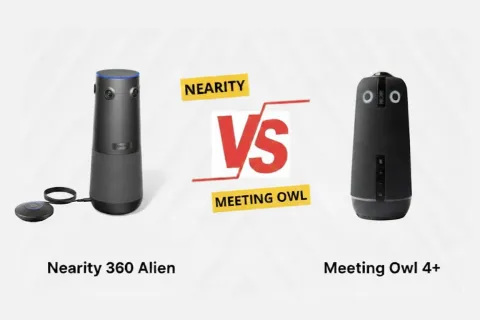
While Owl Labs' Meeting Owl 4+ represents a significant step up from its predecessor, the Nearity 360 Alien has emerged as the definitive choice for enterprises seeking professional stability. It addresses the inherent optical limitations of single-lens systems with its quad-camera array, True 4K resolution, and superior scalability. Both devices are premium contenders, but for those searching for the most robust meeting owl alternatives, the choice often boils down to hardware-level precision versus consumer-oriented software features.
Nearity 360 Alien: The New Flagship for Enterprise
The Nearity 360 Alien is designed as a high-performance solution for high-stakes corporate environments, meeting needs of large-scale meeting room solution. Its core value proposition can be broken down into the following key pillars needs of large-scale:
Professional Quad-Lens Architecture: Unlike consumer-grade devices, the 360 Alien utilizes a specialized quad-lens 4K array. This hardware-first approach ensures that the 360-degree view is composed of four high-quality streams stitched seamlessly, rather than one distorted image stretched thin.
Enterprise-Grade Sensors: Each of the four lenses is backed by Sony Star-VIS CMOS sensors, which are optimized for low-light clarity and high dynamic range, ensuring that even in rooms with challenging lighting, participants look natural and sharp.
Advanced Audio Signal Processing: The device is powered by patented noise reduction algorithms that focus on isolating human speech from the environmental "white noise" of a busy office.
Unmatched Deployment Flexibility: It offers features designed for IT professionals, such as expansion mic support for massive tables and a proprietary wireless dongle that eliminates the need for messy USB-C cabling across the floor.
Targeted for the Boardroom: This meeting owl alternative prioritizes consistent signal stability, professional optics, and tactile control, making it the ideal centerpiece for executive-level collaboration.
Meeting Owl 4+: The Latest Iterate
The Meeting Owl 4+ is a standout product from Owl Labs, renowned for its sleek design and established presence in the market. As the latest iteration of Owl's best-selling line, it captures attention with its unique appearance and cutting-edge technology, making it an essential tool for modern meetings.
The Meeting Owl 4+ integrates a 360-degree camera, microphone, and speaker system, offering a professional meeting experience. These qualities make it a preferred option for businesses looking to support their collaborative environments. While it brings significant improvements—most notably the upgrade to 4K—it still relies on a single fisheye lens architecture, which creates notable differences when compared to multi-lens systems in professional conference settings.
Camera Battle: True 4K Quad-Lens vs. 4K Single-Lens
Nearity 360 Alien stands out with its quad Star-VIS CMOS array and hardware-first panoramic architecture, offering the following critical advantages for a professionalboardroom set up:
True 4K Resolution: Utilizing four high-resolution Sony Star-VIS sensors, the 360 Alien delivers True 4K Ultra HD video. It captures significantly more detail, providing sharper and clearer video quality that makes it easier to discern facial expressions even at the end of long tables.
Superior Low-Light Performance: Unlike single-sensor cameras, our multi-sensor system with Sony technology captures substantially more light. This results in exceptionally clean, low-noise video even in dimly lit conference rooms, ensuring every participant remains clearly visible without the need for harsh supplemental lighting.
Zero-Distortion 360° View: Equipped with a quad-lens 120° optical array, the 360 Alien ensures every corner is captured from a natural, frontal angle. This hardware-stitched panorama eliminates the "fish-eye" or "funhouse mirror" distortion typical of single-lens cameras. Remote participants feel physically present as the room layout remains proportional.
30° Auto-Exclusion Zone: A unique feature that allows the camera to physically ignore specific distractions, such as a busy glass window or TV screen behind participants, ensuring the AI focuses only on the meeting.
In contrast, the Meeting Owl 4+’s 4K resolution still relies on a limiting single fisheye lens. Even with an upgraded sensor, this approach captures a distorted circular image and must crop over 85% of the original pixels to form a rectangular frame. Heavy digital correction is then required to correct geometry, a process that introduces artifacts and significant effective pixel loss. Consequently, its final output struggles to deliver the perceived clarity needed for detailed content like text and graphics in professional presentations.
Visual Specs
Nearity 360 Alien
Meeting Owl 4+
Resolution
True 4K (Quad Sensors)
4K (Digital Unwrapping)
Lens Hardware
4-Camera Optical Array
Single Fisheye Lens
Distortion Control
Optical Zero-Distortion
Digital Correction (Warping)
Low-Light Tech
Sony Star-VIS Low-Noise Sensors
Standard CMOS
Microphone Comparison: ProperClean™ 2.0 vs. Standard Audio
Audio is 50% of the meeting experience. Nearity’s commitment to audio clarity is evident in its technical specifications:
1. Proprietary Audio Processing Suite
ProperClean™ 2.0: This patented algorithm analyzes audio in real-time to remove reverberation and echo, which is essential for rooms with hard surfaces and glass walls.
AI Noise Reduction: Capable of identifying and suppressing over 150 types of background noise, from HVAC hums to paper rustling and keyboard typing.
Automatic Gain Control (AGC): Automatically balances the volume of different speakers so that someone whispering near the camera sounds as clear as someone shouting from across the room.
2. Massive Scalability for Large Rooms
Native Pickup: Out of the box, it offers a 5-meter (16.4 ft) pickup radius powered by a 6-microphone omnidirectional array.
Wired Daisy-Chaining: For extra-long tables, you can connect up to 2 expansion microphones via a simple cable. This allows for a total pickup range of 16 meters (52 feet).
Vs. Wireless Pairing: The Meeting Owl 4+ relies on "Owl Connect" (wireless pairing), which can suffer from latency or connection drops in environments with high Wi-Fi interference.
Speaker Comparison: Professional Full-Duplex Performance
Natural conversation requires a video conference camera for large room use that supports spontaneous dialogue without clipping.
Professional Full-Duplex Speaker: The 360 Alien allows participants to speak and listen simultaneously without delays. It allows one party to interrupt the other at any time without waiting for a pause, creating a more natural and dynamic conversation.
Powerful 83dB Output: Designed specifically for larger conference rooms, the sound appears louder and more authoritative, ensuring the sound can cover expansive areas and remain audible in noisy environments.
Voice Reconstruction: It uses high-fidelity drivers tuned for human vocal frequencies, making remote voices sound warmer and more life-like.
In contrast, Meeting Owl 4+'s audio output peaks at approximately 79 dB. This may prove insufficient in noisy or active office environments, where background sound can easily overwhelm its volume, compromising clarity for participants.
Speaker Output
Nearity 360 Alien
Meeting Owl 4+
Max Output Level
80±3 dB
79 dB
Clarity Feature
High-Fidelity Voice Reconstruction
Standard Equalization
Remote Control Comparison: Why a Physical Remote Defines the Experience
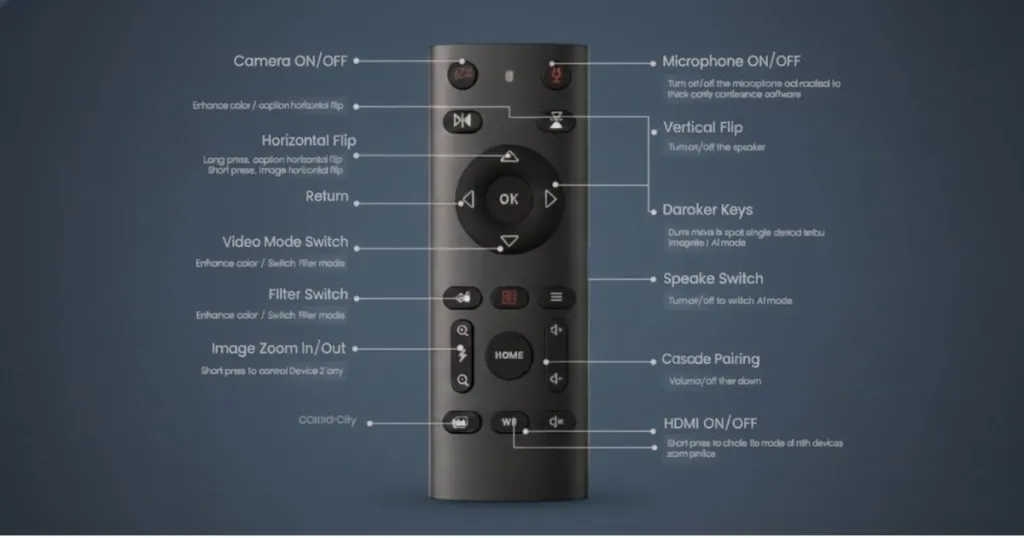
Why a professional remote defines the meeting experience? While most all-in-one cameras offer basic control, the Nearity 360 Alien delivers a completely different class of command with its dedicated physical remote.
1. Full-Room Control at Your Fingertips
Take seamless control without touching the device or your computer. Hosts can manage every aspect from their seat, ensuring a fluid, uninterrupted meeting flow.
Instant Control: Toggle camera/mic, mute instantly, or switch AI views with directional keys.
Quick Framing: Use dedicated zoom buttons to focus on a whiteboard or speaker.
Easy Navigation: Return to home or check-in screen with one press.
2. Professional Imaging, Right at Your Fingertips
We engineered the 360 Alien‘s optics to the standards of professional cameras from brands like Canon and Sony, and we’ve baked that same professionalism into the remote. It puts broadcast-level image adjustments within easy reach for true WYSIWYG (What You See Is What You Get) results.
Essential Image Parameters: Enable/disable HDR mode to optimize dynamic range; adjust White Balance for true-to-life colors; cycle through video filters for different scenes.
Advanced Function Management: Independently control the fill light for perfect illumination on the speaker; lock all parameters with one click to prevent accidental changes.
Flexible Device Management: Control multiple devices in a group or individually with shortcuts. The remote also enables quick wireless dongle pairing, simplifying complex setup.
In contrast, the Meeting Owl 4+ requires manual adjustments on the device or through an app—an inconvenient process that offers far less freedom and efficiency compared to the 360 Alien.
For a professionalconference room, the user interface of the 360 Alien is designed to be visible and accessible to everyone in the room, creating an effortless experience during high-stakes discussions:
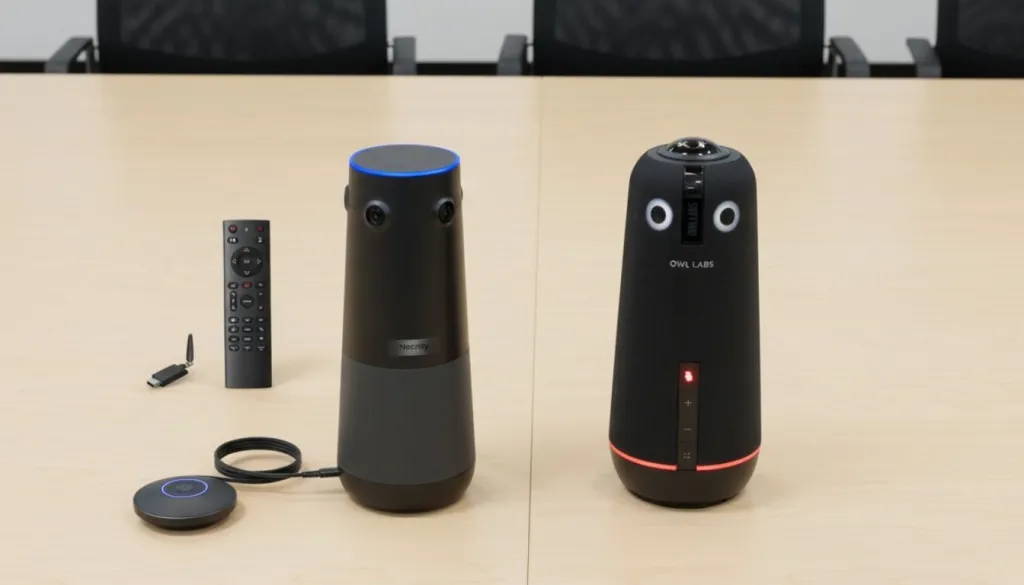
360° Status Light Strip: A high-visibility LED ring at the base of the device changes color (Green for Standby, Purple for Active, Red for Muted) to show the connection and mute status. It is visible from any seat at the table, ensuring every participant knows the exact status of the meeting at a glance.
Top-Mounted Touch Panel: Includes 5 high-sensitivity buttons for volume, mute, and camera mode switching. Because the panel is on top, there is no need to pick up the device or reach underneath to find mechanical buttons—allowing the host to maintain eye contact and professional presence.
Instant Feedback: Visual and audible cues confirm every command, ensuring the host is always in confident control of the meeting environment without second-guessing hardware status.
In contrast, the Meeting Owl 4+ uses its iconic "eyes" to indicate status, which is visually distinct but offers limited visibility from certain angles. Furthermore, its physical buttons are located at the lower part of the device. This requires users to look down or reach underneath during a live session—a process that inevitably disrupts the engagement of a live presentation and the professional flow of your meeting room solutions.
Interface Comparison
Nearity 360 Alien
Meeting Owl 4+
Touch Buttons
5 (Top-mounted, High sensitivity)
4 (Side-mounted, Mechanical)
Visual Indicators
360° Status Ring (Base)
Glowing "Eyes"
Visibility
High (Visible from all angles)
Low (Front-facing focus)
All-in-One Device Comparison: Connectivity and Scalability
Modern offices demand clean, professional aesthetics. Nearity provides this through innovative connectivity:
Proprietary Wireless Dongle: The 360 Alien can connect to a laptop wirelessly via an encrypted USB dongle. This means zero cables running across the boardroom table, eliminating trip hazards and clutter.
True Plug-and-Play: No drivers or third-party software are required for the device to be recognized by Zoom, Teams, or Google Meet.
Included Expansion Options: Nearity often includes an expansion microphone in the box, recognizing that enterprise needs rarely stop at a small 4-person table.
Connectivity
Nearity 360 Alien
Meeting Owl 4+
Wired Connection
USB-C Plug & Play
USB-C Plug & Play
Wireless Support
Proprietary Encrypted Dongle
Wi-Fi (for App/Connect only)
Packaging
Includes Expansion Mic
Base unit only
Software Intelligence: NearSync vs. Meeting Owl App
While both brands offer software management, the philosophies are different:
NearSync (Nearity)
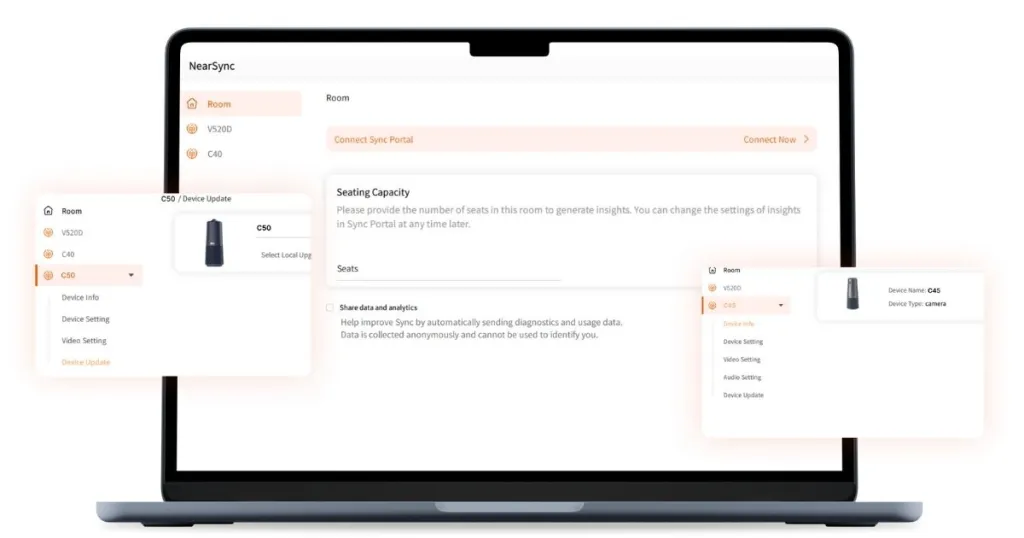
Manage your device with professional precision through NearSync:
Device Setting: In the device setting, you can choose whether to flip the subtitles and choose from three modes:
Global Mode: View the entire room clearly.
Speaker Mode: Focuses on the current presenter.
Discussion Mode: Highlights up to four participants for dynamic debates.
Video Setting: Includes 50Hz and 60Hz toggles to avoid light flicker across different regions. You can also manually adjust the brightness, contrast, saturation, and hue.
Device Upgrade: Upgrade the operating system instantly with NearSync to ensure you have the latest AI tracking and audio optimizations.
Meeting Owl App (Owl Labs)
Lock & Zoom: Allows users to manually control and adjust the camera’s focus on a specific area or participant.
Presenter Enhance: Intelligently highlights the active presenter in the room using smart tracking.
360 Pano: Displays a panoramic view of the entire room at the top of the feed for room context.
Software Feature
NearSync (Nearity)
Meeting Owl App
AI Framing
3 Distinct Modes (Global/Speak/Discuss)
Auto-Framing / Lock & Zoom
Image Tuning
Full (Brightness/Saturation/Hue/HDR)
Basic (Exposure only)
OS Support
Windows / macOS
iOS / Android / Desktop
Nearity 360 Alien: High ROI & Professional Excellence
For modern IT leaders, balancing the Total Cost of Ownership (TCO) against professional engagement is a critical strategic decision. According to Harvard Business Review, the quality of virtual interactions directly impacts team cohesion. While legacy systems like the Owl 4+ suit entry-level huddle rooms, the Nearity 360 Alien is engineered specifically for sophisticated enterprise environments. Choosing this flagship is about Avoiding "Hidden Costs" of legacy hardware, providing a robust, reliable infrastructure designed to satisfy the rigorous demands of long-term corporate deployment and executive collaboration.
Why Companies Choose 360 Alien over Meeting Owl Camera?
Four True 4K Cameras for Superior Visual Clarity
Clear, Scalable Audio with Expansion Mic Support
Expert Help at Your Fingertips
Better Price, Higher Quality
Why the 360 Alien Offers Better Long-Term Value?
Choosing the 360 Alien as your primary meeting owl alternative is about avoiding the "hidden costs" associated with lower-spec systems:
Patented Audio Excellence: Features ProperClean 2.0 Audio Tech, which insulates 99.99% of noises, echoes, and resonance. This ensures crystal-clear communication in acoustically challenging boardrooms without requiring expensive room acoustic treatments.
True Wireless Freedom: Supports an exclusive Encrypted Wireless USB Dongle. This allow a completely wireless connection to your laptop, eliminating the messy cable clutter and potential trip hazards that wired systems require.
Scalable for Any Room: Nearity often includes a complimentary expansion microphone in the box. While competitors are limited to small spaces or require expensive secondary units, the 360 Alien easily scales to larger meeting rooms at a fraction of the cost.
High-End Integration: The 360 Alien's Plug-and-Play nature and Wireless Dongle reduce IT support time by eliminating complex pairing or cabling issues, achieving a level of deployment efficiency that legacy systems simply cannot match.
Comparison Point
Nearity 360 Alien
Meeting Owl 4+
Official Price (2025)
$1,599.99 (Current Sale: $1,399.99)
~$1,999
Accessories
Expansion mics $150
Wireless Dongle(transceiver) $150
Nearity Camera Tripod $129
Expansion mics $249; Tripod $149
Resolution
True 4K (Quad Sensors)
4K (Single Sensor Stretching)
Effective Audio Pickup
5m radius; 16m with 2 expansion mics
5.5m radius; ~11m with pairing
Setup
USB-A/C plug-and-play + Wireless dongle
USB-A; Needs Wi-Fi pairing/app
Best For
All-size rooms
simple huddle & standard meeting rooms
Choosing the 360 Alien is about future-proofing your conference room equipment. As 4K becomes the industry standard, systems that rely on digital stretching will require replacement much sooner. Additionally, covering a larger room with the Alien is significantly more affordable than purchasing multiple primary camera units.
Frequently Asked Questions (FAQs)
Q: Why is the Nearity 360 Alien considered one of the best meeting owl alternatives for boardrooms?
A: Unlike the Meeting Owl 4+, which uses a single lens to "stretch" a 360-degree view, the 360 Alien uses four dedicated 4K sensors. This hardware-level approach eliminates distortion and ensures that everyone at the table looks natural and sharp.
Q: Does the Nearity 360 Alien work with all zoom conference cameras platforms?
A: Yes. It is fully UVC-compliant and compatible with Zoom, Microsoft Teams, Google Meet, and all other major conferencing platforms.
Q: Can I use the 360 Alien as a video conference camera for large room settings?
A: Yes. It is specifically designed for scalability. By adding expansion microphones, the 360 Alien can effectively cover rooms up to 50 feet long.
Q: Is the audio on the 360 Alien better than the Meeting Owl 4+?
A: Both devices offer excellent audio, but the 360 Alien’s ProperClean™ 2.0 technology is specifically tuned to filter out a wider range of noises (150+) and features superior de-reverberation for glass-walled offices.
Q: How does the wireless dongle improve my boardroom set up?
A: The encrypted wireless dongle eliminates the need for long USB cables running across the floor, making for a cleaner and more professional-looking meeting space while providing a stable, low-latency signal.
Conclusion: The Final Verdict on Hybrid Collaboration
In conclusion, when evaluating these two video conference devices, both offer distinct advantages. The Meeting Owl 4+ is a significant upgrade in the Owl lineage and it remains a solid choice for small, agile teams that prioritize brand familiarity.
Nearity 360 Alien represents a significant step forward in meeting room technology. Priced competitively, it offers a more professional and future-proofed solution for enterprise users. Its quad-lens 4K system delivers unparalleled clarity, while the ProperClean™ 2.0 audio ensures every word is heard. For growing teams and enterprise environments, the inclusion of a physical remote, wireless connectivity, and expansion support makes it the superior investment for any serious hybrid team.
The Final Verdict: By upgrading your boardroom set up with the 360 Alien, you aren't just buying a camera; you are investing in the clarity of your company's communication. As hybrid work continues to evolve, having the right meeting owl alternatives ensures your team stays connected, professional, and productive.
Looking for a reliable video conference tips? Check out our Nearity 360 Alien.