Best Meeting Owl Alternatives in 2026: Find the Right Conference Camera
Compare Nearity 360 Alien with Meeting Owl in real rooms.
alternatives to meeting owl
meeting owl alternative
360 conference camera
Updated: Oct 21, 2026 · 14 minutes read
Global Business, Brought Near.
No Installer, No Hassle, Just Works.
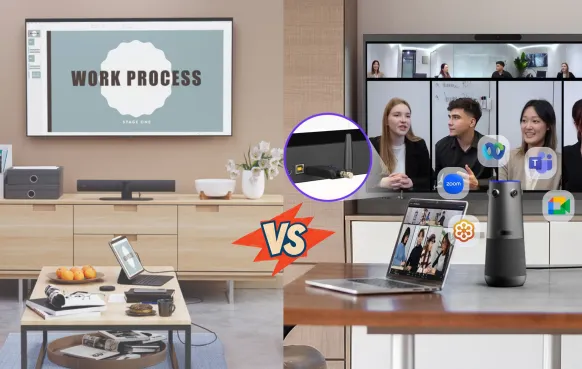
Looking for a Meeting Owl alternative? Start with how people use your meeting room. A camera in the middle of the table suits group discussions, while a front-of-room system may work better when everyone faces a display. If the room needs to run meetings without a laptop, built-in conferencing software becomes a separate requirement.
This guide compares five options, starting with the Nearity 360 Alien. Rather than choosing by resolution alone, consider where people sit, how they connect, and what equipment the room already has.
Here’s how these options differ—and when staying with Meeting Owl may make more sense.
Meeting Owl Alternatives at a Glance
Option
Meeting setup
Connection and operation
Main consideration
Nearity 360 Alien
Tabletop 360° camera with expandable audio
USB or optional wireless dongle to a host computer
Combines four-lens imaging, dual expansion-mic support, and remote-controlled framing
Coolpo AI Huddle PANA
Budget-focused tabletop 360° device
Wired USB to a host computer
Lower entry price for a straightforward setup
Kandao Meeting Ultra
Tabletop system with integrated screens
Built-in Android or USB mode
Check app support and available table space
Logitech Rally Bar Mini + Sight
Front-of-room bar plus tabletop companion camera
Depends on the room configuration
Requires a complete compatible installation
Jabra PanaCast 50 Video Bar System
Dedicated front-of-room system
Onboard computing with a room controller
Include room licensing and deployment costs
Why Teams Look for Meeting Owl Alternatives
The Meeting Owl pioneered the 360° conference camera, but teams with larger rooms, higher video expectations, or more demanding hybrid meetings often need more than a fisheye view.
They look for a 360° solution that keeps the entire room visible without sacrificing image quality, speaker focus, or room scalability.
1. A true 360° view shouldn’t mean lower-detail video.
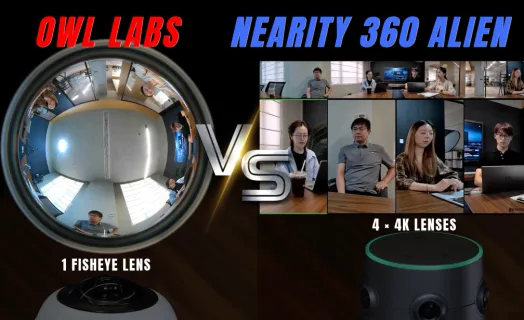
The Meeting Owl 3 relies on a single 16MP fisheye sensor and outputs up to 1080p. That can work in a small room, but faces and expressions become harder to see as participants sit farther from the camera. Nearity 360 Alien uses four 120° cameras to create a true 4K, distortion-free 360° view, keeping participants across the table clear and recognizable instead of stretching one fisheye image across the room.
2. See the whole room without losing the person speaking.
A 360° camera should do more than show everyone at once. Nearity 360 Alien combines full-room 360° coverage with AI speaker tracking, automatically focusing on the active speaker while maintaining awareness of the entire room. Remote participants can see the group, follow the conversation, and focus on whoever is speaking — without the blind spots or manual camera control of traditional front-facing systems.
3. 360° video needs audio that reaches the same distance.
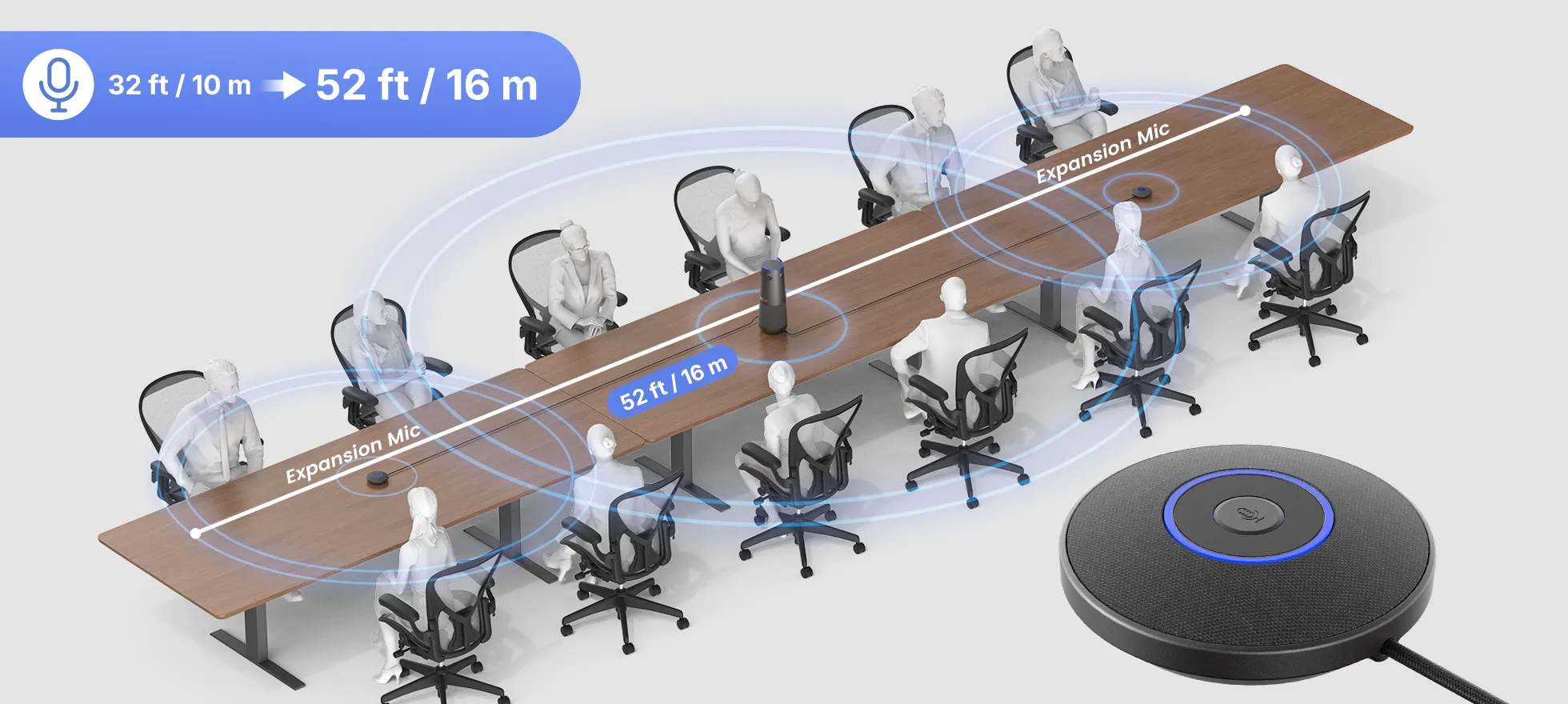
Seeing everyone is only half the meeting. The 360 Alien combines six omnidirectional microphones, AI noise and echo cancellation, and full-duplex audio to capture voices naturally around the table. When the room gets larger, up to two expansion microphones extend pickup to 16 m (52 ft) — so the audio coverage scales with the 360° video instead of leaving people at the far end struggling to be heard.
4. One 360° camera can scale with the room.
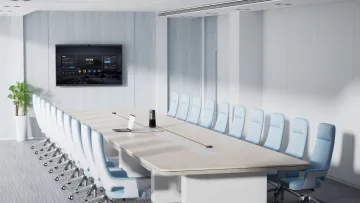
Meeting Owl models are designed around a relatively fixed room configuration, with one Expansion Mic adding 8 ft of pickup. For larger spaces, teams may need additional hardware to maintain effective coverage. Nearity 360 Alien takes a modular approach: one 360° camera covers the room visually, while up to two expansion mics extend audio coverage as the room grows — from 3–6-person huddle rooms to 12–20-person boardrooms.
Best Meeting Owl Alternatives in 2026
Coolpo AI Huddle PANA — A Budget-Focused USB Option
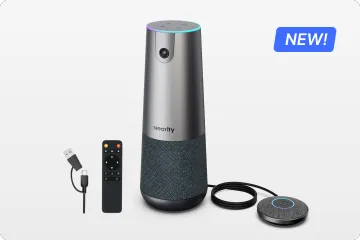
Coolpo PANA combines a 360° camera, automatic speaker framing, microphones, and a speaker in a tabletop unit. Its $599 listed price makes it an option for teams comparing lower-cost devices for a straightforward meeting setup.
It connects to the computer running the call over USB. Consider it when a wired connection meets the room’s needs and purchase price is the main priority.
Nearity 360 Alien — For Tabletop Meetings with Expandable Audio
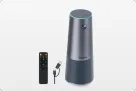
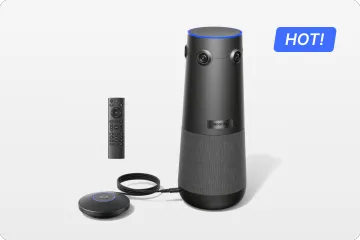
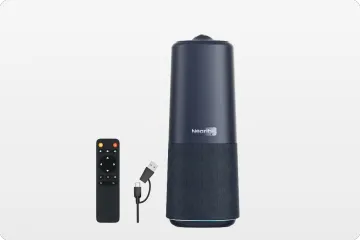
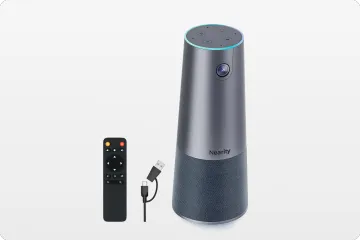
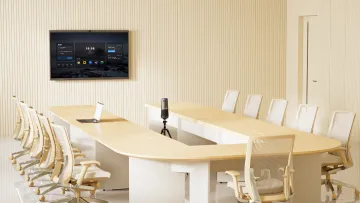
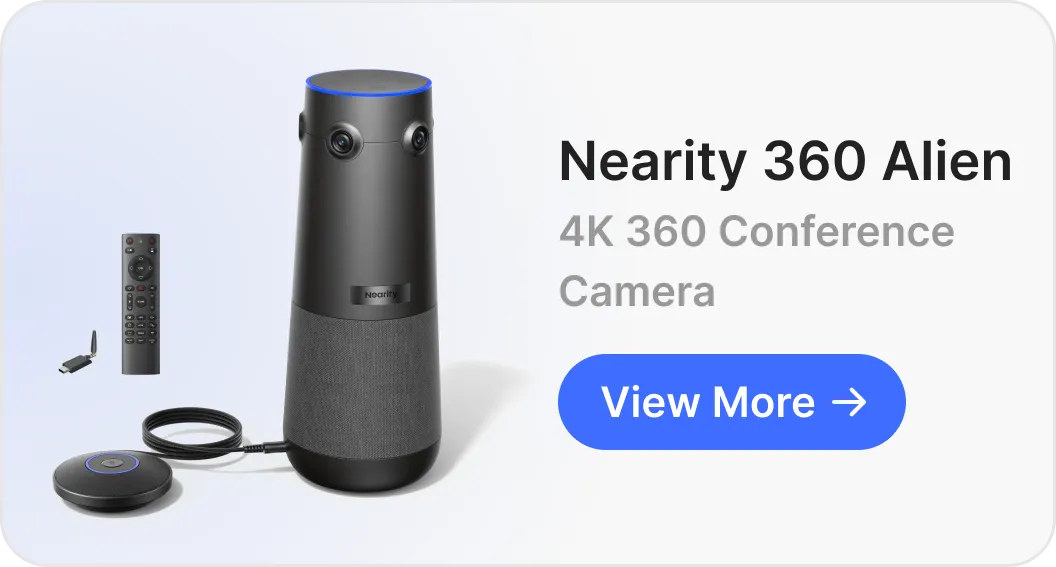
Nearity 360 Alien combines four-lens 360° imaging, optional wireless computer connectivity, and support for two expansion microphones in one tabletop system. That combination suits teams that want to retain an around-the-table meeting format while adapting the setup to different spaces.
Four 120° lenses capture the room. Discussion, Presentation, and Global modes provide different framing options, allowing teams to move between group conversations, presentations, and a full-room view. The included remote puts those controls within reach without requiring users to reposition the camera.
Audio and connectivity offer further flexibility. The six-microphone array provides a 5 m pickup radius, while up to two AM01 expansion microphones bring voice capture closer to participants along a longer table. Connect directly through USB, or use the optional wireless dongle to reduce cabling between the camera and host computer.
Why consider it: Alien brings together panoramic capture, expandable audio, optional wireless connectivity, and physical framing controls without moving to a multi-camera room installation.
Keep in mind: A computer still runs the meeting. USB and dongle connections support up to 4K output; HDMI output is 1080p.
Kandao Meeting Ultra — With Integrated Touchscreens
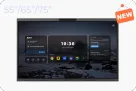
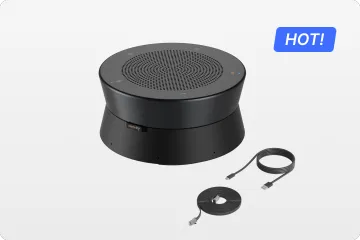
Kandao Meeting Ultra includes two 15.6-inch touchscreens alongside its 360° camera and audio system. Supported meeting applications can run through its built-in Android system, with USB mode also available for computer-based calls.
The integrated displays may be useful for participants seated nearby. Check application support and the space available on the table before choosing this format.
Logitech Rally Bar Mini + Sight — For Existing Logitech Rooms
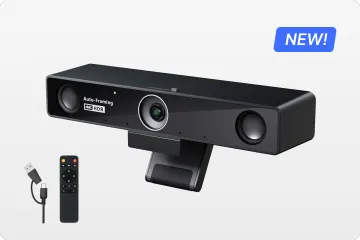
Rally Bar Mini and Sight combine a front-of-room video bar with a tabletop companion camera. Organizations already using compatible Logitech equipment can consider this configuration when adding another camera perspective.
Sight requires the supporting system, power, and cabling. Compare the complete installation cost and confirm platform-specific features before selecting the configuration.
Jabra PanaCast 50 Video Bar System — For Dedicated Room Setups
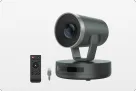
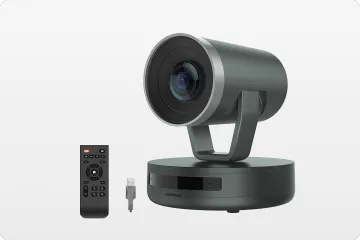
The PanaCast 50 Video Bar System offers a 180° front-of-room view, onboard computing, and a touch-controller workflow for supported Teams Rooms and Zoom Rooms deployments.
It is an option for organizations planning a dedicated meeting room. Specify the Video Bar System rather than the USB PanaCast 50, and include the required platform licensing and installation in the budget.
Where Meeting Owl Still Has Strengths
Meeting Owl retains strengths in platform certification, centralized device management, and its accessory ecosystem. Microsoft Teams certification across the Owl 3, 4+, and 5 Pro supports purchasing requirements, while the Nest provides tools for managing devices across meeting rooms. Compatible Owl Bar, Whiteboard Owl, and expansion options also give existing users ways to adapt their setup.
For teams already getting reliable coverage and a familiar meeting experience, these remain practical reasons to continue using their current Owl equipment.
Nearity 360 Alien vs Meeting Owl: Which Fits Your Scenario?
If your priority is video clarity in medium-to-large rooms → the 360 Alien's quad-lens true 4K holds facial detail at table distance where single-fisheye 1080p (Owl 3) and even 4K fisheye (Owl 4+) soften at the edges.
If your priority is the lowest entry price → the Meeting Owl 3 at $1,099 is the cheapest credible 360° option. Go in knowing it's 1080p and best suited to smaller rooms.
If your room seats more than 12–15 people → the 360 Alien with two expansion mics (~16 m coverage) scales further and cheaper than pairing two Owls.
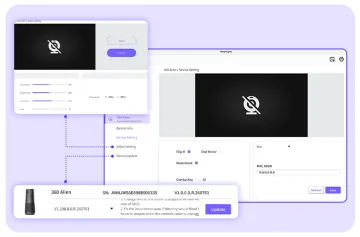
If your IT team wants zero software touch → the 360 Alien's dongle-based setup with no app or account removes the update-and-pairing overhead entirely.
If you're standardized on the Owl ecosystem already → the Owl 4+ keeps your management workflow intact.
The biggest engineering difference between the 360 Alien and the Meeting Owl 3 is optical architecture — and it explains most of the real-world quality gap.
True 4K resolution. The 360 Alien uses four Sony Starvis sensors, each covering a 120° sector, delivering True 4K Ultra HD video. It captures significantly more detail than a single-sensor 1080p system — facial expressions stay readable even at the far end of a long table.
Low-light performance. A quad-sensor array gathers substantially more light than one small sensor. In dimly lit conference rooms, video stays clean and low-noise without harsh supplemental lighting.
Zero-distortion 360° view. Because each lens captures its sector head-on, the panorama is stitched from natural, frontal angles. Room layout and participant positions stay proportional — no fisheye "funhouse mirror" effect stretching faces at the edges.
Remote control and 30° exclusion zone. The included remote lets you zoom, switch framing modes, and toggle privacy instantly. A 30° auto-exclusion zone tells the camera to ignore a distraction area — a glass wall or TV screen behind participants — so the AI frames only the meeting.
The fisheye trade-off. The Meeting Owl 3's single 16MP fisheye lens captures a circular image, then crops and dewarps it into a rectangular frame. Nearity's spec analysis estimates only about 30% of the sensor's pixels contribute to the final output — which is why 1080p fisheye footage can look closer to 720p in perceived sharpness, especially for text and shared content.
Visual Feature
Nearity 360 Alien
Meeting Owl 3
Resolution
True 4K Ultra HD
1080p Full HD
Lens hardware
4-camera stitched array
Single fisheye lens
Effective pixel use
~100% (optical capture)
~30% (crop + dewarp, est.)
Edge-of-room clarity
Consistent
Softens and stretches
How to Choose for Your Room
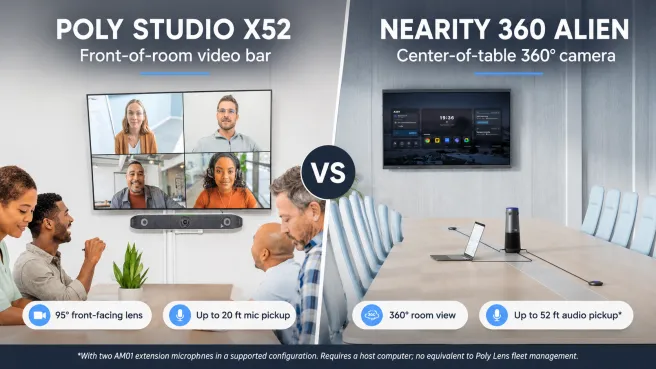
Start with the seating layout. A central 360° device suits discussions around a shared table. A front-of-room bar may suit screen-facing seating. For long tables, check distant faces separately from microphone coverage.
Decide what runs the meeting. Alien and other USB peripherals use a host computer. Wireless camera connectivity changes the connection, not that requirement. Standalone devices and dedicated room systems use different workflows.
Test on your actual platform. Zoom, Teams, and Google Meet can deliver different results depending on settings and account capabilities. Check the image received remotely, speech from the farthest seat, and overlapping conversation.
FAQ
What is the best Meeting Owl alternative?
For most hybrid teams in 2026, the Nearity 360 Alien is the strongest all-around alternative — true 4K from a quad-lens array, audio expandable to ~16 m, and no-app setup at $1,399. If you're already standardized on Owl Labs, the Meeting Owl 4+ is the logical in-ecosystem upgrade.
Is the Meeting Owl worth the money?
The Meeting Owl 3 remains good value at $1,099 for small rooms with modest video requirements. For larger rooms or 4K needs, the cost equation tightens: an Owl 4+ with Expansion Mic lists near $2,248, where quad-lens 4K alternatives start lower.
What are the best Owl Labs competitors?
The main Owl Labs competitors in 360° conferencing are Nearity 360 Alien, Kandao (Meeting Pro line), and Coolpo. For front-of-room alternatives, Jabra's PanaCast 50 and Logitech's Sight are the usual shortlist.
Is the Nearity 360 Alien better than the Meeting Owl?
On optics and audio scalability, yes — four true-4K lenses beat single-fisheye designs for edge-of-room clarity, and dual expansion mics out-reach the Owl's single-mic ceiling. The Owl counters with a mature management ecosystem and Teams certification. Match the choice to your room size and IT model.
What is the best 360 conference camera for large rooms?
Look for two things: optical (not fisheye-stretched) resolution and expandable audio beyond 10 m. The 360 Alien with two expansion mics covers up to ~16 m, making it the most scalable single-device option in this comparison.
What should I look for in a conference room camera?
Start with room geometry and the farthest participant's distance, then evaluate optical resolution, mic pickup radius plus expansion, speaker quality, framing AI, and total cost including accessories — in that order.
Can a 360 conference camera work with Zoom, Microsoft Teams and Google Meet?
Yes. Every camera in this guide works with all three platforms. Owl devices carry Teams certification; the 360 Alien connects as a universal USB/UVC device, which also covers Webex and BYOD laptops.
How many people can a 360 conference camera support?
Built-in audio typically covers 6–10 people comfortably. With expansion mics, the 360 Alien scales to 30+ participants; Owl devices scale by pairing two units together.
The Bottom Line
The Meeting Owl defined the 360° category — but in 2026 it's one option among several, and no longer the default answer for larger rooms or 4K requirements. If you need true 4K clarity, audio that scales past 15 seats, and setup your IT team never has to think about, the Nearity 360 Alien delivers it for less than a Meeting Owl 4+.