What Is a Fisheye Camera? Lenses, Uses & How to Choose the Right One (2026)
A fisheye camera uses an ultra-wide hemispherical lens to capture 100°–360° of a scene in a single frame, making it the go-to solution for eliminating blind spots in conference rooms and delivering equitable hybrid meeting experiences.
Fisheye Camera
Conference Room Camera
Hybrid Work
Updated: Aug 19, 2026 · 8 minutes read
Global Business, Brought Near.
No Installer, No Hassle, Just Works.
If you've ever jumped on a video call and noticed the camera capturing the entire meeting room — every seat, every whiteboard, every corner — in a single, seamless view, you were almost certainly looking at a fisheye camera. Once a niche tool for photographers and security professionals, fisheye cameras have become one of the most important technologies in modern conference rooms and hybrid workplaces.
In this guide, we'll break down what a fisheye camera is, how the fisheye camera lens works, the different types available (including 360 fisheye cameras), and how to choose the right one for your conference room setup.
Key Takeaways
Complete Room Coverage: Fisheye lenses capture ultra-wide fields of view (150° to 360°), eliminating blind spots in meeting rooms and ensuring every participant is visible.
No Moving Parts: Unlike traditional PTZ (pan-tilt-zoom) cameras, fisheye cameras use solid-state technology and software-based digital cropping rather than noisy, distracting motors.
AI-Powered Presentation: Modern conference fisheye cameras leverage built-in de-warping and intelligent AI tracking to automatically frame active speakers, providing natural, close-up views for remote attendees.
Tailored to Room Size: Table-top 360° units work best for small huddle rooms, front-of-room bar cameras suit medium spaces, and ceiling-mounted or combined PTZ systems excel in large boardrooms.
What Is a Fisheye Camera Lens and How Does It Work?
A fisheye camera lens is an ultra-wide-angle lens that uses a hemispherical projection to capture an extremely wide field of view — typically between 100° and 180° — in a single frame. Unlike a standard wide-angle lens, which corrects barrel distortion to keep lines straight, a fisheye lens embraces that distortion to pack as much of the scene as possible onto the image sensor.
The name comes from the perspective a fish sees when looking upward through water: a near-180° dome of the world above. Applied to conference cameras, this means a single device mounted on a table or ceiling can see every participant in the room simultaneously — no panning, no tilting, no blind spots.
A camera fisheye lens differs from a rectilinear wide-angle lens in one critical way: rectilinear lenses apply corrections to keep straight lines straight, which limits how wide they can go; fisheye lenses skip this correction to preserve the full ultra-wide field of view. For conference rooms, this trade-off is almost always worth it — the priority is coverage, not geometric perfection. Modern conference fisheye cameras also include built-in de-warping software that mathematically straightens the image in real time, so remote participants see a natural-looking room view rather than a distorted fisheye image.
Types of Fisheye Cameras
Not all fisheye cameras are the same. The type of projection and the form factor determine what a camera is best suited for — and in the conference room space, there are a few distinct categories.
Circular fisheye
A circular fisheye lens projects a full 180° image as a complete circle within the frame, with black corners. This is most common in ceiling-mounted conference cameras and security devices, where the circular image maps perfectly onto a bird's-eye view of the room below. Many conference room cameras use this projection internally, then apply de-warping to convert it into usable rectangular views.
Diagonal (full-frame) fisheye
The 180° field of view is measured diagonally across the full image frame, filling the entire rectangular sensor with no black corners. This format is common in wide-angle conference bar cameras and front-of-room devices where a wide but rectangular image is more practical.
360 Fisheye Cameras: Full-Sphere Coverage
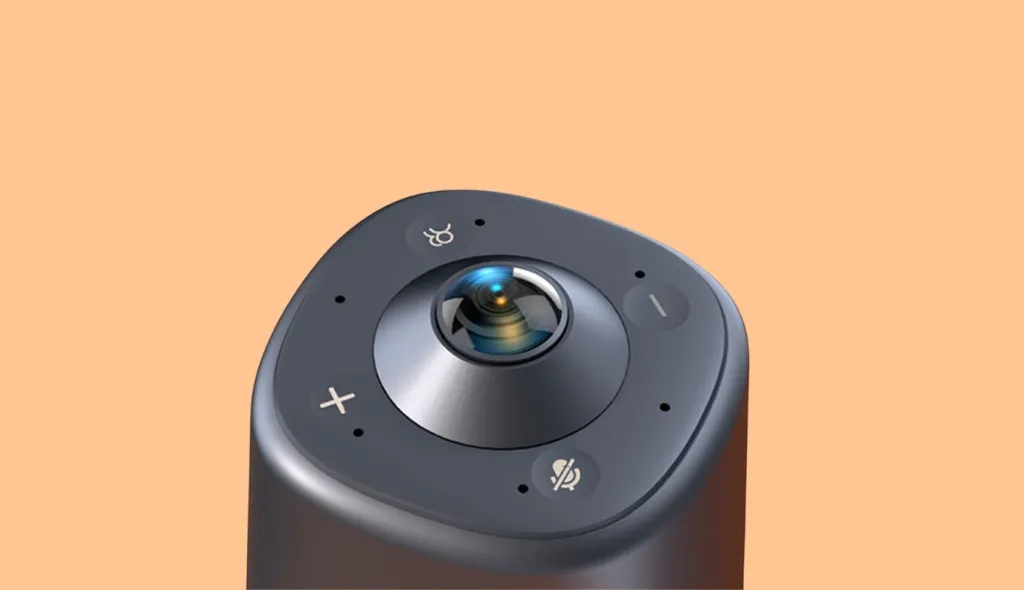
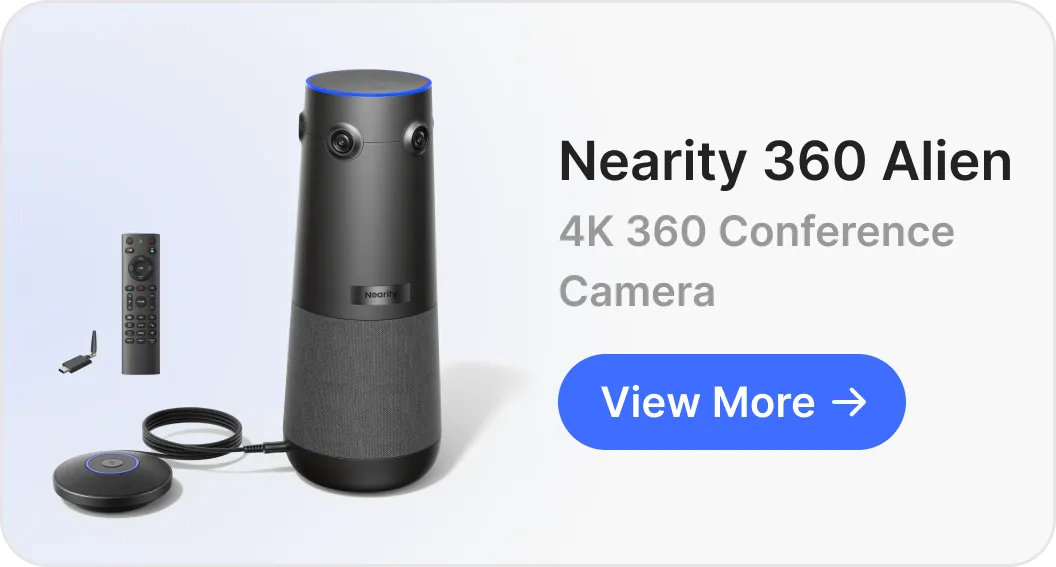
A 360 fisheye camera captures a complete spherical view — either through a single ultra-wide circular lens (for room-coverage use) or by combining two opposing fisheye lenses that stitch together into a seamless 360° image. In the conference room context, 360 fisheye cameras are table-top devices that see every participant around the table simultaneously, making them ideal for huddle rooms and medium-sized meeting spaces.
Popular conference-focused 360 fisheye cameras include:
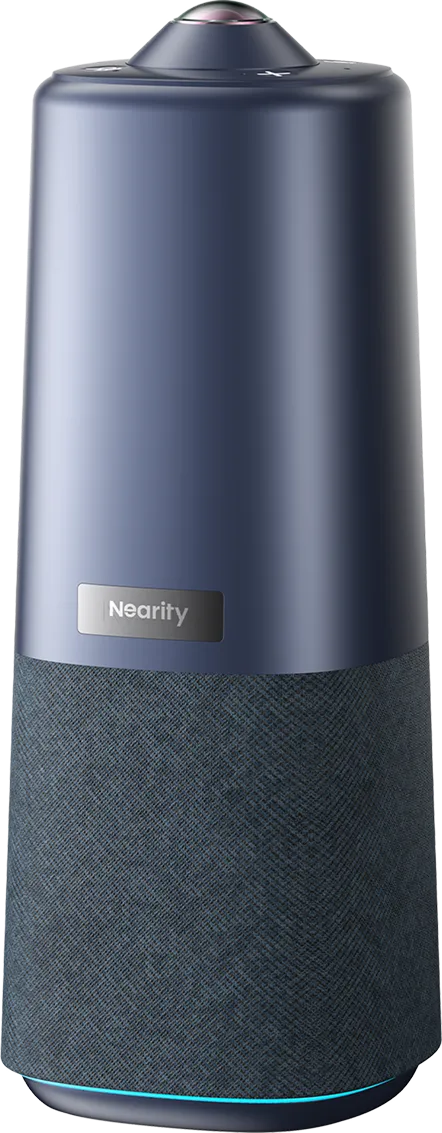
Nearity 360 Basic — a 1080P 360° all-in-one conference camera with a Sony CMOS fisheye lens, 6 omnidirectional microphones, Hi-Fi full-duplex speaker, and three AI capture modes (Discussion, Presentation, Global). Plug-and-play via USB, compatible with Zoom, Teams, Google Meet, and more. Suited for huddle rooms up to medium-sized spaces of 4–15 people.
Owl Labs Meeting Owl — a 360° camera, mic, and speaker in one unit, designed for hybrid meetings
Huddly IQ — a 150° AI-powered fisheye conference camera with automatic speaker framing
AVer CAM340+ — a 4K 360° USB conference camera for small to medium rooms
PTZ cameras with fisheye overview mode
Some professional conferencing setups pair a fisheye camera (for a wide overview shot) with a PTZ (pan-tilt-zoom) camera (for close-up speaker shots). The fisheye handles room awareness while the PTZ follows the active speaker — a setup popular in boardrooms and large conference spaces.
Why Fisheye Cameras Are Ideal for Conference Rooms
The shift toward hybrid work has fundamentally changed what conference cameras need to do. A camera that only captures whoever is standing at the front of the room no longer works when half the team is remote and everyone needs to be visible and heard equally.
Fisheye cameras solve this in several ways.
Full room coverage with a single device
A standard conference camera with a 70°–90° field of view captures the front of the room well — but leaves anyone sitting to the side or at the far end of the table essentially invisible to remote participants. A fisheye conference camera with 150°–180° field of view captures the entire room from a single mounting point, whether that's the center of the table, the ceiling, or the front of the room.
No mechanical moving parts
Traditional PTZ cameras rely on motors to pan and tilt. These introduce latency, noise, mechanical wear, and the awkward experience of a camera visibly swiveling during a meeting. Fisheye cameras are entirely solid-state — they capture everything at once, and any "framing" is done digitally in software.
AI-powered speaker framing
Modern fisheye conference cameras pair their wide-angle capture with AI processing to automatically identify and frame active speakers within the fisheye image. The camera doesn't move — instead, the software crops and zooms into the relevant portion of the wide image in real time. Huddly, Owl Labs, and Logitech all use this approach, and the result is a conferencing experience that feels intelligent and natural rather than mechanical.
Equity for remote participants
One of the biggest complaints about hybrid meetings is that remote participants feel like second-class attendees — they see a wide shot of a conference table with tiny people they can barely recognize. Fisheye cameras with AI framing solve this by dynamically presenting close-up views of whoever is speaking, giving remote participants the same experience as being in the room.
Best Uses for Fisheye Cameras in Professional Settings
Huddle rooms and small meeting spaces
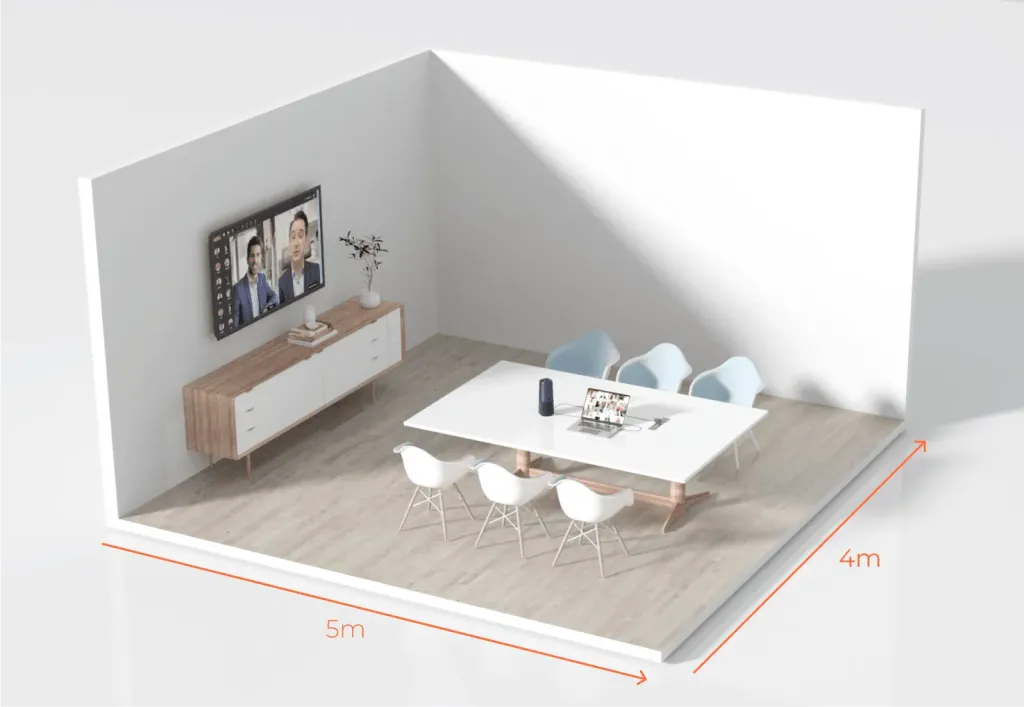
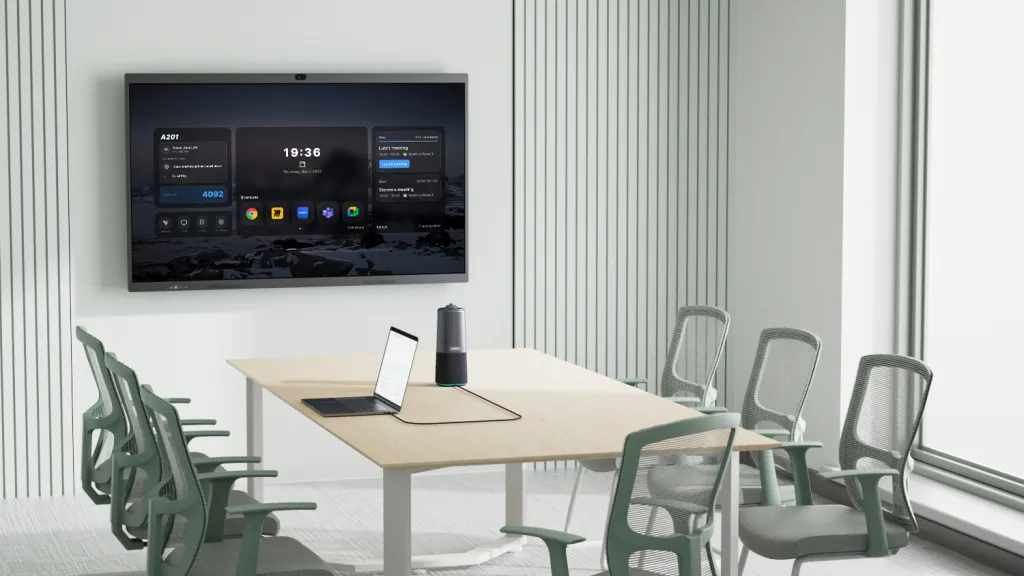
Huddle rooms (typically 2–6 people) are the sweet spot for fisheye conference cameras. A single table-top 360° fisheye camera placed in the center of the table captures every participant equally with no setup required. Devices like the Nearity 360 Basic, Owl Labs Meeting Owl, or the Huddly IQ are designed exactly for this use case — all-in-one units that combine camera, microphone, and speaker so there's nothing else to set up.
Medium conference rooms
For rooms seating 6–12 people, a ceiling-mounted fisheye camera or a high-quality front-of-room fisheye bar camera provides full coverage. Ceiling mounts are especially effective because the camera looks down at the table from above, giving remote participants a clear view of every face without anyone's back being to the camera.
Open-plan and flexible workspaces
As offices move away from fixed conference rooms toward flexible collaboration spaces, fisheye cameras offer the adaptability needed. A single fisheye camera on a portable stand or mounted overhead can define and cover a collaboration zone without permanent infrastructure.
Security and surveillance in office environments
Beyond video conferencing, fisheye cameras are used in offices for security coverage. A single ceiling-mounted fisheye security camera can monitor an entire open-plan floor, reception area, or server room — replacing 3–4 conventional cameras and eliminating coverage gaps.
All-hands and town hall meetings
For large all-hands events where a single camera needs to cover a wide stage or panel, a fisheye camera combined with AI framing software can provide dynamic coverage that follows the action across a wide area without a dedicated camera operator.
How to Choose the Right Fisheye Camera for Your Conference Room
Wide-angle fisheye bar camera or table-top 360° unit (e.g. Nearity 360 Basic)
Medium conference room (8–14 people)
Ceiling-mounted fisheye camera or front-of-room fisheye bar
Large boardroom (14+ people)
Fisheye overview camera + PTZ follow camera
Field of view
For huddle rooms, 180°–360° coverage from a table-top unit is ideal. For front-of-room installations, 120°–150° covers most medium-sized rooms well. Ceiling mounts typically need 180° or more to cover the full table below.
AI framing and speaker detection
This is increasingly a must-have feature for hybrid meetings. Look for cameras with on-device AI processing (not cloud-dependent) for low latency. Key features to evaluate: speaker detection accuracy, how smoothly it transitions between speakers, and whether it can frame multiple people simultaneously.
Resolution
For conference use, 4K capture is recommended even if you're only streaming at 1080p — the higher capture resolution gives AI framing software more detail to work with when digitally cropping into the image. 1080p is acceptable for small huddle rooms where everyone is close to the camera.
Connectivity
Most conference fisheye cameras connect via USB-C (plug-and-play with most video conferencing platforms) or via network (Ethernet/Wi-Fi for enterprise AV systems). USB cameras are simpler to set up; network cameras offer more control and are easier to manage at scale across multiple rooms.
Platform compatibility
Verify compatibility with your video conferencing platform of choice — Zoom, Microsoft Teams, Google Meet, Webex. Most USB conference cameras are platform-agnostic, but AI features (like auto-framing) sometimes require a companion app or are only available on specific platforms.
Audio integration
Many fisheye conference cameras are sold as all-in-one units that combine camera, microphone array, and speaker. For small rooms, these all-in-one devices simplify setup significantly. For larger rooms, you may want to pair a fisheye camera with a dedicated speakerphone or ceiling microphone array.
FAQs
What is the difference between a fisheye camera and a wide-angle camera?
A wide-angle camera uses a rectilinear lens that corrects barrel distortion to keep straight lines straight, typically covering 70°–120°. A fisheye camera uses uncorrected (or software-corrected) optics to capture 150°–360°, making it far better at covering an entire room from a single position. For conference rooms where full-room coverage matters more than geometric perfection, fisheye cameras are the superior choice.
Are fisheye cameras good for video conferencing?
Yes — fisheye cameras have become the standard choice for modern conference rooms, especially for hybrid meetings. Their wide field of view ensures every participant is visible, while AI framing software dynamically focuses on active speakers so remote participants don't have to stare at a static wide shot.
What is a 360 fisheye camera used for in a conference room?
A 360 fisheye camera placed in the center of a conference table captures every participant seated around it simultaneously. Combined with AI speaker framing, it can present close-up views of whoever is talking — making it the most equitable camera setup for hybrid meetings where no one should have their back to the camera.
Do fisheye conference cameras work with Zoom and Teams?
Most USB fisheye conference cameras are plug-and-play compatible with Zoom, Microsoft Teams, Google Meet, and Webex. Some AI framing features require a companion app or specific platform integration — check the manufacturer's compatibility list before purchasing.
Final Thoughts
Fisheye cameras have evolved from a specialty photography tool into one of the most practical technologies in the modern workplace. In a world where hybrid meetings are the norm rather than the exception, the ability to capture an entire room — every face, every seat — with a single fisheye camera lens is no longer a luxury; it's a baseline expectation.
Whether you're outfitting a small huddle room with a table-top 360 fisheye camera or deploying ceiling-mounted fisheye cameras across an entire office campus, the fundamentals are the same: wide coverage, AI-powered framing, and clean audio make remote participants feel like they're actually in the room.
The right fisheye conference camera doesn't just solve a technical problem. It changes the quality of the conversation.