Top 5 All-in-One Cameras for 2026: A Practical Buyer's Guide
A practical guide to choosing the best all-in-one video conference system for different meeting rooms, from logistics meetings and open offices to boardrooms and hybrid setups.
Conference Room Camera
Meeting Room Setup
Hybrid Meetings
Updated: Sep 9, 2026 · 12 minutes read
Global Business, Brought Near.
No Installer, No Hassle, Just Works.
Choosing an all-in-one video conference system should be simple: one device, one cable, every meeting covered. In practice, "all-in-one" covers three very different form factors — 360° tabletop cameras, front-of-room video bars, and integrated webcams — and picking the wrong shape for your room matters more than picking the wrong brand.
This guide defines the category, compares the leading all-in-one video conference systems side by side, and matches each one to the meeting scenarios it actually serves best — from logistics standups to executive boardrooms.
Key Takeaways
All-in-one = camera + microphone array + speaker in a single device. No separate DSP, no audio bridge, no rack.
Three form factors exist: 360° tabletop cameras see everyone around a table; video bars mount at the front and see everyone facing forward; all-in-one webcams cover huddle spaces.
Audio pickup radius is the spec that fails first. Most devices cover 15–18 feet built in; expansion microphone support is what separates medium-room devices from large-room ones.
Price range is wide: credible all-in-one systems run from $899 (huddle video bars) to $3,499 (enterprise front-of-room systems).
Match the form factor to the room shape first, then compare brands within that form factor.
What Is an All-in-One Video Conference System?
An all-in-one video conference system combines three components — camera, microphone array, and speaker — into a single device that connects to a meeting room with one cable, usually USB. Instead of buying a separate camera, speakerphone, and audio processor, you deploy one unit that handles the entire audio-video path.
The category has expanded downward, too: today's all-in-one webcam with a speaker and microphone built in can genuinely run a 4-person huddle room, something that required a rack of equipment a decade ago. What separates a serious system from a toy is full-duplex audio (both sides can talk simultaneously without clipping), real echo cancellation, and a pickup radius matched to your table length.
Why businesses keep consolidating onto all-in-one designs comes down to IT math: one device per room means one firmware update path, one support contract, and a setup a facilities manager can complete in under an hour.
The Three Form Factors of All-in-One Systems
Before comparing brands, understand the shapes — because each form factor is purpose-built for a different room geometry.
360° Tabletop Cameras
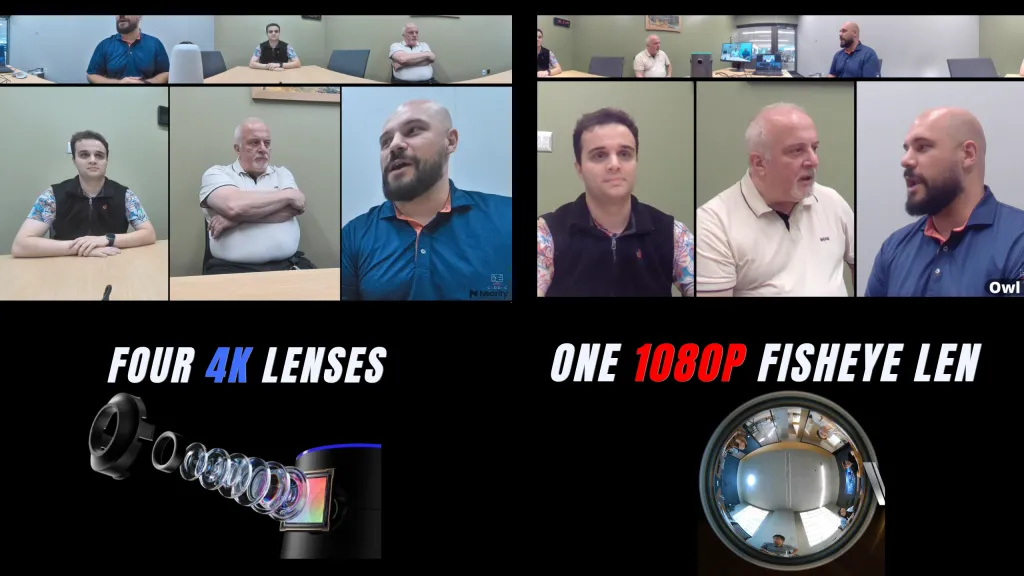
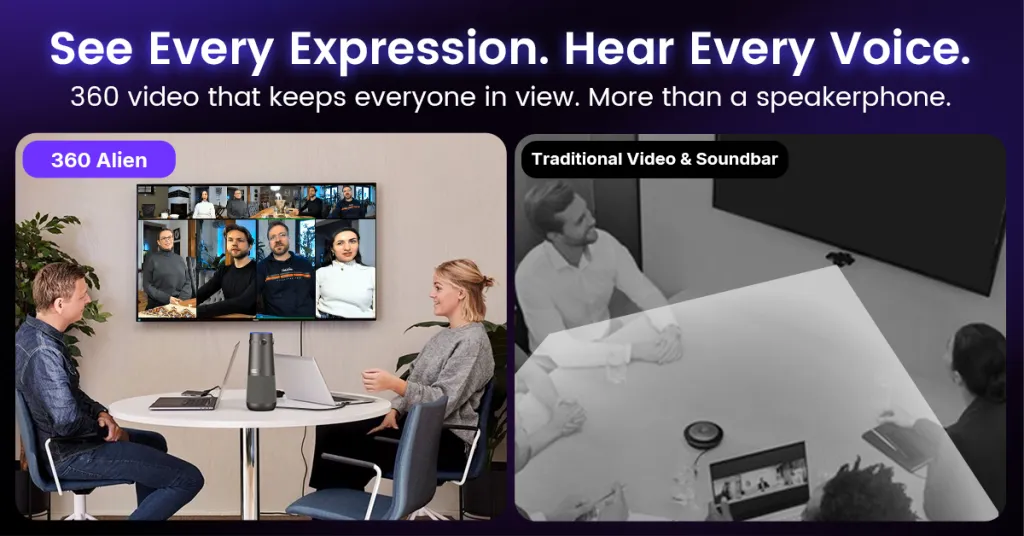
A 360° device sits in the middle of the table and sees every participant face-on. Remote attendees get a view of the whole room plus an AI-tracked close-up of whoever is speaking. This is the best form factor for discussion-led meetings where people sit around a table — and the only one where nobody is ever a faceless back-of-head. If you're curious about the optics behind this, our guide explains how 360° conference cameras work, including the difference between fisheye and multi-lens designs.
Front-of-Room Video Bars
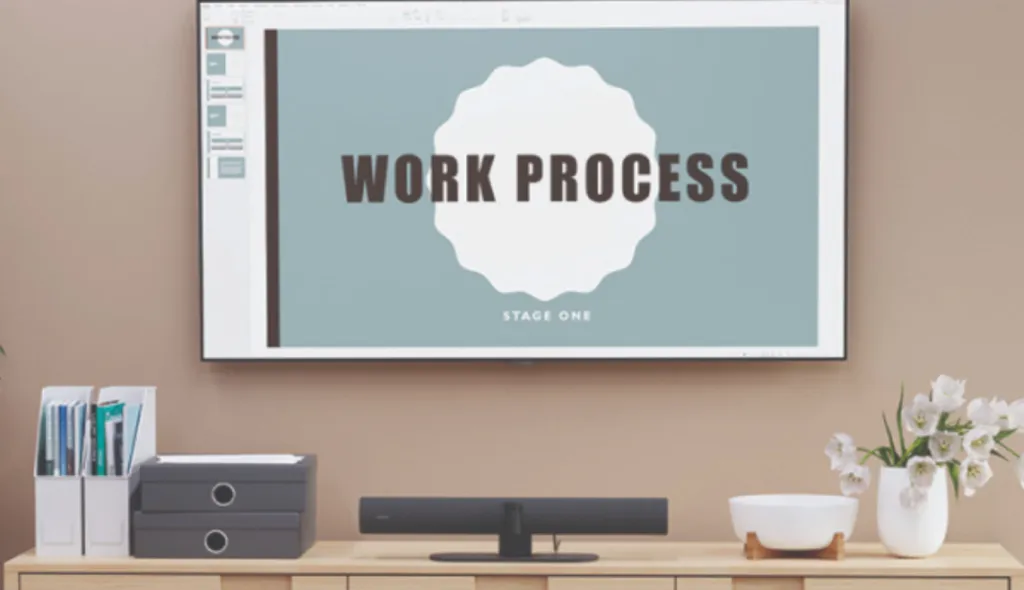
A video bar mounts above or below the display and looks outward at the room. Modern video bars pack a 4K camera, beamforming microphone array, and stereo speakers into a single enclosure — some even run Teams or Zoom natively in appliance mode, no PC required. Video bars excel in rooms where everyone faces the front: presentations, training sessions, executive briefings. Their limitation is geometric: participants with their backs to the camera are seen from behind, and in wide or round-table rooms, side seats get profile views at best.
All-in-One Webcams
The smallest form factor: a 4K webcam with a built-in speaker and microphone array, designed for huddle rooms of 2–6 people. Devices like the Nearity V30S deliver 120° coverage and full-duplex audio at a fraction of the cost of room systems. If your "conference room" is a focus pod with a monitor, this is the right tier — don't overbuy.
Quick Comparison: Top All-in-One Video Conference Systems
Nearity 360 Alien
Meeting Owl 4+
Logitech Rally Bar Mini
Jabra PanaCast 50
Logitech MeetUp 2
Form factor
360° tabletop
360° tabletop
Front video bar
Front video bar
Huddle video bar
Price (list)
$1,399
$1,999
$3,499
$1,447
$899
Coverage
360°, True 4K (4-lens)
360°, 4K (fisheye)
120°, 4K PTZ
180°, Panoramic-4K (3-lens)
120°, 4K
Mic pickup
5.5m radius
18ft (5.5m)
~15ft (4.5m)
Rooms up to 4.5×6m
7m (23ft)
Built-in speaker
83dB full-duplex
Dual speakers
Dual speakers
4 speakers
83dB
Audio expansion
Up to 2 mics → ~16m
1 mic (+8ft)
Rally Mic Pods
No
No
Appliance mode
No (USB/BYOD)
No (USB/BYOD)
Yes (CollabOS)
No (USB/BYOD)
Yes (CollabOS)
Best for
Discussion-led rooms, 6–30 people
Owl-ecosystem rooms
Certified Teams/Zoom rooms
Wide rooms, wall-to-table layouts
Huddle rooms on a budget
Prices are manufacturer list prices, verified September 2026; specs per each brand's official documentation.
Short on time? The value pick in this table is the Nearity 360 Alien: True 4K from a four-lens array with no fisheye distortion, 5.5m pickup expandable to 16m, at $1,399 — $600 less than the Owl 4+ and less than half the Rally Bar Mini.
Top 5 All-in-One Conference Camera Systems by Use Case
Specs tell you what a device can do; scenarios tell you whether it fits. Here is how the field maps to the five meeting scenarios buyers ask about most.
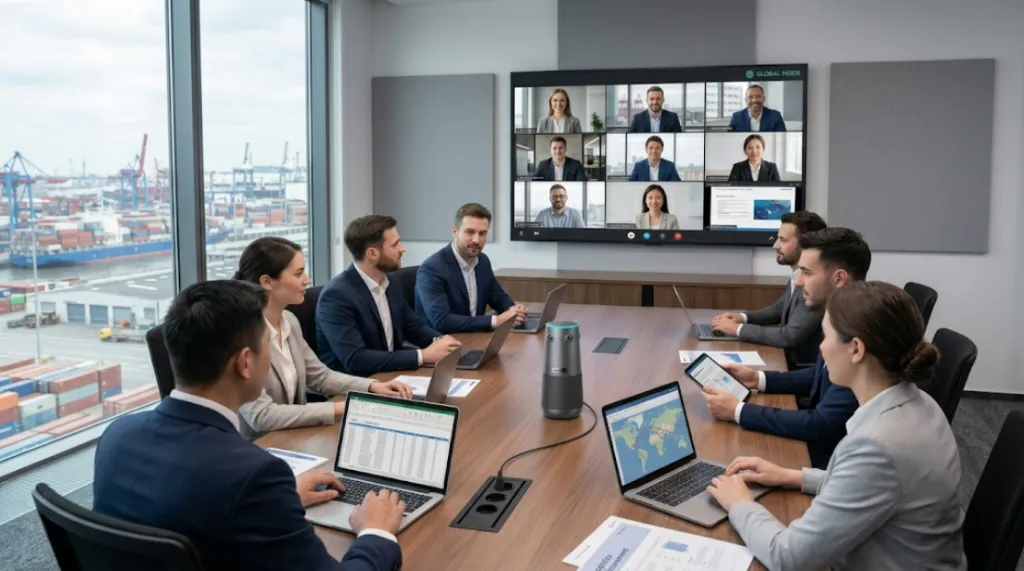
The scenario: Daily standups connecting a distribution-center office with regional teams. Rooms are mid-sized, attendance fluctuates between 6 and 20, and the meeting is pure discussion — no slides, no presenter.
Why the 360 Alien: Discussion-led meetings are exactly what 360° tabletop cameras are built for — every seat gets a face-on view, and the AI speaker view cuts to whoever is talking. The four-lens True 4K array keeps faces sharp even when cropped, and there is no fisheye edge stretch to clean up. When a regional hub runs a bigger room, two expansion microphones push pickup to roughly 16 meters end-to-end — one device scales from a 6-person huddle to a 20-person operations review.
Deployment notes: One USB cable to the room PC or a laptop; no account or app required. Wireless dongle option if the table lacks cabling.
Open Office Space Meetings — Meeting Owl 4+
The scenario: Converted open-plan corners and phone-booth-adjacent huddle areas. Ambient noise is the enemy, and rooms are booked ad hoc by teams of 3–8.
Why the Owl 4+: Owl Labs built its installed base on exactly this scenario. The 360° fisheye design drops onto any table with zero mounting, the 8-mic array covers 18 feet, and the Owl ecosystem (pairing, expansion mic, fleet management) is mature. Microsoft Teams certification simplifies IT sign-off. The trade-offs are structural to fisheye optics — edge distortion corrected in software, and speaker close-ups cropped from a de-warped frame — but in small, casual spaces, convenience outweighs pixel economics.
Board Meetings and Executive Roundtables — Nearity 360 Alien
Board meetings and executive roundtables require a more balanced and professional meeting view. Remote participants need to see not only the main speaker, but also facial expressions, reactions, and body language from others in the room. A front-of-room camera may only show one side clearly, which can make the meeting feel less inclusive.
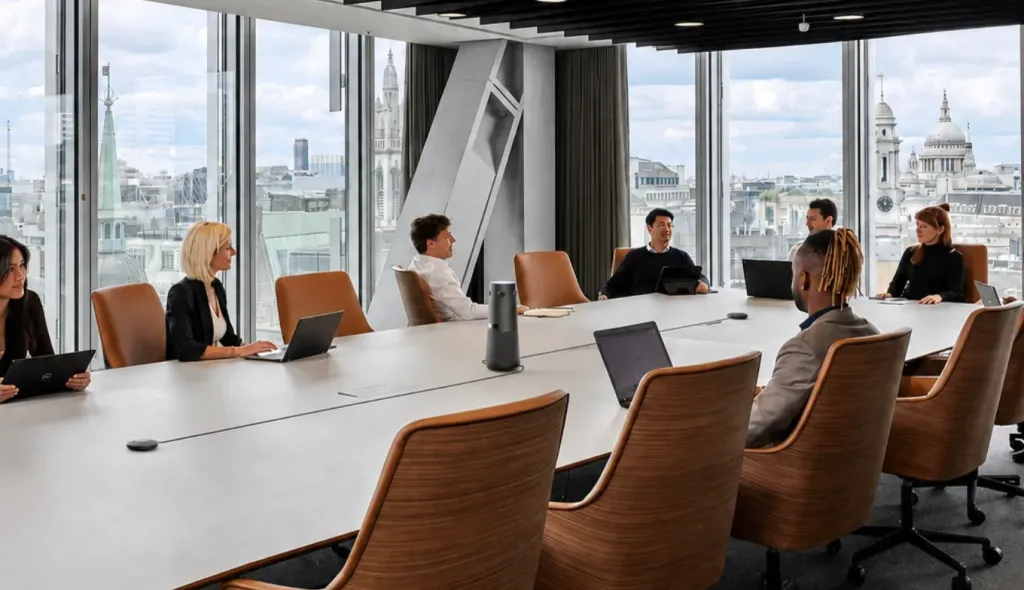
For boardrooms and executive roundtables, the Nearity 360 Alien is one of the best choices. Its 360° panoramic view is especially suitable for long tables, round tables, and high-level group discussions where every participant should be visible.
For board meeting live streaming, a 360° all-in-one video conference system can help remote viewers follow both the active speaker and the broader room conversation. This makes the meeting feel more complete and closer to an in-person discussion.
Quarterly Investor Meetings — Jabra PanaCast 50
The scenario: A client-facing meeting room with a wide table pushed against the wall. First impressions matter; nobody can be off-camera.
Why the PanaCast 50: Its three-camera 180° panoramic array is the one front-of-room design that captures people sitting almost beside the display — the wall-to-table layout where conventional video bars lose the near seats. Jabra's audio heritage shows: 8 beamforming microphones and 4 speakers tuned for voice. Virtual Director handles speaker framing automatically.
Deployment notes: USB plug-and-play, and the 180° coverage means the room layout doesn't need to change for the camera. Panoramic-4K (3840×1080) is optimized for wide room views rather than tight crops.
Hybrid Meeting Room Setups — Logitech MeetUp 2
The scenario: A growing company standardizing 3–6 person rooms, procurement capped under $1,000 per room.
Why the MeetUp 2: At $899 list, it brings 4K optics, a 23-foot-rated 6-mic array, an 83dB speaker, and CollabOS management into the huddle tier. RightSight 2 auto-framing and both USB and appliance modes give growing companies an upgrade path without switching ecosystems.
Deployment notes: Honest alternative: if your rooms are round-table discussion spaces rather than front-facing, a 360° device like the Nearity 360 Basic covers more seats per dollar.
Video Bar vs 360° Camera: Which Form Factor Fits Your Room?
This is the decision most buyers actually face. The honest answer:
Buyer's guides earn trust by naming the boundaries. Skip all-in-one if:
Your room seats 25+ in theater style — you need ceiling mic arrays, a DSP, and PTZ cameras with optical zoom. All-in-one tops out around 20 discussion seats.
You need broadcast-grade recording — all-in-one framing is designed for meetings, not produced video.
Your IT standard is a fully certified room kit with touch controllers and scheduling panels — appliance systems like Rally Bar (full-size) or Teams Rooms kits are the better base layer.
FAQs
What is an all-in-one video conference system?
An all-in-one video conference system combines a camera, microphone array, and speaker in a single device that connects to a room with one cable, typically USB. It replaces separate cameras, speakerphones, and audio processors with one unit that a non-technical employee can set up.
What is the difference between a video bar and a 360 conference camera?
A video bar mounts at the front of the room and captures everyone facing the display; a 360 conference camera sits on the table and captures everyone around it face-on. Video bars suit presentation-led rooms; 360 cameras suit discussion-led rooms. Neither is universally better — room shape decides.
How much does an all-in-one video conference system cost?
Credible systems range from about $899 for huddle-room video bars (Logitech MeetUp 2) to 1,399–1,399–1,999 for 360° tabletop devices (Nearity 360 Alien, Meeting Owl 4+) and up to $3,499 for enterprise appliance bars (Rally Bar Mini). Add expansion microphones for rooms over 12 people.
Is a video bar better than a 360 camera?
For long, narrow, presentation-led rooms, yes — a video bar's front-facing geometry and PTZ zoom fit better. For round-table discussion rooms, a 360 camera gives remote participants face-on views of everyone, which a front bar cannot.
Do all-in-one conference systems work with Zoom and Microsoft Teams?
Yes. All mainstream all-in-one systems connect as standard USB audio-video devices and work with Zoom, Teams, Google Meet, and Webex. Some (Logitech Rally Bar Mini, MeetUp 2) also run Teams or Zoom natively in appliance mode without a room PC.
Can a webcam with a speaker really run a conference room?
For huddle rooms of 2–6 people, yes — a 4K all-in-one webcam with a built-in speaker and mic array (like the Nearity V30S) handles the whole audio-video path. Beyond six people or 15 feet of table, step up to a room-tier system.
What features should I prioritize when buying an all-in-one system?
In order: form factor matched to your room shape, microphone pickup radius matched to your table length, expansion audio support if you'll grow, 4K resolution for AI framing crops, and the deployment mode (USB vs appliance) your IT team requires.
Can I expand an all-in-one system later?
Partially. Some systems accept expansion microphones (360 Alien: up to two, reaching ~16m; Owl 4+: one; Rally Bar Mini: Rally Mic Pods). Video coverage is generally fixed — you can't expand a 120° bar into a 360° view — so buy the right form factor first.
Conclusion
The all-in-one video conference system market has matured past the point where any single device wins every room. The real decision sequence is: room shape → form factor → then brand.
For discussion-led rooms around a table, a 360° tabletop system earns its place — and among them, the Nearity 360 Alien pairs True 4K distortion-free optics with 16-meter expandable audio at $1,399. For presentation-led boardrooms, Logitech's appliance bars remain the enterprise default. For wide, wall-to-table client rooms, Jabra's panoramic bar is purpose-built.
Outfitting more than one room? Tell us your room sizes and meeting styles — request a quote and we'll map the right form factor to each space.