The Best Budget-Friendly Conference Room Camera Upgrades (2026 Guide)
This guide highlights the most cost-effective, high-performance conference room cameras for 2026, offering tailored hardware recommendations to solve specific layout, lighting, and latency challenges across various industries without breaking the bank.
remote working technology
owl meeting camera
conference room audio video solutions
Updated: Aug 19, 2026 · 12 minutes read
Global Business, Brought Near.
No Installer, No Hassle, Just Works.
The landscape of remote working technology has evolved rapidly. Today, businesses are no longer looking for bloated, overpriced AV setups. Instead, IT decision-makers and office managers are seeking a budget friendly conference room camera that delivers premium features—like AI tracking, ultra-low latency, and crystal-clear audio—without the enterprise price tag.
Whether you are designing a creative huddle space or seeking the ultimate conference room audio video solutions, finding the right hardware is key to seamless collaboration.
In this comprehensive guide, we look at the most cost-effective conference cameras for 2026, tailored specifically for highly demanding industries like property management and CPA accounting firms, as well as modern glass-walled office setups.
Key Takeaways
Industry-Specific Needs: Property management benefits from 360-degree cameras to capture large board tables and blueprints, while CPA firms require high-resolution 4K cameras for fine-print document clarity during peak tax seasons.
The Cost-Effectiveness Illusion: While a 360° camera like the Meeting Owl 3 has a lower upfront cost, alternatives like the Nearity 360 Alien offer built-in expansion mics that make them far more budget-friendly for larger rooms by eliminating expensive daisy-chain add-ons.
Defeating Environmental Challenges: Glass-walled meeting rooms require cameras equipped with advanced HDR/WDR (like the Logitech MX Brio 4K) to balance intense background glare and prevent silhouetted faces.
Prioritizing Low Latency: For natural, fluid conversations, businesses should aim for a "glass-to-glass" latency of under 150ms using hardware with native onboard AI processing (like the OBSBOT Tiny 2).
Standard "one-size-fits-all" webcams often fail when introduced to real-world B2B scenarios. Let's look at how specialized industries are upgrading their conference room setup in 2026.
A Reliable Conference Room Camera for Property Management Companies
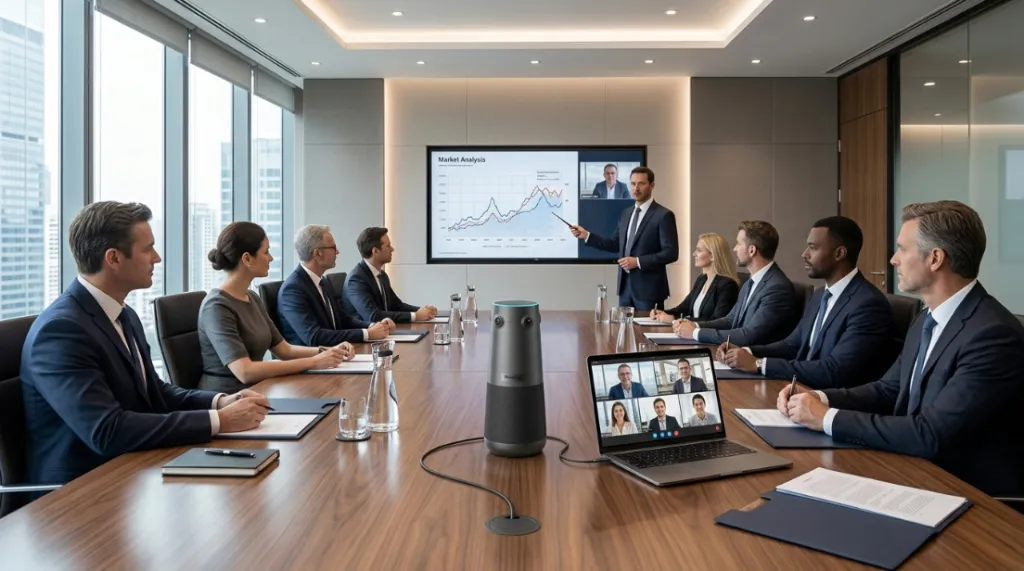
Property management firms deal with multi-stakeholder ecosystems: tenants, property owners, contractors, and board members. Meetings often require presenting physical blueprints, viewing site-map documents, or hosting hybrid HOA (Homeowners Association) board meetings.
The Challenge: Standard cameras cannot capture everyone sitting around a large rectangular table, leaving some board members off-screen or forcing them to crowd into a tight frame.
The Solution: A high-quality 360 camera for board meeting live streaming ensures that remote property owners feel fully integrated into the conversation. Property managers need plug-and-play simplicity so they can kick off hybrid meetings instantly without requiring a dedicated IT technician.
Recommend:Nearity 360 Basic — This all-in-one 360-degree 1080P panoramic camera is a highly cost-effective option for HOA and board tables. It features AI active speaker tracking, 6 omnidirectional microphones, and built-in noise reduction, ensuring that every board member is clearly seen and heard without breaking the company's hardware budget.
Built for CPA Firms & Accounting Client Calls (Especially Tax Season!)
For financial and tax professionals, communication reliability is paramount. During the high-pressure tax season, system downtime is not an option.
The Challenge: Tax consultants frequently host back-to-back accounting firm client calls where they must present sensitive financial sheets, tax return software, or dynamic spreadsheets.
The Solution: A dedicated conference camera for cpa firm tax season meetings must offer pristine image clarity (so clients can read fine-print numbers on shared screens or physical documents) and superior privacy controls. A reliable camera with strong low-light performance ensures professionals look sharp and trustworthy, even during late-night tax season consultations.
Recommend:Nearity 120 Max — A highly affordable 120° wide-angle 4K UHD conference camera. Its 8MP sensor delivers razor-sharp visual detail, ensuring tax documents and financial reports remain completely legible. With plug-and-play USB connectivity and automatic framing, CPA staff can jump from one critical client call to the next with absolute peace of mind.
360-Degree Video Conference Camera Reviews & Comparisons
If you have researched hybrid meeting cameras, you have undoubtedly run across the owl meeting camera. While the Meeting Owl series popularized the center-of-table 360-degree design, tight hardware budgets have forced teams to seek more cost-effective alternatives.
Below is our meeting owl competitor products comparison chart, highlighting the best balance of features, performance, and price in 2026.
Feature / Spec
Meeting Owl 3
Nearity 360 Alien (Top Choice)
Traditional USB PTZ Camera
Field of View
360°
360° (with 30° Auto-Exclusion)
90° - 120° (Fixed)
Video Resolution
1080p
True 4K UHD (4-Camera Array)
1080p or 4K
Audio Pickup Range
18 feet (approx. 5.5m)
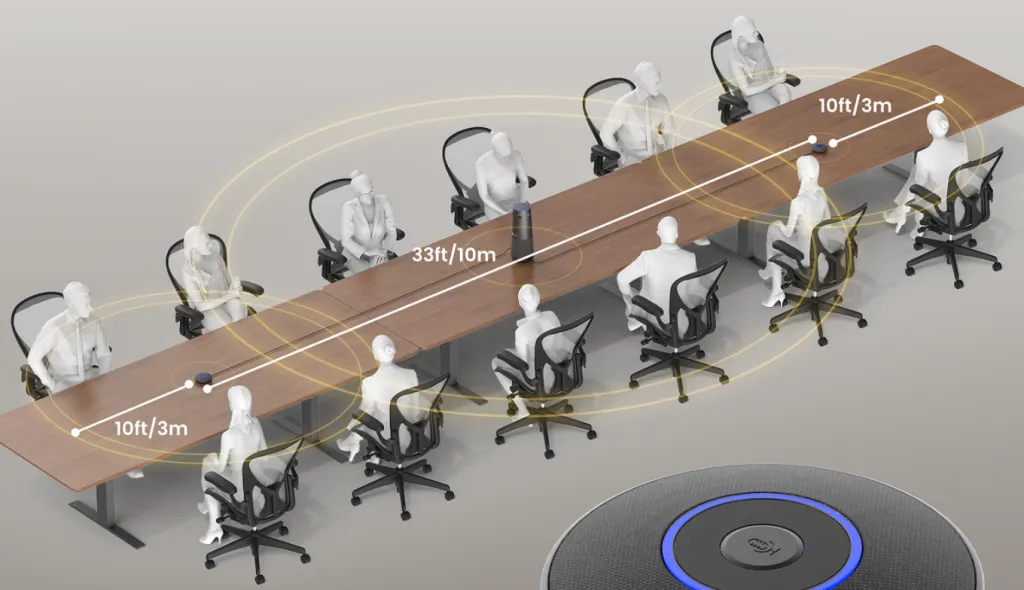
33 feet (Expandable to 52 feet)
10-15 feet
AI Speaker Tracking
Yes (Standard)
Yes (Discussion, Globe, & Presentation)
Manual Remote Only
Glass-to-Glass Latency
~200ms
Under 120ms (Low-Latency)
Varies (~150ms-250ms)
Price (MSRP)
$1,099.00
$1,399.99 (High-End 4K Specs)
$200.00 - $600.00
Value Proposition
Premium price for standard 1080p
Enterprise 4K & scalable audio at lower cost
Budget tier but limited coverage
Best Used For
Mid-size round tables
Broad range hybrid boardrooms
Small huddle rooms
The "Large Boardroom Math": Why Nearity 360 Alien Wins on Price
At first glance, a single Meeting Owl 3 ($1,099.00) might seem cheaper than a single Nearity 360 Alien ($1,399.99). However, if you are setting up a large boardroom or long rectangular table, the "real" costs quickly add up:
The Owl 3 Expansion Problem: The Meeting Owl 3's built-in audio pickup maxes out at 18 feet. To expand coverage, you must buy a proprietary expansion mic separately. If you need to cover an even larger table, your only option is to daisy-chain a second full Meeting Owl 3 unit—skyrocketing your total hardware cost to over $2,200.
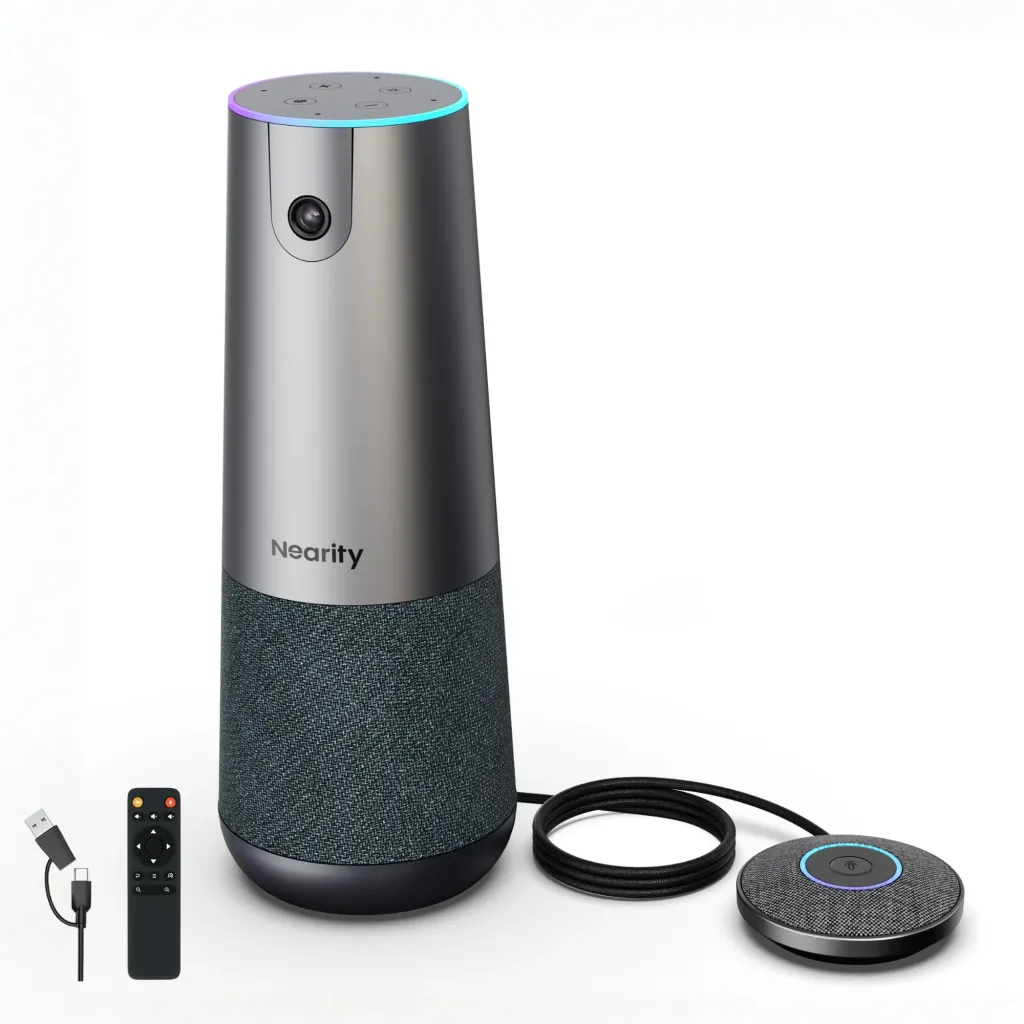
The Nearity 360 Alien Advantage: The Nearity 360 Alien comes with one expansion microphone included right out of the box, instantly pushing your audio pickup range to 33 feet. For exceptionally large conference rooms, the system can natively support up to two expansion mics, reaching an incredible 52 feet of coverage.
For growing businesses and large boardrooms searching for meeting owl alternatives, the Nearity 360 Alien offers a far more cost-effective solution than daisy-chaining multiple expensive Owl systems.
Overcoming Modern Meeting Room Physical Obstacles
Modern office designs love glass walls and minimalist layouts. However, these architectural trends pose severe challenges to traditional video conferencing setups.
Anti-Glare & Reflection in Glass-Walled Rooms
Glass conference rooms look beautiful, but they are a nightmare for optical sensors. Sunlight streaming through exterior glass, combined with interior glass reflections, often causes extreme backlighting or harsh glare.
The Challenge: Standard webcams will either blow out the background into blinding white light or plunge the faces of participants in the room into complete shadow.
The Solution: The best conference camera for glass-walled rooms with anti-glare reflection in 2026 must utilize advanced HDR (High Dynamic Range) or Intelligent WDR (Wide Dynamic Range). These processors automatically balance the dark areas (people's faces) with the overexposed background glare, ensuring clear visibility regardless of light bounce.
Recommend:Logitech MX Brio 4K — While slightly more premium than standard entry webcams, it remains highly cost-effective for meeting rooms. Its 4K sensor features RightLight 4 with advanced HDR, allowing it to dynamically adjust the exposure and prioritize human faces over harsh backlight or glass reflections.
Minimizing "Glass-to-Glass" Latency
In hybrid communication, "glass-to-glass latency"—the total time it takes for a video frame to travel from your physical camera lens (glass) to your client’s display screen (glass)—dictates how natural a conversation feels.
The Challenge: If latency exceeds 200ms, participants will constantly talk over one another due to lag, making fast-paced collaboration highly frustrating.
The Solution: When selecting a desktop camera, glass-to-glass latency in video conferencing (for 2024, 2025, or 2026 systems) should ideally sit under 150ms. High-efficiency hardware compression chips (like H.264/H.265 encoding) built directly into the camera reduce the processing load on your computer, providing instantaneous, lifelike face-to-face feedback.
Recommend:OBSBOT Tiny 2 — An incredibly fast PTZ camera that leverages USB 3.0 SuperSpeed data transmission and native onboard AI processing. By encoding high-definition video directly on the device rather than relying on your PC’s CPU, it achieves exceptional sub-120ms glass-to-glass latency for ultra-responsive virtual interactions.
Key Factors in Your Conference Room Setup & Checklist
Before you invest in brand-new conference room audio video solutions, run through this quick hardware checklist:
Acoustic Quality: A great camera is useless if remote clients can't hear you. Choose a system that bundles beamforming microphone arrays with smart noise-reduction algorithms to block out HVAC or hallway noise.
Ease of Deployment: Look for driverless USB plug-and-play models. This is especially vital for fast-paced CPA firms or busy property management offices where meetings must start in seconds.
Future-proofing (2026 and Beyond): Choose cameras that receive over-the-air (OTA) firmware updates. AI facial recognition and tracking algorithms are constantly improving; your hardware should improve alongside them.
Elevate Your Hybrid Workspace Today
Achieving a professional hybrid meeting setup doesn’t require a multi-thousand-dollar overhaul. By understanding your specific workspace limitations—whether it's fighting glass-walled glares, cutting down audio latency, or deploying an intuitive 360-degree hub—you can select a budget-friendly option that punches far above its weight class.
FAQs
1. How does a 360 conference camera improve meeting quality?
A 360-degree conference camera completely eliminates blind spots. Placed in the center of the table, it uses AI to track active speakers automatically—splitting the screen to show both a full panoramic view of the room and sharp close-ups of whoever is talking. This helps remote participants read physical gestures and facial expressions, making hybrid meetings feel far more inclusive and collaborative.
2. What features should I look for in a 360 conference camera?
When buying a 360 camera, prioritize three main pillars: intelligent speaker tracking (smooth voice and facial tracking without jumping frantically), scalable audio infrastructure (the ability to natively add expansion mics for larger tables, like the Nearity 360 Alien), and high-resolution sensor stitching to ensure the panoramic view is crisp and free of heavy fish-eye distortion.
The best cameras are driverless, UVC-compliant, plug-and-play models that integrate directly with your software. For huddle rooms and small spaces, the Nearity 120 Max offers seamless platform compatibility out of the box. For larger team rooms, systems like the Jabra PanaCast 50 or the Nearity 360 Alien provide exceptional certified audio and video integration for both Zoom Rooms and Microsoft Teams environments.
4. How does the Nearity 360 Alien compare to the Meeting Owl 3 for large boardrooms?
While the Meeting Owl 3 has a lower base price, its audio pickup is capped at 18 feet, meaning you have to buy expensive proprietary add-ons or a second unit to expand. The Nearity 360 Alien includes an expansion microphone right out of the box to instantly reach a 33-foot range (expandable up to 52 feet), making it a much more cost-effective choice for long rectangular tables.