

































Hybrid meetings have become a normal part of daily business, with teams connecting from offices, home workspaces, client sites, warehouses, classrooms, and executive boardrooms. As meeting spaces become more flexible, a simple webcam is often no longer enough. A good all-in-one conference room camera should help remote participants see who is speaking, hear every voice clearly, and understand the full context of the room.
This is especially important when multiple people sit around the same table. In a traditional front-of-room setup, some participants may appear too small, blocked, or turned away from the camera. A 360° video conference camera can provide a more complete room view from the center of the table. In this guide, we will review the top all-in-one conference room cameras for 2026, compare 360° cameras with front-of-room video bars, and explain how to choose the right camera for your meeting room setup.
Key Takeaways
- An all-in-one video conference system combines camera, microphone, speaker, and smart meeting features into one device.
- 360° conference cameras are best for round tables, board meetings, logistics meetings, and full-room discussions.
- Front-of-room video bars work better for presentation-style meeting rooms and structured investor updates.
- Open office spaces need strong noise reduction, echo cancellation, and easy plug-and-play setup.
- The best conference room camera depends on room layout, meeting style, audio coverage, and platform compatibility.
- Nearity 360 Alien is recommended for businesses that need a 360° full-room hybrid meeting experience.
What Is an All-in-One Video Conference System?
An all-in-one video conference system combines the core meeting room devices into one solution, usually including a camera, microphone, speaker, and video conferencing features. Instead of setting up separate webcams, speakerphones, microphones, and cables, businesses can use one integrated device to simplify hybrid meetings.
For modern meeting rooms, an all-in-one video conference system is especially useful because it reduces setup complexity and improves the experience for both in-room and remote participants. Depending on the room layout, it may come as a 360° conference camera, a wide-angle video bar, or a professional conference room webcam with built-in audio and AI framing.
Why Businesses Need an All-in-One Conference Room Camera in 2026
In the age of hybrid work, a meeting room needs to be more than just a space—it needs to be a seamless bridge between local and remote teams. Relying on separate webcams, mics, and speakers often leads to a "cable nightmare" and frustrating IT delays.
An all-in-one conference camera solves this by integrating pro-grade video, crystal-clear audio, and platform-agnostic compatibility into a single device. This not only declutters the boardroom but ensures that every participant is seen and heard perfectly on Zoom, Teams, or Google Meet.
Choosing the right fit for your space:
- For Group Discussions: A 360° all-in-one camera captures every angle, making round-table talk feel natural.
- For Presentation Rooms: A front-of-room video bar provides the best focus for guided sessions.
- For Huddle Spaces: A compact wide-angle webcam offers high-quality coverage without the bulk.
Top 5 All-in-One Conference Camera Systems by Use Case
Not every meeting room needs the same type of all-in-one video conference system. A logistics team may need a full-room view for fast group discussions, while an executive boardroom may need a more polished setup for high-stakes meetings. The best choice depends on room layout, seating style, audio needs, and how people communicate during the meeting.
Below are five common business use cases and the all-in-one conference camera systems that fit them best.
Logistics Company Meetings — Nearity 360 Alien
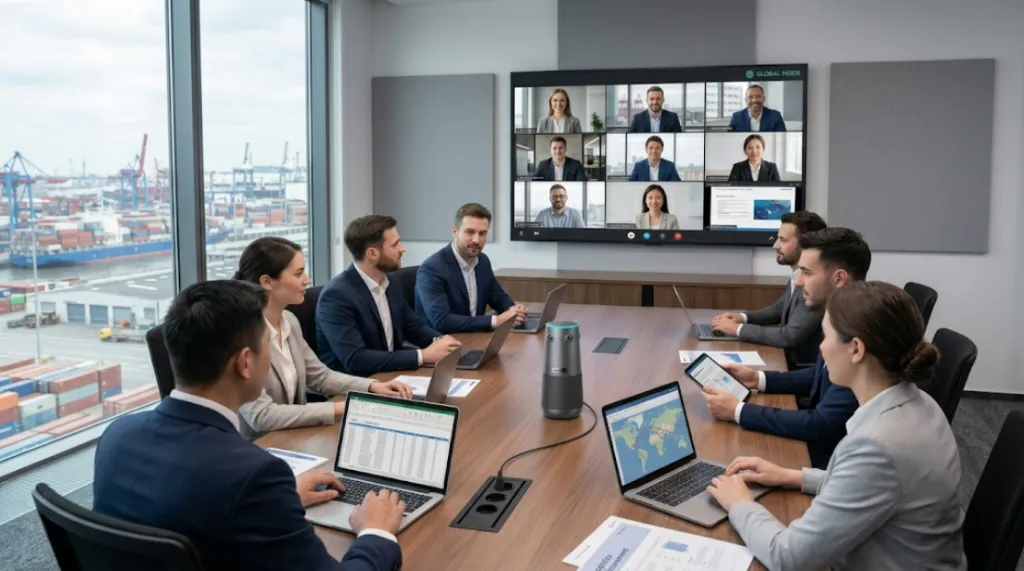
Logistics company meetings are often fast-paced and discussion-heavy. Teams may need to review delivery routes, warehouse status, vendor issues, dispatch plans, and customer cases in one call. Since participants may speak from different sides of the table, a traditional front-facing camera can easily miss important speakers.
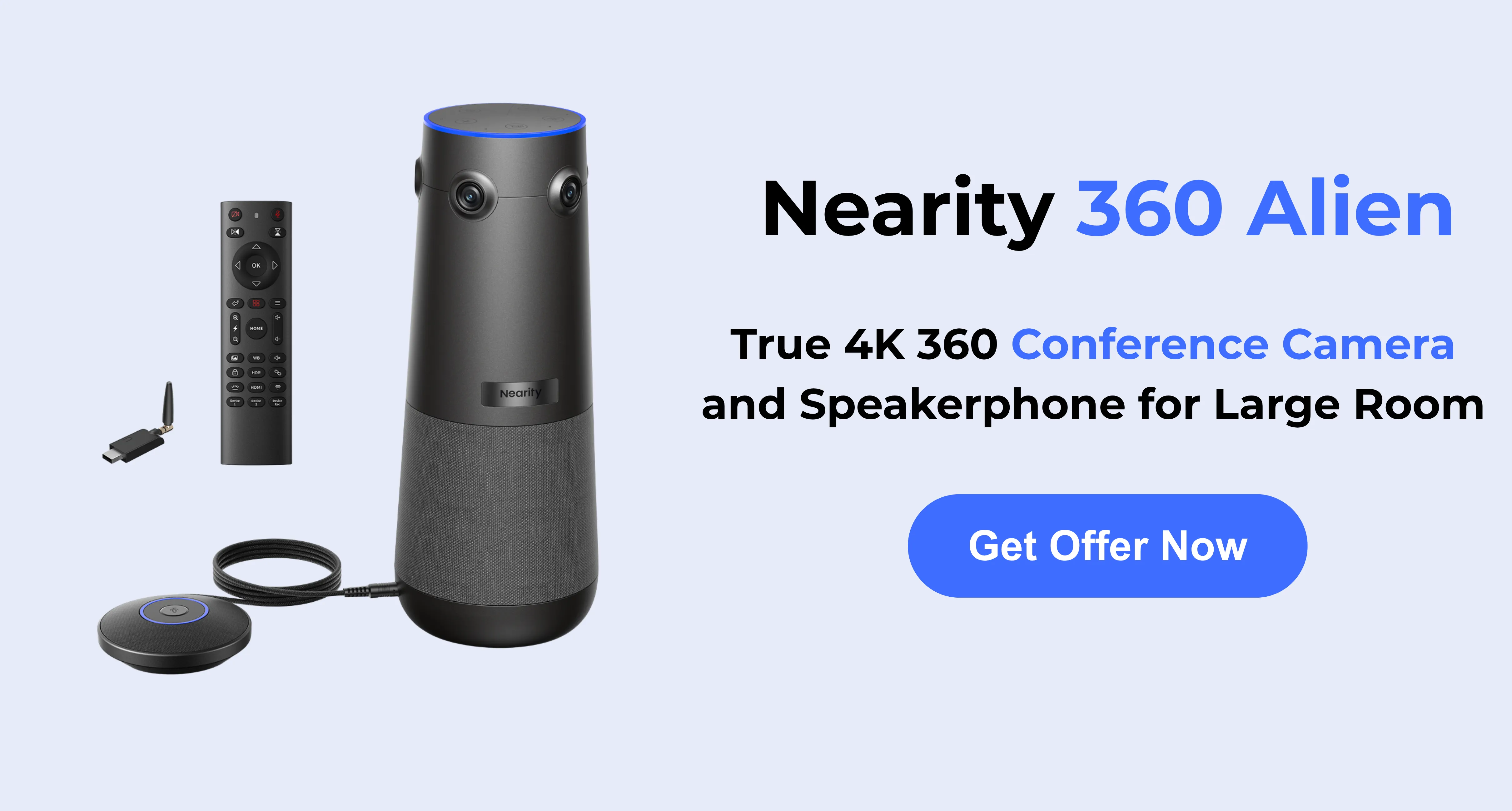
For this use case, the Nearity 360 Alien is a strong fit. As a 360° all-in-one video conference system, it can sit near the center of the table and capture the full room. This helps remote managers, branch teams, and external partners follow who is speaking and understand the overall discussion flow.
Its AI video modes are also useful for logistics meetings. Discussion Mode can focus on active speakers, while Global Mode keeps the full room visible. For busy operations teams, this creates a more natural meeting experience without requiring a complex meeting room setup.
Open Office Space Meetings — Meeting Owl 4+
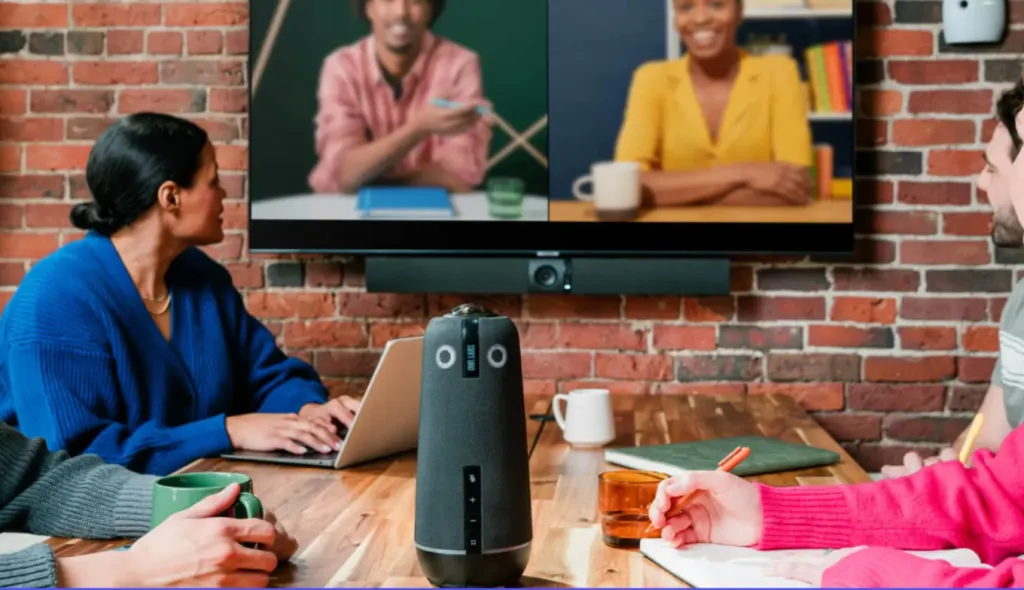
Open office spaces are flexible, but they can be challenging for video calls. Background conversations, keyboard noise, people walking by, and changing seating positions can distract remote participants. Teams also need a system that is easy to move and quick to set up.
The Meeting Owl 4+ is a good option for open office huddle areas and casual team meetings. It combines a 360° camera, microphone, and speaker into one all-in-one conference camera system, making it easy for teams to start a meeting without separate devices.
It works best when people gather around a small table and speak from multiple directions. For open office meetings, the main value is simplicity: teams can place the device in the center of the group and create a more balanced view for remote attendees.
Board Meetings and Executive Roundtables — Nearity 360 Alien

Board meetings and executive roundtables require a more balanced and professional meeting view. Remote participants need to see not only the main speaker, but also facial expressions, reactions, and body language from others in the room. A front-of-room camera may only show one side clearly, which can make the meeting feel less inclusive.
For boardrooms and executive roundtables, the Nearity 360 Alien is one of the best choices. Its 360° panoramic view is especially suitable for long tables, round tables, and high-level group discussions where every participant should be visible.
For board meeting live streaming, a 360° all-in-one video conference system can help remote viewers follow both the active speaker and the broader room conversation. This makes the meeting feel more complete and closer to an in-person discussion.
Quarterly Investor Meetings — Jabra PanaCast 50
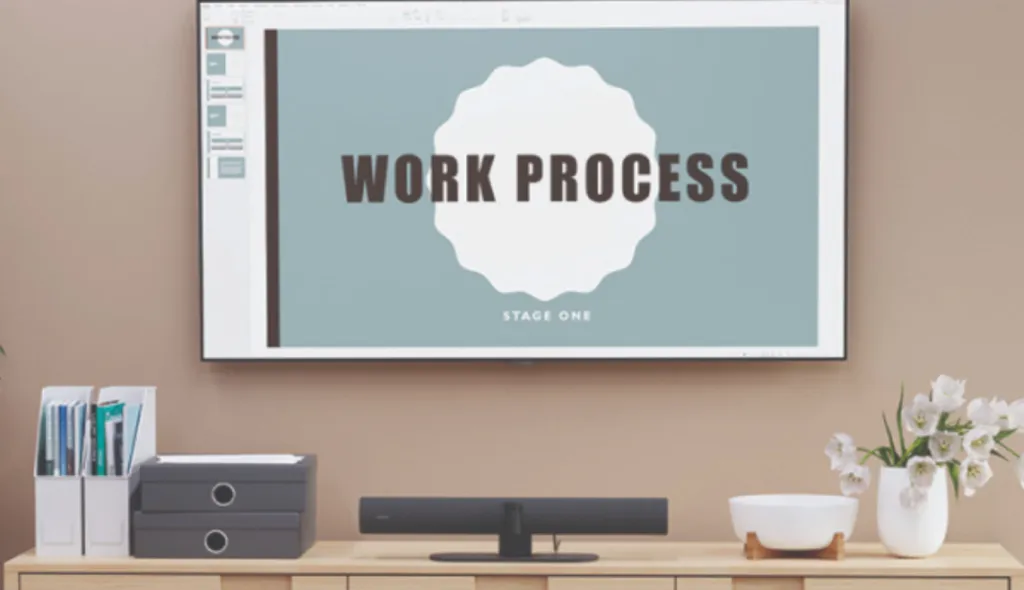
Quarterly investor meetings are high-stakes. Executives may present financial results, business updates, strategic plans, and answer questions from remote investors. Poor video quality, unclear audio, or an awkward camera angle can reduce the professionalism of the meeting.
For presenter-led investor updates, the Jabra PanaCast 50 is a strong front-of-room option. It is an all-in-one video conference bar with wide panoramic coverage, built-in microphones, speakers, and intelligent video features. It works well when executives sit or present facing the display.
This type of setup is useful when the meeting is more structured, such as a financial presentation or quarterly business review. Instead of showing a full 360° table view, it focuses on delivering a clean, professional front-of-room meeting experience.
Hybrid Meeting Room Setups — Logitech Rally Bar Mini
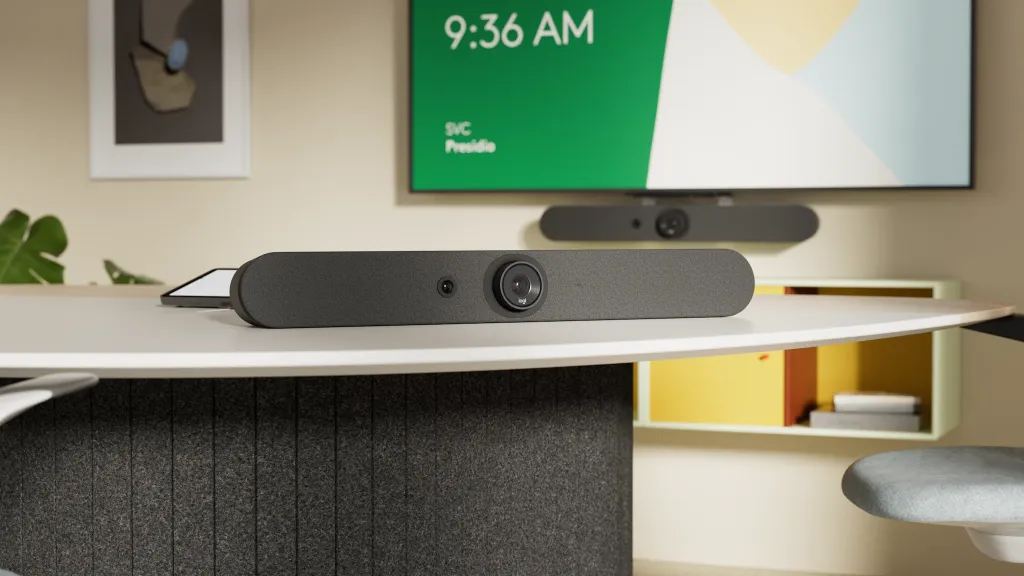
Hybrid meeting rooms need to support both in-room and remote participants. The challenge is that every room is different. Some teams sit around a table, some face a display, and some use the same room for both group discussions and presentations.
For small to medium hybrid rooms with a traditional front-facing layout, the Logitech Rally Bar Mini is a practical all-in-one video conference system. It combines camera, microphone, and speaker functions into one video bar, making it suitable for rooms where participants usually face the screen.
This setup works well for regular team meetings, client calls, project updates, and presentation-based discussions. It may not offer the same full-room perspective as a 360° camera, but it is a reliable choice for businesses that want a clean front-of-room meeting setup.
How to Choose the Best All-in-One Video Conference System
Choosing the best all-in-one video conference system depends on your room layout, meeting style, and how many people usually join from the same space. Before comparing products, focus on five key factors: camera coverage, video quality, audio performance, AI features, and setup experience.
Camera Coverage: 360° vs 180° vs Front-of-Room View
A 360° conference camera is best for round tables, boardrooms, and group discussions where people speak from different sides of the room. A 180° panoramic camera works well for wide meeting rooms where everyone sits facing the front. A front-of-room video bar is better for presentation-style rooms where participants look toward the display.
Video Quality and Resolution
Video quality affects how professional the meeting feels. A 4K all-in-one conference camera can show clearer facial details, especially when several people are in the frame. However, resolution is not the only factor. Good lighting control, natural color, and stable framing are also important for business meetings.
Audio Pickup and Noise Reduction
Clear audio is essential for hybrid meetings. Look for an all-in-one video conference system with strong microphone pickup, echo cancellation, and AI noise reduction. This is especially important in open offices, larger meeting rooms, or spaces where people sit farther from the camera.
Speaker Tracking and AI Framing
Speaker tracking helps remote participants follow the conversation more easily. Instead of showing only a static wide shot, AI framing can highlight the active speaker or adjust the view when people move. This is useful for board meetings, team discussions, training sessions, and hybrid meeting room setups.
Setup and Compatibility
A good all-in-one video conference system should be easy to install and simple to use. USB plug-and-play setup, wireless connection options, and compatibility with Zoom, Microsoft Teams, Google Meet, and Webex can reduce IT work and help teams start meetings faster.
FAQs
- What is the difference between an all-in-one video conference system and a regular webcam?
A regular webcam mainly captures video. An all-in-one video conference system combines multiple meeting tools into one device, usually including a camera, microphones, speaker, and intelligent video features. For meeting rooms, this is more practical because teams do not need to connect separate webcams, speakerphones, and microphones before every call. It also helps create a more consistent experience for remote participants.
- Is a 360° camera better than a front-of-room video bar?
A 360° camera is better for roundtable meetings, executive discussions, and full-room collaboration. A front-of-room video bar is better for rooms where everyone faces the display. The right choice depends on seating layout and meeting style.
- What is the best all-in-one conference camera system for meeting rooms?
The best all-in-one conference camera system depends on the room layout. For round tables, boardrooms, and full-room discussions, a 360° conference camera is usually a better fit. For presentation-style rooms, a front-of-room video bar may work better.
- Is a 360° video conference camera good for board meetings?
Yes. A 360° video conference camera is useful for board meetings because it can capture participants around the table, not just the person closest to the display. This helps remote attendees see facial expressions, reactions, and group discussion more clearly.
- Can one all-in-one conference camera cover a large meeting room?
It depends on the room size and audio coverage. One all-in-one conference camera may be enough for small and medium rooms, especially if people sit close to the device. For larger meeting rooms, you may need expansion microphones, stronger speaker output, or a more advanced room setup. Before choosing a system, consider where people sit, how far they are from the camera, and whether everyone can be heard clearly.
Conclusion
Choosing the best all-in-one video conference system starts with understanding how your team actually meets. Some rooms need a wide front-of-room video bar for presentations, while others need a 360° conference camera that can capture every participant around the table.
For open offices, logistics meetings, investor updates, and hybrid meeting room setups, the right system should provide clear video, reliable audio, intelligent framing, and simple compatibility with major conferencing platforms.
For businesses that need a 360° full-room meeting experience, the Nearity 360 Alien is a strong choice. Its panoramic room view, AI meeting modes, built-in audio system, and plug-and-play setup make it especially suitable for board meetings, executive roundtables, logistics company meetings, and other discussion-based hybrid meetings.
A good all-in-one conference camera system should make meetings easier, not more complicated. With the right device, remote participants can see more, hear more, and feel more connected to the conversation.