In the world of accounting, tax preparation, and financial auditing, the "product" you sell isn't just a tax return or a balance sheet—it is trust. For decades, that trust was built over mahogany desks in quiet boardrooms. Today, however, that boardroom has moved to the cloud. As remote consultations become the industry standard, the quality of your digital presence has become a direct reflection of your firm’s professional integrity.
Choosing the best conference room camera for accounting firm client calls is no longer a minor IT decision; it is a critical branding and operational investment. In an era where a single misunderstood decimal point or a grainy video feed can erode client confidence, high-definition clarity is your most valuable asset.
The Importance of Professional Visuals in Client Meetings

Why does video quality matter so much for an accountant? To a client, how you do anything is how you do everything. If your video feed is choppy, dark, or pixelated during a client meeting, it sends a subtle, subconscious message that your firm may be behind the curve in other areas—like cybersecurity or modern tax law.
The Psychology of Visual Trust
When meeting the client virtually, you are fighting against the "digital barrier." Humans rely heavily on non-verbal cues—micro-expressions, eye contact, and body language—to gauge honesty and competence. A standard 720p laptop webcam flattens these cues, making you appear distant and less engaging. A professional True 4K camera restores that human element, making virtual client meetings feel as intimate and high-stakes as an in-person visit to your office.
Precision in Financial Data Presentation
Accounting is a profession of "fine print." During a client meeting, you aren't just talking; you are often sharing screens or physically holding up documents, tax codes, or receipts. Standard cameras blur the fine lines of an Excel spreadsheet or the small fonts on a legal contract. High-resolution hardware ensures that every cell in your spreadsheet and every clause in your contract is legible, reducing errors and saving time.
Common Challenges Accounting Firms Face During Remote Client Meetings

Despite being a tech-forward industry in terms of software (like QuickBooks or Xero), many accounting firms lag in communication hardware. This discrepancy creates several friction points during client meetings.
1. The "Ghost in the Machine" Effect (Poor Video Quality)
Most built-in laptop cameras are designed for casual video chats, not professional consultations. In typical office lighting—which can be harsh or uneven—these cameras produce "visual noise." This graininess makes it hard for a client to focus on your advice. For an auditor, appearing "blurry" is the antithesis of the transparency their job requires.
2. The Boardroom "Tunnel Vision"
Many firms have moved to hybrid models where three partners sit in a conference room to speak with a remote client. If you use a standard webcam, the client only sees the person directly in front of the screen. The other partners become disembodied voices from the side. This lack of visibility during client meetings makes the client feel excluded from the full expertise of your team.
3. Audio Fatigue and Compliance Risks
In financial services, a "six" sounding like a "sixteen" due to a muffled microphone isn't just an inconvenience—it’s a liability. Poor audio quality leads to "listener fatigue," where the client stops absorbing your complex tax strategies because they are struggling just to hear your words.
4. Maintaining a Premium Brand Image
If your firm bills at a premium rate, your "digital lobby" must look the part. An unstable, low-quality video setup during meeting the client sessions suggests a lack of investment in the client experience, which can make it harder to justify premium fees in a competitive market.
Essential Features in a Conference Camera for Accounting Firms

When auditing your firm’s hardware needs, look for these specific "Accounting-Grade" features in the best video conferencing equipment.
True 4K Resolution: The New Industry Minimum
Don't settle for "1080p Enhanced." For an accounting firm conference camera, True 4K is necessary because it allows for digital zooming without losing clarity. If you need to zoom in on a specific signature line on a document, 4K keeps that text sharp.
AI-Powered Auto-Framing and Speaker Tracking
Accounting discussions are dynamic. You might stand up to grab a file or turn to a colleague to discuss a line item. AI-tracking ensures the camera follows the action. This keeps the client’s attention focused on the speaker, replicating the natural flow of an in-office conversation.
Advanced Low-Light Correction
Accountants are famous for the "tax season grind," which often means meetings early in the morning or late at night. Professional cameras like NearHub’s lineup feature sensors that brighten the image and balance colors automatically, ensuring you look rested and professional regardless of the hour.
Plug-and-Play Compatibility
Partners don't have time to be IT troubleshooters. The best conference camera for accounting firm client calls must work instantly with Zoom, Microsoft Teams, and Google Meet without requiring complex driver installations.
Choosing the Right Setup for Professional Client Meetings
Not every room in your firm serves the same purpose. Your hardware should be tailored to the specific type of client meeting you are hosting.
For Private Offices: Nearity 120 Max (120° True 4K)
The private office is where the most sensitive, one-on-one work happens. Whether it's a partner discussing a private estate plan or a senior manager reviewing an individual’s tax return, the NearHub 120 Max is the ideal tool.
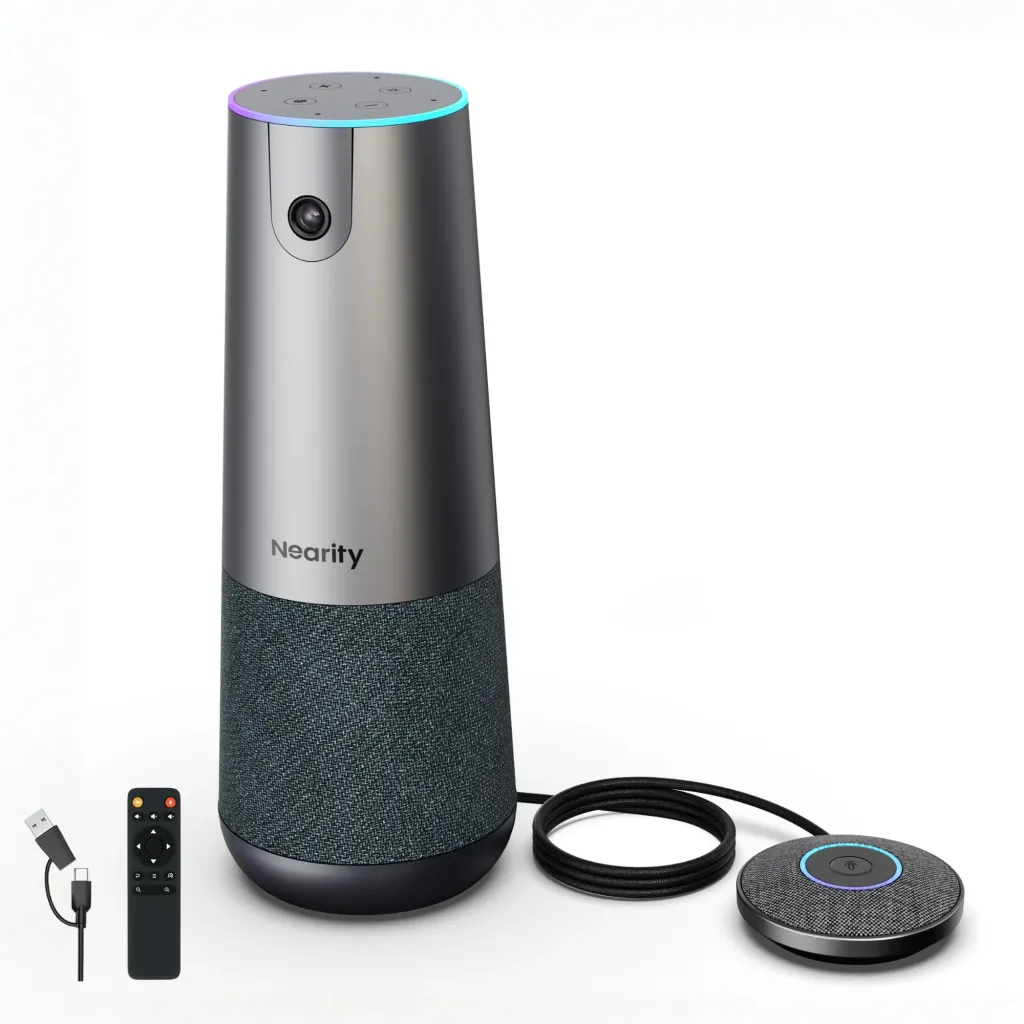
- The 120° Advantage: Most wide-angle cameras distort the edges (the "fisheye" effect). The NearHub Max provides a wide 120° field of view while maintaining a natural, flat image. This allows you to show your entire workspace, which is helpful if you have physical charts or whiteboards behind you.
- True 4K Detail: When meeting the client to review sensitive data, the Max ensures that every detail is crisp.
- Ultimate Flexibility: Features three professional placement modes to suit any meeting requirement:
- On a Tripod: Perfect for mobile workstations or large-scale tax seminars.
- On a Desk Stand: Raises the camera to eye level for a natural "peer-to-peer" trust dynamic.
- On the Desk: A minimalist, low-profile setup that keeps your workspace clean and uncluttered.
For Boardrooms and Group Audits: Nearity 360 Alien (360° All-in-One)
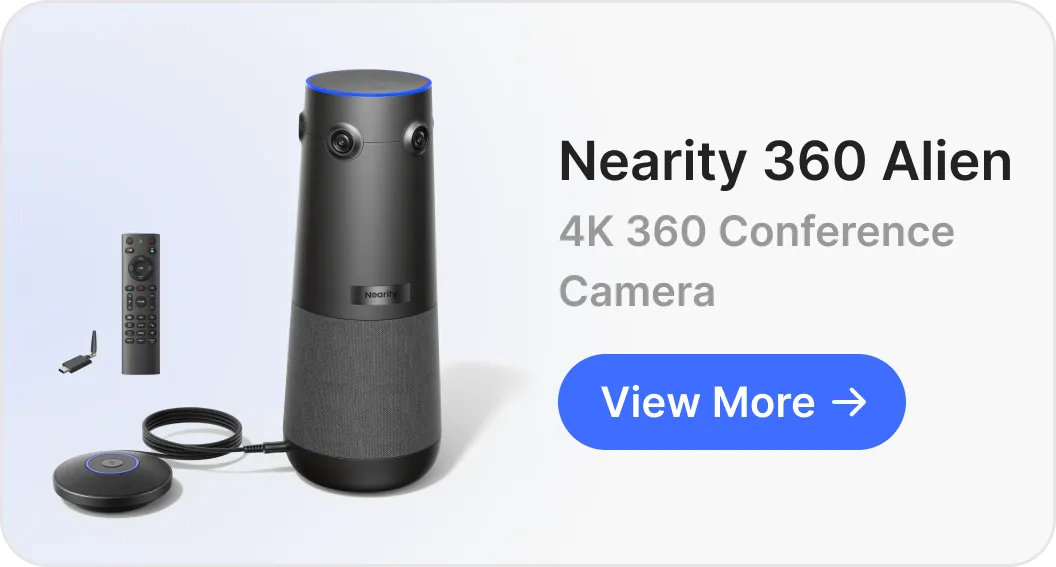
When your firm meets as a team—such as a group of auditors presenting to a corporate board—you need a device that can capture the entire room. The Nearity 360 Alien, a powerful 360 meeting camera, is a game-changer for these client meetings.

- 360° Panoramic Vision: Place the Alien in the center of your conference table. It captures everyone in the room simultaneously, sending a panoramic strip to the client while highlighting the active speaker.
- AI Speaker Tracking: It uses beamforming microphones to "find" whoever is speaking and give them a dedicated close-up. This ensures the client always knows who is giving the advice.
- All-in-One Audio: With high-fidelity speakers and noise-canceling mics built-in, you eliminate the need for messy wires and separate "spider phones" on the table.
Best Practices for Meeting the Client Virtually
Hardware is the foundation, but how you use it completes the professional image. To maximize your investment in a conference camera for accounting firm client calls, follow these tips:
- Eye-Level Alignment: Position your NearHub camera at eye level. Looking down at a camera (laptop style) can feel patronizing to a client, while looking up can feel submissive. Eye-level contact builds a "peer-to-peer" trust dynamic.
- The "Three-Point" Lighting Rule: Even with great low-light correction, try to have a light source in front of you (like a window or a desk lamp) rather than behind you. This prevents the "witness protection" silhouette effect.
- Background Curation: Ensure your background is tidy. A bookshelf with professional texts or a clean wall with your firm’s logo reinforces your status as an expert during client meetings.
Conclusion: Upgrade Your Accounting Firm’s Client Meeting Experience
The transition to digital consulting is the biggest shift in the accounting industry in a generation. Firms that embrace high-quality communication tools aren't just buying "gadgets"—they are investing in a superior client experience that justifies their professional fees.
By choosing a dedicated conference camera for accounting firm client calls, you remove the technical barriers between your expertise and your client’s needs. Whether you choose the surgical precision of the Nearity 120 Max or the collaborative power of the Nearity 360 Alien, you are choosing to lead with clarity.
FAQs
Can these cameras integrate with our existing software?
Absolutely. NearHub devices are designed for the modern firm. They are fully compatible with Zoom, Microsoft Teams, Slack, and Google Meet. If your software supports a USB camera, it supports NearHub.
How do we handle security during sensitive client meetings?
Security is paramount in accounting. NearHub cameras are "pass-through" devices; they do not store video data. Furthermore, the Alien and Max models include physical privacy features, ensuring that when the meeting is over, your office stays private.
Is a 4K camera worth the investment compared to a 1080p model?
For accountants, yes. While 1080p is fine for a casual chat, it lacks the pixel density required to read small text on a shared physical document. 4K ensures that your client meetings are never interrupted by technical blurriness.
Does the 360° camera work in long, rectangular boardrooms?
Yes. The NearHub Alien is designed to capture the entire radius of a table. For extremely long tables, its AI focus ensures that even the partner at the far end is seen and heard clearly by the client.