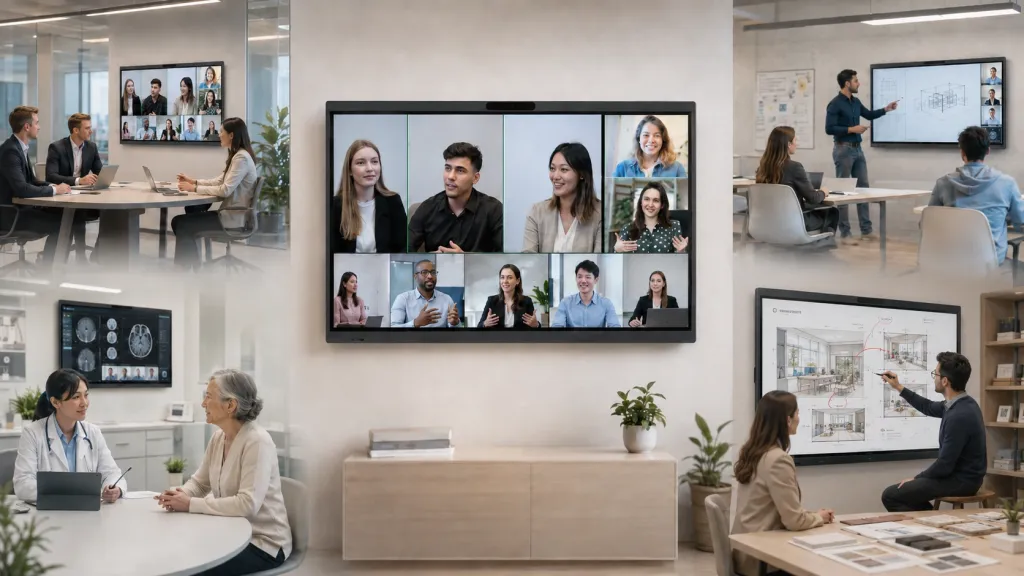
Industry-Specific Display Solutions: A Sector-by-Sector Guide
How to choose meeting room and presentation displays by industry — corporate, education, healthcare, government, command centers, and venues — with a decision framework for each sector.
corporate meeting room technology
industry display solutions
training room display system
Updated: Aug 19, 2026 · 9 minutes read
Global Business, Brought Near.
No Installer, No Hassle, Just Works.
Most organizations shop for a display the way they shop for a TV: compare sizes, compare prices, pick the middle option. That's exactly backwards. The display that delights a design studio will quietly fail in a hospital. The panel a school district loves would be a liability in a command center. Your industry doesn't just influence which display you should buy — it determines how the wrong one will fail. And failure modes, not feature lists, are what you should actually be comparing.
This guide maps display requirements sector by sector: corporate and enterprise offices, education and training environments, healthcare, government and legal, plus specialized settings like command centers, houses of worship, and event venues. For each, we'll name the dominant failure mode, the features that actually prevent it, and the questions to ask before you sign a purchase order.
Why "One Good Display" Doesn't Exist
Here's the underlying principle most buying guides miss: a meeting room display is not a screen — it's a workflow terminal. The screen is the visible 10%; the other 90% is the operating system behind it, the casting path a guest uses, the camera and microphones that connect remote participants, and the software your team already lives in. Two displays with identical panels can produce completely different outcomes because the workflow layer differs.
This is why industry context dominates the decision. Each sector pushes a different workflow through the terminal:
A law firm pushes confidential documents and client video calls.
A classroom pushes six different teachers per day, each with three minutes to start a lesson.
A command center pushes 16 hours of continuous dashboards with zero tolerance for downtime.
A house of worship pushes volunteers with no AV training, in a room flooded with stage lighting.
Ask "what's the best display?" and you get spec sheets. Ask "what workflow must survive in my room?" and you get a decision. Everything below follows the second question.
The Sector Trade-off Map
Before the deep dives, here's the whole argument in one table. Note the last column — the dimension buyers most often forget to compare:
Misread details — fuzzy markups become real errors
4K clarity, precise touch, desktop software on the board
Whether the board runs your actual CAD/markup tools
Venues / worship
Washout and operator error
High brightness, anti-glare, dead-simple home screen
The volunteer with no AV training on Sunday morning
Read your row first. Then read the row above and below yours — the boundaries between sectors are where hybrid requirements hide (a university hospital, a church that livestreams, a startup incubator inside a coworking space).
Corporate & Enterprise: The Adoption Problem
The dominant failure mode in corporate meeting room technology isn't technical — it's abandonment. Facilities and IT leaders routinely discover, six months after a rollout, that expensive rooms sit unused while teams crowd around a laptop in a breakout corner. The equipment worked. Nobody wanted to operate it.
Why does this happen? Dig one layer deeper and you find a chain: meetings start late because the previous group couldn't stop their screen share → people book the room but present from a laptop huddle instead → the display becomes an expensive wallpaper panel → leadership questions the next AV budget. Why does the chain start? Because every extra step between "walk in" and "my screen is up" compounds across hundreds of meetings per year. A 90-second connection ritual doesn't sound like much until you multiply it by three meetings a day, five days a week, across a floor of rooms.
Picture a consulting firm rolling out new rooms across three offices. In the demo, everything shines. In week three, a senior partner walks into the Chicago room with a client, a MacBook, and four minutes to spare. The dongle doesn't fit, the app wants an update, and the room's "quick start" card is missing. She presents from her laptop to three people squinting at a 13-inch screen while the $8,000 display glows idle behind her. The room didn't fail technically. It failed at the room entrance — and it will keep failing there every Tuesday until the workflow, not the panel, gets fixed.
So for enterprise meeting rooms, evaluate in this order:
Time-to-content. Can a guest share a screen without installing anything? Browser-based casting (enter a code, you're on the big screen) removes the single largest adoption barrier — the "which dongle is this?" moment.
Platform neutrality. Your sales team lives in Zoom, your engineers in Teams, your clients send Google Meet links. A room locked to one platform creates a daily tax on everyone else.
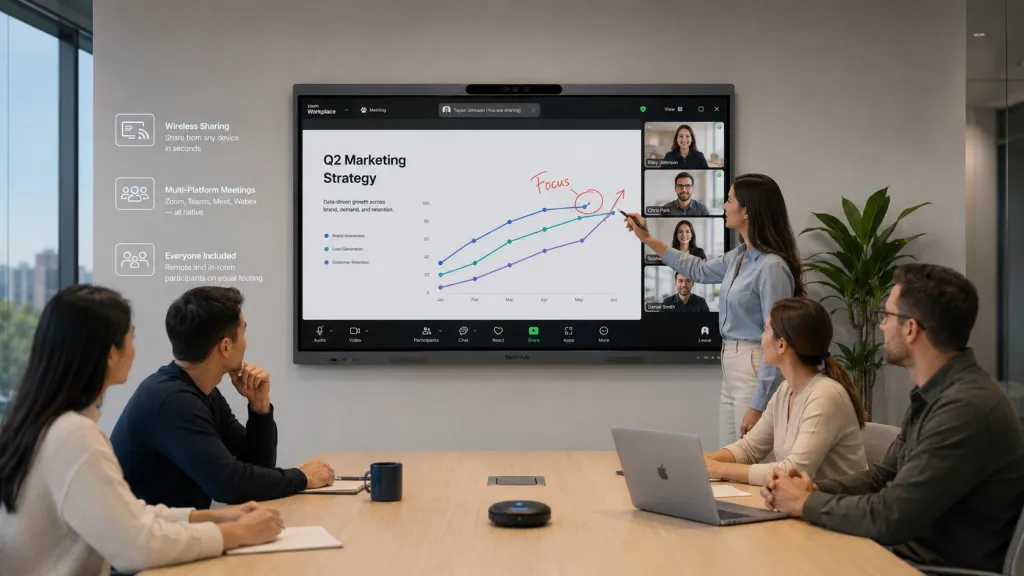
Remote parity. Hybrid meetings fail when remote participants can't see the whiteboard or can't tell who's speaking. Camera framing and audio pickup determine whether remote attendees are participants or spectators.
Manageability at scale. One room is a purchase; forty rooms is a fleet. Standardizing on a single platform means one training deck, one support runbook, one spare-parts bin.
The non-obvious dimension here is decision fatigue at the room entrance. Enterprise buyers compare resolution and brightness; the people actually using the room compare "how many buttons until my slides appear." A 4K panel nobody turns on loses to a 1080p workflow everybody uses. If your organization is rolling out corporate meeting room technology across multiple floors or offices, standardize on the workflow first and the hardware second.
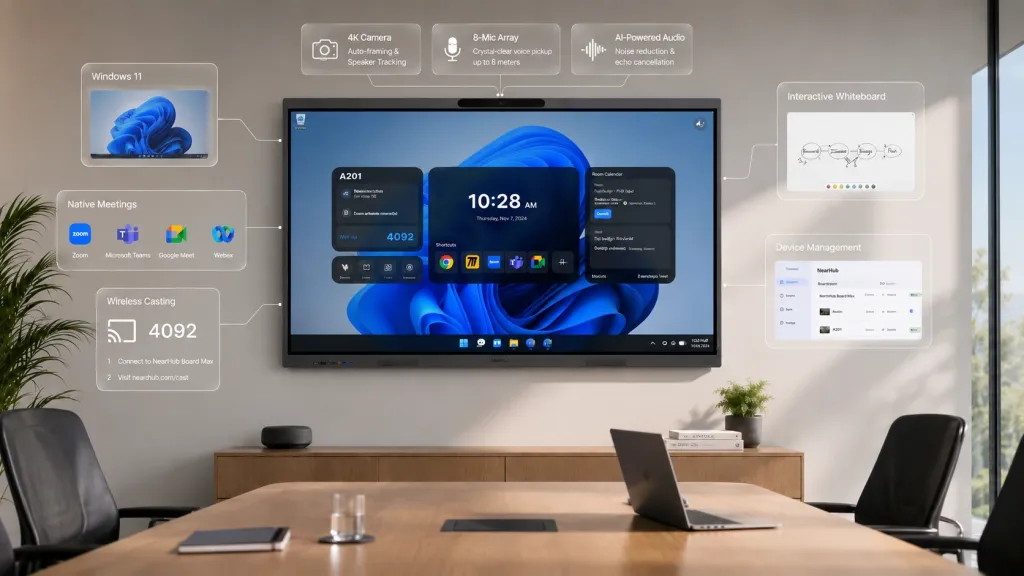
For distributed companies, this is also where an all-in-one interactive board earns its keep. The NearHub Board Max, for example, runs Windows 11 Pro with native Zoom and Teams built in, so the room's workflow is identical to the laptop workflow staff already know — web casting via a browser code covers the guests, and there's no proprietary app ecosystem to train against. That's the adoption problem addressed at the workflow layer, not the spec layer.
SMBs, startups, and coworking spaces face the same adoption problem with a twist: there's no IT department to rescue a confusing room. In a coworking space meeting room, the "IT department" is whoever booked 2 p.m. Members judge the entire space by whether the room works on the first try — operators know that a broken HDMI adapter generates more complaints than the coffee machine ever will. If you run a shared space or a small office, your filter is even simpler: could a first-time guest, holding a MacBook they've never connected to anything, be presenting within 60 seconds? If not, keep looking.
Education & Training: The Ten-Minute Problem
Classrooms don't fail on features — they fail on minutes. A K-12 teacher has roughly the first ten minutes of a period before attention structurally decays; if the board takes three of those minutes to boot, connect, or unfreeze, the technology hasn't supported the lesson, it has consumed it. Multiply that by six periods a day and you understand why some school buildings have interactive panels used as very expensive projector screens.
This reframes what "good" means for a classroom interactive display:
Boot and resume speed outranks resolution. A panel that's ready when the bell rings beats a sharper panel that isn't.
Account switching matters more than app stores. Six teachers share one room; the board must let each one get to their materials fast and leave no trace for the next class.
Durability and support outrank everything for IT. District technology teams think in fleets and summer deployment windows, not individual rooms. Repair logistics, warranty terms, and whether a panel survives a school year of thirty students touching it daily are the real spec sheet.
Wireless casting from student devices changes pedagogy, not just convenience — a student sharing their work from a Chromebook in five seconds is a different lesson than a teacher unplugging and re-plugging cables at the front.
Universities and corporate training rooms share the pattern with higher stakes: lecture capture, hybrid cohorts, and guest lecturers who arrive with their own devices and zero patience. A corporate training screen in an enterprise L&D room has the same ten-minute problem as a third-grade classroom — the trainer's credibility evaporates while the room reboots.
The depth here goes further than we can in a pillar page — boot-time math, the adoption curve for teachers, K-12 vs. university vs. corporate training trade-offs, and realistic budget structures are all in our dedicated guide to interactive displays for education and campus deployments.
Healthcare, Government & Legal: The Compliance Problem
In regulated industries, the buying sequence inverts. Corporate buyers ask "what can it do?"; a hospital CIO, a county IT director, or a law firm partner first asks "what is it allowed to do?" A display that streams patient charts through an unmanaged consumer casting protocol isn't a productivity tool — it's a reportable incident waiting to happen.
Each regulated sector carries its own version of the constraint:
Healthcare worries about patient privacy in shared spaces: who can see the screen from the hallway, whether casting sessions are isolated, and where meeting data lives. Telehealth and tumor-board style collaboration add a second requirement — clinical-grade image clarity for reviewing scans as a group.
Government adds procurement itself as a constraint: purchasing rules, tax-exemption handling, funding-cycle timing, and documentation requirements. State and local agencies spending federal funds often face supply-chain compliance questions that private buyers never see. A vendor that can't navigate tax-exempt purchases and formal quotes costs your procurement office weeks.
Legal and finance worry about confidentiality in client-facing rooms: a deposition over video, a portfolio review with a client's holdings on screen, a board meeting with material non-public information. The question "who else can join this casting session?" is a legal question, not an IT question.
The trade-off matrix for regulated buyers has a non-intuitive row most guides skip: consumer-grade convenience vs. administrative control. The same wireless casting that makes a startup's room delightful can be the thing a compliance officer must disable. What you want is a platform where convenience features are available but governable — where IT decides what's on, per room, per policy.
The full compliance-first framework — including how to run a security review of a display before purchase and what courtroom and command-post environments demand — is in our cluster guide to meeting room technology for healthcare, government, and law.
Some rooms don't have "meetings" at all, and applying meeting-room logic to them is the most expensive mistake in this category.
Command centers and control rooms run displays 16–24 hours a day. Consumer panels are typically rated far below that duty cycle and will degrade or fail early. Here the real comparison is a single large-format interactive display versus a tiled video wall — and the answer depends on operator count, viewing distance, and whether anyone needs to interact with the wall or only observe it.
Design studios, architecture firms, and construction teams need to work on the content — mark up blueprints, redline drawings, annotate renders live with a client. Resolution and touch precision matter here for a specific reason: a misread dimension on a fuzzy plan view is a construction error, not an inconvenience. This is one sector where running full desktop software (CAD viewers, markup tools) directly on the board changes the workflow fundamentally.
Houses of worship and event venues fight ambient light and operator variability. Sanctuaries with windows and stage lighting wash out weak panels, and the person running the screen is usually a volunteer with no AV training. Brightness, anti-glare, and a home screen simple enough for a non-technical operator are the entire decision.
Trade shows and hospitality need screens that survive transport, fast setup, and strangers touching them. An event venue screen also does double duty — wayfinding and signage by day, presentation surface during the booking — so scheduled content and dead-simple input switching matter more than deep collaboration features.
Nonprofits deserve their own note because their constraint is structural, not technical: the person justifying the purchase is rarely the person using it. A non profit meeting room display must survive a board meeting it isn't present at — meaning the total cost story (one device replacing projector, whiteboard, and conferencing kit; trial periods; warranty length) matters as much as the demo. If your organization answers to a board or donors, bring the five-year cost framing from the framework below into the purchase memo; it converts "expensive screen" into "consolidated infrastructure," which is a much easier yes.
The common thread: in specialized rooms, the environment (duty cycle, lighting, operator skill, content type) eliminates most options before features even enter the conversation. Our cluster guide to specialized industry displays for command centers, studios, and venues walks through each with decision tables.
Five Expensive Mistakes, One Per Sector
Each sector has a characteristic way of wasting money. Naming them is faster than learning them:
Corporate: Buying for the demo, not the Tuesday. Vendors demo with their own expert driving; your room will be driven by someone late for a 1:1. Pilot with your least technical team, not your AV champion.
Education: Equipping rooms faster than you train people. A district that installs 80 panels in one summer and trains teachers in one afternoon has bought 80 projector screens. Budget training hours alongside hardware — the ratio matters more than the model.
Regulated: Retrofitting compliance after purchase. Discovering in month two that guest casting can't be administratively disabled means either living with the exposure or replacing the fleet. Run the security review before the shortlist, not after.
Specialized: Applying meeting-room logic to non-meeting rooms. A command center doesn't need a great "meeting display" — it needs a panel that won't dim after 8,000 hours of dashboards. A design studio doesn't need a whiteboard app — it needs its real software on the wall.
Every sector: Comparing prices instead of friction. Two minutes of daily meeting friction across a 200-person company costs more per year than the difference between any two displays on your shortlist. Price the friction, not just the invoice.
A Five-Question Decision Framework
Whatever your sector, run these five questions in order. Each one eliminates options; by question five, the shortlist usually writes itself.
1. What is this room's dominant failure mode? Adoption (corporate), minutes (education), compliance (regulated), or environment (specialized)? If you can't name it, you haven't diagnosed the room. If your situation is "our last display sits unused," you're solving an adoption problem — prioritize workflow simplicity over every spec.
2. Who operates the screen on its worst day? Not the champion who wanted it — the substitute teacher, the volunteer, the guest consultant, the new hire. Design for that person. If your operators are rotating non-experts, one-touch join and browser-based guest casting are mandatory, not nice-to-have.
3. What content must be legible, from where? Spreadsheets and CAD drawings at ten feet demand more than video at twenty. Match resolution and size to your smallest critical content and your farthest seat — our conference room display buyer's guide covers size-to-distance math in detail.
4. What does the platform lock us into — or out of? A display running a full desktop OS inherits your existing software; a proprietary app ecosystem means re-buying your workflow. Ask: can it run the tools we already pay for, and the meeting platforms our clients choose?
5. What's the real five-year cost? Hardware plus installation, training, spares, and the meetings lost to friction. A cheaper panel that adds two minutes of friction to every meeting is the most expensive option in the room. If your situation involves formal procurement, also price the vendor's ability to handle quotes, tax exemption, and multi-unit logistics — that capability has dollar value.
Run a room through all five and you'll notice the answers converge on a platform profile, not a screen size. That convergence is the decision.
Each industry fails differently, which means each industry should shop differently. Corporate rooms most often fail on adoption — the technology works but nobody uses it because starting a session takes too long. Classrooms fail on minutes — boot time and connection friction eat the first ten minutes of a lesson. Regulated sectors fail on compliance — a convenient feature becomes a privacy incident. Venues fail on environment — brightness, viewing angles, and non-expert operators. Start from your sector's dominant failure mode and let it order your priorities, rather than comparing universal feature lists.
Can one display model work across an entire organization?
Often yes — and standardization is genuinely valuable: one training program, one support process, one relationship with one vendor. The catch is that the standardized platform must survive your most demanding room. If your hardest environment is a hybrid boardroom with remote executives, standardize on a board with native Zoom and Teams and strong camera framing, and let simpler huddle rooms inherit that capability. If your hardest room is compliance-bound, let its requirements (manageable casting, admin control, procurement support) set the floor for everyone.
What should nonprofits and public-sector buyers check before purchasing?
Beyond the product itself: tax-exemption handling, formal quotes for procurement records, warranty length and repair logistics, delivery coverage to your region, and bulk pricing for multi-room rollouts. Also check funding-cycle fit — public budgets often require spending within a fiscal window, so delivery lead times matter more than a few percent of price. Vendors experienced with government and nonprofit buyers will have a defined process for all of this; ask for it up front.
Is an interactive display worth it for a small business or startup?
If client-facing collaboration is core to your work, it's one of the highest-leverage purchases a small team can make — a single interactive board replaces the TV, projector, whiteboard, and conference camera that a one-room office would otherwise assemble separately. The honest caveat: if your meetings are mostly internal and laptop-based, a good TV plus a webcam covers 80% of the need at a fraction of the cost. Buy the interactive board when the room itself is part of the product you're selling — pitches, workshops, client whiteboarding sessions.