Replacing Your Video Bar: Alternatives to Logitech, Poly, Cisco & Neat
A decision guide to replacing video conferencing hardware: why organizations move on from Logitech Rally Bar, Poly Studio, Cisco Room Kit, Neat Bar, and Yealink MeetingBoard — and how to choose what comes next.
replace logitech rally bar
replace poly studio
replace neat bar
Updated: Aug 20, 2026 · 8 minutes read
Global Business, Brought Near.
No Installer, No Hassle, Just Works.
The meeting worked fine until it didn't: a firmware update overnight, and by 9 AM the room's camera was a paperweight with a blinking LED — with the quarterly board review starting in forty minutes. If you're searching for alternatives to a Logitech Rally Bar, Poly Studio, Cisco Room Kit, or Neat Bar, the replacement that actually fixes your problem depends less on which brand failed you and more on why it failed — and most replacement projects go wrong by swapping bar-for-bar instead of rethinking the room.
This guide walks through the real reasons organizations replace video conferencing hardware, what to consider when moving on from each major brand family, and a migration checklist that keeps rooms running during the switch.
Why Organizations Replace Existing Video Conferencing Hardware
Replacement drivers cluster into five patterns, and naming yours is the single most important step — because each driver points to a different replacement category:
End of support / end of life. The vendor stops firmware updates or cloud management for your model. The hardware still works, but the risk clock is ticking — an unpatched room device is a security ticket waiting to happen.
Platform drift. The company standardized on Zoom when the bar was installed; now half the org runs Teams, or an acquisition brought a Google Workspace division. A single-platform appliance became a daily friction generator.
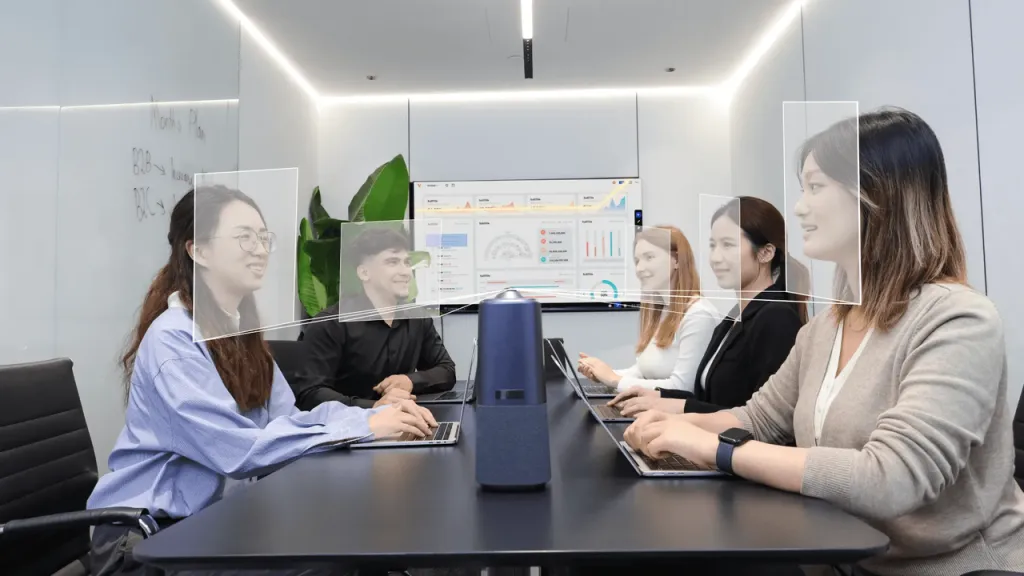
Meeting quality complaints. "Remote people can't hear the far end." "The camera shows six tiny heads." These are usually room-design failures — mic coverage, camera height — that new hardware mounted in the same wrong place will faithfully reproduce. Fix the design first, then decide whether you still need new hardware; a surprising share of "bad hardware" rooms turn out to be decent hardware in bad positions.
Capability gaps. The room whiteboards on paper next to a premium bar, or presenters still fumble HDMI dongles. The bar did its job; the job changed.
Cost pressure. Licenses, support contracts, and per-room subscriptions compound across a fleet until procurement asks why a huddle room costs what it costs.
Here's the counter-intuitive part most replacement guides skip: only drivers #1 and #5 are solved by buying a newer bar. Driver #2 is solved by changing architecture (re-imageable or platform-agnostic hardware). Driver #3 is solved by redesigning the room, possibly for free. Driver #4 is solved by adding a capability — touch, casting — that bars structurally don't have. Diagnose first; shop second.
The Three Replacement Categories
Whatever brand you're leaving, your options collapse into three architectures. The trade-offs — including the dimension nobody puts in the brochure — look like this:
That last row is the non-intuitive one: recovery difficulty after errors. Buyers compare features and prices; IT lives and dies by blast radius. A single-device architecture means one thing to reboot, one thing to update, one thing to walk a panicked executive through over the phone. A five-component stack means five firmware streams that can disagree with each other at the worst possible time.
Which category wins? If your driver is end-of-life and the room's job hasn't changed — buy the new bar and move on with your life.If your driver is platform drift or capability gaps, a like-for-like swap re-purchases the exact constraint that's pushing you to replace. That's when the math favors rethinking the room around the display instead.
Logitech Rally Bar Alternatives
The Rally Bar family defined the premium Android appliance category — polished hardware, mature management, strong Zoom and Teams certification. Organizations leave it for three typical reasons: cost at fleet scale, the appliance OS boundary, or a room that outgrew calls-only usage.
Your alternatives, by driver:
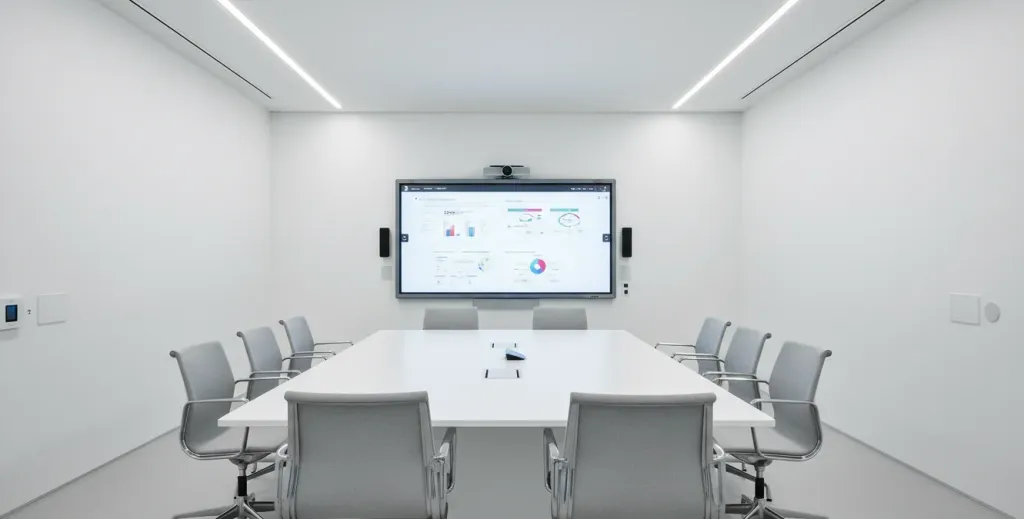
Cost-driven: current-generation mid-range appliance bars from competing OEMs deliver comparable core meeting quality at notably lower fleet cost. You keep the same operational model and certification comfort. The honest trade is that mid-range bars economize on the extras — mic pickup range, camera intelligence, expansion ecosystems — so verify the room's physics (length, seating depth, ambient noise) against the bar's rated coverage, not its marketing headline.
Flexibility-driven: a modular Windows build with certified USB peripherals keeps certification for the peripherals while the compute runs anything — Zoom, Teams, Meet, Webex, GoToMeeting.
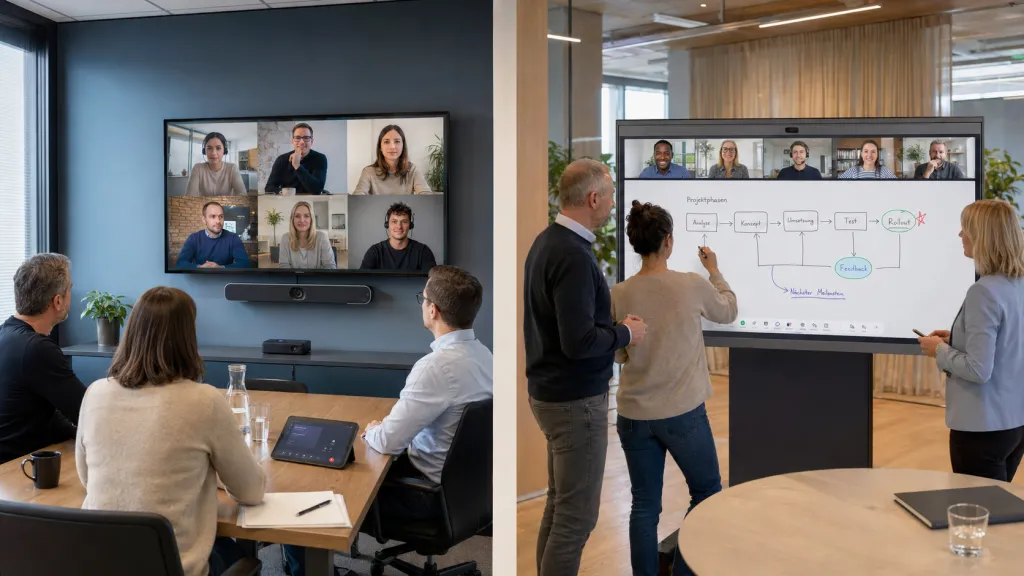
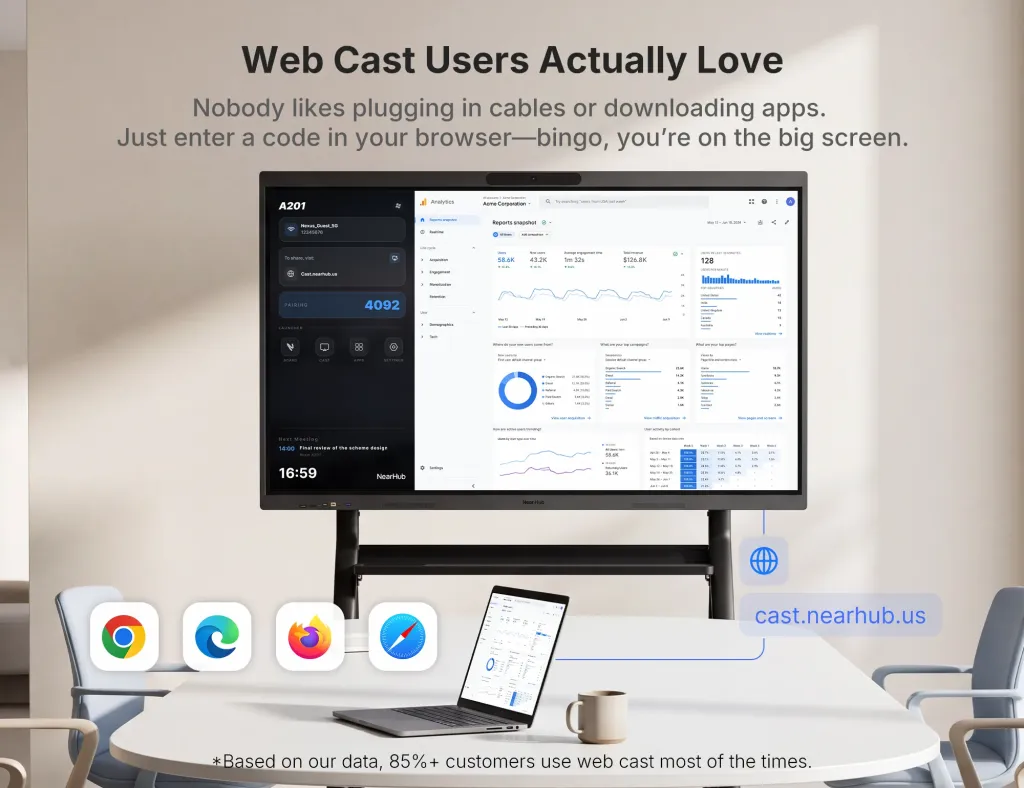
Capability-driven: if the Rally Bar room kept whiteboarding on flip charts, the honest fix is an interactive display. The NearHub Board S Max — Windows 11 Pro, native Zoom and Teams, 4K touch replaces bar, display, and compute in one device: its built-in AI camera with auto-framing and speaker tracking covers small and medium rooms, ProperClean 2.0 audio handles the acoustic side, and the room gains an infinite cloud whiteboard plus browser-based casting for the meetings that aren't calls. One power cable, one device to manage, no bar on the wall at all.
Worth stating plainly: if your Rally Bar rooms work well and the driver is purely age, the newest bar in the same family is the lowest-risk move. Familiar management, familiar mounting, minimal retraining. But run the fleet math before defaulting to it: at twelve rooms, a modest per-room savings from switching categories compounds into real budget, and a capability gain like touch multiplies across every meeting in every room. The larger your fleet, the less sense "we've always bought bars" makes as a strategy — fleet scale is precisely when architecture decisions stop being preferences and start being financial plans.
Poly Studio & Cisco Room Kit Replacements
Poly Studio devices earned their reputation on audio — beamforming mic arrays and noise blocking that genuinely outperform average bars. Replacements should be judged on audio first, which rules out bargain bars in acoustically hard rooms (glass walls, high ceilings). If you loved the Poly sound but not the platform limits, prioritize replacements with serious mic engineering or expansion-mic ecosystems rather than spec-sheet megapixels.
Cisco Room Kit owners face a different calculus. Cisco's newer hardware is already the most interoperability-friendly in the industry — many devices run Webex-optimized RoomOS, guest-join other platforms, or convert to Microsoft Teams Rooms. So "replace Cisco Room Kit" searches usually mean one of two things: leaving the Cisco price tier (legitimate — mid-range appliance or Windows builds cut cost substantially) or leaving the complexity tier (also legitimate — Cisco rooms reward skilled AV administration; small IT teams often want fewer knobs). Before abandoning Cisco for flexibility reasons, check whether your existing hardware's interop modes already do what you need — you may own the answer.
A devil's-advocate note for both: do not replace premium audio hardware because of a software frustration. If Poly/Cisco hardware performs but the platform app annoys you, the fix may be running your preferred platform in BYOD mode on the same hardware, or reconfiguring management — not a rip-and-replace that downgrades the room's acoustics to save a software workflow.
Neat Bar & Yealink MeetingBoard Alternatives
Neat built its following on design and simplicity — elegant all-in-ones with a strong Zoom and Teams story. Yealink's MeetingBoard pushed the appliance-touch-board category mainstream. Both share the structural ceiling of appliance operating systems: the hardware runs the platforms the vendor certified, the way the vendor designed it.
If that's the ceiling you hit, the alternatives hierarchy is:
Another appliance board or bar — solves aesthetics or price complaints, keeps the same ceiling.
A Windows-based interactive board — removes the ceiling entirely. Every platform as a native desktop app, full Chrome for web apps, annotation over any content, and casting without dongles. This is the move when the complaint is "the board can't do X" and X keeps changing.
Modular build — when you want repairability: swap the camera without touching the display, swap the compute without touching anything. The premium you pay in component count buys independence between refresh cycles, which matters when camera AI improves faster than displays age — and it always does.
The Yealink MeetingBoard case deserves one specific caution: moving from one appliance board to another appliance board changes the logo, not the architecture. If your frustration list includes items like "can't run our custom app," "browser version is outdated," or "platform support is take-it-or-leave-it," an OS-level change (Windows) is the only category that addresses the root cause.
Google Meet Series One & Webex Kit Alternatives
Google's Series One kits are the most platform-opinionated hardware in this guide — beautiful ChromeOS engineering, on-device AI processing, hardware-level noise cancellation, Power over Ethernet — and not designed to run Zoom or Teams. That makes the Series One alternative question binary: if you're staying in Google Workspace, stay in the ecosystem or consider a Google Meet room kit refresh; if you're leaving or going multi-platform, no like-for-like exists, and you're really shopping the open architectures from the trade-off table above.
For Webex room kit alternatives, see the Cisco section — but note that smaller platforms matter here too. GoToMeeting hardware searches are essentially "what runs GoToMeeting in a room," and the honest answer is: almost anything with a computer. GoToMeeting room setups work on any Windows room build or board, which is one more argument for architectures where the platform is an app rather than a firmware destiny. The cross-platform hardware guide covers how the four major platforms compare on hardware philosophy.
A Replacement Scenario: How the Decision Plays Out in Real Life
Consider a pattern that recurs across mid-size companies. An IT manager inherits twelve rooms of aging appliance bars — bought four years ago when the company was Zoom-only. Two triggering events land in the same quarter: the vendor announces end of support for the model, and a newly acquired sister division runs everything on Teams. Leadership's first instinct is the familiar one: get quotes for the current-generation equivalent of the same bar, twelve times over.
The first instinct is wrong, and here's why it feels right anyway. Like-for-like quotes are easy to approve — same line item, same category, no explanation required. But watch what the bar-for-bar plan actually buys: twelve rooms that still can't run the acquired division's Teams natively without re-imaging gymnastics, still can't whiteboard, and a new five-year commitment to the same architecture that just got end-of-lifed once. The irreversible moment isn't the purchase order — it's eighteen months later, when the company announces full platform consolidation onto Teams and the "new" bars need re-imaging, recertification, and another procurement round. The budget that could have bought flexibility bought the same constraint twice.
The corrected play: pilot three replacement archetypes in three rooms — one like-for-like bar (control group), one re-imageable appliance, one Windows interactive board. Run real meetings for a month, including cross-division calls. In every documented version of this story, the deciding factor turns out not to be video quality — all three pass — but the Tuesday-morning test: which room do people book without asking IT for help? The room that wins adoption is the standard. The one that wins the spec sheet but not the booking calendar is the expensive lesson.
What About GoToMeeting and Smaller Platforms?
Not every room runs the big four. GoToMeeting hardware searches deserve a straight answer: GoToMeeting doesn't maintain a certification program with the gravitational pull of Zoom's or Microsoft's, and that's actually liberating. A GoToMeeting room setup needs no special appliance — it needs a computer, a decent camera, a mic, and a display. Any Windows room build or interactive board handles it as a desktop app, which means GoToMeeting rooms are the cheapest rooms to equip well and the hardest to justify locking into a single-purpose device.
The same logic applies to WebEx-adjacent and second-tier platforms your clients occasionally force on you. The more platforms your rooms touch, the stronger the argument for architectures where the platform is an app, not an identity. A room that treats every platform as software never needs a "gotomeeting room hardware" purchase at all — it's already compatible with whatever Monday brings.
A clean replacement follows this order — skip steps and you'll meet them later, at worse times:
Document the current room's actual usage. Pull booking data and, if possible, feature usage: how often is whiteboarding used? How many meetings include external platforms? Replace for the room's real behavior, not its intended behavior.
Verify network and power before delivery day. New architecture may need different port rules, PoE budgets, or outlet positions. The Zoom Rooms setup guide details the network-first sequencing that prevents controller-dropout mysteries; the Teams Rooms hardware guide covers Microsoft's display and licensing prerequisites.
Migrate accounts and calendars off the old device first. Resource accounts, calendar bindings, and management-console enrollments should transfer before the old hardware leaves the wall — never discover a permission problem with a room full of people.
Run the old and new in parallel for one week if possible. Book the new room optionally, gather complaints, fix them while the fallback exists.
Decommission deliberately. Wipe device enrollments, reclaim licenses (room-system licenses are per-room recurring costs — cancel them), and document the new room's admin owner.
Update your fleet template. If this replacement improves on the old standard, make it the new template — the fleet-wide win comes from standardization, not from any single room's upgrade.
One budget line teams forget: the old hardware's remaining obligations. Leased devices, prepaid support contracts, and license commitments can make "waiting six months" cheaper than "replacing today." Time replacements to contract cliffs when you can. And if no cliff is near, remember the pilot-first approach costs almost nothing: one room, one new archetype, one month of real meetings will tell you more than any spec comparison — and it converts an emotional "we need to replace everything" into a calm, evidence-backed rollout plan.
Frequently Asked Questions
What is the best alternative to a Logitech Rally Bar?
There's no single best — the right alternative follows your replacement driver. End-of-life with happy users: the newest bar in the same category, lowest risk. Cost pressure at fleet scale: mid-range appliance bars from competing OEMs. Platform drift: modular Windows builds or re-imageable appliances. Capability gaps (whiteboarding, casting, walk-up apps): a Windows-based interactive board that absorbs the bar's job into a 4K touch display with native Zoom and Teams. Diagnose the driver honestly and the category picks itself.
Can I replace a video bar without replacing the display?
Yes — bars mount separately from displays, so a bar-for-bar or bar-to-modular swap typically keeps your existing panel. The exception is upgrading to an all-in-one interactive board, which includes the display; then the old panel becomes redundant (often redeployed to a smaller room). Factor that redeployment value into the business case — a demoted 65" panel is a free huddle-room upgrade.
Will my Zoom-certified bar work with Microsoft Teams?
Sometimes. Several mainstream certified appliances can be re-imaged between Zoom Rooms and Teams Rooms via firmware — a real hedge if your fleet might pivot. But support varies by model, and at least one popular all-in-one brand is Zoom-only permanently. Never assume re-imaging: check the specific model's cross-platform documentation before purchasing. Windows-based rooms eliminate the question by running both platforms as ordinary desktop applications.
How disruptive is replacing room hardware?
Less than feared, if sequenced correctly. Like-for-like bar swaps run under an hour per room. Architecture changes (modular build or interactive board) take roughly a half day per room including network config, account binding, and a worst-case test call. Fleet rollouts should always pilot one room first for a week of real meetings. The disasters you hear about — rooms down for days — almost always trace to skipping the network-and-accounts-first sequencing.
Is it worth replacing working hardware just to gain platform flexibility?
For a single room with happy users: no — flexibility is insurance, and you don't buy insurance on things that aren't at risk. At fleet scale during a forced refresh (end of support, lease expiry): frequently yes, because the flexibility premium is small when replacement is already mandatory. The worst time to buy flexibility is the day after a platform migration is announced; the best time is the refresh cycle before anyone knows it's needed.
Your next step: write down the single biggest frustration with your current setup, then check which of the five replacement drivers it maps to — that one line determines whether you need a new bar, a new architecture, or just a new microphone position. If your diagnosis points to capability gaps or platform drift, see how the NearHub Board S Max consolidates bar, display, whiteboard, and compute into one Windows device — with a 30-day trial that lets you pilot a real room before committing the fleet.