Video Conferencing Hardware for Zoom, Teams, Google Meet & Webex: How to Choose Without Locking Yourself In
A decision guide to video conferencing hardware across Zoom Rooms, Microsoft Teams Rooms, Google Meet, and Webex — what certification really means, where lock-in hides, and how to future-proof your rooms.
zoom rooms hardware
teams rooms hardware
google meet hardware
Updated: Aug 20, 2026 · 7 minutes read
Global Business, Brought Near.
No Installer, No Hassle, Just Works.
Most organizations don't have a video conferencing hardware problem — they have a hardware commitment problem. The display, camera, and compute you buy today quietly decide which software platforms your rooms can run well for the next five to seven years, and the wrong choice doesn't fail loudly; it fails slowly, in firmware regressions, re-imaging weekends, and rooms nobody wants to book.
This guide compares video conferencing hardware across the four platforms that dominate business meetings — Zoom Rooms, Microsoft Teams Rooms, Google Meet, and Cisco Webex — but it does so through the lens that actually determines long-term cost: what each hardware architecture commits you to, and what it costs to change your mind. If you're evaluating Zoom Rooms hardware, Teams Rooms devices, or a huddle room video system for the first time, you'll leave with a clear decision framework. If you already own a fleet, you'll learn where the lock-in is hiding.
The Real Decision Isn't the Platform — It's the OS Underneath
Every piece of room hardware you'll evaluate runs on one of three foundations, and this layer matters more than any camera spec:
Android appliances — video bars and touch boards that boot straight into one platform's room app (Zoom Rooms on Android, Teams Rooms on Android).
ChromeOS devices — Google Meet hardware kits, including the Series One family, managed through the Google Admin console.
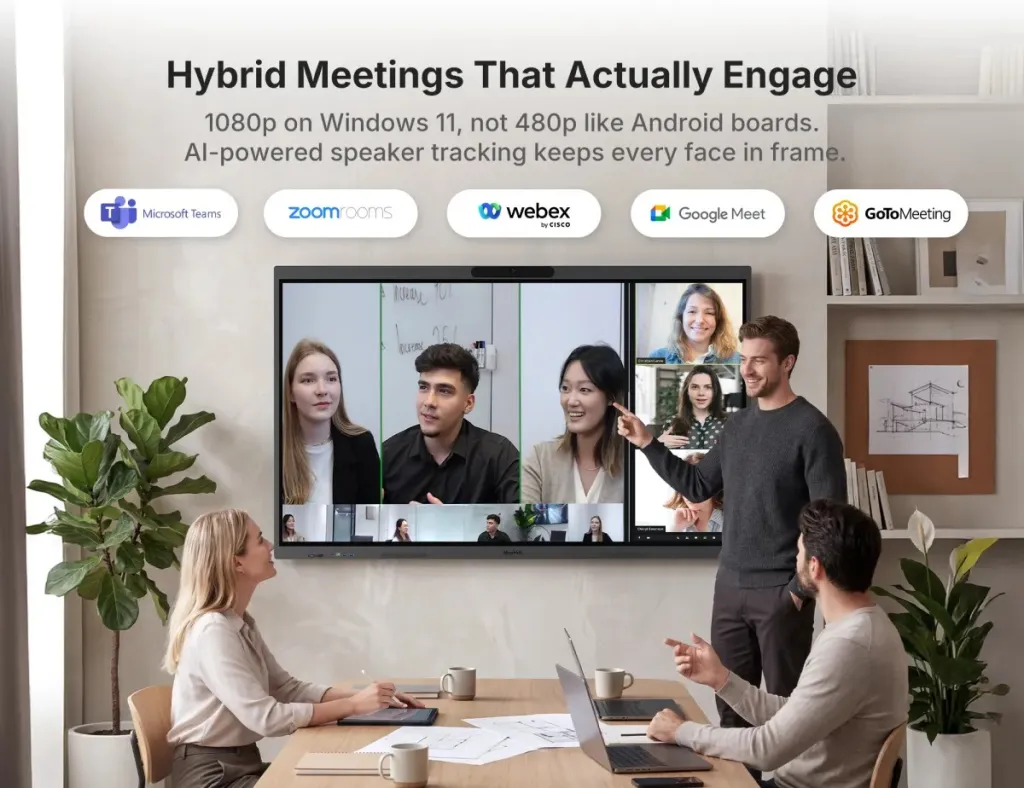
Windows systems — dedicated room PCs and Windows-based interactive boards that run Zoom, Teams, Meet, Webex, and GoToMeeting as ordinary desktop applications.
Here's the first-principles point most buying guides skip: an appliance is not a simpler computer — it's a computer you're not allowed to use. The Android bar that boots into Zoom in eight seconds can never boot into Teams unless the manufacturer built a re-imaging path and your platform licenses allow it. The simplicity you love on day one is the same constraint that frustrates you on day nine hundred, when your company merges with a Teams shop or decides Meet is cheaper.
This is why two rooms with identical cameras and microphones can have wildly different five-year costs. The hardware is similar; the permission structure is not.
Platform-Native vs Platform-Agnostic Hardware
Platform-native hardware (certified appliances, room kits) is hardware contractually aligned to one ecosystem. Platform-agnostic hardware (Windows room PCs, USB peripheral stacks, Windows interactive boards) runs whatever software you install. Neither is universally better — the trade-off matrix looks like this:
Dimension
Platform-Native Appliance
Platform-Agnostic (Windows/USB)
Winner, and When
One-touch join experience
Purpose-built, calendar-aware
Depends on app + configuration
Native — if you're staying on one platform
IT management
Vendor cloud dashboard, per-room license
Standard Windows/MDM tooling you already own
Agnostic — if you have Windows IT capacity
Firmware blast radius
One bad update can break the whole room's function
App updates and OS updates are decoupled
Agnostic — a bad Zoom update never bricks the display
Platform switching cost
Re-imaging or full replacement
Install the other app, done
Agnostic, decisively
Certification / support path
Guaranteed compatibility, official support
You own integration risk
Native — for risk-averse enterprises
Feature ceiling
Whatever the appliance OS exposes
Full desktop features (complete browser, any app, annotation anywhere)
Agnostic — for power users
Note the two non-intuitive rows. Firmware blast radius is the one IT teams feel but rarely articulate: on an appliance, the room's camera, mic, speaker, and platform app share one update channel, so a single bad firmware push can take the entire room down on a Friday afternoon. On a Windows system, the display doesn't care which app misbehaved. And platform switching cost — discussed in depth in our guide to replacing video bars from Logitech, Poly, Cisco, and Neat — is where platform-agnostic hardware pays for itself: switching platforms becomes a software decision, not a procurement decision.
If your organization is all-in on one platform, has a signed multi-year commitment, and runs risk-averse IT — certified native hardware is the right answer, full stop. If you run mixed platforms, acquire companies, or simply refuse to predict 2031's winning platform in 2026 — weight the agnostic column heavily.
Zoom Rooms Hardware: What Certification Actually Buys You
Zoom Rooms hardware falls into two families: certified appliances (all-in-one room systems and video bars that boot into the Zoom Rooms app) and Windows or Mac compute builds where Zoom Rooms runs as an application. Zoom's certification program tests devices at third-party labs before granting a badge, which is why certified gear behaves predictably — and why the certification list, not marketing pages, is the source of truth.
Two facts shape every Zoom Room design:
A certified touch controller is effectively mandatory. One-touch calendar join — the feature that makes rooms feel effortless — requires a certified controller in a standard Zoom Rooms deployment.
Whiteboarding wants a touch display. Zoom Whiteboard on a non-touch screen is a spectator sport. An interactive display turns the Zoom meeting display into something people actually walk up to.
Where buyers go wrong is treating "Zoom Rooms hardware" as a shopping list rather than a room design. Camera height, mic-to-participant distance, and whether the display is sized for the farthest seat matter more than which badge is on the box. We cover room-by-room configurations, controllers, and the five mistakes that ruin Zoom Rooms in our complete Zoom Rooms hardware setup guide.
Depth preview: most people don't know that several mainstream Zoom-certified appliances can be re-imaged to run Teams Rooms later — but at least one popular all-in-one brand is Zoom-only forever. That single line on a spec sheet is the difference between a hedged investment and a trapped one.
Microsoft Teams Rooms: Compatible Devices and the Rules That Bite
Teams Rooms hardware splits into Teams Rooms on Android (appliance bars and touch boards) and Teams Rooms on Windows (modular compute + certified peripherals). Microsoft's certification program is similarly lab-tested, but Teams adds two wrinkles that catch buyers off guard.
First, licensing is a line item. Teams Rooms systems need a Teams Rooms license — Microsoft offers a Basic tier (free, capped at 25 rooms) and a Pro tier that unlocks features like Front Row enhancements, dual-screen intelligence, and advanced management, per Microsoft's licensing documentation. A "cheap" Android bar plus years of Pro licenses can cost more than a premium room system.
Second, Microsoft's room planning rules are unusually specific. Touch boards are certified as standalone devices and, per Microsoft's room planning guidance, cannot drive a second front-of-room display; dual-display rooms require a touch console; and Front Row — Microsoft's layout that places remote participants at eye level — shines on 21:9 ultra-wide displays but works on standard 16:9 too. If you're planning a Teams Rooms display, these constraints decide your options before price ever enters the conversation. Our Microsoft Teams Rooms hardware and display guide walks through certified vs compatible hardware, Front Row layouts, and Teams Whiteboard on interactive displays.
Google Meet & Webex Hardware: Two Opposite Philosophies
Google Meet hardware is the most opinionated ecosystem of the four. Series One kits run on ChromeOS with an on-device AI chip, features like hardware-level noise cancellation, and Power over Ethernet throughout — genuinely elegant engineering, centrally managed through the Google Admin console. The catch is structural: Series One devices are purpose-built for Google Meet and are not designed to run Zoom or Teams. If your company lives in Google Workspace, that's a feature. If your clients send you Teams invites all day, it's a recurring awkwardness.
Webex takes the opposite path. Cisco's newer room devices are built for interoperability by design — the same hardware runs Cisco's own RoomOS optimized for Webex, supports guest join to Microsoft Teams, Zoom, and Google meetings, and many models can be reconfigured as Microsoft Teams Rooms outright. Cisco essentially sells platform flexibility as a first-class feature, at enterprise prices.
The first-principles takeaway: Google sells you a better single platform, Cisco sells you insurance across platforms, and the open-Windows approach sells you ownership of the choice itself. Which philosophy fits depends on how settled your organization's platform future really is.
Video Bars, All-in-One Cameras & Unified Communications Displays: Reading the Category Labels
Vendor catalogs use overlapping labels that confuse even experienced buyers, so here's a translation layer before you compare prices:
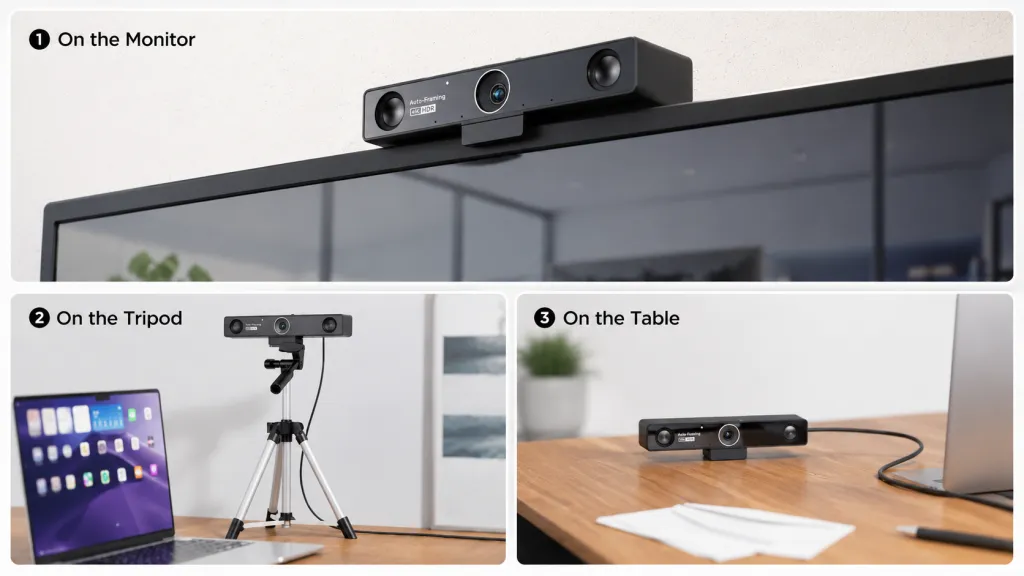
Video bar — a soundbar-shaped device combining camera, microphones, and speakers. Mounts above or below a display. The display is not included, which is why "video bar with screen" searches usually land on bundles. Bars are the default huddle room video system: everyone sits within a few meters of the lens, so a wide field of view matters more than zoom.
All-in-one conference camera — a broader label covering bars plus center-of-table 360° cameras. The 360° form factor solves a different problem: instead of pointing at the room from the front, it sits among participants and frames whoever is speaking, which reads more naturally on the remote end in discussion-heavy meetings.
All-in-one room system/touch board — display, camera, mics, speakers, and compute in a single wall-mounted unit. This is where "all in one Zoom Rooms" and "all in one Teams Rooms" searches lead. The appliance versions boot one platform's app; the Windows versions run everything.
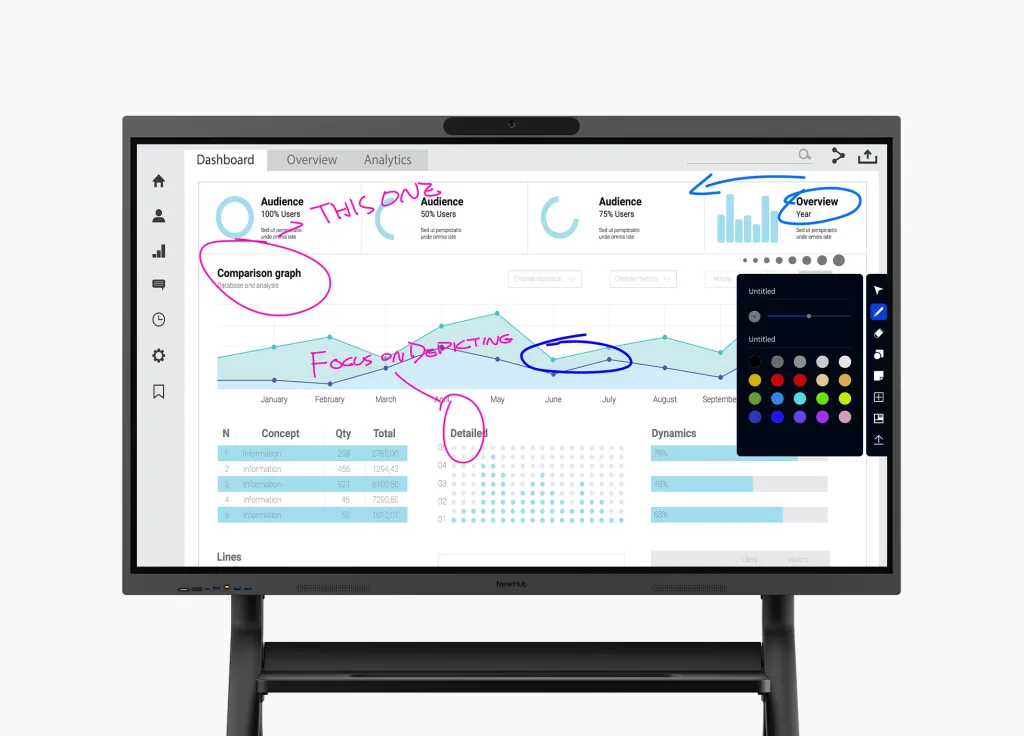
Unified communications display — the emerging category label for interactive displays designed around meetings rather than passive content: touch, whiteboarding, casting, and conferencing in one surface. If a vendor calls something a "Zoom meeting display," "Teams Rooms display," "Webex compatible display," or "Google Meet ready display," they're usually describing this category with a platform adjective attached.
The non-obvious insight: the category labels describe where the compute lives, not what the room can do. A bar plus a dumb display and a touch board with a built-in PC can produce identical meeting experiences — but the second one also whiteboards, annotates any website, and casts without a dongle. When two quotes differ wildly, check whether one includes the display, the controller, and the compute, because those three line items quietly move between categories.
One more trap: "certified for" vs "works with." A device that is "Zoom certified" passed Zoom's lab program. A device that "works with Zoom" is just a USB peripheral the app can see — no lab testing, no guaranteed support path. Marketing pages blur this line constantly; certification lists don't. When in doubt, check the platform's official certified-hardware directory rather than the vendor's product page.
Multi-Platform Flexibility: Future-Proofing the Investment
Here's a scenario every IT lead recognizes. Your company standardizes on Zoom. Eighteen months later, an acquisition brings a Teams-only division. Your certified Zoom appliances now face three options: re-image them (if the OEM supports it), replace them (procurement loves this), or run them in degraded guest-join mode (users hate this). The hardware didn't fail — the commitment did.
Use this four-question framework before signing anything:
How settled is our platform? One platform, contractually committed, low M&A activity → native appliances are safe. Mixed usage, active acquisitions, or client-driven meetings → prioritize re-imageable or platform-agnostic hardware.
How many rooms, and how similar? More than ten rooms → standardize three to four room templates (huddle/small/medium/large) with one hardware profile each. One-off room designs are where support costs go to die.
Do our meetings produce things, or just discuss them? If rooms whiteboard, annotate, and co-create, a unified communications display with real touch matters more than camera megapixels — and rules out several appliance categories entirely.
Who fixes it at 4:55 PM on a Friday? If the answer is "a vendor's cloud dashboard and support contract," native wins. If the answer is "our own IT team," Windows-based rooms use tooling they already have.
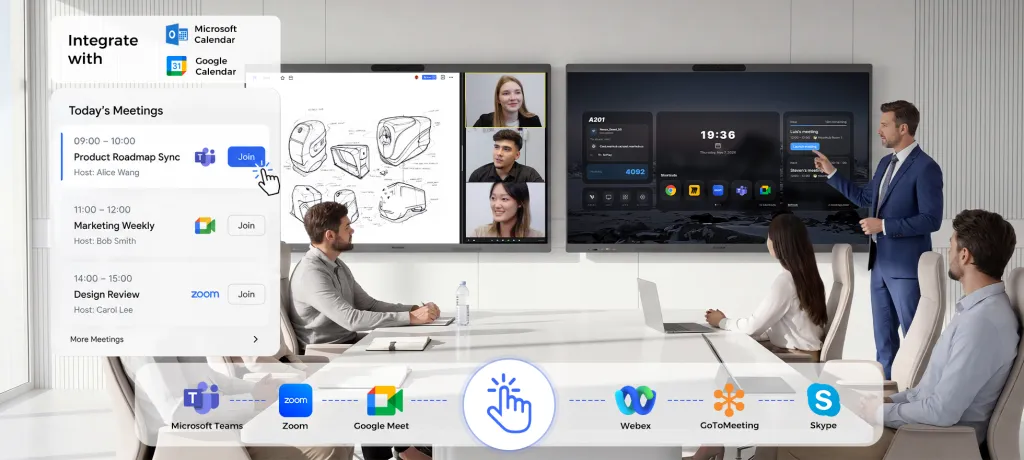
One increasingly popular resolution: make the display the platform-agnostic layer. A Windows-based interactive board runs every platform natively, serves as the room's whiteboard and presentation surface regardless of which app hosts the call, and pairs with whatever certified audio/camera peripherals a given platform demands. For example, the NearHub Board S Max runs Windows 11 Pro with native Zoom and Teams built in, so the same 4K touch surface hosts a Zoom Room at 10 AM, a Teams call at 11, and a Webex webinar after lunch — no re-imaging, no guest-mode degradation, and the whiteboard works identically in all three. It's a different bet than an appliance: slightly more setup ownership, dramatically less platform risk.
Pricing Tiers Across Platforms
Exact prices shift constantly, so think in tiers rather than numbers — and count the whole cost, not the box:
Huddle room (2–4 people): Appliance bars sit at the low end; a Windows room build with a quality USB camera and speakerphone costs slightly more upfront but carries no per-room platform license in some configurations. The hidden cost at this tier is IT touch time, not hardware.
Small/medium room (4–10 people): This is the most competitive tier — every OEM fights here. Budget for the touch controller (often sold separately), the room-system license (Zoom or Teams Rooms Pro), and installation. The license alone can add a meaningful percentage over five years.
Large room / boardroom (10+): Costs bifurcate: modular Windows or appliance-plus-peripherals builds scale with mic pods, PTZ cameras, and dual displays. At this tier, integration labor routinely equals hardware cost — which is exactly why standardizing templates pays back fastest here.
The tier nobody budgets: switching. If there's even a 30% chance your platform changes within the hardware's life, price that risk in. Re-imaging labor, recertification, or full replacement across a 20-room fleet dwarfs the per-room savings that made the appliance attractive.
Financing models differ too: appliances are typically capital purchases plus subscription licenses, while some board vendors offer monthly financing that bundles hardware into an operating expense. Match the model to how your finance team thinks, not just the sticker.
Frequently Asked Questions
Can one device run Zoom Rooms and Microsoft Teams Rooms?
Sometimes. Several certified appliances from major OEMs can be re-imaged between Zoom and Teams with a firmware change — a genuine hedge for fleets that might pivot platforms. But not all devices support it; at least one popular all-in-one brand is Zoom-only. The more robust answer is a Windows-based room system, where Zoom, Teams, Meet, and Webex are all just desktop apps you install — no firmware gymnastics, no single-platform trap.
Does "certified" hardware mean better video quality?
No — and this misconception costs buyers real money. Certification is a compatibility and support guarantee: the platform vendor has lab-tested the device and will support it when things break. Image quality is a function of the camera sensor and optics, which certified and uncertified devices can share. You're buying a support path and predictable updates, not better pixels. Buy certified when the support path matters to your risk profile, not because you expect a sharper picture.
What is the biggest hidden cost in meeting room hardware?
Two candidates, both invisible on the quote. First, per-room software licensing — Zoom Rooms and Teams Rooms Pro licenses recur every year, for every room, forever. Second, shadow IT labor: the hours spent troubleshooting firmware regressions, re-imaging appliances, and supporting twelve one-off room configurations. Fleets standardized on three or four templates report dramatically lower support burden — the template discipline is worth more than any volume discount.
Should huddle rooms use the same hardware as boardrooms?
No, but they should use the same logic. Define room archetypes — huddle, small, medium, large — and assign each a hardware profile: huddle rooms get wide-field-of-view all-in-ones where everyone sits close to the lens; boardrooms get mic arrays, PTZ or multi-lens cameras, and often dual displays. Mixing profiles randomly is how you end up with a huddle room that costs like a boardroom and a boardroom that performs like a huddle room.
Is a Windows-based smart board a viable alternative to a dedicated room system?
Yes, with one honest trade-off. You gain: every platform as a native app at full desktop quality, an interactive whiteboard that works identically across platforms, full desktop Chrome for web apps, and freedom from the re-imaging cycle. You give up: a spot on the platform certification lists, which means you own more of the integration and support burden. For IT teams comfortable managing Windows endpoints — which is most IT teams — that trade is usually easy. For organizations that want a vendor to call when anything breaks, certified appliances remain the safer choice.
Your next step isn't choosing a brand — it's answering the four framework questions above for your organization. Once you know how settled your platform is and how many room templates you need, the hardware shortlist writes itself. And if platform flexibility ranks high on your list, see how a Windows 11 Pro smart board with native Zoom, Teams, Meet, and Webex fits into a multi-platform room strategy.