Fisheye vs Wide Angle: The Definitive 2026 Hybrid Meeting Camera Guide
This comprehensive guide explains the technical and practical differences between single-lens fisheye and multi-lens wide-angle array conference cameras, helping IT managers choose the best 360-degree video solution for hybrid workspaces.
Conference Cameras
Hybrid Meetings
Fisheye vs Wide Angle
Updated: Aug 19, 2026 · 8 minutes read
Global Business, Brought Near.
No Installer, No Hassle, Just Works.
If you're shopping for a conference camera, classroom camera, or any space that needs to capture "the whole room," you've probably run into two competing claims: one camera says it has a 360° fisheye lens, another says it uses multiple wide-angle lenses. They sound similar. They are not the same thing — and the difference shows up directly in how sharp your meetings look and how natural they feel.
This guide breaks down fisheye vs wide angle lenses in plain terms, then applies that difference to two real products — the Nearity 360 Alien and the Owl 3 — so you can see exactly what the lens choice means for your room, not just on a spec sheet.
Key Takeaways
Optical Differences: Traditional 360° cameras use a single vertical dome fisheye lens that stretches pixels, while next-generation systems use a multi-lens wide-angle array to stitch together flat, natural quadrants.
Image Distortion: Fisheye lenses inherently suffer from a "fishbowl" effect requiring aggressive digital dewarping, whereas rectilinear multi-wide-angle arrays keep straight lines and human faces in perfect proportion.
Resolution & Zoom: When tracking speakers, single fisheye sensors degrade in clarity due to deep digital cropping; multi-lens arrays draw raw pixels from independent 4K sensors to maintain sharp facial details.
Room Scalability: Multi-lens arrays like the Nearity 360 Alien offer greater audio flexibility through daisy-chained expansion microphones, making them more budget-friendly for larger spaces than linking multiple camera units.
IT Deployment: Modern wide-angle arrays prioritize enterprise security with app-free, driver-free USB plug-and-play setups, bypassing the Wi-Fi and cloud account requirements of older systems.
Quick Snapshot: Single Fisheye vs. Multi-Lens Wide-Angle
To help you get started immediately, here is a quick breakdown of how these two distinct optical approaches compare across key hardware and deployment metrics:
Single horizontal lens (90-degree to 120-degree FOV)
Horizontal Field of View
Full 360 degrees
Full 360 degrees (with smart 330-degree effective active view)
90 to 120 degrees standard
Image Distortion
High "fishbowl" distortion at the glass level; requires heavy digital stretching
Minimal distortion; keeps straight lines straight via flat wide-angle optics
Zero-to-minimal rectilinear distortion
Pixel Density & Clarity
Lower; stretches one physical sensor across the entire room
High; stitches multiple 4K sensors for uncompromised facial detail
Variable (1080p to 4K on a single front sensor)
Best Budget Fit
Legacy huddle spaces where absolute facial clarity is not vital
Hybrid spaces prioritizing "meeting equity" and sharp facial details
Small budgets, presentation-only rooms, or narrow spaces
Field of View and Room Coverage: Two Paths to 360 Degrees
When evaluating a fisheye lens vs wide angle, the first step is understanding how these lenses capture space. Both technologies aim to solve the problem of blind spots, but they do so through fundamentally different optical architectures.
The Single-Lens Fisheye Approach (Circular Dome)
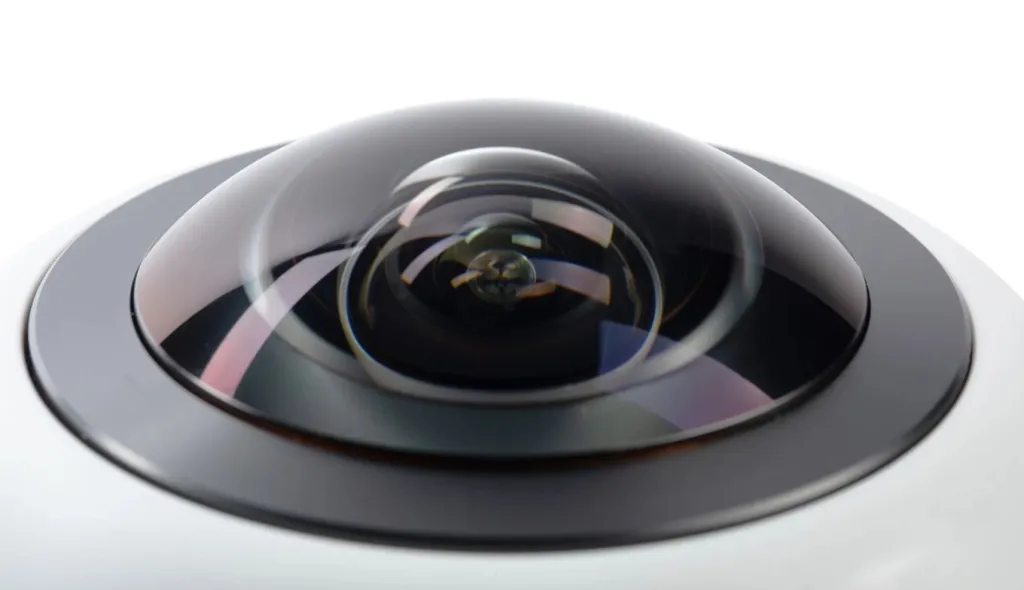
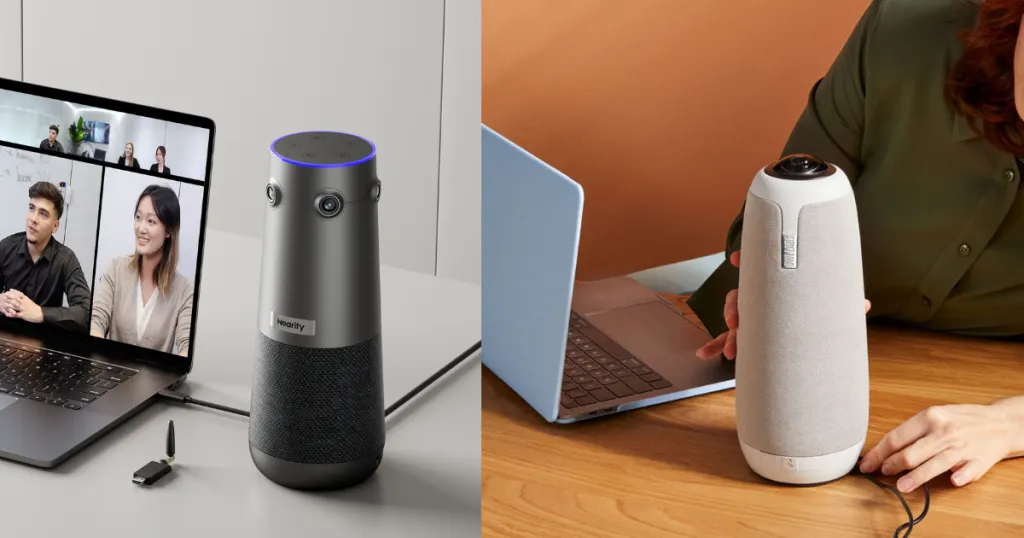
A traditional 360 meeting camera, such as the Owl 3, relies on a single, physical fisheye dome lens pointing straight up at the ceiling. The light entering this lens curves dramatically around the glass sphere to capture the entire room in a single circular image.
While this successfully achieves 360 coverage, it introduces a major physical constraint: because a single sensor has to map a massive sphere of light, the pixels are stretched thin. The center of the image (often the ceiling) receives plenty of visual data, while the actual human participants sitting around the table are compressed into the highly distorted outer edges of the circular glass.
The Multi-Lens Wide-Angle Array Approach (Rectilinear Stitching)
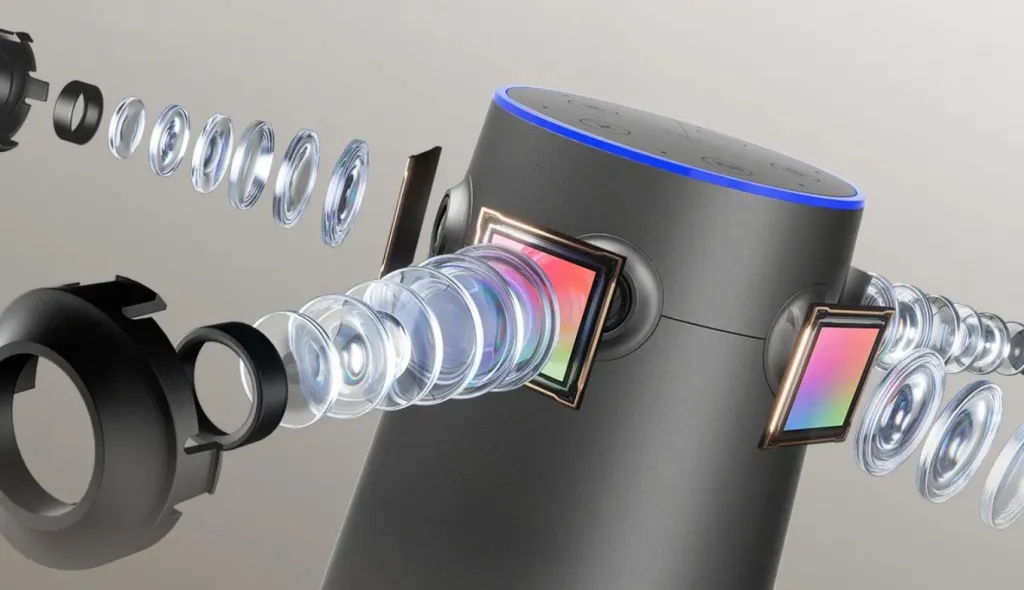
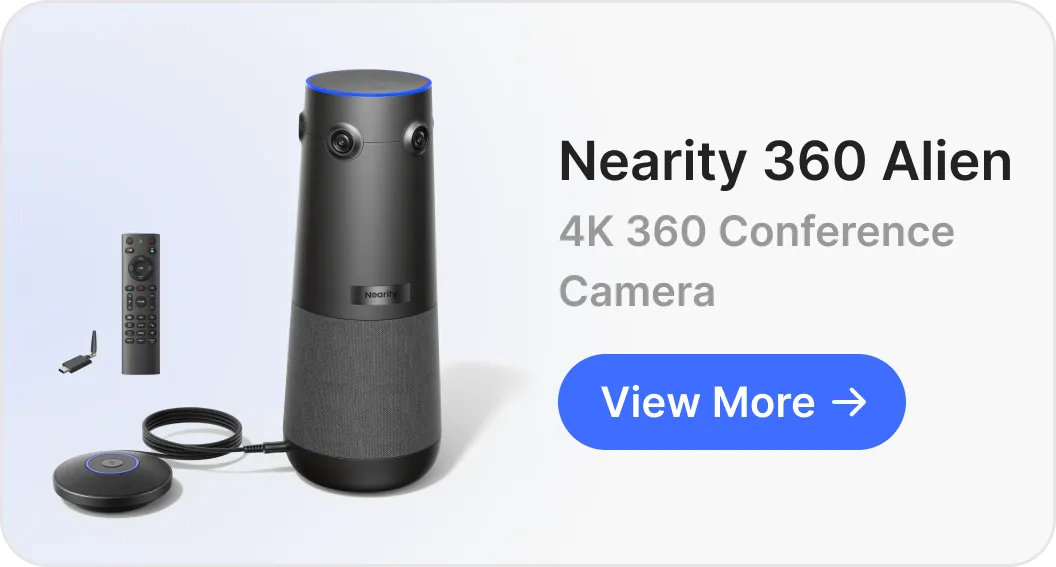
To bypass the limitations of a vertical fisheye dome, next-generation systems like the Nearity 360 Alien utilize a multi-lens wide-angle array. Instead of warping light through a single spherical dome, the 360 Alien houses four independent 120 ultra-wide angle lenses oriented outward in a sleek, horizontal ring.
Each ultra-wide angle lens captures its dedicated quadrant of the room naturally and flatly. The camera’s internal AI processor then seamlessly stitches these four independent wide-angle feeds together in real-time. This allows the system to achieve full-room visibility without relying on a warped fisheye perspective, ensuring everyone at the table is captured from a direct, natural frontal angle.
Image Distortion and Participant Visibility
The wider a single camera lens is, the more light bends at its edges. This introduces a major visual trade-off that buyers must evaluate when analyzing a wide angle lens vs fisheye.
The "Fishbowl" Struggle of Single Fisheye Cameras
A pure fisheye lens vs wide angle lens naturally produces significant barrel distortion. Because of the extreme curvature of the glass dome on devices like the Owl 3, the raw visual feed is a warped, circular "fishbowl."
To present this to remote viewers, the camera's software must "dewarp" the feed—stretching the edges of the circle flat. This digital stretching creates two significant issues:
The "Hall of Mirrors" Effect: When participants sit closer to the camera or move toward the edge of the frame, their faces and bodies appear unnaturally stretched or warped.
Loss of Resolution: Stretched pixels lose their density, turning a theoretical HD feed into a soft, blurry image. Remote participants often struggle to read facial expressions or see body language clearly.
The Rectilinear Advantage of Multi-Wide-Angle Arrays
By contrast, a wide angle lens vs fisheye approach keeps straight lines straight. Because ultra-wide angle lenses are engineered as "rectilinear" optics, they keep human faces in perfect proportion.
When the Nearity 360 Alien stitches its four ultra-wide angle feeds, it doesn't need to perform aggressive dewarping or pixel-stretching. Because each segment is captured flatly at the hardware level, the final panoramic strip and individual active-speaker close-ups remain razor-sharp. Remote viewers see natural, undistorted, beautifully-framed individual video feeds of each participant—creating a professional, premium meeting experience.
Speaker Tracking and Resolution Retention
Meeting equity—the concept that remote workers should have an equal seat at the table—heavily depends on how a camera crops and tracks active speakers.
Why Fisheye Resolution Degrades on Zoom-Ins
When a single-lens fisheye camera (like the Owl 3) attempts to isolate a speaker at the end of a long table, it must digitally crop deeply into its single image sensor. Because that single sensor is already busy capturing the entire 360-degree room, cropping into a small fraction of the sensor severely degrades the image quality. The output often drops to a grainy, low-definition view, making remote stakeholders feel like they are looking through a low-quality web feed.
How Wide-Angle Arrays Keep True 4K Clarity
Because a multi-camera system like the Nearity 360 Alien uses four dedicated, high-resolution cameras rather than a single dome, it has a massive surplus of pixels to work with (often referred to as a multi-megapixel effective resolution).
When the 360 Alien's AI tracks an active speaker, it does not need to heavily crop into a single stretched sensor. Instead, it pulls a high-resolution, uncompromised crop directly from the specific wide-angle lens facing that speaker. This delivers a true 4K output, keeping the speaker’s face crisp, sharp, and highly professional, even in larger meeting rooms.
Hardware Spotlight: Meeting Owl 3 vs. Nearity 360 Alien
If you have decided on a center-of-table setup to maximize collaboration, comparing these two industry-leading hardware architectures illustrates the practical differences between the fisheye vs wide angle approaches.
Optical Approach & Clarity
Meeting Owl 3: Relies entirely on a single top-mounted fisheye camera lens. The output is a single 1080p HD stream that must be heavily dewarped, resulting in softer facial features—particularly for participants sitting more than 5 to 6 feet away from the device.
Nearity 360 Alien: Employs a quad-camera array using four ultra-clear wide-angle lenses with premium Sony Starvis sensors. This hardware-driven architecture bypasses fisheye distortion entirely, delivering true 4K panoramic clarity.
Smarter AI Framing
Meeting Owl 3: Constantly runs digital pan-tilt-zoom (ePTZ) across its single vertical dome to find speakers, sometimes resulting in delayed transitions or jerky camera movements.
Nearity 360 Alien: Features an intelligent 330-degree effective active view with a smart 30-degree exclusion zone. This zone prevents the camera from capturing distracting background elements, such as the main display TV or the wall behind the device, keeping remote participants focused entirely on the people at the table.
Audio Quality and Room Scalability
Meeting Owl 3: Features integrated audio suitable for small huddle spaces. However, scaling audio for medium-to-large rooms requires chain-linking multiple expensive Owl units, which rapidly inflates hardware budgets.
Nearity 360 Alien: Comes equipped with a professional 6-microphone array powered by ProperClean 2.0 AI noise-suppression technology. To scale up, IT managers can simply daisy-chain up to two external expansion speakerphones (covering up to 52 feet), providing massive room scalability without needing to buy a second expensive camera system.
Room Design: Matching the Right Optical Design to Your Space
To make the right choice between a fisheye camera vs wide angle camera, it helps to map these systems directly to your physical workspace layouts:
The Room Challenge: The table is often pushed directly against the wall where the display is mounted, meaning participants sit incredibly close to the front of the room.
The Recommendation: A standard, single front-of-room wide-angle camera works well if everyone sits on one side of the table. However, if people are crowded around three sides, a center-of-table multi-lens wide-angle system like the 360 Alien is highly recommended to ensure those sitting closest to the wall are not cut out of the frame.
The Room Challenge: Teams in these rooms turn to face each other to collaborate, meaning standard front-of-room cameras only capture the backs or sides of their heads.
The Recommendation: This is where the multi-lens wide-angle array truly shines. Placing a Nearity 360 Alien in the center of the table captures natural, face-to-face interaction and prevents the remote audience from feeling like they are looking through a fisheye peephole.
Narrow, Long Boardrooms (12+ People)
The Room Challenge: Extreme distance between the front wall and the participants sitting at the far end of a long, rectangular table.
The Recommendation: A high-quality, optical-zoom wide-angle camera mounted at the front of the room is often preferred for long rectangular tables. However, if the room features a large square, round, or U-shaped table layout, a stitched multi-lens wide-angle center-of-table camera is the ultimate solution for maintaining visual equity.
Setup, Compatibility, and IT Maintenance
For IT professionals, ease of deployment is just as critical as image quality.
USB Plug-and-Play: Both modern single-lens fisheye and multi-lens wide-angle systems generally connect via standard USB. They function natively with Windows, macOS, ChromeOS, and Linux.
Zero-App Security: Traditional single-lens cameras like the Owl 3 often require Wi-Fi pairing, dedicated mobile apps, or permanent cloud accounts for initial configuration. The Nearity 360 Alien is engineered for secure enterprise environments, offering a completely driver-free, app-free setup. IT managers can use the included encrypted wireless USB dongle or a single USB-C cable to get up and running in seconds.
Platform Compatibility: Ensure the camera you choose is fully compatible with your primary communications platforms. Devices like the Nearity 360 Alien are certified to operate out-of-the-box with Zoom, Microsoft Teams, Webex, and GoToMeeting.
Final Recommendation: Which Camera Approach Should You Choose?
Choose a Single-Lens Fisheye Dome (e.g., Owl 3) If:
You are setting up small, informal huddle spaces where absolute facial clarity and text readability are not critical.
Your team prefers a taller device profile on the table and does not mind the minor circular warping inherent in spherical dewarped video.
Choose a Multi-Lens Wide-Angle Array (e.g., Nearity 360 Alien) If:
You want to prioritize meeting equity, providing remote team members with an undistorted, crisp, true 4K close-up of every in-person participant.
You want to eliminate the blurry, stretched "fishbowl" edges associated with traditional single-lens fisheye cameras.
You require a highly secure, plug-and-play setup that does not require companion apps, Wi-Fi configuration, or network permissions.
You need a highly scalable, budget-friendly option that can expand its microphone coverage for medium-to-large rooms without forcing you to buy multiple camera units.
FAQs
Does a fisheye camera make everyone look warped or distorted on a video call?
No, not if you use a high-quality, modern meeting camera. While a fisheye vs wide angle lens naturally captures a warped "fishbowl" image, enterprise cameras like the Nearity 360 Alien use internal AI processors to instantly "dewarp" the video. Remote participants will see flat, natural, beautifully-framed individual boxes of each speaker.
Can I use a wide angle lens vs fisheye for large-group hybrid classrooms?
Yes, but the choice depends on your teaching style. If the instructor remains at the front of the room near a whiteboard, a wide-angle camera mounted at the back of the room is usually sufficient. However, if the classroom features round-table group discussions or a highly collaborative layout, a center-of-room 360-degree camera is far better suited to capture the entire room dynamic.
How do center-of-table cameras handle room noise like paper rustling or typing?
High-end 360-degree systems feature advanced microphone arrays with intelligent noise cancellation. For instance, Nearity's AI-driven noise suppression algorithms actively identify and filter out steady-state background noises (like AC units) as well as transient distracting sounds (like typing, clicking pens, or rustling paper), while keeping the speaker's voice crystal clear.
Is a 360-degree camera harder to set up than a wide-angle camera?
Usually, it is actually easier. Standard wide-angle cameras often require mounting brackets on walls, drilling, and routing long cables back to the main PC or display. Center-of-table cameras sit directly on the table and connect via a single USB connection, drastically reducing physical installation time.
While the Owl 3 outputs a 1080p HD stream compiled from a single top-mounted dome lens, the Nearity 360 Alien combines a four-lens array to output true 4K resolution. This means the 360 Alien can maintain a much sharper, clearer crop of individual faces when tracking active speakers across a larger meeting room.