Best Headsets for College Students in 2026: Back-to-School Guide
Discover the best headsets for college students in 2026.
College Headsets
Online Learning
Student Tech
Updated: Aug 20, 2026 · 8 minutes read
Global Business, Brought Near.
No Installer, No Hassle, Just Works.
From online lectures and virtual study groups to late-night library sessions, college students rely on headsets more than ever. But not every headset is built for hours of classes, noisy dorms, and constant device switching. This guide compares five of the best headsets for college students in 2026 and explains the features that actually matter—from microphone noise cancellation and all-day comfort to battery life and wireless connectivity. It also takes a closer look at the Nearity EP320 to see whether its call-focused features make it a smart choice for student life.
Key Takeaways
Learn which headset features matter most for college students, including microphone quality, comfort, battery life, and connectivity.
Compare five of the best headsets for college students in 2026 across call clarity, battery life, noise cancellation, and price.
Understand the difference between ANC for blocking surrounding noise and ENC for keeping your voice clear during online classes.
See why the Nearity EP320 is a practical choice for students who need reliable audio for classes, study sessions, and group calls.
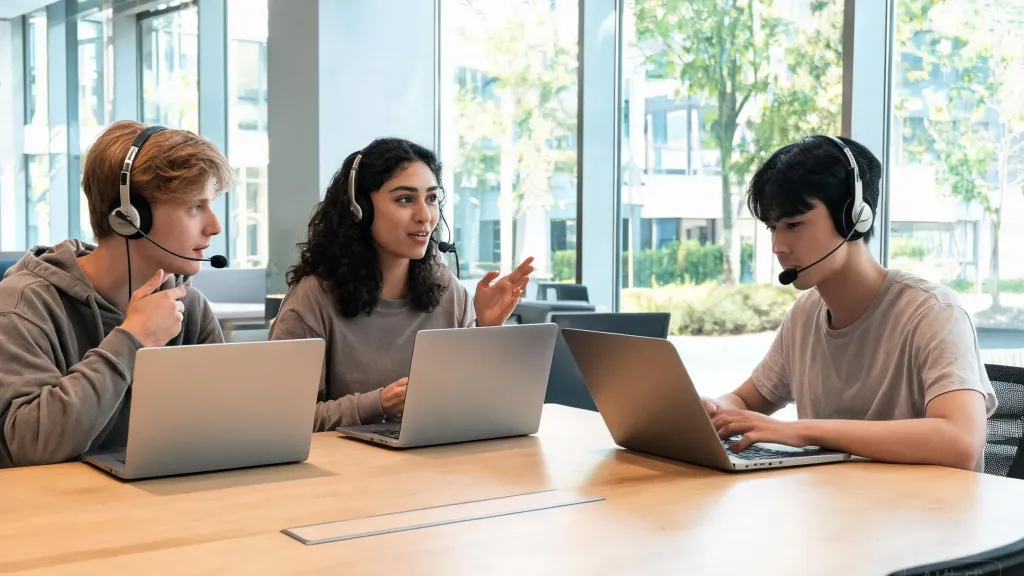
College has changed. In 2026, the line between the physical classroom and the virtual lecture hall is thinner than ever. Students attend morning seminars from a dorm room desk, join afternoon study groups over Zoom, and squeeze in a recorded lecture between shifts at the campus coffee shop. One piece of gear ties it all together: a reliable headset.
When you are going back to school this year, whether as a freshman settling into a shared dorm or a senior navigating hybrid coursework, the headset you choose directly affects how well you hear your professors, how clearly your classmates hear you, and how comfortably you can wear it through back-to-back lectures. A flimsy pair of earbuds with a tinny microphone will not cut it anymore.
This guide breaks down what makes a headset genuinely useful for college life, compares five of the best student headphones with microphone options available in 2026, and takes a close look at the Nearity EP320 — a model built around the exact features that students need most.
Why a Good Headset Matters for College Students
A headset is not just a pair of headphones with a mic attached. For a college student, it is the primary interface for learning.
Think about a typical weekday: you wake up, join a 9 a.m. virtual lecture, collaborate on a group presentation over Google Meet at noon, watch a recorded tutorial in the library, and end the day with a video call to family. That is four to six hours of wearing a headset — and every minute of those hours, the microphone needs to pick up your voice clearly while the ear cups need to stay comfortable.
The stakes are practical. A poor microphone means your professor asks you to repeat yourself during a graded discussion. Uncomfortable ear pads mean you take the headset off halfway through a three-hour study session and lose focus. Bad battery life means your headset dies during a final presentation.
For students, the right headset solves three problems at once: it makes your voice sound professional, it blocks out the noise around you, and it stays comfortable from the first class to the last. An education headset with mic built for learning environments also needs to work across devices — your laptop for Zoom, your phone for quick calls, and your tablet for recorded lectures.
5 Best Headsets for College Students in 2026
After comparing specs, real-world microphone performance, battery life, and comfort across the current market, here are five headsets that stand out for college use in 2026. Each one is evaluated against the specific demands of student life: online classes, study sessions, group projects, and everyday campus wear.
Model
Microphone
Battery (Talk)
Noise Cancellation
Connectivity
Price (Approx.)
Nearity EP320
4 AI ENC mics
35 hrs
ENC (mic-side)
Bluetooth 5.4, USB Dongle, USB-C Wired
$127.50
Logitech Zone Vibe 125
2 MEMS beamforming
18 hrs
Passive only
Bluetooth, USB-A Dongle
$99.99
Anker Soundcore Space Q45
2 AI mics
50 hrs (ANC on)
Adaptive ANC
Bluetooth 5.3
$139.99
Bose QuietComfort 45
2-mic array
22 hrs
Premium ANC
Bluetooth 5.1
$279.00
Sennheiser Momentum 4
2-mic beamforming
60 hrs (ANC off)
Adaptive ANC
Bluetooth 5.2
$299.95
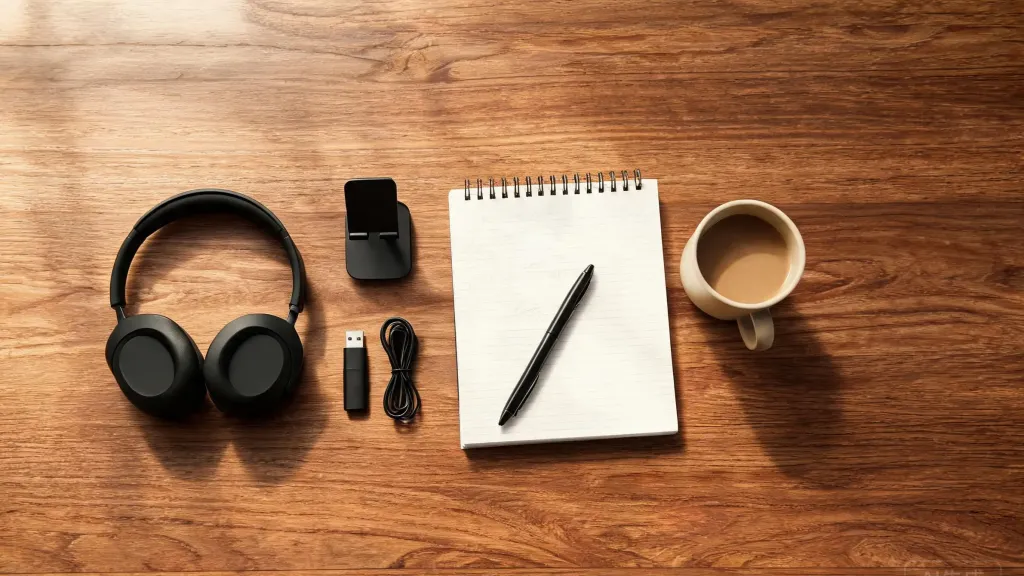
Nearity EP320 — The standout pick for students who prioritize call clarity. With four AI-powered environmental noise cancellation microphones and a dedicated boom arm, the EP320 is purpose-built for voice communication. It includes a charging stand, a USB dongle for computers without Bluetooth, and multi-point connection to switch between laptop and phone. The 35-hour talk time and 45-hour music playback easily cover a full week of classes. As a bluetooth noise cancelling headset with mic, it is particularly well-suited for students in shared living spaces where background noise is a constant challenge.
Logitech Zone Vibe 125 — A lightweight, budget-friendly option at just under $100. The dual MEMS beamforming microphones perform well in quiet environments, and the 18-hour talk time covers a full day of classes. However, it lacks active noise cancellation, which makes it less effective in noisy dorms or busy libraries. Best for students who study in consistently quiet spaces.
Anker Soundcore Space Q45 — The best choice for students who want immersive music alongside study functionality. The adaptive ANC reduces external noise by up to 98%, and the 50-hour battery life with ANC enabled is class-leading. The trade-off is microphone quality: with only two mics and no boom arm, your voice sounds less crisp on calls compared to dedicated communication headsets.
Bose QuietComfort 45 — Known for industry-leading ANC, the QC45 creates a near-silent bubble for deep focus. Sound quality is excellent for music and media. The microphone is adequate for occasional calls but lacks the ENC technology that dedicated communication headsets provide. At $279, it is a premium investment best suited for students who split their time evenly between music and calls.
Sennheiser Momentum 4 — Audiophile-grade sound with 60 hours of battery life and adaptive ANC. The microphone is serviceable but not the primary focus of the design. For students who consume a lot of music and podcasts and take occasional calls, the Momentum 4 is a pleasure to use. The $300 price tag, however, puts it at the top of the student budget range.
What Should College Students Look for in a Headset?
Not every feature matters equally for student life. Here are the five factors that actually make a difference day to day.
Microphone Quality and Noise Cancellation.
This is the number-one priority. Your professor needs to hear your answers clearly, and your study group needs to catch every word during project discussions. A headset with noise cancelling mic technology — specifically environmental noise cancellation (ENC) — filters out keyboard clicks, roommates talking, and street noise before your voice reaches the other end. Boom microphones positioned close to the mouth consistently outperform in-line or embedded mics. The Nearity EP320, for example, uses four omnidirectional microphones with a HiFi5 DSP chip that suppresses up to 99.9% of background noise, making it one of the strongest options for call clarity in noisy environments.
Comfort for Long Sessions.
College students wear headsets for hours at a stretch. Look for over-ear designs with memory foam ear cushions, adjustable headbands, and a total weight under 300 grams. Rotatable ear cups help accommodate different head shapes and reduce pressure points. If the headset feels heavy after 30 minutes, it will not survive a three-hour lecture series.
Battery Life.
A full day of classes, study, and calls demands at least 20 hours of talk time on a single charge. The best models in 2026 push past 30 hours. Quick-charge features — where 5 to 10 minutes of charging gives you 2 to 4 hours of use — are a practical bonus for students who forget to plug in overnight.
Wireless Connectivity and Device Switching.
College students routinely switch between a laptop, a phone, and a tablet. Multi-point Bluetooth lets you pair with two devices simultaneously — for example, listening to a lecture on your laptop while staying connected to your phone for notifications. A USB dongle is also valuable for desktop computers or older laptops that lack Bluetooth, and USB-C wired mode provides a fallback when the battery runs out.
Platform Compatibility.
The headset must work seamlessly with Zoom, Microsoft Teams, Google Meet, and any learning management system your school uses. Certified models or those that explicitly list platform compatibility reduce the chance of audio glitches during critical moments like exams or presentations.
Are Noise-Canceling Headsets Worth It for College Students?
The short answer is yes — but the type of noise cancellation matters just as much as whether it exists.
College environments are acoustically hostile. Dorm rooms have roommates on their own calls, common areas buzz with conversation, and even libraries have background hum from air conditioning and keyboard typing. Passive noise isolation — the physical seal created by over-ear cushions — blocks some of this, but it is rarely enough.
Active noise cancellation (ANC) uses microphones to detect external sound and generate opposing sound waves to cancel it out. This is excellent for focus during solo study sessions or when you need to concentrate on a recorded lecture. Headsets like the Anker Soundcore Space Q45 and Bose QuietComfort 45 excel here, reducing ambient noise by up to 98%.
But for students, microphone-side noise cancellation — known as environmental noise cancellation (ENC) — is arguably more important. ANC helps you hear better; ENC helps you be heard better. When you are speaking during a virtual class discussion, ENC suppresses the background noise around you so your classmates hear only your voice, not your roommate's conversation or the construction outside your window.
The ideal setup for most students is a headset that delivers strong ENC for calls and enough passive or active noise cancellation for focused study. The Nearity EP320 is a strong example of this balance: its four-mic ENC system with HiFi5 DSP handles the call side, while the over-ear design with plush ear cushions provides substantial passive isolation for study sessions.
Nearity EP320: A Practical Choice for College Students
Among the headsets compared above, the Nearity EP320 deserves a closer look because it is built around the features that matter most for student life — and it does so at a price that falls squarely in the student-friendly sweet spot.
The EP320 is an over-ear wireless headset with four omnidirectional microphones powered by a HiFi5 DSP processor. Its ProperClean 2.0 audio technology combines a compressed neural network trained on extensive noise data to suppress up to 99.9% of background noise. In practice, that means your voice comes through clearly during a Zoom lecture even if your roommate is watching TV six feet away or your window is open to a busy street. For students living in dorms, shared apartments, or noisy off-campus housing, this level of microphone noise cancellation is a genuine advantage.
Connectivity covers every scenario a student is likely to encounter. Bluetooth 5.4 provides a stable wireless connection with a range of up to 33 feet, and multi-point pairing lets you stay connected to a laptop and phone simultaneously. The included USB dongle handles computers without Bluetooth, and the USB-C wired mode works as a backup when the battery is low. The headset is compatible with Windows, Mac, Linux, Android, and iOS, and it works with Zoom, Teams, Webex, and Google Meet right out of the box.
At $127.50 (with the current back-to-school discount from $149.99), the EP320 sits in the mid-range price tier but delivers features — four-mic ENC, a charging stand, Bluetooth 5.4, and a USB dongle — that are typically found in headsets for schools and professional environments costing significantly more. For college students who need a single headset that handles online classes, study sessions, group calls, and music playback without switching devices, the EP320 is a well-rounded, practical choice.
FAQs
What type of headset is best for online classes?
A wireless over-ear headset with a dedicated boom microphone and noise-cancelling technology is ideal for online classes. Over-ear designs provide better passive noise isolation for long lectures, and a boom mic positioned close to your mouth captures clearer speech than in-line or earbud microphones. Look for models with environmental noise cancellation (ENC) on the microphone side so your voice comes through cleanly even in a noisy dorm or shared apartment.
Are noise-canceling headphones worth it for college students?
Yes, noise-canceling headphones are worth the investment for college students. Active noise cancellation (ANC) helps block out dorm noise, cafeteria chatter, and background hum in libraries, making it easier to focus during study sessions. On the microphone side, environmental noise cancellation (ENC) ensures your voice stays clear during virtual classes and group project calls. If you split your time between noisy and quiet environments, a headset with both ANC and ENC gives you the most flexibility.
How much should a college student spend on a headset?
College students can find a quality headset between $80 and $150. Budget options under $80 offer basic functionality but often compromise on microphone clarity and build durability. The $100–$150 range is the sweet spot, delivering solid noise cancellation, reliable wireless connectivity, and all-day comfort. Premium models above $200 add advanced ANC and audiophile-grade sound, but most students will find the mid-range tier more than sufficient for online classes and daily use.
Can I use a gaming headset for online classes?
Yes, gaming headsets can work for online classes, but they are not always the best fit. Gaming headsets often emphasize bass-heavy sound profiles and flashy designs that may feel out of place in academic settings. More importantly, many gaming headsets lack the microphone noise cancellation needed for clear speech in shared living spaces. A dedicated education headset with mic is designed for voice clarity and platform compatibility (Zoom, Teams, Google Meet) and typically offers a more professional appearance and lighter weight for all-day wear.
Do wireless headsets work with Zoom and Microsoft Teams?
Most modern wireless headsets work seamlessly with Zoom, Microsoft Teams, Google Meet, and other video conferencing platforms. When choosing a headset for online classes, look for models that explicitly list platform compatibility or carry official certifications. Features like a dedicated mute button, USB dongle for instant connection, and multi-point Bluetooth — which lets you switch between a laptop and phone — are especially useful for students juggling virtual lectures, group calls, and mobile notifications.