Why Nearity Outperforms the Competition in Video Conference Camera
Technical comparison reveals Nearity's advantage over Owl Labs for hybrid meetings.
owl video conference
owl camer
owl cam
Updated: Aug 19, 2026 · 5 minutes read
Global Business, Brought Near.
No Installer, No Hassle, Just Works.
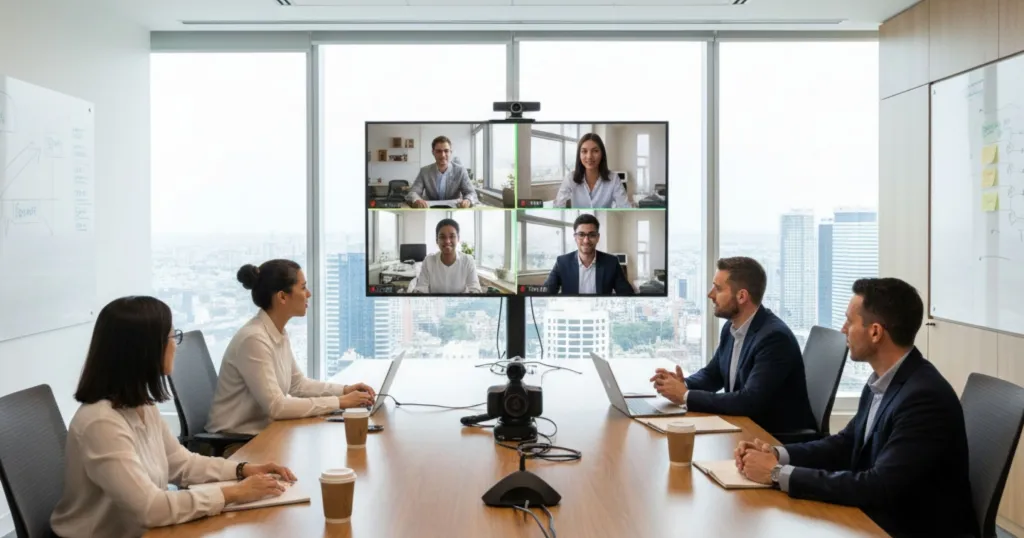
You’ve joined the weekly review meeting, but you're remote.
On screen, the conference room looks fine, but the fixed camera is pointing at the empty head of the table. When John speaks from the back, all you hear is distant reverb. When Sarah gestures at a document, the camera stays put, leaving you blind and disconnected. This isn't collaboration; it's digital exclusion. This acute pain point—the failure of basic technology to deliver meeting equity—is the single biggest barrier to successful hybrid work today. The solution lies in adopting intelligent 360-degree technology, specifically a sophisticated video conference equipment. This article cuts through the noise to show you exactly how the right system can eliminate these disconnects and revolutionize your meeting rooms from frustrating silos into truly inclusive global hubs.
The Rise of Hybrid Work and the Need for Better Collaboration
The workplace has fundamentally changed. The rigid, five-day-a-week office model is rapidly becoming a relic of the past, replaced by flexible arrangements that balance in-office presence with remote productivity.
The Shift to Hybrid: What the Data Says
The movement towards flexible work is not a fleeting trend; it is the established norm for many industries. Understanding what is hybrid is the first step toward effective adaptation. It's a structure where employees split their time between working from a central office and working remotely. This model, while offering tremendous benefits like increased work-life balance and reduced overhead, introduces significant challenges to communication and technological equity.
According to Gallup, a leading source in workplace analytics, as of early 2024, professionals in the hybrid workforce have the highest engagement rates at 35%, followed by fully remote employees at 33% and in-office employees at 27%. This authoritative data confirms that a successful hybrid environment is key to keeping employees motivated and productive. But that success hinges entirely on seamless collaboration. When remote participants can’t see or hear effectively, engagement—and that productivity edge—plummets.
Challenges of Meeting Equity
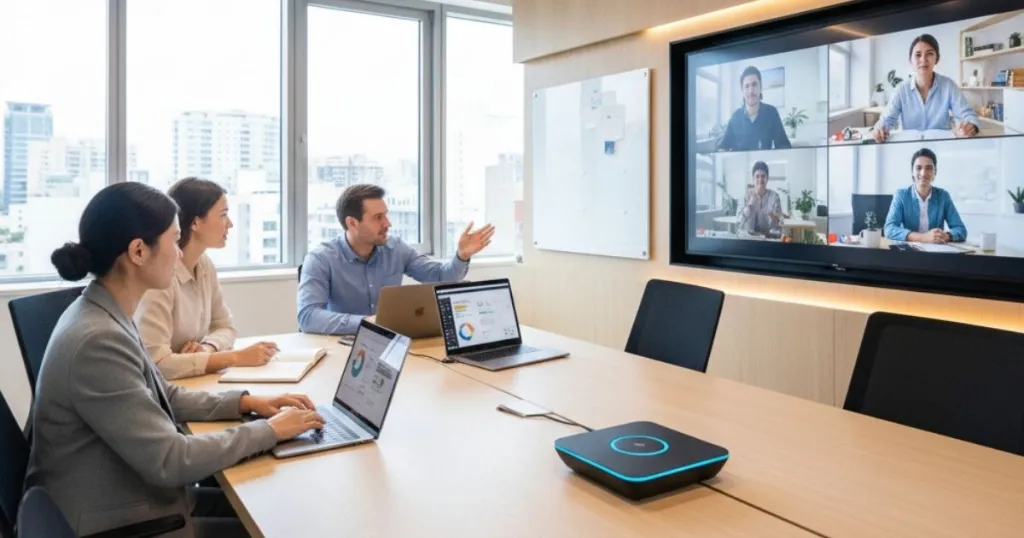
The single biggest technological hurdle in the hybrid model is ensuring meeting equity. This means every participant, regardless of their physical location, must have an equally clear view, an equally clear voice, and an equal opportunity to contribute.
Traditional setups exacerbate these issues:
Fixed Field of View: A static camera captures only a fraction of the room, often showing people’s backs or an empty wall.
Poor Audio Capture: Standard microphones struggle with background noise, echo, and distant voices, making key information unintelligible for remote users.
Lack of Presence: Remote users feel detached when they can't clearly tell who is speaking or see non-verbal cues.
This is where a dedicated video conferencing solution becomes essential. It is the core technology designed to bridge the gap between the physical and virtual meeting spaces, ensuring that everyone feels present and included in the conversation.
The New Standard for Remote Communication
For companies looking to optimize their remote work setup, investing in smart, dynamic technology is non-negotiable. Technology must work intelligently to focus on the active speaker, allowing remote users to follow the conversation as if they were sitting at the table. This is the new minimum standard for effective corporate communication, replacing the old, static cameras with dynamic, AI-powered systems.
Understanding the Key Features of a Video Conferencing Equipment
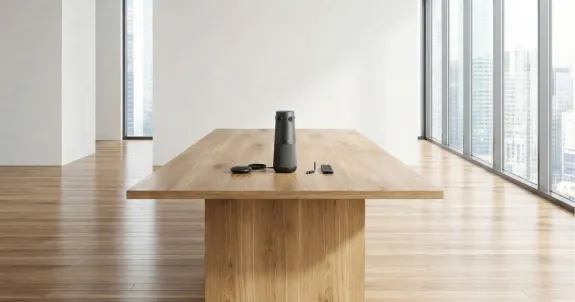
A modern conference camerais much more than just a camera and a microphone. It's an intelligent hub designed specifically for 360-degree meeting capture and dynamic speaker tracking in hybrid environments.
360-Degree Panoramic View
The defining feature of a video conferencing equipment is its ability to capture the entire meeting space simultaneously.
Full Room Context: Unlike wide-angle lenses that distort images, this technology stitches together video feeds to provide a clear, panoramic view of the room. This helps remote participants grasp the overall mood and context of the meeting.
Dual-View Display: The best models simultaneously display two crucial views: a full 360-degree strip showing everyone in the room and a dynamically zooming, focused window on the person currently speaking. This replicates the natural human experience of looking at the speaker while maintaining awareness of the room.
Intelligent Speaker Tracking and Framing
The real magic lies in its sophisticated, AI-driven speaker tracking. This is how the system achieves meeting equity by ensuring the remote audience never misses a moment.
Voice Localization: Advanced algorithms use multi-directional microphones to pinpoint the exact location of the voice in the room. This contrasts sharply with the static microphones found in older systems.
Automatic Camera Panning/Zooming: Once the speaker's location is identified, the camera instantly zooms in on their face. When the conversation shifts to someone else, the camera seamlessly transitions. This dynamic framing makes the remote experience far more engaging than staring at a fixed, low-resolution shot.
Acoustic Fencing: High-quality devices often employ acoustic fencing to filter out distracting noises. This feature ensures that only voices within the meeting area are prioritized, blocking out sounds like typing, sirens, or hallway chatter. This is an essential feature for effective video conference tips that focus on clarity.
Built-in High-Fidelity Audio
Audio quality is arguably more important than video in a meeting. A fuzzy, echoing voice can derail communication entirely.
Beamforming Microphones: These specialized microphones form a virtual "beam" directed at the active speaker, enhancing their voice while simultaneously suppressing sounds from other directions.
Echo Cancellation and Noise Suppression: All modern video conferencing devices include built-in digital signal processing (DSP) to eliminate acoustic echo (when the audio output loops back into the microphone) and suppress ambient background noise.
Consistent Volume: They automatically level the volume of all speakers, meaning the person leaning back and speaking softly sounds just as clear as the person speaking loudly directly into the device.
USB Plug-and-Play Simplicity
The most effective tools are those that are easy to use.
Universal Compatibility: These devices typically connect via a single USB cable, making them compatible with virtually any meeting platform, including Zoom, Microsoft Teams, Google Meet, and others. For businesses running an owl video conference setup, compatibility is key for seamless operation.
Minimal IT Intervention: The plug-and-play nature means meeting hosts can set up the equipment in seconds without needing specialized IT support, which is a major factor in improving the adoption of new technology across an organization.
The Limits of Standard Webcams and Audio
While a standard webcam may seem adequate, it fundamentally fails to address the core challenges of hybrid collaboration. Webcams were designed for individual desktop use, not for group collaboration in a medium to large conference room.
Narrow Field of View and Resolution Issues
Narrow Field of View: Most consumer webcams offer a field of view (FOV) around 60–90 degrees. In a typical meeting room, this means only the people directly in front of the screen are visible, cutting off those at the ends of the table.
Distance and Resolution Issues: A person speaking from six feet away appears small and blurry, making non-verbal communication like facial expressions impossible for remote attendees to decipher.
Omnidirectional Audio Flaws
Omnidirectional Pickup: Built-in webcam mics are generally omnidirectional, meaning they pick up everything equally—the air conditioning, the rustling of papers, and the voices from the other side of the planet coming through the speakers—resulting in distracting echo and poor sound fidelity.
Comparison Table
To illustrate the critical differences, here is a breakdown of how the specialized video conferencing technology elevates the meeting experience compared to legacy tools.
Feature
Modern Video Camera (e.g., Nearity 360 Alien)
Traditional Webcam
Manual PTZ Camera
Field of View
Full 360° Panoramic
Narrow (60° to 90°)
Focused, but manually controlled
Speaker Tracking
Automatic, AI-driven, Instantaneous
None (Static)
Manual (Requires operator input)
Audio Coverage
360° Beamforming Mics, AEC/NR
Poor, Omnidirectional
Separate Microphone Array Required
Meeting Equity
High: Dynamic visual/audio focus
Low: Only foreground visible/audible
Medium: Only if manually operated perfectly
Ease of Use
Plug-and-Play USB
Plug-and-Play USB
Complex Setup, Controller Required
Cost
Moderate (All-in-one solution)
Very Low
High (Camera + Controller + Mic Array)
Evaluating Top Options: How to Choose the Right Video Camera for Your Business
When selecting the ideal camera for your organization, the market offers several compelling options, each with unique strengths. It is vital to compare and contrast the leading technologies to find the best fit for your specific meeting room sizes and collaborative style.
Key Factors for Selection
The decision should be driven by clarity, intelligence, and integration capabilities.
1. Video Resolution and Frame Rate
High-quality video is essential.
Look for devices that offer at least 1080p output for the speaker-focused window. Furthermore, a high frame rate (30 FPS or higher) is necessary to ensure smooth, natural-looking video motion during speaker transitions. The highest-end solutions, like the Nearity 360 Alien, deliver true 4K resolution, ensuring every detail is captured crisply, which is a key component of best video conferencing equipment.
2. Microphone Range and Coverage
Evaluate the effective audio pickup range. For a small huddle room, a six-foot radius might suffice. For a larger boardroom, you need a device capable of clearly capturing voices from 15 feet or more. Check the number of built-in microphones and whether they utilize beamforming technology. Poor audio can instantly nullify the benefits of great video, so this metric is critical.
3. AI Intelligence and Speaker Switching Speed
The performance of the AI determines how well the meeting flows. A slow or inaccurate speaker tracking system is highly disruptive.
Accuracy: Does it correctly identify the speaker even if multiple people speak briefly?
Latency: How quickly does the camera switch focus? A fast, smooth transition is key to maintaining user engagement.
Compatibility: Ensure the device's AI is optimized for the specific owl video conference platform your company uses.
4. Design and Portability
For organizations with flexible office spaces, portability is a significant advantage. A compact, aesthetically pleasing design allows the device to be easily moved between rooms or even taken on the road by a travelling executive. The sleek design of many modern systems, including Nearity's professional devices, blends seamlessly into contemporary office aesthetics.
Functional Comparison: Owl Labs Systems vs. Nearity 360 Alien
The choice between a system like the Meeting Owl series and the Nearity 360 Alien hinges on specific technical requirements. Both represent the current standard for 360-degree meeting equity, utilizing AI for automatic speaker framing.
The Owl Labs system (e.g., Meeting Owl 4+) provides reliable, standardized performance with 1080p video output and solid, 8-microphone audio capture. It has established itself as a robust, entry-to-mid-level solution, excelling in ease of use and consistent AI tracking. However, when evaluating the capability of an owl cam against premium alternatives, specifications like resolution become critical.
Nearity 360 Alien is engineered to surpass these standard specifications. It features a crucial technical advantage: 4K Ultra HD video resolution. For remote participants using high-definition monitors, this difference means significantly sharper visual detail and clarity. Furthermore, the Nearity system emphasizes enhanced audio processing, incorporating specialized Digital Signal Processing (DSP) chips and high-sensitivity microphone arrays designed to handle complex room acoustics and larger meeting sizes more effectively than many comparable units. This functional distinction—standard reliable performance versus premium 4K clarity and advanced acoustics—should guide your purchasing decision for your remote work setup.
Future Trends: What’s Next-Gen Camera for Collaboration
The evolution is moving rapidly, driven by the increasing sophistication of Artificial Intelligence and the ongoing need for frictionless collaboration. The focus is shifting from simply capturing the meeting to analyzing and optimizing the interaction itself.
Deeper AI Integration and Analytics
Future video conference systems will integrate even deeper analytics into the meeting experience.
Participant Engagement Scoring: AI will start providing real-time feedback on meeting dynamics, such as tracking how often each person contributes and if remote participants are being excluded from the conversation.
Automated Meeting Summaries: The devices will automatically generate transcripts, action item lists, and speaker-separated summaries, utilizing the AI that is already tracking and identifying individual voices.
Facial Recognition: Future iterations may include optional facial recognition to label participants on the remote screen, enhancing personalization and quick identification of who is speaking.
True Interoperability and Centralized Management
The current challenge often revolves around integration. Future solutions will offer universal integration across disparate platforms.
Native Platform Certification: Devices will be certified by all major platforms (Teams, Zoom, Google) to ensure seamless, one-click integration that eliminates setup configuration entirely.
Cloud Management Dashboards: IT departments will be able to monitor the health and usage of every My Main Keyword device across multiple office locations from a single cloud dashboard. This will simplify diagnostics and ensure device uptime. This level of enterprise-grade management is critical for large deployments of solutions like Nearity's.
Multimodal Communication Support
The next generation of technology is moving beyond just audio and video.
Whiteboard Enhancement: Advanced vision systems will be able to automatically detect and digitize physical whiteboards, displaying a clear, focused, and non-distorted version of the writing for remote participants, even if a person is standing in front of the board.
Gesture Recognition: Simple hand gestures (e.g., a thumbs-up or raised hand) could be recognized by the camera and translated into digital cues in the conferencing software, providing non-verbal feedback without interruption.
The future is about invisible technology—a system so intelligent and seamless that participants forget it is there, allowing them to focus entirely on the conversation and collaboration.
FAQ
How does Nearity's 4K video conference equipment provide a competitive edge over Owl Labs' 1080p systems?
Nearity's primary advantage is the 4K Ultra HD video resolution, which offers significantly sharper detail and clearer visuals for remote participants using high-resolution displays. While Owl Labs systems provide stable 1080p output, the higher resolution of the Nearity 360 Alien is critical for maximizing visual clarity and capturing small non-verbal cues in hybrid settings.
What technical specifications in video conference equipment, beyond resolution, differentiate Nearity and Owl Labs systems?
The key differentiators lie in audio processing and hardware power. Nearity systems often utilize advanced Digital Signal Processing (DSP) chips and optimized microphone arrays for enhanced echo cancellation and noise suppression, designed to handle larger, more acoustically challenging rooms. While Owl Labs also features strong audio, specialized hardware allows the Nearity system to maintain audio fidelity and dynamic voice leveling in more extreme acoustic environments.
For an IT team managing multiple hybrid offices, what management features should be prioritized when selecting 360-degree video conference equipment?
IT teams should prioritize features like centralized cloud management dashboards (offered by both brands) for remote monitoring, diagnostics, and firmware updates across multiple devices. Furthermore, checking for native platform certification (Zoom/Teams) ensures seamless one-click user experience and reduces technical support needs after setting up an owl video conference environment.
How critical is the AI speaker tracking speed when transitioning between voices in a large meeting, and how do systems like the owl cam perform?
Tracking speed is crucial for meeting flow. Slow AI causes 'camera jumping' and remote confusion. Both the owl cam and Nearity systems use sophisticated AI to minimize latency, but the effectiveness is judged by the speed and smoothness of the camera's transition when conversation quickly shifts. Investing in high-performance video conference equipment guarantees rapid, fluid speaker switching, maintaining meeting momentum.
Which meeting rooms is the Nearity 360 Alien video conference equipment suitable for?
The Nearity 360 Alien is a versatile all-in-one solution designed for broad applicability. While it is ideal for small to medium-sized meeting rooms (typically accommodating up to 12 participants) due to its optimized 4K resolution and advanced audio processing, its design allows it to scale effectively. For larger conference rooms or boardrooms, the Nearity 360 Alien maintains suitability by supporting seamless integration with modular extensions (such as external microphones). When connected with two extension microphones, the system can achieve an extended audio pickup range of up to 16 meters, ensuring comprehensive coverage and maintaining meeting equity across any room size.
Conclusion: Embracing the Future of Collaboration
The world of work has solidified its shift towards hybrid and flexible models, making meeting equity an organizational imperative. The days of shouting across a room at a static camera are over. Today, providing a truly immersive and inclusive experience for every employee, regardless of location, is not a luxury—it’s a necessity for talent retention and sustained productivity.
The solution to this challenge lies squarely in adopting intelligent, 360-degree technology. The right video conference equipment device, with its AI-driven speaker tracking, advanced audio processing, and panoramic video capabilities, eliminates the two-tier meeting system and ensures that remote participants are active collaborators, not just passive viewers. By carefully evaluating features like resolution, microphone array, and AI speed, and by implementing effective user training, your organization can successfully navigate the complexities of the hybrid future.
This technology ensures clear communication, maintains high engagement, and supports the overall success of your globally distributed teams. Looking for a reliable video conference equipment? Check out our Nearity 360 Alien here.