Audio and Video Conferencing Is No Longer Just for People
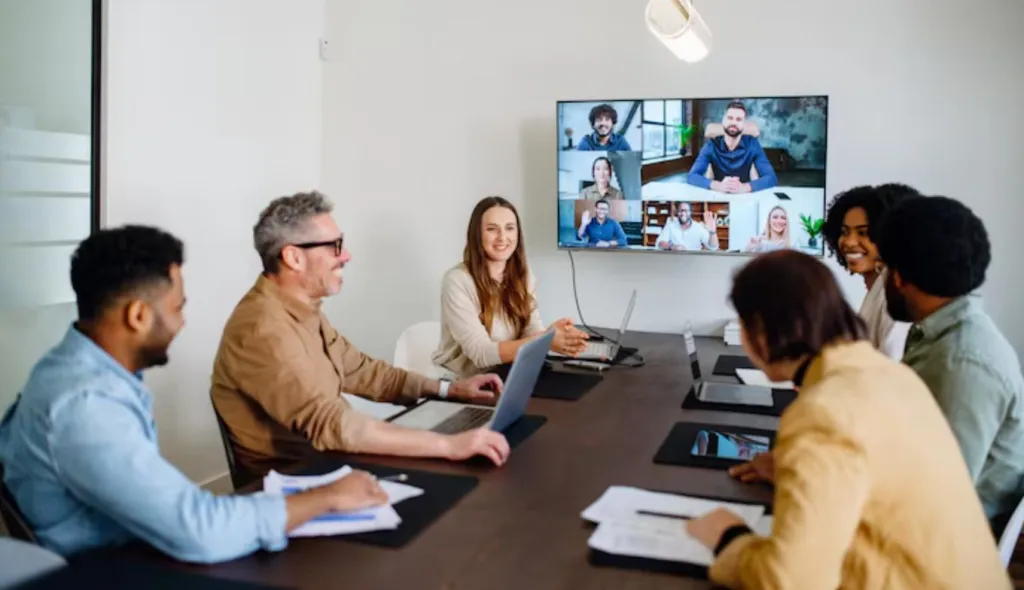
Traditional audio and video conferencing focused on the human experience. The goal was simple: help remote participants hear the discussion, see the people in the room, and feel included in the meeting.
That still matters. But now there is another participant in the meeting: AI.
AI meeting assistants and agents rely on meeting data to generate summaries, action items, decisions, follow-up notes, and searchable records. In many cases, that data starts with the same audio and video stream used by everyone else in the meeting.
This means the quality of your conference room camera, microphone pickup, speaker tracking, and room coverage can directly affect the quality of the AI-generated meeting output.
A poor audio and video conferencing setup does not just create a bad experience for remote attendees. It can also create inaccurate transcripts, incomplete summaries, missed tasks, and confusing follow-ups.
For hybrid teams, this is a bigger issue than many people realize.
From AI Meeting Notes to AI Meeting Agents
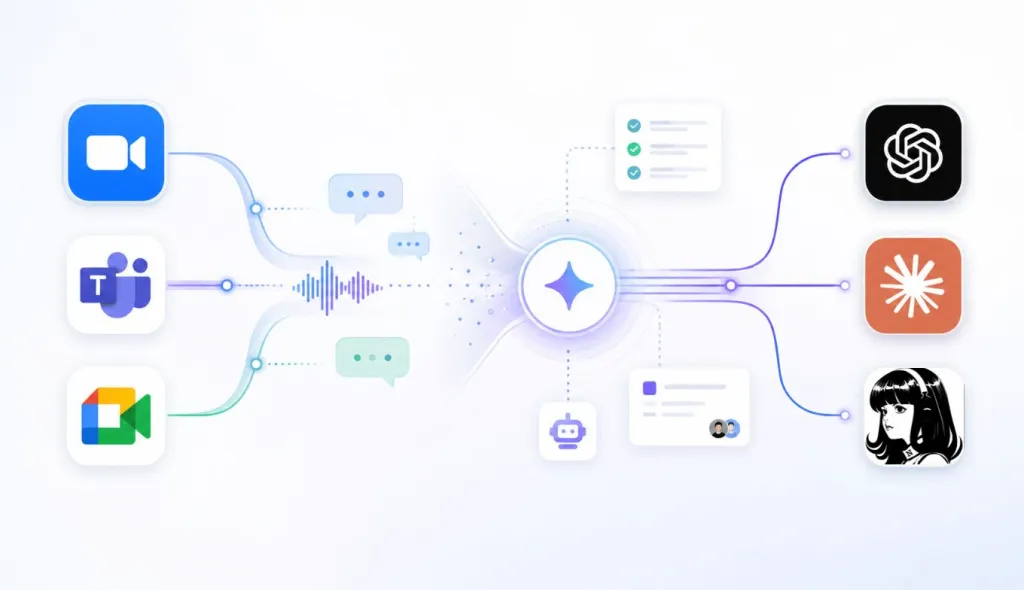
AI meeting notes are already common. Tools built into platforms such as Microsoft Teams, Zoom, and Google Meet can summarize meetings, capture key points, and help teams review what happened after a call.
But AI meeting agents go further. The goal is not just to create a nice summary. The goal is to make meetings more actionable.
A more advanced AI meeting agent may help answer questions like:
- What decisions were made?
- Who owns each action item?
- What should be followed up after the meeting?
- Which topic was discussed but not resolved?
- What information should be sent to the customer, team, or manager?
- Which tasks should be added to a project management tool?
This is why audio and video conferencing quality matters more than before. AI can only work with the meeting input it receives. If the input is messy, the output becomes less reliable.
A clean, well-structured transcript helps AI generate better summaries. Clear speaker identification helps it understand responsibility. Better room coverage helps remote employees follow the conversation and reduces the need for repeated clarification.
Audio Quality Is the Foundation of AI Meeting Accuracy
Most AI meeting workflows begin with audio. Before an AI meeting agent can summarize a discussion or extract action items, it first needs to understand the spoken conversation.
That makes conference room audio one of the most important parts of AI-ready meeting design.
Poor audio can create several problems:
First, it can cause transcription errors. If the AI hears “ship the update” as “skip the update,” the meeting record becomes unreliable.
Second, it can affect action items. If the AI cannot clearly capture the sentence “Sarah will send the proposal by Friday,” the summary may miss the owner, the task, or the deadline.
Third, it can create extra work after the meeting. Team members may need to manually correct notes, rewatch recordings, or ask follow-up questions that should have been captured the first time.
Fourth, poor audio can increase AI processing waste. If teams need to rerun summaries, upload corrected transcripts, or manually clarify context, the workflow becomes less efficient.
This is why a video conferencing camera with microphone should not be evaluated only by how it looks on screen. For AI-powered meetings, microphone quality, noise reduction, echo cancellation, and pickup range are just as important as image resolution.
What Makes a Conference Room AI-Ready?
An AI-ready meeting room does not mean the room itself needs to run complex AI software. It means the room should provide clean, reliable meeting input to the AI tools your team already uses.
When choosing a conference room camera or audio and video conferencing solution, teams should consider several factors.
The first is microphone pickup. Can the device capture voices from different seats in the room? Can it handle people speaking from the side or far end of the table?
The second is noise reduction. Can it reduce background sounds such as keyboard typing, air conditioning, paper movement, and side conversations?
The third is echo cancellation. In a room with speakers, microphones, and hard surfaces, echo can quickly reduce meeting quality.
The fourth is speaker tracking. Can the conference camera automatically focus on the active speaker or switch views during discussion?
The fifth is full-room coverage. A 360 conference camera or wide conference room camera can help ensure that no participant is left out of the meeting view.
The sixth is platform compatibility. Most US teams use a mix of Zoom, Microsoft Teams, Google Meet, Webex, and other platforms. The hardware should work across these tools without forcing teams into one closed ecosystem.
These details matter because AI meeting agents depend on meeting clarity. A better conferencing setup can help every participant, human or AI, understand the meeting more accurately.
What to Look for in Audio and Video Conferencing Hardware
If your team is upgrading a meeting room for AI-powered collaboration, look beyond basic specifications.
A high-resolution camera is useful, but it should not be the only factor. For hybrid meetings, the best conference camera is usually the one that balances video clarity, audio quality, speaker tracking, room coverage, and platform flexibility.
Here are the key features to prioritize:
Choose a conference room camera with strong microphone pickup. The device should capture voices clearly from different seats, not just from the person closest to the screen.
Look for AI noise reduction and echo cancellation. Hybrid meetings often happen in real office environments, not perfect studios.
Consider a speaker tracking camera if your meetings involve multiple in-room participants. Active speaker focus makes meetings easier to follow.
Think about room size and layout. A huddle room may need a different setup than a large boardroom or U-shaped room.
Check platform compatibility. Your conferencing hardware should work with the tools your team already uses, including Zoom, Microsoft Teams, Google Meet, and Webex.
Finally, choose a setup that is simple enough for everyday use. If employees need IT support before every call, the room will not scale well.
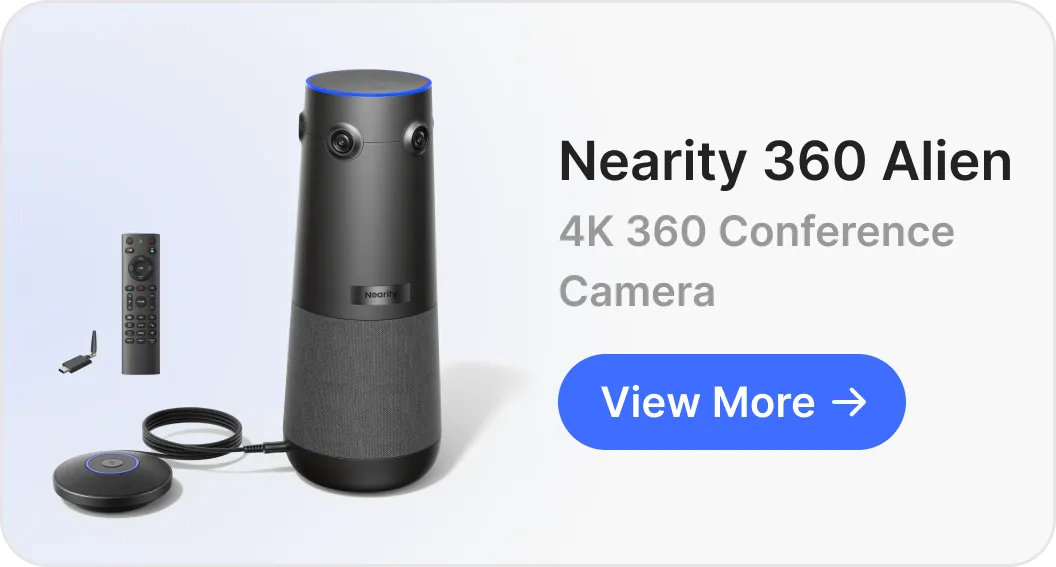
Recommended Hardware Example: Nearity 360 Alien
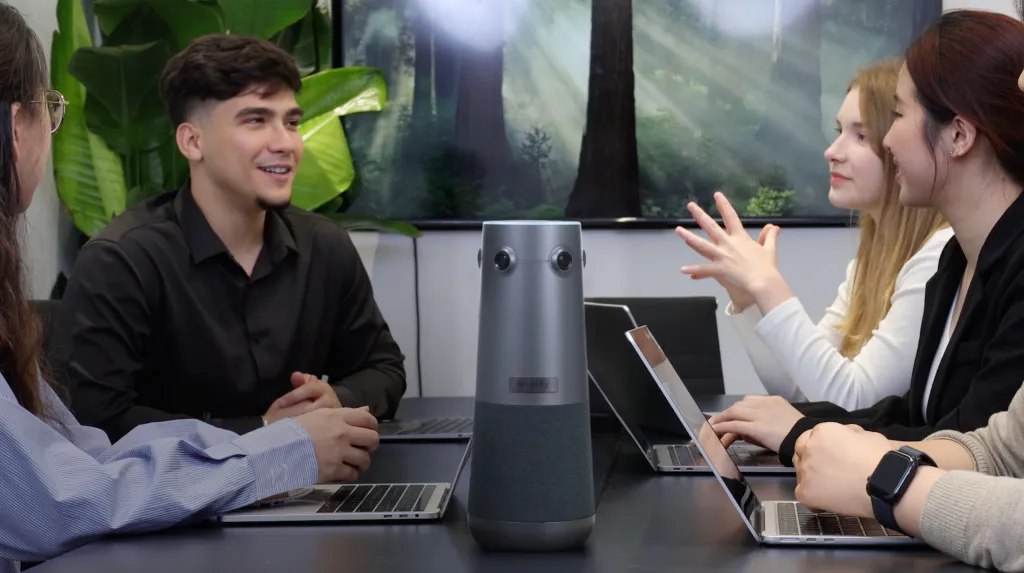
For teams looking for a practical conference camera for AI-ready hybrid meetings, Nearity 360 Alien is one option worth considering.
It is a 4K 360° conference camera and speakerphone designed for hybrid collaboration. Instead of relying on a single fisheye lens or a narrow front-facing camera view, Nearity 360 Alien uses four 120° 4K lenses to create a full-room 360° perspective. This helps remote participants see the entire meeting space more naturally, while giving hybrid teams better visual context during group discussions, presentations, and boardroom meetings.
It also includes a 6-mic array, AI noise reduction, speaker focus, and built-in speakerphone functionality, making it suitable for teams that want both video and audio in one device.
Its three AI modes also make it easier to adapt the meeting view to different hybrid scenarios. Discussion Mode is useful for team conversations, brainstorming sessions, and multi-speaker meetings, where the camera can follow active speakers as the discussion moves around the room. Presentation Mode works well for training, demos, lectures, and customer briefings, where one speaker leads the session and the AI meeting agent needs to capture the main explanation, key decisions, and next steps. Global Mode provides a full panoramic room view, which is helpful for boardrooms, large discussions, and U-shaped conference rooms where full-room context matters.
The product is not an AI meeting agent itself. Instead, it supports the meeting input that AI meeting agents depend on: clear voice pickup, room visibility, active speaker context, and flexible room coverage.
For a team using Zoom, Microsoft Teams, Google Meet, Webex, or similar platforms, this type of conference room camera can help create a stronger foundation for AI-generated notes, summaries, and follow-ups.

AI meeting agents will continue to get smarter. They will summarize discussions more clearly, identify action items more accurately, and connect meeting outcomes to everyday workflows more directly.
But even the best AI meeting agent for hybrid meetings still depends on the quality of the meeting input.
If people sound distant, the AI will struggle. If background noise overwhelms the conversation, the summary may miss important details. If the active speaker is not clear, remote participants may lose context. If the room view excludes part of the table, the meeting experience becomes incomplete.
That is why audio and video conferencing matters more in the age of AI. The hardware in the room is no longer just a communication tool. It is part of the AI collaboration stack.
For organizations building better hybrid meeting spaces, the goal should be simple: make every participant easier to hear, easier to see, and easier to understand. When the input improves, the meeting improves. When the meeting improves, the AI output becomes more useful.
And in 2026, that may be the difference between a meeting that simply gets recorded and a meeting that actually moves work forward.
FAQs
What is audio and video conferencing?
Audio and video conferencing refers to the use of microphones, speakers, cameras, and conferencing platforms to connect people in different locations for real-time meetings. In a hybrid meeting room, it usually includes a conference camera, microphone system, speakerphone, display, and software such as Zoom, Microsoft Teams, Google Meet, or Webex.
What is an AI meeting agent for hybrid meetings?
An AI meeting agent for hybrid meetings is an AI-powered tool that can help capture, summarize, and organize meeting information when some participants are in the room and others join remotely. Unlike basic transcription tools, AI meeting agents may help identify decisions, extract action items, assign follow-ups, and connect meeting outcomes to other workflows.
Is this only for large meeting rooms, or does it also work for huddle rooms?
This applies to meeting rooms of different sizes, from small huddle rooms to larger conference rooms. The challenges simply change depending on the room layout. In a huddle room, the priority is usually avoiding an overly tight camera angle, cropped faces, or heavy image distortion when participants sit close to the camera. In a larger meeting room, the challenge expands to microphone pickup range and consistent voice volume from both ends of a long table. For these larger spaces, Nearity 360 Alien can be paired with two expansion microphones to extend audio coverage across the room, helping remote participants and AI meeting agents hear every speaker more clearly.
Do AI meeting agents replace audio and video conferencing hardware?
No. AI meeting agents do not replace conferencing hardware. They depend on it. The AI can only summarize and analyze the meeting based on the audio and video input it receives. Better microphones, clearer room coverage, and reliable speaker tracking can help AI tools produce more useful meeting outputs.