Huddle room (2–4 people): Conference camera + existing TV
Small room (4–8 people): 360° camera or 55" interactive display
Medium room (8–12 people): 65" interactive display + extended mic
Bottom line: Don't buy separate camera, mic, speaker, and display hardware. One all-in-one device covers most small meeting rooms and costs 60% less than traditional installed AV systems.
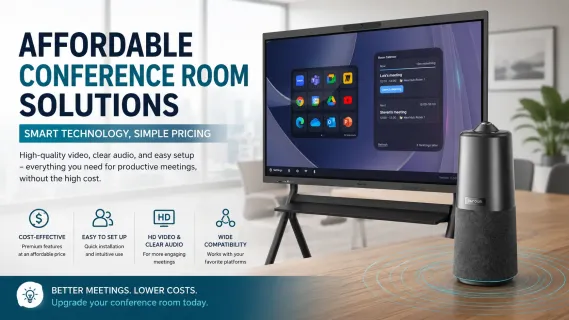
Setting up a budget conference room setup that actually works for hybrid meetings does not have to drain your budget or require an AV consultant. Most small businesses need a reliable way for remote participants to see and hear everyone in the room clearly. The real question is not whether you can afford professional-grade conference room equipment — it is which approach fits your room, your workflow, and your existing setup.
This guide breaks down two practical conference room AV solutions under $2,500: an all-in-one interactive display that replaces multiple devices, and a compact plug-and-play conference camera with built-in audio that upgrades any existing screen. You will learn how to evaluate your small business meeting room, what components actually matter, and how to choose without overspending on features you will never use.
How to Assess Your Conference Room Setup Before Buying Equipment
Before comparing specific conference room equipment, assess what you are actually working with. Walk into your meeting room and answer three questions:
How many people typically meet here? A huddle room that seats 4 to 6 people has very different audio and video needs than a medium conference room that holds 10.
What display, if any, is already installed? If you have a functional TV or monitor on the wall, your budget can focus on upgrading video and audio rather than replacing the screen.
What do people actually do in this room? Back-to-back video calls need reliable plug-and-play connectivity. Brainstorming sessions and client presentations benefit from interactive whiteboarding and annotation tools.
These three factors determine whether an all-in-one conference room solution or a modular upgrade makes more sense. Skip this step, and you risk buying an impressive device that solves the wrong problem.
Two Budget-Friendly Conference Room AV Solutions Under $2,500
For small to medium-sized businesses, two practical conference room video solutions eliminate complexity without the traditional enterprise price tag.
Option 1: All-in-One Interactive Display
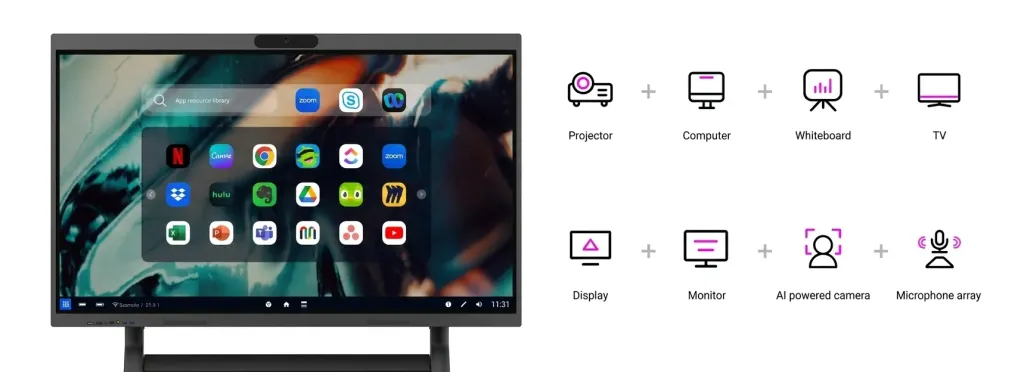
An interactive smart board replaces your display, whiteboard, camera, microphones, and speakers with a single device mounted on the wall or a portable stand. You walk in, launch your meeting app, and start collaborating. The NearHub Board S55 is an example of this type of integrated conference-room audio-video solution.
This approach works best when:
Your room has no display installed, or the existing screen is outdated
Your team whiteboards, brainstorms, or annotates documents during meetings
You want a central collaboration hub rather than just a video calling endpoint
You prefer minimal cable clutter and a single device to maintain
A quality interactive display for small-business use typically includes a 4K touchscreen, a built-in wide-angle camera, a microphone array, speakers, and a cloud-connected whiteboard app that remote participants can access from their own devices. You can learn more about how interactive displays work before making a decision.
Option 2: Conference Camera with Built-In Audio
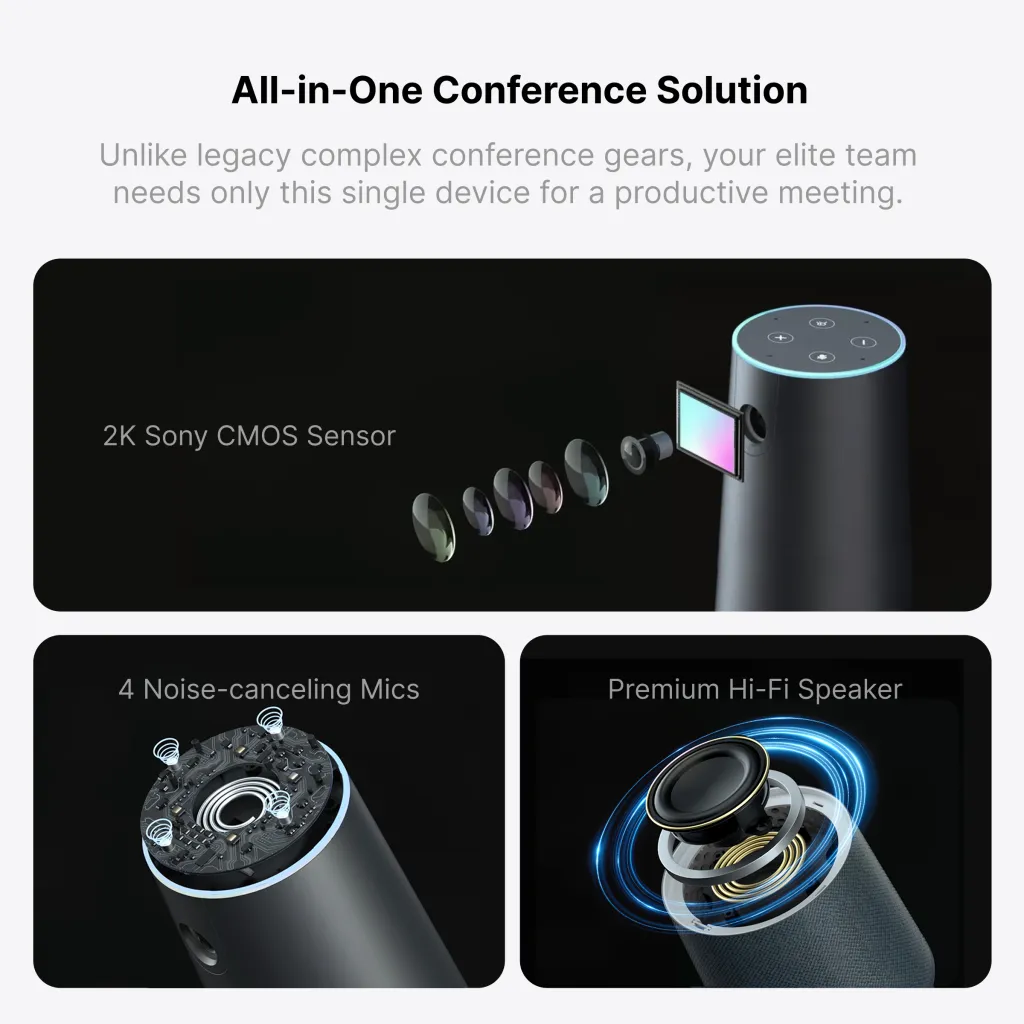
If you already have a TV or monitor in the room, adding a dedicated conference room speakerphone and camera is the more budget-friendly path. Modern all-in-one conference cameras combine a 360-degree or wide-angle lens, multiple microphones, and a speaker in a compact device that sits on your table.
This approach works best when:
You already have a suitable display in the room
Your meetings are primarily video calls rather than collaborative working sessions
You need a portable solution that can move between rooms
Your budget is under $800
Plug-and-play USB connectivity means anyone can walk in, connect the device to a laptop, and start a Zoom or Teams call without IT help. This simplicity is why many small businesses choose this route for their first conference room setup.
Solution Comparison at a Glance
Not sure which approach fits your room? This side-by-side comparison breaks down the key differences:
Conference Camera + Existing TV (e.g., NearHub 360 Basic)
Starting Price
~$2,600
~$700 (if TV exists)
Components Replaced
Display + whiteboard + camera + mic + speaker + PC
Camera + mic + speaker
Camera
4K wide-angle, built-in
1080p–4K, 360° with AI speaker tracking
Microphone Pickup Range
Up to 8 meters (24-element array)
Up to 5 meters (omnidirectional)
Interactive Whiteboarding
Yes — touch screen, cloud canvas, annotation
No
Wireless Screencasting
Yes — multi-device, cross-platform
No (USB connection to laptop)
Setup Time
Wall mount or stand — ~30 minutes
Place on table, plug in — ~5 minutes
Portability
Fixed installation
Portable — move between rooms
Best For
Rooms used for collaboration, brainstorming, and client presentations
Rooms used primarily for video calls with an existing TV
Room Size Sweet Spot
Small to medium (120–350 sq ft, 4–12 people)
Huddle too small (80–200 sq ft, 2–8 people)
Upgrade Path
Scale to larger display (65"+) or add dedicated camera
Upgrade to an interactive display when budget allows
Rule of thumb: If you already have a working TV in the room, start with Option 2 (conference camera). If your room has no display or you need whiteboarding, go with Option 1 (interactive display). Both paths keep your total spend under $2,500 and avoid the $5,000–$15,000 cost of traditional installed AV systems.
What to Look For in Any Conference Room AV Solution
Whether you choose an interactive display or a standalone conference camera, these are the capabilities that actually affect meeting quality.
Conference Room Camera: Field of View and AI Features That Matter
A narrow camera angle is the fastest way to make remote participants feel disconnected. For small rooms, look for a 120-degree wide-angle lens or a 360-degree conference room camera that captures everyone around the table. AI-powered features like speaker tracking and auto-framing keep the active speaker visible without manual adjustment.
Audio That Catches Every Voice
Poor audio kills meeting productivity faster than poor video. Built-in microphone arrays with noise suppression pick up voices clearly from several meters away while filtering out keyboard clicks, air conditioning, and side conversations. A full-duplex speaker means people can talk naturally without cutting each other off.
Compatibility With Your Existing Software
Your conference room equipment should work with the platforms your team already uses. Most modern video conferencing systems and video conferencing equipment support Zoom, Microsoft Teams, and Google Meet without additional software or licenses. Check compatibility before buying, especially if your organization has standardized on a specific platform.
Ease of Setup and Day-to-Day Usability
If starting a meeting requires a specific sequence of remote controls, input switches, and IT support requests, adoption will suffer. Look for one-touch or USB plug-and-play conference room solutions that work the same way every time. The best test: can someone who has never used the room walk in and start a call in under 30 seconds?
Conference Room Equipment Recommendations by Room Size and Seating
Use this framework to narrow your options based on real-world constraints.
Room Type
Typical Size
Seating
Best Approach
Key Consideration
Huddle room
80–120 sq ft
2–4 people
Conference camera + existing TV, or compact interactive display
Simplicity matters most; minimal setup time
Small conference room
120–200 sq ft
4–8 people
All-in-one interactive display or 360° conference camera
Audio pickup range and camera field of view
Medium conference room
200–350 sq ft
8–12 people
Larger interactive display or dedicated AV system
May need extended mic pickup and larger screen
For huddle rooms and small conference rooms, the choice typically comes down to whether you value interactive collaboration features or pure video calling simplicity. Both approaches deliver professional results for any small conference room solution at a fraction of traditional installed AV system costs.
When to Scale Up Your Video Conferencing Equipment
Starting with an affordable conference room solution does not mean painting yourself into a corner. Many businesses begin with a single conference camera in their most-used room, then expand as hybrid work patterns become permanent.
If your team outgrows the initial setup, the logical upgrade path depends on your starting point:
From a conference camera: Upgrade to an all-in-one interactive display that adds whiteboarding, multi-device screencasting, and a larger screen for bigger groups. The Board Max offers a larger display with Windows 11 Pro, native Zoom and Teams integration, and an AI gallery view camera designed for enterprise-grade hybrid work.
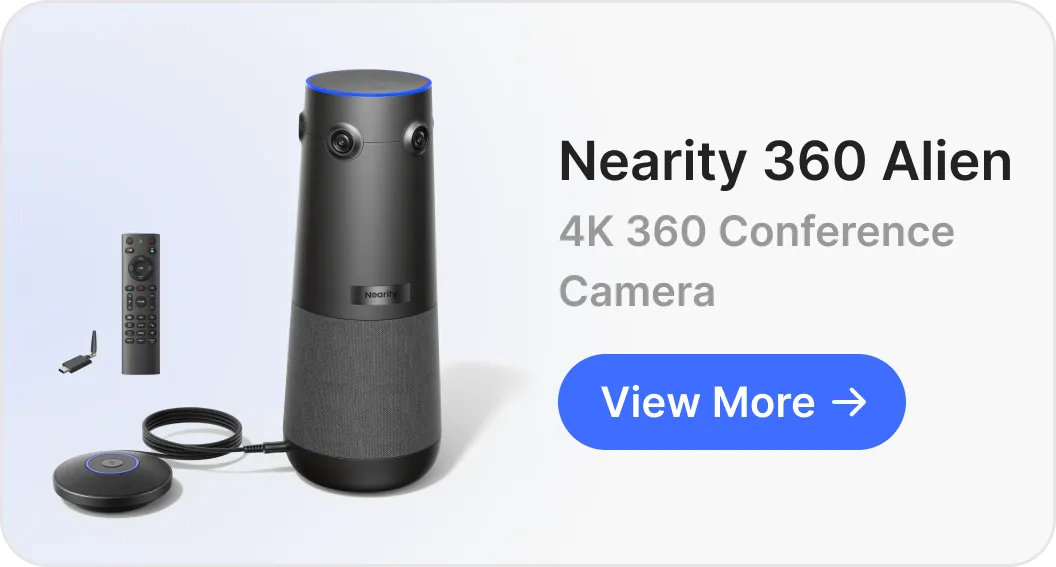
From a basic interactive display: Upgrade to a larger screen size or add a dedicated high-resolution conference camera for rooms where video quality is the top priority. The 360 Alien delivers true 4K video for situations where every facial expression and document detail matters.
Conference Room AV Solution Buying Checklist
Use this checklist to evaluate any conference room solution you are considering:
[ ] Room assessment completed: You know your room size, seating capacity, and whether you have a usable display already installed
[ ] Use case defined: You have identified whether this room is primarily for video calls, collaborative work, or both
[ ] Platform compatibility verified: The equipment works with your organization's preferred video conferencing software
[ ] Audio coverage confirmed: Microphone pickup range covers the full seating area without dead zones
[ ] Video angle appropriate: Camera field of view captures everyone who will be sitting at the table
[ ] Installation complexity understood: You know whether the device requires mounting, cabling, or IT configuration
[ ] Growth path considered: You have a sense of what the next upgrade looks like if this room's usage expands
FAQ: Common Questions About Affordable Conference Room Solutions
How much does a small conference room AV setup cost in 2026?
A practical small conference room AV setup typically ranges from $700 to $2,600 depending on your approach. A USB conference camera with built-in speakerphone starts around $700, while an all-in-one interactive display with built-in video conferencing starts around $2,600. Both approaches eliminate the need for separate AV components, installation fees, and ongoing IT maintenance. For context on interactive display pricing, see how much a smart board costs across different tiers.
Should I buy an all-in-one display or a separate conference camera for a small meeting room?
Choose an all-in-one interactive display if your team does collaborative work like whiteboarding, brainstorming, and real-time document annotation, and you want a central hub for both in-person and remote meetings. Choose a dedicated conference camera if you already have a display or TV in the room and primarily need to improve video and audio quality for video calls. For huddle rooms under 6 people with no existing screen, the all-in-one approach is often simpler. For rooms that already have a TV mounted, adding a conference camera is the more budget-friendly path. If you are unsure which display size fits, refer to this guide on choosing the best whiteboard size for your space.
What conference room equipment do I need for hybrid meetings?
For hybrid meetings, you need three core components: a display that in-room participants can see clearly, a camera that captures everyone at the table, and audio equipment that picks up voices clearly while playing remote participants back without echo. Modern all-in-one solutions combine all three. If buying separately, look for a wide-angle or 360-degree conference camera with a built-in speakerphone to minimize cable clutter and compatibility issues.
Can I use a regular TV instead of an interactive whiteboard for my conference room?
Yes, a regular TV works fine for basic video conferencing if you add a conference camera and speakerphone. However, an interactive whiteboard adds capabilities a standard TV cannot offer: digital whiteboarding with remote collaboration, touch-screen annotation over documents and presentations, multi-device wireless screencasting, and built-in video conferencing without external peripherals. If your meetings involve presenting, annotating, or brainstorming, the interactive approach saves time and reduces cable clutter. See how businesses are using smart boards in conference rooms to understand the practical difference.
Is a 360-degree camera better than a standard webcam for small conference rooms?
For small conference rooms with 4 to 8 people sitting around a table, a 360-degree camera is generally better than a standard webcam. A webcam typically captures a narrow field of view, leaving remote participants unable to see who is speaking. A 360-degree conference camera captures the entire room and uses AI to automatically focus on active speakers, creating a more natural meeting experience. Look for models with omnidirectional microphones and a built-in speaker to further simplify your setup.
Making the Right Choice for Your Small Conference Room Solution
The best affordable conference room solution is the one your team will actually use. An all-in-one interactive display like the Board S55 makes sense when you want a collaborative centerpiece that handles video calls, whiteboarding, and presentations without extra peripherals. Its built-in 4K camera, 24-element microphone array, and cloud-connected canvas replace multiple devices with a single installation.
If you already have a display and simply need better video and audio for your existing setup, the 360 Basic delivers 360-degree video coverage, AI-powered speaker tracking, and clear omnidirectional audio through a single USB connection at a lower entry price.
Either way, start with your room and your workflow, not a feature list. The right conference room audio-video solutions provider focuses on removing friction from your meetings, so your team can focus on the conversation, not the technology.