What's in the Box? First Impressions of the Nearity 360 Alien
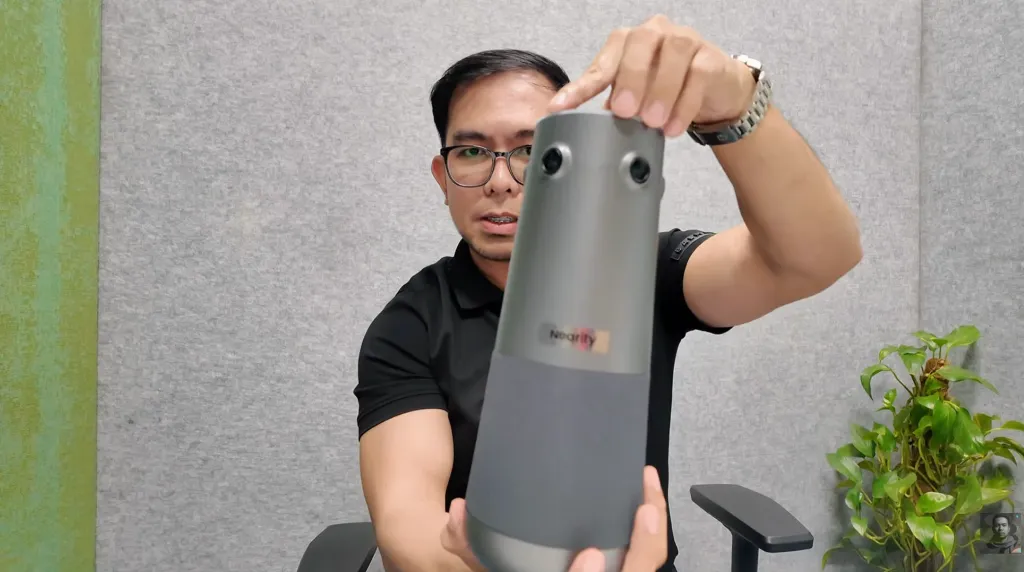
The Nearity 360 Alien retails at $1,399, and from the moment you open the box, it feels like a premium conference room camera worth every penny. The packaging is clean, well-organized, and everything is packed securely — a small but telling sign of the attention to detail Nearity has put into this product.
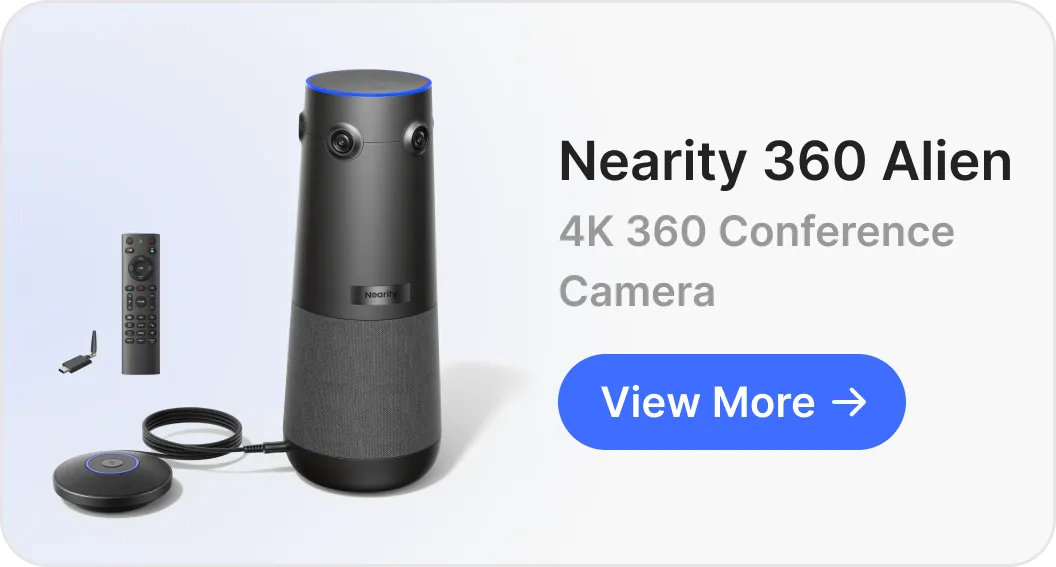
Here's what you get straight out of the box:
- The 360 Alien camera unit — heavier than it looks, which works in its favor
- USB-C cable for wired connection or charging
- Infrared remote control for hands-free adjustments
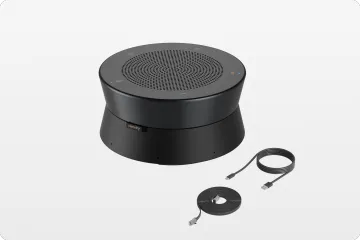
- 3m expansion microphone — a notable inclusion since many competitors sell this separately
- Power adapter and user manual
As Jeof puts it:
The whole package feels well thought out. Everything you need to get started is right here.
Design-wise, the 360 Alien makes an immediate impression. Its distinctive pillar design is built to sit right at the center of your conference table, and it doesn't exactly blend into the background.
It kind of looks like something out of a sci-fi movie, which is probably where the Alien name comes from.
But beyond the aesthetics, what truly sets this 360 camera for conference rooms apart is what's inside — and that's exactly what we'll get into next.
Why Quad-Lens Beats Fisheye: The Technology Behind the 360 Alien
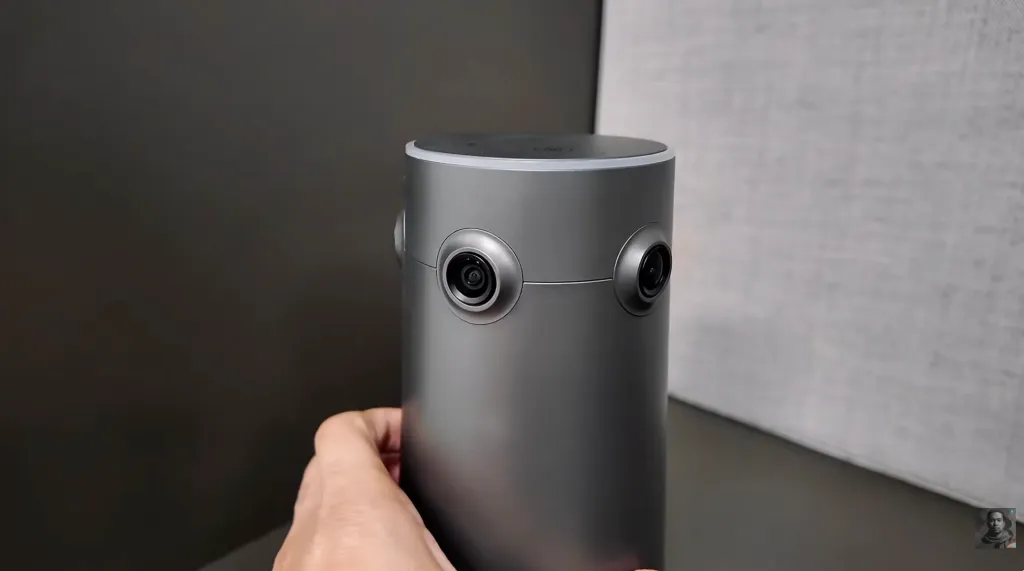
Most 360 cameras for conference rooms rely on a single fisheye lens to capture the full room. It gets the job done, but there's a catch — that familiar stretched, distorted look, especially around the edges, that makes faces appear warped and unnatural.
The Nearity 360 Alien takes a fundamentally different approach. Instead of one fisheye lens, it uses four separate cameras, each with a 120° field of view, arranged evenly around the device. Paired with Sony sensors, this quad-lens setup delivers what Nearity calls a 32-megapixel effective resolution — and the difference is immediately noticeable.
As Jeof explains:
When you zoom in on someone at the far end of the table, the image stays sharp. There's no weird warping. Faces look like faces, not funhouse mirror reflections.
The stitching between the four lenses is equally impressive:
I honestly couldn't tell where one lens ended and another began.
This matters more than it might seem. In a professional setting, being able to clearly read a colleague's expression across the table — whether you're in the room or joining remotely — can make a real difference in how a meeting flows.
For teams looking for a wireless conference room camera that delivers true optical clarity without the distortion trade-off, the quad-lens design alone makes the 360 Alien worth a serious look.
True 4K Video Quality and AI-Powered Framing: What It Looks Like in Practice
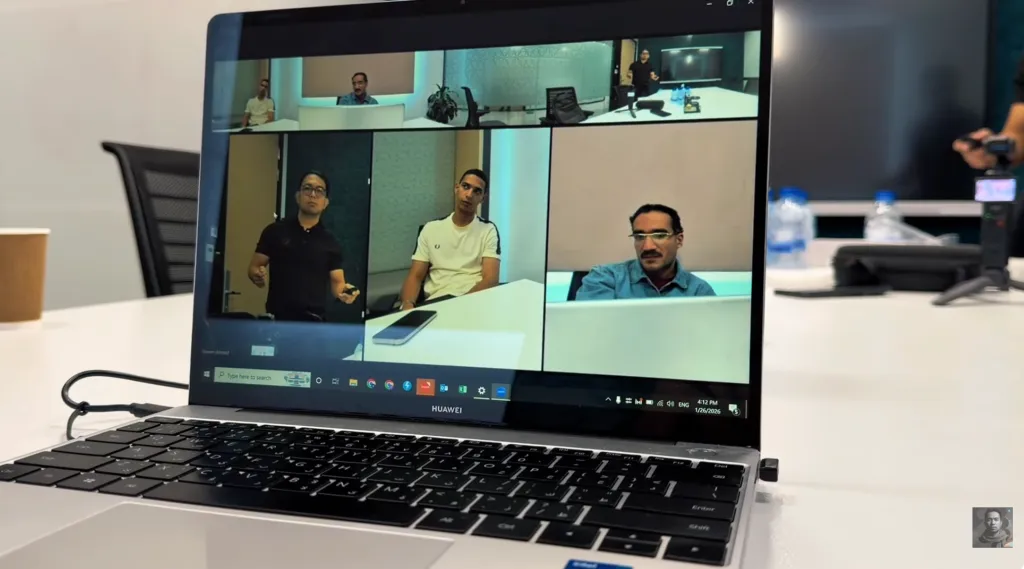
Hardware specs only tell half the story. What really matters is how the conference room camera performs when a meeting is actually in progress — and this is where the Nearity 360 Alien pulls further ahead.
The 360 Alien outputs at true 4K resolution via USB or wireless dongle. And as Jeof is quick to point out, that distinction matters:
I know that sounds obvious, but some cameras claim 4K and then digitally stretch a lower resolution image.
With four separate sensors each capturing a flat, undistorted image, there's significantly more visual information available — whether the camera is auto-framing a speaker or you're manually zooming in with the remote control.
Beyond raw resolution, the 360 Alien features three AI-powered framing modes designed to act as your own virtual camera operator:
- Presentation Mode — focuses on a single speaker
- Global Mode — keeps the full room in view at all times
- Discussion Mode — actively tracks up to four speakers as the conversation shifts
As Jeof puts it:
The camera basically becomes your own virtual camera operator, adapting to whatever's happening in the meeting.
For anyone evaluating a 360 all-in-one conferencing camera, this level of intelligent framing is what separates a truly professional setup from a basic webcam solution.
Audio Quality: Can It Really Cancel Out Conference Room Noise?
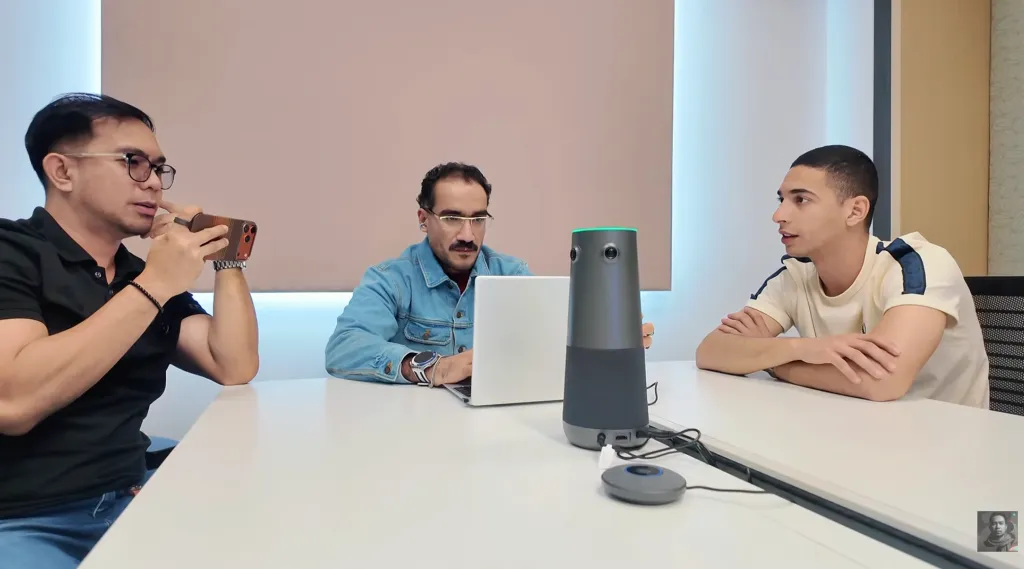
Great video is only half the equation. In a busy office environment, audio can make or break a meeting — and this is an area where many conference room cameras fall short.
The Nearity 360 Alien comes equipped with six omnidirectional microphones built directly into the unit, with a pickup range of up to 5 meters (16 feet) in every direction. For most medium to large conference rooms, that's more than enough coverage.
But raw pickup range is just the starting point. What impressed Jeof most was the real-world noise cancellation performance:
It has high-powered noise cancellation that actually works.
To put it to the test, Jeof ran an audio sample in a room with keyboards typing, chairs scraping, a fan blowing, and someone flipping through books — the kind of background noise that plagues real office environments. The result?
The mics filtered it all out. Remote participants just heard the voices. Nice and clear.
The 360 Alien also supports full duplex communication, meaning multiple people can speak at the same time without the system cutting anyone off — a surprisingly common issue with lower-end conference audio solutions.
For teams considering a 360 camera for conference rooms that handles both ends of the communication equally well, the audio package here is genuinely hard to fault.
Setup and Compatibility: How Easy Is It to Actually Use?
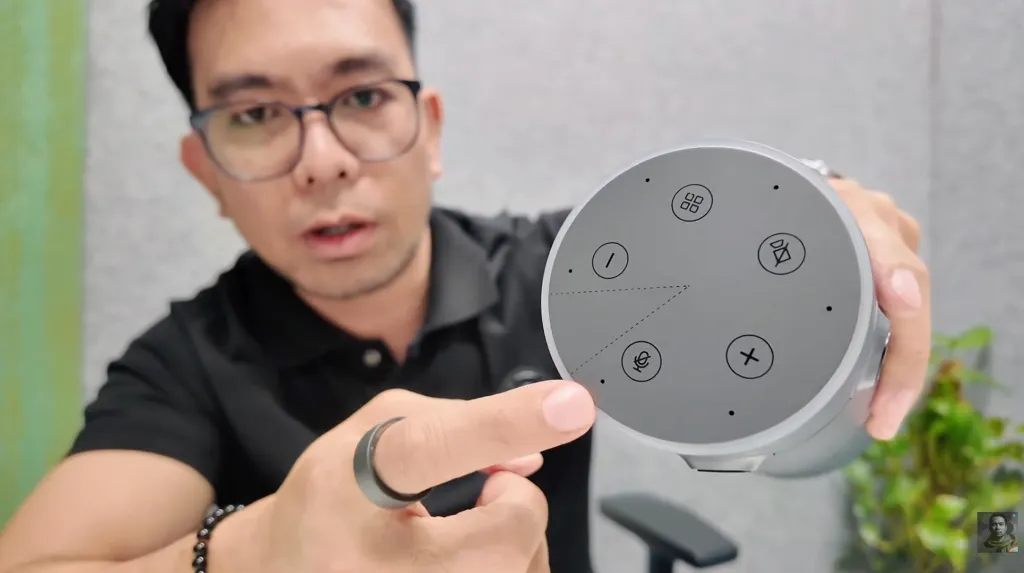
Even the most powerful conference room camera is only as good as its out-of-the-box experience. A device that requires IT support, driver installations, or complicated configuration can quickly become more trouble than it's worth — especially in a hybrid work environment where meetings start and end fast.
With the Nearity 360 Alien, setup is refreshingly simple. As Jeof describes it:
It's true plug-and-play. You connect it via USB-C, and boom — it shows up as a camera, mic, and speaker. No drivers to install, no complicated setup.
The 360 Alien is compatible with virtually every major video conferencing platform out of the box:
- Zoom
- Microsoft Teams
- Google Meet
- Webex
For teams who prefer a wireless conference room camera setup, the included wireless dongle offers the same seamless experience without the cable clutter.
One feature Jeof specifically called out is the physical remote control — something that sounds minor but proves genuinely useful in practice:
You can mute the mic, adjust the camera angle, zoom in and out, all without touching your laptop or walking over to the device. Little things like that make a big difference when you're mid-presentation and need to make quick adjustments.
For a 360 all-in-one conferencing camera at this price point, the combination of true plug-and-play simplicity and broad platform compatibility makes the 360 Alien accessible to virtually any team, regardless of their technical setup.
Verdict: Is the Nearity 360 Alien the Right Conference Room Camera for You?
After putting the Nearity 360 Alien through its paces, Jeof's conclusion is clear — this is a serious piece of kit that delivers on its promises.
The true 4K quad-lens system eliminates the distortion issues that plague traditional fisheye cameras. The six-mic array with full duplex communication ensures everyone in the room is heard clearly, even in noisy environments. And the three AI framing modes mean the camera adapts to your meeting, not the other way around. On top of all that, it's genuinely easy to set up and works with every major conferencing platform out of the box.
As Jeof sums it up:
The video quality is excellent. The audio is clean and powerful, and the whole thing is way easier to use than you'd expect for something with this much tech packed inside.
That said, the Nearity 360 Alien isn't for everyone. At $1,399, it's a significant investment — and as Jeof acknowledges:
If you only need something for a tiny huddle room with two or three people, you might be able to get away with something simpler and cheaper.
Who should buy it:
- Medium to large conference rooms that need full 360° coverage
- Hybrid teams where remote participants need to feel present in the room
- Organizations that want a single 360 all-in-one conferencing camera to replace a clunky multi-device setup
Who should think twice:
- Small teams or home office users with tighter budgets
- Huddle rooms with fewer than three regular participants
For serious professional hybrid work environments, the Nearity 360 Alien is one of the strongest conference room camera options available right now — and a genuine contender worth considering alongside the more established names in the space.

FAQs
- Is the microphone range enough for a large conference room?
The Nearity 360 Alien comes with six built-in omnidirectional microphones that cover up to 5 meters (16 feet) in every direction — sufficient for most standard conference rooms. For larger spaces that need extended coverage, the 360 Alien supports up to two expansion microphones, giving teams the flexibility to scale audio pickup without switching to an entirely different system.
- Is the wireless connection stable?
Yes. The Nearity 360 Alien uses the NA20 wireless dongle for a stable, reliable wireless connection. Simply plug the dongle into your laptop and the camera connects instantly — no pairing process, no dropouts during meetings. For teams looking for a truly wireless conference room camera experience, the NA20 dongle delivers consistent performance you can depend on.
- How does the Nearity 360 Alien compare to Owl or Logitech?
Owl and Logitech are well-established names with strong brand recognition in the 360 all-in-one conferencing camera space. However, the Nearity 360 Alien is a compelling alternative that holds its own on every key metric — true 4K quad-lens video, six-mic full duplex audio, and AI-powered framing — often at a competitive price point. If you're open to looking beyond the household names, the 360 Alien is absolutely worth putting on your shortlist.
- What size conference room is the Nearity 360 Alien suitable for?
The 360 Alien is designed to scale across room sizes, making it one of the most versatile conference room cameras on the market. From compact huddle rooms for small team check-ins, all the way up to large boardrooms that need full 360° coverage, the combination of quad-lens optics, wide mic range, and expandable microphone support means a single device can handle it all.
- What is the difference between a fisheye and quad-lens conference camera?
A fisheye conference camera uses a single wide-angle lens to capture the full room in one shot. While effective, this approach introduces noticeable distortion — faces and objects near the edges of the frame appear stretched and warped. A quad-lens camera like the Nearity 360 Alien uses four separate cameras, each covering a 120° field of view, to build a complete 360° picture. Because each lens captures a flat, undistorted image, the final result is significantly sharper and more natural-looking — especially when zooming in on individual participants across a large table.