Best 4K Video Conferencing Cameras in 2026: Top 5 Picks for Hybrid Meetings
A practical 2026 guide comparing the top 5 best 4K video conferencing cameras—explaining why a 4K sensor matters even when platforms stream in 1080p, and how to choose the right camera by room size.
4K Camera
Video Conference Equipment
Hybrid Meetings
Updated: Sep 24, 2026 · 8 minutes read
Global Business, Brought Near.
No Installer, No Hassle, Just Works.
Your Zoom and Teams meetings don't stream in 4K — so why does every serious IT buyer in 2026 still insist on a 4K video conferencing camera? Because resolution isn't the point. A 4K sensor is the engine behind AI speaker tracking, lossless zoom, and auto-framing — the features that decide whether remote participants feel like equals or like security-camera footage.
We evaluated the leading 4K conference room cameras across huddle rooms, mid-size spaces, and executive boardrooms. Below are the five that earned a recommendation — compared by room size, AI capability, audio pickup, certification, and price.
Key Takeaways
4K is about the sensor, not the stream — it powers AI tracking and lossless zoom even on 1080p platforms.
Match form factor to room shape: 180° for wide rooms, video bar for long rooms, 360° for collaborative spaces.
In boardrooms, audio is the bottleneck — look for scalable pickup up to 16 m (52 ft).
Check platform certification — or choose USB plug-and-play for BYOD flexibility.
Budget 1,300–1,300–4,000 by room size; camera-only units need separate audio.
The 5 Best 4K Video Conferencing Cameras at a Glance (2026)
Prices are manufacturer list prices at time of publication and may vary by reseller and configuration.
"Is This Blurry?" Why Your 1080p Camera Can't Handle 4K Video Conferencing
This is the part of the meeting where someone inevitably asks, "Can you see my screen?" or "Is the video okay?" — when they know full well it's not. The problem is that our expectations for "good enough" video are still based on old technology.
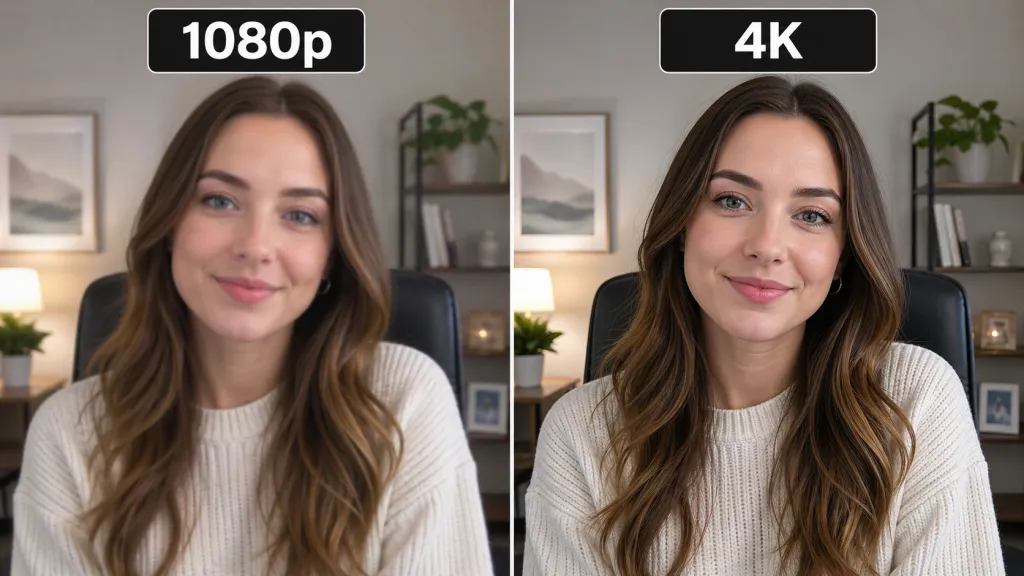
The 1080p Fallacy: Fine for a Face, Bad for a Boardroom
Let's be clear: 1080p (Full HD) is a perfectly fine resolution — for a single-person webcam. When one person is sitting two feet from their laptop, 1080p is more than enough to capture their face in detail.
But in a conference room, that same 2-megapixel (1920×1080) image is stretched to its breaking point. It's trying to capture a 120-degree-wide view of a 15-foot-long table. Those pixels are spread so thin that each of the 10 people in the room is reduced to a 100-pixel smudge.
And what happens when you try to zoom in? You're not zooming — you're digitally magnifying an already poor-quality image. The person at the end of the table turns into a blurry, pixelated mess. This is the root cause of the missed visual cues and Zoom fatigue that plague hybrid meetings: remote attendees can't tell who's talking, can't read facial expressions, and, as a result, they check out.
The 4K Sensor Myth: Why 4K Matters Even When Zoom Streams in 1080p
This is the single most important concept in this entire guide — and the number one objection IT managers raise.
"But wait," you're thinking, "my company uses Zoom and Microsoft Teams. They cap streams at 1080p. Why would I pay for a 4K video conference camera?"
You're right about the cap. But you're confusing stream resolution (the video sent over the internet) with sensor resolution (the raw data captured by the camera):
More data, more power. A 4K sensor (3840×2160) captures four times the pixels of 1080p — a data-rich image that gives the camera's AI processor far more to work with.
Lossless zoom. When the AI zooms in on a speaker at the far end of the table, it crops a pristine 1080p window from within the massive 4K frame — no magnification, no blur.
The result. The 1080p stream your camera sends to Zoom is crystal-clear and perfectly framed. A 1080p stream from a 4K sensor looks vastly superior to one from a native 1080p sensor attempting the same job.
A 4K sensor is the engine that makes all modern smart meeting features possible. Without it, you're just pushing pixels around.
How We Evaluated These Cameras
Our recommendations are based on hands-on evaluation in real meeting environments, not spec sheets:
Room coverage testing in three configurations: a 4-person huddle room, a 10-person mid-size conference room, and a 20-person executive boardroom with a 16-foot table.
AI behavior scoring: how accurately and quickly auto-framing and speaker tracking responded to speakers changing seats, late arrivals, and side conversations.
Audio pickup tests at measured distances, including HVAC noise and keyboard typing scenarios.
Platform verification: each camera was run through Zoom, Microsoft Teams, and Google Meet sessions to confirm certification behavior and plug-and-play reliability.
We don't accept placement fees for this list. Products are ranked by fit for a stated use case — including our own Nearity 360 Alien, which we evaluate against the same criteria as every competitor.
Key Features to Look for in a 4K Video Conference Camera
The 4K sensor is the prerequisite. But what does it power? These are the features that actually create an interactive meeting.
AI-Powered Framing & Tracking: The End of the "Static" Meeting
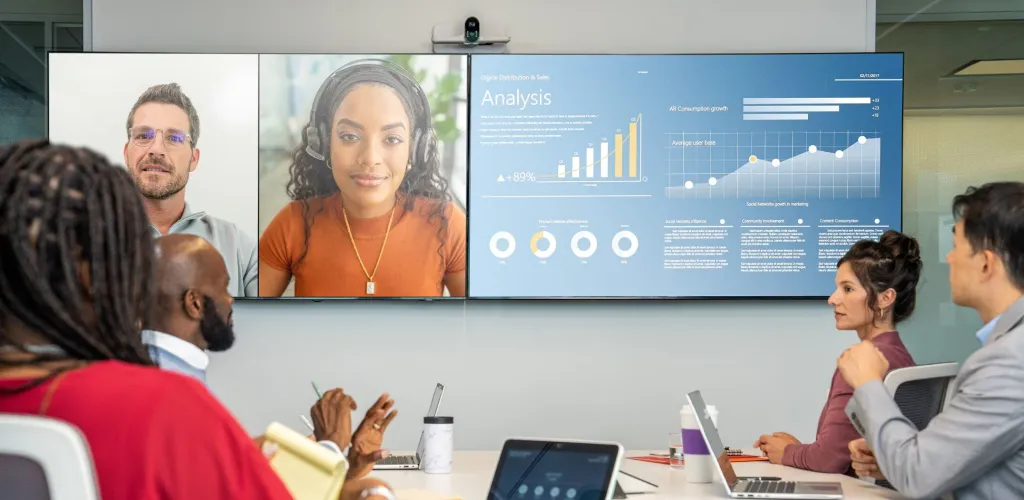
This is where the 4K sensor's power is put to work. Instead of a single, static "bowling alley" shot of the room, AI turns your meeting into a dynamic, professional experience.
Auto-framing (the "group shot"). The camera analyzes the room and intelligently pans, tilts, or zooms to ensure all participants are perfectly framed. If a new person walks in and sits down, the camera smoothly zooms out to include them—no one is ever awkwardly cropped out.
Speaker tracking (the "close-up"). Using beamforming microphones and visual AI, the camera identifies who is speaking and cuts to a clear close-up of them. This is essential for remote participants, allowing them to follow the natural flow of conversation and see who's talking—just as if they were in the room.
Field of View (FOV): The Right Lens for the Room
A camera's FOV determines how much of the room it can see. Choosing the wrong one is like bringing a telescope to a portrait session.
PTZ (Pan-Tilt-Zoom). A mechanical camera that moves to look around. Often powerful, with high optical zoom, but can be slow or noisy.
180° panoramic. Multiple lenses stitched together for an ultra-wide view. Perfect for long, shallow rooms where the table is pushed up against a wall.
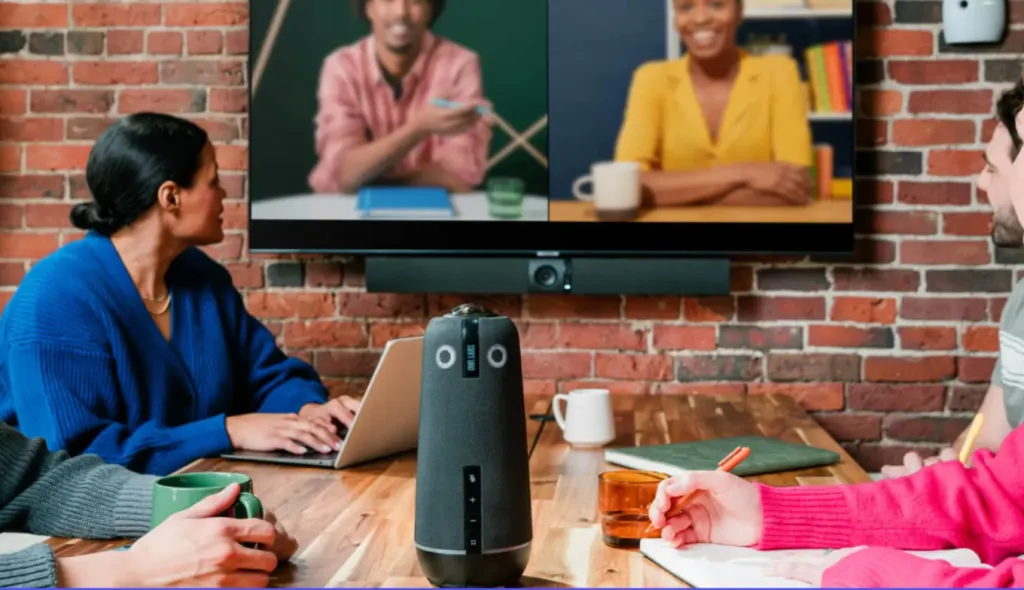
360° panoramic. Sits in the center of the table, creating a democratic "seat at the table" experience for everyone—both in-room and remote. The new gold standard for truly interactive meetings.
Audio Is Half the Battle: Mics, Speakers, and Noise Cancellation
You can have the most beautiful 4K image in the world, but if your audio is terrible, your meeting is a failure. This is why most teams today opt for an all-in-one video conference camera with mic and speaker built in—eliminating the need for separate audio hardware and reducing setup complexity. Modern 4K video conferencing cameras are exactly that: integrated video bars with professional-grade audio already on board.
Beamforming microphones. An array of 6, 8, or more mics that work together to create "listening beams"—focusing on the person speaking while actively ignoring room noise.
Acoustic Echo Cancellation (AEC). Stops the horrible feedback loop when the microphone picks up sound from the speaker.
AI noise suppression. Advanced AI (like Nearity's ProperClean™ 2.0) identifies the human voice and actively filters out everything else—keyboard typing, HVAC hum, paper shuffling, sirens—before it ever reaches the audio stream.
Top 5 Best 4K Video Conferencing Cameras (2026 Comparison)
There's no single "best 4K video conferencing camera"—but there is a best camera for your specific room. Here's how the top models stack up in 2026.
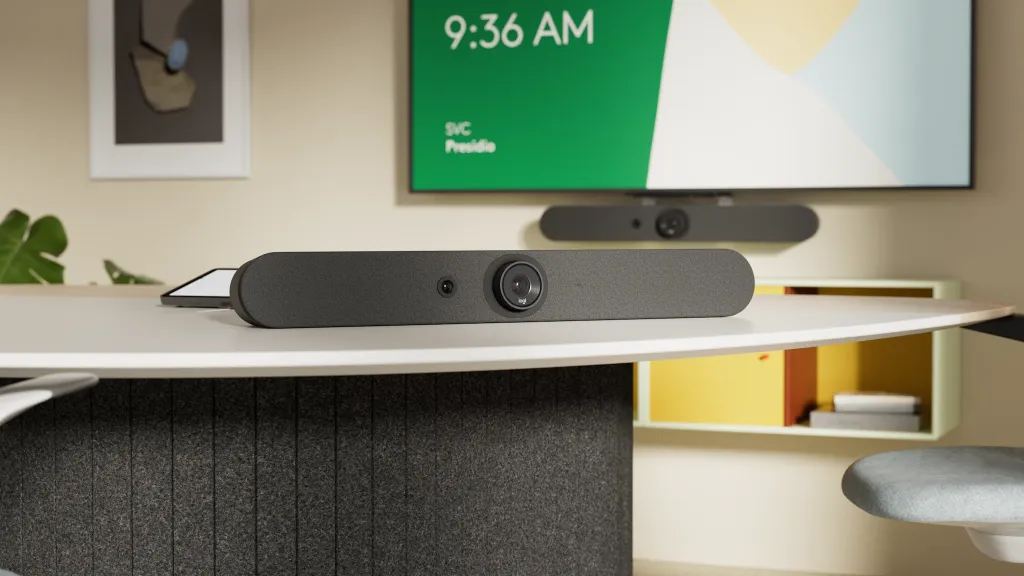
1. Logitech Rally Bar: The All-in-One Powerhouse
Best for: Medium-to-large traditional conference rooms.
Key features:
Motorized 4K PTZ camera with 15x HD zoom (5x optical) for covering long rooms
Six beamforming microphones with a 7m (23-foot) audio pickup range
Dedicated "AI Viewfinder" (a second camera) that powers RightSight™ auto-framing and speaker tracking
In practice: The industry benchmark for a reliable front-of-room video bar, and the safest choice for IT teams standardizing across many rooms. One known limitation to plan around: in deep rooms, the front-mounted position means participants seated to the sides near the camera can fall into framing blind spots — a common reason teams pair it with a tabletop companion camera like Logitech Sight. We break down the Logitech vs. Nearity approach to this problem in a separate comparison.
2. Jabra PanaCast 50: The 180° Panoramic Specialist
Best for: Wide, shallow rooms (like huddle rooms) where the table is close to the display.
Key features:
Three 13-megapixel cameras create a seamless 180° "Panoramic-4K" view
Eight beamforming microphones power the "Virtual Director" AI
AI dynamically identifies the active speaker and frames them automatically
In practice: Its 180° FOV is the perfect fix for capturing everyone wall-to-wall where a traditional camera's view is too narrow. The 4.6 m audio pickup is the weakest on this list, though — fine for huddle rooms, inadequate for a boardroom.
3. Poly Studio E70: The Dual-Lens AI Specialist
Best for: Large, custom boardrooms that already have a dedicated audio system.
Key features:
Dual-lens system with two 20-megapixel 4K sensors
One 120° wide-angle lens captures the entire room; a 70° narrow-angle lens handles clear close-ups
Camera-only solution for maximum AV integration flexibility
In practice: Poly DirectorAI switches between lenses for a broadcast-quality experience. But remember: it has no microphones or speakers. Budget for a full external audio system — or the total cost of ownership will surprise you.
Best for: Small to medium-sized collaborative rooms where meeting equity is the top priority.
Key features:
64MP sensor that outputs 4K Ultra HD video
Sits in the center of the table for a full 360° panoramic view
"Owl Intelligence System" shows the panoramic view and automatically focuses on the active speaker simultaneously
In practice: The Owl revolutionized center-of-table meetings and remains the default enterprise 360° choice. Two limitations surfaced in our evaluation: its single-lens design softens faces at the edges of the room, and its 5.5 m core audio pickup (8.5 m with expansion mic) struggles past about 12 participants — which is why enterprises running all-hands or large boardrooms increasingly look for alternatives to the Meeting Owl for bigger spaces.
5. Nearity 360 Alien: The 360° Enterprise Upgrade
Best for: Medium to large executive boardrooms (12–28+ people) that need 360° collaborative coverage.
Key specs:
Four-lens true 4K system. Four dedicated 4K lenses deliver a real 4K panoramic view — eliminating the distortion and blurry edges common on single-lens 360° cameras, with no blind spots or visible stitching lines.
True all-in-one design. Four 4K cameras, a six-microphone array, and an integrated Hi-Fi speaker in a single tabletop unit — no separate audio hardware required.
Pro-grade, scalable audio. ProperClean™ 2.0 AI noise cancellation with automatic gain control and echo/reverb reduction; 16.5 ft (5 m) base pickup radius, extendable to 52 ft (16 m) with two expansion mics.
High-speed video mode. 1080p @ 60fps for ultra-smooth capture, ideal for high-motion presentations.
Three AI modes (Discussion, Presentation, Global) plus a 30° auto-exclusion zone that ignores walk-by traffic outside the meeting area.
In practice: The 360 Alien earns its place purely on camera merit. It's the only 360° 4K video conferencing camera on this list whose audio scales to a full-length boardroom table without a separate ceiling mic system — directly solving the two weaknesses (edge softness, pickup range) we hit with single-lens 360° designs. For a head-to-head breakdown, see our Nearity 360 Alien vs. Meeting Owl comparison. For teams that need 360° coverage at enterprise scale, nothing else here comes close.
2026 4K Video Conferencing Camera Comparison
Camera Model
Max Sensor / Output
Field of View
Key AI Features
Audio Pickup Range
Logitech Rally Bar
4K Sensor / 4K Output
90° + Motorized PTZ
RightSight 2 AI Suite (Speaker View, Group View, Multi-Stream)
7m (23 ft)
Jabra PanaCast 50
3× 13MP (Panoramic-4K)
180°
Virtual Director (Speaker Tracking), Intelligent Zoom (Group Framing)
4.6m (15 ft)
Poly Studio E70
Dual 20MP 4K Sensors
120° & 70° (Dual Lens)
Poly DirectorAI (Speaker, Group & People Framing Modes)
N/A (Camera Only)
Meeting Owl 4+
64MP Sensor / 4K Output
360°
Owl Intelligence System (Speaker, Grid & Auto Focus Modes)
5.5m (Core) / 8.5m (Extended)
Nearity 360 Alien
True 4K Lenses / 4K Output
360°
3 AI Modes (Discussion, Presentation, Global); 30° Auto-Exclusion Zone
16m (52 ft) (Extended w/ Dual Mics)
How to Choose a 4K Video Conferencing Camera by Room Size
This isn't one-size-fits-all. The perfect huddle room camera will fail in a boardroom.
360° true 4K with scalable audio, or PTZ + ceiling mics
Nearity 360 Alien
Training room / all-hands
30–100+
PTZ camera + dedicated audio processor + ceiling mic array
Custom AV integration
Platform Compatibility: Zoom, Teams, and Google Meet Certification
A question we hear constantly from IT buyers: "Is this camera certified for our platform?" Here's what actually matters:
Certification (Zoom Rooms / Teams Rooms / Google Meet) guarantees the device has passed the platform's full interoperability testing — including one-touch join, remote management, and AI feature integration. The Logitech Rally Bar holds all three; most other picks hold one or two. You can browse the official Microsoft Teams certified devices catalog and Google Meet hardware program to verify any model's current status.
USB plug-and-play (UVC) cameras like the Nearity 360 Alien work as a standard camera/mic/speaker on any platform — Zoom, Teams, Meet, Webex — with zero driver installation. You lose platform-native room management but gain total flexibility across BYOD environments.
What certification does NOT change: stream resolution. Per Zoom's published system requirements, platforms currently cap incoming video at 1080p — which, as explained above, is exactly why the 4K sensor underneath matters more than the stream on top.
Conclusion: Stop Settling for "Good Enough" and Demand Clarity
Let's go back to that blurry, frustrating meeting — the one that ended with "You know what, I'll just send an email," killing the collaboration on the spot.
That is a choice, not a technical necessity.
The move to 4K video conferencing isn't about a prettier picture. It's about buying a camera with a 4K sensor — the engine behind AI framing, lossless zoom, and speaker tracking. These are the minimum requirements for meeting equity in 2026.
You can solve one problem with any of the best 4K video conferencing cameras on this list. Or you can solve the whole collaboration problem with one elegant system: the unified NearHub solution — anchored by the Nearity 360 Alien, combined with 4K interactive boards and scalable audio — is the definitive answer for enterprise hybrid work.
1. What is the best camera for video conferencing in 2026?
It depends on your room. For wide huddle rooms, the Jabra PanaCast 50's 180° view is ideal. For standard medium-to-large rooms, the Logitech Rally Bar is the benchmark. For collaborative spaces where meeting equity matters, a 360° camera — the Meeting Owl 4+ for smaller rooms, or the Nearity 360 Alien for boardrooms of 12–28+ people — delivers the most inclusive experience.
2. Do 4K video conferencing cameras really work with Zoom and Microsoft Teams?
Yes. While Teams and Zoom downscale streams to 1080p, they fully benefit from a 4K camera: the camera uses its 4K sensor for AI auto-framing and lossless zoom, then sends a superior 1080p stream to the platform. A 1080p stream sourced from a 4K sensor looks significantly better than one from a native 1080p sensor.
3. How do 4K cameras compare to 1080p for remote meetings?
For a solo webcam user, 1080p is adequate. In a shared meeting room, a 1080p camera spreading its pixels across a wide table reduces each participant to a blurry smudge, and digital zoom makes it worse. A 4K sensor captures 4× the data, enabling lossless zoom and sharp speaker close-ups even though the stream is still 1080p.
4. Which video conferencing cameras are certified for unified communications platforms?
The Logitech Rally Bar is certified for Microsoft Teams Rooms, Zoom Rooms, and Google Meet. The Jabra PanaCast 50 and Poly Studio E70 carry Teams and Zoom certifications. The Meeting Owl 4+ is Teams certified. Cameras like the Nearity 360 Alien use standard USB (UVC) plug-and-play, which works reliably on all major platforms without formal certification.
5. Do I need a 4K camera if Zoom only streams in 1080p?
Yes. The 4K sensor is the prerequisite for every smart meeting feature — lossless digital zoom, accurate speaker tracking, and clean auto-framing. A native 1080p camera cannot deliver these, regardless of the platform's stream cap.
6. What is the best video conference camera with automatic speaker tracking?
All five cameras on this list track speakers. For front-of-room setups, the Rally Bar's dual-camera RightSight 2 system is the most proven. For center-of-table setups, the Nearity 360 Alien combines audio beamforming with its four-lens 360° view to track speakers anywhere in the room — including people seated beside or behind a traditional camera's field of view.
7. Is a 360° camera better than a traditional video bar for hybrid meetings?
Not "better" — purpose-built differently. A video bar excels in presentational rooms where everyone faces a front display. A 360° camera sits in the center of the table and puts every participant on equal footing — better for collaborative, discussion-heavy meetings. Match the form factor to how your team actually meets.
8. What's the difference between auto-framing and speaker tracking?
Think "group shot" vs. "close-up." Auto-framing ensures everyone is included in the shot — when someone new sits down, the camera zooms out to include them. Speaker tracking is dynamic: it uses audio and visual AI to identify the current speaker and frame them specifically, making the meeting feel like a directed conversation.