Best 360 Conference Camera to Avoid Meeting Fatigue: A Complete Guide for Hybrid Workers
Discover how the Nearity 360 Alien 4K conference camera eliminates meeting fatigue with AI-powered video modes, crystal-clear audio, and seamless hybrid meeting setup.
meeting fatigue
meeting fatigue meaning
hybrid meeting
Updated: Aug 19, 2026 · 10 minutes read
Global Business, Brought Near.
No Installer, No Hassle, Just Works.
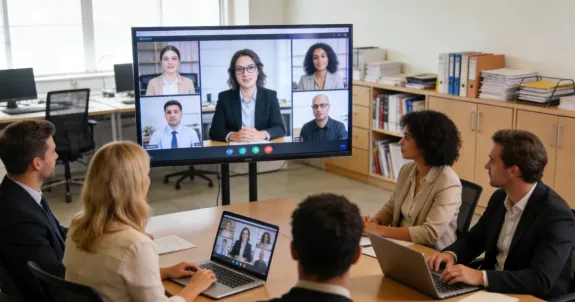
If you're reading this during your fifth video call of the day, you're already familiar with the exhaustion that sets in around hour three. Meeting fatigue has become the silent productivity killer of the hybrid work era, affecting millions of professionals who find themselves trapped in back-to-back virtual sessions that drain energy and destroy focus.
The meeting fatigue meaning extends beyond simple tiredness—it's a cognitive and emotional exhaustion specifically triggered by the unique demands of video conferencing. For hybrid workers, the challenge is compounded by the constant context-switching between in-person collaboration and virtual meetings, creating a perfect storm for remote work burnout.
But here's the good news: the right technology can transform your meeting experience from draining to energizing. In this guide, we'll explore how the Nearity 360 Alien—a True 4K 360° conference camera—can eliminate the technical friction that causes meeting fatigue and restore your office productivity.
Understanding Meeting Fatigue: The Hidden Cost of Poor Hybrid Meetings
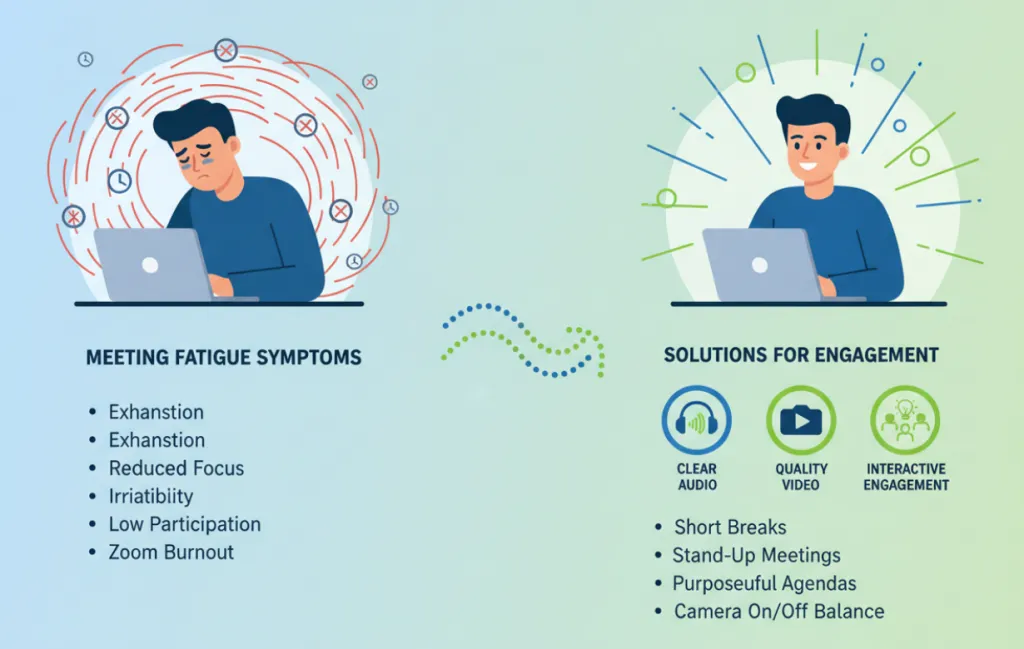
Before diving into solutions, let's understand what we're fighting against. Meeting fatigue manifests through several recognizable symptoms:
Physical exhaustion from staring at screens and maintaining "video presence"
Cognitive overload from processing multiple audio streams and visual inputs simultaneously
Emotional detachment when poor audio quality makes engagement feel like work
Reduced participation as energy levels drop throughout the day
Research from the National Institutes of Health confirms that video conferencing demands more cognitive effort than face-to-face meetings. The constant gaze monitoring, self-view awareness, and technical distractions create what researchers call "Zoom fatigue"—a phenomenon that hybrid workers experience daily.
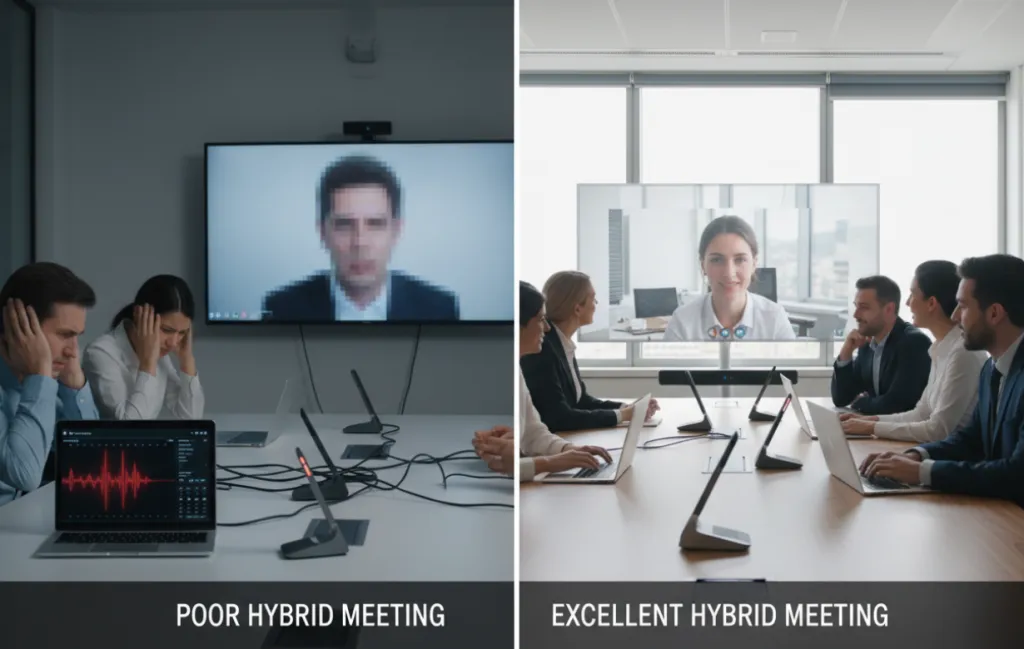
The root causes often trace back to inadequate technology: muffled audio that requires intense concentration, poor video quality that makes reading facial expressions impossible, and complicated setups that waste precious meeting time. This is where investing in professional-grade equipment like 360 meeting camera becomes a game-changer.
Introducing Nearity 360 Alien: Your Meeting Fatigue Solution
The Nearity 360 Alien ($1,399.99) is a premium 360° conference camera designed specifically for modern hybrid meeting environments. Unlike standard webcams that capture limited angles and deliver mediocre audio, this video conference device transforms any meeting room into a professional collaboration hub.
Key Specifications at a Glance
Feature
Specification
Video Resolution
True 4K Ultra HD (USB), 1080P (Wireless/HDMI)
Field of View
360° panoramic with 30° auto-exclusion zone
Camera Array
Four 120° ultra-wide-angle lenses
Microphones
6 noise-canceling mics with 5m pickup radius
Audio Technology
ProperClean 2.0 with echo cancellation
AI Modes
Discussion, Presentation, Global
Connectivity
USB-C&A, Wireless Dongle (NA20), HDMI
Compatibility
Zoom, Teams, Google Meet, Webex, Skype
How to Set Up Nearity 360 Alien for Maximum Productivity
Setting up the Nearity 360 Alien is remarkably simple—no IT department required. Follow these steps to transform your meeting experience:
Step 1: Choose Your Connection Method
The Nearity 360 Alien offers three connection options:
USB Cable: Plug-and-play via USB-C&A for the highest 4K quality
Wireless Dongle (NA20): Clean, cable-free setup with 1080P output
HDMI: Direct display connection for presentation mode
For most hybrid meeting setups, the wireless dongle provides the ideal balance of convenience and quality, eliminating cable clutter while maintaining professional-grade video.
Step 2: Position for Optimal Coverage
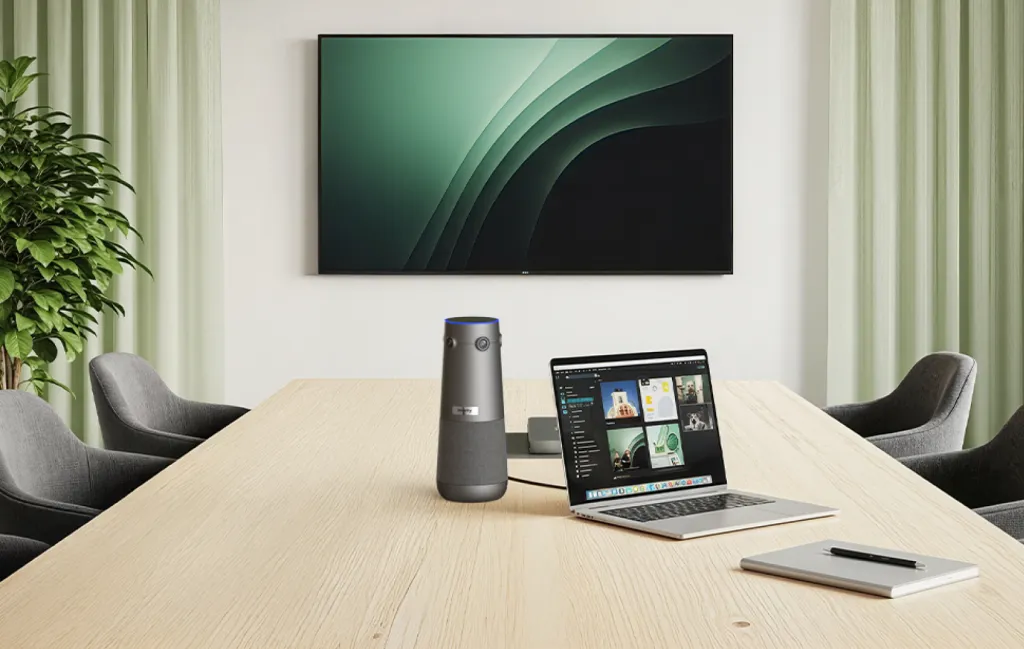
Place the Nearity 360 Alien at the center of your conference table. The device's 360° field of view captures everyone in the room equally, while the intelligent 30° auto-exclusion zone filters out screens and walls behind the camera for a cleaner view.
Step 3: Select the Right AI Mode
The Nearity 360 Alien's three AI modes adapt to different meeting scenarios:
Discussion Mode: Perfect for dynamic team meetings where multiple people speak. The camera automatically focuses on active speakers and switches seamlessly between them, ensuring remote participants never miss who's talking.
Presentation Mode: Ideal for training sessions and lectures. The camera locks onto a single presenter, keeping them centered and in focus regardless of movement.
Global Mode: Best for all-hands meetings and brainstorming sessions. This mode displays the full panoramic 360° view, ensuring no participant is left out of the frame.
Step 4: Optimize Audio Settings
With six integrated microphones featuring ProperClean 2.0 technology, the 360 conference camera picks up voices clearly from all directions within a 5-meter radius. For larger boardrooms, you can add expansion microphones (AM01) to extend coverage up to 16 meters.
The AI noise suppression eliminates ambient noise, while built-in echo and resonance cancellation ensure distraction-free audio. The full-duplex speaker enables natural, lag-free conversations—everyone speaks and hears in real time.
The Productivity Impact: Real Results for Hybrid Workers
Investing in professional meeting technology pays dividends in office productivity. Here's how the Nearity 360 Alien directly combats meeting fatigue:
Reduced Cognitive Load
Crystal-clear 4K video means you can read facial expressions and body language naturally, eliminating the mental effort required to interpret grainy, pixelated images. The automatic speaker tracking removes the distraction of manually adjusting camera angles.
Eliminated Audio Frustration
Poor audio is the number one cause of meeting fatigue. When you can't hear clearly, your brain works overtime to fill in gaps. The Nearity 360 Alien's noise-canceling microphones and full-duplex speaker deliver conversation-quality audio that lets you focus on content, not comprehension.
Faster Meeting Setup
The plug-and-play design means meetings start on time, every time. No more wasting 10 minutes troubleshooting connections or adjusting camera angles while participants wait. The included remote control allows on-the-fly adjustments without interrupting the flow.
Enhanced Remote Inclusion
For hybrid teams, the biggest challenge is making remote participants feel equally present. The 360° view ensures everyone in the room is visible, while the AI modes create a dynamic experience that keeps remote attendees engaged rather than feeling like passive observers.
Meeting Fatigue Prevention: Best Practices with Nearity 360 Alien
Technology alone won't eliminate meeting fatigue—you need smart meeting habits too. Here are proven strategies that work perfectly with the Nearity 360 Alien:
Implement the 25-5 Rule
Schedule 25-minute meetings instead of 30-minute ones, giving everyone a 5-minute buffer to reset between sessions. The Nearity 360 Alien's instant setup means you can start and end meetings precisely on schedule.
Use Presentation Mode for Focus
When sharing content, switch to Presentation Mode to keep the presenter prominent while still showing the room view. This maintains engagement without overwhelming participants with too many visual elements.
Leverage Global Mode for Brainstorming
Creative sessions benefit from seeing everyone's reactions. Global Mode captures the entire room, making it easier to read the room's energy and encourage participation from quieter team members.
Take Audio Breaks
Even with excellent audio quality, back-to-back meetings are exhausting. Use the Nearity 360 Alien's mute button on the remote to quickly toggle audio when you need a moment of silence.
Alternatives and Considerations
While the Nearity 360 Alien is the best conference room camera for most hybrid teams, it's worth considering alternatives based on your specific needs:
Budget-conscious teams: Basic conference cameras like the Logitech MeetUp offer decent quality at a lower price point, though they lack the 360° coverage and AI modes.
Small huddle rooms: A high-quality webcam with external speakers may suffice for 2-3 person spaces.
Enterprise deployments: The Nearity 360 Alien scales well with expansion microphones and integrates seamlessly with NearHub Whiteboard S Pro for complete collaboration ecosystems.
At $1,399.99, the Nearity 360 Alien represents a significant investment—but when you consider the cost of lost productivity from meeting fatigue, it pays for itself quickly. The 30-day return policy and 12-month warranty provide peace of mind for your investment.
Frequently Asked Questions
What is meeting fatigue and how does it affect hybrid workers?
Meeting fatigue is a state of exhaustion caused by excessive virtual meetings. Symptoms include eye strain, headaches, difficulty concentrating, and reduced productivity. Hybrid workers are particularly vulnerable due to constant switching between in-person and virtual collaboration.
How does the Nearity 360 Alien help reduce meeting fatigue?
The Nearity 360 Alien reduces meeting fatigue through True 4K Ultra HD video clarity, three intelligent AI modes (Discussion, Presentation, Global), 6 noise-canceling microphones with ProperClean 2.0 audio technology, and seamless plug-and-play setup that eliminates technical frustrations.
What are the three AI modes on the Nearity 360 Alien?
The Nearity 360 Alien features three AI modes: Discussion Mode automatically focuses on active speakers and switches dynamically; Global Mode displays a full 360° panoramic view ensuring no one is left out; Presentation Mode locks onto a single presenter for lectures and training sessions.
Is the Nearity 360 Alien compatible with major video conferencing platforms?
Yes, the Nearity 360 Alien works seamlessly with Zoom, Microsoft Teams, Google Meet, Webex, Skype, and more. It's compatible across Windows, macOS, ChromeOS, and Linux operating systems.
How easy is it to set up the Nearity 360 Alien for hybrid meetings?
Setup takes only seconds with plug-and-play via USB cable or wireless dongle. No IT expertise, apps, or additional software is required. The remote control and intuitive top buttons make it easy to adjust volume, AI features, and video settings during meetings.
Conclusion: Reclaim Your Energy with Better Meetings
Meeting fatigue doesn't have to be an inevitable part of hybrid work. By understanding the meeting fatigue meaning and addressing its root causes with the right technology, you can transform your meeting experience from exhausting to energizing.
The Nearity 360 Alien offers a comprehensive solution that addresses every major cause of meeting fatigue: poor video quality, inadequate audio, complicated setups, and remote participant exclusion. With its True 4K resolution, intelligent AI modes, and professional-grade audio, this 360 conference camera helps hybrid workers reclaim their productivity and energy.
Ready to eliminate meeting fatigue from your workday? Consider upgrading your meeting room with Nearhub and experience the difference that professional-grade collaboration technology can make.