


































Classrooms, meeting rooms, and home offices now demand tools that support multimedia, remote collaboration, and digital workflows. Understanding the smart board vs traditional whiteboard comparison helps educators, administrators, and business users make informed decisions. Whether you are outfitting a school, upgrading a conference room, or considering a smart board for home, this guide provides practical comparisons across teaching scenarios, meeting workflows, and everyday collaboration.
What Is a Smart Board?
A smart board is an interactive display panel combining whiteboard functionality with digital technology. These touch-sensitive screens respond to fingers, styluses, and connected devices, typically running built-in operating systems like Android or Windows. Displays range from 55 inches to 86 inches or larger. Understanding what a smart board is starts with recognizing its core purpose: bridging physical and digital collaboration.
Core Smart Board Features
Smart boards differentiate themselves through several integrated capabilities:
- Touch interaction: Write and draw using fingers or styluses with multi-user support
- Digital whiteboarding: Unlimited canvas space with copy, paste, resize, and move capabilities
- Screen sharing: Mirror content wirelessly from laptops, tablets, and smartphones
- Video and multimedia: Built-in speakers, cameras, and media players for video lessons and conferencing
- Cloud saving: Store notes to cloud services, email content, and resume previous sessions
- Remote collaboration: Connect with off-site participants through embedded conferencing apps
What Is a Traditional Whiteboard?
A traditional whiteboard is a smooth, glossy surface, typically made of melamine, porcelain, or glass, designed for writing with dry-erase markers. Found in classrooms and meeting rooms for decades, these boards provide simple, reliable space for handwritten notes and diagrams.
Typical Uses and Strengths
Traditional whiteboards serve straightforward purposes: teachers write lesson notes, trainers illustrate processes, and facilitators capture brainstorming output. Their zero-setup nature means anyone can pick up a marker and start immediately. There are no boot times, software updates, or connectivity issues. The tactile experience engages motor memory, and limited space encourages concise communication. For quick huddles and impromptu brainstorming, traditional whiteboards remain genuinely effective.

Smart Board vs Traditional Whiteboard: Key Differences
| Feature | Smart Board | Traditional Whiteboard |
|---|---|---|
| Writing experience | Digital ink with adjustable colors, thickness, and eraser tools | Physical markers with limited color options |
| Collaboration | Multi-user touch input; remote participants can contribute | In-person only, one or two writers at a time |
| Multimedia support | Embedded video, audio, web browsing, and apps | None without an external projector or screen |
| Saving and sharing | Instant cloud save, email, QR code sharing | Must photograph or transcribe manually |
| Device connectivity | Wireless screen mirroring from laptops, phones, tablets | No digital connectivity |
| Remote participation | Built-in video conferencing and shared canvases | Not possible without separate equipment |
| Maintenance | Software updates, screen cleaning, occasional calibration | Regular cleaning, marker replacement |
| Learning curve | Moderate; requires familiarity with touch interface and apps | Minimal; anyone can use markers immediately |
| Initial cost | Higher upfront investment ($1,500–$8,000+) | Low cost ($50–$500 depending on size) |
| Long-term costs | Software subscriptions, IT support, potential repairs | Ongoing marker and eraser purchases |
Smart boards offer digital ink with handwriting recognition, while traditional whiteboards provide familiar marker resistance for rapid ideation. The interactive whiteboard vs traditional whiteboard gap is most apparent during group work: smart boards support multiple simultaneous touch points and enable connecting any device to a smartboard, while traditional boards limit participation to whoever holds the marker.
Smart Board vs Traditional Whiteboard for Different Scenarios
Classrooms
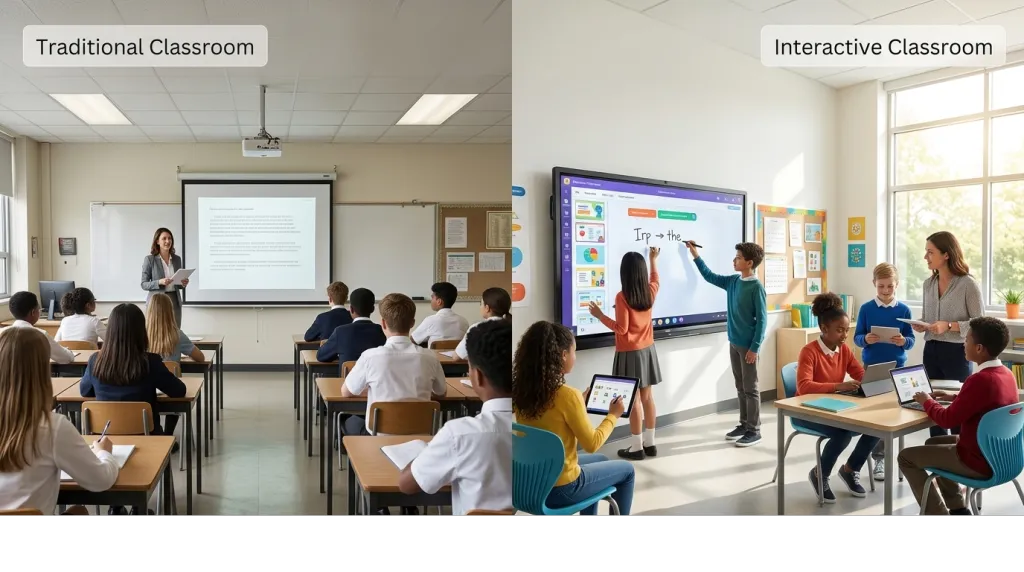
For teachers, the benefits of the smart board in the classroom are substantial. Interactive lessons with embedded videos, draggable elements, and real-time quizzes engage students more actively than static marker writing. Younger learners respond well to touch-based activities, while older students benefit from accessing saved materials after class.
Traditional whiteboards still work well for quick explanations, small-group stations, and budget-constrained classrooms. Many teachers use both: smart boards for prepared lessons and traditional boards for spontaneous instruction.
Meetings and Training
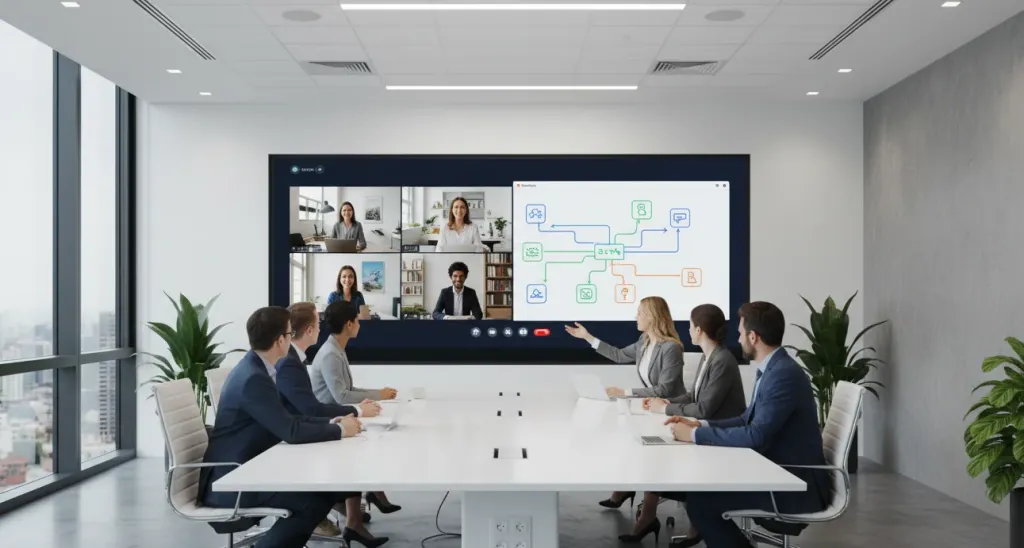
Business environments increasingly favor smart boards for presentations and workshops. The ability to pull up documents, annotate directly on slides, and save outputs streamlines workflows. Trainers appreciate switching between slides, whiteboarding, and video without changing equipment.
Traditional whiteboards remain common in breakout rooms and ad-hoc spaces where formal presentation technology is unnecessary. They also work well for short stand-ups where setup time would slow momentum.
Hybrid Collaboration
Organizations with distributed teams face a clear choice. Smart boards support hybrid meetings by displaying remote participants on screen, sharing digital canvases with off-site colleagues, and recording sessions. Traditional whiteboards isolate in-room participants unless paired with a separate camera and streaming setup.
Home Learning and Personal Use
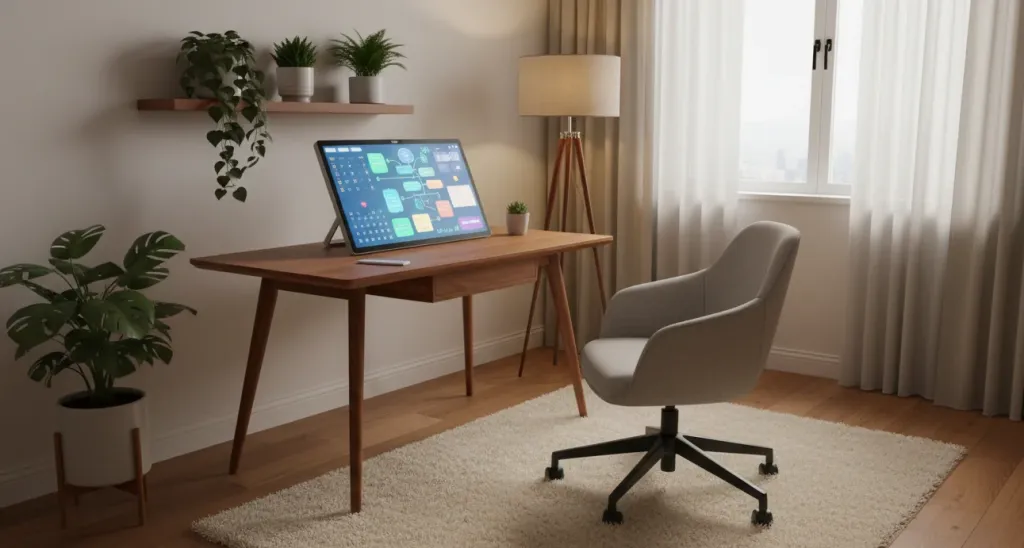
The rise of remote work and homeschooling has created demand for a smart board for the home. Compact models fit home offices and provide dedicated spaces for video calls, digital planning, and interactive learning. Traditional whiteboards also work in home settings for schedules and reminders, making them accessible for households not ready to invest in interactive displays.
Advantages and Limitations of Smart Boards
Advantages
The digital whiteboard vs traditional whiteboard debate ends quickly for teams needing these capabilities:
- Infinite canvas and content reuse: Never run out of space; return to previous work instantly
- Multimedia integration: Embed videos, images, web pages, and interactive apps directly
- Remote collaboration: Include off-site participants as active contributors
- Automatic documentation: Save, search, and share everything written on the board
- Accessibility features: Text-to-speech, screen magnification, and multiple language support
- Software ecosystem: Access thousands of educational and productivity apps
Limitations
- Higher initial investment: Quality smart boards start around $1,500 and can exceed $8,000
- Technical dependency: Software updates, network connectivity, and IT support are ongoing needs
- Learning curve: Users must invest time in training to unlock full functionality
- Infrastructure requirements: Proper mounting, power, and network connectivity must be available
Advantages and Limitations of Traditional Whiteboards
Advantages
- Zero startup time: Grab a marker and start immediately
- Reliable and durable: No software crashes, battery failures, or network issues
- Low cost: Basic boards cost under $100; premium options remain far below smart board pricing
- Universal familiarity: Everyone knows how to use markers and erasers
- Tactile feedback: The physical sensation of writing aids memory and creative flow
- Minimal maintenance: Simple cleaning routines keep boards functional for years
Limitations
- No save capability: Content disappears when erased unless manually photographed
- Limited collaboration: Only in-room participants can contribute directly
- Static content: Cannot display video, web content, or digital files natively
- Space constraints: Physical dimensions limit how much content fits
- No remote integration: Cannot connect with distributed teams without additional technology
- Consumable supplies: Markers dry out and need regular replacement
How to Transition From a Traditional Whiteboard to a Smart Board
Moving from analog to interactive displays requires planning. Before installation, evaluate your physical space. Smart boards require sturdy wall mounting, adequate power, and reliable network connectivity. Consider how to choose the best whiteboard size for your room and audience. Plan for initial calibration and network configuration, typically one to two hours with IT support.
Common Beginner Mistakes
- Overloading presentations: Cramming too many features into early lessons creates confusion. Start with basic writing and advance gradually.
- Neglecting training: Assuming users will figure it out intuitively leads to underutilization. Schedule dedicated training sessions.
- Ignoring connectivity: Wireless mirroring and cloud features require proper network setup. Test all connections before go-live.
- Forgetting backup plans: Technology occasionally fails. Have alternative plans ready.
First Workflows to Learn
- Basic writing and erasing: Switch between pen colors, use the eraser tool, and clear the canvas
- Content import: Open documents, images, and presentation files directly on the board
- Screen mirroring: Connect a laptop or tablet to display and annotate over existing content
- Saving and sharing: Save boards to cloud storage and email content directly
- Switching input sources: Toggle between built-in apps, mirrored devices, and video conferencing
For educators, exploring how to use a smart board in the classroom provides practical lesson ideas and templates.
Frequently Asked Questions
Is a smart board better than a traditional whiteboard?
Smart boards excel at interactive lessons, remote collaboration, and saving content digitally. Traditional whiteboards work best for quick brainstorming and low-cost simplicity. Your workflow, budget, and collaboration needs should guide the decision.
Are smart boards difficult to use?
Most users learn basic smart board operations like writing and erasing within a few hours. Advanced features such as screen mirroring may require additional training through vendor tutorials or IT support.
Can a smart board replace a traditional whiteboard?
Yes. A smart board supports freehand writing like a traditional board while adding digital saving, multimedia integration, and remote participation. Some users keep both for flexibility.
Do smart boards require internet?
Basic functions like writing and drawing work offline. Internet is only needed for cloud saving, video conferencing, and screen sharing. Most smart boards function as digital whiteboards with local storage without connectivity.
Are smart boards worth it for schools?
Smart boards are generally worth the investment for schools prioritizing interactive learning and student engagement. See how much does a smart board cost for detailed pricing analysis.
Can you use a smart board at home?
Yes. Compact models fit home offices and work well for remote presentations, homeschooling, and video calls. Consider your wall space and whether you need webcam integration.
Conclusion
The smart board vs traditional whiteboard decision comes down to how you work, collaborate, and budget. Smart boards excel where interactivity, multimedia integration, remote participation, and digital saving are priorities. Traditional whiteboards remain valuable for their simplicity, reliability, and low cost, ideal for quick collaboration and limited budgets.
Before choosing, audit your usage patterns. Count how often remote colleagues need to contribute, how frequently you wish you could save whiteboard content, and whether your current setup limits your activities. Match those findings to each tool's strengths, and you will land on the right solution for your environment.