How Much Does a Smart Board Cost in 2026? Prices, Setup & Total Cost
Compare smart board prices by size and setup.
smart board cost
interactive whiteboard pricing
Updated: Nov 19, 2026 · 9 minutes read
Global Business, Brought Near.
No Installer, No Hassle, Just Works.
Key Takeaways
Compare complete setups, not just screen prices. A cheaper board may need a separate computer, camera or microphone to deliver the same functionality. Include delivery, installation, mounting, training and accessories—not just the screen price.
Check recurring fees. Ask about whiteboarding, cloud storage, conferencing and device management separately.
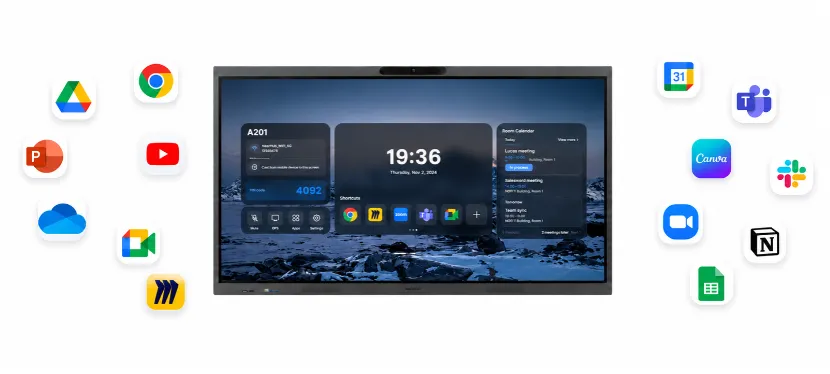
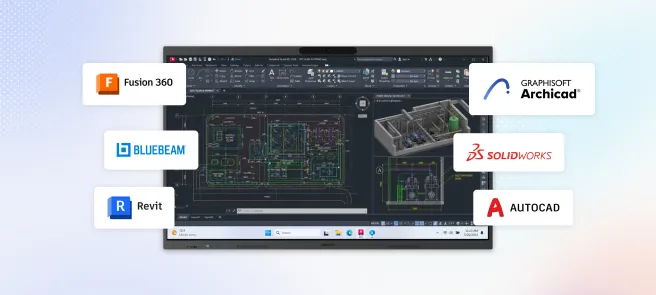
Check app compatibility before buying. NearHub Board Max runs Windows 11 Pro desktop apps, while some Android boards restrict app installation or availability.
Match features to your room. Prioritize readability and teaching apps for classrooms, plus camera and microphone coverage for hybrid meetings.
Compare itemized five-year costs. Include hardware, software and support, and account for existing equipment you can reuse.
A smart board costs between $1,500 and $15,000+ in 2026 — and where your budget lands depends on five key variables: screen size, operating system, touch technology, brand, and software licensing model.
For a quick benchmark: a 65-inch classroom-ready board starts around $2,000–$3,500, while a fully integrated 86-inch Windows board for the enterprise boardroom can run $8,000–$22,000 before installation. Either way, the sticker price is rarely what you'll actually pay — software subscriptions alone can quietly add $200–$600 per board, per year with many legacy vendors.
This guide gives you the complete picture: real 2026 price ranges by size and use case, a brand-by-brand comparison, and a breakdown of the hidden costs most vendors don't advertise — so you can build an accurate budget and choose the board that delivers the best long-term value.
How Much Does a Smart Board Cost? Quick Answer by Size
If you need a fast benchmark before diving into the details, here is what you can expect to pay for a quality interactive flat panel in 2026, based on display size:
Screen Size
Price Range (USD)
Best For
55-inch
$1,500 – $3,000
Small huddle rooms, home offices, individual classrooms
65-inch
$2,000 – $4,000
Standard classrooms, mid-size meeting rooms
75-inch
$3,000 – $5,500
Large conference rooms, lecture halls, training centers
86-inch
$4,500 – $8,000+
Boardrooms, auditoriums, large collaborative spaces
98-inch
$8,000 – $15,000+
University lecture halls, enterprise command centers
These figures represent hardware-only costs for 4K UHD displays from reputable manufacturers. Prices at the lower end typically come from newer market entrants offering competitive base models, while premium pricing reflects established brands with advanced touch technology, integrated computing, and proprietary software suites.
Expert Insight: In 2026, 4K UHD resolution is the baseline standard, not a premium upgrade. Any board still offering 1080p Full HD at a "discount" is selling you outdated technology that will look pixelated when students or meeting participants sit within 10 feet of the screen.
Think of it like buying a car. You can ask, “How much does a car cost?” The answer could be $20,000 for a reliable sedan or $200,000 for a luxury sports car. They both get you from A to B, but the experience, features, and long-term costs are worlds apart.
The rest of this guide will break down exactly why that price range is so broad and what you get at each price point.
Smart Board Cost at a Glance: What Are You Buying?
Before comparing brands, identify the type of setup you need. Products described as “smart boards” can include substantially different equipment.
Setup
What it provides
What may require additional spending
Interactive display connected to an external computer
A touchscreen for presenting, writing and annotation
Computer, camera, microphones, applications and installation
Board with built-in computing
A touchscreen with an operating system for supported applications
Application licenses, optional AV equipment, mounting and installation
All-in-one meeting board
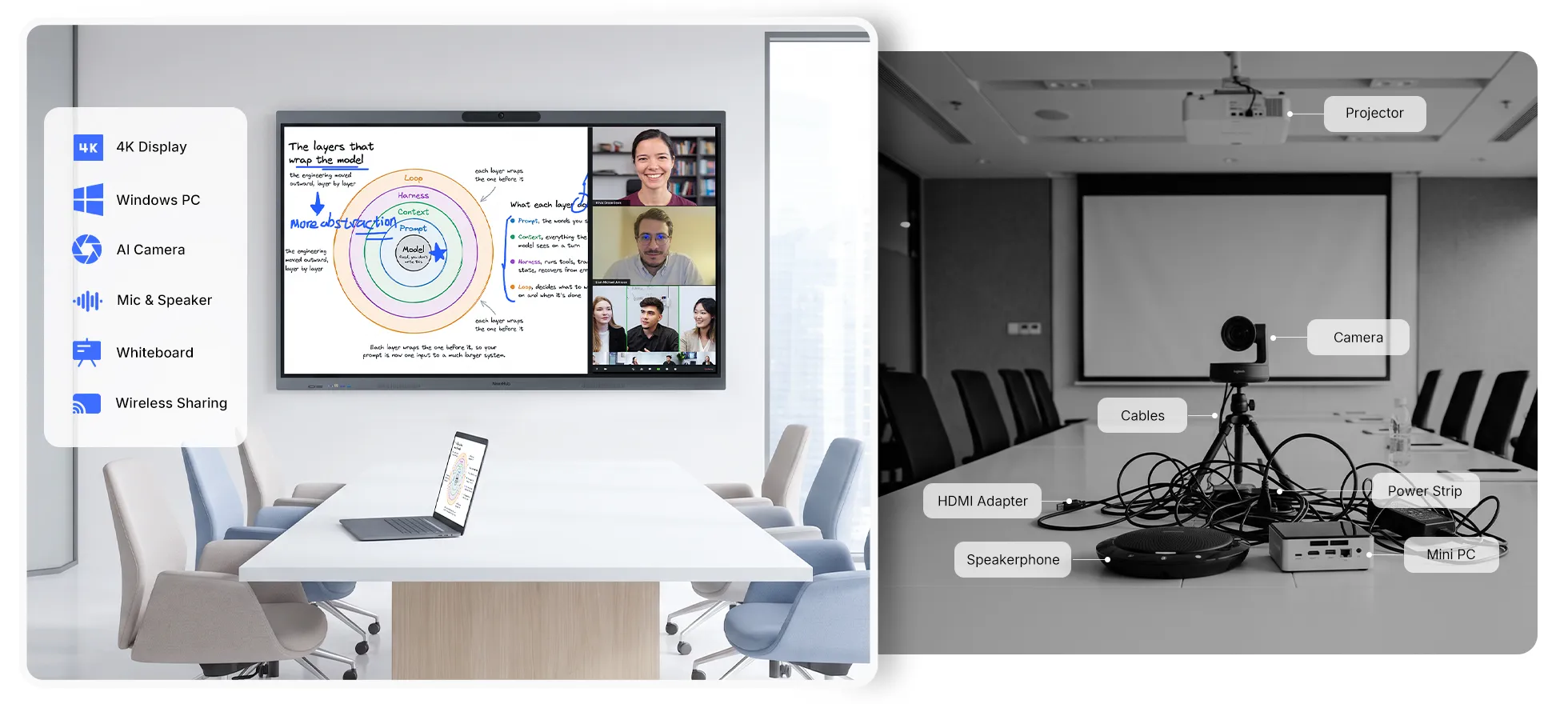
Touchscreen, computing, camera, microphones and speakers
Conferencing licenses, mobile stand, installation or additional room AV
A display that uses your existing computer can be a reasonable purchase when that computer meets your requirements. An all-in-one board is worth comparing when you would otherwise need to buy several separate components.
Neither setup is automatically cheaper. The answer depends on what you already own and what the room needs to do.
Hardware Price vs. Installed Cost
Ask suppliers to separate these categories:
Hardware: display, computing and included audio-video equipment.
Deployment: delivery, installation, cable routing and any wall or electrical work.
Accessories: stand, adapters, connection devices or additional AV equipment.
Software: required applications, collaboration plans and management services.
Support: training, warranty extensions and paid maintenance.
This makes it easier to compare proposals without overlooking an expense or paying twice for something already included.
How Screen Size Affects Smart Board Prices
Larger screens generally cost more within the same product family. However, comparing a basic 75-inch display with a fully equipped 65-inch meeting board will not tell you how much screen size alone affects the price.
For a consistent comparison, keep the product family and operating system the same.
Published Price Examples by Size
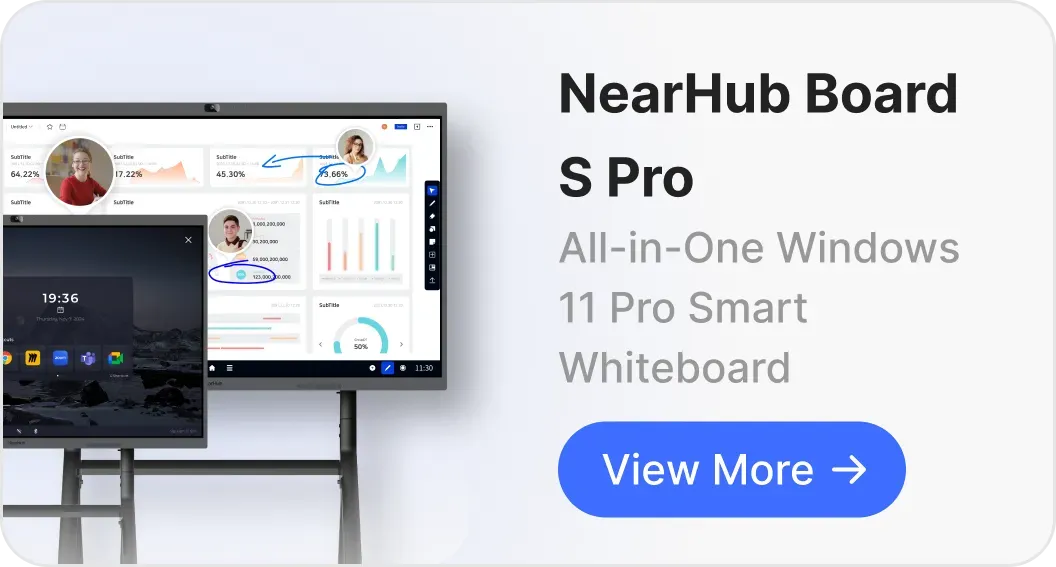
The following prices illustrate size differences within the NearHub S Pro Windows range:
These are examples from one manufacturer, not a market-wide price range. NearHub publishes this guide and sells the products listed. Confirm the selected configuration, current price, delivery, installation and applicable taxes before purchasing.
Choose Size by Readability, Not Room Labels
A “classroom” or “conference room” label is not enough to determine screen size. The content and viewing distance matter.
During a demonstration:
Open a real slide, spreadsheet or lesson document.
View it from the farthest and most difficult seats.
Check the smallest information people must read.
Test writing height and access to controls.
A higher pixel resolution cannot compensate for text that is physically too small at the back of the room. Conversely, buying a larger display provides little value if a smaller one already meets the viewing requirements.
7 Factors That Determine Smart Board Cost
The final price on your quote is a sum of several key components. Understanding these factors is the first step to figuring out what you truly need and avoiding overpaying for features you won’t use.
1. Screen Size & Resolution: The Biggest Price Driver
This is the most obvious and impactful factor. Panel costs scale non-linearly with size because manufacturing yield rates drop as displays get larger. An 86-inch panel isn't just 32% more expensive than a 65-inch panel because of raw materials; it's more expensive because fewer panels pass quality control.
Small (55" - 65"): Typically priced between $1,500 - $3,500. These are great for small classrooms, huddle spaces, or small meeting rooms where participants are relatively close to the screen.
Medium (75"): Often in the $3,000 - $5,500 range. This is a popular “sweet spot” size for many standard classrooms and mid-sized corporate meeting rooms, offering a great balance of visibility and cost.
Large (86" and up): Expect to pay $5,000 - $10,000+. These are essential for large boardrooms, lecture halls, or any space where people in the back need to see details clearly.
Beyond Size, There’s Resolution:
4K UHD (3840 × 2160): The 2026 standard. Essential for crisp text, detailed diagrams, and professional presentations. Expect this on any board over $2,000.
Anti-glare coating: Adds $200–$400 to manufacturing cost but dramatically improves visibility in rooms with windows or overhead lighting. Worth the investment in almost every environment.
2. Touch Technology: The Feel of Interaction
Not all touchscreens feel the same. The technology beneath the glass affects writing precision, multi-user support, and long-term durability.
Infrared (IR) Touch: This is the most common and cost-effective technology. It works by creating an invisible grid of infrared beams across the screen’s surface. When your finger or a stylus breaks the beams, the board registers a touch. It’s reliable and supports multi-touch. However, it can sometimes be affected by dust and can have a slight gap (parallax) between the glass and the display, which can feel less precise.
Advanced IR (Zero-Bonding): This is a major step up. In zero-bonding technology, the air gap between the touch panel and the LCD screen is eliminated. This dramatically reduces parallax, making it feel like you’re writing directly on the image itself—just like pen on paper. It also improves optical clarity and viewing angles. This is a feature often found in more premium boards, like the NearHub IWB.
In-Glass/Projected Capacitive (PCAP): This is the same technology used in your smartphone or tablet. It’s highly accurate, incredibly responsive, and allows for a sleek, bezel-free design. It’s the most premium touch experience but also comes with the highest price tag.
Eliminates parallax (gap between pen tip and cursor), premium feel
3. Onboard Computing (The “Brain”): OPS vs. External PC
A smart board is essentially a giant touchscreen monitor. To be truly “smart,” it needs a computer to run the software.
Requires an External PC: Many older or more basic models are just displays. You must connect your own laptop or a dedicated desktop computer to make them work. While this might seem cheaper upfront, it adds clutter (cables), potential compatibility issues, and another device to manage and update.
Built-in Android OS: Most modern smart boards, including NearHub, come with a built-in Android operating system. This allows them to function right out of the box for basic whiteboarding, web browsing, and running apps. It’s simple and user-friendly.
OPS (Open Pluggable Specification) Slot: A standardized slot that accepts a Windows PC module. Adds $500–$1,500 but gives you full Windows capability integrated seamlessly into the board. Ideal for organizations that want flexibility to upgrade computing power later without replacing the entire display.
Built-In Windows OS: Some premium models ship with a full Windows operating system pre-installed directly on the board, not as a separate OPS module. This delivers the full power of Windows natively — run any Windows application, integrate directly with Active Directory and Microsoft 365, and maintain corporate security policies — without any additional hardware. Examples include the NearHub Board Max, which comes with built-in Windows 11 Pro, offering seamless access to the full Microsoft ecosystem, legacy Windows applications, and enterprise-grade security right out of the box.
4. Software & Ecosystem: The Hidden Power (and Cost)
The hardware is only half the story. The software determines what you can actually do with your smart board. This is where pricing can get tricky.
Basic Whiteboarding Software: Nearly all boards come with free, basic software for drawing and annotating.
Advanced Collaboration Suites: The real power comes from advanced software that enables screen sharing, remote collaboration, lesson-planning tools, and integration with apps like Microsoft 365 or Google Workspace.
The Subscription Trap:This is a critical cost to watch out for. Many legacy brands sell you the hardware and then require an annual subscription fee to unlock the best features of their software. These fees can run from $200 to over $600 per board, per year! Over a 5-year lifespan, that can add thousands of dollars to the total cost.
What to ask before buying:
Is the whiteboarding software included for life, or is it subscription-based?
Are cloud storage and syncing free, or tiered by user count?
Can you use third-party apps (Zoom, Microsoft Teams, Google Workspace) without additional licensing?
Are software updates and new features free?
This is a key area where NearHub stands out. We provide our powerful, feature-rich collaboration and whiteboarding softwarewith no subscription fees. What you see is what you get, for the life of the board.
5. Audio-Visual Integration
Boards designed for hybrid work increasingly include built-in cameras and microphone arrays. This consolidation can actually reduce total room cost.
Integrated AV tiers:
Basic: No camera or mic. Connect external devices. ($0 premium)
Standard: Built-in 4K camera with basic auto-framing. (+$300–$600)
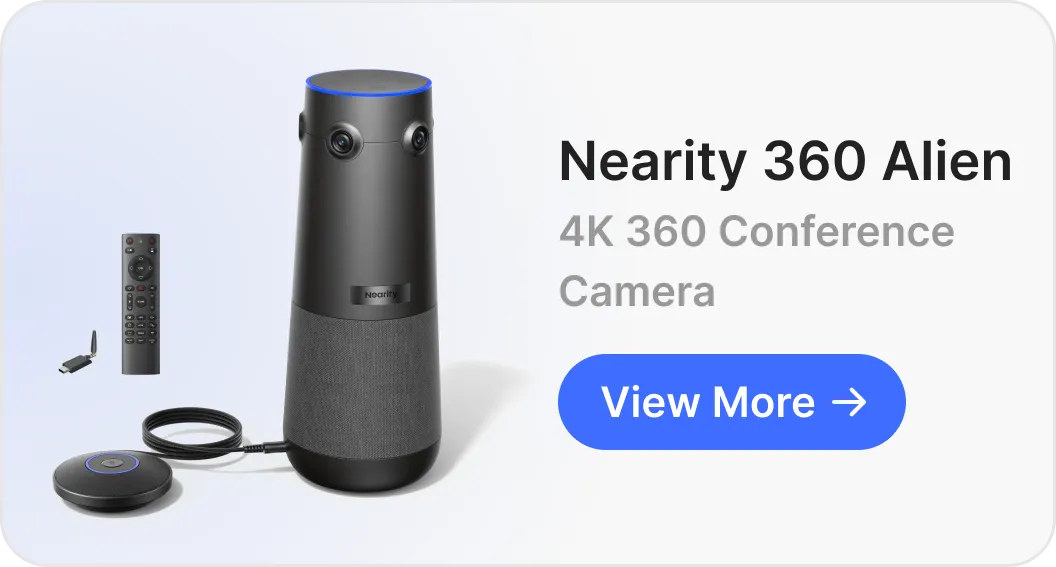
Advanced: Multi-camera arrays with AI-powered speaker tracking, noise cancellation, and beamforming microphones that pick up voices from 15+ feet. (+$800–$1,500)
An all-in-one board with integrated AV at a $1,000 premium may replace a $2,000 dedicated video conferencing system, saving net budget while reducing cable complexity.
6. Brand and Build Quality
Established brands (SMART Technologies, Microsoft, Cisco) command premium pricing because of decades of institutional trust, extensive warranty networks, and specialized software ecosystems. Newer entrants (NearHub, Vibe) typically offer comparable hardware specifications at 20–40% lower prices by avoiding legacy infrastructure overhead.
Standard warranties run 1–2 years. Extending to 3–5 years with on-site service typically adds 10–20% to the base hardware cost. Evaluate this based on your internal IT capacity. Schools with limited technical staff often find extended warranties pay for themselves with a single service call.
Hidden Costs: How Much Do Smartboards Cost Over Their Lifetime?
A savvy buyer looks beyond the initial purchase price and considers the Total Cost of Ownership (TCO). This is where the true cost of a smart board reveals itself.
1. Installation and Mounting
You can’t just lean an 86-inch, 150-pound display against a wall. It needs to be securely mounted.
Wall Mount: This is the most common and affordable option. The mount itself might cost $100 - $300.
Mobile Stand: A heavy-duty, rolling stand provides flexibility to move the board between rooms. These can cost anywhere from $300 to $1,000+, depending on their sturdiness and features like electronic height adjustment.
Professional Installation: Unless you’re very handy and have help, you’ll want a professional to install it. This ensures it’s secure and level. Expect to pay $400 - $800 for professional installation, depending on your location and the complexity of the wall (e.g., drywall vs. concrete).
2. Training and Professional Development
The most expensive smart board is one that nobody uses. If your team or teachers don’t know how to use the device, it becomes a very expensive wall decoration. Factor in the cost of training. Some companies charge for this, while others, like NearHub, focus on creating an intuitive user experience that minimizes the learning curve. A successful whiteboard session depends on the presenter’s confidence with the tool.
3. Maintenance, Warranty, and Support
What happens if something goes wrong?
Warranty: Check the length and terms of the warranty. A standard warranty is 1-3 years. A longer warranty is a sign of the manufacturer’s confidence in their product quality.
Support: Is customer support free and easy to reach? Some companies charge for premium support tiers. NearHub prides itself on responsive, accessible support for all our users.
How Much Does a Smart Board Cost for Different Use Cases?
The “best” board depends entirely on your needs. Let’s look at two common scenarios.
For the K-12 and Higher Education Classroom
Start with what the school can reuse.
If an existing projector provides a readable image and the main requirement is occasional annotation, test whether an input device or software change meets that need. If lessons depend on frequent direct writing, moving objects, or shared work on the screen, an interactive display may meet a different need.
A real teaching example is the Institute of Human Anatomy’s use of NearHub S75 for instruction, online course development and demonstrations. That case illustrates a workflow rather than a standard budget or a requirement for every school.
A Hybrid Meeting Room
In a business environment, the priorities are seamless collaboration, professional presentation, and integration with existing workflows, especially video conferencing.
Key Features: A sleek design, superior 4K resolution, integrated high-quality camera and microphone array, one-touch video conference launching (Zoom, Teams, etc.), and easy wireless screen sharing from any device (laptops, phones).
Software Needs: The software must facilitate a productive whiteboard session, allowing teams to brainstorm, annotate over documents, and save and share the results instantly. Integration with corporate tools like Outlook and Google Calendar is a huge plus.
Typical Cost: For a premium 86-inch board with an integrated Windows OPS module, camera, and mic array, you could be looking at $6,000 - $12,000. This all-in-one solution, however, often replaces a separate projector, screen, computer, and conference phone, consolidating costs and simplifying the room.
Smart Board Price Comparison: Top Brands in 2026
The following table summarizes street pricing for popular models as of mid-2026. Prices fluctuate based on volume discounts, promotional periods, and reseller programs.
The NearHub Advantage: How Much Does a Smartboard Cost When You Choose Value?
Now that you understand the landscape, let’s talk about value. At NearHub, we built our company to challenge the old, expensive model. We asked, “How can we provide premium, enterprise-grade features without the inflated price tag and frustrating subscription fees?”
Here’s how we deliver exceptional value:
Transparent, All-in-One Pricing: The price you see for a NearHub board includes the 4K display, the built-in Android OS, the powerful whiteboarding and collaboration software, and a wall mount. No hidden fees. No mandatory subscriptions.
No Software Subscriptions. Ever. This is a big one. The money you save on annual licenses can be reinvested into other critical areas. Our software is powerful, intuitive, and gets regular updates for free.
Premium Features are Standard: We believe features like zero-bonding for a superior writing experience and 4K resolution shouldn’t be expensive upgrades. They are standard on our boards because they create a better user experience.
Flexibility with OPS: We offer optional OPS modules so you can add the full power of Windows to your board, giving you the ultimate flexibility to run any application you need.
When you ask, “How much does a smart board cost?” with NearHub, the answer is simpler: it’s the cost of the hardware, which is packed with value that will last for years to come.
How much does a 65-inch smart board cost?
As a published example, NearHub lists the 65-inch S Pro from $4,299. This is one Windows model, not a universal price for 65-inch boards. Compare computing, AV hardware, software and installation before comparing total budgets.
How much does a smart board cost for a classroom after installation?
The installed price depends on the selected board, mounting requirements, delivery access, software and reusable equipment. Request a room-specific proposal. The classroom smart board cost guide explains how to compare these requirements with existing projection equipment.
Do smart boards require an annual subscription?
Some applications and services do; others are included with the hardware or offer free plans. Ask about whiteboarding, storage, conferencing and device management separately. No mandatory board subscription does not mean every third-party service is free.
Can I use a smart board without a separate computer?
Yes, when the board has built-in computing that supports your applications. NearHub Board S uses an Android-based system; S Pro and Board Max use Windows 11 Pro. Other displays may require an external computer or a compatible computing module.
Is installation included in the price?
Confirm it in writing. A supplied wall bracket and installation labor are separate items. Ask whether the proposal covers delivery to the room, wall preparation, mounting, cabling and any electrical work.
Is a more expensive smart board always better?
No. Additional size, computing, AV hardware or support is valuable only when it meets a requirement. Compare the complete workflow and ownership cost, then test the proposed system under normal room conditions.
Choose Your Setup and Get an Itemized Quote
Start with readable content, compatible applications and the interaction your room needs. Then compare everything required to make the setup work, including installation and recurring charges.