Cisco Webex Boards Alternative: Compare Cisco Board Pro G3 vs. NearHub Board Max
Looking for a Cisco Board Pro G3 alternative?
cisco board pro alternative
cisco board alternative
cisco board pro g3
Updated: Sep 15, 2026 · 8 minutes read
Global Business, Brought Near.
No Installer, No Hassle, Just Works.
Cisco Board Pro G3 and NearHub Board Max take different approaches to the interactive conference room. Cisco combines a display with a dedicated room system and RoomOS, while NearHub runs Windows 11 Pro. The right choice depends on your meeting platform, software requirements, IT environment, and room setup.
Key Takeaways
Cisco Board Pro G3 is an integrated room system built around RoomOS, Cisco's collaboration and room-management ecosystem.
NearHub Board Max takes a Windows 11 Pro approach, combining an interactive display with a full Windows computer and built-in conferencing hardware.
Cisco has the advantage in Webex integration, Teams Rooms certification, networked AV expansion, and enterprise room-system features.
NearHub has the advantage when teams need desktop Windows applications, broader meeting-platform flexibility, 40-point touch, or a 65-inch option.
The two products should be evaluated by room workflow and IT environment rather than camera megapixels or display specifications alone.
Looking for a Cisco Board Pro G3 alternative? The most useful comparison is not simply which interactive display has more features. It is which platform fits the way your meeting rooms are actually operated.
Cisco Board Pro G3 — still called the Webex Board by many people who have used one, which is why "webex board alternative" and "cisco board pro alternative" lead to the same shortlist — is an integrated room system built around RoomOS, Cisco's conferencing hardware, and its Webex and room-management ecosystem. NearHub Board Max takes a different approach: it combines an interactive 4K display and conferencing hardware with a full Windows 11 Pro computer.
One clarification up front, because the naming collides with another industry: this is interactive display hardware for conference rooms, a panel that mounts on a wall and runs meetings. It is not board management or board portal software for directors and governance meetings.
That difference affects almost everything that follows — which applications you can run, how IT manages the device, which meeting platforms you can use, how the room scales, and what you are paying for.
If your organization already runs Webex or CUCM and needs a managed Cisco room system, Cisco Board Pro G3 can be the stronger choice. If your team works primarily in Microsoft Teams or Zoom, needs desktop Windows applications, or wants a more general-purpose interactive display, NearHub Board Max is worth evaluating as an alternative.
Quick answer: Cisco Board Pro G3 is best suited to organizations buying into a dedicated Cisco room-system ecosystem. NearHub Board Max is better suited to teams looking for a Windows-based interactive display that can run desktop applications and multiple meeting platforms.
What Is Cisco Board Pro G3?
Cisco Board Pro G3 is more than a touchscreen display. Cisco describes it as an integrated room system combining the touch display, cameras, speakers, microphones, codec, and mounting options in one device.
The built-in codec is important because it changes the product category. Instead of treating the board as a Windows computer with conferencing software installed, Cisco treats the board as a dedicated room endpoint. RoomOS controls the room experience, while Cisco's camera, audio, AI, and management capabilities are designed around that architecture.
For organizations already using Cisco collaboration infrastructure, this can simplify standardization. Board Pro G3 can work with Cisco Rooms and Webex, can register to Cisco Unified Communications Manager in supported deployments, and can be managed through Control Hub.
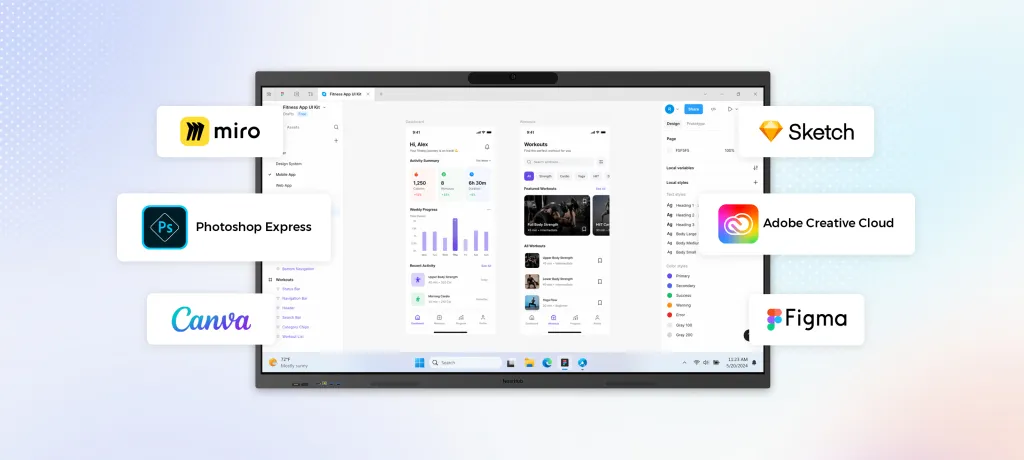
The trade-off is flexibility. RoomOS is not a general-purpose Windows operating system. Applications such as Miro, Mural, Trello, Office 365, and Slido can be used through web or embedded experiences, but desktop Windows software requires another computer.
That distinction is central when comparing Cisco Board Pro G3 with a Windows-based alternative.
Why Look for a Cisco Board Pro Alternative?
Cisco Board Pro G3 is designed for a particular type of room and IT environment. A different product may make more sense when your requirements fall outside that model.
Your organization primarily uses Teams or Zoom
Cisco supports Microsoft Teams and other meeting workflows, but its deepest integration is still tied to the Cisco room ecosystem. If your company standardizes on Teams or Zoom and does not otherwise use Cisco room infrastructure, a Windows-based board can provide a more direct path to the applications your teams already use.
You need desktop Windows applications
This is one of the clearest reasons to consider a Cisco Board Pro alternative.
A room may need more than video calls and web-based whiteboarding. Teams might open Excel files, review Revit models, work in AutoCAD, analyze Power BI dashboards, access SAP, use VDI clients, or work with other Windows software during a meeting.
RoomOS does not provide the same desktop application environment as Windows 11 Pro. A Windows-based interactive display can make the board useful as both a meeting device and a shared computer.
Your IT team already manages Windows devices
Cisco's management model is valuable when Control Hub or CUCM is already part of the organization's infrastructure. But if IT already manages endpoints through Microsoft Intune, domain join, group policy, and other Windows workflows, a Windows-based board may fit more naturally into the existing environment.
You need a 65-inch display
Board Pro G3 is available in 55-inch and 75-inch configurations. NearHub Board Max is available in 55-inch, 65-inch, and 75-inch configurations.
For rooms where 65 inches is the preferred size, the choice can therefore be determined before you compare advanced features.
You do not need a dedicated Cisco room system
The more specialized the room infrastructure, the more useful Cisco's dedicated room-system architecture becomes. For a standard conference room that primarily needs an interactive display, camera, microphones, speakers, and access to existing meeting applications, some of that infrastructure may be unnecessary.
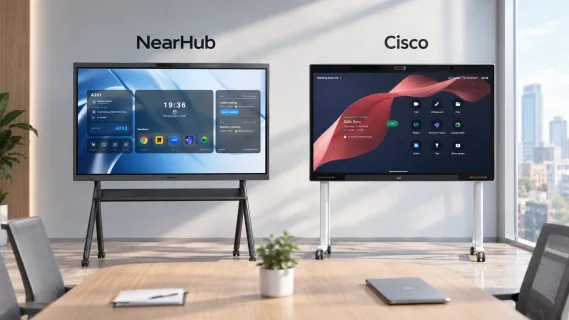
Cisco Board Pro G3 vs. NearHub Board Max
The biggest differences are platform and room architecture rather than screen resolution alone.
Windows 11 Pro( Intel Core i5 processor, 16GB RAM )
Product architecture
Integrated room system with codec
Windows computer + interactive display
Meeting platforms
Cisco Rooms / Webex, Teams, and supported workflows
Teams, Zoom, Webex, Google Meet and other Windows applications
Camera
Dual-lens 96 MP system, 112° wide + tele-lens
4K AI camera, 130°
Main video
Up to 1080p30
Up to 1080p with desktop clients
Content
Up to 4K at 15 fps
4K display
Microphones
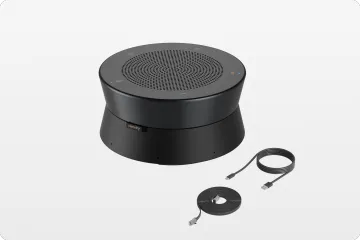
14-element beamforming array
8-element array, rated for 8 m pickup
Touch
10 fingers + 2 active pens
40 points, 5 ms
Sizes
55", 75"
55", 65", 75"
Teams Rooms certification
Yes, including MDEP
No
Management
Control Hub / CUCM in supported deployments
Microsoft Intune and Windows management workflows
Wall mount
Included
Included
Warranty
1-year limited
12 months
Two rows in that table are closer than they look. Both boards ship with a wall mount, and a 1-year limited warranty and a 12-month warranty are the same length — warranty should not decide this purchase.
Beyond that, the table shows why neither product is simply a universal replacement for the other.
Cisco concentrates more capability into a dedicated room endpoint. NearHub puts more emphasis on the flexibility of Windows as the underlying platform.
The Biggest Difference: RoomOS vs. Windows 11 Pro
For many buyers, the operating system matters more than the camera specification.
RoomOS: a dedicated room experience
Cisco Board Pro G3 uses RoomOS and a Chromium-based web engine. The platform is designed around meetings, collaboration, room control, and managed deployment rather than general-purpose computing.
This has an advantage: the room can behave like a dedicated appliance. Users do not need to think about a conventional Windows desktop before joining a meeting.
It also creates a boundary. Web-based and embedded applications are available, but desktop Windows applications are not natively supported.
Windows 11 Pro: a general-purpose computing environment
NearHub Board Max runs Windows 11 Pro on an Intel Core i5 platform with 16 GB of RAM and 256 GB of storage.
That means the board can be used for more than conferencing and web-based collaboration. Teams can install and use Windows applications such as desktop Office software, AutoCAD, Revit, Power BI Desktop, Bluebeam, VDI clients, and other compatible software.
This is especially useful in rooms where the display is expected to support actual work rather than simply present meeting content.
The distinction can be summarized simply:
Cisco Board Pro G3: a room system with an interactive display.
NearHub Board Max: an interactive display that also functions as a Windows computer and conferencing endpoint.
Camera and Audio: Cisco Has the Hardware Advantage
A Cisco Board Pro alternative should not be positioned as automatically better in every specification.
Cisco Board Pro G3 has a dual-lens 96 MP camera system consisting of a 112° wide lens and a tele-lens. Cisco also uses AI capabilities for framing and speaker views. Its 14-element beamforming microphone array provides more microphone hardware than NearHub's 8-element array.
For large rooms, long tables, or deployments that need additional Cisco cameras and networked microphones, these capabilities can matter.
NearHub Board Max takes a simpler approach with a 4K 130° camera and an 8-microphone array rated for 8-meter pickup. Its AI Gallery View is designed to frame remote participants more naturally, while the wider camera helps cover a typical conference room.
One important point is that camera sensor resolution should not be confused with the resolution remote participants receive. Cisco's main video output is up to 1920 x 1080 at 30 fps despite its 96 MP sensor. The additional sensor resolution primarily supports framing and cropping rather than sending a 96 MP video stream to the other side of the call.
For most buyers, the practical question is therefore not simply "Which camera has more megapixels?" It is whether the room needs Cisco's advanced camera architecture and expansion options or whether a built-in wide-angle AI camera is sufficient.
Touch and Collaboration: Capacity vs. Precision
The two boards also take different approaches to interactive work.
Cisco Board Pro G3 uses projected capacitive touch with support for 10 fingers and two active pens. The design emphasizes precise pen interaction, palm rejection, and a more refined writing experience.
NearHub Board Max uses infrared touch with up to 40 simultaneous touch points and a 5 ms response time.
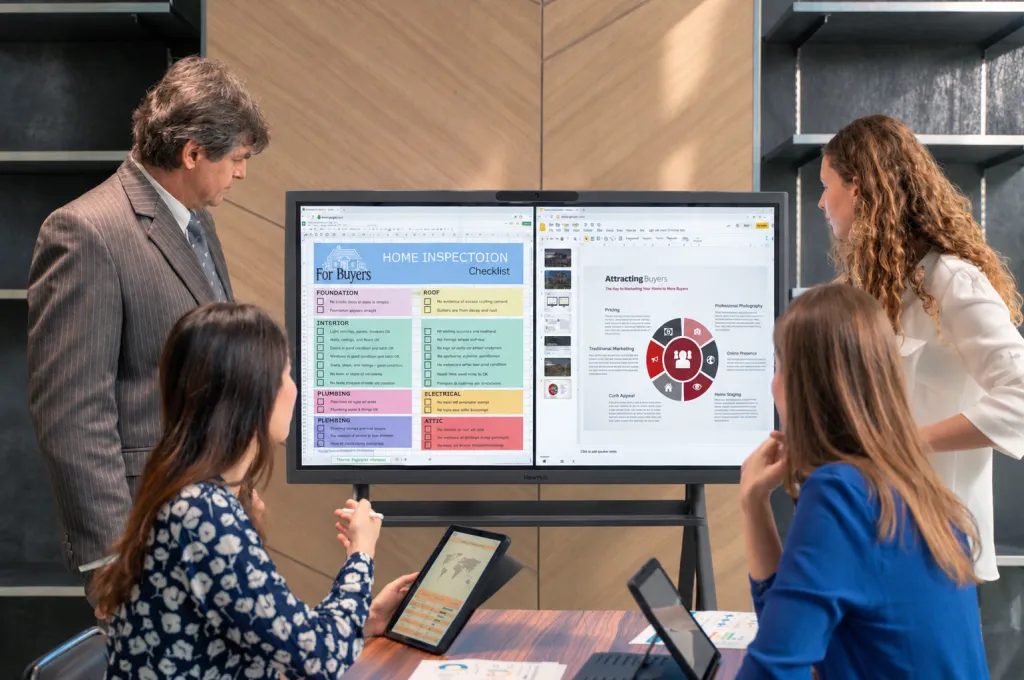
For a normal meeting with one or two people annotating a document, the difference may not be significant. For workshops, training sessions, and collaborative exercises where several people interact with the display simultaneously, 40-point touch provides more capacity.
The better choice depends on the room's workflow. Detailed individual writing may favor Cisco's capacitive approach, while multi-user interaction favors NearHub's higher touch capacity.
Management: Control Hub vs. Windows IT Workflows
Management is another area where the two products are designed for different environments.
Cisco Board Pro G3 can be managed through Control Hub, while supported on-premises deployments can use Cisco Unified Communications Manager. This makes sense for organizations that already have Cisco room infrastructure and a team responsible for collaboration endpoints.
NearHub Board Max follows a Windows management model. It can fit into workflows using Microsoft Intune, domain join, group policy, and identity systems such as Okta or Azure AD.
Neither approach is inherently better. The question is which management plane your IT team already operates.
If Control Hub is already managing dozens or hundreds of Cisco rooms, Cisco's management ecosystem is a major advantage. If the same IT team manages laptops and other Windows endpoints through Intune, adding a Windows-based board can reduce the number of operating environments they need to maintain.
When Cisco Board Pro G3 Is Still the Better Choice
There are several situations where switching to a Cisco Board Pro alternative would make little sense.
Your organization is standardized on Webex or CUCM
If Webex and Cisco room infrastructure are already the company's standard, Board Pro G3 fits directly into that environment. Replacing it with a different platform can introduce another management and support model without solving an actual problem.
You need Teams Rooms certification
Cisco Board Pro G3 is Microsoft Teams Rooms certified, including MDEP. NearHub Board Max is not certified for Teams Rooms or Zoom Rooms.
If formal certification is a procurement requirement, this is a meaningful distinction rather than a minor feature difference. Our Teams Rooms hardware guide covers what certified room deployments typically involve.
Your rooms require networked AV expansion
Cisco can extend its room architecture with additional components such as Room Vision PTZ cameras and digital Table or Ceiling Microphone Pro units. Cisco documents support for up to eight digital microphone units in the relevant configuration.
This matters in long rooms, divisible spaces, training environments, and other installations where one all-in-one camera and microphone array may not be enough.
You have a dedicated AV or UC team
A dedicated Cisco infrastructure can be valuable when there is an internal team responsible for room configuration, monitoring, troubleshooting, security, and fleet management.
In that environment, the additional Cisco capabilities are more likely to translate into operational value.
When NearHub Board Max Makes More Sense
NearHub becomes more compelling when the room needs a computer as much as it needs a conferencing system.
You need desktop applications
If employees need to open full Windows applications directly on the board, Windows 11 Pro is the fundamental advantage.
This can include design reviews in AutoCAD or Revit, document work in Microsoft Office, data analysis in Power BI Desktop, PDF workflows in Bluebeam, or access to Windows-based VDI environments.
Your company uses multiple meeting platforms
NearHub Board Max can run the desktop clients for Teams, Zoom, Webex, Google Meet, and other compatible Windows applications.
That makes the board less dependent on one meeting-platform ecosystem. If an organization changes its meeting platform later, the hardware can continue to run the new software rather than requiring a room endpoint designed around the previous platform.
Your IT environment is Windows-based
If endpoint management already revolves around Microsoft Intune and Windows administration, a Windows-based board can be easier to integrate into existing processes.
You need higher simultaneous touch capacity
For collaborative workshops and training, 40-point touch at 5 ms provides more simultaneous interaction than Cisco's 10-finger plus two-pen configuration.
Cisco Board Pro G3 Price vs. NearHub Board Max
Price should be evaluated carefully because Cisco does not publish list pricing on its own site in the source material used for this article. The figures below are reseller or published product prices and should be confirmed before purchase.
Product
Configuration
Listed price
Cisco Board Pro G3
75"
$21,023
Cisco Board Pro G3
75"
EUR 22,637 excl. VAT
Cisco Board Pro G3
55"
Approx. EUR 14,634
Microsoft Surface Hub 3
50"
$9,499.99
Microsoft Surface Hub 3
85"
$22,999.99
NearHub Board Max
55"
$3,499
NearHub Board Max
65"
$4,499
NearHub Board Max
75"
$7,499
At the cited 75-inch prices, Cisco is $13,524 higher than NearHub before considering any additional service or licensing requirements.
However, price should not be treated as a simple quality ranking. Cisco's price reflects a more specialized room-system architecture, including its codec, AI compute, camera system, microphone array, speaker system, and enterprise room-management capabilities.
The better question is whether your organization needs those capabilities.
When comparing quotes, ask for a three-year total that includes hardware, meeting-platform licenses, optional software, service, installation, and any room expansion components. That provides a more useful comparison than hardware price alone. Our smart board cost guide breaks down the line items that usually get missed in a multi-room rollout, and the Board Max product page carries current configuration and promotions.
Cisco Board Pro G3 vs. NearHub: Which Fits Your Room?
Use the room itself as the decision framework.
If your situation is…
Better fit
Your organization runs Webex or CUCM
Cisco Board Pro G3
Teams Rooms certification is mandatory
Cisco Board Pro G3 or Surface Hub 3
You already manage Cisco rooms through Control Hub
Cisco Board Pro G3
You need a Windows desktop application environment
NearHub Board Max
Teams or Zoom is your primary meeting platform
NearHub Board Max
You need a 65-inch interactive display
NearHub Board Max
IT primarily manages endpoints through Intune
NearHub Board Max
Multiple meeting platforms are used across the company
NearHub Board Max
Multiple users need to interact with the board at once
NearHub Board Max
This approach is more useful than declaring one board the overall winner. The products are optimized for different environments.
What About Microsoft Surface Hub 3?
Surface Hub 3 is another product buyers may encounter when comparing high-end interactive meeting displays.
Its main distinction is the Microsoft ecosystem. Surface Hub 3 runs Teams Rooms on Windows and can be configured to Windows 11 Pro or Enterprise. Microsoft documents 50-inch and 85-inch configurations.
That makes Surface Hub 3 particularly relevant when an organization wants first-party Microsoft hardware and Teams Rooms certification while retaining a path to Windows configuration.
The size options are also different from both Cisco and NearHub: Surface Hub 3 focuses on 50 and 85 inches, while Cisco offers 55 and 75 inches and NearHub offers 55, 65, and 75 inches.
For a buyer choosing among these three, the operating environment is often the simplest starting point:
Cisco Board Pro G3: Cisco/Webex room ecosystem and dedicated room-system architecture.
Surface Hub 3: Microsoft/Teams ecosystem with a Windows configuration path.
NearHub Board Max: Windows 11 Pro out of the box with broader desktop application flexibility.
How to Evaluate a Cisco Board Pro Alternative
Before replacing Cisco or selecting a new room board, ask these seven questions:
Which meeting platform is the room standardized on? Webex, Teams, Zoom, or a mixture?
Is formal Teams Rooms or Zoom Rooms certification required?
Does the board need to run desktop Windows applications?
Which management platform does IT already use? Control Hub, CUCM, Intune, or another system?
Does the room need networked microphones or additional PTZ cameras?
Which display size actually fits the room?
What is the three-year total cost, including licenses, service, installation, and accessories?
These questions usually narrow the shortlist faster than comparing dozens of specifications.
Is NearHub Board Max the Right Cisco Board Pro Alternative?
NearHub Board Max is a strong Cisco Board Pro G3 alternative when the priority is Windows flexibility rather than Cisco room-system integration.
It is particularly worth considering when:
Your organization primarily uses Microsoft Teams or Zoom.
Employees need desktop Windows applications directly on the interactive display.
IT already manages Windows endpoints through Intune or similar tools.
You need a 65-inch option.
Multiple users need to interact with the screen simultaneously.
You want one device that can function as an interactive display, Windows computer, and conferencing endpoint.
Cisco Board Pro G3 remains the better choice when Webex, CUCM, Control Hub, certified room-system requirements, or networked AV expansion are central to the deployment.
The key takeaway is therefore not that one board is universally better. Cisco Board Pro G3 and NearHub Board Max solve different room-system problems.
If your organization needs Cisco's room infrastructure, the Cisco premium can be justified. If your room needs the flexibility of Windows 11 Pro and existing Teams or Zoom workflows, NearHub offers a different path with fewer platform constraints.
FAQs
What is the best Cisco Board Pro alternative?
There is no single best alternative for every organization. NearHub Board Max is a strong option for teams that need Windows 11 Pro, desktop applications, Teams or Zoom flexibility, a 65-inch size, and 40-point simultaneous touch. Cisco Board Pro G3 remains the better fit for Webex or CUCM environments, certified room-system requirements, and rooms that need Cisco's networked AV expansion.
Is the Webex Board the same as the Cisco Board Pro?
In practical terms, yes. Webex Board was Cisco's name for this product line, and the current generation is the Cisco Board Pro G3. Many IT teams still call it the Webex Board, which is why "webex board alternative" and "cisco board pro alternative" lead to the same shortlist. This is interactive display hardware for conference rooms, not board management or board portal software.
How much does the Cisco Board Pro G3 cost?
A US reseller listing shows the 75-inch Cisco Board Pro G3 at $21,023. European dealer pricing lists the same model at EUR 22,637 excluding VAT and the 55-inch model at approximately EUR 14,634. Cisco does not publish list pricing on its own site, so confirm current pricing and the complete license and service package with a reseller.
Can the Cisco Board Pro G3 run Windows applications?
Not natively. Cisco Board Pro G3 runs RoomOS with a Chromium-based web engine, so Miro, Mural, Trello, Office 365, and Slido run as web or embedded apps. Desktop Windows software such as AutoCAD, Power BI Desktop, SAP GUI, or a Windows VDI client requires a separate Windows computer.
Is the NearHub Board Max certified for Microsoft Teams Rooms?
No. Cisco Board Pro G3 is Microsoft Teams Rooms certified, including MDEP. NearHub Board Max is not certified for Teams Rooms or Zoom Rooms; it runs the full desktop Teams, Zoom, Webex, and Google Meet clients on Windows 11 Pro. If formal certification is a procurement requirement, this distinction should be settled before purchase.
Final Takeaway
Choosing a Cisco Board Pro alternative should start with the room's operating model, not the specification sheet.
Choose Cisco Board Pro G3 when you need:
Webex or CUCM integration
Cisco Control Hub management
Microsoft Teams Rooms certification
Advanced camera and microphone expansion
A dedicated enterprise room-system architecture
Consider NearHub Board Max when you need:
Windows 11 Pro
Desktop Windows applications
Teams, Zoom, Webex, and other Windows meeting clients
40-point touch at 5 ms
A 65-inch display option
Windows-oriented IT management
An interactive display that can also function as a general-purpose computer
The right Cisco Board Pro alternative is therefore not necessarily the board with the lowest price or the largest specification sheet. It is the board whose operating system, meeting platform, management model, and room capabilities match the environment you already have — or the one you are planning to build.