NearHub Board Max vs Meeting Owl 3 and 4+: Which Fits Your Meeting Room?
A buyer-focused comparison of the NearHub Board Max interactive smart board and the Meeting Owl 3 and Owl 4+ 360-degree conference cameras, covering framing, speaker tracking, audio, whiteboarding, room fit, and total deployment cost.
meeting owl alternative
meeting owl camera
all in one video conferencing system
Updated: Nov 18, 2026 · 8 minutes read
Global Business, Brought Near.
No Installer, No Hassle, Just Works.
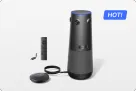
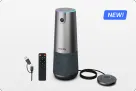
The Meeting Owl 3 ($1,099) and Owl 4+ ($1,999) are strong 360-degree tabletop cameras for round-table discussion rooms with an existing screen and PC; the Owl 4+ fixes the Owl 3's soft 1080p zoom with 4K. The NearHub Board Max (from $3,399) is a different category: a full interactive system with display, camera, audio, whiteboard, and Windows compute in one device.
If you are shopping for a Meeting Owl alternative, you are probably not just choosing between two conference cameras. You are deciding what kind of meeting room solution best fits your needs: a 360° tabletop conferencing device that enhances how participants are seen and heard, or an all-in-one interactive system that combines a large display, digital whiteboard, built-in Windows PC, and AI-powered conferencing capabilities.
This comparison of the NearHub Board Max vs. Meeting Owl 3 and Meeting Owl 4+ goes beyond basic specifications to help you understand the differences in functionality, real-world user experiences, and overall investment required to build a fully equipped meeting room.
Choose a Meeting Owl if
Your room already has a display and a computer, your team sits around a table, and you mainly need remote participants to see and hear everyone. The Owl 3 covers that at $1,099; the Owl 4+ upgrades the picture to 4K at $1,999.
Choose the Board Max if
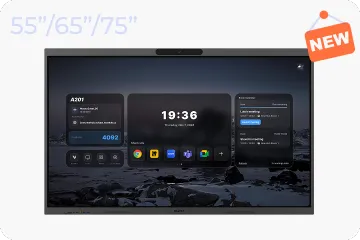
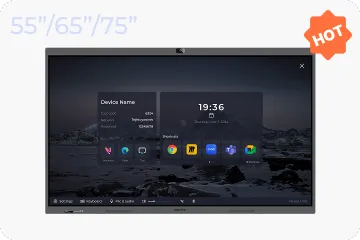
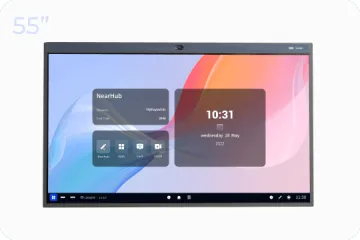
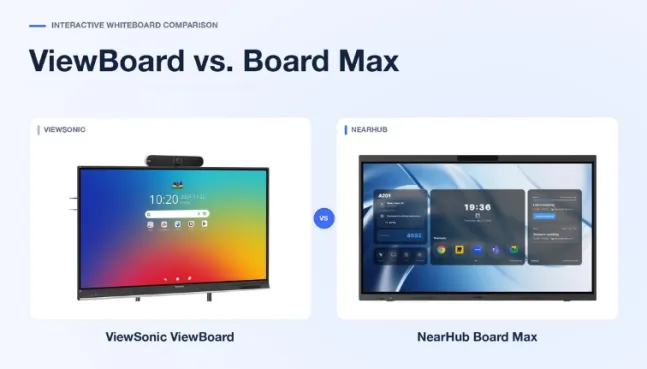
The room needs the whole stack: a 4K touch display, an AI camera, audio, an infinite whiteboard, wireless casting, and a built-in Windows 11 Pro computer. It starts at $3,399 and replaces the multi-device setup an Owl room still depends on.
Spec Comparison at a Glance
Specs below are sourced from the manufacturers' current product pages. Prices reflect US Black Friday promotional pricing at the time of writing. Regular list prices may differ, and promotional offers are subject to change.
Browser-based Web Cast, AirPlay, app casting, and HDMI.
Expansion
Expansion Mic ($249), second Owl
Expansion Mic ($249), pairs with additional Owl devices
Larger panel sizes; no add-on needed for core room coverage
Price
$1,099
$1,999
From $3,399 (55")
Two Different Product Categories, Not Two Rival Cameras
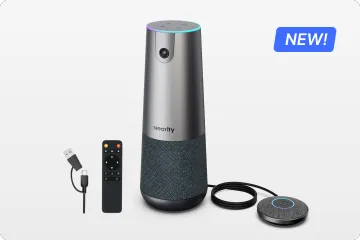
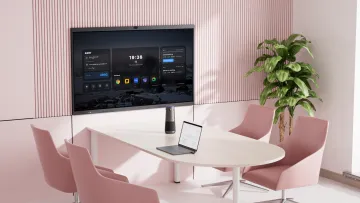
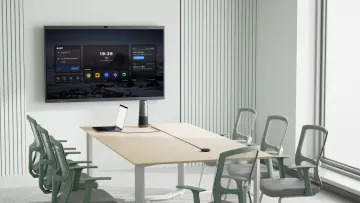
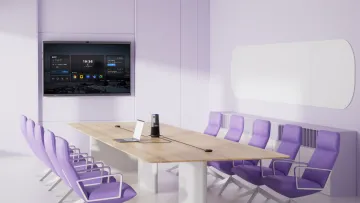
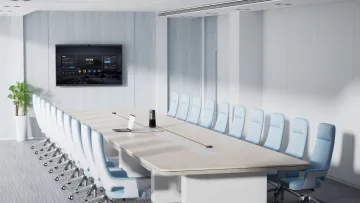
The Meeting Owl 3 and Owl 4+ are audio-video peripherals. They do one job — capture the room — and they do it well. But they assume the rest of the room already exists: a display people can look at, a computer to run Teams or Zoom, and cables tying it together. The NearHub Board Max is a different category: an all in one video conferencing system where the display, camera, microphones, speakers, touch whiteboard, and Windows computer ship as one device.
User feedback summary · IT admin communities such as r/CommercialAV and r/sysadmin
A recurring theme in admin community discussions is that a standalone camera only fixes audio and video. Teams still miss a shared surface for writing, annotating, and brainstorming with remote colleagues — and every added display, room PC, and cable is another connection that can fail five minutes before a meeting.
That distinction should drive your shortlist. If the question is "our room has a screen and a PC, but remote people feel left out," an Owl is a direct answer. If the question is "we are building or rebuilding a collaboration room," comparing device-by-device misses the point — compare complete setups instead.
Camera Placement, Framing, and Video Quality
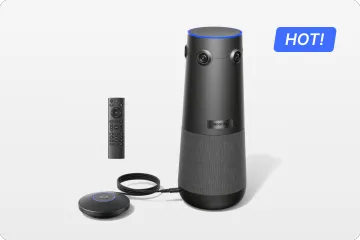
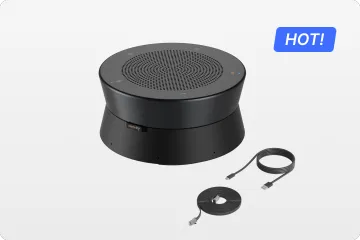
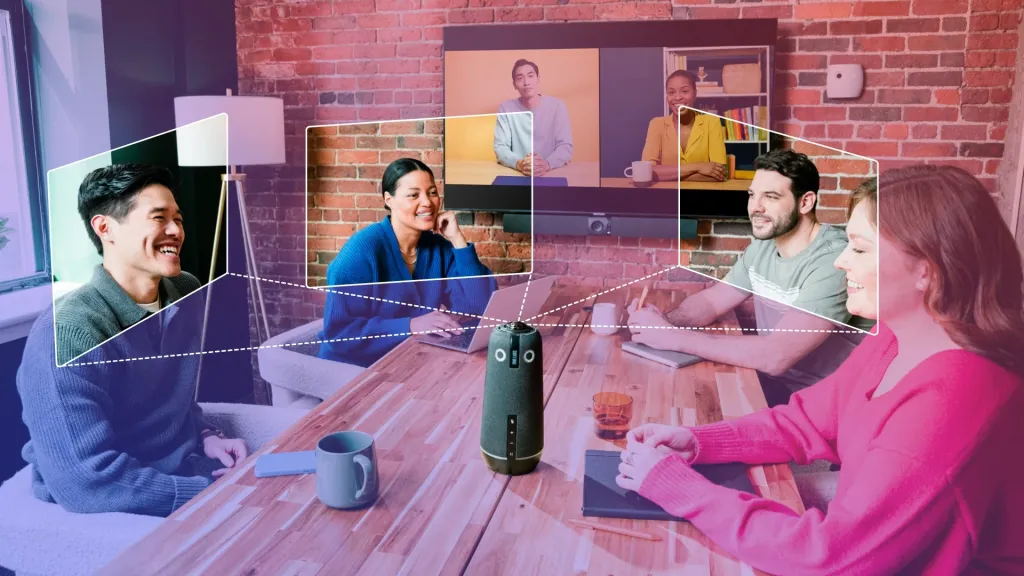
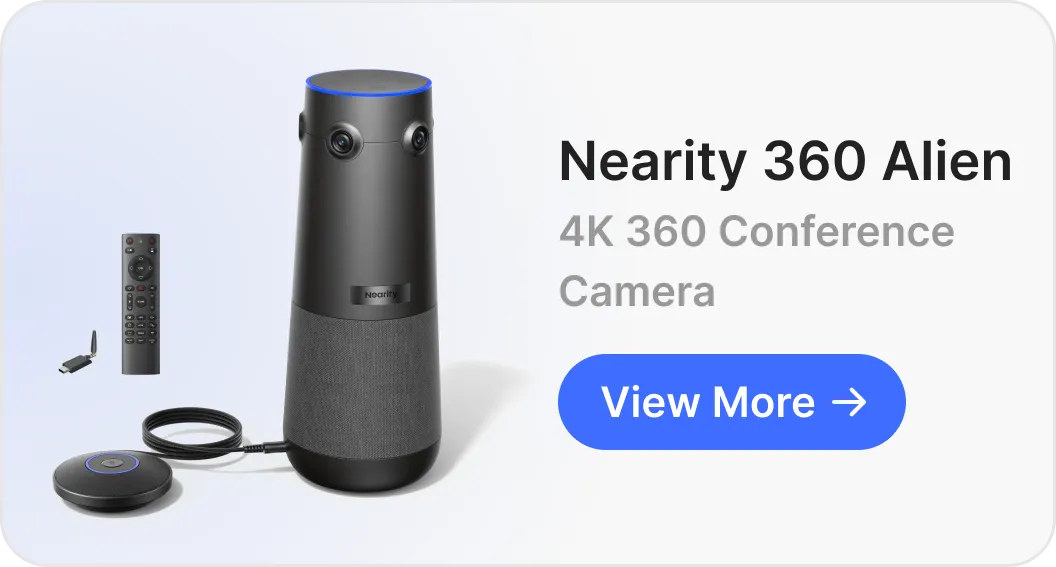
The Meeting Owl's signature is a 360° fisheye camera in the center of the table. For discussion-style meetings where everyone faces inward, it works exactly as promised — remote participants see the whole room, not just whoever sits nearest a front camera.
The 360 view lets remote folks see the whole room instead of just whoever is closest to the camera.
Meeting Owl 3 · 4-star Amazon review · United States · September 2026
Video quality is where the two Owl generations diverge. The Owl 3 outputs 1080p, and because a 360° lens spreads its pixels around the full room, cropping in on one speaker costs sharpness — a point some owners raise.
The video quality itself is just okay, kind of soft and grainy when it zooms in on someone talking.
Meeting Owl 3 · 4-star Amazon review · United States · September 2026
The Meeting Owl 4+ answers that directly with a 64 MP sensor and 4K UHD output, and owners who upgraded tend to confirm the difference.
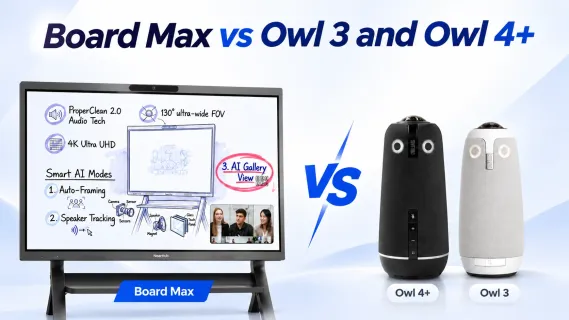
The Board Max takes a different approach to camera placement. It features a front-facing 4K camera with a 130° field of view, positioned above the display to capture participants from the front of the room. Unlike a center-of-table 360° camera, this design is better suited to rooms where participants naturally face the screen, such as presentation rooms, training spaces, and collaborative workspaces.
The trade-off is camera placement: unlike a center-of-table 360° camera, the Board Max cannot capture participants seated behind it, so an Owl may be better suited to round-table discussions. However, when participants naturally face the screen — during presentations, training sessions, and whiteboard collaboration — a front-facing camera aligns with the room's natural direction of attention.
That attention point matters more than spec sheets suggest. With a tabletop Owl, the camera and the screen are in different places, which creates a small but real tension in the room.
You have to look at the Owl and not the screen during a meeting, which is a little distracting.
Meeting Owl 4+ · 4-star Amazon review · United States · August 2025
With the Board Max, the camera sits at the top of the screen people are already watching, so looking at remote colleagues and looking at the camera are the same gesture. If eye contact and content viewing rank high for your team, put this on your demo checklist rather than taking either design on faith.
Speaker Tracking and Audio Coverage
Both Meeting Owl models use the Owl Intelligence System to detect active speakers and dynamically shift the 360° camera view toward whoever is talking. This helps remote participants follow the conversation, but owner feedback suggests that speaker switching can sometimes lag, particularly when multiple people speak at once.
The camera lags a little when switching from a current speaker to a different speaker but we have learned to work through that.
Meeting Owl 4+ · 4-star Amazon review · United States · February 2026
The tracking gets a little screwy if two people talk over each other. It kind of whips back and forth trying to decide who to focus on.
Meeting Owl 3 · 4-star Amazon review · United States · September 2026
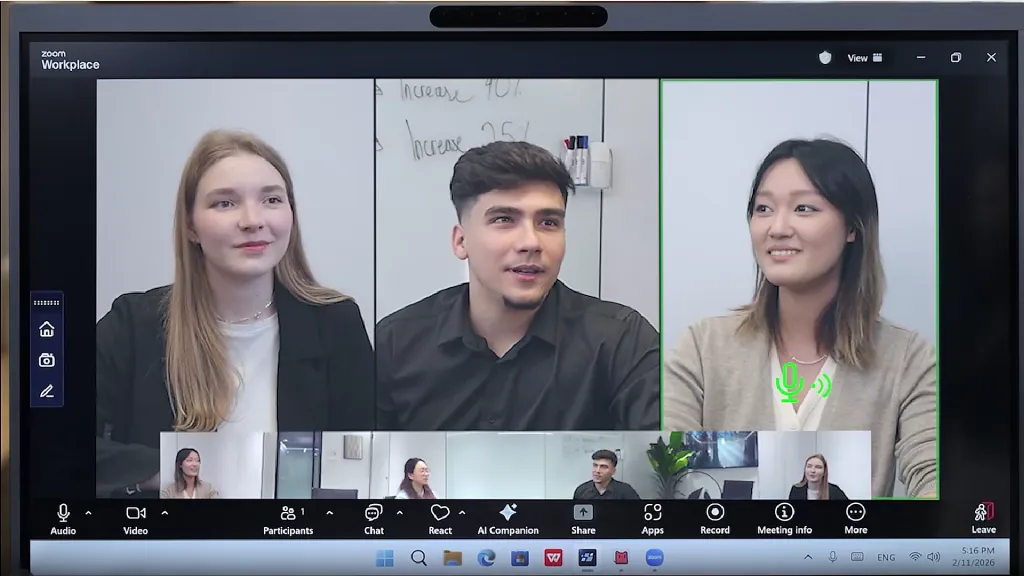
The NearHub Board Max takes a different approach with AI Gallery View. Instead of dynamically switching between active speakers, it uses AI to display each in-room participant in an individual tile, allowing remote attendees to see multiple people simultaneously. This creates a more consistent view of group discussions, making it easier to follow conversations, read facial expressions, and see everyone's reactions without relying on the camera to track one speaker at a time. If you prefer a traditional meeting layout, AI Gallery View can also be turned off during a meeting.
The distinction comes down to what you want remote participants to see: Meeting Owl prioritizes the active speaker, while Board Max prioritizes visibility for every in-room participant. Neither approach is universally better; the right choice depends on whether your meetings benefit more from dynamic speaker-focused views or an always-visible group layout.
On the audio side, the Meeting Owl's 8-microphone array offers an advertised pickup radius of up to 18 ft (5.5 m), which owners frequently praise for its room-wide voice pickup. For longer tables, Owl Labs offers a $249 Expansion Mic that adds another 8 ft (2.5 m) of pickup range. For longer tables, Owl Labs offers a $249 Expansion Mic that adds another 8 ft (2.5 m) of audio pickup range. However, one owner reported that the Expansion Mic improved voice pickup without helping the camera track speakers near the external microphone.
The Board Max takes a more integrated approach, combining its camera, microphone array, and speakers with ProperClean 2.0 audio processing. No additional microphone accessories are needed for standard room coverage.
Whiteboarding and Real-Time Co-Creation
This is the section where the comparison stops being about specs. A Meeting Owl is a capture device: remote participants can watch and hear, but the product itself adds no shared canvas. If your hybrid meetings are mostly status updates and discussions, you may never miss it. If they are brainstorms, design reviews, teaching sessions, or sprint planning, the gap shows up fast — remote colleagues end up watching someone else write on a physical board they can barely see.
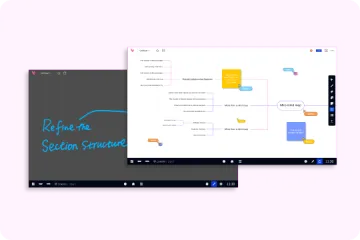
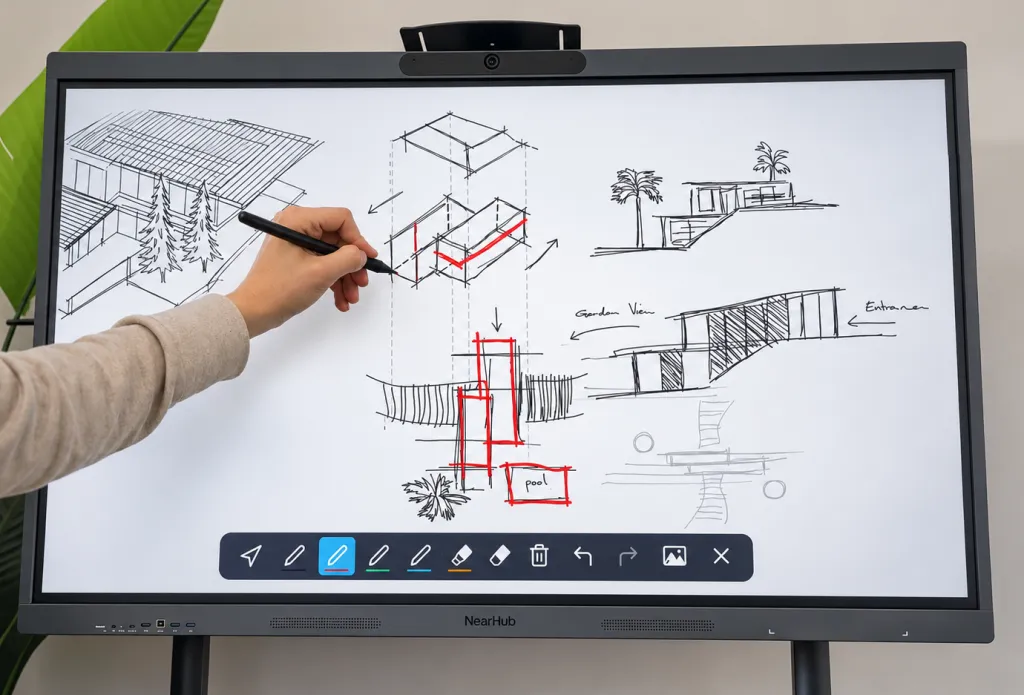
The Board Max features NearHub Canvas, NearHub's own collaborative whiteboarding solution. Its infinite canvas allows in-room and remote participants to share ideas and collaborate in real time. You can upload images and PDFs, then save the completed canvas with one click and share it via email. Best of all, the infinite canvas comes with no subscription fees.
Beyond the whiteboard, NearHub also supports annotation on any open webpage. You can write directly over web content, capture screenshots, and save or share your annotations — making it easy to discuss ideas, highlight information, and preserve important content.
None of this makes the Owl a worse product. It means the two products answer different questions: "can remote people follow the conversation?" versus "can remote people work in the conversation?" Decide which question your team is actually asking before comparing prices.
Room Fit and Setup Reality
The clearest pattern in Owl owner feedback is that room geometry decides satisfaction. Round and square tables with people facing each other are the sweet spot; long, narrow, or open-plan seating is where buyers get cautious.
The best application for an Owl is for conference room tables, NOT for open floor seating.
Meeting Owl 3 · 3-star Amazon review · United States · February 2026
Room type
Better fit
Why
Round / square table discussion
Meeting Owl 3 or 4+
360° center framing sees everyone facing inward
Presentation, training, screen-focused
Board Max
Front camera matches the direction people actually look
Hybrid whiteboard / brainstorm
Board Max
Touch whiteboard and annotation are built in, not bolted on
Long or open-plan space
Test both
Owl owners flag these layouts; Board Max needs panel size matched to distance
Room that changes layout often
Depends on your IT model
A single Owl moves easily; a multi-device Owl room or a wall-mounted board needs re-cabling or a mobile stand
On setup, credit where it is due: the Owl is one of the fastest devices in this category to get into a call.
I had it plugged into the room laptop and in a Teams call in maybe 5 minutes, no drivers or anything weird.
Meeting Owl 3 · 4-star Amazon review · United States · September 2026
But single-device simplicity is not the same as whole-room simplicity. A finished Owl room still needs a display, a host computer, and their cables, each one managed and updated separately. The Board Max trades that flexibility for consolidation: one device, one power cable, and one Windows environment that IT can manage remotely through tools like Microsoft Intune.
Beyond hardware consolidation, Board Max also simplifies everyday room management. Its Room Calendar syncs with Microsoft and Google Calendar, displaying scheduled meetings directly on the board so users can join with a single tap—no need to search for meeting links or manually open invitations. With Windows Kiosk Mode, administrators can lock the board to a designated application, creating a controlled, purpose-specific experience for shared spaces such as meeting rooms, reception areas, or other public-facing environments. Together, these features make Board Max more than an all-in-one meeting device: it becomes a smarter, easier-to-manage workspace.
Which model costs your team less time depends on whether you prefer moving a compact device between rooms or having a fully integrated room that is ready to work whenever people walk in.
Total Cost and Your Pre-Purchase Checklist
List prices only tell the first chapter. The Owl 3 is $1,099 and the Owl 4+ is $1,999, but a deployable Owl room also budgets for a display, a room computer, and — for larger tables — a $249 Expansion Mic or a second paired Owl. The Board Max starts at $3,399 for the 55" model with everything above included, plus a mobile stand if you want it. One Owl 3 owner put the peripheral math bluntly:
This thing is kind of pricey for what is basically a USB camera speaker combo, especially once you look at expansion mics and extra Owls for bigger rooms.
Meeting Owl 3 · 4-star Amazon review · United States · September 2026
Price the configuration, not the hero product. If your room already owns a good display and a managed PC, the Owl path is genuinely cheaper. If you would be buying those anyway, the gap between the two paths shrinks fast.
Whichever direction you lean, verify these items in a real demo and in writing before you buy:
Speaker-switch speed — time the delay when the talker changes, and when two people overlap.
Backlight and distance — test your actual window positions and the farthest seat.
Expansion behavior — if you plan an Expansion Mic, confirm whether it influences framing, not just audio.
Warranty and repair terms — both brands advertise warranty coverage (Owl Labs lists a 2-year warranty and an optional Owl Care plan; NearHub lists a 12-month quality guarantee and 30-day trial).
IT management — confirm fleet tooling for your platform: The Nest for Owl devices, standard Windows management such as Microsoft Intune for the Board Max.
Frequently Asked Questions
Is the Meeting Owl 3 still worth buying, or should I get the Owl 4+?
If your room is small to mid-sized and budget-led, the Owl 3 at $1,099 still delivers the core 360° experience. If remote participants complain about soft or grainy close-ups — the most common Owl 3 criticism in owner reviews — the Owl 4+ at $1,999 is the version that fixes it with a 64 MP sensor and 4K UHD output.
What is a good Meeting Owl alternative for interactive meetings?
If you only need better audio and video, other 360° conference cameras compete with the Owl directly. If the real need is co-creation — writing, annotating, and presenting with remote colleagues — look at interactive boards like the NearHub Board Max, which combine the display, AI camera, audio, whiteboard, and a Windows 11 Pro computer in one device.
Do I need the Expansion Mic with a Meeting Owl?
Only if seats regularly fall outside the 18 ft (5.5 m) pickup radius — typically long tables or large rooms. The $249 Expansion Mic extends pickup by 8 ft (2.5 m), but budget for it upfront and verify in a demo whether the camera framing follows voices from the extended area.
Can a Meeting Owl replace an interactive whiteboard?
No. The Meeting Owl 3 and 4+ capture audio and video only — there is no display, touch input, or shared canvas in the device. Remote participants can watch a physical whiteboard, but they cannot write on it. If hybrid whiteboarding is a core workflow, you need either a separate whiteboard solution or an all-in-one board like the Board Max.
The Bottom Line
The Meeting Owl 3 and Owl 4+ earn their reputation: fast to deploy, strong microphones, and — in the 4+ — a genuinely sharp 4K picture. For a round-table discussion room that already has a screen and a computer, they are a sensible, proven Meeting Owl camera setup. The NearHub Board Max is the answer to a bigger brief: rooms where the display, camera, audio, whiteboard, and computer should arrive as one managed system, and where remote participants need to work on content, not just watch it. Match the product category to the meeting you actually run, price the complete room either way, and test speaker switching and framing in your own space before you sign.