Microsoft Surface Hub vs NearHub: The $6,000 Price Gap Is Only the Start
Compare Microsoft Surface Hub 3 vs NearHub Board Max by price, Windows support, screen sizes, video conferencing, casting, hardware and deployment cost.
interactive whiteboard
smart board
video conferencing
Updated: Sep 30, 2026 · 10 minutes read
Global Business, Brought Near.
No Installer, No Hassle, Just Works.
For organizations requiring multi-platform video conferencing and unrestricted Windows app support, NearHub Board Max delivers superior flexibility at a lower price point. For all-Microsoft enterprises with unlimited budgets and no need for third-party apps, Surface Hub 3 offers deeper M365 integration despite its November 2025 End-of-Production announcement.
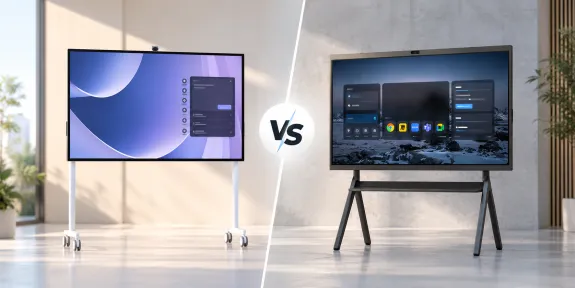
Microsoft Surface Hub 3 and NearHub Board Max are both large-format interactive displays designed for hybrid meetings, whiteboarding, presentations, and team collaboration. But they approach the meeting room differently.
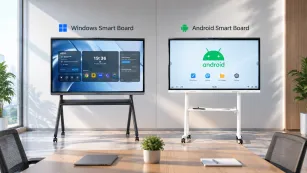
Surface Hub 3 is built around the Microsoft Teams Rooms experience and the Microsoft 365 ecosystem. NearHub Board Max runs Windows 11 Pro as a standard desktop operating system, giving organizations more flexibility to install Windows software and work across different meeting platforms.
Price is another major difference. Microsoft currently lists the Surface Hub 3 50-inch model at $9,499.99, while NearHub Board Max starts at $3,499 for the 55-inch model.
But price alone does not determine which system is the better fit.
For IT teams, facilities managers, and procurement leaders, the bigger questions are:
Which operating system fits your existing IT environment?
Do you primarily use Microsoft Teams, or multiple meeting platforms?
Do you need standard Windows desktop applications on the display?
How important are screen-size options and wireless casting?
What does deployment look like across multiple rooms?
This comparison breaks down the practical differences between Microsoft Surface Hub 3 and NearHub Board Max.
Microsoft Surface Hub 3 vs NearHub Board Max: Quick Comparison
Feature
NearHub Board Max
Microsoft Surface Hub 3
Starting Price
From $3,499 for 55"
$9,499.99 for 50"
Available Sizes
55", 65", 75" configurations
50", 85"
Operating System
Windows 11 Pro
Windows 11 IoT Enterprise with Microsoft Teams Rooms on Windows
Standard Windows Desktop
Included by default
Available by migrating to Windows 11 Pro or Enterprise
Memory
16GB
32GB
Storage
256GB
512GB
Display
4K touchscreen
4K / 4K+ PixelSense touchscreen
Camera
Built-in 4K AI camera
Surface Hub Smart Camera included
Microsoft Teams
Supported
Deep Teams Rooms integration
Zoom
Native Windows app/browser workflows
Direct Guest Join in Teams Rooms; additional options under Windows 11 Pro
Webex
Native Windows app/browser workflows
Direct Guest Join in Teams Rooms; additional options under Windows 11 Pro
Google Meet
Browser / Windows workflow
Browser-based depending on configuration
Windows Desktop Apps
Standard Windows app environment
Requires Windows 11 Pro/Enterprise configuration for traditional PC use
Apple Screen Sharing
Built-in AirPlay support
No native AirPlay workflow
Pen
Included
1 pen with 50", 2 pens with 85"
Best Fit
Mixed-platform Windows environments
Microsoft Teams Rooms-focused environments
The bottom line: NearHub Board Max wins on every dimension except one scenario: an organization already 100 percent committed to Microsoft, with no need for non-Microsoft video conferencing, and treats budget as a non-constraint. For everyone else, the NearHub Board Max is the rational choice.
Who Should Choose What
We do not hedge. Here are the binary decision rules.
Choose NearHub Board Max If…
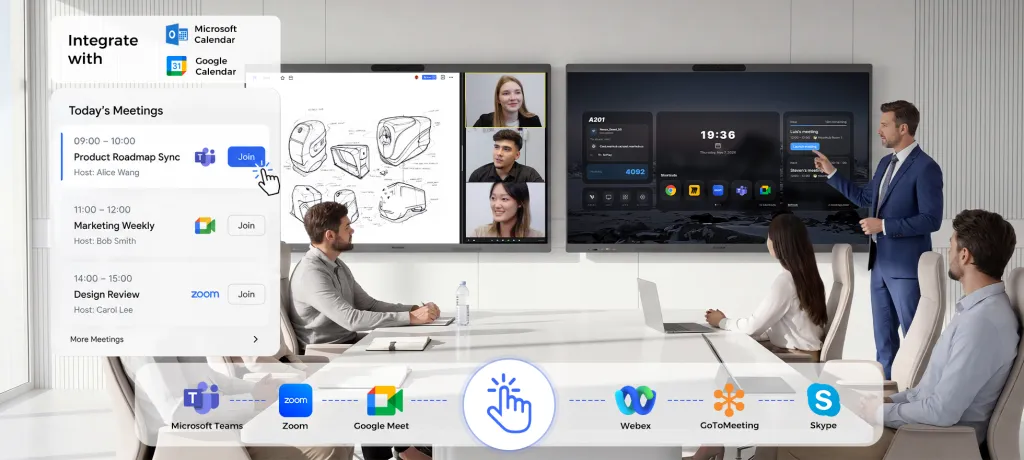
Your organization runs video calls on more than one platform (Teams, Zoom, Google Meet, or Webex).
You need to install and run standard Windows desktop applications on the conference room display.
You want wireless casting that works for Mac, iPad, Windows, Android, and Chromebook users without extra adapters.
You are budget-conscious or need to deploy multiple units across several rooms.
You use Google Workspace or need calendar integration beyond Microsoft Exchange.
You want a portable stand with lockable wheels included at no extra charge.
You are concerned about buying hardware that has already reached End-of-Production.
Choose Surface Hub 3 If…
Your entire organization lives inside Microsoft 365, uses only Microsoft Teams for video conferencing, and has no plans to change.
You have an unlimited hardware budget and do not mind paying $480 per year per device for a Teams Rooms license.
You require deep, native integration with Microsoft Whiteboard, OneDrive, and SharePoint at the OS level.
You are willing to accept the UWP limitation that blocks all classic Win32 business software.
Your procurement policy mandates Microsoft-only hardware vendors.
If you are still unsure, keep reading. The scenario and specification tables below will place you into one of these two buckets with certainty.
Scenario-Based Winner
Different rooms have different needs. Here is how the two devices perform in four realistic deployment contexts.
Scenario
NearHub Board Max
Surface Hub 3
Winner
Why
All-Microsoft Enterprise
Runs Teams natively; full M365 apps available
Deep OS-level M365 integration; Teams Rooms optimized
Surface Hub 3
If you will never use Zoom, Google Meet, or non-UWP apps, Surface Hub's native integration is tighter.
Mixed environments are where Surface Hub's restrictions become daily friction.
Budget-Conscious Upgrade
$3,499 entry; stand included; no mandatory license
$9,499 entry; stand $1,449 extra; $480/year license
NearHub Board Max
The three-year total cost of ownership for one Surface Hub 50" equals nearly three NearHub 55" units.
Multi-Vendor Video Conferencing
Four native conferencing apps; HDMI Cast for guest laptops
Teams and Skype only; guest sharing requires Miracast
NearHub Board Max
If your clients, vendors, or partners use Zoom or Meet, Surface Hub creates a wall.
All-Microsoft Enterprise
In a company where every employee has an Office 365 E5 license, every meeting is scheduled via Outlook, and every video call runs through Teams, the Surface Hub 3 is a purpose-built appliance. The Windows 11 Teams OS shell puts Teams Rooms front and center. Users tap once to join. Whiteboards sync to OneDrive automatically. For this single scenario, the ecosystem lock-in is not a bug; it is a feature.
But that scenario is narrower than most IT departments assume. Even all-Microsoft enterprises often have external legal counsel, auditors, or clients who prefer Zoom. When those guests arrive, the Surface Hub becomes a $9,499 monitor that cannot host their call.
Mixed-Platform Team
This is where the NearHub Board Max dominates. Because it runs Windows 11 Pro, it is a full PC with a 4K touchscreen. You can install Zoom Rooms, Google Meet, and Webex directly from their websites or the Microsoft Store, just like you would on any office desktop. You can also run AutoCAD, Tableau, or your proprietary line-of-business software without worrying about the UWP limitation.
Wireless casting is another differentiator. The NearHub Board Max supports AirPlay for Apple users, Web Cast for guests who do not want to install software, Tail Cast for NearHub's native protocol, App Cast for app-based sharing, and HDMI Cast for zero-latency wired connections. Surface Hub 3 relies primarily on Miracast, which corporate firewalls and Mac networks often block.
Budget-Conscious Upgrade
If you are a school district, a startup, or a mid-size business outfitting four to ten conference rooms, the arithmetic is brutal.
NearHub Board Max 55": $3,499 per unit. Portable stand included. No mandatory annual fee.
Surface Hub 3 50": $9,499 per unit. Stand: $1,449. Teams Rooms license: $480 per year.
Over three years, one Surface Hub 3 costs $9,499 + $1,449 + ($480 × 3) = $12,388. One NearHub Board Max costs $3,499. You could deploy three NearHub units for the price of one Surface Hub and still have budget left for installation. For buyers reading our best interactive whiteboard guide, this price gap is the deciding factor in multi-unit rollouts.
Multi-Vendor Video Conferencing
Law firms, consulting agencies, and healthcare systems do not get to dictate which platform their clients use. A consulting firm that standardizes on Teams may still have a retail client that schedules all meetings via Zoom. A hospital using Webex for telehealth may need to interface with a pharmacy chain on Google Meet.
The NearHub Board Max treats these transitions as normal. You tap the Zoom Rooms icon, then later tap Teams. The Surface Hub 3 treats them as unsupported. You would need to bring in a separate laptop, connect it via HDMI, and bypass the $9,499 computer sitting in front of you. That is not a workflow; it is a workaround.
Detailed Specification Comparison
Numbers only tell part of the story. Below is a side-by-side comparison of official parameters, followed by what each parameter actually affects when the device is used in a real conference room.
8-microphone array, AI noise reduction, AGC, full-duplex, 8 m pickup range
8-microphone array with noise suppression
Video Conferencing
Native Teams, Zoom Rooms, Google Meet, Webex
Native Teams, Skype
App Support
Full Win32 and UWP (1,000+ apps)
UWP only; no Win32 desktop apps
Wireless Casting
AirPlay, Web Cast, Tail Cast, App Cast, HDMI Cast
Miracast; no AirPlay
Calendar
Google Calendar, Exchange, Office 365
Exchange / Office 365 only
IT Management
Microsoft Intune, SSO (Okta / Azure AD)
Microsoft Endpoint Manager / Intune (limited)
Digital Signage
One-click digital signage mode
Microsoft Teams Rooms digital signage
Included Stand
Portable stand with 4 lockable wheels
Sold separately ($1,449)
Stylus
Magnetic stylus included
Surface Hub Pen (sold separately)
Screen Sizes
55" / 65" / 75" / 86"
50" / 85"
Entry Price
$3,499 (55")
$9,499 (50")
Mandatory License
None
Teams Rooms Pro: ~$480 / device / year
What Each Parameter Actually Affects in Practice
Operating System: Windows 11 Pro is the same operating system running on enterprise laptops and desktops. It means your IT team can apply the same Group Policy objects, deploy the same software packages, and troubleshoot with the same tools they already use. Windows 11 Team OS is a locked-down variant that boots directly into the Teams Rooms shell. Your IT team must learn a separate management paradigm, and end users cannot escape the conference-app wrapper to open a browser, a PDF editor, or a design tool.
Processor: Both devices use Intel Core i5 chips, but the NearHub's 12th Gen architecture provides better performance per watt for general-purpose computing. In practice, this means smoother rendering when you open large PowerPoint files, run interactive 3D models, or switch between four video conferencing apps during a busy day.
RAM: NearHub Board Max ships with 16 GB of RAM across all sizes. The Surface Hub 3 50" ships with only 8 GB. In practice, 8 GB is sufficient for a single Teams Rooms session but will stutter if you try to run a browser with multiple tabs, a whiteboard app, and a video call simultaneously. The 16 GB on the NearHub allows true multitasking without closing apps to free memory.
Storage: Both devices use fast SSDs, but the 128 GB base on the Surface Hub 3 50" fills quickly if you store whiteboard images, meeting recordings, or cached Teams data. The 256 GB on the NearHub provides more headroom for app installations and local file storage before IT needs to intervene.
Display and Touch: Both offer 4K resolution, but the NearHub's 40-point multi-touch and 5 ms response time enable smoother handwriting and more responsive pinch-to-zoom gestures when multiple people interact with the screen at once. The 5 ms response time is particularly noticeable during fast stylus drawing, where lag makes handwriting feel unnatural.
Camera and AI Framing: Both cameras offer auto-framing, but the NearHub's 130° ultra-wide field of view captures more of the room in huddle spaces. In practice, this means a small team sitting close to the display will all remain visible without the camera cropping heads at the edges. The Panoramic and Gallery View modes are useful when you want to show both the whiteboard content and the remote participants side by side.
Microphone Array: Both devices use eight microphones, but the NearHub's 8-meter pickup range and AI noise reduction mean it can hear a presenter walking around a medium conference table without requiring a separate audio puck. In practice, this reduces cable clutter and setup time for impromptu meetings.
App Support: This is the most consequential difference. Because the NearHub runs Windows 11 Pro, you can install any application your business already owns: SAP clients, Adobe Creative Cloud, medical imaging viewers, or custom .NET applications. The Surface Hub's UWP limitation blocks all of these. In practice, this means the Surface Hub cannot replace a PC in the room; it can only supplement one.
Wireless Casting: AirPlay support on the NearHub means an executive with an iPhone or MacBook can walk in and mirror their screen in three seconds. On the Surface Hub, that same executive must either install a Miracast adapter, use a wired HDMI connection, or call IT. In practice, this delay happens five to ten times per day in a busy office and erodes the "walk up and use" promise of interactive displays.
Calendar Integration: If your company uses Google Workspace for email and scheduling, the Surface Hub cannot display the room's daily schedule on its welcome screen. The NearHub can. In practice, this means Google Workspace users must manually cross-reference meeting times or maintain a parallel Exchange calendar just for the conference room.
IT Management: Both devices support Microsoft Intune, but the NearHub's full Windows 11 Pro environment also supports Okta and Azure AD SSO out of the box. In practice, this means your identity team does not need to create special conditional access rules or maintain a separate device compliance profile for your conference room hardware.
Included Stand and Stylus: The NearHub includes a portable stand with four lockable wheels and a magnetic stylus at no extra cost. The Surface Hub charges $1,449 for the stand and sells the pen separately. In practice, this means the real entry price for a usable Surface Hub is $10,948 before you have paid for the annual license.
Screen Sizes and Price: NearHub offers four sizes starting at 55 inches, giving buyers a 75-inch or 86-inch option for large training rooms without jumping to the $24,999 Surface Hub 85". In practice, this means a school district can buy a 75-inch NearHub for less than the price of a 50-inch Surface Hub.
Switching Cost and Migration Risk
If you currently own Surface Hub 2 or 3 units and are considering a move to NearHub Board Max, you need to understand the migration landscape. Switching is not free, but it is also not as painful as platform vendors suggest.
Teams Rooms License Cancellation
Microsoft requires a Teams Rooms license for each Surface Hub at approximately $480 per device per year. If you migrate to NearHub, you can cancel these licenses immediately. Because the NearHub runs full Windows 11 Pro, you can install the standard Microsoft Teams desktop client for free. Your existing Teams meetings, channels, and calendars remain unchanged. The only loss is the "Teams Rooms" appliance shell, which NearHub replaces with the full desktop app.
App Reinstallation
Any UWP apps you installed from the Microsoft Store on the Surface Hub can be reinstalled on the NearHub. More importantly, any Win32 apps you could not run on the Surface Hub can now be installed natively. If your organization has a software deployment pipeline via Intune or SCCM, the NearHub will join it just like any other Windows 11 endpoint.
Calendar Migration
If you were maintaining an Exchange calendar solely to feed the Surface Hub's welcome screen, you can now connect the NearHub directly to Google Calendar, Office 365, or both. This often simplifies rather than complicates the calendar architecture.
User Retraining
The biggest switching cost is user habit. Employees accustomed to tapping the Teams Rooms "Join" button on the Surface Hub will now tap the Teams desktop icon on the NearHub. The interface is different but functionally equivalent. For Zoom or Google Meet users, the change is positive: they no longer need a separate laptop to host their calls. IT should plan for a one-hour training session per room during the first week of deployment.
Hardware Disposal
Because Microsoft announced End-of-Production for Surface Hub 3 in November 2025, any Surface Hub hardware you currently own is already on a depreciating timeline. Selling or recycling these units sooner rather than later maximizes residual value. NearHub's portable stand and multiple screen sizes also mean you may be able to redeploy existing room furniture without the custom wall-mounting requirements of the Surface Hub.
For organizations looking at broader market alternatives, our SMART Board alternatives guide covers additional migration paths and disposal strategies.
When to Explicitly NOT Choose NearHub Board Max
We promised conditional honesty. Here are two clear scenarios where the Surface Hub 3 is the better fit.
1. One Hundred Percent Microsoft Ecosystem with Unlimited Budget
If your entire organization is committed to Microsoft 365 for the next decade, you use only Teams for video conferencing, and your procurement team does not bat an eye at a $12,000 per-room budget, the Surface Hub 3 offers a polished, appliance-grade experience. The deep integration between Windows 11 Team OS, Teams Rooms, Microsoft Whiteboard, and OneDrive creates a seamless workflow that general-purpose Windows 11 Pro cannot fully replicate. In this narrow context, the ecosystem lock-in is an advantage, not a liability.
2. Government or Defense Contracts Requiring Microsoft-Only Procurement
Some government agencies, defense contractors, and regulated enterprises operate under procurement policies that mandate Microsoft hardware and software stacks. If your RFP explicitly requires a Microsoft-branded device with Teams Rooms certification, the NearHub Board Max will not qualify on paper, regardless of its technical superiority. In these cases, procurement policy trumps engineering logic, and the Surface Hub 3 is your compliant option.
If neither of these two cases describes your organization, the rational choice is the NearHub Board Max. For additional perspective on how NearHub compares to other non-Microsoft competitors, see our Vibe Board comparison.
Frequently Asked Questions
How much does Microsoft Surface Hub 3 cost?
Microsoft currently lists the Surface Hub 3 50-inch model at $9,499.99 and the 85-inch model at $22,999.99 in the U.S. Microsoft also offers enterprise and education purchasing options, so negotiated pricing may differ from public list prices.
How much does NearHub Board Max cost?
NearHub Board Max currently starts at $3,499 for the 55-inch model. Larger screen sizes cost more, and promotional or enterprise pricing may vary.
Does Surface Hub 3 run Windows 11?
Yes. Surface Hub 3 ships with Windows 11 IoT Enterprise and the Microsoft Teams Rooms on Windows experience.
Microsoft also officially supports migrating the device to Windows 11 Pro or Windows 11 Enterprise.
Can Surface Hub 3 run regular Windows applications?
In its standard Teams Rooms configuration, Surface Hub 3 is designed primarily as a meeting-room appliance.
Microsoft supports converting Surface Hub 3 to Windows 11 Pro or Enterprise, after which it can be used much more like a standard Windows PC. A separate Windows license and deployment process are required.
Can Surface Hub 3 join Zoom meetings?
Yes.
Microsoft Teams Rooms on Surface Hub supports Direct Guest Join for supported third-party meeting services including Zoom and Cisco Webex.
Organizations requiring full desktop meeting applications can also consider converting Surface Hub 3 to Windows 11 Pro or Enterprise.
Can Surface Hub 3 join Webex meetings?
Yes. Microsoft supports Cisco Webex meetings through Direct Guest Join in the Teams Rooms experience.
Does Surface Hub 3 support Google Meet?
Meeting-platform support varies depending on the Surface Hub software configuration and meeting workflow. Organizations that frequently rely on Google Meet should test the required workflow before deployment.
A full Windows 11 environment generally provides more flexibility for browser-based meeting platforms.
Is Surface Hub 3 discontinued?
Microsoft's current lifecycle documentation lists Surface Hub 3 driver and firmware servicing through December 30, 2030.
Buyers should consult Microsoft's latest product availability and lifecycle documentation when making long-term purchasing decisions rather than relying on information about previous Surface Hub generations.
What is a good Microsoft Surface Hub alternative?
Organizations looking for a Surface Hub alternative often compare products based on operating system, meeting-platform support, Windows application compatibility, screen sizes, casting options, and total cost.
NearHub Board Max is one option for organizations that specifically want a Windows 11 Pro interactive display with broader software flexibility and a lower starting hardware price.
Final Verdict
If your situation is mixed-platform, budget-conscious, or future-oriented, choose the NearHub Board Max. It delivers full Windows 11 Pro freedom, native multi-platform video conferencing, inclusive wireless casting, and a starting price that leaves room in the budget for multiple rooms.
If your situation is a 100 percent Microsoft ecosystem with unlimited budget and no external collaboration requirements, choose the Surface Hub 3 and accept the UWP limitation, the mandatory Teams Rooms license, and the November 2025 End-of-Production timeline as acceptable trade-offs.
For everyone else, the math is simple: the NearHub Board Max gives you more screen, more software, more connectivity, and more money left over to spend on the meeting itself.
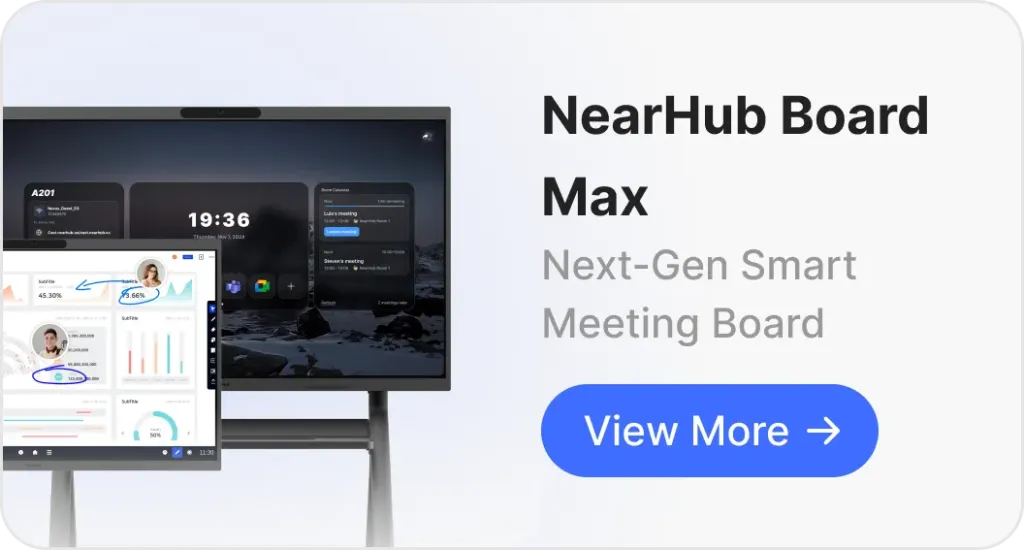
Ready to see the hardware in detail? Visit the NearHub Board Max product page to explore screen sizes, accessories, and enterprise pricing.