Best SMART Board Alternatives for 2026: A Decision Guide
Compare the top SMART Board alternatives for schools and offices in 2026, from Windows-powered panels to cloud-first collaboration boards.
smart board
collaboration
interactive whiteboard
Updated: Aug 20, 2026 · 12 minutes read
Global Business, Brought Near.
No Installer, No Hassle, Just Works.
The best SMART Board alternative depends on your software ecosystem. NearHub Board Max excels for Windows-based teams, Vibe Board S1 suits cloud-first workflows, and Promethean ActivPanel fits education-locked curricula. Most buyers benefit more from open app ecosystems than from proprietary software lock-in.
By 2023, one Midwest school district had spent $340,000 maintaining proprietary software licenses and projector systems—nearly double their original hardware investment. The hidden cost wasn't visible in the purchase order; it was buried in five years of ecosystem lock-in.
The best SMART Board alternatives in 2026 are the NearHub Board Max for Windows-first teams, the Vibe Board S1 for cloud-native collaboration, the Promethean ActivPanel for curriculum-locked schools, the Samsung Flip Pro for presentation-heavy offices, and the BenQ Board Pro for budget buyers prioritizing health certifications. Each unlocks workflows that proprietary ecosystems block.
SMART Board alternatives aren't just cheaper—they redefine what your team can actually do with an interactive display.
Why Schools and Offices Are Moving Beyond SMART Board
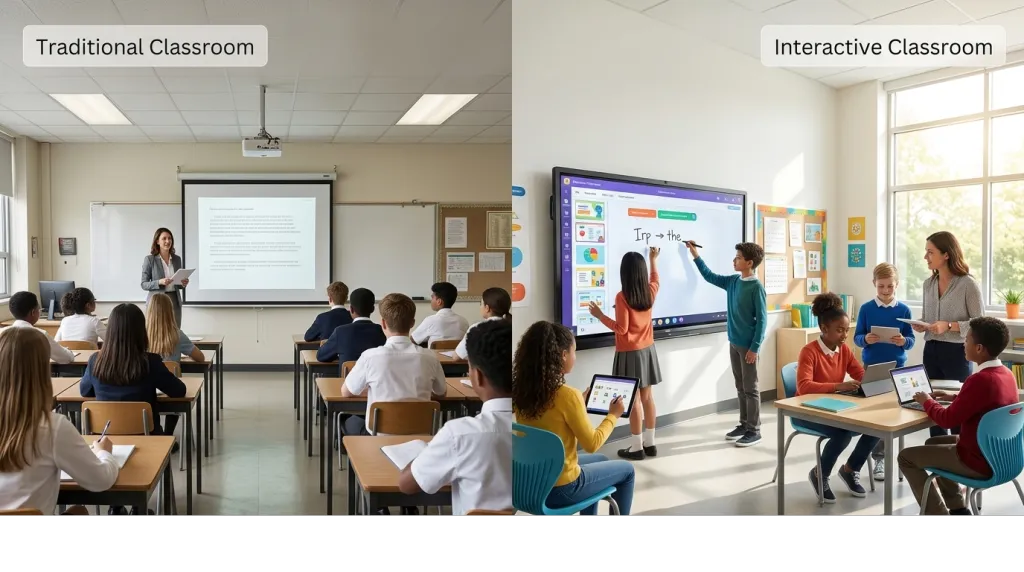
Schools and offices are abandoning traditional SMART Boards because all-in-one interactive whiteboard now deliver lower total cost of ownership, broader software compatibility, and elimination of projector maintenance. The shift is driven by three structural forces: hardware consolidation, open ecosystems, and IT manageability.
Traditional SMART Boards relied on a separate projector and connected PC. Projector bulbs dimmed, filters clogged, and shadows from presenters blocked the image. Modern interactive flat panels consolidate the display, computer, and touch sensor into a single unit. That consolidation alone removes an entire category of IT tickets.
The second force is software. SMART Notebook dominated K-12 education for two decades, but its proprietary format created curriculum lock-in. As districts adopt Google Workspace, Microsoft 365, and cloud-based learning management systems, the value of a closed lesson-planning tool diminishes. Teachers want to open a browser and access any app, not boot a specific software suite to display a PDF.
The third force is procurement cycles. A projector-based SMART Board installation might last seven years, but the bulb replacements, filter cleanings, and connected PC upgrades generate hidden costs. All-in-one flat panels typically run for eight to ten years with minimal maintenance. When the total cost includes IT labor, many districts discover that switching saves money even before the old hardware dies.
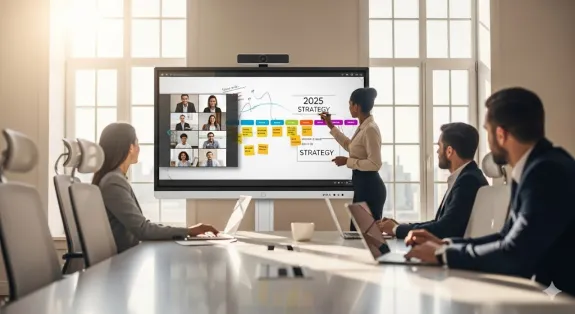
Offices face a parallel migration. Hybrid work demands video conferencing, wireless casting, and instant app switching. A board that requires a tethered laptop and adapter chain simply cannot keep pace with teams that move between Zoom, whiteboarding apps, and spreadsheets within a single meeting. The original SMART Board was designed for annotation; modern work requires integration.
Consider a corporate huddle room scenario. An engineering team starts the morning reviewing CAD mockups on a shared screen, pivots to a Teams call with offshore contractors, then switches to a browser-based project management tool for sprint planning. A traditional SMART Board forces them to unplug cables, restart software, and call IT. An open-ecosystem alternative lets them cast wirelessly, launch native apps, and manage the device through existing endpoint tools.
The SMART Board Alternative Decision Framework
Pick a SMART Board alternative by mapping your dominant software ecosystem, touch quality requirements, and five-year total cost against the five options below. The wrong choice is rarely about hardware specs; it is almost always about ecosystem mismatch.
Use this three-axis framework before reading the individual reviews:
Axis 1: Software Home If your organization lives inside Google Workspace or ChromeOS, a cloud-native board wins. If you run Windows desktop apps, management tools, or Active Directory, you need a Windows-based panel. If your curriculum is built in SMART Notebook or ActivInspire, your migration path determines everything.
Axis 2: Touch Intensity Low-intensity touch means occasional tapping and scrolling. High-intensity touch means multi-user collaboration, palm rejection, and stylus precision. Education and creative teams need high-intensity touch. Conference rooms that mainly display dashboards need less.
Axis 3: Total Cost Horizon Calculate hardware plus software licenses, IT maintenance, and training over five years. A cheaper panel with expensive proprietary subscriptions can cost more than a premium panel with an open app store.
If you…
Consider
Run Windows apps and Microsoft Teams daily
NearHub Board Max
Collaborate across locations with cloud files
Vibe Board S1
Need seamless lesson plan migration
Promethean ActivPanel
Prioritize display fidelity over built-in computing
Samsung Flip Pro
Face strict budget caps with health requirements
BenQ Board Pro
This framework prevents the most common mistake: buying impressive hardware that clashes with your existing workflow.
Alternative 1: NearHub Board Max — Best for Windows-First Teams
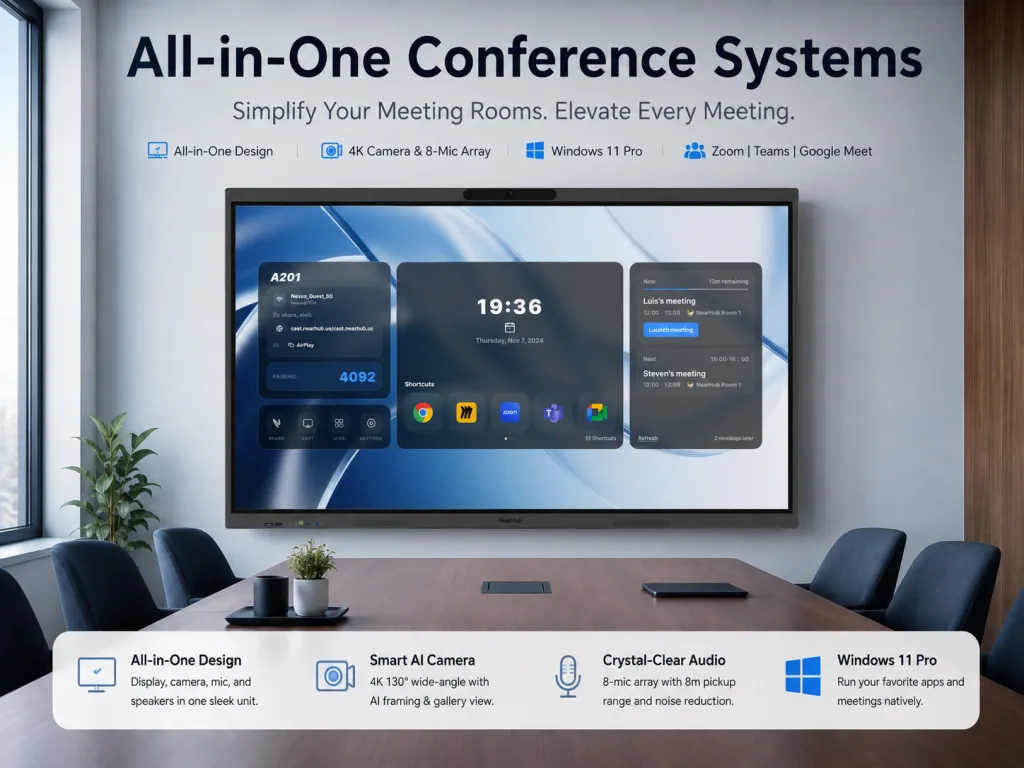
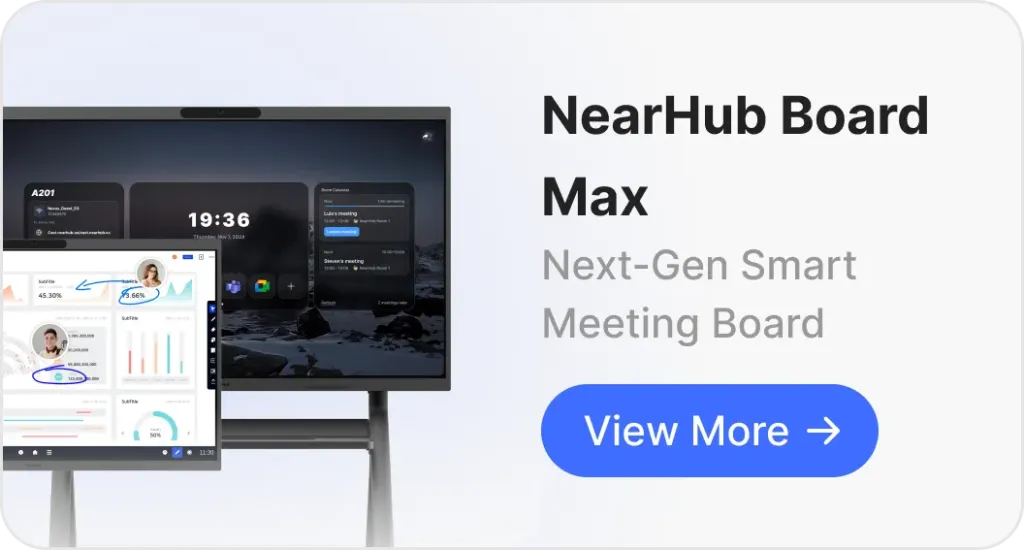
The NearHub Board Max is the right choice for organizations that standardize on Windows and need full desktop application support. It runs Windows 11 Pro on an Intel Core i5 processor, which means you can install any software your IT department already manages.
Unlike boards that limit you to a walled app store, the NearHub Board Max supports the full Windows application ecosystem. IT teams can manage devices through Microsoft Intune and authenticate users via Okta or Azure AD SSO.
The built-in AI camera offers auto-framing and speaker tracking, which keeps remote participants engaged without a manual operator. For hybrid meetings, that automation converts a one-way presentation into a genuine collaboration session.
Screen sizes range from 55 inches to 75 inches, with the 55-inch model starting at $3,499.
Alternative 2: Vibe Board S1 — Best for Cloud-First Collaboration
The Vibe Board S1 suits teams that live in Google Workspace, Slack, and browser-based tools. It runs ChromeOS, which means boot times are fast, security updates are automatic, and the interface feels familiar to anyone who has used a Chromebook.
Cloud-first collaboration sounds ideal until you realize your team depends on a Windows-only CAD program or legacy database client. That is the hidden trade-off: ChromeOS excels at web apps and Android apps, but it cannot run x86 Windows software. If your workflow is already cloud-native, the limitation is irrelevant. If you still depend on desktop executables, the limitation is a dealbreaker.
For distributed teams, the Vibe Board S1 shines. Whiteboard sessions sync to the cloud automatically. A teacher in one building can start a lesson, and a substitute in another building can pick up the same canvas. Remote participants annotate in real time through a browser link without installing software.
Touch response is smooth for brainstorming and light annotation, though heavy multi-user scenarios may feel tighter than Windows-based competitors. The hardware is clean and minimalist, designed for modern offices rather than industrial environments.
If you are weighing cloud against Windows, our Vibe Board comparison breaks down the ecosystem differences in detail.
Alternative 3: Promethean ActivPanel — Best for Education-Locked Workflows
The Promethean ActivPanel is the conservative choice for districts that cannot abandon lesson-planning software. Promethean built its reputation in education, and its ActivInspire software offers a migration bridge for schools nervous about leaving SMART Notebook.
Here is the non-obvious insight: switching from SMART to Promethean is less disruptive than switching from SMART to an open Windows board, because both vendors speak the language of curriculum pacing, assessment integration, and teacher certification. Your existing PDFs, flipcharts, and multimedia embeds transfer with minimal friction. The touch interface is optimized for small fingers and palm rejection, which matters in K-5 classrooms where students lean against the screen.
The trade-off is ecosystem confinement. Promethean's strengths in lesson delivery become constraints when your IT department wants to run Zoom Rooms, Microsoft Teams, or custom apps. The panel is education-first, which means corporate features like SSO via Okta or advanced wireless casting may lag behind general-purpose competitors.
For districts with a five-year curriculum renewal cycle, Promethean offers predictability. For districts pushing toward open ecosystems and hybrid learning, it may simply replace one proprietary cage with another.
Alternative 4: Samsung Flip Pro — Best for Display-First Presentations
The Samsung Flip Pro targets offices and design studios where image quality matters more than built-in computing. Samsung's display pedigree shows in color accuracy, brightness uniformity, and viewing angles.
The Flip Pro is display-centric, which means it does not include a built-in camera or microphone array for video conferencing. You will need external USB peripherals for Zoom or Teams calls. That design choice keeps the hardware clean and focused, but it adds cable clutter and compatibility checks for IT teams.
Where the Flip Pro wins is signage and presentation flexibility. One-click digital signage mode turns the panel into a lobby display when meetings end. The touch layer supports annotation over any input source, so a presenter can mark up a laptop's HDMI feed without installing drivers.
If your primary use case is displaying high-resolution content, design mockups, or architectural plans, the Flip Pro's screen justifies the configuration effort. If your primary use case is hybrid video collaboration, you will spend more on peripherals and integration than the panel's base price suggests.
Alternative 5: BenQ Board Pro — Best Budget Option with Health Certifications
The BenQ Board Pro occupies the value tier without feeling cheap. It targets schools and small offices that need reliable touch interaction, health-focused certifications, and straightforward Android-based operation.
BenQ emphasizes eye safety and antimicrobial coatings, which resonates with nurses, school health coordinators, and parents. In a post-pandemic procurement environment, those certifications can shortcut committee debates that otherwise stall technology purchases for months.
The Android backbone provides access to common apps through an app store, though it cannot match the full Windows desktop ecosystem. Touch latency is adequate for classroom instruction and light corporate use, but competitive artists or engineers may notice the gap.
The real value proposition is total cost. BenQ typically undercuts flagship competitors while including mounting hardware and basic stylus sets in the base price. For districts buying twenty units at once, that per-unit savings compounds into a full additional board.
Comparison Table: SMART Board Alternatives at a Glance
Feature
NearHub Board Max
Vibe Board S1
Promethean ActivPanel
Samsung Flip Pro
BenQ Board Pro
ViewSonic ViewBoard
Operating System
Windows 11 Pro
ChromeOS
Android/Custom
Tizen/Android
Android
Android
Best For
Windows teams, hybrid meetings
Cloud-first collaboration
Education workflows
Display-first presentations
Budget, health certifications
Budget Android option
Built-in Camera
AI camera, 130° FOV
No
Varies by model
No
Varies by model
Varies by model
Microphone Array
8-mic array, 8m pickup
No
Varies by model
No
Basic
Basic
Video Conferencing
Native Zoom, Teams, Meet, Webex
Browser-based
App-based
External required
App-based
App-based
Wireless Casting
AirPlay, Web Cast, HDMI Cast
Chromecast, native
Screen share app
Screen share
Basic casting
Basic casting
IT Management
Microsoft Intune, Azure AD SSO
Google Admin
Limited
Limited
Limited
Limited
Touch Points
40-point multi-touch
20-point
20-point
20-point
20-point
20-point
Screen Sizes
55", 65", 75", 86"
55", 75"
Various
55", 65", 75", 85"
Various
Various
Starting Price
$3,499 (55")
Budget tier
Mid-tier
Premium display tier
Budget tier
Budget tier
Use this table as a quick reference, but remember the decision framework: ecosystem match beats spec sheet superiority.
The Hidden Cost of Staying Proprietary
Devil's advocate demands we ask: is switching actually worth it? SMART Technologies invented the category. SMART Notebook contains twenty years of curriculum refinement. Teachers know the shortcuts. IT departments have the deployment scripts. Abandoning that familiarity incurs real transition costs.
Here is the hidden truth: the total cost of staying proprietary often exceeds the cost of switching within three to five years. Consider the full ledger.
SMART's modern MX Series is an all-in-one interactive flat panel, which removes projector maintenance. That is progress. However, SMART Notebook licenses renew annually. Custom curriculum files do not export cleanly to open standards. IT teams must maintain separate licensing servers or cloud subscriptions. Each new teacher requires training in a software suite that no other employer uses, which means your district is subsidizing vendor-specific human capital.
The trade-off matrix looks like this:
Dimension
Staying with SMART
Switching to Open Alternative
Year 1 Cost
Lower (no migration)
Higher (hardware + training)
Years 2-5 Cost
Higher (licenses, lock-in)
Lower (open apps, no renewals)
Curriculum Reuse
Seamless
Requires conversion
Teacher Training
Incremental
Moderate retraining
IT Management
Vendor-specific
Standard platform tools
Future Flexibility
Constrained
Open
For a district with three hundred teachers and a decade of SMART Notebook lessons, the conversion pain is genuine. But for a district renewing its hardware cycle anyway, the math increasingly favors open alternatives. The projector-based installations that defined SMART's early dominance are aging out. When you must buy new hardware regardless, continuing to pay for proprietary software becomes a choice, not a necessity.
Non-obvious insight: the teachers most resistant to switching are often the ones who use SMART Notebook least intensively. Power users tend to know workarounds and export methods. Casual users, who open a blank page and write with a pen, will adapt to any modern whiteboard app within a week.
Frequently Asked Questions
Can I use my existing SMART Notebook lessons on a non-SMART board?
Most alternatives support importing common file formats like PDF, PNG, and PowerPoint, which allows you to reuse existing lesson content. However, interactive elements native to SMART Notebook may require recreation or third-party conversion tools. If your curriculum is deeply embedded in SMART's proprietary format, factor migration time into your total cost of switching.
Are SMART Board alternatives cheaper than SMART Boards?
Many alternatives offer lower upfront costs and eliminate recurring proprietary software licenses, though pricing varies by screen size and feature set. The bigger savings often come from reduced IT maintenance, open app ecosystems, and longer hardware lifecycles without projector bulb replacements.
Which SMART Board alternative works best for K-12 classrooms?
The best choice depends on your district's IT strategy. Promethean ActivPanel integrates tightly with education workflows. NearHub Board Max suits schools standardizing on Windows and Microsoft Teams. BenQ Board Pro offers strong value for districts prioritizing eye safety certifications and budget constraints.
Do SMART Board alternatives support video conferencing?
Yes. Modern alternatives like NearHub Board Max include built-in AI cameras and microphone arrays with native support for Zoom Rooms, Microsoft Teams, and Google Meet. Some display-centric options like Samsung Flip Pro require external camera accessories for full video conferencing functionality.
Is it worth switching from a traditional projector-based SMART Board?
For most organizations, yes. All-in-one interactive flat panels eliminate projector maintenance, reduce shadow interference, and provide brighter 4K displays. The primary exception is districts with massive investments in SMART Notebook curriculum that cannot be easily migrated.
Conclusion
SMART Board alternatives are not merely cheaper replacements. They are different strategic bets on software freedom, IT manageability, and hybrid collaboration. The right choice depends on whether your organization values curriculum continuity, cloud agility, or Windows compatibility.
Start with the three-axis decision framework. Match your ecosystem, touch intensity, and five-year cost horizon to the right alternative. The best SMART Board alternative is the one that removes friction from your specific workflow—not the one with the longest spec sheet.