Smart Board vs Projector: Which One Is Better for Classrooms, Meetings, and Collaboration?
Compare smart boards vs projectors across teaching experience, collaboration, installation, and total cost of ownership.
smart board vs projector
interactive display vs projector
smart board features
Updated: Aug 19, 2026 · 9 minutes read
Global Business, Brought Near.
No Installer, No Hassle, Just Works.
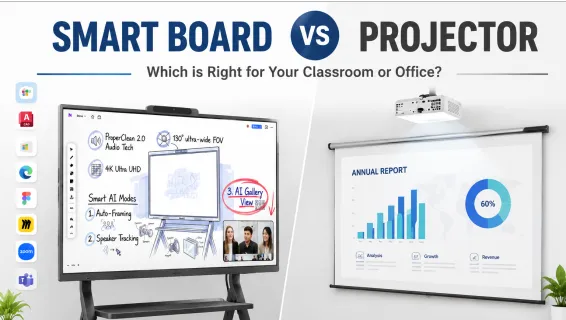
Choosing between a smart board and a projector is one of the most common technology decisions facing schools, districts, and businesses upgrading their meeting spaces in 2026. The display you select directly impacts how effectively your team teaches, presents, and works together.
This guide breaks down the practical differences — not just specs on paper, but how each performs in real classrooms and meeting rooms. Whether you are evaluating your first interactive display or upgrading from an aging projector, you will find a clear comparison of teaching experience, collaboration, installation, and long-term costs.
What Is a Smart Board?
A smart board is a large interactive touchscreen display that combines the functions of a whiteboard, projector, computer, and speaker system into a single device. Modern smart boards — technically called interactive flat panel displays (IFPDs) — use built-in 4K LED screens with multi-touch sensors, so no separate projector is needed.
Key smart board features include direct finger and stylus input, wireless screen sharing, cloud saving, split-screen multitasking, and built-in video conferencing integration.
For a deeper look at how these displays fit into different environments, see how a smart board for classroom settings transforms daily instruction, or explore smart board for meeting room collaboration for business teams.
What Is a Traditional Projector System?
A projector-based classroom system typically includes a ceiling-mounted projector, a pull-down screen or whiteboard surface, a connected computer, and often external speakers. Some setups use interactive projectors or interactive whiteboards (IWBs) that add limited touch functionality by combining a projector with a sensor-equipped board.
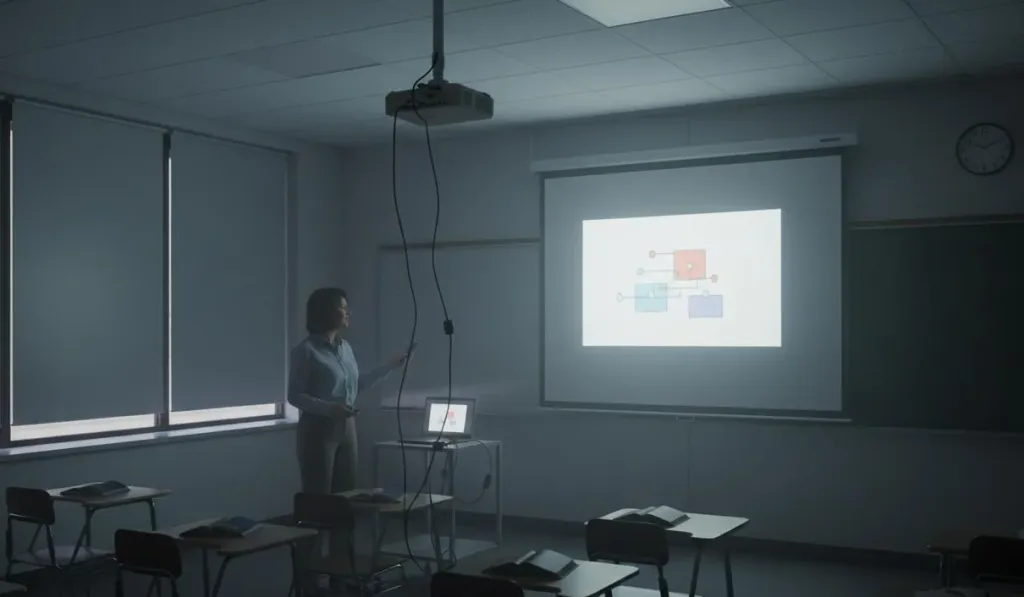
Projectors have served classrooms reliably for decades and remain attractive because of their lower initial purchase price. They can also produce very large images — 100 inches or more — which makes them appealing for lecture halls and auditoriums where content must be visible from a distance. However, they come with practical constraints that add up over time: they require dimmed lighting, regular maintenance, bulb replacements, and technical calibration to keep the image aligned and bright.
Smart Board vs Projector-Based Whiteboards: Head-to-Head Comparison
When comparing smart boards vs projector systems side by side, the differences go far beyond purchase price. Here is how they stack up across the factors that matter most for daily use:
Feature
Smart Board
Projector + Screen
Interactivity
Multi-touch (10+ points), direct finger/stylus input
Limited or none; cursor-only on interactive models
Brightness
4K LED, clearly visible in bright rooms
Washed out by ambient light; requires dimming
Image Size
55"–98" (fixed panel size)
Scalable to 100"+
Lifespan
50,000+ hours (LED panel, 20+ years in classrooms)
3,000–5,000 hours per bulb
Maintenance
Minimal (screen cleaning only)
Bulb replacement, filter cleaning, calibration
Power Use
~150 watts
~300+ watts (projector + computer + speakers)
Setup Time
Instant-on, no warm-up
5–10 minutes (connect, focus, dim lights)
Noise
Silent operation
Fan noise and heat generation
Shadow Blocking
None
Present when anyone walks in front of the beam
Wireless Sharing
Built-in screen casting
Requires adapters or separate hardware
Cloud Saving
Native (save, share, email, QR code)
Not available
5-Year TCO
$2,000–$4,000
$2,500–$4,500
According to Futuresource Consulting, interactive flat panels overtook projectors in global education shipments in 2022 and now account for over 60% of classroom display purchases worldwide.
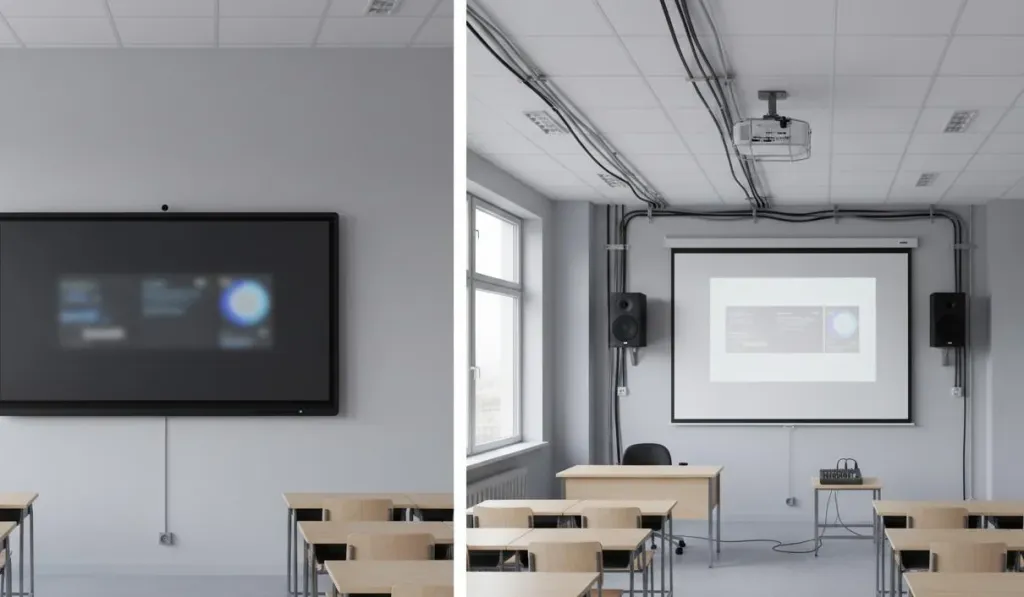
Smart Board vs Projector: comparison in a classroom setting
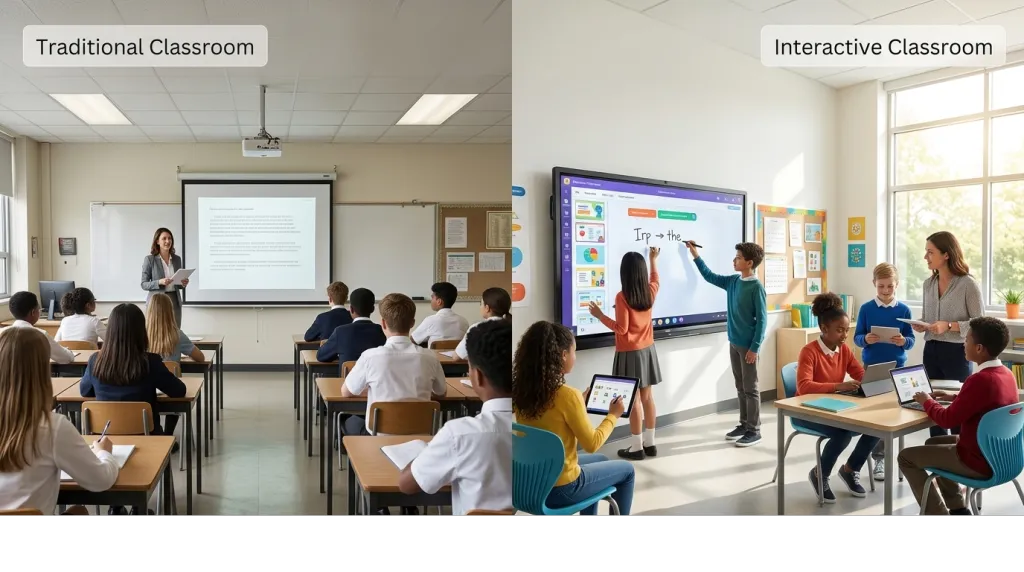
The biggest difference in the projector vs smart board classroom debate is how students experience instruction. A projector displays content. A smart board invites participation.
With a smart board, teachers can pull up a diagram, annotate over it in real time, ask a student to come up and label parts, play an embedded video, and save the entire lesson for review — all without switching devices or dimming the lights. The U.S. Department of Education reports that over 76% of students experience increased interaction with their teachers when interactive displays are used in the classroom. The tactile, visual, and collaborative nature of touch-based instruction reaches students across different learning styles.
Projectors, by contrast, keep instruction largely one-directional. Even interactive projectors only allow limited cursor movement and cannot match the fluid, multi-touch experience of a dedicated panel. In bright classrooms, teachers often waste precious minutes adjusting blinds, focusing the image, and troubleshooting connections — time that adds up across a school year.
For educators ready to make the switch, learning how to use a smart board in the classroom is straightforward, with most teachers becoming comfortable within a single training session.
Smart Board vs Projector: performance comparison for meeting rooms
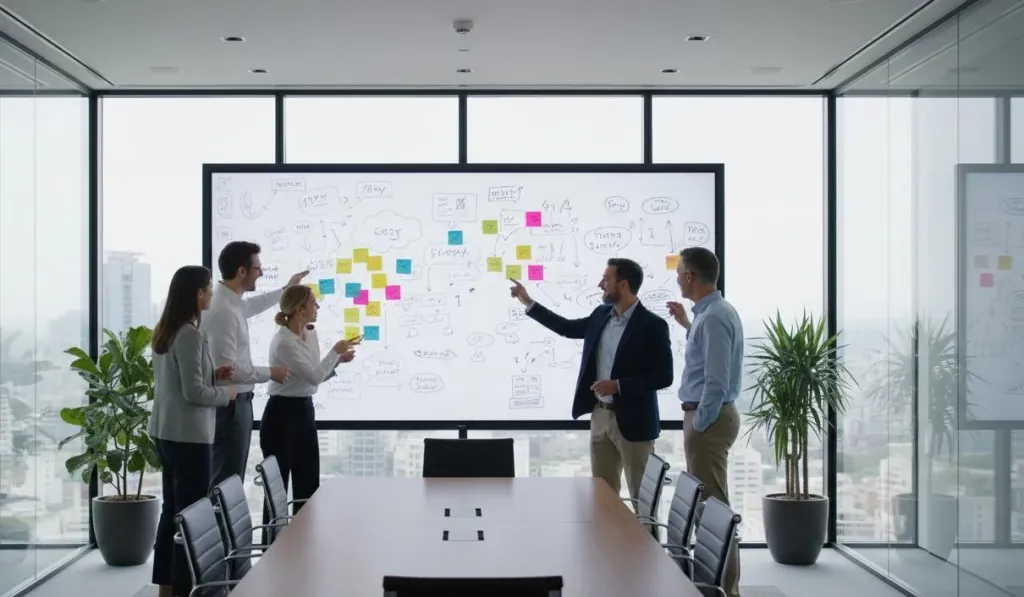
The interactive projector vs smart board gap becomes even more obvious in business environments. A smart board for meeting room use turns passive presentations into working sessions where multiple participants annotate, brainstorm, and co-edit documents directly on the display.
Modern smart boards support wireless screen sharing from laptops, tablets, and phones — so remote participants can join the session, see the board in real time, and contribute annotations from their own devices. After the meeting, everything is saved to cloud storage or emailed instantly.
Projector-based meeting rooms work for basic slide decks, but they lack the interactive layer that makes hybrid collaboration productive. If your team runs brainstorming workshops or client presentations, manipulating content directly on the screen creates a more engaging and efficient workflow.
Installation and Maintenance Requirements
Installation is another area where the interactive display vs projector comparison favors all-in-one panels. A smart board mounts on the wall like a large TV with a single power cable and network connection. Some models ship on rolling stands for flexibility between rooms. Setup typically takes under an hour, and the device is ready to use immediately.
Projector installations are more involved. They require ceiling mounts, careful alignment with the screen, cable runs for video and audio, and often dedicated circuits. Over time, vibration, dust, and temperature changes cause the projected image to drift out of alignment, requiring IT staff to recalibrate.
On the maintenance front, projectors demand recurring attention: bulb replacements every 1–2 years ($150–$400 each), filter cleaning to prevent overheating, and recalibration. Smart boards use solid-state LED panels rated for 50,000+ hours — roughly two decades of typical classroom use — with no consumable parts and only occasional screen cleaning needed.
Smart Board vs Projector: Total Cost of Ownership
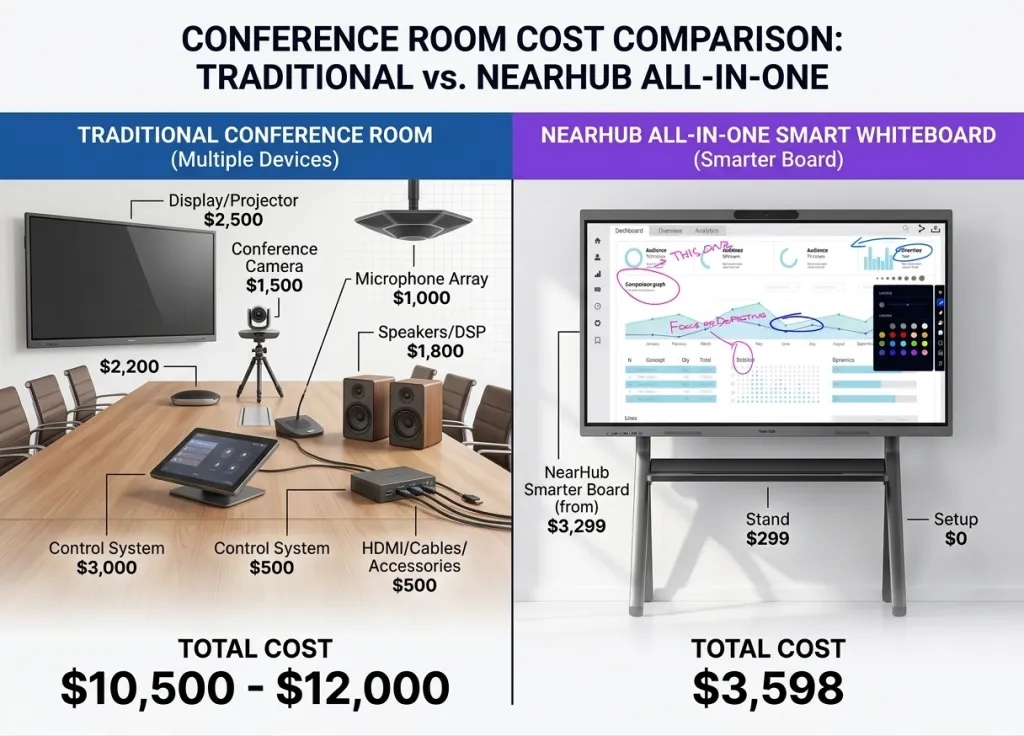
The purchase price tells only part of the story. A meaningful smart board vs projector comparison must look at the total cost of ownership over five years:
Cost Factor
Smart Board
Projector + Screen
Initial hardware
$2,500–$4,000
$1,500–$2,500
Bulb replacements (2–3×)
$0
$450–$900
Calibration & IT time
~$0
~$200–$400/year
Filter cleaning/maintenance
~$50 (screen cleaning)
~$100–$200/year
Energy (5 years)
Lower (~150W)
Higher (~300W+)
Total after 5 years
~$2,600–$4,000
~$2,500–$4,500
The pattern is consistent: projectors cost less on day one but more over time. Smart boards require a higher initial investment but eliminate the recurring expenses that make projector ownership expensive. For districts buying dozens or hundreds of units, the long-term savings multiply quickly.
Smart Board vs Projector: Which One Should You Choose?
The right answer depends on your space, budget, and how people will use the display each day.
Choose a smart board if:
You teach or meet in a standard classroom, training room, or huddle space
Engagement and interactivity are priorities
You want minimal maintenance and no recurring bulb costs
Your room has windows or bright lighting that you cannot control
You run hybrid meetings with remote participants
Choose a projector if:
You need an image larger than 86 inches for a lecture hall
Your budget is extremely limited, and the upfront cost is the deciding factor
The setup is temporary or portable between rooms
For most buyers in 2026, the smart board is the better overall investment. It solves more problems, creates better engagement, and costs less to own over its lifespan. If you are currently using a projector and considering an upgrade, read why you do not need a smart board with projector — a combined setup often creates more complexity without adding real value.
Frequently Asked Questions
Is an interactive whiteboard the same as a smart board?
An interactive whiteboard (IWB) traditionally refers to a touch-sensitive board that works with a separate projector. A modern smart board (IFPD) has a built-in LED display and does not need a projector at all. The terms are often used interchangeably, but the technology has evolved significantly.
Can I connect my existing devices to a smart board?
Yes. Smart boards connect to PCs, Macs, Chromebooks, tablets, and phones via HDMI, USB-C, or wireless casting. Learn more about how to connect any device to a smartboard.
What size should I choose?
Standard classrooms: 65"–75". Large classrooms or training rooms: 86". Meeting rooms: 55"–65". See our guide on how to choose the best whiteboard size for your space.
Do I need special software to use a smart board?
Most smart boards include built-in whiteboard apps, browsers, and annotation tools. Many also support popular platforms like Google Workspace, Microsoft Office, and Zoom natively. Teachers can generally use their existing lesson plans and materials without converting files.
Final Thoughts
The smart board vs projector decision in 2026 is less about cutting-edge technology and more about practical outcomes. Projectors served classrooms well for years, but interactive flat panels now deliver a better daily experience at a lower lifetime cost for the vast majority of users.
If your priority is engagement, ease of use, minimal maintenance, and strong support for hybrid collaboration, a smart board is the clear choice. If you need maximum image size at the lowest possible entry price and can accept the ongoing maintenance, a projector still has a role in large venues.
For organizations making the transition, start by assessing two things: how your rooms are actually used, and what your five-year technology budget looks like. The answers will point you toward the display that creates the most value for your teachers, students, and teams.