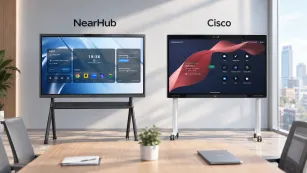
The best interactive whiteboard in 2026 is not the one with the most impressive spec sheet. It is the device that disappears into your existing workflow—running the software your team already uses, connecting to the video conferencing stack you already paid for, and avoiding the hidden subscription costs that turn a $3,000 purchase into a $9,000 commitment. Most buyers approach this decision backward. They compare touchscreen sizes, touch-point counts, and 4K resolution as if they were shopping for a television. But an interactive whiteboard is not a display. It is a productivity endpoint. The right endpoint makes meetings faster, decisions clearer, and hybrid collaboration feel effortless. The wrong endpoint adds setup friction, software limitations, and compatibility debt that compounds for years. This guide rebuilds the buying decision from first principles so you can evaluate boards by the criteria that actually determine long-term value.
What Makes an Interactive Whiteboard "Best" in 2026?
The best interactive whiteboard is the one that reduces friction across your entire meeting workflow, from the moment someone walks into the room to the minute action items are distributed. That definition is intentionally abstract because the specific hardware that achieves it varies by organization. A university lecture hall needs different capabilities than a startup sprint room, and both differ from a law firm client presentation space. Yet every use case shares one underlying requirement: the board must function as an extension of your existing digital environment, not as an isolated appliance.
Marketers sell specifications. Buyers compare 40-point touch versus 20-point touch, 4K UHD versus 1080p, and 5ms response time versus 8ms. These numbers create the illusion of objectivity, but they obscure a more important question: can this device run the software that drives your meetings? If your team lives in Microsoft Teams, Adobe Acrobat, and custom Windows applications, a board that runs Android or a locked operating system creates a barrier regardless of how many touch points it supports. Touch precision matters only when the software beneath it is usable. Display brightness matters only when the board can actually project the content your team needs to see. The spec sheet is a distraction because it assumes all boards are equal in software compatibility, which they are not.
First principles thinking strips away marketing language and asks what a meeting room display actually needs to do. It must present content clearly. It must allow annotation and manipulation. It must connect to your video conferencing platform without adapters, dongles, or IT intervention. It must be manageable by your IT team at scale. And it must preserve the value of your investment as your software stack changes over three to five years. Any feature that does not serve one of these five functions is cosmetic. Any board that fails one of these functions is a poor choice, regardless of how premium it feels in a demo room.

The Three Tiers of Interactive Whiteboards
The 2026 market organizes into three tiers that buyers intuitively understand by price, but the real differences lie in hidden dimensions like total cost of ownership, ecosystem lock-in, and future upgrade paths. Budget all-in-one boards typically range from $1,500 to $2,500. They often run Android or lightweight proprietary operating systems, deliver basic touchscreen functionality, and rarely include built-in cameras or microphones. For a small business that only needs to display slides and occasionally annotate, these panels can be adequate. The trade-off is workflow limitation. Teams quickly discover that Android-based boards cannot run full desktop versions of Microsoft Excel, Adobe Reader, or specialized industry software. They also discover that adding a camera and microphone later costs more than the price difference to a mid-range board, and the integration is never seamless because the hardware was not designed as a system.
Mid-range hybrid boards occupy the $2,500 to $4,500 range and represent the most important category for most buyers. These boards typically run Windows or ChromeOS, include built-in video conferencing hardware, and support wireless casting from multiple device types. The critical trade-off here is not between features but between flexibility and simplicity. A Windows-based board in this tier runs virtually any desktop application, supports enterprise management tools like Microsoft Intune, and integrates with existing identity providers through Azure AD or Okta SSO. A ChromeOS-based board offers simpler administration but limits application choice to web apps and Android applications. For organizations that already manage Windows laptops and rely on desktop software, the Windows path eliminates the hidden cost of workflow migration. For organizations that are already cloud-native and use Google Workspace exclusively, ChromeOS may be sufficient. The mistake buyers make is assuming the two are interchangeable. They are not. The operating system determines the software boundary, and the software boundary determines what your team can actually accomplish in the room.
Premium enterprise boards range from $8,000 to $25,000 and deliver deep integration with specific ecosystems, often Microsoft-centric. These panels offer excellent build quality, dedicated support, and streamlined deployment for large organizations that have standardized their entire stack around one vendor. The non-obvious trade-off is ecosystem lock-in. A board tightly integrated with one ecosystem becomes a liability when that ecosystem changes licensing, discontinues features, or raises prices. It also becomes difficult to repurpose for different teams or use cases. The total cost of ownership over five years often exceeds the sticker price by a significant margin when subscription costs, specialized support contracts, and upgrade dependencies are included. For most mid-sized organizations, the premium tier offers diminishing returns because the core meeting functions—presentation, annotation, video conferencing, and wireless casting—are already available in the mid-range tier without the long-term commitment to a single ecosystem.
Why Operating System Choice Determines Your 3-Year Experience
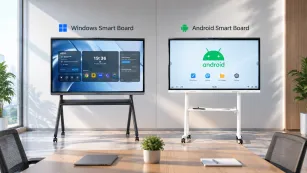
Operating system choice is the single most underweighted decision in interactive whiteboard purchases, yet it cascades through every aspect of the ownership experience. Start with the immediate impact: which applications can you run? A Windows-based board runs the full desktop versions of Microsoft 365, Adobe Creative Cloud, Zoom Rooms, and any proprietary or legacy software your organization already licenses. An Android-based board runs mobile applications, which are stripped-down versions of the same software, or web-based interfaces, which may lack offline functionality, advanced features, or integration with local files. This is not a minor inconvenience. A sales team that cannot open a complex Excel model with macros, or a design team that cannot run Adobe Illustrator natively, will stop using the board. The device becomes an expensive monitor.
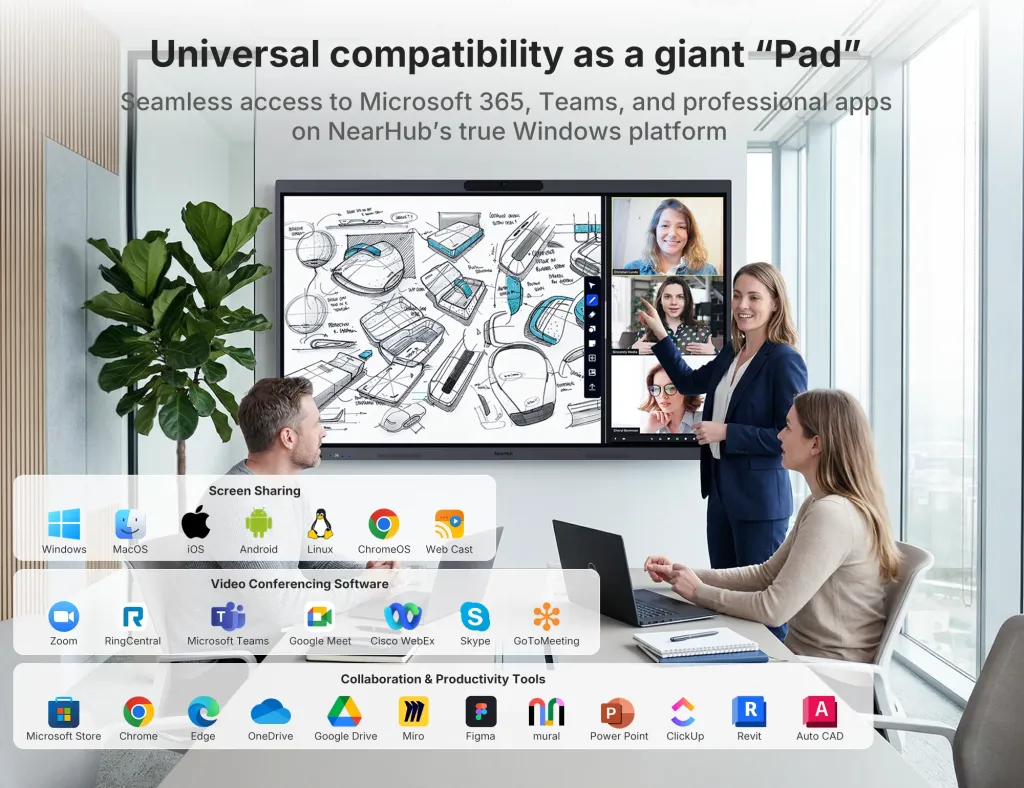
The next layer of the cascade is IT manageability. Windows devices join Active Directory, enroll in Microsoft Intune, receive Group Policy updates, and authenticate through Azure AD or Okta SSO. This means your IT team can manage the board with the same tools they use for laptops and desktops. They can push security updates, enforce policies, and troubleshoot remotely. Android and ChromeOS boards require separate management consoles, separate policies, and often separate IT expertise. For a single board, this overhead is manageable. For ten boards across multiple offices, it becomes a recurring tax on IT capacity. The hidden cost is not the purchase price. It is the IT hour spent configuring a device that refuses to integrate with your existing infrastructure.
The third layer is future-proofing. Software stacks change. The video conferencing platform you use today may not be the one you use in three years. The collaboration suite your team relies on may release a desktop-only feature that transforms your workflow. A Windows-based board adapts to these changes because it runs the same software ecosystem as your laptops. An Android-based board traps you in the app ecosystem available at the time of purchase. When the vendor stops updating the board's operating system, you are left with a panel that cannot evolve. This is the hidden truth behind the OS decision: you are not buying a display. You are buying a software platform that happens to have a screen attached. The platform with the broadest software compatibility has the longest useful life.
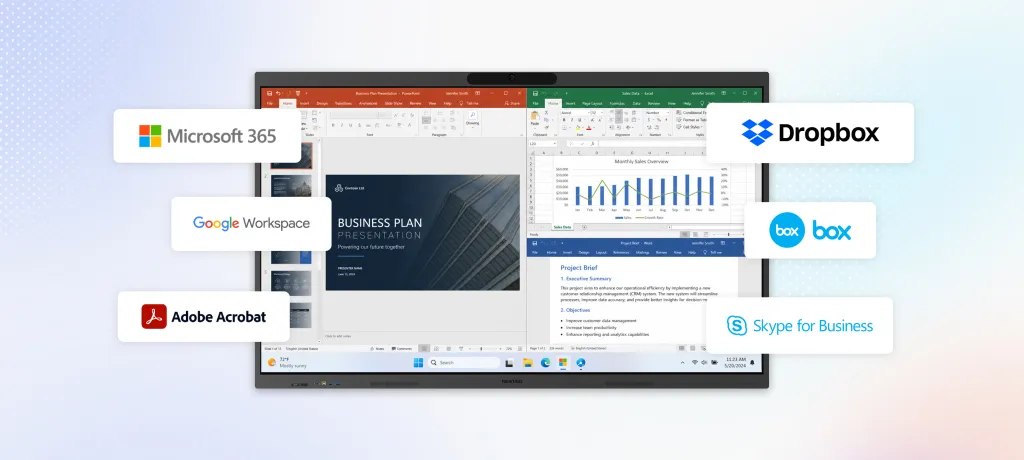
The final layer is upgrade economics. When a Windows board ages, you can replace the compute module, add RAM, or upgrade storage in many models. When an Android board ages, the entire device often must be replaced because the compute and display are inseparable. Over a five-year horizon, the Windows board that cost $1,000 more upfront may cost $3,000 less in total because it avoids premature replacement. The why chain is simple: OS determines app compatibility, app compatibility determines daily utility, daily utility determines adoption, adoption determines ROI, and ROI determines whether the purchase was a good investment.
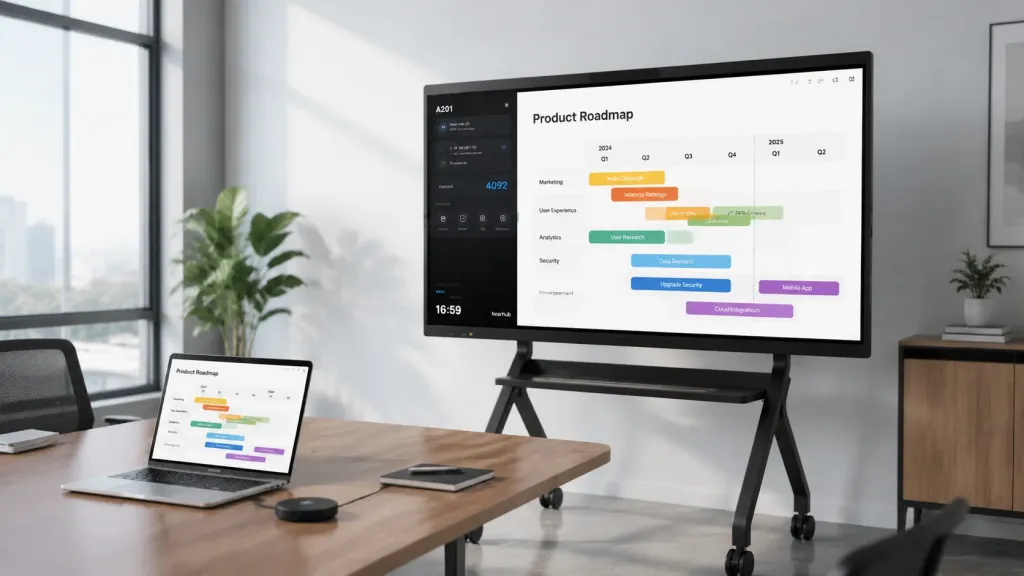
Built-In vs. Add-On Video Conferencing: The Hidden Cost Gap
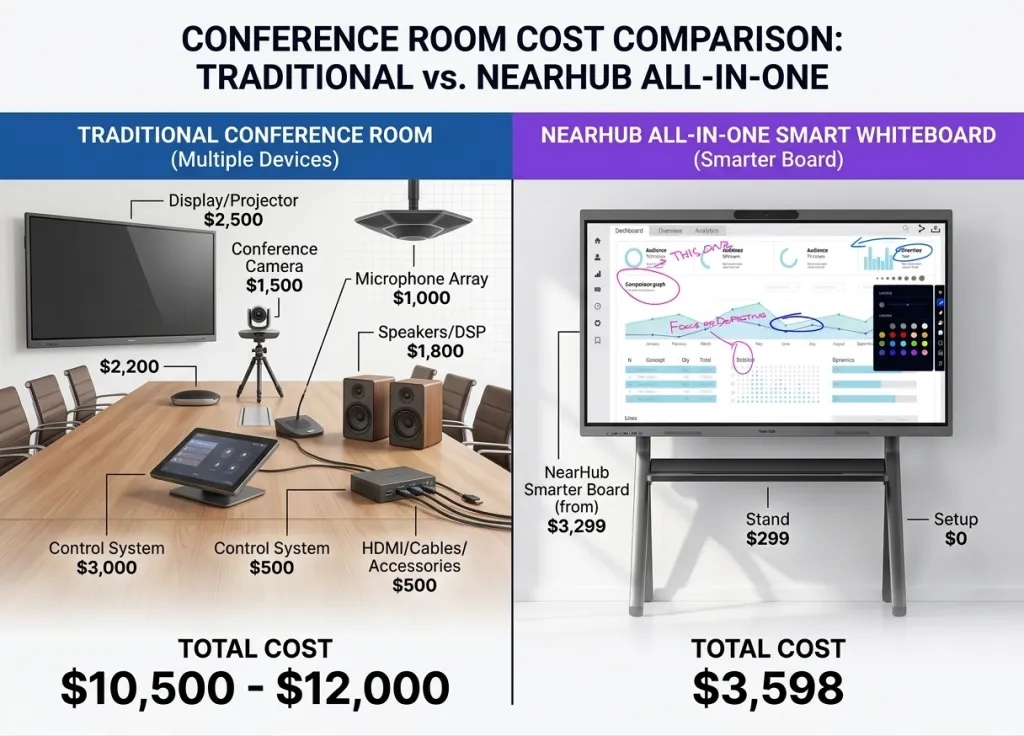
A recurring concern from buyers in the consideration stage is whether they need to purchase separate cameras and microphones for their interactive whiteboard. The answer depends on how you calculate cost. If you calculate only upfront hardware price, add-on kits sometimes appear cheaper. If you calculate total cost of ownership including installation, integration, IT troubleshooting, and the hidden cost of poor meeting quality, built-in conferencing hardware is almost always the better choice.
Consider the scenario of a mid-sized company deploying five boards across conference rooms. With built-in cameras and microphones, the deployment is straightforward. Unbox the board, connect power and network, and the video conferencing system is already acoustically tuned to the room. The camera knows the room dimensions. The microphone array knows the ceiling height. There are no cables to route, no drivers to install, and no compatibility testing between vendors. Each room is meeting-ready in under an hour.
With add-on kits, the same deployment involves selecting a camera that supports the right field of view for each room, choosing a microphone that captures the seating arrangement without feedback, mounting both devices, running cables to the board or an external compute unit, and testing audio synchronization across the room. When the camera vendor releases a firmware update that breaks compatibility with the board's video conferencing client, your IT team must troubleshoot across two support contracts. When the microphone picks up HVAC noise because it was not tuned for the room, the board vendor blames the microphone vendor and the microphone vendor blames the room acoustics. Over three years, the soft costs of managing this integration stack typically exceed the upfront hardware savings by a factor of two or three.
The hidden cost gap is also measured in user adoption. Teams that walk into a room and start a meeting immediately use the board more often. Teams that spend five minutes troubleshooting audio before every call develop a reflex to avoid the room. Built-in hardware removes the failure points that kill adoption. It also eliminates the visual clutter of separate devices, which matters in client-facing spaces where aesthetics influence perception. The trade-off is not between price and quality. It is between a single-system purchase and a multi-system integration project that never truly ends.
The Interactive Whiteboard Decision Framework
Most buyers evaluate interactive whiteboards by comparing two or three models side by side. This approach works for simple purchases but fails for complex productivity endpoints because it ignores the organizational context. A better approach is to evaluate across five dimensions that map to real-world usage, weight each dimension by your team's specific needs, and then match the result to the appropriate tier.
Dimension 1: Software Compatibility Score. List the five applications your team uses most frequently in meetings. For each board you are considering, score whether it can run the full desktop version, a limited mobile version, or not at all. A board that scores below four out of five is a non-starter regardless of other features. This dimension should carry the highest weight for teams using specialized desktop software, such as architecture firms with AutoCAD, marketing agencies with Adobe Creative Cloud, or finance teams with complex Excel models.
Dimension 2: Video Conferencing Integration Score. Does the board natively support the video platform you already pay for? Native support means a dedicated app optimized for the board's camera and microphone, not a browser tab running the web version. Does it support your wireless casting standard? Does it support the SSO provider your IT team already manages? A board that requires new subscriptions or adapter hardware to work with your existing stack fails this dimension.
Dimension 3: IT Manageability Score. Can your IT team enroll the device in their existing management console? Can they push security updates remotely? Can they lock down settings to prevent users from installing unauthorized software? For organizations with more than three boards, this dimension becomes critical because unmanaged devices become security liabilities and support burdens.
Dimension 4: Total Cost of Ownership over 36 Months. Calculate the fully loaded cost: hardware, any required add-on camera or microphone, installation, subscription fees for required software, IT hours spent on setup and maintenance, and estimated replacement cost if the board becomes obsolete due to software incompatibility. The board with the lowest upfront price often ranks highest in this dimension. The board with the highest upfront price sometimes ranks lowest if it requires premium subscriptions or ecosystem lock-in.
Dimension 5: Room-Specific Utility Score. Does the room need a portable stand for reconfiguration? Does it need a magnetic stylus for design work? Does it need digital signage mode for lobby use during off-hours? These features are situational, but they determine whether the board serves the full use case or requires additional purchases.
Apply this framework to three real scenarios. A software startup with twenty remote engineers, Google Workspace, and no IT department should weight Dimension 2 and 4 heavily and choose a simple, cloud-native board. A healthcare system with strict compliance, Microsoft 365, and centralized IT should weight Dimensions 1 and 3 heavily and choose a Windows-based board with enterprise management. A creative agency with hybrid client presentations and design reviews should weight Dimensions 1 and 5 heavily and choose a board that runs Adobe Creative Cloud natively and supports precise stylus input. The framework forces the decision out of the spec sheet and into the organizational reality where the board will actually live.
When a Windows-Based Board Makes Sense
A Windows-based interactive whiteboard is not the right choice for every organization, but it is the right choice for a specific set of conditions that happen to describe a large portion of the mid-market buyers researching this category. If your team relies on desktop applications, your IT department manages Windows endpoints, or your organization expects to change software platforms over the next five years, a Windows board eliminates the compatibility and management barriers that cheaper or more locked-down alternatives create.
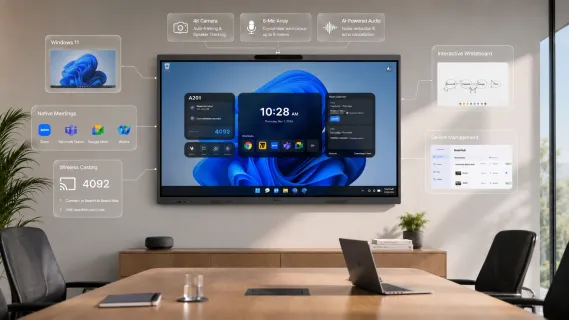
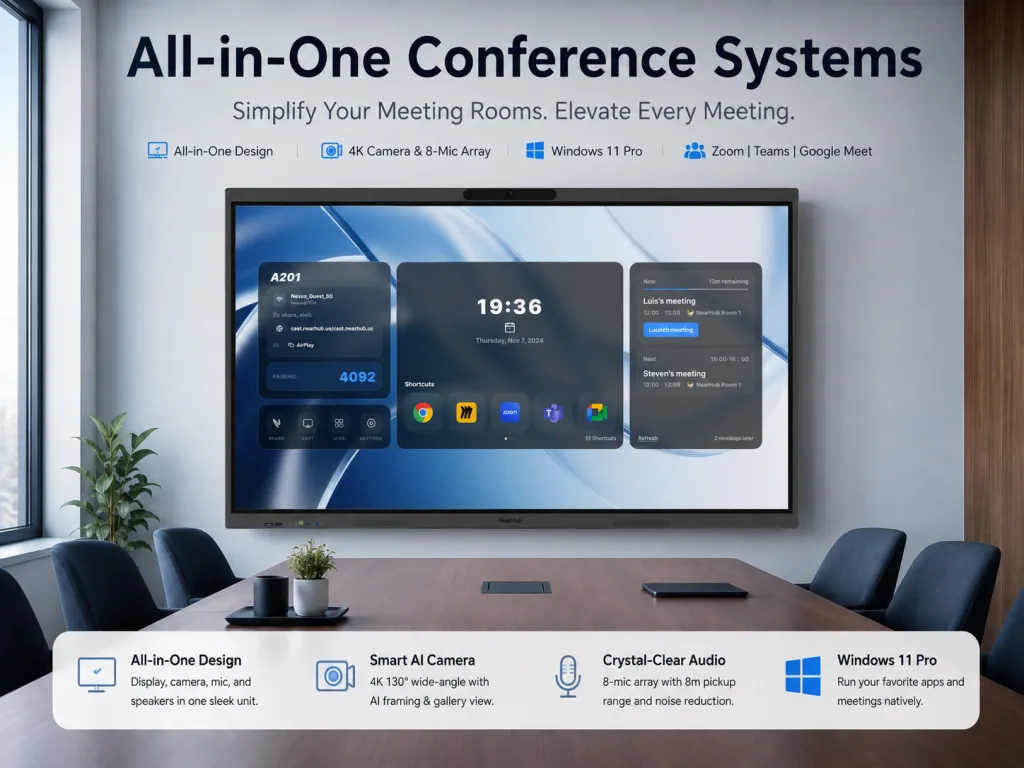
The NearHub Board Max fits this profile precisely. It runs Windows 11 Pro on an Intel Core i5 12th Gen processor with 16GB of RAM and 256GB of storage, which means it performs like a standard business desktop. The 4K UHD touchscreen supports 40-point multi-touch with a 5ms response time, making annotation and manipulation feel immediate. But the hardware specifications are only meaningful because the operating system beneath them can run the software your team already uses. The board natively supports Microsoft 365, Adobe applications, Zoom Rooms, Microsoft Teams, Google Meet, Webex, and over a thousand other apps. It is managed through Microsoft Intune and authenticates through Okta or Azure AD SSO, which means your IT team does not need a new management console or a new identity workflow.
The built-in video conferencing hardware is the other critical factor that separates boards that get used from boards that gather dust. The NearHub Board Max includes an AI camera with a 130-degree ultra-wide field of view, supporting panoramic view, auto-framing, speaker tracking, and gallery view. It also includes an 8-microphone array with AI noise reduction, automatic gain control, and full-duplex audio with an 8-meter pickup range. These are not add-on accessories. They are integrated components acoustically tuned to the board's form factor. For a team that already has enough setup friction, this integration means the room is ready for a video call the moment someone walks in.
Wireless casting is available through AirPlay, Web Cast via cast.nearhub.us, Tail Cast, App Cast, and HDMI Cast. This matters because teams use different devices. A salesperson with an iPhone, an engineer with a Windows laptop, and a designer with a MacBook Pro should all be able to share content without downloading a proprietary app or carrying a dongle. The one-click digital signage mode is another non-obvious utility. The same board that runs a client presentation in the morning can display company announcements or wayfinding in the afternoon without requiring a separate signage appliance.
The NearHub Board Max is available in 55-inch, 65-inch and 75-inch screen sizes, with the 55-inch model starting at $3,499. A portable stand with four lockable wheels is available for organizations that need to reconfigure rooms. The magnetic stylus attaches to the bezel for immediate access. You can view the full specifications and pricing on the interactive smart whiteboard product page. For the right buyer—one who values OS flexibility, built-in conferencing, and enterprise manageability—this tier represents the strongest balance of capability and cost.
Choosing an interactive whiteboard is rarely a standalone decision. Most buyers are also comparing specific brands, evaluating alternatives to legacy providers, and planning the broader video conferencing environment. These related guides cover the adjacent questions that arise during the research process.
If you are deciding between NearHub and Vibe Board, our Vibe Board vs NearHub comparison breaks down the differences in operating system approach, built-in conferencing, and long-term software compatibility. The guide focuses on the workflow implications rather than surface specifications.
For organizations currently evaluating Microsoft Surface Hub, our Surface Hub vs NearHub price analysis examines the total cost of ownership gap between premium enterprise boards and mid-range alternatives. It explains where the premium tier delivers value and where it creates unnecessary lock-in.
If you are migrating from or considering alternatives to legacy SMART Board installations, our guide to SMART Board alternatives covers the transition path from proprietary annotation software to modern, open-platform boards that run standard desktop applications.
For the broader room setup context, including camera placement, lighting, and acoustic treatment, see our best video conferencing equipment room setup guide. A board is only as effective as the room around it.
Frequently Asked Questions
What makes an interactive whiteboard the best in 2026?
The best interactive whiteboard is defined by how well it integrates into your existing workflow, not by individual hardware specifications. A board that runs your current software natively, connects to your existing video conferencing platform without adapters, and avoids hidden subscription costs will deliver more value than a premium panel with superior touch-point counts but limited software compatibility. The 2026 market is mature enough that basic display quality is no longer the differentiator. The differentiator is whether the board functions as a productivity endpoint or remains an isolated appliance.
Why does operating system choice matter for interactive whiteboards?
Operating system choice determines the software boundary, which in turn determines what your team can accomplish in the room. Windows-based boards run full desktop applications and integrate with enterprise management tools like Microsoft Intune and Azure AD SSO. Android and ChromeOS boards are limited to mobile apps, web interfaces, or vendor-specific ecosystems. Over a three-year horizon, the OS also determines upgrade economics. A board that cannot run next year's version of your core software becomes obsolete regardless of its physical condition.
Is built-in video conferencing hardware better than add-on cameras and microphones?
Built-in video conferencing hardware is superior for most organizations because it eliminates integration costs, ensures acoustic tuning, and removes the failure points that reduce user adoption. Add-on kits introduce cable management, cross-vendor compatibility testing, and ongoing IT troubleshooting. The total cost of ownership for an add-on approach typically exceeds the built-in approach by $1,200 to $2,800 over three years when installation, management, and lost productivity are included. Built-in hardware also keeps the room visually clean, which matters in client-facing spaces.
Which interactive whiteboard tier is right for most businesses?
Mid-range boards priced between $2,500 and $4,500 offer the strongest balance for most organizations. This tier typically includes Windows or ChromeOS, built-in cameras and microphones, and wireless casting from multiple device types. Budget boards under $2,500 often lack built-in conferencing and run limited operating systems that create hidden workflow costs. Premium enterprise boards above $8,000 deliver deep ecosystem integration but lock organizations into single-vendor stacks with escalating subscription costs and limited flexibility.
When should a team choose a Windows-based interactive whiteboard?
Teams should choose a Windows-based board when they rely on desktop applications like Microsoft 365, Adobe Creative Cloud, or specialized industry software, when IT requires centralized device management through tools like Microsoft Intune, and when the organization expects its software stack to evolve over the next three to five years. Windows boards also make sense when the team needs to avoid ecosystem lock-in, when multiple video conferencing platforms are in use, and when the board must serve as a general-purpose meeting room computer rather than a single-function appliance.
Does the NearHub Board Max require extra subscriptions?
The NearHub Board Max runs Windows 11 Pro and supports standard video conferencing clients like Zoom, Teams, Google Meet, and Webex. It does not require proprietary software subscriptions to function as a meeting room display. Organizations pay only for the software they already use. This is an important distinction from boards that require premium software tiers or ecosystem subscriptions to unlock core features.
Conclusion
The search for the best interactive whiteboard in 2026 ends not with a specification comparison, but with a workflow audit. Start by listing the software your team uses, the video conferencing platforms you pay for, and the IT management tools you already have. Eliminate any board that fails to run your core applications natively, integrate with your existing video stack, or enroll in your management console. Then calculate the total cost of ownership over three years, including hardware, add-ons, installation, and subscriptions. The board that remains after this filtering is the best board for your organization. It may not have the most impressive spec sheet. It will have the most useful presence in your meeting room. If a Windows-based board with built-in conferencing and enterprise manageability fits your filtered criteria, evaluate the NearHub Board Max against your specific requirements. Schedule a demo, test your actual software, and confirm that the board disappears into your workflow rather than adding to it.