All-in-One Zoom Rooms: How Integrated Meeting Spaces Simplify Everyday Meetings
See how integrated Zoom meeting spaces reduce device switching, control handoffs, room inconsistency, and IT support friction across the meeting lifecycle.
all in one zoom rooms
zoom meeting display
integrated Zoom meeting space
Updated: Oct 12, 2026 · 8 minutes read
Global Business, Brought Near.
No Installer, No Hassle, Just Works.
An all-in-one Zoom meeting space is valuable when it reduces the decisions people make before, during, and after a call—not merely when it puts more hardware in one enclosure. Integrated workflows can improve room consistency and supportability, while certified Zoom appliances and flexible Windows collaboration boards serve different operational priorities.
Key Takeaways
Judge an all-in-one room by the number of user and control handoffs it removes, not simply by the number of devices it combines.
Standardizing several rooms around one predictable workflow can reduce training and troubleshooting variation even though software, firmware, and endpoint management still remain.
A dedicated Zoom Rooms appliance is strongest when Zoom-specific standardization and certification are priorities; a Windows-based collaboration board fits rooms that also need desktop applications and general-purpose work.
For very large or acoustically complex rooms, multiple cameras, ceiling microphone arrays, DSP audio, or custom routing may still justify a modular AV design.
All-in-One Zoom Rooms: How Integrated Meeting Spaces Simplify Everyday Meetings
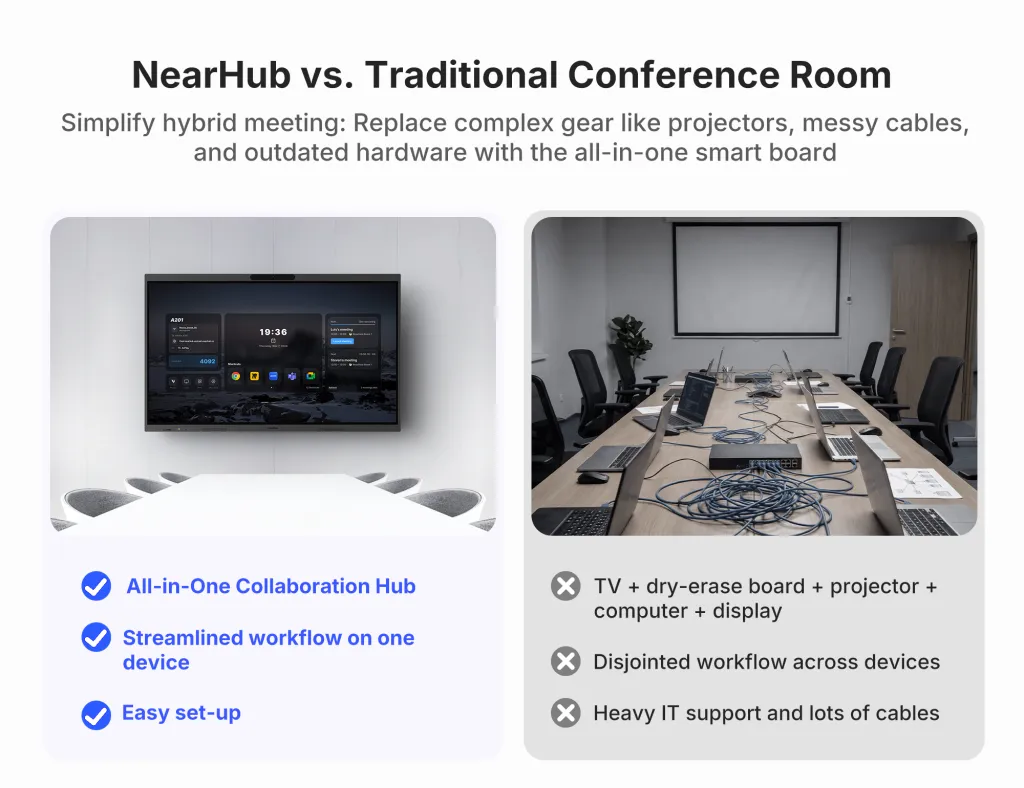
Someone walks into a meeting room five minutes before a client call. The display is on the wrong input. A mini PC is asleep. The camera appears in one app but not another. The table microphone has been unplugged, and nobody knows whether the remote, touch panel, or laptop is supposed to control the room.
For teams evaluating all in one Zoom Rooms, this is the more useful problem to solve. Meeting complexity often comes from the handoffs between devices, inputs, apps, and controls—not from Zoom itself. The value of an integrated room is therefore not simply “fewer boxes.” It is fewer decisions between walking into the room and actually meeting.
“All-in-one” also needs a precise definition. It can describe several technical implementations, including certified Zoom Rooms appliances and general-purpose collaboration boards that run Zoom.
What Does “All-in-One Zoom Room” Actually Mean?
An all-in-one Zoom Room is best understood as a system-design concept: the room brings multiple meeting functions into one coordinated operating experience. Those functions can include the meeting display, compute, camera, microphones, speakers, touch control, screen sharing, whiteboarding, and other collaboration tools.
What matters is not whether every component sits behind one piece of glass. What matters is whether the functions behave like one room.
A certified all-in-one Zoom Rooms appliance, for example, may combine compute, AV, touch, and the native room experience in a purpose-built endpoint. A Windows-based interactive board may integrate the same physical functions while running the desktop Zoom application alongside other Windows software. Both reduce room fragmentation, but they are not the same deployment model.
That distinction is important for IT. All-in-one is not a synonym for Zoom Rooms Certified. Zoom maintains a current Zoom Spaces Certified Hardware directory, and certification should be verified there when it is an organizational requirement.
Why Meeting Rooms Become Complicated Even When Zoom Is Easy to Use
A personal Zoom call usually has one control surface: the user’s computer. A shared room can have several.
The display has an input and power state. A room computer has sleep settings, updates, and USB devices. Cameras, microphones, controllers, laptops, and presentation inputs can each add another control point.
Each handoff creates a recovery question: which device is in control, which input should the screen use, which AV endpoints are selected, and what did the previous user change?
This is why room inconsistency is expensive even when individual components are reliable. A support ticket that says “Zoom is not working” may actually be a display-source problem, a disconnected USB peripheral, an audio-device selection, or a sleeping room PC.
The operational goal of a Zoom Rooms all-in-one approach is to reduce the number of places where the user has to diagnose the room.
What an Integrated Zoom Meeting Workflow Looks Like
The clearest way to judge integration is to follow the meeting lifecycle.
Before the Meeting
A well-integrated room reduces the setup phase to a short, predictable sequence. The user wakes the system, opens or joins the scheduled meeting, and prepares content. They should not need to identify which computer owns the camera, search for an HDMI input, or move a USB cable from one host device to another.
In a dedicated Zoom Rooms environment, calendar integration and the controller can make scheduled meetings immediately accessible. Zoom’s own documentation treats the controller as a core part of the room experience, while some touch configurations provide limited controller functionality directly on screen.
In a flexible Windows meeting space, the workflow can be different but still integrated: launch Zoom on the board, open the presentation or browser content on the same system, and use the room’s built-in AV rather than assembling a meeting around one attendee’s laptop.
During the Meeting
Integration matters most when the conversation changes direction.
A presenter shares slides, then opens a browser, then marks up a document, then returns to participant video. In a fragmented room, each transition can introduce another input, cable, or device. In an integrated room, the meeting display becomes the working surface rather than a passive screen at the end of a chain.
That is the practical role of touch, whiteboarding, and local applications: not to add features for their own sake, but to reduce the number of times the meeting leaves one control environment.
A separate laptop can still be useful for guests or specialized software. The room simply should not depend on a laptop handoff for every ordinary action.
After the Meeting
A shared room should return to a predictable ready state. The call ends, temporary content is closed according to policy, the expected audio and camera devices remain selected, and the next group does not inherit a changed source, disconnected cable, or altered peripheral setting.
Repeatability after the call is part of the all-in-one experience, not an afterthought.
Fewer Devices Matter, but Fewer Handoffs Matter More
Device count is easy to market. Handoff count is more useful to measure.
A product can put a camera, speakers, microphones, and compute into one enclosure and still create a confusing room if users must constantly switch apps, change sources, select different AV endpoints, or move control between a touch panel and a laptop.
A successful integrated room reduces four kinds of handoffs:
Meeting task
Fragmented room workflow
Integrated room workflow
Start a meeting
Wake PC, choose input, check AV, open meeting
Start from a known room interface
Camera/audio control
Confirm separate USB devices and app selections
Use the room’s expected integrated AV path
Present content
Connect or pass a laptop, change source
Present from the room system or a consistent sharing method
Switch applications
Move between room PC, laptop, and display inputs
Move between apps on one working surface
Troubleshoot
Isolate several independent components
Start with a smaller, standardized support surface
Reset the room
Undo previous-user changes
Return to a defined ready state
This is the central point: workflow integration is more important than component consolidation. The best all-in-one zoom room is the one that removes unnecessary user decisions while preserving the capabilities the room actually needs.
What Changes for IT Teams?
For IT, integrated rooms shift support toward a smaller number of standardized room patterns. That can mean fewer independent peripherals to inventory, fewer cable paths to inspect, and less ambiguity when an employee reports a problem.
Standardization matters at scale. When rooms share the same startup, presenting, meeting, and shutdown behavior, IT can document a common recovery path and train employees once.
But integrated systems are not maintenance-free. Operating systems, applications, firmware, identity, network access, security policies, and room settings still need ownership. Consolidation changes the troubleshooting surface; it does not eliminate lifecycle management.
Organizations planning the actual deployment sequence can keep this article focused on workflow and use NearHub’s separate Zoom Room setup and installation guide for installation details.
Where a Zoom Meeting Display Fits Into the Experience
A zoom meeting display used to be easy to describe: it showed remote participants and shared content. In an integrated room, the display can become the room’s primary working surface.
Participants may join the call, view remote attendees, open business applications, annotate a document, whiteboard, and present content from the same surface. The screen becomes part of the control and collaboration layer rather than only the final output device.
Not every room needs this model. It is most useful when the same space regularly alternates between video meetings and active collaborative work.
Dedicated Zoom Room Appliance or Flexible Windows Workspace?
Both approaches can simplify a room, but they optimize for different priorities.
A dedicated Zoom Rooms appliance fits organizations that prioritize a standardized Zoom-specific experience, certified hardware, predictable native workflows, and Zoom-centered administration. Zoom recommends certified hardware and publishes requirements for room computers, appliances, and controllers.
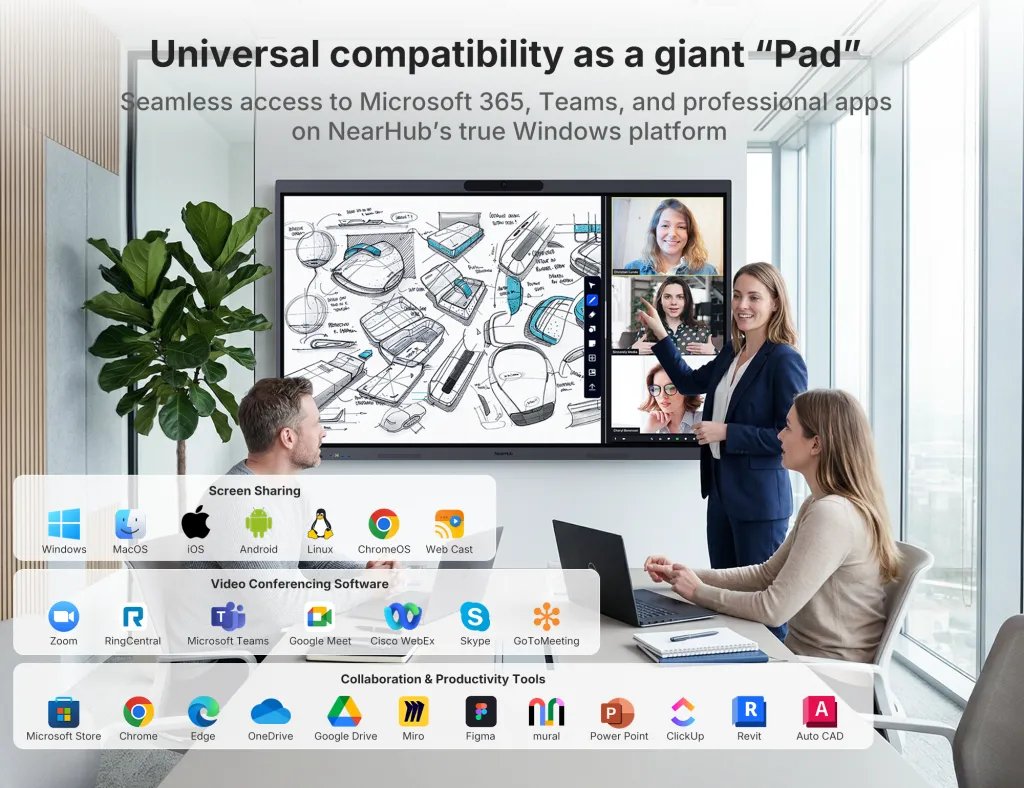
A Windows-based integrated meeting board is a different proposition. It can make sense when the room needs Zoom and full desktop applications for documents, presentations, browsers, design or engineering tools, whiteboarding, or other business workflows.
The choice is therefore not “simple versus complex.” It is purpose-built Zoom room versus general-purpose Windows collaboration workspace.
For a complete architecture comparison, including video bars and modular room systems, use NearHub’s Zoom Room solution architectures article.
NearHub Board Max as a Windows-Based Integrated Example
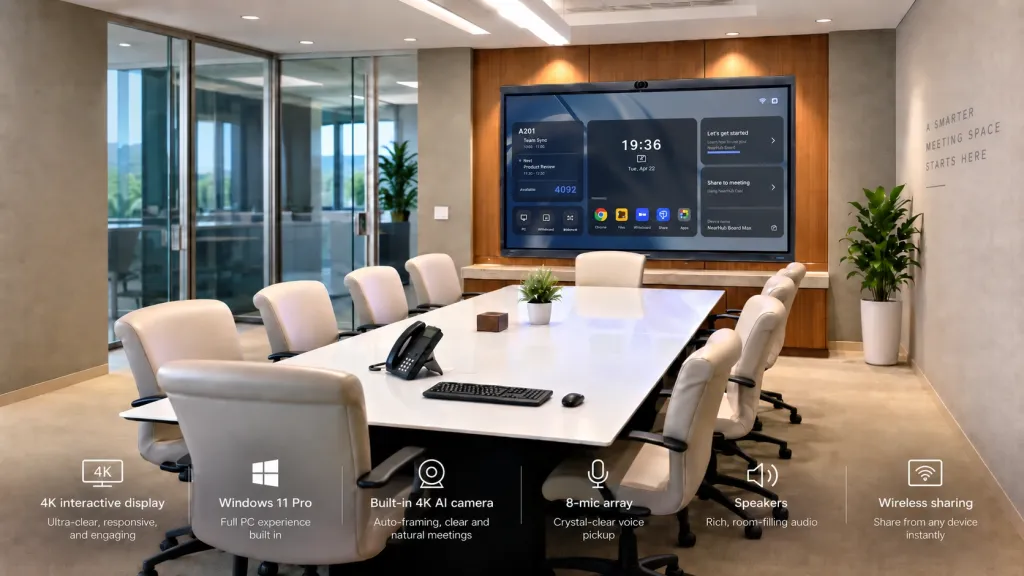
NearHub Board Max is one example of the Windows-workspace approach. The current product page describes a Windows 11 Pro board with integrated compute, a 4K camera, an eight-microphone array, speakers, touch interaction, whiteboarding, calendar synchronization, and multiple wired and wireless sharing methods.
The practical benefit is the workflow those functions can support. A user can run the Windows desktop Zoom application on the board, then move to a presentation, browser, Microsoft 365 document, annotation, or whiteboard without handing control to a separate room computer. Microsoft and Google calendar synchronization can also surface scheduled meetings in the room workflow.
Board Max is offered in 55-, 65-, and 75-inch versions. The relevant point is that the meeting application, room AV, display, and everyday Windows work can share one collaboration surface.
When an All-in-One Zoom Meeting Space Makes Sense
Integrated meeting spaces are especially useful where repeatability matters more than custom AV engineering.
Common fits include huddle rooms, small and medium collaboration rooms, executive offices, training and project rooms, and organizations standardizing several spaces around one workflow—especially when the room serves both video meetings and active collaborative work.
The approach is less compelling when the room itself requires specialized AV design. Very large boardrooms, divisible spaces, rooms that need multiple cameras, ceiling microphone arrays, DSP-based audio, complex routing, or custom automation may justify a modular deployment.
In other words, consolidation should stop where room physics and operational requirements demand specialization.
If the question is specifically whether a video bar can cover the room, use NearHub’s checklist on what to verify before buying a Zoom video bar rather than forcing that decision into an all-in-one board discussion.
The Real Goal Is a Room People Can Use Without Thinking About the Technology
The strongest all-in-one Zoom Rooms are not defined by how many component boxes disappear. They are defined by how few technical decisions users have to make.
A better room reduces device handoffs, software handoffs, control handoffs, input switching, and the amount of tribal knowledge required to recover the system. For employees, that means a more predictable path from walking in to meeting. For IT, it means a more consistent support model across rooms.
Certified Zoom Rooms appliances and Windows-based collaboration boards such as NearHub Board Max can both pursue that goal from different directions. The right choice depends on whether the organization prioritizes a dedicated Zoom-specific room experience or a broader Windows workspace that also runs Zoom.
FAQ
What is an all-in-one Zoom Room?
An all-in-one Zoom Room is an integrated meeting environment that brings several room functions—such as display, compute, camera, microphones, speakers, touch, and collaboration tools—into a more unified workflow.
Does an all-in-one Zoom Room need a separate computer?
Not always. Some certified Zoom Rooms appliances include their own compute. Some interactive boards include a Windows computer and can run Zoom directly. Other integrated AV products may still depend on an external room PC or laptop.
Is an all-in-one Zoom Room the same as a Zoom Rooms Certified device?
No. “All-in-one” describes system design. “Zoom Rooms Certified” is a formal status for specific hardware and configurations tested under Zoom’s certification program. Verify current status in Zoom’s official certified hardware directory.
Can Zoom run directly on an interactive meeting board?
Yes, if the board runs an operating system that supports the relevant Zoom application. A Windows 11 Pro collaboration board can run the Windows desktop Zoom app directly. That capability alone does not make the board a Zoom Rooms Certified appliance.