Best Conference Room Cameras for Different Consultation Scenarios in 2026
A comprehensive guide to choosing the perfect conference room camera tailored to specific professional consultation scenarios, ensuring optimal video quality, client trust, and communication.
Conference Cameras
Consulting Tech
Telehealth Video
Updated: Aug 19, 2026 · 12 minutes read
Global Business, Brought Near.
No Installer, No Hassle, Just Works.
For consultants, dental practices, and telehealth teams, video quality is no longer a small technical detail. It directly affects trust, clarity, client confidence, and the quality of every remote consultation.
A blurry image, weak microphone, or poorly framed room can make a consultant meeting feel less professional. In healthcare and dental consultations, poor video can also make it harder to explain treatment options, review physical materials, or create a private and comfortable patient experience.
This guide explains how to choose the right conference room camera for consulting, dental practice consultations, telehealth consultations, and traveling consultants. Instead of choosing by specs alone, we will match each camera type to real consultation scenarios.
Key Takeaways
Context matters: The ideal camera setup depends heavily on your workflow, whether you are a solo telehealth practitioner, a dynamic business consultant, or part of a hybrid team.
Quality builds trust: High-resolution video and clear audio improve non-verbal communication, reduce meeting fatigue, and present a more professional image to clients.
Key features to evaluate: Prioritize AI auto-framing, sensor size for low-light performance, and noise-canceling microphone arrays over basic spec sheets.
Scenario-specific top picks: The guide recommends the OBSBOT Tiny 3 for clinical settings, Meeting Owl 3 or Nearity 360 Alien for hybrid boardrooms, and the Logitech MX Brio for telehealth.
Setup is crucial: Hardware must be supported by proper eye-level placement, front lighting, and acoustic room treatments to achieve the best results.
Why Camera Quality Matters in Professional Consultations
Consulting depends on trust. Whether you are leading a strategy session, reviewing financial data, presenting a treatment plan, or advising a client remotely, your video setup becomes part of your professional presence.
A high-quality conference room camera helps you:
Maintain natural eye contact during client conversations
Capture facial expressions and non-verbal cues
Show whiteboards, documents, charts, or physical objects more clearly
Reduce meeting fatigue caused by poor audio or unstable framing
Make remote participants feel included in the discussion
For a consultant meeting, clarity is not just about looking sharp. It is about helping the client feel that the conversation is organized, credible, and worth their time.
How to Choose a Conference Camera by Consultation Scenario
The ideal camera setup shifts dramatically depending on your industry and how you interact with your clients.
Business and Management Consulting
Business consultants frequently transition between sitting at a desk and presenting at a whiteboard or monitor. You need a camera with smart auto-tracking and a wide dynamic range (HDR) that can instantly adjust to different lighting setups. If you are presenting to a large boardroom, a camera with a high-quality optical zoom ensures remote stakeholders can read physical documents or whiteboard text clearly.
Dental Practice Consultations
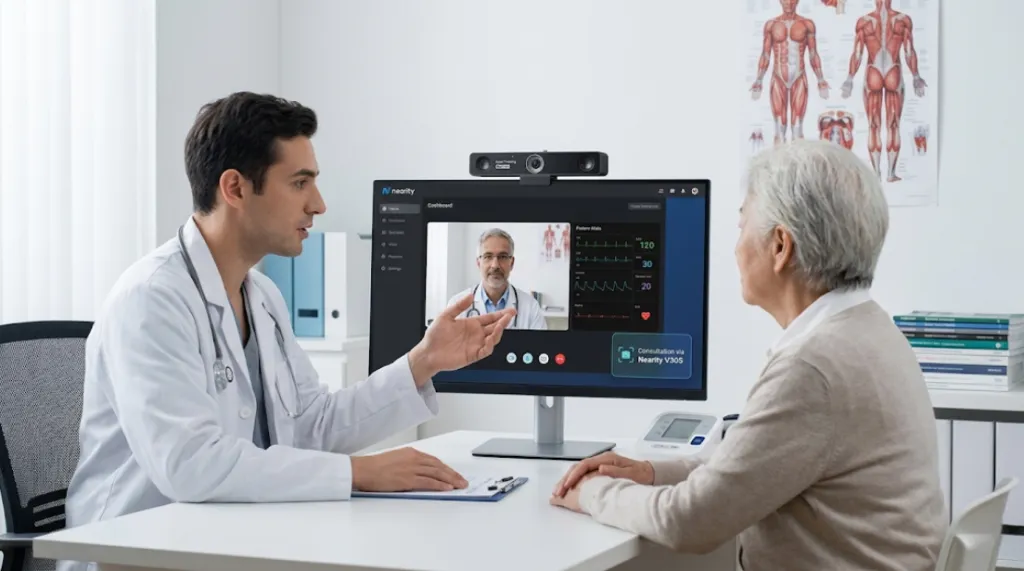
Dental and orthodontic consultations require showing high-detail visual aids, 3D models, or even physical aspects of a patient's smile. In a clinical setting, hygiene is also paramount. Cameras with hands-free gesture controls or voice commands allow practitioners to zoom in on a model without touching the hardware. High color accuracy and sharp 4K resolution are essential for evaluating tissue color and enamel details.
Telehealth Consultations
For therapists, specialists, and general practitioners, patient privacy and clear communication are the top priorities. Telehealth professionals benefit from cameras with built-in physical privacy shutters. Additionally, high-end autofocus and true-to-life color reproduction are vital for diagnosing skin conditions or reading subtle patient micro-expressions.
Traveling Consultants
Road warriors need gear that fits into a laptop bag but outperforms a built-in laptop webcam. Traveling consultants must deal with unpredictable hotel Wi-Fi and terrible lighting. The ideal travel camera is ultra-compact, plug-and-play, and equipped with exceptional low-light correction and background-noise-canceling microphones to drown out airport or cafe chatter.
Hybrid Consultant Team Meetings
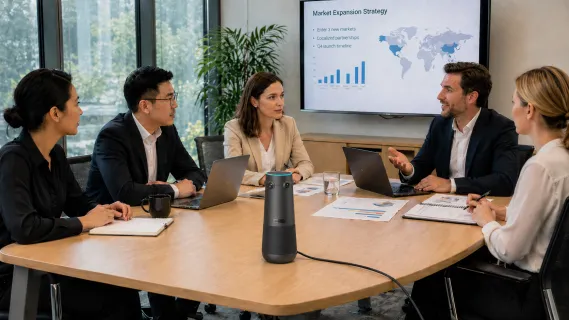
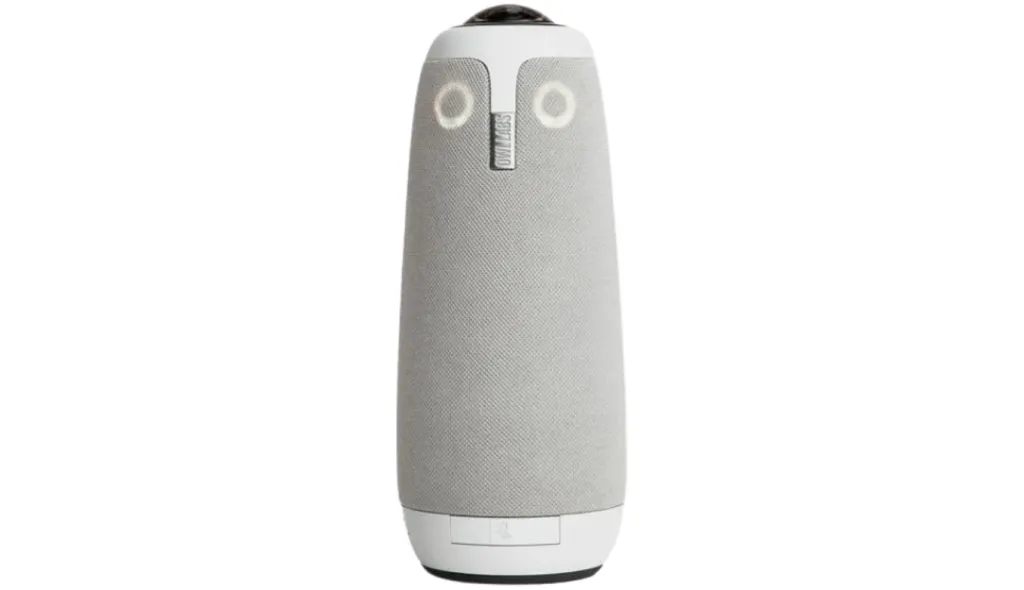
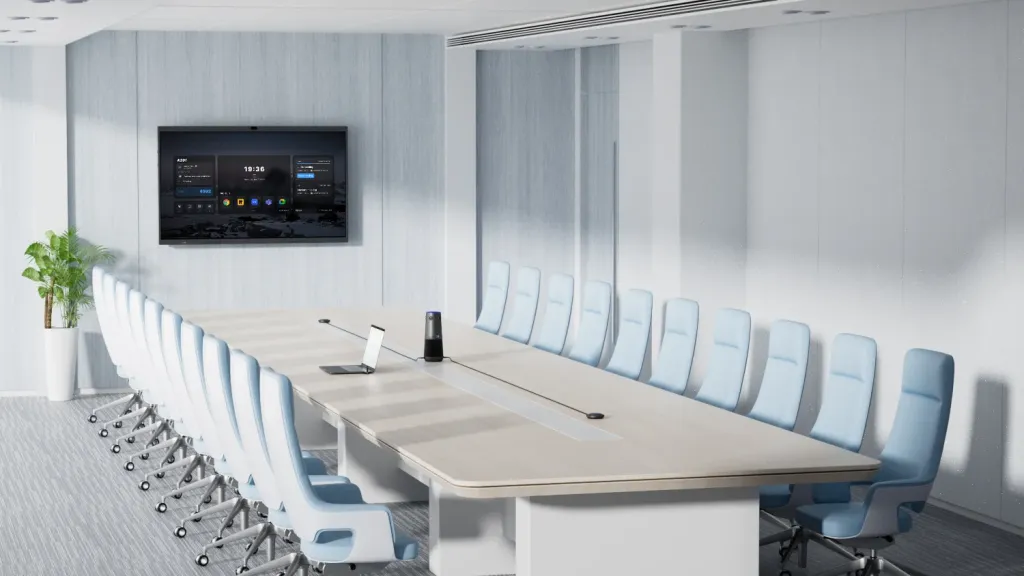
When a team of consultants is pitching a client from a single conference room, remote clients need to see everyone clearly. Traditional front-of-room cameras often make participants at the back of the table look tiny. 360-degree cameras or center-of-table companion cameras solve this by creating an equitable gallery view, ensuring the client can see who is speaking at any given moment.
Key Features to Look for in a Consultation Camera
When evaluating models, keep these technical specifications in mind:
AI Auto-Framing and Tracking: Technologies like Poly DirectorAI or OBSBOT's AI tracking keep the active speaker perfectly framed, even if they pace around the room.
Resolution and Sensor Size: Look for 4K resolution and large sensors (e.g., 1/1.2-inch to 1/1.5-inch). A larger sensor captures more light, producing a cleaner image with natural background blur.
Microphone Arrays: Video is only half the battle. Look for omnidirectional beamforming microphones with AI noise reduction (like Poly NoiseBlockAI) to filter out HVAC noise and keyboard typing.
PTZ vs. Fixed:Pan-Tilt-Zoom (PTZ) cameras physically move to track you, offering lossless quality. Fixed wide-angle cameras rely on digital zoom to frame speakers, which can degrade image quality if the sensor isn't powerful enough.
Best Conference Cameras for Different Consultation Scenarios
Based on the latest 2026 hardware, here are the top recommendations for every consultation type:
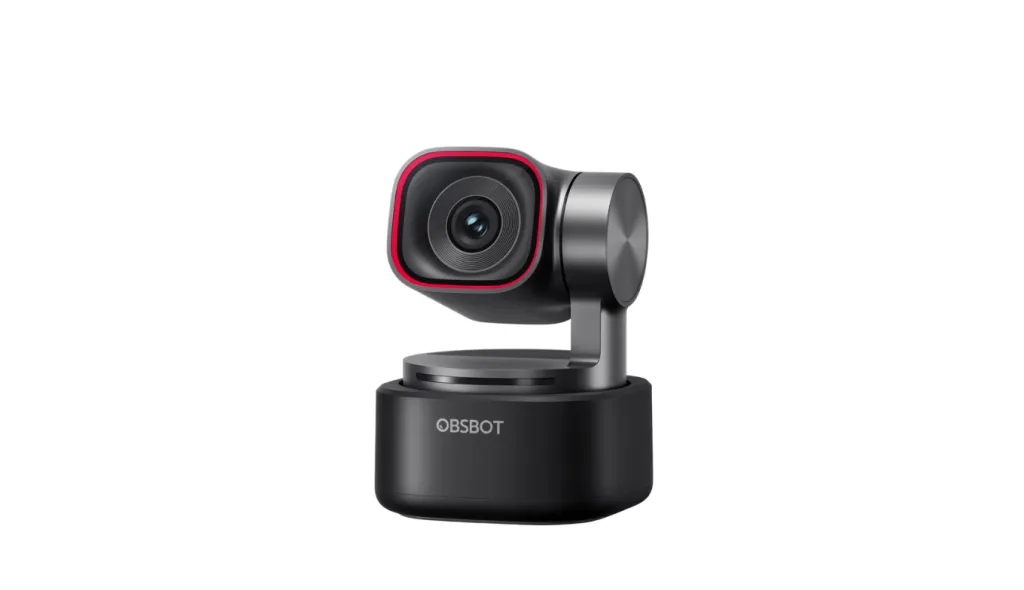
Best for Dental & Clinical Consultations: OBSBOT Tiny 3 4K The OBSBOT Tiny 3 is a motorized PTZ camera with a massive 1/1.28-inch sensor. It excels in clinical settings because it features highly responsive gesture controls. A dentist can simply hold up their hand to force the camera to zoom in on a dental mold—no touching required. Its 4K clarity and flawless autofocus make it perfect for detailed clinical reviews.
Best for Hybrid Team Meetings: Meeting Owl 3 If your consulting firm frequently pitches clients as a group, the Meeting Owl 3 is unrivaled. Placed in the center of the table, this 360-degree camera uses an 8-microphone array to detect exactly who is speaking, dynamically splitting the video feed to highlight active speakers while keeping a panoramic view of the whole room.
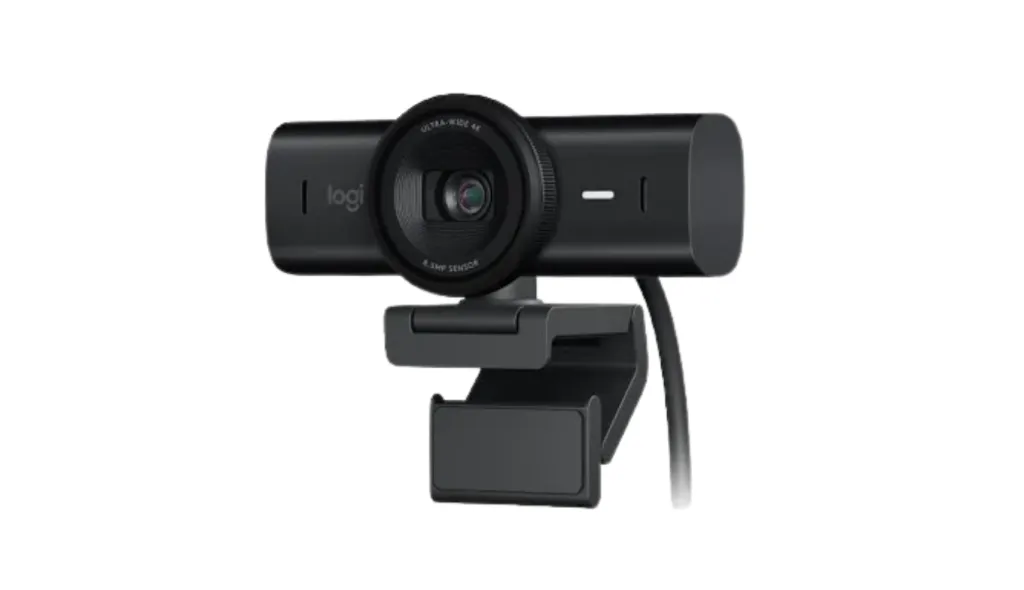
Best for Telehealth & Therapy: Logitech MX Brio For telehealth, the Logitech MX Brio offers phenomenal 4K video, outstanding low-light correction, and dual beamforming microphones. Crucially, it features an integrated, satisfyingly mechanical privacy shutter, giving both the practitioner and the patient absolute peace of mind between sessions.
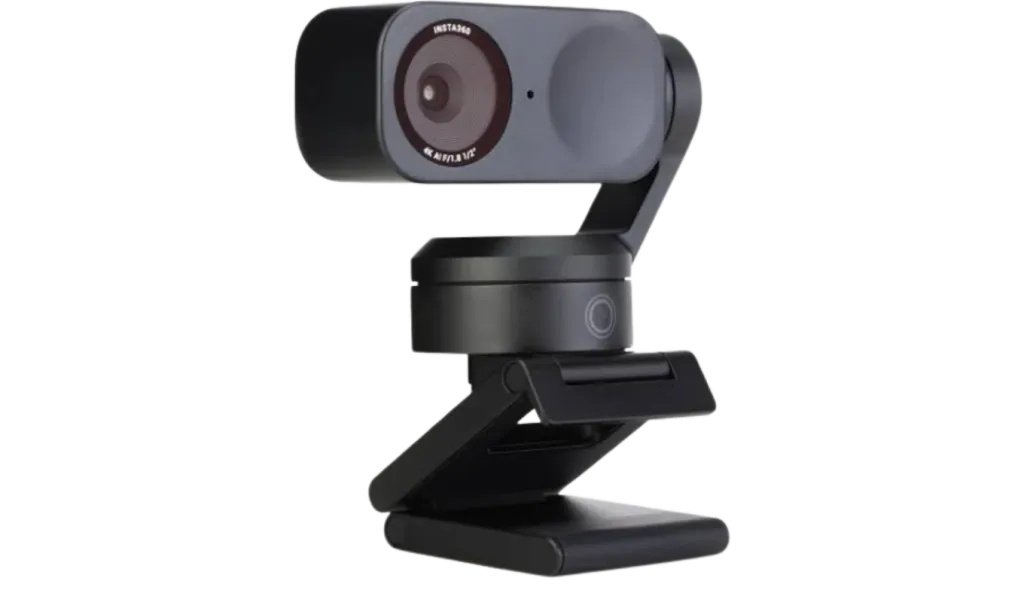
Best for Traveling Consultants: Insta360 Link 2 Pro or Opal Tadpole For dynamic presenters on the go, the Insta360 Link 2 Pro offers a built-in 2-axis gimbal that physically tracks you around a hotel room or temporary office. If absolute space-saving is required, the Opal Tadpole is a tiny, highly effective 1080p camera with a built-in clip that fits anywhere while delivering superior audio via its directional mic.
Best for Business & Management Boardrooms: Nearity 360 Alien For dedicated consulting boardrooms, the Nearity 360 Alien redefines hybrid meetings with a 4K Ultra HD four-camera array that delivers a seamless 360° panoramic view. Featuring 3 Smart AI Modes (Discussion, Global, and Presentation), a 6-mic array with advanced noise suppression, and intelligent speaker auto-framing, this system ensures every participant is clearly seen and heard, making enterprise pitches highly immersive and engaging.
Comparison Table: Which Camera Fits Your Consultation Type?
Camera Model
Best For
Max Resolution
FOV / Movement
Standout Feature
OBSBOT Tiny 3
Dental / Clinical
4K @ 30fps
79.4° (Full PTZ)
Hands-free gesture controls
Meeting Owl 3
Hybrid Teams
1080p
360° Panoramic
Center-table active speaker AI
Insta360 Link 2 Pro
Traveling / Presenting
4K @ 30fps
84° (Gimbal)
Physical gimbal auto-tracking
Logitech MX Brio
Telehealth / 1-on-1
4K @ 30fps
90° / 78° / 65°
Integrated physical privacy shutter
Nearity 360 Alien
Enterprise Boardrooms
4K UHD
360° Panoramic
4-camera array & 3 AI modes
Recommended Camera Setups by Consultation Room Type
The Home Office / Telehealth Setup: Mount a high-quality fixed camera (like the Logitech MX Brio) directly at eye level on your primary monitor. Supplement this with two LED key lights positioned at 45-degree angles to eliminate facial shadows.
The Huddle Room (2-4 People): Utilize a wide-angle USB video bar mounted just below the display. A 120-degree FOV ensures everyone at the small table is captured without distortion.
The Large Boardroom (5+ People): Use a center-of-table camera (like the Nearity 360 Alien) combined with a front-of-room system, or deploy a dual-lens system like the Poly Studio E70, which uses one lens for wide room shots and another for tight optical zooming on speakers.
The Clinical Exam Room: Mount a PTZ camera (OBSBOT Tiny 3) on a flexible articulating arm or a stable tripod near the patient chair. Ensure the camera has a clear line of sight and is positioned to avoid glare from overhead surgical lights.
Setup Tips for Better Consultation Calls
Place the Camera at Eye Level
Eye-level placement creates a more natural conversation. Avoid placing the camera too low, which can make the speaker appear less professional.
Use Front Lighting
Good lighting improves image quality more than many people expect. Place a soft light source in front of the speaker, not behind them.
Reduce Echo Before Buying More Gear
Hard walls, glass rooms, and empty spaces create echo. Add curtains, rugs, soft furniture, or acoustic panels to improve audio quality.
Test the Setup Before Client Calls
Before important consultant meetings, test:
Camera framing
Microphone pickup
Speaker volume
Internet connection
Screen sharing
Meeting platform compatibility
Match the Camera to the Room, Not Just the Spec Sheet
A 360° camera is excellent for roundtable meetings, but unnecessary for a solo consultant. A PTZ camera is powerful for detailed review, but may be too complex for simple client calls. Choose based on the consultation workflow.
FAQs
Is a 360° conference camera better than a regular webcam?
A 360° conference camera is better for group discussions, roundtables, and hybrid consultant meetings where multiple people speak from different positions. A regular 4K webcam is better for solo consultants, small rooms, or one-on-one client calls.
What should traveling consultants look for in a portable conference camera?
Traveling consultants should look for a compact all-in-one camera with USB plug-and-play setup, built-in microphone and speaker, good low-light performance, and broad compatibility with Zoom, Teams, Google Meet, and Webex.
How do 360-degree cameras like the Nearity 360 Alien work?
They feature a panoramic lens that captures the entire room simultaneously. The "brain" of the camera listens to where audio is coming from and uses facial recognition to automatically split the video feed, creating individual close-ups of the people who are actively talking.
Can I use the same camera for consulting and telehealth?
Yes, in some cases. A 4K conference camera can support both consulting and telehealth communication. However, clinical use also requires attention to privacy, consent, secure platforms, and documentation workflows. The camera is only one part of the full telehealth setup.
What is the best conference room camera for consulting?
The best conference room camera for consulting depends on the meeting format. For solo consultants or small rooms, a 4K wide-angle camera like Nearity V30S is usually enough. For group consulting sessions or client workshops, a 360° AI camera like Nearity 360 Alien provides better room coverage and meeting equity.
Final Recommendation
Investing in a high-quality conference camera is one of the most cost-effective ways to elevate your consulting practice.
If you are a solo practitioner doing 1-on-1 telehealth or business consulting from a fixed desk, a premium fixed webcam like the Logitech MX Brio is your best bet. If your consultations require physical demonstrations, pacing, or clinical precision, upgrade to the motorized tracking of the OBSBOT Tiny 3 4K. Finally, if your consulting relies on collaborative team pitches from a shared boardroom, the Nearity 360 Alien will completely transform how your clients experience your presentations. Choose the tool that best fits your workflow, and ensure your digital first impression is as strong as your real-world expertise.