
































As virtual Bible studies continue to grow in popularity, having the right technology can significantly enhance the experience. This article explores the top 360° conference cameras designed to ensure high-quality, immersive Zoom sessions — and dives deep into how the Nearity 360 Alien stands out as the premier choice for faith communities.
Key Takeaways
- Overcoming Barriers: Zoom Bible studies allow believers to bypass scheduling conflicts and geographical limitations to stay deeply connected to their faith communities.
- The 360° Advantage: Standard webcams leave people out of the frame, whereas 360° conference cameras capture the entire room so remote participants feel truly present.
- AI-Driven Engagement: Advanced hardware offers tailored viewing options like Discussion, Global, and Presentation modes to automatically track whoever is speaking or praying.
- Audio is Vital: High-quality, omnidirectional microphone arrays with noise suppression ensure that every prayer, reflection, and scripture reading is heard without distortion.
- Top Equipment Choice: The Nearity 360 Alien stands out for its True 4K UHD four-camera array, scalable audio pickup (up to 16 meters), and seamless plug-and-play Zoom integration.
What is Zoom Bible Study?
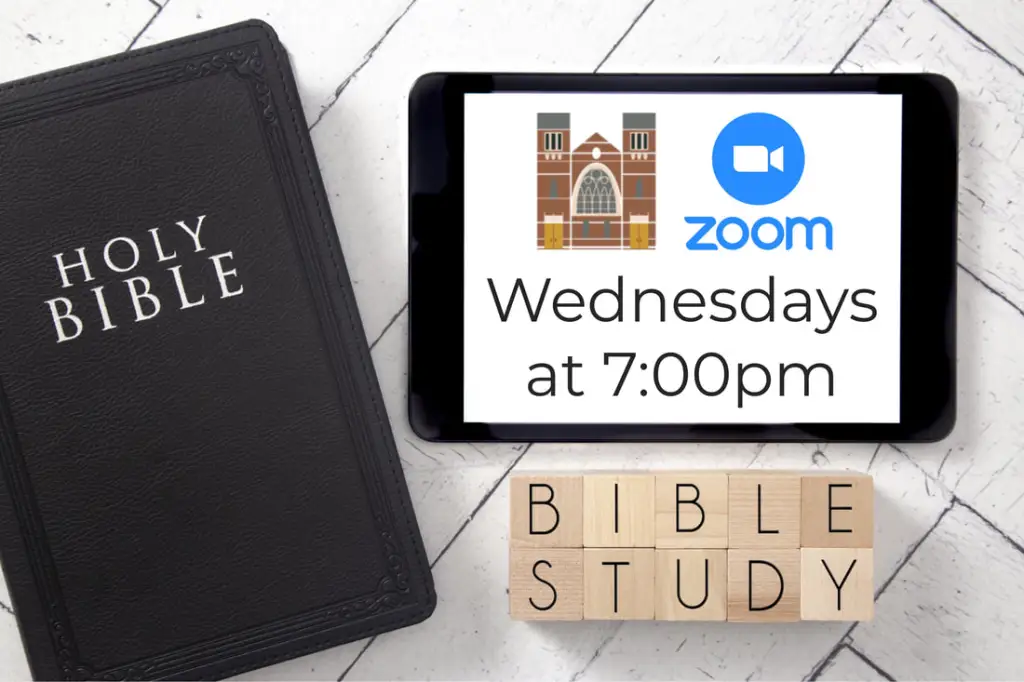
In today's fast-paced, tech-driven world, traditional ways of connecting for spiritual growth are evolving. Zoom Bible Study has become one of the most popular and effective ways for people to gather virtually, breaking down geographic barriers and offering a flexible solution for those looking to connect with their faith communities.
The Rise of Virtual Faith Communities
As society changes, so does the way we practice faith. Recent trends show that while the percentage of U.S. adults identifying as Christians has declined from 78% in 2007 to 62% today (according to a Pew Research Center study), the desire to stay engaged with one's faith remains strong. The Christian share of the U.S. adult population has held steady since 2019, suggesting that faith communities are still a central part of people's lives.
However, attending in-person Bible study isn't always feasible. Whether due to distance, scheduling conflicts, or other challenges, many people find it difficult to join traditional church sessions. Zoom Bible study groups address this by allowing individuals to participate remotely — making it easier for anyone to stay connected to their faith community.
Whether you're looking for an online Catholic Bible study group on Zoom, or searching for Zoom Bible study groups near me, virtual gatherings offer the flexibility and accessibility that modern believers need.
Why is a 360° Conference Camera Perfect for Zoom Bible Study?
Poor audio quality, choppy video, and participants who can't be seen or heard clearly can undermine even the most spiritually meaningful sessions. This is where a 360° conference camera transforms the experience for everyone.
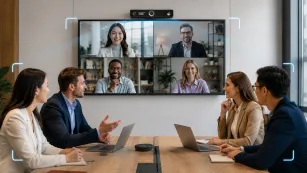
A 360-degree conference camera ensures that no matter where you are in the room, everyone is seen and heard clearly. Imagine sitting at home, attending Bible study with your church group, and feeling as though you're all in the same space together.
With advanced AI tracking capabilities, the camera follows the active speaker — whether they're sitting at the front of the group or moving around the room. This creates a far more immersive and engaging experience, perfect for any online Bible study group on Zoom.
Key benefits of a 360° conference camera for virtual worship:
- Full-room coverage — no one is ever out of frame
- AI speaker tracking — attention automatically shifts to whoever is speaking
- Omnidirectional audio — everyone's voice is captured clearly
- Plug-and-play simplicity — no IT expertise required
Best Conference Room Cameras for Zoom Bible Study
When selecting the best conference room camera for your Zoom Bible study sessions, it is essential to prioritize high-quality video and audio, seamless Zoom integration, and ease of setup. Below are four top-rated conference cameras ideal for virtual Bible study groups.
1. Nearity 360 Alien
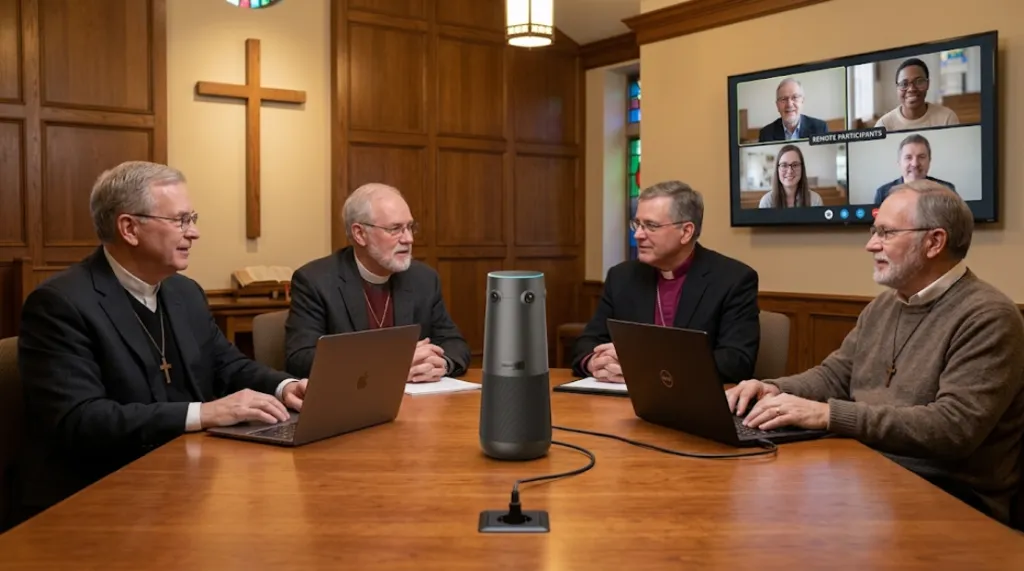
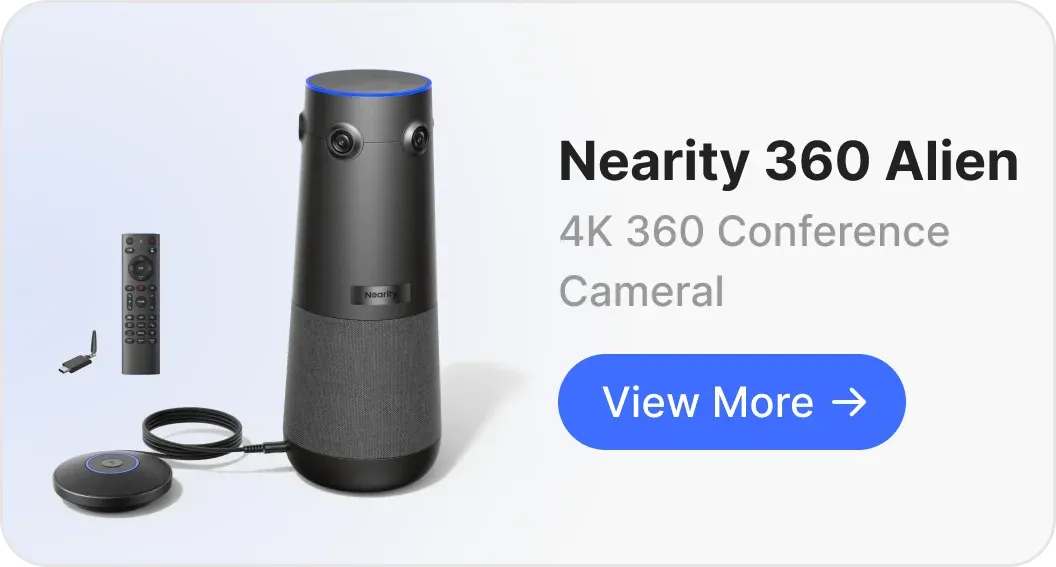
The Nearity 360 Alien is the standout choice for Zoom Bible study, delivering a true professional-grade 360° experience powered by True 4K Ultra HD resolution — a significant leap beyond traditional 1080p fisheye cameras.
Why the 360 Alien Excels for Bible Study
Unlike conventional 360° cameras that rely on distorted edge views from a single fisheye lens, the Nearity 360 Alien uses a four-camera array, each with a 120° ultra-wide-angle lens, to achieve seamless 360° coverage. Every participant is captured from the best frontal angle — no blind spots, no stitching gaps, just natural and clear visuals.
Three AI-Powered Modes for Every Bible Study Format
The 360 Alien offers three intelligent video modes that adapt to any session style:
- Discussion Mode — Automatically focuses on up to four active speakers in real time, switching seamlessly as the conversation flows. Ideal for roundtable scripture discussions where multiple members share reflections.
- Global Mode — Displays the full 360° panoramic view, so all attendees are visible simultaneously. Perfect for group prayer or when you want everyone to feel equally present.
- Presentation Mode — Dynamically tracks and zooms in on the current speaker, adjusting the frame in real time based on voice and movement. Ideal for when a pastor or leader is teaching or reading from scripture.
Crystal-Clear Audio for Meaningful Conversations
Spiritual discussions deserve audio quality that doesn't miss a word. The 360 Alien features:
- A 6-omnidirectional microphone array with 5.5-meter pickup radius
- ProperClean 2.0 Audio Technology — advanced AI noise suppression, echo cancellation, and resonance elimination
- Expandable to 16 meters by connecting up to two expansion microphones (AM01), covering even large fellowship halls
- A built-in 83dB Hi-Fi full-duplex speaker for natural, lag-free conversations

Scalable for Any Room Size
| Room Size | Setup | Capacity |
|---|---|---|
| Small Room (up to 30㎡) | 360 Alien × 1 | 3–8 people |
| Medium Room (up to 60㎡) | 360 Alien × 1 + Expansion Mic × 1 | 8–15 people |
| Large Room (up to 80㎡) | 360 Alien × 1 + Expansion Mic × 2 | 15–28 people |
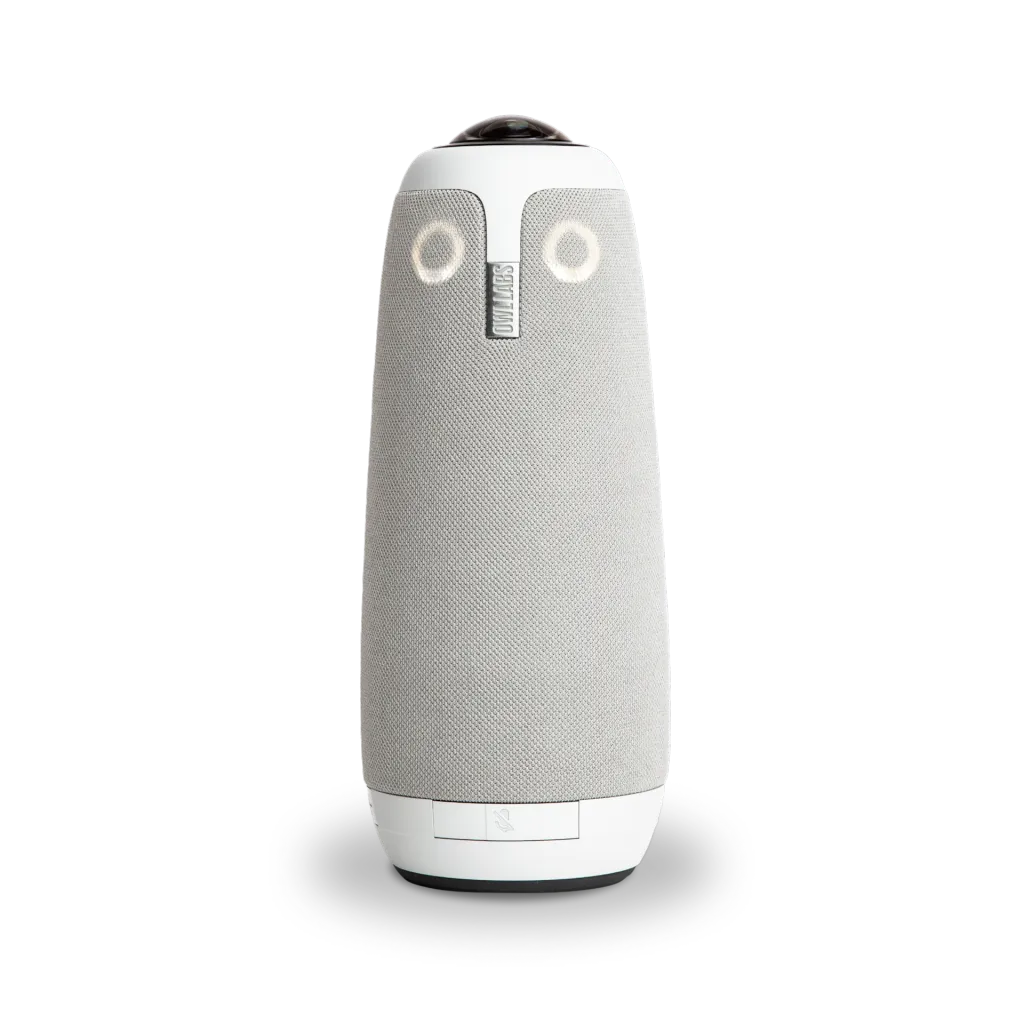
2. Meeting Owl 3
The Meeting Owl 3 is a well-established option for immersive Zoom experiences, especially for groups that need a recognizable, easy-to-use device.
Key features:
- 360° panoramic camera capturing a 10-foot radius in 1080p
- Intelligent auto-tracking — zooms in on the active speaker automatically
- 360° tri-speaker system with audio pickup up to 18 feet (5.5 meters)
- 8 omnidirectional beamforming microphones
The Owl 3 creates an organic hybrid experience where in-person and remote participants feel equally engaged. It is well-suited for smaller, casual Bible study groups already familiar with the Owl Labs ecosystem.
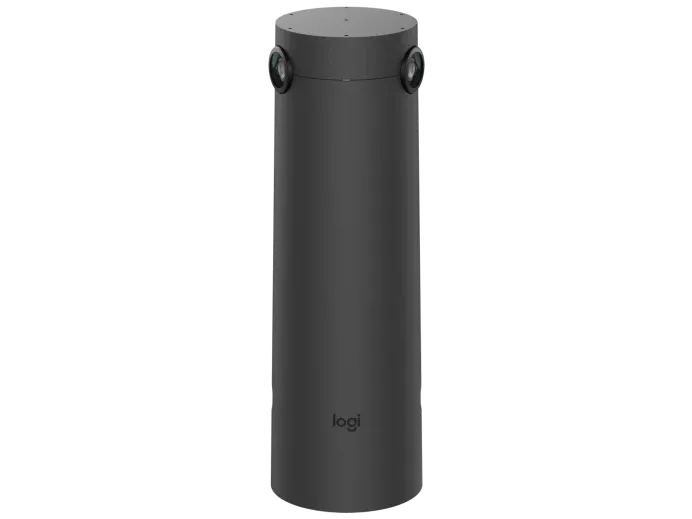
3. Logitech Sight
The Logitech Sight takes a focused approach, using AI-powered framing to ensure remote attendees feel seated at the table. Best paired with a Logitech Rally Bar at the front of the room.
Key features:
- AI-powered framing — intelligent multi-participant framing
- Dual viewpoints when paired with Logitech Rally Bar
- 4K resolution with a 315° field of view
- 7 omnidirectional MEMS microphones forming six adaptive acoustic beams (2.3m radius pickup)
Best suited for smaller, structured Bible study groups that prioritize front-facing visual consistency. Note: this camera works best when participants remain oriented toward the front.
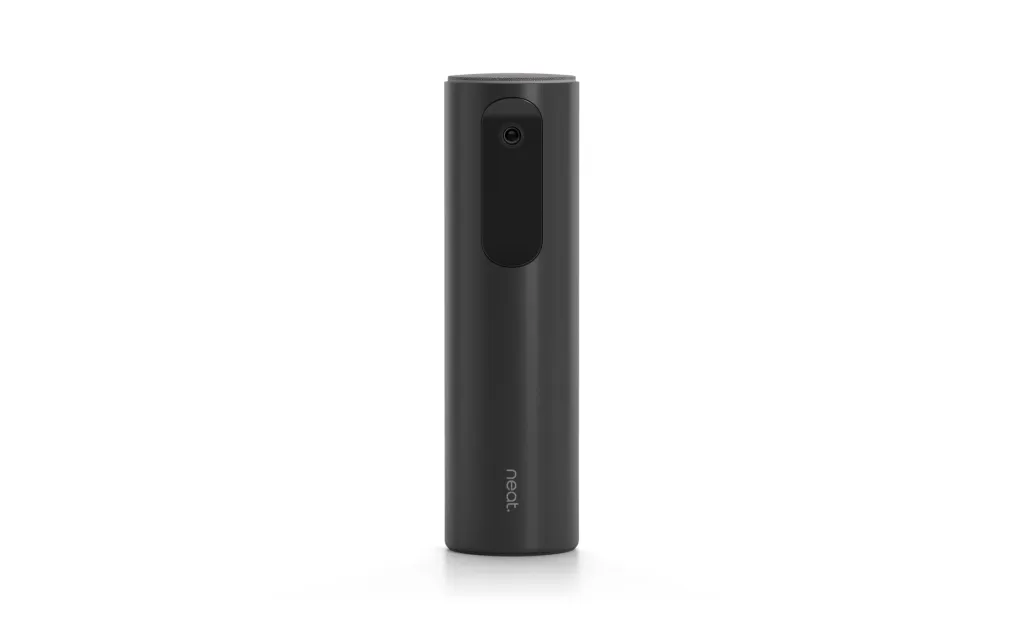
4. Neat Center
The Neat Center offers an ultra-modern design that integrates seamlessly into any worship space. Its compact form factor and built-in AI ensure speakers are clearly visible and heard regardless of their position.
Key features:
- AI-powered auto-framing that adjusts based on participant count
- Beamforming 16-mic array with 3.0m pickup range
- 1080p HD, 360° video
- Direct Zoom compatibility with plug-and-play setup
The Neat Center is an elegant option but is currently only available through offline channels.
Camera Comparison Table
| Camera Model | Price | Video Quality | Microphone | Availability |
|---|---|---|---|---|
| Nearity 360 Alien | $1,399.99 | True 4K UHD, 360° | 6 omni-mics, up to 16m with expansion | Online & resellers |
| Meeting Owl 3 | $1,049 | 1080p HD, 360° | 8 omni mics, 5.5m | Online & resellers |
| Logitech Sight | $2,099 | 4K, 315° FOV | 7 MEMS mics, 2.3m radius | Online & resellers |
| Neat Center | Unpublished | 1080p HD, 360° | 16-mic array, 3.0m | Offline only |
How to Use These Cameras for Zoom Bible Study (Example: Nearity 360 Alien)
Using a 360° camera like the Nearity 360 Alien for your Zoom Bible study not only enhances the overall experience but also makes virtual participation more interactive and seamless. Below, we’ll walk through the detailed steps for setting up and using the camera effectively, as well as some important Zoom settings and preparation tips to ensure your Bible study is smooth and engaging.
Step 1: Setting Up the Nearity 360 Alien
Connect the device:
- Plug the power adapter into an outlet, then connect the Nearity 360 Alien to your computer via USB-C/A cable or the wireless dongle (sold separately). No drivers are required.
Select the camera in Zoom:
- Open Zoom → Settings (gear icon, top right) → Video Settings
- Select Nearity 360 Alien from the camera dropdown
- Test to confirm the 360° room view appears correctly
Configure audio:
- Under Audio Settings, select the Nearity 360 Alien as your microphone and speaker
- Run the audio test to confirm clear pickup from across the room
Choose your AI mode:
- Use the remote control or top buttons to select the mode that fits your session: Discussion, Global, or Presentation
Step 2: Preparing for the Bible Study Session
Schedule the Zoom meeting:
- Open Zoom → Schedule a Meeting → set date, time, and recurrence
- Enable video for host and participants
- Turn on the Waiting Room to control entry
- Consider a meeting password for security
Share the meeting link:
- Send the Zoom link to participants via email, WhatsApp, or your church communication platform
- Include the password (if set) and the scripture passage or topic you'll be discussing
Prepare your space:
- Position the 360 Alien centrally on the table for optimal 360° coverage
- Ensure good lighting — the camera's Star-VIS CMOS sensor handles low-light well, but natural or warm lighting improves the feel
- Clear the space of distracting backgrounds; alternatively, use a Zoom virtual background
Prepare study materials:
- Bible passages and reflection notes
- A shared Google Doc or Zoom whiteboard for group notes
- Prayer lists and announcements for the next meeting
Step 3: During the Zoom Bible Study Session
Start the meeting:
- Click Start and admit participants from the Waiting Room as they arrive
Use the 360 Alien's AI modes effectively:
- Discussion Mode — best for open group conversation; the camera highlights up to four speakers automatically
- Global Mode — best for group prayer or when you want the wide community view
- Presentation Mode — best when a leader is teaching; the camera tracks their movement across the room
Engage remote participants:
- Encourage everyone to keep their cameras on for stronger connection
- Use Zoom's Breakout Rooms to split into smaller groups for deeper discussion
Share scripture and notes:
- Use Screen Share to display Bible passages, study guides, or slides
- Use the Zoom Whiteboard to capture key reflections or prayer points collaboratively
Record the session (optional):
- Click Record at the bottom of the screen to save for members who couldn't attend
- Zoom will save to your computer or cloud depending on your plan
Step 4: Ending the Session and Follow-Up
- Click End Meeting in the lower right corner to close the session for all participants
- If recorded, share the Zoom recording link with absent members
- Send follow-up materials: study notes, prayer requests, and the next meeting link
Tips for an Even Better Zoom Bible Study
- Use a second screen if managing shared content and participants simultaneously
- Good lighting matters — warm, even lighting makes video feel more personal and welcoming
- Use Zoom reactions (thumbs up, clapping) to let remote participants express agreement without interrupting
- Adjust the Alien's mic pickup using the volume buttons for optimal audio in your specific room
Conclusion: Elevating Your Virtual Bible Study Experience
As virtual Bible studies connect believers across distances, reliable technology is essential for meaningful engagement. The Nearity 360 Alien stands out as a strong option for faith communities seeking a more immersive and professional experience.
It offers True 4K Ultra HD imaging via a four-camera system, AI-powered viewing modes for different discussion formats, and ProperClean 2.0 audio for clear sound. With expandable microphone coverage up to 16 meters and a plug-and-play wireless dongle, setup is simple even for non-technical users.
Whether in a home, fellowship hall, or chapel, the Nearity 360 Alien helps ensure clear communication and visual connection, supporting faith communities wherever they gather.
FAQs
1. What is the best camera for online Bible study groups?
The Nearity 360 Alien is the best overall conference camera for Zoom Bible study. It delivers True 4K UHD video via a four-camera array, three AI-powered capture modes (Discussion, Global, and Presentation), omnidirectional audio with a 5.5m pickup range (expandable to 16m), and plug-and-play setup.
2. Can I use a regular webcam for Zoom Bible study?
You can use a standard webcam, but it limits the experience significantly. A regular webcam only captures a narrow field of view, which means participants seated off to the sides or at the back of the room won't be visible to remote attendees. A 360° conference camera covers the entire room, so every member feels present — which is especially important for community-focused gatherings like Bible study.
3. Is the Nearity 360 Alien compatible with Zoom?
Yes. The Nearity 360 Alien is fully compatible with Zoom, Microsoft Teams, Google Meet, Webex, Skype, and most other major video conferencing platforms. It works across Windows, macOS, ChromeOS, and Linux with no additional drivers or software required — simply plug in via USB or wireless dongle and select it as your camera and audio device in Zoom settings.
4. Can the Nearity 360 Alien cover a large church meeting room?
Yes. With its built-in 6-mic array, the 360 Alien covers up to a 5.5-meter radius. By connecting one expansion microphone (AM01), coverage extends to a larger area; with two expansion mics, it reaches approximately 16m × 5m — enough for large fellowship halls or church conference rooms. The camera supports rooms accommodating up to 28 people in this maximum configuration.
5. Does the Nearity 360 Alien require any software installation?
No. The Nearity 360 Alien is fully plug-and-play — no drivers, apps, or software installation required. Connect it via USB-C/A cable or the optional wireless dongle (NA20), select it as your camera and audio device in Zoom settings, and your session is ready to begin. Firmware updates can be managed optionally through the NearSync app.