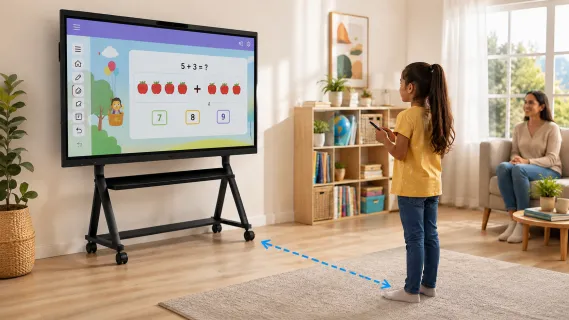
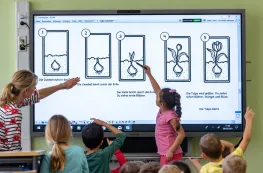
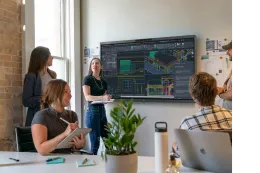
The biggest screen in your house is probably the gentlest one on your child's eyes. That sounds backwards — but the factor that drives eye strain in children isn't screen size, it's viewing distance, and a smart board is the only screen a child uses from several feet away while standing upright. So, are smart boards safe for kids? The evidence-based answer: yes, with the same common-sense habits that apply to any screen — manage distance, take breaks, and keep screens out of the hour before bed. The feared risks (blue light "damaging" young retinas) are largely unsupported by ophthalmology evidence, while the real risks (near-focus strain, sleep disruption, sedentary posture) are all manageable — and a smart board's design actually mitigates most of them.
This article unpacks the three safety questions parents ask most — eyes, durability, and screen time — using what eye doctors and researchers actually say, not what marketing pages claim. If you're evaluating a board for a homeschool or home-learning setup, this is the safety due-diligence piece; for the buying decision itself, see our guide to choosing a whiteboard for homeschooling, and for the big picture, our overview of smart boards for home use.
What Actually Causes Eye Strain in Kids — and Why Distance Dominates
Eye strain in children is caused primarily by sustained near focus — the eyes' focusing muscle (the ciliary muscle) working continuously at close range — combined with reduced blinking. Screen size, brightness, and even blue light are secondary variables. This is the first-principles point most safety articles miss, and it flips the smart board question on its head.
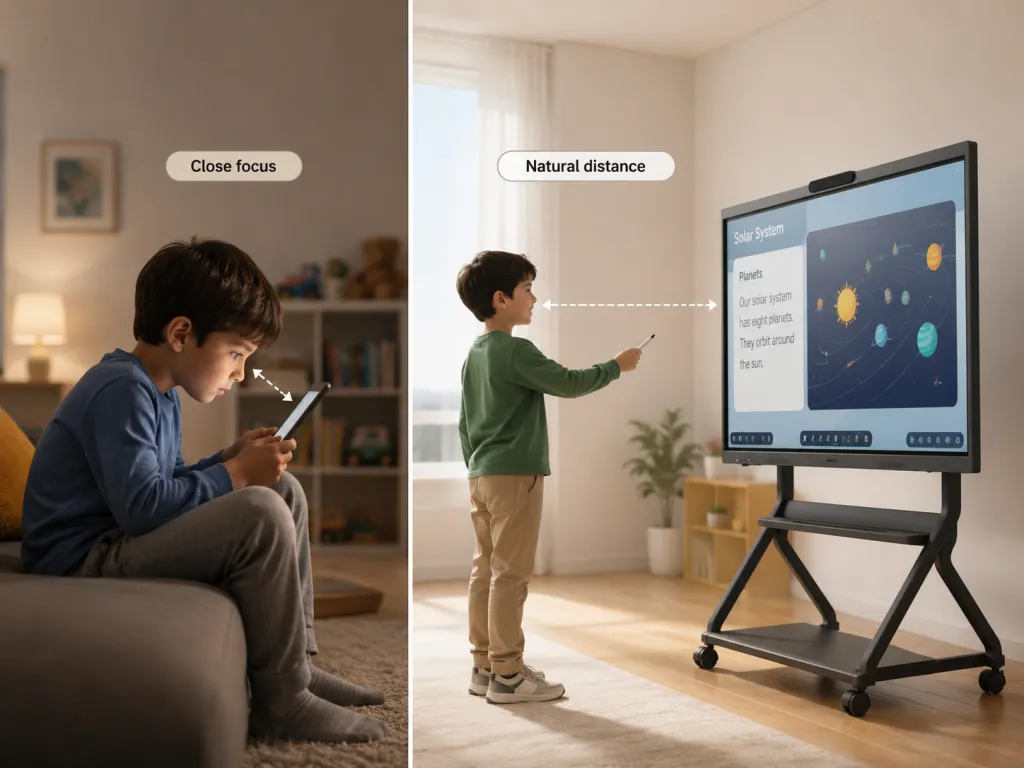
Here's the mechanism. When a child stares at a tablet held ten inches away, the ciliary muscle contracts hard and stays contracted; blink rate drops by roughly half, drying the eye surface; and the head hangs forward, loading the neck. Ophthalmologists call the resulting cluster of symptoms digital eye strain: tired eyes, dryness, headaches, blurry vision. The key word is temporary — the American Academy of Ophthalmology's guidance on kids and screens is explicit that these symptoms resolve and that no permanent damage is being done.
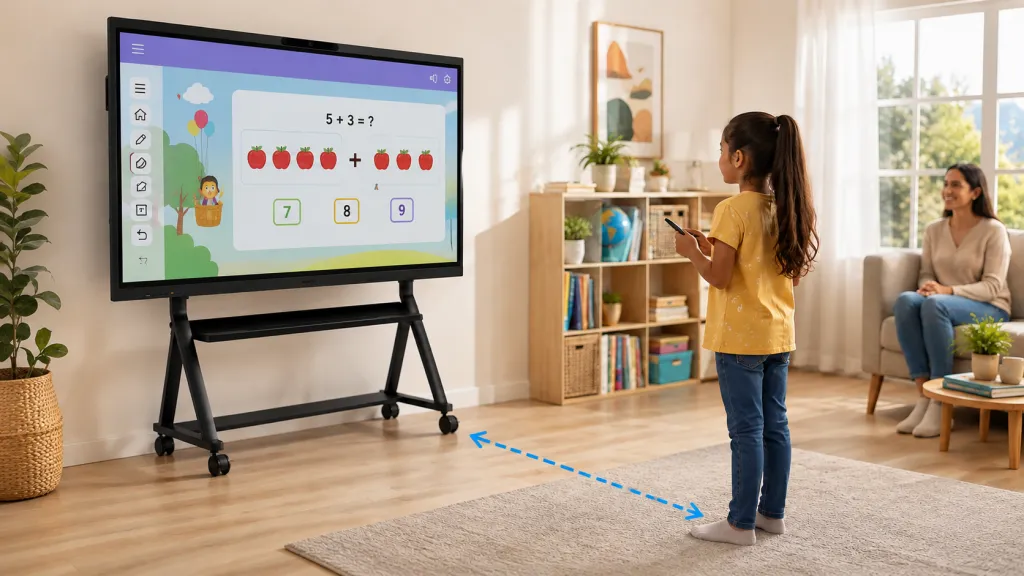
Now change one variable: distance. A child working at a smart board stands several feet from the display. The focusing muscle works at a fraction of the effort. Large text at 4K resolution means no squinting. The head is up, the body moves, and the child naturally looks away — at you, at a worksheet, across the room — far more often than a child hunched over a personal screen. Nearly every mechanical driver of eye strain weakens with distance, which is why eye-care professionals consistently worry more about phones and tablets than about large displays.
Why does this matter so much for parents choosing devices? Because it inverts the intuitive hierarchy. The intuitive ranking is "smaller screen, smaller dose." The physiological ranking is "closer screen, harder work." A 55-inch board at four feet is, by the mechanism that actually causes strain, a lighter load than a 10-inch tablet at ten inches.
The Blue Light Question, Settled by Evidence
Blue light from smart boards is not known to damage children's eyes — the American Academy of Ophthalmology states plainly that there is no scientific evidence that light from computer screens is harmful to the eyes, and it does not recommend blue-light glasses for screen use. The one blue-light concern with solid evidence behind it is sleep, and that's a timing problem, not a hardware problem.
Let's run the three-layer why, because this is where parenting forums and eye doctors diverge most sharply.
Why do parents worry about blue light? Because high-energy visible light penetrates deep into the eye, and children's lenses are clearer than adults', transmitting more of it. That part is true physics.
Why doesn't that translate into damage? Because damage requires energy levels screens don't produce. The AAO's position — that there's no evidence screens damage eyes — reflects the dose reality: a screen's blue-light output is trivial next to ordinary daylight, and the symptoms parents attribute to blue light (tired eyes, headaches) are explained by the near-focus and reduced-blinking mechanisms above, which are about behavior, not wavelengths.
Why does the myth persist? Because the sleep connection is real and gets overgeneralized. Blue-enriched light in the evening does suppress melatonin and delay sleep onset — that's well supported, and sleep matters enormously for child development. Parents experience "screens before bed wreck bedtime," correctly, and then incorrectly extend the causal chain to "screens damage eyes." The accurate takeaway is narrower and more actionable: end screen-based lessons at least an hour before bed, and use the board's brightness and any warm-color display settings in the evening. Hardware-level low-blue-light modes and flicker-free backlights are genuine comfort features — they reduce evening stimulation and eliminate an imperceptible flicker some children are sensitive to — but they're comfort features, not safety equipment.
One more myth worth retiring: the "radiation" framing. Screens emit visible light, not ionizing radiation — no dose is accumulating in your child's retina.
Durability: Will a Kid Break It?
Smart boards are among the most child-resistant screens you can put in a home, because they're engineered for classrooms — environments where thirty unsupervised nine-year-olds are the baseline stress test. The realistic home risks are tipping (if a rolling stand isn't locked) and hard impacts, not scratches or everyday rough handling.
Consider the comparison parents actually make: a consumer TV or a tablet. A TV's panel is designed to be looked at, not touched; a tablet's glass survives pockets and backpacks reasonably well but shatters on tile floors with depressing regularity. A smart board's surface is hardened tempered glass — commonly rated at high hardness levels specifically to resist stylus scratches, fingernails, wedding rings, and the occasional toy collision — bonded to a chassis built to be leaned on, poked, and erased thousands of times a day. Anti-glare etching, which parents file under "display quality," is also a durability feature: it's a physical surface treatment, not a screen protector that peels.
Picture a Tuesday afternoon. Your seven-year-old is doing a math game at the board, gets excited, and slaps the answer instead of tapping it. On a tablet, that's a cracked corner and a repair bill; on a consumer TV, it's a heart-stopping wobble. On a classroom-grade board, it's Tuesday. The device was designed assuming exactly that child.
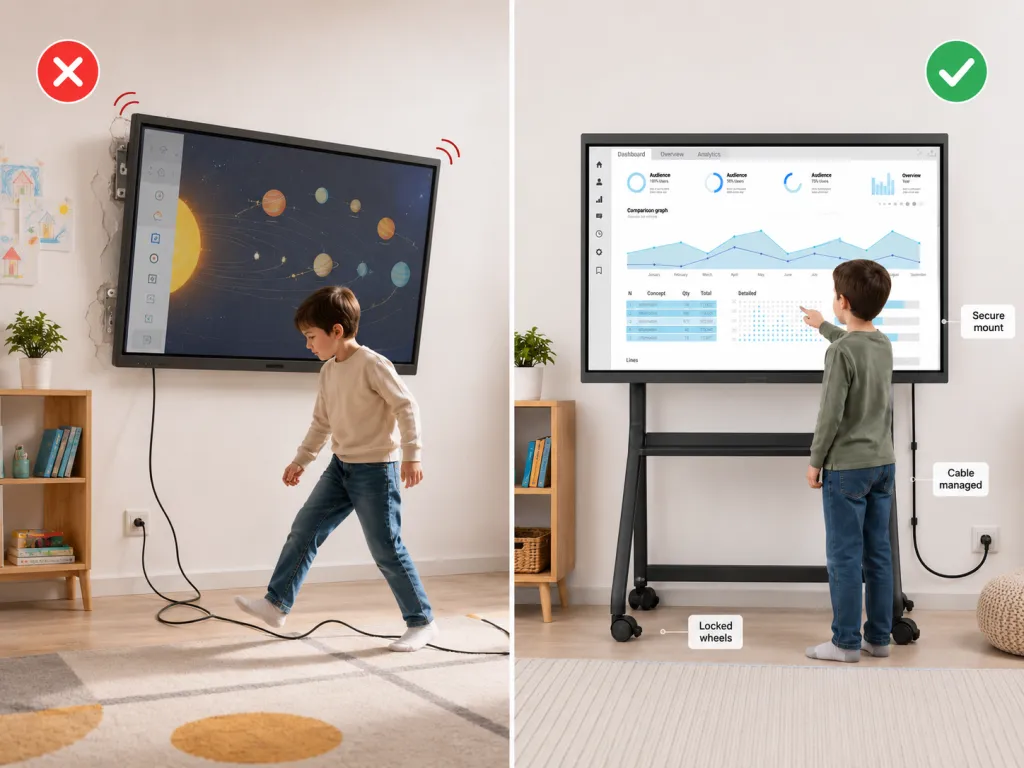
The devil's-advocate caveat, because it's real: "durable" describes the screen, not the installation. A board on a rolling stand with unlocked casters, or a wall mount anchored into drywall without studs, converts a safe device into a tipping hazard — and that's the failure mode that actually injures children. If you take one durability action, make it this: anchor the mount into studs or lock the stand's wheels, and route the power cable where feet don't go.
Screen Time: the Right Way to Count Board Hours
Smart board time should be counted as active learning time, not passive screen time — a child standing, writing, and solving problems at a board is doing something physiologically and cognitively closer to a classroom lesson than to watching videos on a couch. The hours that concern pediatricians are the passive, solitary, sedentary kind.
This distinction matters because screen-time guidance was built around consumption. The concerns behind daily limits — displaced physical activity, displaced sleep, attention effects — track passive use. Interactive board time inverts each element: the child is upright and moving, producing work rather than absorbing it, usually with a parent or sibling. Board time belongs in the same budget as hands-on schoolwork, not in the same budget as cartoons.
That said, eyes don't grade intentions. Long focus sessions still tire young visual systems, whatever the content. The habit with the strongest practical backing is the 20-20-20 rule: every 20 minutes, look at something about 20 feet away for 20 seconds. At a smart board this happens almost naturally — the child steps back, turns to explain something to you, walks to a bookshelf — which is yet another way the format is kinder than the tablet. Build explicit breaks into longer lessons anyway.
And protect the two things screen time most often displaces. Sleep: end board lessons at least an hour before bed, per the blue-light timing logic above. Outdoor time: research consistently links time outdoors in childhood with slower progression of myopia — the one vision outcome with a genuinely worrying global trend. A board that makes indoor learning more engaging earns its place; a board that eats the afternoon outside does not. The healthy rhythm is board in the morning, outside in the afternoon.
A Realistic Day: What "Safe Use" Looks Like
Imagine a homeschool morning: forty-five minutes at the board — math warm-up, a phonics game, then the child re-teaching you yesterday's science diagram from the saved canvas. Mid-morning, the board goes dark and the workbook comes out. After lunch, outside. In the evening, the board becomes the family movie screen — until an hour before bed, when all screens go off.
Nothing in that day requires vigilance, because the safety work was done once, upstream: the board is mounted at the child's eye level on a stud-anchored mount, viewing distance is built into the format, breaks are structural, and the evening cutoff is a family rule. That's the pattern to copy — safety as setup and routine, not constant supervision.
If you're comparing devices for a setup like this, prioritize the physical evidence: tempered, anti-glare glass; a flicker-free backlight with low-blue-light display modes; and a mount you can anchor properly. For example, the NearHub Board Max pairs a 4K UHD touch display with the classroom-style build described above, in 55- to 75-inch sizes that keep text large and viewing distance natural for kids.
Frequently Asked Questions
Are smart boards bad for kids' eyes?
No — and by the mechanism that actually causes eye strain, they're usually the gentlest screen in the house. Strain comes from sustained near focus and reduced blinking at close distances. A smart board is used from several feet away, with large text and an upright posture, so the focusing muscle works far less than it does with a tablet or phone held inches from the face. The American Academy of Ophthalmology notes that digital eye strain symptoms are temporary and cause no permanent damage; sensible breaks handle the rest.
Is blue light from smart boards harmful to children?
The evidence says no for eye damage: the AAO states there is no scientific evidence that screen light damages eyes, and it doesn't recommend blue-light glasses. The legitimate concern is sleep — blue-enriched light in the evening can delay melatonin release and push back bedtime. The practical response is timing, not fear: finish screen-based lessons at least an hour before bed, and use lower brightness or warm display modes in the evening if your board offers them.
How much smart board screen time is appropriate for kids?
Count interactive board time as active learning rather than passive screen time — standing, writing, and problem-solving with a parent is a different activity from watching videos alone. Within long sessions, apply the 20-20-20 rule: every 20 minutes, 20 seconds looking at something 20 feet away. Keep total lesson lengths age-appropriate, and protect the two things screens most often displace: sleep (screens off an hour before bed) and outdoor play, which research associates with slower myopia progression in children.
Can a child break a smart board?
Under normal home use, it's unlikely. Smart boards are built for classrooms, with hardened tempered glass that resists scratches from styluses, fingernails, and everyday bumps, and chassis designed for constant touching and leaning. The genuine risks are installation-related: a rolling stand with unlocked wheels or a wall mount that isn't anchored into studs can create a tipping hazard. Secure the mounting, manage the power cable, and the board will outlast your child's enthusiasm for slapping correct answers.
Is a smart board safer than a tablet for young kids?
For eyes and posture, yes. The board is viewed from feet away while standing upright; the tablet is held inches from the face in a hunched position — and distance is the dominant variable in eye strain. The board also turns screen time into a shared, supervised activity by default. Tablets still win on portability and price, so most families use both: the board for structured learning at home, the tablet for reading and travel.
Smart boards are safe for kids — and by the measures that actually matter (viewing distance, posture, durability, and how the time is spent), they're often the safest screen in a learning home. Spend your worry budget where the evidence points: anchor the mount, build in 20-20-20 breaks, cut screens an hour before bed, and keep afternoons outside sacred. Do those four things and the board becomes what it was designed to be — a classroom-grade tool that's gentle enough for your living room. Ready to put it to work? Our interactive learning activities guide has a week of math, reading, and game ideas ready to go.