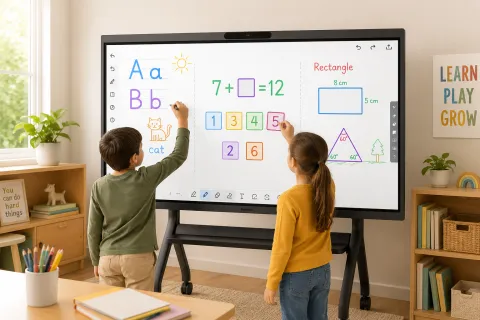
Your child has watched the same phonics video three times this week — and still can't tell you what a digraph is. That's the moment a smart board stops being furniture and starts being a teaching tool: the fix isn't more content, it's interaction. The best interactive learning activities for kids at home put the child's hand, arm, and body to work — tracing letters at full arm's length, dragging number tiles across a life-size canvas, solving puzzles shoulder-to-shoulder with a sibling. This playbook gives you a week of ready-to-run math, reading, and game activities, organized not by subject but by the three things a smart board does that no tablet can.
One principle before the activities: a smart board's value is mechanical, not digital. If an activity would work identically on a tablet — watching, tapping, swiping — it doesn't belong on the board. Everything below passes the test: each activity needs scale, touch, or a second person. If you're still choosing or setting up a board, our homeschool smart board guide covers placement, height, and content controls; for the big picture, see the smart boards for home use overview.
The Three Mechanics: How to Judge Any Activity
Every great smart board activity runs on one of three mechanics: full-arm writing, life-size manipulation, or side-by-side collaboration. When you're evaluating a new app, website, or idea, ask which mechanic it uses — if the answer is "none," run it on a tablet instead and save the board for better material.
Full-arm writing. On paper, children write with wrist and finger muscles; on a vertical board, they write with the whole arm — shoulder, elbow, wrist in sequence. Occupational therapists have long used vertical surfaces for exactly this reason: large-muscle rehearsal builds the motor patterns that fine writing later refines.
Life-size manipulation. Dragging a fraction tile across three feet of glass is a different experience from nudging it across a phone screen — the object is big enough to point at, argue about, and physically move aside. Sorting, matching, sequencing, and building activities live here.
Side-by-side collaboration. Two children can stand at one board and both touch it. That single fact creates activities — turn-taking games, peer teaching, joint problem-solving — that one-device-per-child setups structurally can't offer; multi-touch support is what makes it real.
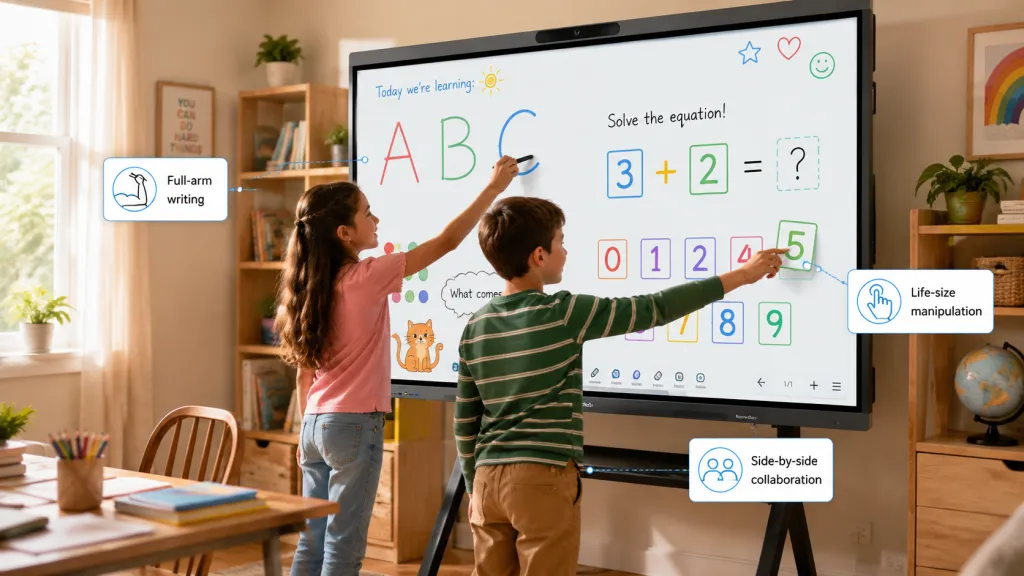
The activities below are tagged by the mechanic they use.
Math Activities That Earn the Board
The best smart board math activities make numbers physical: walked number lines, dragged equation tiles, and worked problems on a canvas you can save and reopen. Start with the mechanic your child needs most — writing, manipulating, or competing.
1. The walkable number line (manipulation, ages 4–7). Draw a number line across the full width of the board. Call out "start at 3, add 5" and have your child walk their finger along the line, hopping point to point, saying each number aloud. It sounds almost too simple — that's the point: addition and subtraction stop being symbols and become movement, which is how early number sense forms. Common mistake: parents rush to written equations. Stay on the line until the child can predict where a hop lands before moving.
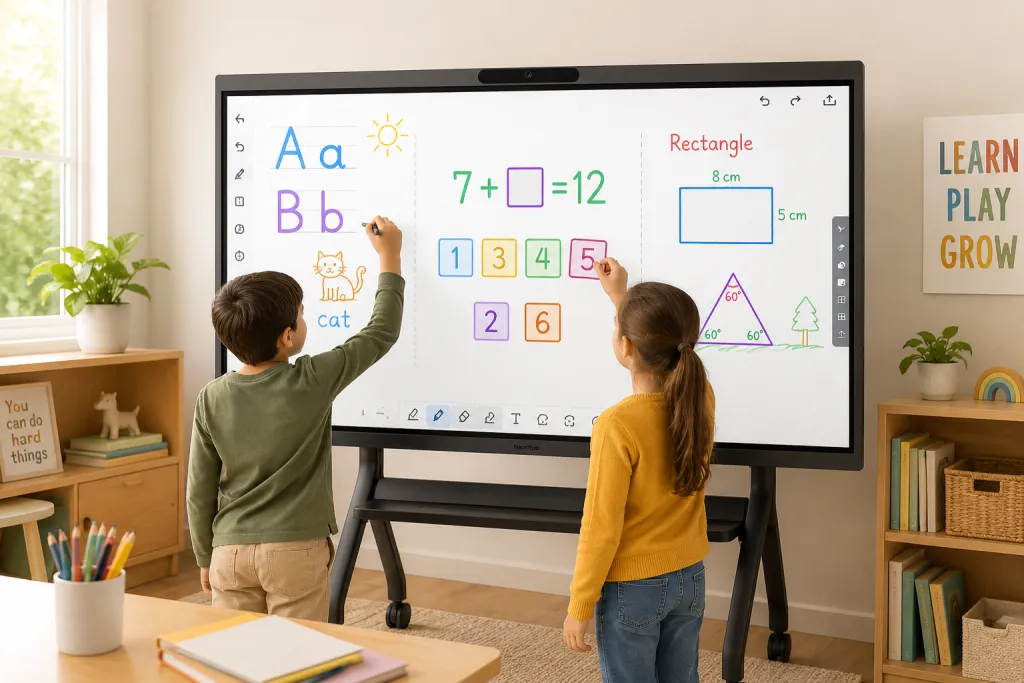
2. Equation balance drag (manipulation, ages 6–10). On the whiteboard canvas, write an equation with a blank — 7 + __ = 12 — and scatter number tiles below. The child drags candidates into the blank and the board keeps every attempt visible. Why does this beat a worksheet? Because wrong attempts stay on screen as evidence, and you can ask the question that actually builds understanding: "Why did 4 feel right before you tried it?"
3. Geometry at scale (writing, ages 7–12). Have the child draw shapes freehand, then reshape them — stretch this side, shrink that angle — and describe what changed and what didn't. Perimeter and area stop being formulas when a rectangle can be physically pulled wider. The deeper win is vocabulary: kids who manipulate shapes talk about them precisely, because they can point at exactly what they mean.
4. The saved-canvas review loop (writing, all ages). The highest-payoff activity uses no app at all. Work two or three problems together on the whiteboard, save the canvas, and reopen it two days later: ask the child to find the mistake in Tuesday's work, or to solve Thursday's harder version next to it. Paper erases; worksheets get recycled; a saved canvas turns every lesson into future review material. If your board syncs its whiteboard to the cloud, the same canvas opens on a laptop at homework time.
A word on math game websites: web-based games with drag-and-drop mechanics translate beautifully to a large touchscreen, and a desktop browser avoids the mobile-layout quirks that frustrate kids. Treat them as the practice block after concept work, not as the concept work itself.
Reading and Phonics Activities That Earn the Board
The best smart board reading activities put hands on text: tracing letters at full scale, annotating a shared passage, and physically building words from movable parts. Reading is where parents most often default to passive screen time — and where the board's mechanics do the most corrective work.
1. Giant letter tracing (writing, ages 3–6). Open the whiteboard, write a letter two feet tall, and have your child trace it with a finger or stylus — big, slow, full-arm strokes, saying the sound with each pass. Then flip roles: they write the letter, you trace theirs. This is the same principle handwriting specialists use with chalkboards and shaving cream, minus the mess, and with an undo button.
2. Phonics build-a-word (manipulation, ages 4–7). Scatter letter tiles across the canvas — s, a, t, p, i, n — and call out words to build. The child drags letters into place, sounds out the result, then swaps one tile to morph cat into can into pan. Phonics sites in the style of Starfall work well here too, especially ones with audio instructions, which kids can run semi-independently while you prep the next activity.
3. Annotate the story (writing + collaboration, ages 6–12). Put a short passage on the board — a paragraph from tonight's reading, pasted into the canvas or open in the browser — and hand the child the pen. Circle the sight words. Underline the sentence that tells you the setting. Box the word you don't know and guess it from context. Annotation turns reading from an act of endurance into an act of detection, and on a shared vertical surface you can both see and discuss every mark. Why does this beat a leveled-reader app? Because the child is producing evidence of comprehension, not just tapping "next page."
4. Story mapping (collaboration, ages 7–12). After a chapter, build the story map together: characters on the left, problem in the middle, resolution on the right, arrows everywhere. The child argues for their version; you argue for yours; the board holds both. Comprehension stops being a quiz and becomes a negotiation — which is what real understanding looks like.
Games and Family Activities
Smart board games work best when they use the board as a shared arena — two players, one surface, visible stakes. Keep a short rotation: one competitive game, one creative game, one wildcard.
Sibling math races (collaboration/competition). Split the board down the middle, same problem on both sides, first correct answer wins the round. Multi-touch makes it genuinely simultaneous, and the physical presence — elbow to elbow — produces a competitive charge no two-tablet setup matches. House rule that prevents tears: the winner must explain their method to claim the point.
Pictionary-style drawing (creative). One child draws, everyone else guesses, and the infinite canvas never runs out of paper. For younger kids, switch to "finish my drawing": you draw half an animal, they complete it — quietly, that's pre-writing shape practice wearing a game costume.
Trivia and quiz nights (family). Cast a quiz from a laptop or run one in the browser, and the board becomes the family game-show screen. The point isn't the trivia — it's that the board earns a place in family life beyond school hours, which changes how kids feel about it on Monday morning.
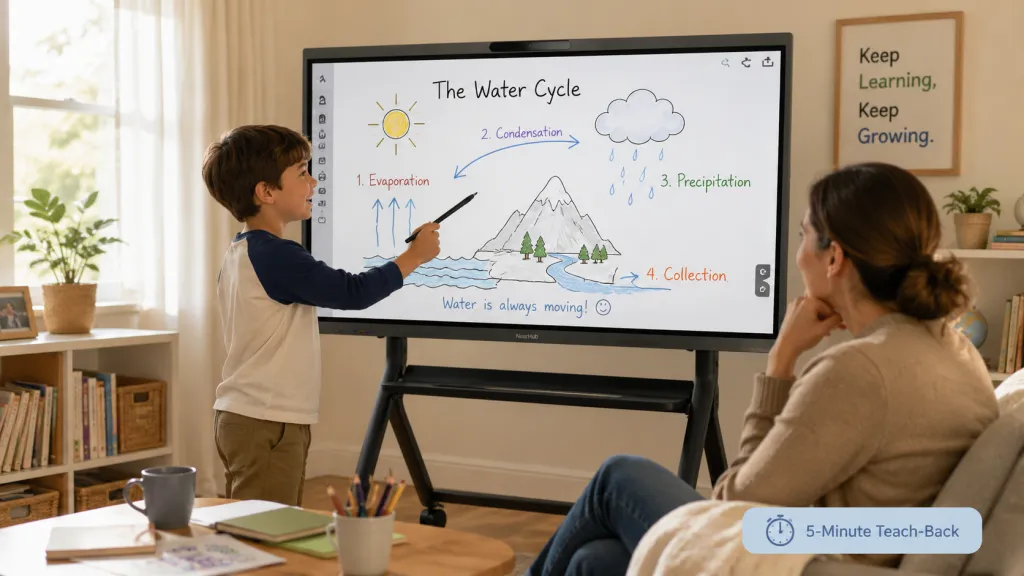
The wildcard: teach-back (all ages, every session). Five minutes, non-negotiable, at the end of any board session: your child stands at the board and re-teaches you the day's concept, pen in hand. Why does this matter so much? Because explaining forces retrieval, and retrieval is what moves knowledge from "I saw it" to "I have it." Why at the board? Because the pen makes the explanation concrete — vague understanding can't draw a diagram. And why non-negotiable? Because it's the only five minutes that tells you whether the other forty worked.
A Sample Week on the Board
Here's how the activities assemble into a realistic rhythm for a 6–9 year old, in 25–35 minute sessions (15–20 for ages 4–6):
- Monday: Walkable number line → equation balance drag → teach-back.
- Tuesday: Giant letter tracing or annotate-the-story → phonics build-a-word → teach-back.
- Wednesday: Geometry at scale → saved-canvas review of Monday's work → teach-back.
- Thursday: Story mapping → free choice from a web-based reading game → teach-back.
- Friday: Sibling math race or family quiz — the fun day that makes the other four easy to start.
Notice what the week doesn't include: passive video watching on the board. Board hours go to the mechanics only it offers; everything else lives on cheaper screens.
Setup Notes That Make Activities Actually Work
Three setup details decide whether these activities run smoothly. First, height: the board's center should sit at your child's eye level, not yours — a child reaching up all session fatigues fast and writes sloppily. Second, the launcher: pin only the session's apps and sites to the home screen, because a crowded launcher invites wandering; on a Windows board, kiosk mode can lock it to a single activity during focused blocks. Third, saving: make "save the canvas" the second-to-last step of every session, right before teach-back, so the review loop always has material.
Boards built for daily interactive use — like the NearHub Board Max, a Windows 11 Pro board with a 4K touch display, multi-touch writing, and a cloud-syncing whiteboard — cover all three out of the box: desktop Chrome for web activities, kiosk mode for focus, and canvases you can reopen from a laptop at homework time.
Frequently Asked Questions
What are the best smart board activities for kids at home?
The highest-value activities use what only a large touch surface offers: full-arm handwriting and math work on a saveable canvas, life-size drag-and-drop games, phonics tracing directly on letters, annotating shared texts, and two-player games where siblings share the board. A quick filter: if the activity would work identically on a tablet, it doesn't need the board. Organize your rotation by mechanic — writing, manipulating, collaborating — and the subjects take care of themselves.
What math games work well on a smart board?
The ones that exploit scale and touch: a number line kids walk their fingers along, drag-and-drop equation balancing where wrong attempts stay visible for discussion, freehand geometry kids reshape with their hands, and worked problems on a canvas you save and reopen for review. Web-based math games with drag-and-drop mechanics also translate well — run them in a desktop browser to avoid mobile-layout issues.
Can a smart board help with reading and phonics?
Yes, and the mechanism is physical. Tracing letters at full arm's length builds letter formation through large-muscle movement, which supports fine-motor writing later. Building words from draggable tiles makes phonics concrete, and annotating a shared passage — circling sight words, underlining evidence — turns reading into active detection rather than passive page-turning.
How long should a smart board activity session last for kids?
Scale it to age: 15–20 minutes for ages 4–6, 25–35 minutes for ages 7–10, and up to 45 minutes for older children, with a movement break between blocks. During longer sessions, work in the 20-20-20 eye break. Whatever the length, reserve the final five minutes for teach-back, where the child re-explains the session's concept at the board.
Do I need special apps for smart board learning activities?
No. Most of the best activities run in a web browser or in the board's own whiteboard canvas — no purchases or update maintenance. Web-based learning sites stay current on their own and work identically on the board and a laptop. A board with a full desktop browser runs them exactly as a laptop would, which matters for learning sites designed for desktop screens.
A smart board earns its place through activities that need scale, touch, and a second person — full-arm writing, life-size manipulation, side-by-side collaboration. Pick one math activity and one reading activity from this playbook, run them this week, and close every session with the five-minute teach-back. If safety questions are part of your decision, our evidence-based guide to smart board safety for kids covers what eye doctors actually say. And when you're ready for a board built for this kind of daily use, the NearHub Board Max is a strong place to start.