Newline Board Alternative: Why Teams Are Moving Beyond Android Panels
Comparing NearHub Board Max with Newline's 2026 Q Ultra and Q Ultra Elite interactive displays — specs, real-world scenarios, and which board fits your rooms.
smart board comparison
best interactive whiteboard for business
Updated: Sep 10, 2026 · 12 minutes read
Global Business, Brought Near.
No Installer, No Hassle, Just Works.
Newline's new Q Ultra series closed the hardware gap, but its Android foundation still caps Zoom and Teams at mobile-app quality and locks out desktop software. A Windows 11 Pro board like NearHub Board Max removes that ceiling — often at a lower total cost once add-ons and licensing are counted.
Key Takeaways
Newline Q Ultra panels run Android 16; any workflow needing full desktop Zoom, Teams, Office, or CAD software will hit a ceiling that no accessory fixes.
NearHub Board Max starts at $3,499 for 55 inches with camera, 8-mic array, and Windows 11 Pro included — a Q Ultra Elite plus conferencing add-ons typically costs more once fully equipped.
Android panels cap Zoom and Teams video around 480p-720p on mobile builds; NearHub's Windows 11 Pro build runs the same 1080p desktop clients your laptops use.
For pure K-12 Google EDLA classrooms, the Q Ultra remains a reasonable pick; for rooms shared by teachers and executives, a Windows board removes the trade-off.
If you’ve run Newline panels for a few years, you know their strengths: clean hardware, a familiar Android interface, and a strong footing in K-12 education. You’ve probably also hit their ceiling — the meeting room that needed real Zoom Rooms, the trainer who needed full desktop PowerPoint with add-ins, the IT ticket asking why the board can’t join the company’s Intune fleet.
So when Newline launched the Q Ultra and Q Ultra Elite series, the obvious question wasn’t “what’s new?” It was: did they finally fix the gaps that pushed us to look for a newline board alternative in the first place?
This article answers that question. We’ll cover what the new Q Ultra series actually improves, where the Android foundation still limits real-world deployments, and how the NearHub Board Max — a Windows 11 Pro smart board built for hybrid work — compares on specs, scenarios, and total cost. Short on time? The tables below give you 80% of the answer in two minutes.
Quick Take: Newline Q Ultra Series vs. NearHub Board Max
Here’s the head-to-head summary, based on each brand’s published product pages as of August 2026.
Factor
NearHub Board Max
Newline Q Ultra
Newline Q Ultra Elite
Operating system
Windows 11 Pro
Android 16 (Google EDLA)
Android 16 (Google EDLA)
Computing
Intel Core i5, x86
ARM-based SoC, 16GB RAM / 128GB storage
ARM-based SoC, 16GB RAM / 256GB storage
Camera
Built-in 4K AI camera, 130° FOV
Optional / add-on
Built-in 4K camera
Microphones
8-mic array with ProperClean 2.0 AI audio
Integrated mics
8-mic array
Video conferencing
Full desktop Zoom Rooms, Teams, Webex, Meet — 1080p
Android mobile app builds
Android mobile app builds
Sizes
55" / 65" / 75"
55" / 65" / 75" / 86"
55" / 65" / 75" / 86"
USB-C
Full-featured with PD
65W USB-C
100W USB-C, NFC login
Software fees
None for whiteboard, casting, AI camera
Mostly included; some management features licensed
Mostly included; some management features licensed
Entry price
From $3,499 (55")
Varies by reseller
Typically lists above comparable NearHub pricing
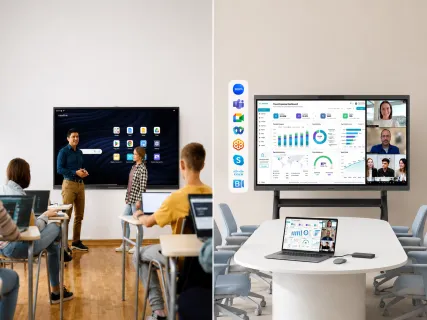
Specs don’t tell you where a board belongs, so here’s the same comparison translated into rooms and people:
Scenario
Best fit
Why
K-12 classroom on Google Classroom / Workspace
Newline Q Ultra
Google EDLA certification and education app ecosystem are purpose-built for this
Huddle room, 4-6 people, daily Teams/Zoom calls
NearHub Board Max (55")
Native 1080p desktop clients, AI camera framing, no extra peripherals
Standard meeting room, 6-10 people, hybrid collaboration
NearHub Board Max (65")
Windows 11 Pro runs every app your laptops run; one-vendor setup
Boardroom or client-facing demo space
NearHub Board Max (75")
Desktop Chrome, full Office, and professional software (CAD, BI tools) present without workarounds
Shared classroom + staff meeting space
NearHub Board Max
One device covers teaching apps via browser and full desktop conferencing
Large lecture hall on a managed Google fleet
Newline Q Ultra Elite (86")
Size plus EDLA management fit education IT workflows
The pattern is already visible: Newline optimizes for the classroom; NearHub optimizes for conference rooms where people meet, present, and decide. The sections below explain why that pattern holds — and where the exceptions are.
What’s New in the Q Ultra Series — and What Hasn’t Changed
Credit where it’s due: the 2026 Q Ultra series is Newline’s strongest hardware refresh in years. Both models ship with Android 16, Google EDLA certification, 16GB of RAM, and meaningfully better connectivity.
The Q Ultra targets K-12 and general education — a sensible, focused teaching panel. The Q Ultra Elite steps up for higher education and enterprise spaces with more storage, a 100W USB-C port, NFC login, an 8-mic array, and an integrated 4K camera. On paper, the Elite reads like Newline’s bid to escape the “education-only” label.
So, did it work? Only partially. On the hardware front, Newline genuinely delivered—closing the gap on cameras, microphones, and audio performance. However, all these hardware upgrades still rest on the exact same foundation: Android.
And that remains the ultimate bottleneck. No matter how advanced the camera gets, it cannot overcome the software and OS limitations that bound the Android ecosystem.
The Biggest Difference Isn’t Hardware — It’s the Operating System
If you take one thing from this comparison, take this: the OS determines what your board can do in year three, not just on demo day.
Newline's Q Ultra panels run Android 16. That's a mobile operating system, and everything about the experience inherits mobile constraints:
Video conferencing runs mobile app builds. Zoom and Teams on Android panels are the phone/tablet clients. Users routinely report capped send quality (often around 480p-720p), missing features like full gallery layouts, breakout room management, and limited content sharing — the exact features hybrid meetings depend on.
Desktop-class software doesn't exist. There is no Android build of full Microsoft Office with add-ins, AutoCAD, Revit, Salesforce desktop, or your browser-based ERP with legacy plugins. You cast from a laptop or you go without.
Browsers are mobile browsers. Web apps that assume desktop Chrome — Miro with heavy boards, Figma, Power BI, Google Workspace with multiple accounts — hit layout and plugin limits.
Enterprise management is education-shaped. EDLA device management is excellent for school fleets. Corporate IT stacks built on Microsoft Intune, Active Directory, or domain policies don't extend to Android panels natively.
NearHub Board Max runs Windows 11 Pro on an Intel Core i5—the exact same OS and hardware platform your team already uses daily. That single decision delivers four tangible, real-world advantages:
Unified IT Management: Integrates into your existing Intune or Active Directory fleet just like any standard corporate PC—one security policy, one audit trail.
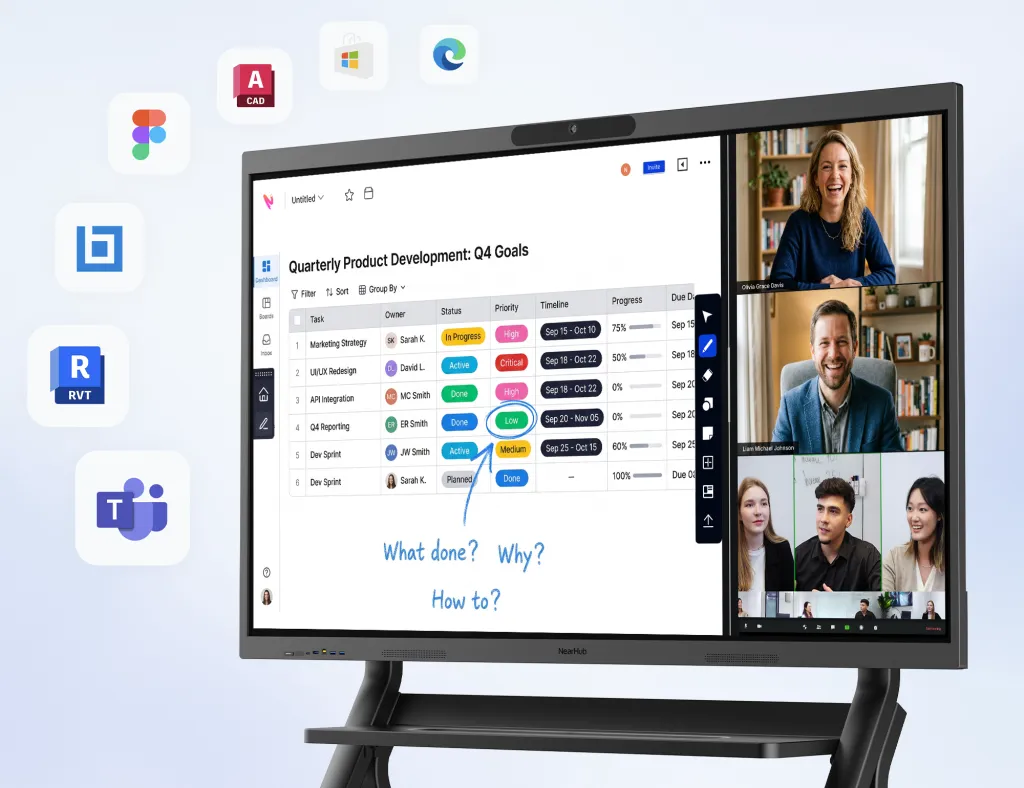
Uncompromised Video Conferencing: Runs full desktop clients for Zoom Rooms and Teams at 1080p, unlocking every premium feature included in your enterprise subscription.
Desktop-Grade Web Browsing: Features full desktop Chrome with instant screen annotation over any live site—eliminating mobile rendering bugs and broken formatting.
Native App Compatibility: Any Windows application your business relies on simply works out of the box—whether it’s CAD model reviews, BI analytics dashboards, or M365 with custom enterprise add-ins. No workaround laptops required in the room.
What this means for your buying decision: If your primary goal is teaching with Google’s education suite, Android remains a sensible, low-friction choice. However, if your spaces are built for corporate collaboration—where teams need to present, analyze, and work seamlessly in their existing enterprise software—the operating system decides the outcome before any other specification is read.
Hybrid Meetings: Camera, Audio, and Conferencing in Practice
This is where the spec gap turned into an experience gap most clearly for legacy Newline users, so it's worth being concrete.
Newline Q Ultra Elite now includes a 4K camera and an 8-mic array — a real fix for the older models' add-on dependency. The base Q Ultra, however, still leans on external peripherals for professional-grade calls. And on both models, the camera feeds an Android conferencing app, which reintroduces the mobile-client ceiling from the previous section. Great sensor, constrained pipeline.
NearHub Board Max pairs its built-in 4K camera (130° ultra-wide field of view) with AI modes designed for how hybrid meetings actually fail:
Auto-Framing keeps the group centered as people join or move — no one hunches into frame.
Speaker Tracking cuts to whoever is talking, so remote participants follow the conversation instead of staring at a wide shot of eight tiny faces.
AI Gallery View composites individual face tiles from the room, giving remote colleagues the "everyone is visible" experience they get from one-laptop-per-person calls.
ProperClean 2.0 audio with the 8-mic array strips keyboard clatter, HVAC hum, and side chatter before it reaches the far end.
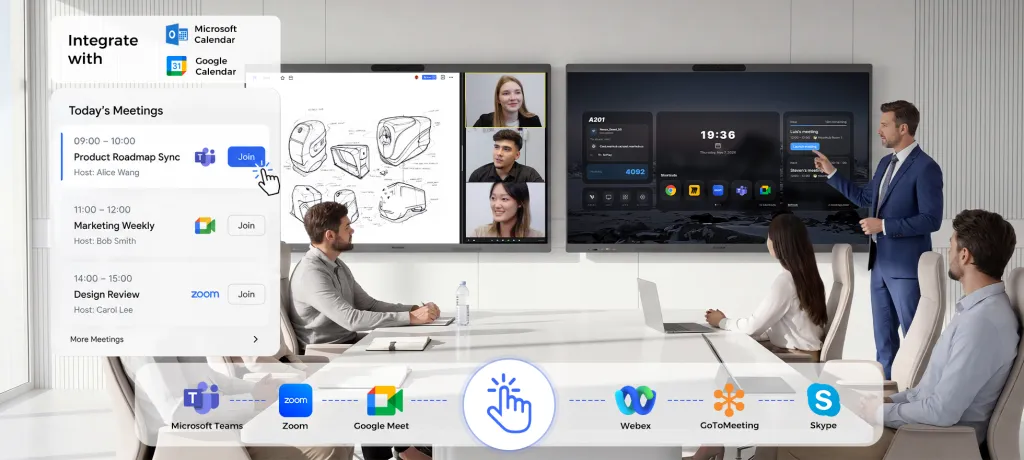
Because these features run on Windows, they work inside the full desktop Zoom, Teams, Webex, and Google Meet clients — at 1080p, with breakout rooms, whiteboard sharing, and every admin control intact. The practical translation: a guest walks in, taps one button, and the meeting behaves like the laptop meeting they already know.
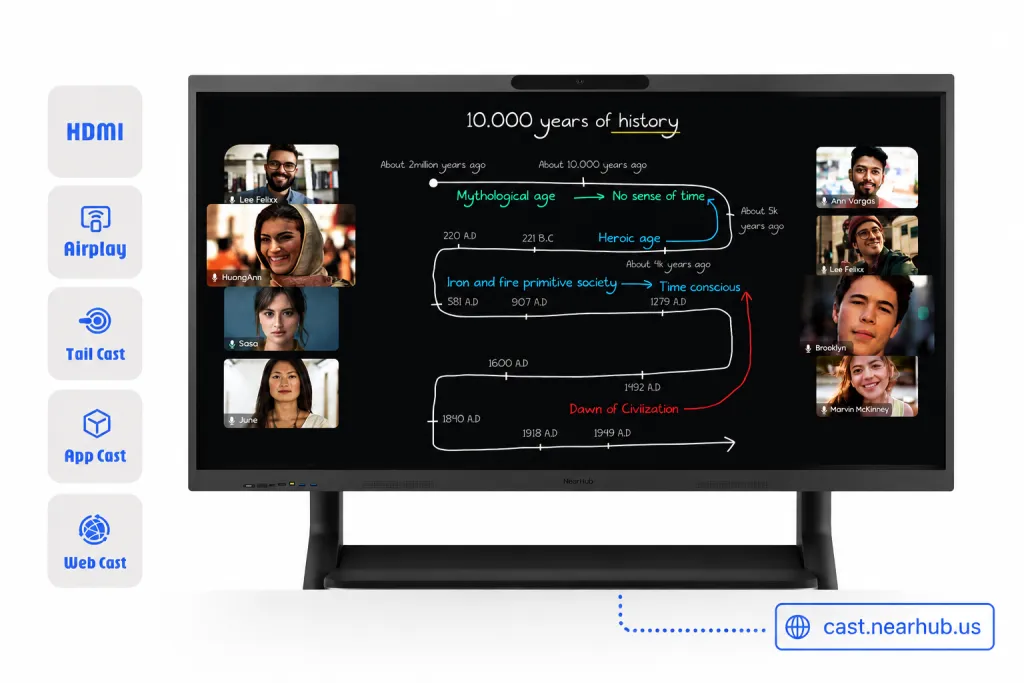
One more practical note on casting, because it's the second-most-used feature in real rooms: NearHub's web casting lets any guest share from a browser by entering a short code — no dongle, no app install, no "which cable fits your laptop" ritual. HDMI, AirPlay, Tail Cast, and app casting cover the rest.
Decision takeaway: if hybrid calls are a weekly routine rather than a special event, the NearHub pipeline — Windows clients, AI camera, tuned audio — removes the two most common complaints about education-first panels: degraded video quality and missing meeting features.
Whiteboarding and Collaboration Software
A smart board spends most of its life as a whiteboard, so the canvas software deserves a hard look.
Newline ships a competent Android whiteboarding app with the Q Ultra series, and it integrates naturally with Google Drive and Classroom. For lesson delivery, it's enough. Where buyers feel the limit is in cross-organization work: the canvas lives inside the panel's ecosystem, and collaborating with an external partner who doesn't share it usually degrades to "we'll email you the PDF."
NearHub takes a cloud-first approach. Its infinite whiteboard syncs in real time between the board and any browser — a colleague at home annotates the same canvas the meeting room sees, with no downloads, no accounts forced on guests, and no export step before decisions can travel. Because the board runs Windows, the specialized tools your teams already pay for — Miro, Figma, Mural, Lucid, Microsoft Whiteboard — run natively at desktop fidelity rather than through a mobile-app approximation.
Decision takeaway: if whiteboarding stays inside one classroom, both brands serve you. If the canvas must move between rooms, cities, and companies, a browser-synced cloud whiteboard removes a daily friction most buyers only discover after installation.
Scenario by Scenario: Which Board Wins Each Room
Specs abstract away the room. This section puts them back in.
K-12 and Google-first classrooms
The Q Ultra is a legitimately good fit here. Google EDLA means native Classroom, Drive, and Play access; the simplified Android interface reduces teacher training time; NFC login (Elite) suits shared carts and rotating staff. If your deployment is 40 classrooms on Google Workspace and nothing else, Newline's focus is a feature, not a limitation. NearHub can cover this scenario too — every Google tool runs in desktop Chrome — but we won't pretend a Windows board is the cheapest way to fill a purely Android-native classroom fleet.
Huddle rooms (4-6 people)
Small rooms live or die on speed: walk in, call, share, leave. NearHub Board Max 55" is built for exactly this — the AI camera, mic array, and desktop conferencing clients are in the box, and web casting lets a visitor share by typing a code into any browser (HDMI, AirPlay, Tail Cast, and app casting cover the rest). A Q Ultra Elite can serve this room, but only after you accept mobile-app conferencing limits or budget for external peripherals.
Standard meeting rooms (6-10 people)
This is the highest-stakes room in most offices, and it's where the Windows advantage compounds. Presenters open the actual PowerPoint file with its fonts and add-ins; finance shares a live Excel model; remote participants get 1080p and gallery framing. The 65" NearHub Board Max covers this room as a single purchase — computer, camera, audio, touch, and software included.
Boardrooms and client-facing spaces
In rooms where the content is sensitive or the audience is external, "it mostly works" isn't acceptable. NearHub runs desktop Chrome for web apps that demand it, professional software like AutoCAD or Revit for design reviews, and your standard SSO/VPN stack because it's a managed Windows endpoint. This is the scenario the Q Ultra Elite aspires to — and where its Android base still asks you to keep a laptop nearby as a safety net.
Shared education + administration spaces
District offices and universities often have rooms that teach by day and host committee video calls by night. This dual-use profile is the strongest argument for a newline smart board alternative: one Windows board covers both calendars, instead of an Android board that excels at half the schedule.
Price and Total Cost of Ownership
Sticker price is where buyers start; total cost is where they should finish.
NearHub Board Max starts at $3,499 for the 55" model (list $3,999), with 65" and 75" options, financing from $128/month, free delivery across the US, and a 12-month warranty. Critically, that price is complete: computer, 4K AI camera, 8-mic array, speakers, whiteboard software, casting, and AI modes — with no recurring software fees.
Newline's Q Ultra pricing moves through resellers and varies, but the Q Ultra Elite generally lists above NearHub's entry points. More important than the sticker is the completion cost:
An external 4K camera and conference mic for the base Q Ultra, to reach meeting-room grade: typically a few hundred dollars, plus installation.
IT time spent managing a parallel Android device fleet outside your Intune/AD workflows: the cost nobody lines-items but everybody pays.
There's also a subtler cost in the software model. Education-ecosystem features — advanced device management, content libraries, some classroom orchestration tools — are frequently license-based, renewed annually, and priced per device. NearHub takes the opposite approach: the infinite cloud whiteboard, real-time remote collaboration, web casting are included with the hardware, with no recurring software fee.
Which One Should You Choose?
Honest recommendations by buyer type:
K-12 district, all-in on Google, buying classroom fleets: the Newline Q Ultra is a reasonable choice. Its education ecosystem is real, and you won't stress about its Android ceiling. If Clevertouch is also on your shortlist — another education-first Android EDLA brand — our Clevertouch smart board comparison covers how its lineup and US pricing process differ.
Business, nonprofit, or public agency running hybrid meetings on Teams/Zoom: choose NearHub Board Max. The 1080p desktop clients and included AV hardware are the difference between a board people use and a board people route around.
IT team standardizing on Microsoft 365 and Intune: NearHub, decisively — it's the only option here that enrolls like the rest of your fleet.
Higher ed or corporate training with mixed teaching + meeting rooms: NearHub for the shared and meeting spaces; reserve Android panels for the purely instructional ones if you must mix fleets.
Anyone who's been burned by "the board's app can't do that": you already know which column you're in.
Common Mistakes When Comparing Interactive Displays
After watching hundreds of buyers evaluate this category, these are the errors that most often lead to regret:
Comparing screen specs instead of software ceilings. Two 4K, 20-point-touch panels look identical on a comparison sheet. But resolution never decides whether your board can run the desktop version of Teams or open a client's CAD file. Compare operating systems first, glass second.
Demoting the conferencing pipeline to an accessory question. "We'll add a camera later" sounds thrifty until you discover the camera feeds a mobile app that caps quality anyway. Evaluate the whole pipeline — sensor, app build, and send resolution — as one system.
Quoting the board and forgetting the room. A panel price that excludes the computer module, camera, or conferencing license isn't comparable to one that includes them. Normalize every quote to "ready to run a hybrid meeting in this room" before deciding.
Assuming education certifications are business credentials. Google EDLA is a genuine strength for schools. It certifies nothing about desktop app compatibility, Intune enrollment, or enterprise conferencing — don't let a strong badge in one domain stand in for the other.
FAQs
Can an Android-based board like the Newline Q Ultra run full Zoom Rooms or Microsoft Teams?
No. Android interactive panels run the mobile builds of Zoom and Teams, which lack features like full gallery views, breakout-room management, and 1080p send quality. Boards running Windows 11 Pro, such as NearHub Board Max, run the identical desktop clients used on office laptops — every feature your license includes, at full quality.
Is NearHub Board Max more expensive than a Newline Q Ultra Elite?
NearHub Board Max starts at $3,499 for the 55-inch model with the camera, microphone array, computing, and software included. A Q Ultra Elite typically lists higher, and reaching equivalent conferencing quality on the base Q Ultra means adding an external camera and microphone — which widens the total-cost gap further.
Does the Newline Q Ultra series require a subscription for whiteboarding or casting?
Core whiteboarding is included, but some advanced device-management and content features in education ecosystems are license-based. NearHub includes its infinite cloud whiteboard, browser-based web casting, and all AI camera modes with no recurring software fee.
Which board size should I choose for my room?
As a rule of thumb: 55 inches for huddle rooms of 4-6 people, 65 inches for standard meeting rooms of 6-10, and 75 inches or larger for boardrooms and training rooms where content must be readable at 15+ feet. Both brands offer these sizes, so size should follow your room — the operating system should follow your work.
Is a Windows smart board overkill for a school?
It depends on who shares the room. If a space serves only K-12 teaching on Google Classroom, an Android board is sufficient. If the same room hosts staff meetings, parent video conferences, or professional development sessions using desktop software, a Windows board like NearHub Board Max avoids the cost and clutter of maintaining two separate setups.
What About Support and Longevity?
A board is a five-to-seven-year asset, so the vendor's support model matters as much as the launch-day spec sheet. Newline sells primarily through AV resellers and integrators, which means your support experience depends partly on which partner you bought from — strong in some regions, variable in others. NearHub sells direct, with US-based phone support, a 12-month quality guarantee, and a published returns process that covers return shipping for manufacturing defects in the first 30 days. Direct sales also explain part of the price gap: there's no integrator margin stacked between you and the hardware.
For multi-site rollouts, ask both vendors the same three questions before signing: who owns RMA logistics, what the warranty covers after year one, and whether firmware updates arrive over the air or require a site visit. The answers predict your maintenance burden better than any brochure.
The Bottom Line
Newline built the Q Ultra series to be a better education panel, and it is. But if your experience with Newline taught you that your rooms need more than Android can deliver — real 1080p desktop conferencing, the full Windows app ecosystem, one-vendor simplicity, and management that fits your existing IT stack — then the search for a Newline board alternative ends in a different operating system, not a different Android brand.
NearHub Board Max was engineered for exactly that gap. Don’t take our word for it: schedule a 1-on-1 demo, put it in your most demanding room, and let your own meetings decide.