Clevertouch Smart Board Alternative: What to Consider Before You Switch
See how the Clevertouch Pro Series 3 stacks up against NearHub Board Max on Windows support, cameras, pricing transparency, warranty, and procurement friction.
clevertouch smart board alternative
Windows interactive display
Updated: Sep 9, 2026 · 7 minutes read
Global Business, Brought Near.
No Installer, No Hassle, Just Works.
Key Takeaways
Clevertouch sells eight or more panel series simultaneously, and camera availability differs by series—confirm the exact model on any quote, not just the size.
The Pro Series 3 has no built-in camera or microphone array; video conferencing requires a separate USB camera purchase through dealers.
No Clevertouch series runs Windows natively—Windows capability requires a separately purchased OPS module, adding cost and a second device to manage.
Clevertouch publishes no US list pricing (European reference from €2,229); NearHub Board Max publishes $3,499/$4,499/$7,499 by size, which shortens budget approval.
If you're looking for a Clevertouch smart board alternative, the most useful question isn't which interactive display has more features. It is how much time and back-and-forth stand between you and a signed purchase order.
Clevertouch builds undeniably solid hardware. The flagship Pro Series 3, for instance, delivers 50-point touch, ≤2.5 ms response, and up to a 7-year warranty. However, navigating their sales model introduces clear operational friction:
Inconsistent Specs: With 8+ active product series, a basic feature like an integrated camera varies from "No" (Pro Series 3) to "Yes" (UX PRO Edge) to "Optional" (IMPACT LUX 2).
Unlisted Pricing: Zero public US pricing means every quote requires dealer back-and-forth.
For procurement teams working against a budget deadline, sorting through series codes and waiting on dealer turnarounds burns valuable time.
This guide uses the flagship Pro Series 3 as our baseline, evaluates the true cost of buying Clevertouch—starting long before you sign the PO.
What Is a Clevertouch Smart Board?
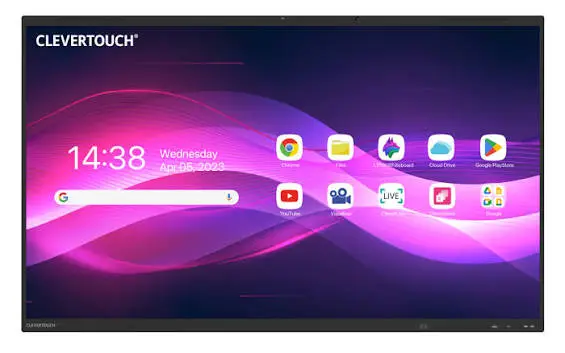
Clevertouch—a UK-headquartered interactive display brand—is a long-standing leader in K-12 education and corporate collaboration. Their ecosystem spans several distinct product lines, primarily anchored by the IMPACT series for classrooms and the Pro Series 3 or UX PRO for enterprise spaces.
More than just a large touchscreen, a Clevertouch board combines annotation, wireless screen sharing, digital whiteboarding, and centralized fleet management into a single display.
While Clevertouch built its reputation in collaborative teaching, its hardware is increasingly pushed into cross-functional business roles—supporting a training session in the morning, a staff sync at noon, and a hybrid video call by afternoon. However, as deployment shifts from traditional classrooms to modern corporate meeting rooms, the underlying platform configuration matters far more than the brand on the bezel.
What Is Actually in Market
Clevertouch's product line is unusually broad, which gives buyers more options but also more details to confirm. Here is what is currently available:
Series
Sizes
Camera
Microphone
System
Key Note
Pro Series 3 (current flagship)
65/75/86/98″
None — external USB required
Not listed in flyer
Android 16 / LUX 16 EDLA
Fastest touch response; no built-in AV
IMPACT LUX 2
65/75/86″
Optional
8-array / 8 m
Android 13 (marketing claims 15)
B&H carries in US; Boxlight district case
UX PRO Edge
65/75/86″
Built-in
8-array
Android 13 EDLA
Flagship with integrated camera
IMPACT MAX
75/86″ only
Unknown
Unknown
Android
No 65″ option; 20-point touch
Pro Series
65/75/86″
Unknown
8-array
Android EDLA
Earlier generation
X5
65/75/86″
Unknown
Unknown
Android 14 EDLA
Mid-range
M Series
65″ only
Optional
Unknown
Android 11
Entry level
CleverLive CL Pro
43/55/65/75″
—
—
Android 11
Digital signage line
The same question — does this board have a camera? — has three different answers in the Clevertouch catalog. This is not a product flaw; it is a purchasing detail. Before you sign a quote, confirm the exact series and model.
Every Clevertouch interactive series also lists an OPS PC slot or built-in PC as optional. There is no native Windows installation. To run Windows applications, you must purchase and install an OPS module separately.
Why Look for a Clevertouch Smart Board Alternative?
There are several reasons an organization may start comparing alternatives. None of them necessarily mean that Clevertouch is a poor fit. They usually mean the requirements of the room have changed, or that the procurement process needs more certainty than the current offering provides.
1. The display needs to do more than teaching and annotation
Consider a design team using an interactive display in a project room. In the morning, the team reviews a Revit model. Later, they open a PDF drawing set, compare project documents, and join a Teams call with a contractor.
If the display needs to behave like a full Windows computer as well as an interactive board, the operating system becomes an important purchasing decision. Clevertouch runs Android 16 / LUX 16 EDLA natively. Windows requires an additional OPS module.
2. Hybrid meetings are part of the daily workflow
A school may mainly use the display for teaching, while a business may use the same type of device for hybrid meetings every day.
In a meeting room, the requirements can include:
Built-in video conferencing
Wide-angle camera coverage
Microphone pickup for the whole room
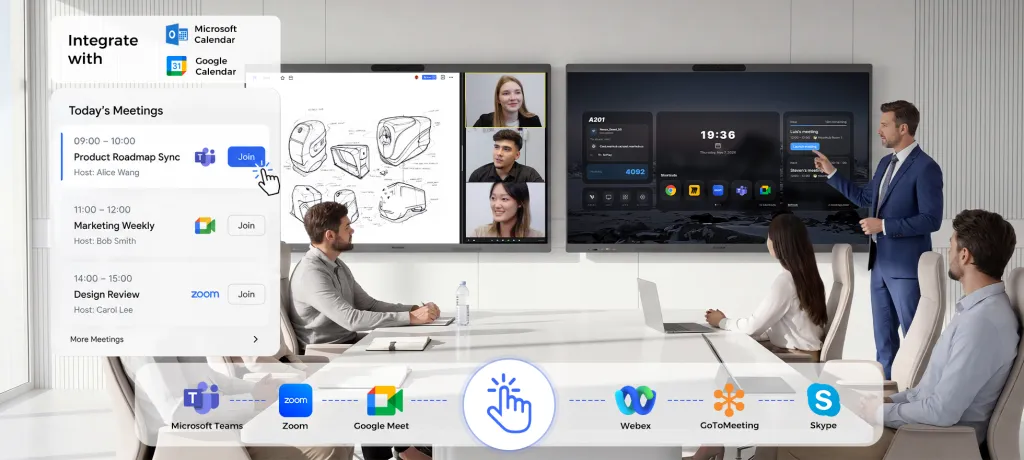
Full Microsoft Teams and Zoom desktop clients
Wireless content sharing
Touch-based collaboration
If these functions are central to the room, an interactive display with conferencing hardware built in can be more convenient than assembling separate components. The Pro Series 3 flyer states: "Add a variety of USB cameras for instant video calls." That means the camera is not included.
3. IT wants a Windows-based management model
For organizations already managing Windows endpoints through Microsoft Intune, domain policies, and standardized update processes, a Windows interactive display can fit into an existing IT workflow more naturally.
Instead of treating the board as a separate appliance category managed through CleverMDM, IT teams can manage it like another Windows endpoint. The right choice still depends on the organization's existing policies and deployment requirements.
4. One room needs to support multiple workflows
A multipurpose room may be used for training in the morning, a presentation after lunch, and a hybrid meeting in the afternoon. In that situation, flexibility can be more valuable than optimizing the device for only one type of activity.
A Windows-based interactive display can provide a broader application environment, including full desktop versions of productivity software, design tools, and conferencing platforms, instead of limiting the room to Android-compatible mobile apps. For a deeper look at how Windows-native boards differ from Android-based panels in practice, see our NearHub Board vs. Chromium Android Board comparison.
What Should You Look for in an Interactive Display Alternative?
When comparing a Clevertouch alternative, look beyond screen size and touch count. The most important specifications depend on what people actually do in the room.
Operating system and application support
Ask whether the display needs to run Android-based interactive-display software, Windows applications, or both through a particular deployment model.
For organizations that rely on desktop Windows applications, Windows 11 Pro support can make a significant difference. Applications such as CAD, Revit, Power BI, Bluebeam, and Microsoft Office are examples of workflows where a full Windows environment is useful. Clevertouch can add this capability through an OPS module, but that is an additional purchase and a second device to manage.
Video conferencing
If the board will live in a meeting room, check whether conferencing is built in or requires additional equipment.
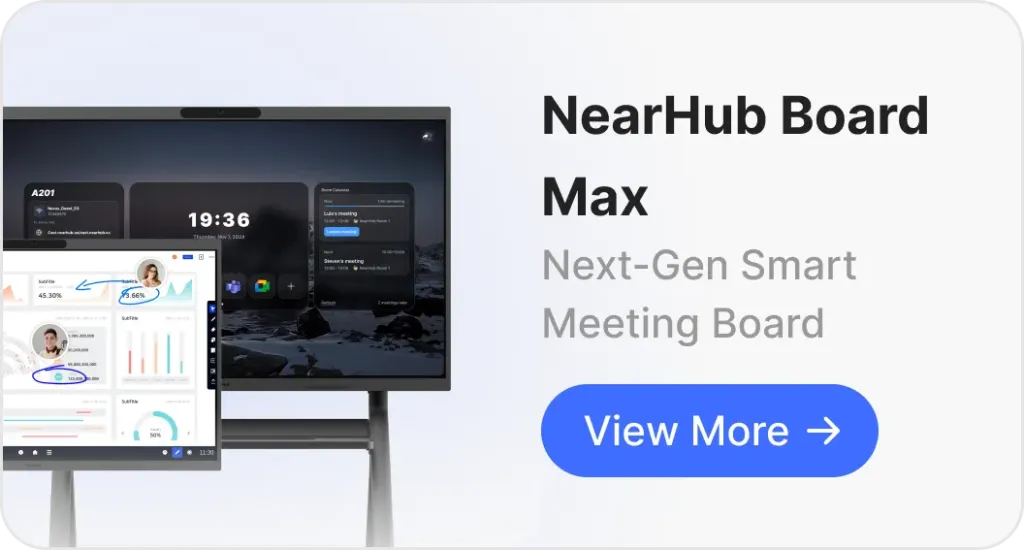
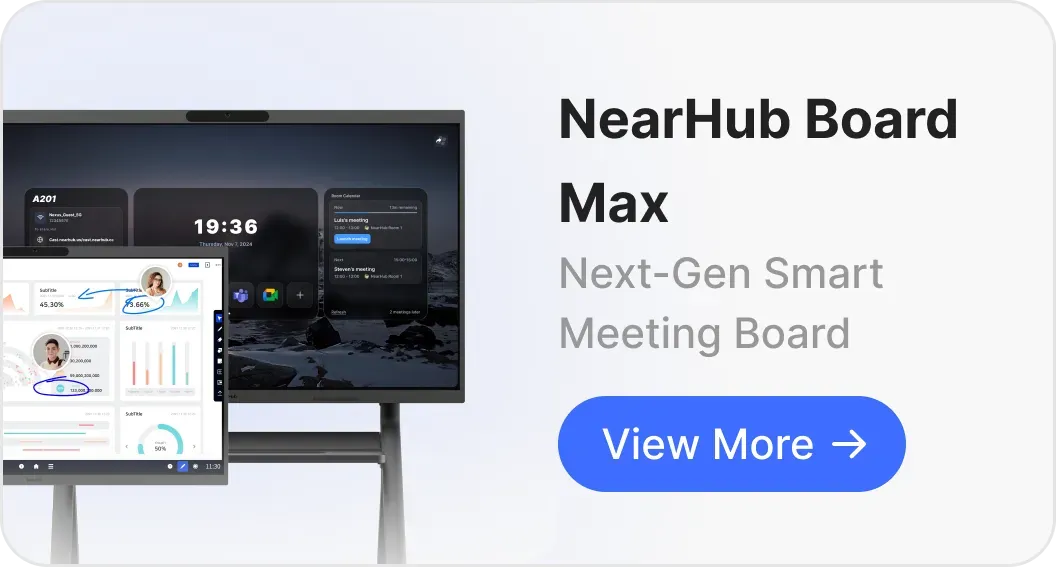
Important considerations include camera field of view, microphone pickup, speaker quality, support for the full desktop Teams and Zoom clients, and how easily users can start a meeting. NearHub Board Max includes a built-in 4K camera and microphone array. The Pro Series 3 does not and requires an external USB camera purchase.
Touch and writing performance
For classrooms, brainstorming sessions, design reviews, and annotation-heavy work, touch responsiveness is something users experience on every stroke.
NearHub Board Max supports up to 40 touchpoints and has a stated 5 ms response time. The Clevertouch Pro Series 3 offers up to 50 touchpoints and a response time of 2.5 ms or less — a measurable advantage for multi-user writing scenarios. When comparing products, remember that touch specifications are manufacturer-rated figures and should ideally be tested under comparable conditions.
Connectivity and content sharing
Both Clevertouch and NearHub deliver robust wireless screen sharing, but they offer distinct deployment options. Clevertouch relies on its lifetime-free Clevershare software—supporting up to 50 connected devices and touch-back control—alongside native AirPlay, Miracast, and Chromecast support. NearHub matches this flexibility with a complete multi-modal casting suite: native AirPlay and Chromecast for instant guest sharing, EShare for full touch-back interactivity, and the optional NearHub Tail dongle for zero-software, plug-and-play presentations.
Room size and display size
The right screen size depends on viewing distance and room layout. A small huddle room may not need the largest available panel. Conversely, a training room with people seated farther away may benefit from a larger display.
Clevertouch offers a wider range of large-format displays, including models that reach 98 inches on the Pro Series 3. NearHub Board Max is available in 55-inch, 65-inch, and 75-inch configurations. If a project requires a very large interactive display, Clevertouch may have more suitable options.
NearHub vs. Clevertouch: Two Different Approaches
The most useful way to compare these products is by looking at the role the display is expected to play — and what you can confirm about that role before you buy.
Requirement
Clevertouch Pro Series 3
NearHub Board Max
Interactive display
Yes
Yes
Education-focused ecosystem
Strong focus (LYNX, Cleverstore, CleverShare)
General-purpose collaboration
Windows 11 Pro
Via optional OPS module only
Yes, built-in
Built-in camera
None — external USB required
4K, 130° FOV with AI Gallery View
Built-in microphone array
Not listed in official flyer
8-element array, up to 8 m pickup
Full desktop Teams / Zoom
Via Android app or OPS module
Runs the full desktop clients
Touchpoints
Up to 50 / ≤2.5 ms
Up to 40 / 5 ms
Screen sizes
Up to 98″
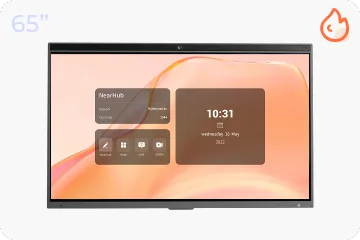
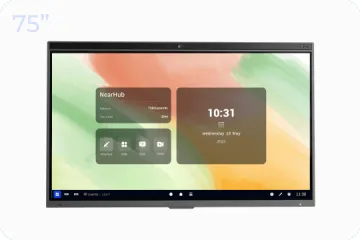
55″, 65″, 75″
Wireless casting
Clevershare (lifetime free, 50 devices)
Browser-based (no app install)
Room booking
CleverLive Rooms (Exchange/Outlook sync)
Not listed as a native feature
Warranty
Up to 7 years
12 months
US list pricing
Not published
$3,499 / $4,499 / $7,499
The key distinction is not that one is an interactive display and the other is not. It is the certainty of the configuration.
With NearHub Board Max, the 65-inch panel is a single SKU: one device, one spec sheet, one price ($4,499). With Clevertouch, the same size could refer to five different series with different cameras, touch systems, and operating system versions. And the US price for any of them requires a dealer quote.
Pricing: Before You Can Even Get a Number
NearHub Board Max pricing is public and tiered by size: $3,499 (55″) / $4,499 (65″) / $7,499 (75″). You can build a budget, run a three-vendor comparison, and submit a capital request without a conversation.
Clevertouch does not publish US list pricing. The Pro Series 3 official flyer lists prices from €2,229 as a European reference. US pricing is available only through authorized dealers. That means a sales call, a quote turnaround, and a follow-up to confirm whether the quote is for the Pro Series 3, the IMPACT LUX 2, or an earlier generation with a similar name.
This is not a complaint about Clevertouch's channel strategy. It is a procurement reality. If your organization requires three written bids, parallel vendor comparison, or CFO sign-off before a PO is issued, "call for pricing" adds days or weeks to the timeline. And if the first quote arrives without a model number, you start over. That delay is a cost, even if the final price turns out to be competitive.
For a broader breakdown of smart board cost categories — including hidden procurement costs like dealer-quote delays — see our smart board cost guide.
Optional add-ons to factor:
NearHub Care+: $299/year for expedited replacement and 24/7 priority support.
Clevertouch OPS module: required for Windows; pricing confirmed through dealers.
External USB camera: required for Pro Series 3 video conferencing; pricing and compatibility confirmed through dealers.
CleverMDM renewal: first year included; subsequent years confirmed through dealers.
Three-Year Cost: A Neutral Worksheet
Cost Item
NearHub Board Max 65″
Clevertouch Pro Series 3 65″
Panel
$4,499
Dealer quote required
Video conferencing hardware
Included
External USB camera (dealer quote)
Windows capability
Included (Windows 11 Pro)
OPS module (dealer quote)
Wall mount
Included
Confirm with dealer
Management
Intune (existing license)
CleverMDM Year 2+ (dealer quote)
Extended support
Care+ $299/yr (optional)
Warranty up to 7 years (included)
The worksheet does not produce a winner. It produces a reminder: the Clevertouch side has four line items that require a dealer conversation before the number is real.
Which Type of Interactive Display Fits Your Room?
Instead of choosing by brand first, start with the room. But also confirm what, exactly, is on the quote.
For a classroom centered on teaching
Prioritize:
Interactive writing and annotation
Classroom software (LYNX, Cleverstore)
Teacher workflows
Content sharing (Clevershare)
Long warranty coverage
If your existing Clevertouch deployment already works well in these areas, staying within that ecosystem can be the simpler decision. For organizations also evaluating other education-focused brands, our Newline Board alternative guide covers another major K-12 player.
For a Windows-based collaboration room
A Windows interactive display can make more sense when users need to work directly with desktop applications.
For example, an architecture team may open Revit and drawing documents on the display, annotate them with touch, and then join a video meeting without moving to another computer. The display is functioning as both an interactive board and a large Windows workstation. NearHub Board Max runs Windows 11 Pro natively. Clevertouch requires an OPS module for this capability.
For a hybrid meeting room
If video meetings are a primary use case, evaluate the entire conferencing experience — not just the screen. For guidance on equipping a room for hybrid calls, see our Zoom Rooms hardware setup guide.
NearHub Board Max combines a 4K display with a built-in 130° camera, AI Gallery View, and an 8-element microphone array. It runs the same full desktop Teams and Zoom clients that users already have on their laptops. There is no secondary SKU to research, no cable routing, and no compatibility check between the camera driver and the Android build.
The Pro Series 3 requires an external USB camera. That means researching which cameras are certified for the LUX 16 build, confirming the mounting location, running a cable, and testing audio sync.
For a multipurpose space
If the same room must support training, presentations, collaboration, desktop applications, and video meetings, flexibility becomes a major consideration.
A Windows-based interactive display can provide a broader application environment instead of limiting the room to one primary workflow. NearHub Board Max also supports a one-click digital signage mode for dashboards, announcements, and schedules when the room is idle. For help designing a hybrid workspace around the board you choose — including room layout, camera coverage, and acoustic planning.
When Might Clevertouch Still Be the Better Fit?
An alternative article should not imply that switching brands is always the right answer.
Teaching software depth
LYNX Whiteboard includes 80+ teaching activities, handwriting recognition, online lesson preparation, and an infinite canvas. Cleverstore is a curated education app store with content filtered for classroom use. These are purpose-built for instruction, not generic Android apps.
Campus-specific hardware features
CleverMessage: campus-wide broadcast and emergency alerts that push directly to every panel.
NFC card login: teachers tap an NFC card to load their personal profile, whiteboard history, and cloud drive.
Built-in hotspot: the panel can serve as a wireless access point when connected to wired Ethernet — useful during campus Wi-Fi outages.
Anti-glare, anti-smudge, and antibacterial glass coatings are standard on Pro Series 3.
Touch performance and warranty
The Pro Series 3 lists up to 50 touch points and a response time of 2.5 ms or less — faster than NearHub Board Max's 40-point / 5 ms specification. For classrooms where several students write at the same time, that speed is tangible.
Buyer's Checklist
Before you choose, confirm the following for your specific room and use case:
[ ] Confirm the exact model on the Clevertouch quote, not just the size. "Clevertouch 65″" could refer to five different series with different camera, touch, and system specs.
[ ] Verify whether video conferencing is required. If yes, Pro Series 3 needs an external USB camera and possibly a separate microphone. NearHub Board Max includes both.
[ ] Check your MDM standard. If the organization runs Intune for laptops, NearHub Board Max joins the existing console. Clevertouch requires CleverMDM (separate platform; Year 2+ pricing to confirm).
[ ] Validate the software list. If the room runs teaching software (LYNX, Cleverstore), Pro Series 3 is purpose-built. If the room runs Excel, Power BI, CAD, or full desktop conferencing, NearHub Board Max is the native fit.
[ ] Factor the procurement timeline. Public pricing (NearHub) versus dealer-quote pricing (Clevertouch) affects how quickly you can close budget approval.
[ ] Factor the configuration timeline. A single SKU (NearHub) versus a panel plus OPS module plus external camera (Clevertouch) affects installation complexity and support contacts.
Frequently Asked Questions
Does the Clevertouch Pro Series 3 have a built-in camera?
No. The official Pro Series 3 flyer states: "Add a variety of USB cameras for instant video calls." There is no integrated camera. Video conferencing requires an external USB camera purchase.
Which Clevertouch models include a built-in camera?
It varies by series. The UX PRO Edge includes a built-in camera. The IMPACT LUX 2 and M Series list a camera as optional. The Pro Series 3 does not include one. This is why confirming the exact series on your quote matters.
Why isn't Clevertouch pricing published in the US?
Clevertouch does not list US prices on its website or official flyers. The Pro Series 3 flyer shows European pricing only (from €2,229). US pricing is available through authorized dealers. For procurement teams that need written bids before budget approval, this adds time and comparison friction.
How long is the Clevertouch Pro Series 3 warranty?
The official flyer states an "up-to-seven-year comprehensive warranty." This is one of the longest terms in the interactive display category and exceeds NearHub's 12-month standard warranty.
Can Clevertouch run Windows without an OPS module?
No. Every Clevertouch interactive display series lists an OPS PC slot or built-in PC as optional. There is no native Windows installation. To run Windows applications, you must purchase and install an OPS module (Intel 80-pin) separately.
Final Takeaway
A Clevertouch smart board alternative should be evaluated by the total effort required to specify, quote, and deploy the device — not only by brand name or feature count.
For education-first deployments, Clevertouch's ecosystem and classroom-oriented approach can remain compelling. The Pro Series 3's touch precision, speaker output, and seven-year warranty are genuine strengths. For organizations that want an interactive display to also function as a Windows workstation and hybrid meeting hub, a different product architecture may be more suitable.
NearHub Board Max takes that second approach, combining Windows 11 Pro, interactive touch, built-in video conferencing, and a public price list in one device. But the better question is not "Is NearHub better than Clevertouch?" It is:
Which interactive display platform fits the way this room will be used — and how much procurement friction am I willing to accept to get it?
If the answer involves Windows applications, hybrid meetings, and a preference for a shorter path from quote to PO, NearHub Board Max can be a strong Clevertouch smart board alternative.
Specifications are based on publicly available product documentation as of September 2026. Verify current details directly with each manufacturer or authorized reseller before purchasing.