NearHub Board Max vs Logitech Rally Bar: Which Meeting Room System Fits How You Work?
Need a Logitech Rally Bar alternative?
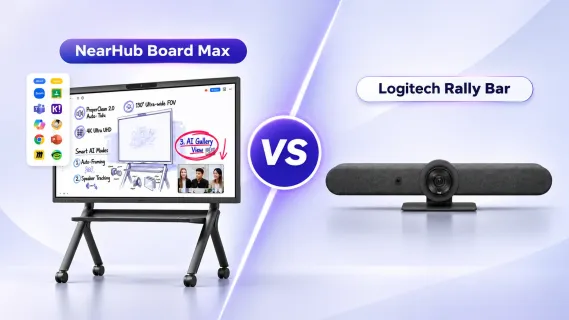
NearHub Board Max vs Logitech Rally Bar
logitech rally bar alternative
interactive whiteboard for hybrid meetings
Updated: Nov 11, 2026 · 8 minutes read
Global Business, Brought Near.
No Installer, No Hassle, Just Works.
NearHub Board Max is the more complete single-product choice for collaboration-first rooms, combining touch, Windows applications, conferencing, and presentation. Logitech Rally Bar is the focused option for conferencing-first rooms with an existing display, strong platform certifications, optical camera control, and centralized management.
Key Takeaways
Board Max integrates a 4K touchscreen, Windows 11 Pro PC, camera, microphones, and speakers; Rally Bar requires a separate display.
Choose Board Max when whiteboarding, annotation, guest presentation, and broad Windows application support are central to the room.
Choose Rally Bar for a standardized conferencing fleet that values platform certifications, optical PTZ control, microphone expansion, and Logitech Sync.
Compare completed-room cost: Rally Bar may need a display, room license, controller, and audio expansion, while Board Max still requires Windows administration and installation planning.
One is an interactive Windows 11 Pro smart board with conferencing hardware built in. The other is a dedicated video bar for an existing display. The better choice depends on whether your room is mainly for joining meetings or for collaborating visibly during them.
NearHub Board Max vs Logitech Rally Bar: the quick answer
NearHub Board Max is a Logitech Rally Bar alternative worth considering when you need a 4K touch display, whiteboarding, live annotation, wireless presentation, desktop meeting apps, and broader Windows software in one device.
Choose Logitech Rally Bar if you already have a suitable display and want conferencing-first hardware for medium to large rooms, with platform certifications, a motorized PTZ camera, microphone expansion, and Sync management.
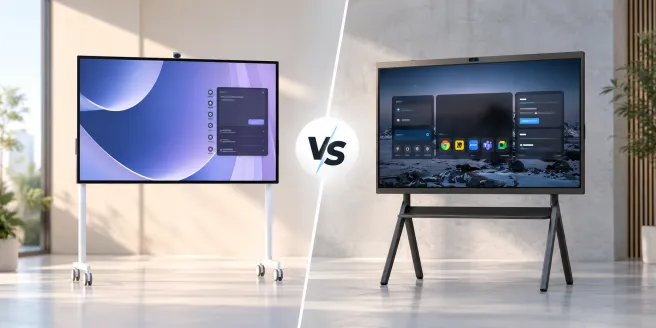
The NearHub Board Max combines the display, touch surface, camera, microphones, speakers, and Windows computer. The Logitech Rally Bar combines conferencing audio, video, and compute, but requires an external display. That difference affects the workflow, installation, and cost of the completed room.
Specification and workflow comparison
Key differences at a glance
Factor
NearHub Board Max
Logitech Rally Bar
Architecture
Interactive smart board and Windows 11 Pro endpoint.
Conferencing bar with built-in compute; separate display required.
Display and touch
55-, 65-, or 75-inch 4K panel; 350 cd/m² typical brightness; anti-glare; 40-point infrared touch and ≤6 ms response.
No display or native touch canvas. The official datasheet lists two HDMI outputs at up to 1080p.
Built-in appliance compute; USB mode supports Windows 11, Windows 10, and the two most recent macOS versions on a separate host.
Camera and AI
Fixed-focus UHD 4K camera; 130° diagonal field of view; auto-framing, speaker tracking, panoramic view, and Gallery View.
Motorized PTZ camera, AI Viewfinder, RightSight framing, and speaker tracking. A hands-on review lists up to 4K/30 fps and 5× optical zoom.
Audio
Eight omnidirectional microphones, rated 8 m pickup, AI noise reduction, automatic gain control, full duplex, and two 15 W speakers.
Six MEMS microphones forming five adaptive beams, rated 7 m pickup, AI noise suppression, echo cancellation, and two built-in speakers.
Collaboration
Cloud whiteboard, annotation over live content, browser Web Cast, AirPlay, Tail Cast, App Cast, and HDMI input.
Whiteboarding and presentation depend on the display, room platform, applications, and connected accessories.
Software
Native Teams, Zoom, Google Meet, and Webex workflows, plus compatible Windows applications.
Certified room solutions for Teams, Zoom, and Google Meet. Appliance-mode room software license is not included.
Expansion and management
External microphone support, multiple video outputs, and Microsoft Intune workflows.
Up to four Rally Mic Pods, Tap/Tap IP and Sight integration, and Logitech Sync management.
Warranty
12-month free warranty, with optional extended warranty available.
Two-year limited hardware warranty; extensions may be available.
Displayed price*
From $3,499.
$4,299 before the display and any required accessories or licenses.
A room for talking or a room for working?
Rally Bar optimizes remote communication: the camera frames participants, the microphones capture the table, and content arrives through a meeting platform or connected laptop. Its motorized camera is especially useful when a presenter moves or the room needs tighter optical framing.
Board Max treats the shared screen as the workspace. A team can open a proposal in a Windows application, annotate it, switch to a whiteboard, include remote participants, and cast a guest device without adding a separate interactive display. If users mainly join standardized Teams or Zoom calls, Rally Bar’s focus is an advantage; if they mark up content and develop ideas together, Board Max removes workflow transitions.
Adding a conferencing bar to a passive display does not make it interactive. For broader display planning, see NearHub’s smart board vs projector comparison.
Installation: what “all-in-one” actually means
Rally Bar is an all-in-one video bar, not a complete display system. It does not always need an external PC: appliance mode uses built-in compute with a supported room solution, while USB mode uses a Windows or macOS host. Board Max integrates the conferencing components and computer into the touchscreen, so a new collaboration room can be planned around one primary device.
Board Max still needs a suitable wall or stand, power, networking, and safe handling. Rally Bar is smaller and lighter, but its complete installation includes display cabling and decisions about controllers and expansion microphones.
Installation complexity is a recurring concern when organizations deploy multi-component conferencing systems. In a Reddit discussion comparing several Microsoft Teams Rooms solutions, user TNT359 shared their experience with the older Logitech Rally Pro setup:
The Logitech Rally Pro experience was poor. Windows-based, with many issues, and the cabling was overly complicated.
— TNT359, Reddit user review
Although this feedback concerns Rally Pro rather than Rally Bar, it highlights the importance of considering the complete room setup, not just the conferencing hardware. NearHub Board Max integrates the display, Windows PC, camera, microphones, and speakers into one touchscreen device, reducing the need for separate displays, computers, and complex cabling. With built-in wireless presentation options, it also provides a more streamlined setup for teams that need both video conferencing and interactive collaboration.
Interactive collaboration and wireless presentation
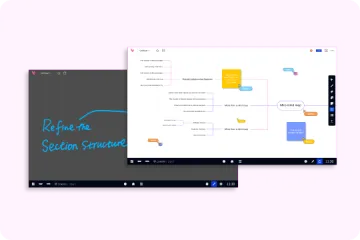
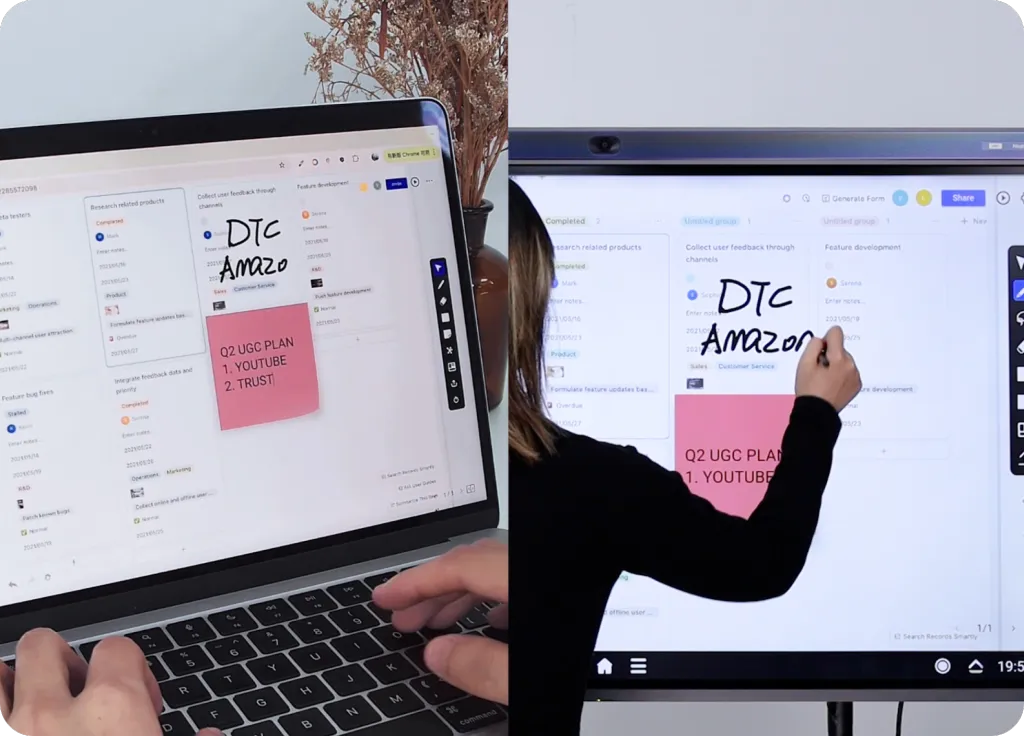
Board Max’s 40-point touch surface supports direct writing and multi-user interaction. Its cloud whiteboard provides an expandable canvas with real-time synchronization, and annotation can sit over live content. In design reviews, planning sessions, and training, participants can develop the same visible artifact instead of watching a presenter and recording decisions elsewhere.
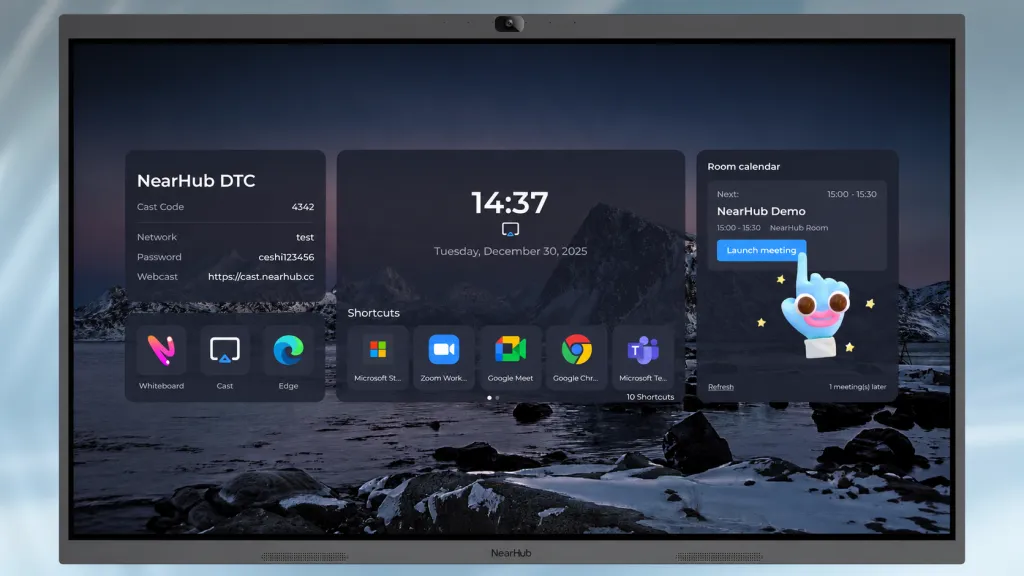
NearHub lists browser-based Web Cast, AirPlay, Tail Cast, App Cast, and HDMI input. Browser casting is convenient for guests, but network segmentation, firewalls, and guest Wi-Fi still affect performance; keep HDMI available for critical presentations. NearHub’s wireless presentation system guide covers these deployment considerations.
Rally Bar supports content sharing within its meeting workflow, but interaction requires additional display and input hardware. If touch work matters, compare the complete interactive chain rather than the bar alone.
AI camera, microphones, and noise cancellation
Wide coverage versus optical control
NearHub’s 130° diagonal field of view is designed for broad seating coverage, while auto-framing, speaker tracking, and Gallery View optimize how participants appear. Rally Bar combines a motorized PTZ camera, AI Viewfinder, and RightSight framing, with optical zoom for tighter shots.
Profound Technologies reviewer Naeem Johnson praised Rally Bar's camera tracking:
Being able to move and have it follow you wherever you go – it's a nice touch.
For collaborative meetings involving multiple participants, Board Max offers the advantage of keeping more people visible within a single frame, making it well-suited for group discussions, brainstorming sessions, and interactive workshops. Rally Bar, on the other hand, may be preferable in rooms where close-up presenter tracking is a priority.
Pickup range is not speech intelligibility
Board Max specifies eight microphones and pickup up to 8 m; Rally Bar specifies six beamforming elements and 7 m, with support for up to four Rally Mic Pods. The 1 m specification difference does not establish a quality winner. Reverberation, HVAC noise, table reflections, and seating layout often matter more.
Rally Bar has a clear Logitech-ecosystem expansion path, while Board Max supports an external microphone. For either system, demonstrate a quiet talker at the farthest seat, keyboard noise, and a running fan.
Software flexibility and IT management
Board Max runs Windows 11 Pro on an x86 Intel processor, supporting compatible desktop meeting clients, browsers, and business applications. This suits rooms that move between calls, spreadsheets, design reviews, dashboards, and training. NearHub also lists Microsoft Intune support. The trade-off is Windows security, updates, application versions, and user-profile management.
Rally Bar provides a more controlled conferencing model, with listed certifications for Microsoft Teams, Zoom, and Google Meet. Appliance mode avoids a general-purpose desktop, USB mode supports a separate host, and Logitech Sync centralizes health monitoring, settings, and updates. Appliance-mode room licensing is separate, and the desired experience may involve Tap or Tap IP. NearHub’s Teams Rooms hardware guide explains these platform and licensing considerations.
Native app support on Board Max is not the same as formal room-system certification, so organizations should verify their procurement requirements. In terms of after-sales support, Rally Bar includes a two-year limited hardware warranty, while NearHub Board Max comes with a one-year free warranty, with optional extensions available for up to five years of total coverage.
Clear documentation and accessible technical support are also important for a smooth setup experience. In a B&H customer review, Jessica reported:
I received this device and it came with very few instructions.
— Jessica, 1-star B&H review, July 1, 2026
This feedback highlights how insufficient setup instructions can create frustration during deployment. NearHub Board Max comes with a user manual, while the official Help Center provides additional setup guides, troubleshooting resources, and step-by-step instructions. NearHub also offers video tutorials on its official YouTube channel, helping users navigate installation, device configuration, and everyday features. These resources give users multiple ways to find guidance when setting up and managing their devices.
Which system fits each real-world room?
Recommendations by meeting-room workflow
Room
Better fit
Why
Executive or client room
Depends on the existing room
Board Max supports live proposal and document annotation; Rally Bar suits polished conferencing on an existing premium display.
Design, engineering, or project review
Board Max
Windows applications, touch annotation, and whiteboarding keep discussion and decisions on one shared surface.
Training or workshops
Board Max
Trainers can write, invite participation, cast content, and switch among Windows resources.
Standardized conferencing fleet
Rally Bar
Platform certifications, appliance mode, Sync, and Logitech accessories support repeatable room standards.
Large or irregular boardroom
Room design decides
Rally Bar adds optical zoom and Mic Pod expansion; Board Max adds a 75-inch option and wide coverage. Test sightlines and acoustics.
For large rooms, Profound’s Naeem Johnson suggested reconsidering Rally Bar “if the space they’re trying to outfit is too big, or weirdly-shaped.” The same advice applies to Board Max: rated camera and microphone coverage cannot replace a room layout review.
Cost and total cost of ownership: compare completed rooms
NearHub displayed Board Max from $3,499 and Logitech displayed Rally Bar at $4,299 when checked. Rally Bar still needs a display, while Board Max pricing varies by size and configuration. Duc Nguyen’s assessment that “the price would be expensive for small businesses” is therefore most relevant to the entire Rally Bar installation, not just the bar.
Build a room-level budget with these items:
Hardware: display and touch requirements, compute, controllers, mounts, stands, and expansion microphones.
Software: appliance-mode room licenses where applicable, application licenses, and endpoint management.
Installation: wall load, power, networking, display and USB/HDMI cabling, and service access.
Operations: Windows or CollabOS updates, platform administration, warranties, support, and replacement terms.
Board Max can offer stronger value when its display and Windows PC replace equipment otherwise needed for a collaboration room. Rally Bar can be more economical when a suitable display already exists and the organization wants a dedicated conferencing appliance.
Final recommendation
If your goal is to replace Logitech Rally Bar with a more interactive workspace, NearHub Board Max is the more complete single-product choice for collaboration-first rooms. Its advantage is the combination of a touch workspace, Windows applications, conferencing hardware, and presentation tools. Logitech Rally Bar remains the more focused choice for conferencing-first rooms with an existing display, particularly where platform certification, optical camera control, microphone expansion, and Sync management are priorities.
Before purchasing, run the same workflow on both: join your meeting platform, share a guest device, annotate content, test the farthest speaker, restart the system, and perform a remote-management task. Choose the system that preserves your team’s workflow with fewer workarounds.
Frequently asked questions
Does Logitech Rally Bar require an external PC?
No. It has built-in compute for appliance mode with a supported room solution, although the room-solution license is not included. USB mode uses a compatible Windows or macOS host. An external display is required.
Can Rally Bar replace an interactive smart board?
Not by itself. Rally Bar supplies conferencing audio, video, and compute, but no display or touch canvas. Direct writing and annotation require separate interactive hardware and compatible software.
Does NearHub Board Max support Teams and Zoom?
Yes. NearHub lists native Teams and Zoom support, plus Google Meet and Webex workflows. Windows 11 Pro also supports other compatible applications. Verify formal room-system certification separately if your organization requires it.
Which is better for whiteboarding and large rooms?
Board Max is better suited to native whiteboarding because it includes a 40-point touch display and cloud canvas. For large rooms, test both: Rally Bar offers optical zoom and Mic Pod expansion, while Board Max offers a 75-inch option, wide camera coverage, and rated 8 m pickup.
How should I compare total cost of ownership?
Price the completed room, including displays, compute, licenses, controllers, mounts, installation, audio expansion, warranties, support, and IT administration. Board Max may replace more components in a new room; Rally Bar may cost less to integrate where a suitable display already exists.