Moving On from Microsoft Surface Hub? Meet NearHub Board Max.
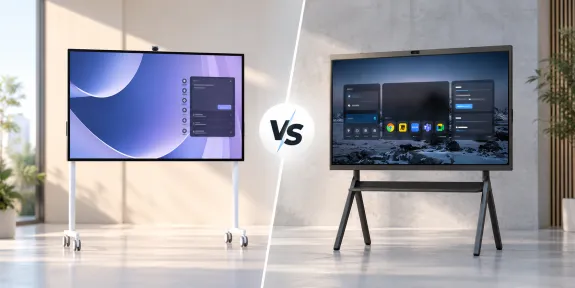
Comparing Microsoft Surface Hub 3 with NearHub Board Max: full Windows 11 Pro, more meeting-platform choice and a $3,499 starting price.
microsoft surface hub alternative
microsoft surface hub whiteboard
Updated: Nov 9, 2026 · 8 minutes read
Global Business, Brought Near.
No Installer, No Hassle, Just Works.
For a new Windows room, NearHub Board Max beats Microsoft Surface Hub 3. It ships with full Windows 11 Pro, runs Zoom, Teams, Meet and Webex, and starts at $3,499--about $6,001 below Surface Hub 3. Choose it as your Microsoft Surface Hub alternative when workflow fit and budget matter most.
01 / The NearHub advantage
Why should your next board do more than join a meeting?
Your team works in documents, spreadsheets, presentations and business applications. Your meeting-room board should put that work on the main screen—and handle the call when a customer sends a Zoom, Teams, Meet or Webex invitation.
Present and explain
A client review or leadership update needs fast sharing, clear text and a reliable fallback connection.
Write and decide
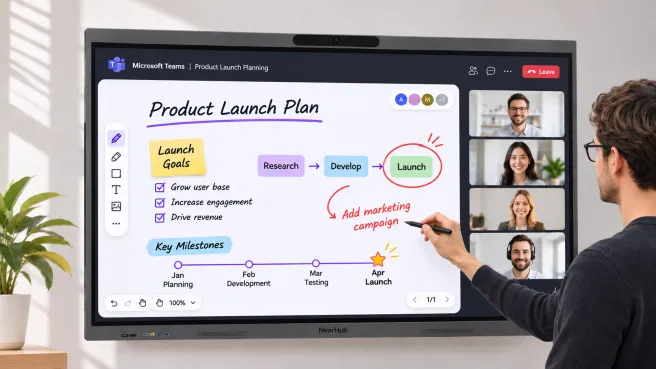
A planning session needs touch, annotation and a way to retain the decisions after the room clears.
Meet across platforms
A hybrid room needs a camera, microphones and software that match the platforms people actually use.
NearHub Board Max is built for that working day. It combines a full Windows 11 Pro desktop, a 4K touchscreen and integrated meeting hardware, starting at $3,499. Surface Hub 3 starts from a different premise: a dedicated Teams Rooms experience, at a published US entry hardware price of $9,499.99.
The decision
For a new Windows collaboration room, choose NearHub Board Max as your Microsoft Surface Hub alternative. You get desktop Windows from the start, broad meeting-platform support and an entry hardware price about 63% below Surface Hub 3’s. Those are concrete reasons to move forward with NearHub.
Entry-price comparison: Board Max 55″ at $3,499 versus Surface Hub 3 50″ at $9,499.99, checked November 2, 2026. Different sizes and configurations; hardware prices only. Deployment, licensing and support details are covered below.
02 / NearHub vs. Surface Hub
How does Board Max give you more freedom and a lower price than Surface Hub 3?
Here is what your team gets with Board Max—and how it differs from Surface Hub 3 in its default Teams Rooms configuration.
Platform
Can the board run the applications your room uses?
Room experience
Can people see, hear, write and share from their seats?
Operations
Can IT deploy, manage and support the fleet?
What matters
NearHub Board MaxFull Windows collaboration workspace
Microsoft Surface Hub 3Default Teams Rooms configuration
US entry hardware price
From $3,499 · 55″
From $9,499.99 · 50″
Windows experience
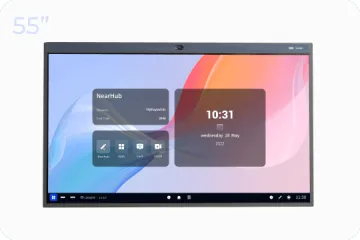
Windows 11 Pro built in. Desktop workspace from the start; no external PC required.
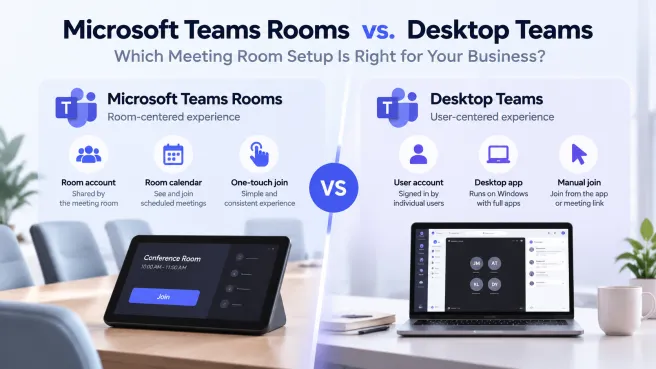
Windows 11 IoT Enterprise with Teams Rooms on Windows.
Business applications
Install supported Windows desktop applications and work on the board itself.
Room-focused experience by default. Full desktop use requires a Pro / Enterprise conversion.
Meeting platform flexibility
Zoom, Zoom Rooms, Microsoft Teams, Google Meet, Webex and more through supported Windows apps or browser workflows.
Teams Rooms–first, with Zoom, Webex and Google Meet guest join in supported configurations.
Screen sharing & casting
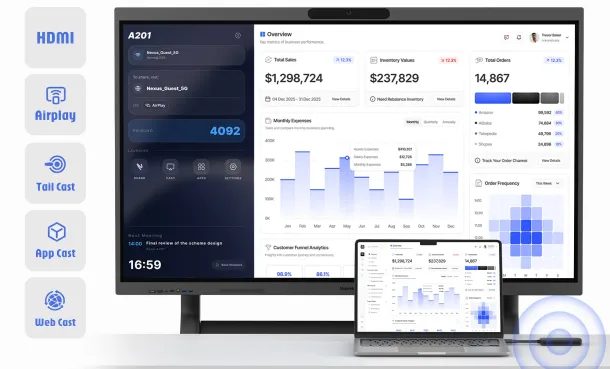
Five ways to share:
Webcast — browser sharing, no casting app to install
AirPlay — iPhone, iPad and Mac
NearHub Tail — one-tap hardware accessory
NearHub App — app-based sharing
HDMI — direct wired connection
Miracast + Teams Cast for wireless sharing.
HDMI/USB-C display inputs; in-meeting wired sharing through a compatible certified console.
Screen sizes
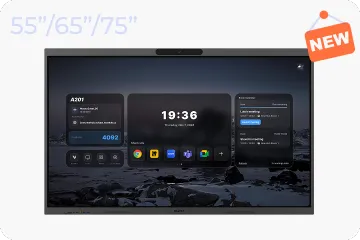
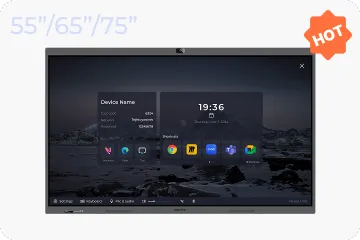
55″, 65″ or 75″; 16:9.
50″ or 85″. 3:2 on 50″; 16:9 on 85″.
Display resolution
3840 × 2160 across listed sizes.
50″: 3840 × 2560. 85″: 3840 × 2160.
Touch & pen
40-point infrared touch. Two stylus pens listed in the box.
10 touch points on 50″; 20 on 85″. Active dual-pen support.
Integrated room AV
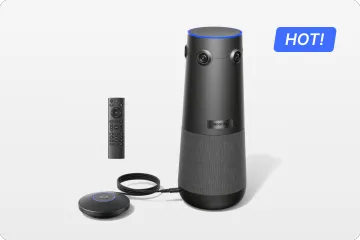
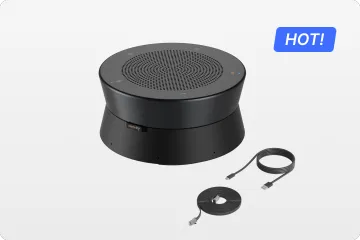
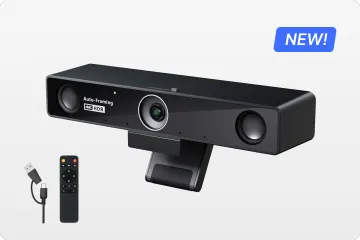
4K camera; eight microphones; 2 × 15 W speakers. Auto-framing, speaker tracking and gallery view.
4K Surface Hub Smart Camera, microphone arrays and speakers.
Compute & storage
Intel Core i5-1235U; 16 GB RAM; 256 GB storage.
Intel i5; 32 GB RAM; 512 GB storage.
Device & content management
Microsoft Intune + NearHub One. Windows endpoint management, cloud-based board management and digital signage for calendars, videos and documents.
Microsoft Intune, Teams Admin Center and Teams Rooms Pro Management for the Teams Rooms environment.
Purchasing outlook
Current product configurations and published US pricing in the NearHub store.
Production reportedly ended; reseller availability varies. Driver / firmware servicing listed through December 30, 2030.
Published US starting hardware prices checked November 2, 2026; different screen sizes and configurations. Application licensing, room-system certification and complete project costs are separate. See the full Board Max specifications.
03 / The reason to move forward
Why does your next room need a plan beyond Microsoft Surface Hub?
Windows Central reported on April 14, 2026 that Microsoft had ended Surface Hub 3 production and dropped plans for a successor. That changes the conversation for anyone buying new meeting-room hardware. Your next deployment needs a purchasing plan that reaches beyond the remaining Surface Hub inventory.
You can keep Windows without buying another Microsoft Surface Hub. Board Max puts Windows 11 Pro directly in your next collaboration board. Your applications and Microsoft-based work belong in the next chapter of the room, too.
Migration decision
New purchase versus existing equipment
A working Hub 3 can stay in service while you plan the next room. Microsoft lists driver and firmware servicing through December 30, 2030, but Windows and Teams have separate support policies. Use that time to test the replacement rather than rushing a room that still works.
04 / Six reasons to choose NearHub
What makes Board Max the stronger buy over Surface Hub 3?
REASON 01
1. Get the Windows desktop your work needs.
Board Max ships with Windows 11 Pro. Open a presentation, work through a spreadsheet, launch a supported business application and bring the discussion onto the touchscreen. The board is the Windows workspace; an external PC is not required for that experience.
Surface Hub 3’s default experience is built around Teams Rooms. Microsoft offers a full Windows Pro / Enterprise conversion, but that means a different license, OS installation and deployment. Board Max starts with the desktop environment this room is buying for.
NearHub’s advantage: desktop work is the starting point. See our Windows vs. Android smart board guide for why app requirements should drive the platform decision.
REASON 02
2. Work with the platforms your customers use.
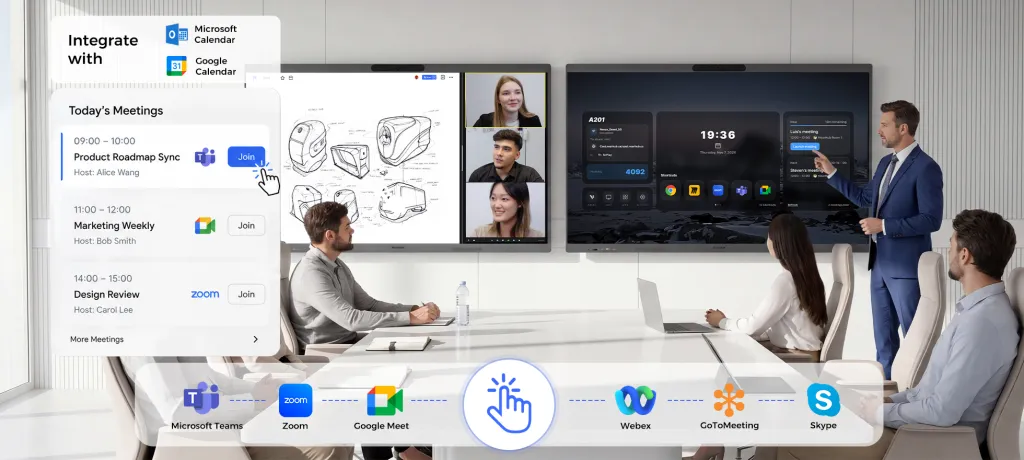
Today’s invitation is on Teams. Tomorrow’s is on Zoom. Your next partner uses Google Meet. Board Max supports Zoom, Zoom Rooms, Microsoft Teams, Google Meet and Webex through supported Windows applications or browser workflows. The meeting platform can change while the board stays at the center of the room.
Surface Hub 3 is Teams Rooms–first. It can join supported third-party meetings through guest-join experiences, but joining another platform is a different model from choosing that platform’s own app or browser workflow on a Windows desktop.
3. Put roughly $6,001 back into the hardware budget.
The entry prices show the difference quickly. Board Max 55″ starts at $3,499. Surface Hub 3 50″ is listed at $9,499.99 on Microsoft’s US store. That is a $6,000.99 difference before adding room-specific services or software.
About 63% lowerpublished entry hardware price for Board Max
These are different sizes and deployment models, so treat the figures as hardware starting points rather than a complete room budget. The prices were checked November 2, 2026; installation, accessories, app licenses and support still need to be added.
NearHub does not require a NearHub subscription for core Board Max use; Canvas also has a free plan. Paid Canvas features and third-party software remain separate choices. For the complete room budget, use our smart board cost guide and request a configured Board Max quote.
REASON 04
4. Manage your boards—and what’s on them.
Board Max supports Microsoft Intune as a Windows 11 Pro endpoint, keeping Windows device management in your IT environment. Alongside Intune, NearHub One provides a cloud platform for remotely managing your boards.
NearHub One combines board management with digital signage. Publish calendars, videos and documents to your screens from the cloud. Keep room schedules visible, share company communications and display useful content between meetings—giving the board a role throughout the working day.
Surface Hub 3’s management is centered on its Teams Rooms environment, using Microsoft Intune, Teams Admin Center and Teams Rooms Pro Management. NearHub adds cloud-based board and content management alongside the Windows IT tools your team already uses. For initial deployment, use NearHub’s Windows setup guide.
REASON 05
5. Buy a board that works between the calls, too.
Board Max combines a 4K touchscreen, camera, eight microphones, speakers and a Windows computer. Choose 55″, 65″ or 75″ for a room that handles presentations, collaborative work and video meetings throughout the day. The full specifications cover the hardware; the store carries current configurations.
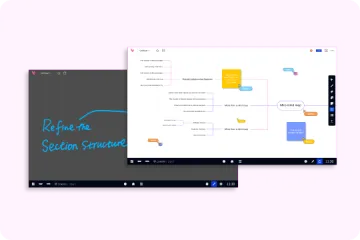
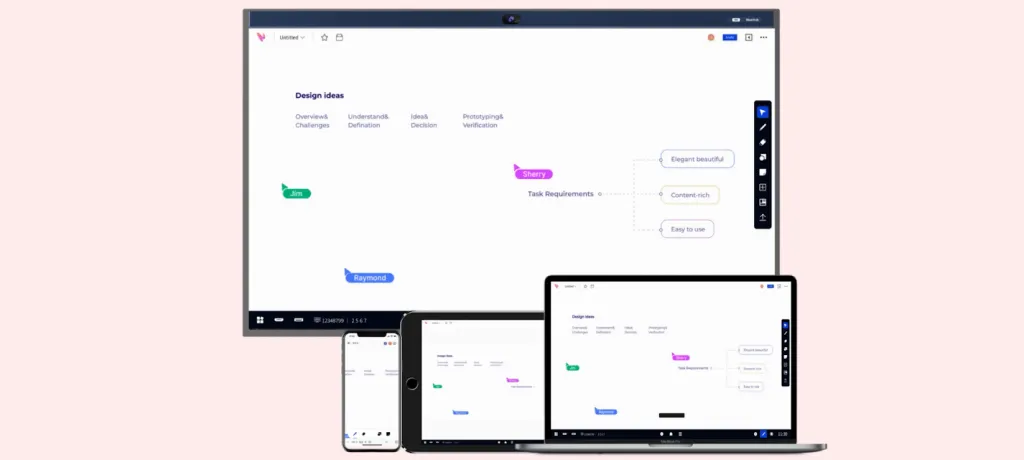
NearHub Canvas adds an infinite shared canvas, templates and collaboration across devices. Move from reviewing the work to developing the next idea on the same screen. Use the board for the working session before, during and after the call.
REASON 06
6. Let guests share their way.
A client brings a MacBook. A colleague arrives with a Windows laptop. Someone needs to show content from an iPhone. Board Max gives the room five clear sharing routes, so you can choose a connection that suits the presenter and the device.
Webcast: share a screen, window or tab from a supported browser without installing a casting app.
AirPlay: mirror an iPhone, iPad or Mac through its familiar Screen Mirroring controls.
NearHub Tail: use a paired hardware accessory for one-tap laptop presentations.
NearHub App: give regular presenters an app-based sharing option across Windows, macOS, Android and iOS.
HDMI: use a direct wired connection when that is the right choice for the room.
Surface Hub 3 supports Miracast and Teams Cast, along with wired display inputs and a certified-console route for wired sharing inside meetings. Board Max’s browser, AirPlay, Tail, app and HDMI choices give mixed-device rooms a broader guest-sharing toolkit. For teams that host customers, contractors and visiting presenters, that flexibility is another reason to choose NearHub.
Wireless sharing depends on the method, network and device permissions. NearHub Tail is an optional accessory.
05 / Real user feedback
Why does the workflow matter more than the Microsoft Surface Hub badge?
Surface Hub owners and administrators have described a recurring priority: keep the room useful for the work people came to do. These original discussions show why the operating model deserves as much attention as the hardware.
4
We looked at four first-hand conversations from Surface Hub users and administrators. The examples below keep the original dates and room context. They are useful prompts for your own demo, not a vote on every Surface Hub deployment.
Reddit · Hub 3 / MTR
“Windows” did not mean the workflow they expected.
A deployment administrator expected the earlier Hub’s Microsoft 365 and file-access experience, but found that the new room system behaved differently from what had been demonstrated before purchase. A respondent found MTR easier to configure, while perceiving less flexibility.
Buying lesson: Demonstrate the exact Office, file-access and meeting tasks you expect—not just the home screen.
Reddit · Migrated Hub 2S
An existing Whiteboard was a different test.
An administrator reported that an existing Whiteboard shared from a laptop appeared read-only on a migrated 2S, even though creating a new board on the device worked. The thread does not establish a verified root cause or a universal limitation.
Buying lesson: Open, edit, save and reopen an existing board with the real room and user identities.
Microsoft Community · Three 2S units
The familiar sharing shortcut mattered.
A user managing three 2S devices reported that Windows+K sharing no longer worked in normal room mode after migration to MTR-W. This was a January configuration report. Microsoft later documented a May 2026 Miracast release, but the thread does not establish whether it resolved these devices’ issue.
Buying lesson: Test guest sharing in the user-facing room mode, with the current software build.
Reddit · First-generation Hub · Historical
The integrated experience was worth preserving.
A legacy Hub administrator praised integrated calls, multi-pen interaction, a simple interface and session cleanup, while questioning the cost. This is historical praise for the original room concept, not a current Hub 3 review.
Buying lesson: Preserve easy handover between meetings as carefully as application access.
One bit of context: Microsoft added Edge kiosk browsing in September 2025 and Miracast in May 2026. These posts identify workflows worth testing; they do not establish current defects or predict another product’s results.
That is the practical value of a full Windows workspace:
Board Max brings desktop application access, meeting-platform choice and shared visual work into the same room. Those are the priorities to carry forward from Surface Hub. See Board Max in action.
06 / Make the switch
How do you keep your workflow and upgrade where it happens?
A smooth move to Board Max starts with four practical decisions. Bring the work your team already does into the rollout, then give the room a simple operating plan.
01
List the Windows workflows you want to keep
Choose three everyday tasks: perhaps reviewing a PowerPoint file, using a business application and continuing an existing whiteboard with a remote colleague. Include your normal Microsoft sign-in process and any guest sharing people rely on.
Bring to the demo: Real files, application requirements and the IT policies the room must follow.
02
Pilot the Board Max setup with IT
Start with one room. Use NearHub’s Windows setup guide for initial board setup, then configure approved applications, access policies, updates and session cleanup with your IT team. Share the NearHub onboarding videos with the people who will use the board.
Agree before rollout: Who signs in, where work is saved, how a session ends and who handles support.
03
Match the configuration to your room
Choose the display size, mounting and accessories around the actual seating layout. Review the complete room quote, software licenses, hardware warranty and support coverage together. Ask for the software-maintenance and recovery arrangements in writing.
Check in the room: Readability, writing reach, guest connections, camera framing and audio from the farthest seat.
04
Plan the handover from your existing Hub
A working, supported Hub 3 can remain in service while you pilot the replacement. For a 2S still on Windows 10 Team, review Microsoft’s current supported USB migration options. Hub 3 also has an official Windows 11 Pro / Enterprise conversion path, requiring the appropriate license and reinstallation; compare that work with the benefits of a new Board Max deployment.
Before switching rooms: Confirm files and whiteboards are accessible, train users and document the recovery procedure.
07 / The choice for your next room
Why choose NearHub Board Max as your Microsoft Surface Hub alternative?
If you are buying a new collaboration board for a Windows-first team, Board Max is the clearest fit. Full desktop Windows is built in, the room can work across major meeting platforms, and the published entry hardware price is roughly $6,001 below Microsoft Surface Hub 3’s.
Make the decision against the way your room will be used.
01
Windows workspace
Put supported desktop applications and shared work on the board from day one. Board Max starts with Windows 11 Pro built in.
02
Platform flexibility
Keep the room usable when invitations arrive from Zoom, Teams, Google Meet or Webex. Meeting-platform choice stays part of the workspace.
03
Budget headroom
Use the $3,499 published 55-inch starting point as the hardware baseline, then reserve budget for installation, software, accessories and support.
Start here if you are weighing platform fit, licensing, certification or migration.
Is NearHub Board Max a good Surface Hub alternative?
For a new room built around Windows applications, presentations, whiteboarding and mixed-platform meetings, Board Max is a strong fit. It includes the Windows desktop and meeting hardware, with a published entry hardware price about 63% below Surface Hub 3’s. The comparison uses the 55″ Board Max and 50″ Hub 3 entry models.
Does Board Max support Zoom Rooms as well as Zoom?
Yes. NearHub lists Zoom and Zoom Rooms support, alongside Microsoft Teams, Google Meet and Webex. Zoom Rooms uses a Windows software deployment with the appropriate license and room configuration. Google Meet can be used through its supported browser workflow. Software compatibility does not establish hardware certification.
Are software and room licenses included in the hardware price?
Board Max does not require a NearHub subscription for core board use, and Canvas offers a free plan. Microsoft 365, paid Canvas features and third-party meeting services have their own licensing requirements. Microsoft’s current guidance separately requires Teams Rooms licensing for dedicated shared Teams meeting devices; ordinary per-user Microsoft 365 licensing does not cover that shared-device scenario.
Is Board Max Teams Rooms or Zoom Rooms certified?
No. Board Max is a Windows collaboration board that runs meeting software. Formal room-system certification belongs to specific hardware and configurations. If certification is mandatory for your procurement, use the platform’s certified-device list.
Can we keep Microsoft 365 and Microsoft Whiteboard?
Windows 11 Pro supports the desktop Microsoft 365 workflow, with the required application licenses and your organization’s policies. Keep access to existing files and your Microsoft Surface Hub whiteboard content in the rollout plan. NearHub Canvas and Microsoft Whiteboard are separate applications; their contents do not automatically synchronize.
What does NearHub One add beyond Microsoft Intune?
Intune supports Windows endpoint management. NearHub One adds cloud-based remote board management and digital signage, so teams can distribute calendars, videos and documents to their screens. It expands the board’s role from a meeting workspace to a managed information display between meetings.
How can guests share a screen to Board Max?
Choose Webcast, AirPlay, NearHub Tail, NearHub App or HDMI to suit the presenting device and room setup. Webcast provides a browser route without a casting-app installation; AirPlay serves Apple devices; Tail adds an optional hardware-button route. Network and permission requirements vary by method.
What is happening to Surface Hub?
Windows Central reported on April 14, 2026 that Hub 3 production had ended and no Hub 4 was planned. We attribute that production claim to the reporting, rather than to a public Microsoft announcement. Microsoft lists Hub 3 driver and firmware servicing through December 30, 2030; Windows and Teams have separate support policies.
Should we replace a working Surface Hub immediately?
No. Keep a supported, working Hub in service while planning the next room. Windows 10 Team is already out of support, so legacy v1 / 2S installations need a supported migration or refresh. Microsoft documents USB migration options for 2S and a Windows 11 Pro / Enterprise conversion for Hub 3.
Does Surface Hub still have advantages?
Yes. Hub 3 offers an 85″ model, 32 GB RAM and a dedicated certified Teams Rooms experience. Those may be decisive for a particular deployment. For a 55–75″ Windows collaboration workspace with a lower entry hardware price, our recommendation remains Board Max.
Do the older user posts describe today’s Surface Hub features?
They describe experiences at the dates shown. Microsoft added Edge kiosk browsing in September 2025 and Miracast in May 2026. We retain those dates so historical feedback is not mistaken for a current feature list.