Global Business, Brought Near.
No Installer, No Hassle, Just Works.
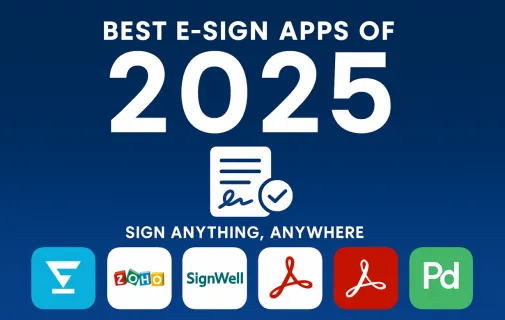
In 2025, e-signature apps have revolutionized the way we handle digital documents. This article explores the best e-sign apps for signing PDFs, contracts, and other documents online. From free options like HelloSign to enterprise-level tools like DocuSign, discover how these tools are transforming workflows for businesses and individuals alike. Whether you're looking for a simple e sign app for occasional use or a full-featured platform for a large team, this guide has you covered.
Best E-Sign Apps of 2025: Sign Anything, Anywhere
In 2025, signing documents online has become the standard for fast, paperless, and remote-friendly workflows. Whether you're sealing deals or signing NDAs, having a reliable e sign app is key. The good news? You don’t have to spend a dime to get started.
We’ve ranked the best free e sign apps first—perfect for individuals, freelancers, and small teams—followed by powerful paid platforms designed for growing businesses and enterprises.
🆓 The Best Free E-Sign Apps of 2025
1. HelloSign (Dropbox Sign) – The Most User-Friendly Free Plan
HelloSign’s free tier lets you sign documents online quickly and securely. You get three free documents per month—perfect for occasional signers—and a beautifully simple interface.
Highlights:
Drag-and-drop signature tool
Integrated with Dropbox
Audit trail & document history
Legally binding e-signatures
Best for: Freelancers, creatives, and consultants
2. Zoho Sign – Best for Startups on a Budget
Website: zoho.com/sign
Zoho Sign offers a generous free plan with basic signing features, especially useful if you're already part of the Zoho ecosystem. It's mobile-friendly and integrates seamlessly with Zoho CRM and other business tools.
Highlights:
Send up to 5 documents per month
Secure encryption and audit logs
Workflow automation inside Zoho
Easy-to-use mobile app
Best for: Startups, Zoho users, and small teams
3. SignWell – Great for Legally Binding Signatures
Previously known as Docsketch, SignWell focuses on simplicity and legal compliance. Its free plan offers up to 3 signed documents per month and includes features like templates and notifications.
Highlights:
Built-in signature reminders
Legally compliant (ESIGN & UETA)
Customizable templates
No software installation required
Best for: Consultants, coaches, educators
💼 Best Paid E-Sign Apps for Teams & Enterprises
If your business sends dozens or hundreds of documents per month, or if you need features like team collaboration, branding, or API access, these premium options are worth the investment.
4. DocuSign – Best Overall for Large Organizations
DocuSign remains the gold standard in the world of e sign apps. Trusted by legal teams, HR departments, and global enterprises, it offers bank-grade security and deep integrations.
Why upgrade:
Unlimited documents
Advanced user roles & permissions
CRM/ERP integrations
Bulk send & signature routing
Best for: Enterprises, legal teams, and regulated industries
If you work heavily with PDF files, Adobe Acrobat Sign is a smart pick. It’s part of the Adobe ecosystem and allows for both editing and signing documents online in one platform.
Why upgrade:
Seamless Adobe PDF editing
Branding & advanced fields
Real-time status tracking
Trusted by financial services
Best for: Legal, finance, and PDF-heavy workflows
6. PandaDoc – Best for Sales and Client-Facing Teams
More than just a tool to sign documents online, PandaDoc is a complete document automation platform with e-signatures built in. Great for proposals, quotes, and contracts with analytics.
Why upgrade:
Templates with pricing tables
Built-in e-signature tracking
CRM, HubSpot, Stripe integrations
In-document commenting & collaboration
Best for: Sales teams, agencies, SaaS companies
✅ What to Consider When Choosing an E-Sign App
When selecting the best e sign app, think about your workflow and volume needs:
Criteria
Free Apps
Paid Apps
Casual use (1–5 docs/mo)
✅
—
Custom branding
—
✅
API access
—
✅
CRM integration
Limited
Full
Team features
Limited
Advanced
Legal compliance
✅
✅✅ (more options)
Whether you need to sign documents online occasionally or manage a complex document workflow, there's a solution that fits your needs—and budget.
🧠 FAQ: Signing Documents Online in 2025
Is a free e-signature legally binding? Yes! Even free e sign apps like HelloSign and SignWell comply with major laws like ESIGN and UETA in the U.S., and eIDAS in the EU.
Can I use an e-signature app on my phone? Definitely. Most e sign apps come with mobile apps for iOS and Android, making signing documents online from anywhere a breeze.
Are e-signatures secure? Yes, most platforms use SSL encryption, audit trails, and two-factor authentication to protect your documents.
✍️ Final Thoughts
Whether you’re a solopreneur sending contracts or a global team managing hundreds of documents a day, the best e sign apps of 2025 make it fast, easy, and secure to sign documents online.
Start with a free tool to see what works, then upgrade when your needs grow. No matter your choice, one thing’s for sure: paper is a thing of the past.