USB vs 3.5mm Headset: Which One Should You Choose in 2026?
Compare USB and 3.
USB Headsets
Audio Comparison
Remote Work
Updated: Aug 19, 2026 · 8 minutes read
Global Business, Brought Near.
No Installer, No Hassle, Just Works.
Should you choose a USB headset or a traditional 3.5mm headset? The answer depends on much more than the connector. This guide compares USB and 3.5mm headsets across audio quality, microphone performance, compatibility, latency, and professional features to help you find the best option for work, gaming, and everyday communication. Whether you're attending Zoom meetings, managing customer calls, or switching between multiple devices, you'll discover which connection truly fits your workflow.
Key Takeaways
The 3.5mm vs USB headset debate isn't about which connection is universally better—it's about choosing the right option for your workflow.
USB headsets offer consistent audio quality, AI-powered microphone processing, and advanced features that make them ideal for remote work, online meetings, and call centers.
3.5mm headsets excel in universal compatibility, plug-and-play convenience, and ultra-low latency, making them a strong choice for gamers and multi-device users.
Professionals who rely on voice communication should prioritize microphone quality, noise cancellation, and connectivity over connection type alone.
The Nearity EP320 combines USB, Bluetooth, and USB-C connectivity with AI ENC technology, providing clear communication and all-day comfort for modern workplaces.
If you are shopping for a new headset for work, calls, or gaming, you have probably faced the same question: should you go with a USB connection or stick with the traditional 3.5mm audio jack? It looks like a simple choice, but the 3.5mm vs USB headset decision actually affects audio quality, device compatibility, microphone performance, and the features you can access. Picking the wrong one can mean dealing with background noise on important calls, discovering your headset does not work with half your devices, or missing out on features that would make your workday easier.
The truth is that neither connection type is universally better. They serve different needs, and the right choice depends on how and where you plan to use the headset. In this guide, we will break down exactly how each connection works, compare them across the factors that matter most, and help you decide whether a USB or 3.5mm headset fits your daily workflow. We will also introduce a professional USB wireless option — the Nearity EP320 — designed specifically for people who prioritize call quality in noisy environments.
How 3.5mm Headsets Work — and Where They Excel
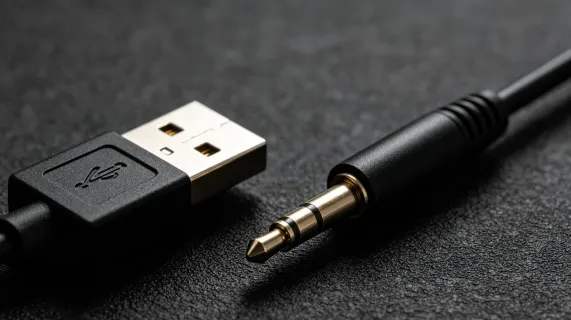
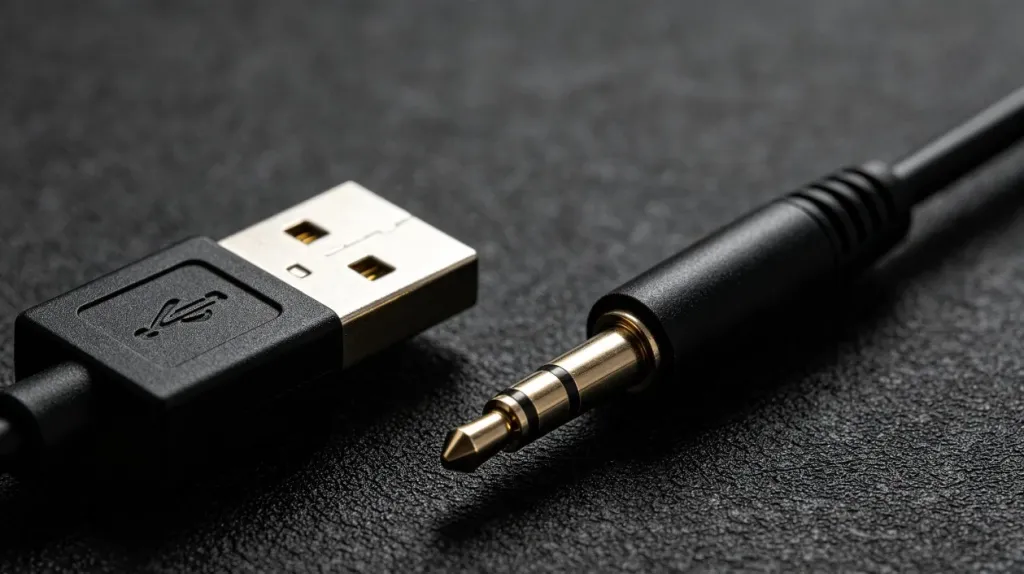
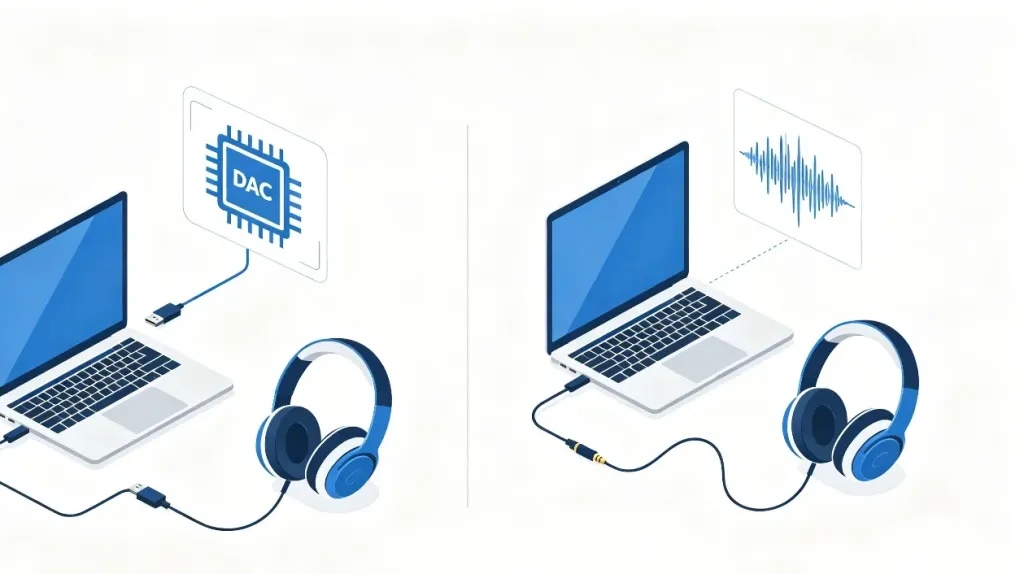
A 3.5mm headset sends an analog audio signal through a standard headphone jack. The digital-to-analog conversion happens inside your device — your laptop, phone, or console uses its own built-in DAC (digital-to-analog converter) and amplifier to process the audio before it reaches the headset drivers. This is the same technology that has powered headphones for decades, and it is the reason 3.5mm headsets are famously plug-and-play: no drivers, no software, no setup required.
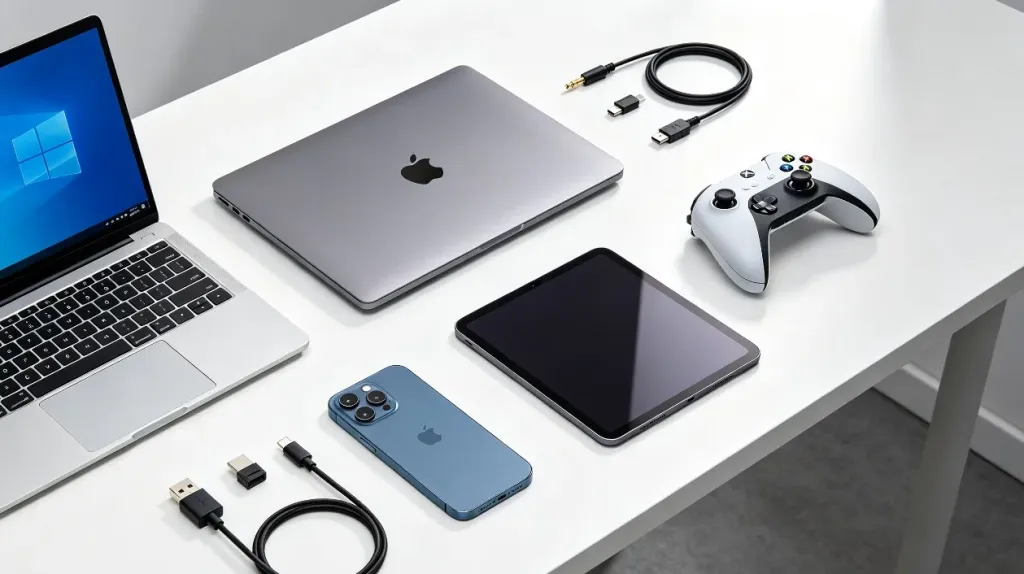
The biggest strength of 3.5mm is universal compatibility. You can plug a 3.5mm headset into nearly anything: Windows laptops, MacBooks, PS5 and Xbox controllers, Nintendo Switch, smartphones with headphone jacks, and professional audio interfaces. This versatility makes 3.5mm the safest choice if you switch between multiple devices throughout the day.
However, 3.5mm audio quality is entirely dependent on your device's internal sound hardware. A high-end motherboard or dedicated sound card can drive a 3.5mm headset beautifully. A budget laptop with a cheap DAC will produce noticeably flatter, noisier audio. Additionally, analog signals are susceptible to electrical interference — you may hear a faint hiss or buzz from nearby components, especially on lower-quality ports.
How USB Headsets Work — and What Makes Them Different
A USB headset takes a fundamentally different approach: it carries a digital audio signal and includes its own built-in DAC and audio processing hardware inside the headset itself. The audio data stays digital all the way from your computer to the headset, where it is converted to sound by dedicated hardware that the manufacturer designed specifically for that headset model.
This architecture brings three key advantages. First, audio quality is consistent — the sound is the same whether you plug into a $300 laptop or a $3,000 workstation, because the headset's own DAC handles the conversion. Second, digital signals are immune to electrical interference, so you will not hear the background hiss that sometimes plagues 3.5mm connections. Third, and perhaps most importantly for professional use, USB headsets can include advanced digital signal processing: active noise cancellation, EQ adjustments, sidetone monitoring, and AI-powered microphone noise reduction.
The trade-off is compatibility. USB headsets work seamlessly on Windows, macOS, and most Linux systems, but console support is more limited (PlayStation generally supports USB audio; Xbox has tighter restrictions). Phones and tablets may need a USB-C adapter or rely on Bluetooth connectivity for wireless USB headsets.
USB vs 3.5mm Headset: Key Differences at a Glance
The following table summarizes how these two connection types compare across the dimensions that matter most for daily use.
Factor
USB Headset
3.5mm Headset
Audio processing
Built-in DAC inside the headset; consistent across devices
Relies on device's internal DAC; quality varies by hardware
Often includes DSP-based ENC and AI noise reduction
Rarely includes onboard processing; depends on device software
Latency
Slight processing delay (imperceptible in practice)
Virtually zero latency (analog signal)
Setup
May require driver installation or software
True plug-and-play; no drivers needed
Interference resistance
Immune to electrical interference
Can pick up hiss or buzz from nearby components
Extra features
Surround sound, EQ, firmware updates, mute sync
Limited to basic audio in/out
Portability
Bulkier connector; may need adapter for mobile
Compact jack; works with most devices out of the box
Which Headset Type Fits Your Work Scenario?
The USB vs 3.5mm headset debate ultimately comes down to where and how you work. Here is a breakdown by common use case.
Remote Workers and Hybrid Employees
If you spend your day on Zoom, Teams, or Google Meet calls from a home office or co-working space, a USB headset is generally the better choice. The consistent audio quality means you sound professional regardless of your laptop's sound hardware, and features like AI noise cancellation can filter out doorbells, keyboard typing, and household noise. Many USB headsets also support mute synchronization — when you mute on the headset, the meeting software reflects the change automatically, which eliminates the "you are on mute" frustration.
This matters because environmental noise affects more than comfort. A review published in The Lancet found that chronic noise exposure increases stress, reduces cognitive performance, and interferes with communication, highlighting the value of effective microphone noise suppression during remote work.
Customer Support Agents and Call Center Employees
For call center environments, the USB headset advantage is clear. AI-powered environmental noise cancellation (ENC) is a game-changer when you are taking calls in a moderately noisy office with colleagues talking nearby. A USB headset with a quality noise cancelling microphone can suppress background chatter, keyboard clicks, and ambient office hum so your caller hears only your voice. This is a feature that a standard 3.5mm headset simply cannot deliver without additional software or hardware.
Gamers and Content Creators
Gamers split between the two options depending on priorities. A 3.5mm headset plugged into a quality gaming controller or sound card offers zero-latency audio, which competitive players appreciate. But a USB headset brings virtual surround sound, customizable EQ profiles, and clearer microphone processing — features that matter for streamers and content creators. Many serious gamers keep both types on hand for different scenarios.
Multi-Device Users
If you frequently switch between a Windows laptop, a MacBook, a smartphone, and a tablet, connection compatibility becomes critical. A 3.5mm headset works with all of them instantly — just plug and go. A USB headset may require a dongle, adapter, or Bluetooth pairing depending on the model. However, many modern wireless USB headsets now include multi-point Bluetooth connectivity, allowing simultaneous pairing with two devices so you can take a call on your phone and switch back to your computer meeting without re-pairing.
Nearity EP320: A USB Headset Built for Professional Call Quality
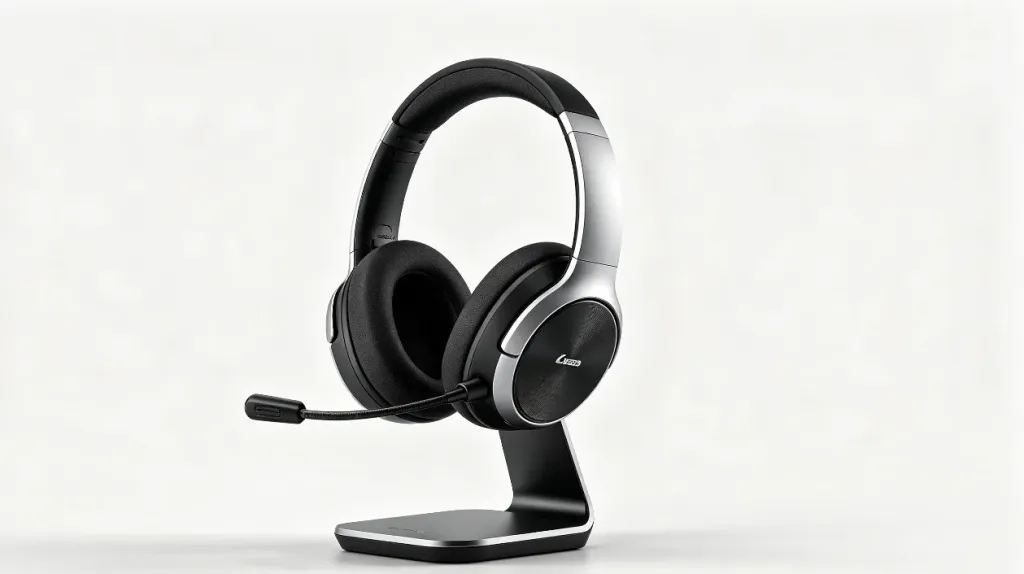
If you have decided that a USB headset fits your workflow, the next step is finding one that delivers on the features that actually matter for your daily calls. The Nearity EP320 is a wireless USB headset designed specifically for professionals who spend hours on calls and need their voice to come through clearly — no matter what is happening around them.
What sets the EP320 apart from a typical USB headset is its AI-powered environmental noise cancellation. It runs on a HiFi5 DSP processor with a neural network trained on extensive noise data, achieving up to 99.9% background noise suppression. In practical terms, that means barking dogs, keyboard typing, coffee shop chatter, and even airport announcements get filtered out before they reach your caller. This makes it a strong choice if you need aheadset with noise cancelling micfor professional calls.
The EP320 connects three ways: via the included USB dongle for computers without Bluetooth, via Bluetooth 5.4 for wireless freedom, or via USB-C cable for wired use. Bluetooth multi-point lets you pair with two devices simultaneously — take a meeting on your laptop and answer a phone call without touching any settings. Battery life stretches to 35 hours of continuous talk time and 45 hours of music playback, so you can go multiple workdays between charges. The included charging stand keeps the headset ready whenever you are.
Comfort is another area where the EP320 stands out. The ear cushions use pillow-soft memory foam, the headband features a padded leather sling, and the 250-degree rotatable boom mic supports left or right wearing. The 180-degree rotatable ear cups accommodate different head shapes, which matters when you are wearing the headset for eight hours straight. For anyone looking for anoise cancelling headphone for work that prioritizes all-day comfort, the EP320 addresses the ergonomic side of the equation as well.
The EP320 is fully compatible with Zoom, Teams, Webex, and other leading platforms across Windows, Mac, Linux, Android, and iOS. IT teams report zero-ticket deployments, and the dedicated mute button with one-click operation eliminates the "you are on mute" problem that plagues virtual meetings. If you are searching for the best noise cancelling headsetfor professional use, the EP320 represents a thoughtful balance of call quality, battery life, and wearing comfort.
Making the Final Decision: USB or 3.5mm?
By now, the answer should be coming into focus. Choose a 3.5mm headset if you need maximum compatibility across all your devices without any setup, you already have a device with a quality built-in DAC, and you do not need advanced microphone processing features. A 3.5mm headset is also the better travel companion if you frequently plug into different computers, consoles, and in-flight entertainment systems.
Choose a USB headset if you want consistent audio quality regardless of which device you plug into, you value features like AI noise cancellation and EQ customization, and microphone clarity during calls is a top priority. For remote workers, hybrid employees, and customer support agents, a USB headset with a noise cancelling headphone with mic for office use provides tangible productivity benefits that a 3.5mm headset cannot match.
If your work involves frequent calls from noisy environments — whether that is a busy open-plan office, a home with kids and pets, or an airport lounge between flights — a wireless headphone with noise cancelling mic is worth the investment. And if you need a noise cancelling headphone for call center environments specifically, USB is the clear winner: the combination of digital signal processing and AI noise suppression makes a measurable difference in how professional you sound to the person on the other end of the line.
The bottom line is this: both connection types deliver good audio when paired with a quality headset. For versatility, 3.5mm wins. For consistency, features, and professional call quality, USB has the edge. And if you are ready to invest in a Professional Wireless Noise Cancelling Headsetthat combines USB convenience with AI-powered noise cancellation, the Nearity EP320 is built exactly for that purpose.
FAQs
Is USB or 3.5mm better for headset audio quality?
It depends on the device you are using. USB headsets contain their own DAC, so audio quality is consistent regardless of what you plug into. On devices with poor built-in sound hardware — like budget laptops or older PCs — a USB headset will sound noticeably better. On devices with quality audio components, a 3.5mm headset can sound equally good or even more natural. The headset's driver quality and tuning matter more than the connection type alone.
Can I use a USB headset with my smartphone or tablet?
Yes, but the method depends on the headset's connector. USB-C headsets plug directly into most modern Android phones and tablets. USB-A headsets typically require a USB-A to USB-C adapter. Many wireless USB headsets connect via Bluetooth, which works with virtually any smartphone or tablet without adapters. The Nearity EP320, for example, connects via Bluetooth 5.4 or USB dongle, making it compatible with both computers and mobile devices.
Do USB headsets have lower latency than 3.5mm headsets?
No — it is actually the opposite. 3.5mm headsets have virtually zero latency because the analog signal bypasses digital processing entirely. USB headsets add a tiny amount of delay from the DAC conversion step, but with modern hardware, the difference is imperceptible during calls, video meetings, and all but the most competitive gaming scenarios.
Which headset type is better for noisy office environments?
USB headsets are significantly better for noisy environments. They can include built-in DSP and AI-powered environmental noise cancellation that actively filters out background noise from your microphone. A 3.5mm headset can only capture whatever audio reaches the mic — it has no onboard processing to suppress noise. If you need a bluetooth noise cancelling headset with micfor a busy workspace, USB is the stronger option.