
































































In the contemporary era, note-taking apps are witnessing an unparalleled spike in popularity. These apps have developed from simple text-based tools to dynamic platforms that cater to a wide range of user needs. The usefulness of current note-taking software knows no bounds, from students organizing lecture notes to business executives collaborating on project ideas. As we move through 2023 and look ahead to 2024, the importance of these technologies grows, altering the way we acquire, organize, and retrieve information.
Key Takeaways
- Best for Workflow: Notion (Project management), Evernote (Organization), OneNote (Office users).
- Best for Handwriting: GoodNotes & Notability (Top choices for students and tablets).
- Best for Collaboration: Miro & NearHub Canvas (Ideal for real-time team brainstorming).
- Best for Quick Use: Apple Notes (Free, simple, and native for Apple users).
- Best Hardware Synergy: NearHub Canvas paired with the NearHub Board for interactive classrooms and meetings.
Finding the best note taking apps
With the right note-taking app, you can revolutionize the way you work and interact with information. Consider how easy it would be to switch between devices, organize thoughts, and collaborate with others in real-time.
The advantages are numerous: increased productivity, increased creativity, and a streamlined workflow. Join us as we investigate the greatest note-taking apps of 2024, each with its own set of features to improve your note-taking experience. Let's open the doors to productivity and see how these apps can help you in your personal and professional lives.
Notion ⭐⭐⭐⭐⭐
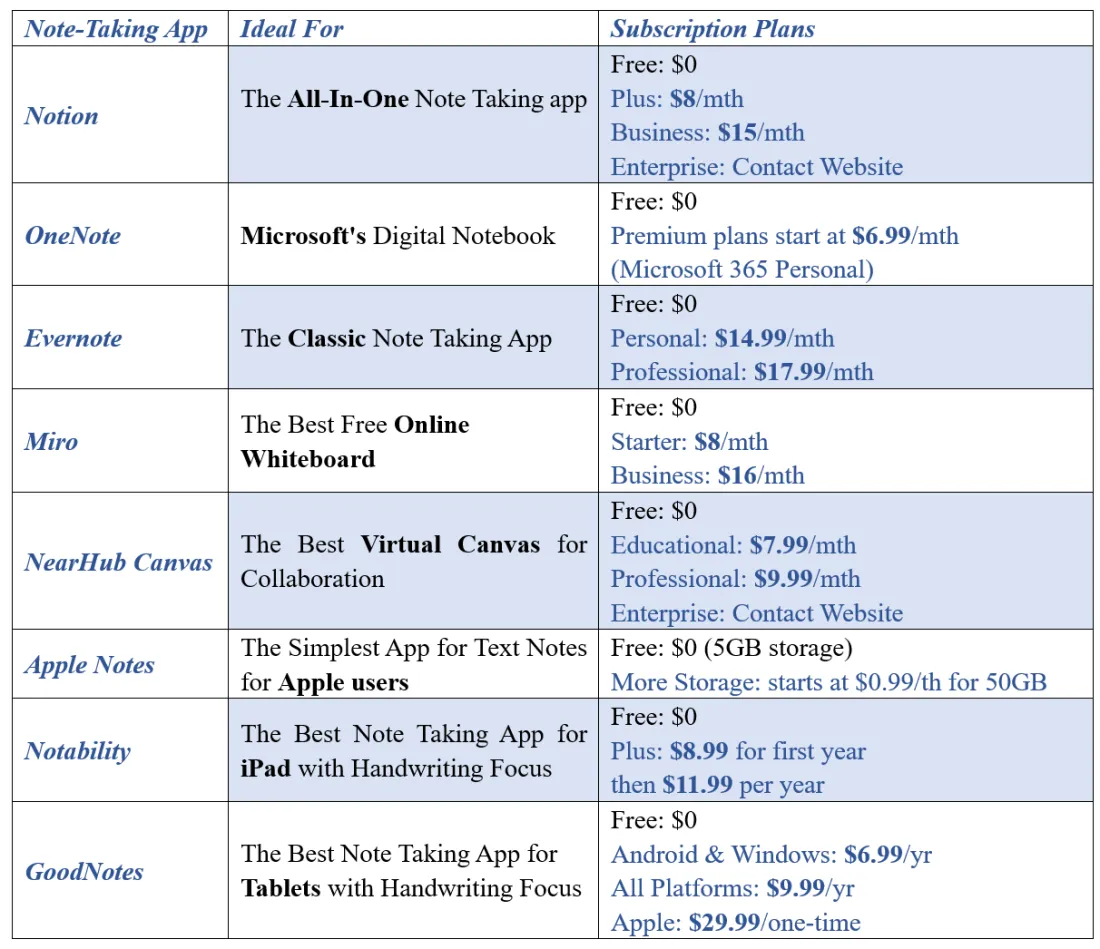
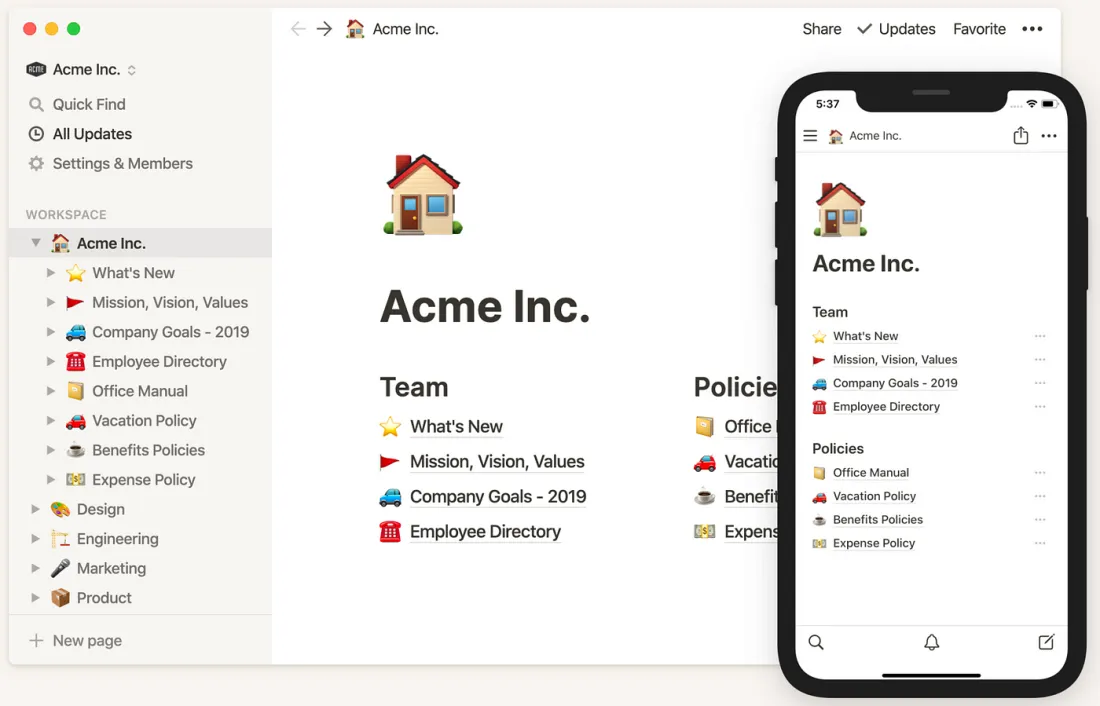
Notion claims the top spot in Tiago Forte's survey of the most popular note-taking apps, showcasing its robust note-taking capabilities. It allows you to create different types of content, including text, tables, lists, databases, wikis, and more. With drag-and-drop functionality and powerful integration capabilities, Notion fosters collaboration and project management alongside note-taking. It is an all-in-one workplace tool meant to organize knowledge, manage tasks, and enable collaboration.
Pros of Notion
- Excellent note taking capabilities.
- Highly customizable layout.
- Less expensive than some competitors.
- Comments and mentions are available to enable collaboration.
Cons of Notion
- So much freedom makes it confusing for beginners.
- Can become unwieldy as you create more projects.
- Could use more native integrations.
Available for
Windows, Mac, iOS, Android, and web interface.
OneNote ⭐⭐⭐⭐
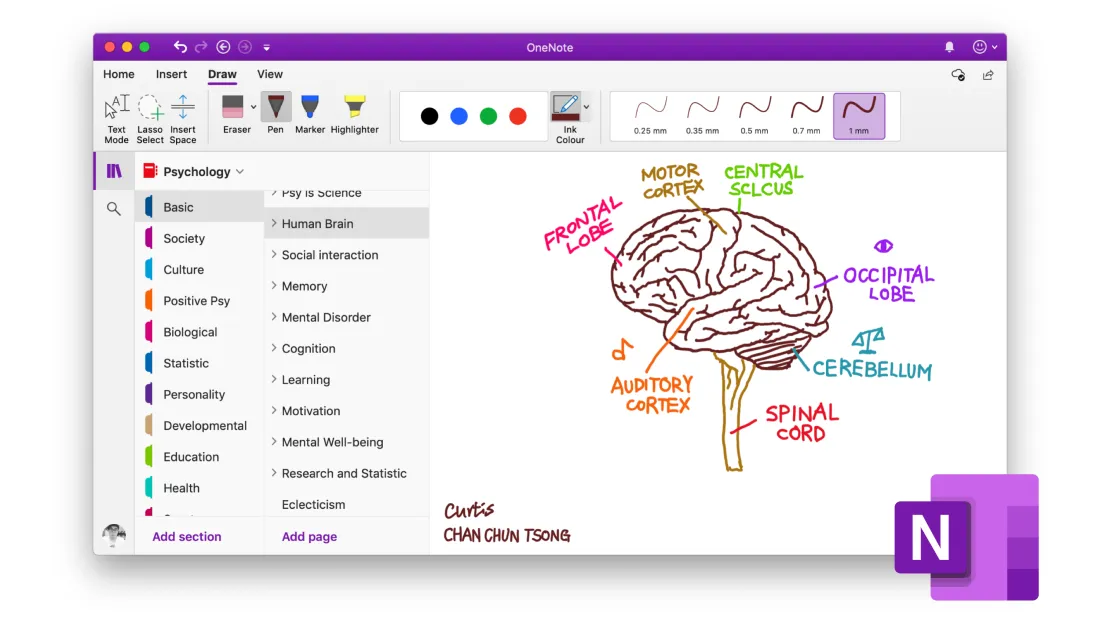
Microsoft's OneNote serves as a digital scrapbook tailored for note-taking. Offering a freeform canvas, it allows users to organically arrange notes, images, and audio, providing a visually engaging approach to note organization. In short, OneNote is best for those who love Microsoft Office's software layout and who don't want to shell out cash for a note-taking app.
Pros of OneNote
- A sleek and simple UI makes it easy to use.
- Easy conversion of handwritten notes to text.
- Document management.
Cons of OneNote
- It can be slow to load.
- Upgrades can lose data.
- Occasional accessibility issues in UI.
Available for
Windows, Mac, iOS, Android, and web interface.
Evernote ⭐⭐⭐⭐
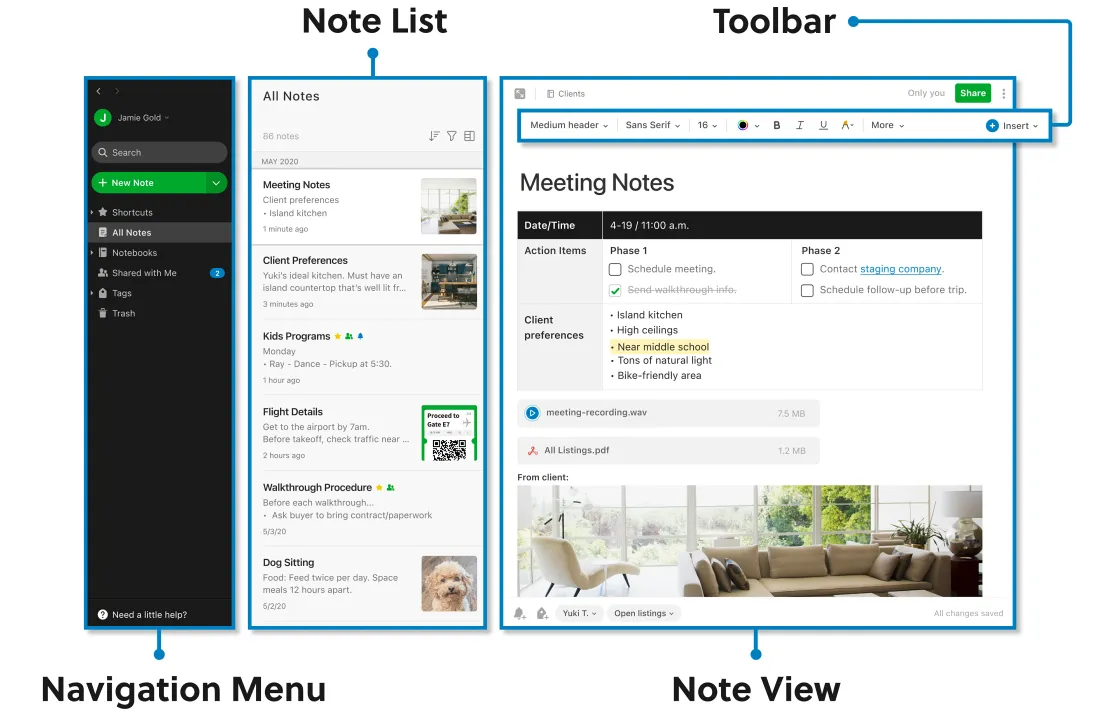
Evernote is a top note-taking app known for its easy organizing and extensive formatting options. It promotes an organized approach to note-taking by allowing users to organize notes using notebooks and tags. Evernote is better for those who have the budget and want a subscription to a powerful, aesthetically pleasing, and user-friendly note-taking app.
Pros of Evernote
- Very low learning curve for beginners.
- Advanced search function available.
- Numerous pre-built integrations.
Cons of Evernote
- The free plan is rather limited.
- No productivity tools, except on the highest tier plan.
- Expensive compared to competitors.
Available for
Windows, Mac, iOS, Android, and web interface.
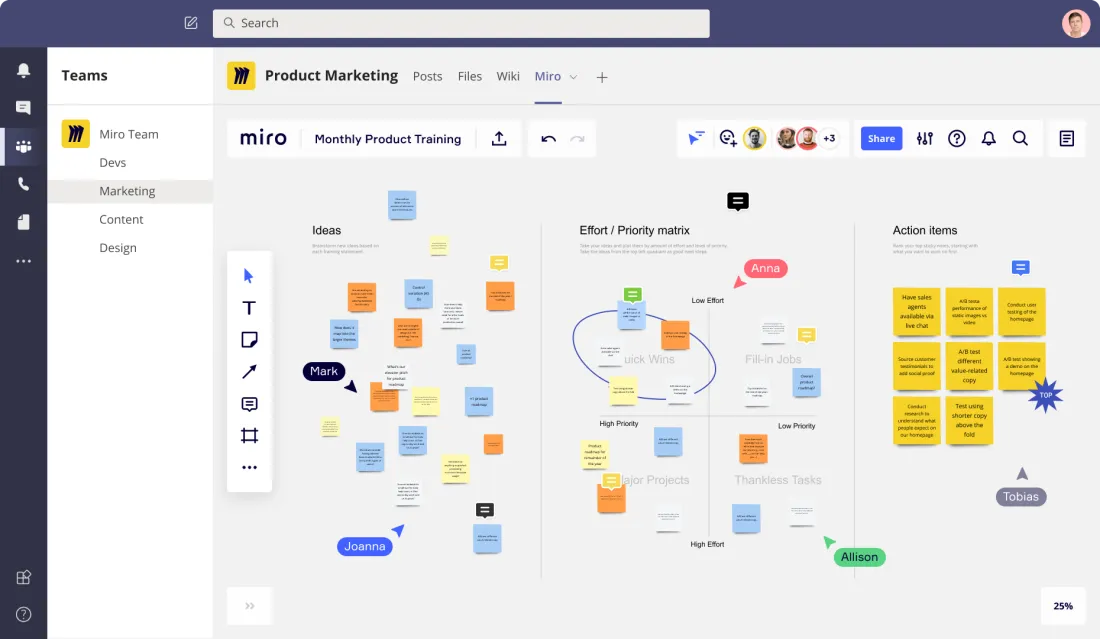
Miro ⭐⭐⭐⭐⭐
Miro is the most powerful and mature tool in online collaborative whiteboarding in terms of features and ecology, supporting multi-person real-time collaboration for teams to think, plan and visualize projects. You can click to see the 5 best online whiteboards.
Pros of Miro
- Allow seamless team collaboration.
- Have a rich template library.
- Powerful built-in apps like timer.
Cons of Miro
- Dependence on network connection.
- A steep learning curve for new users.
Available for
Windows, Mac, iOS, Android, and web interface.
NearHub Canvas ⭐⭐⭐⭐
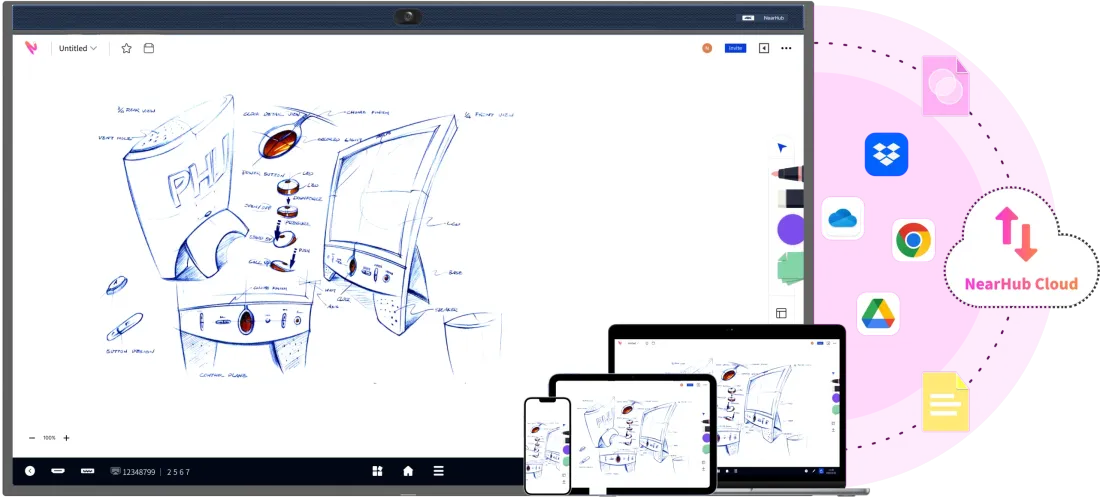
NearHub Canvas is an online whiteboard app that allows collaboration in real-time from anywhere. You can brainstorm on an infinite canvas to unleash the creativity of your team without the constraints of traditional and physical tools.
Pros of NearHub Canvas
- With a simple and intuitive interface, it's easy to use.
- Integration with the NearHub Board makes it ideal for collaboration.
- Synchronize data in real-time across various devices.
Cons of NearHub Canvas
- Limited built-in templates.
- Limited pen functionality.
Available for
Android, iOS, and web interface.
Apple Notes ⭐⭐⭐⭐
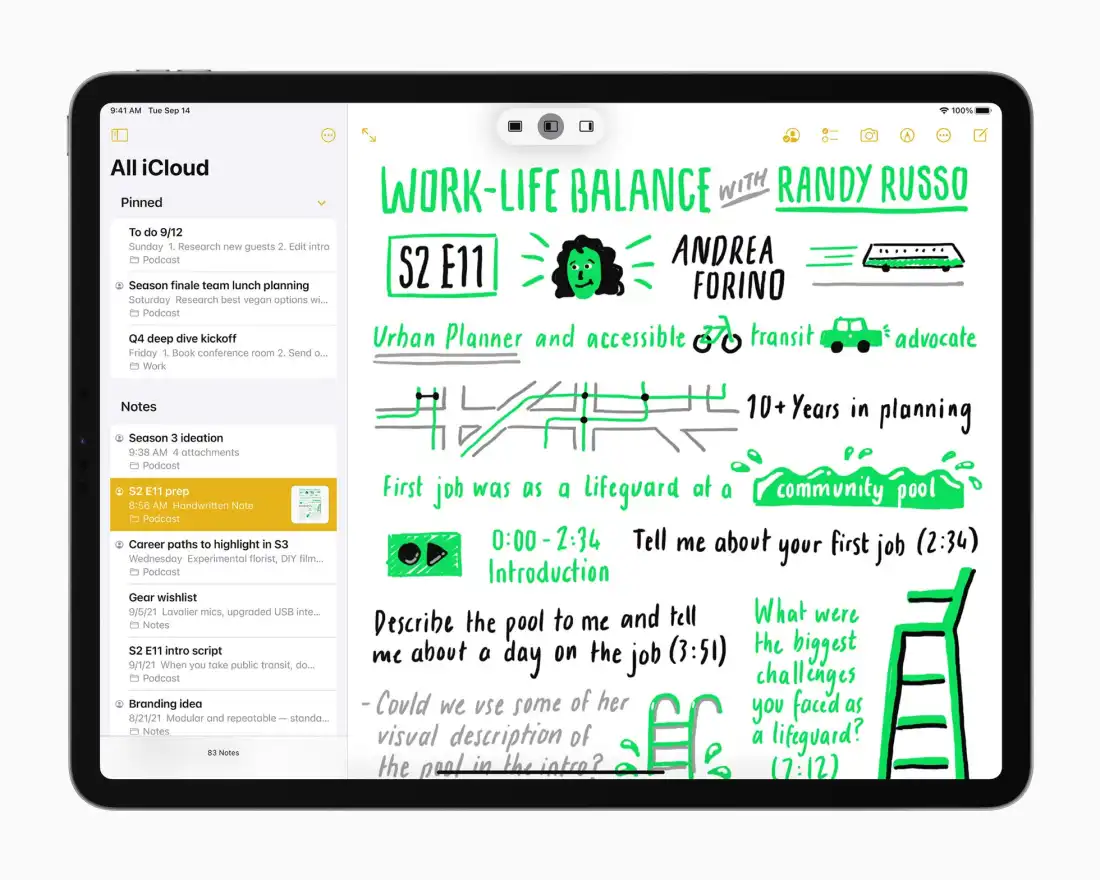
Apple Notes is the native note-taking application for Apple devices, seamlessly integrated into the iOS, iPadOS, and macOS ecosystems. Designed for simplicity and accessibility, Apple Notes offers users a straightforward platform for capturing thoughts, ideas, and important information.
Pros of Apple Notes
- Free to use, no subscription or purchase required.
- With a simple and intuitive interface, it's easy to use.
- It supports syncing with other Apple devices.
Cons of Apple Notes
- A limited feature set compared to some other note-taking apps.
- No built-in templates.
Available for
iOS and Mac.
Notability ⭐⭐⭐⭐⭐
Notability is one of the best iPad note-taking apps, owing to its powerful handwriting and various capabilities. It supports a variety of pens and erasers, and you can freely adjust the colors, sizes, and thicknesses of your notes. It also supports recording, adding images, and videos, making your notes more engaging.
Pros of Notability
- Excellent support for handwritten notes.
- Audio recording enhances note context.
- A subject-based organization with dividers for effective note sorting.
Cons of Notability
- Only be used on Apple devices.
- Limited collaboration features.
- Limited free templates.
Available for
iOS and Mac.
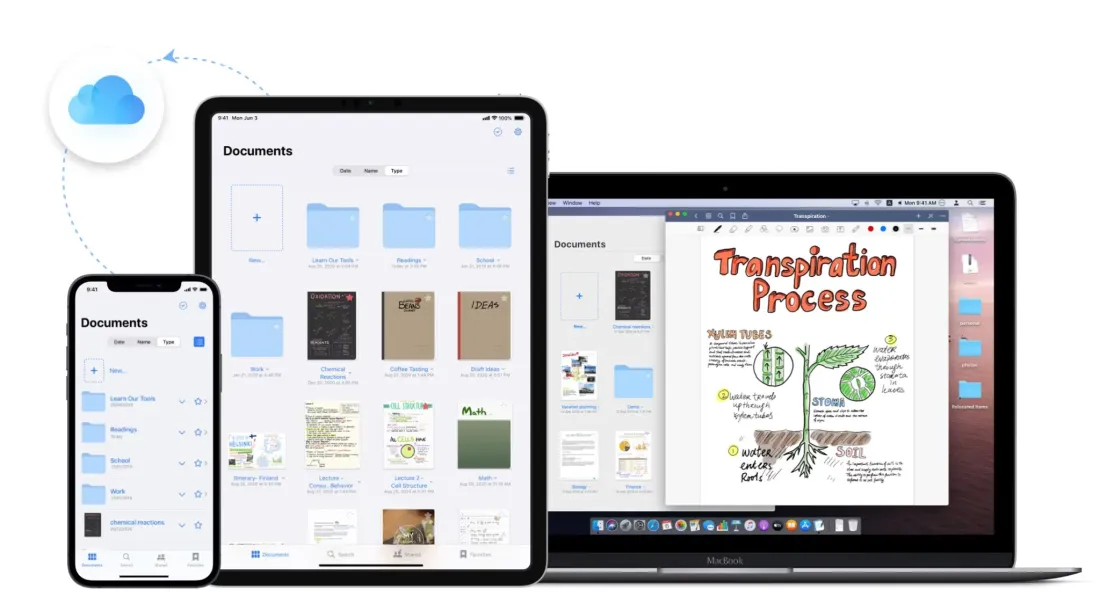
GoodNotes ⭐⭐⭐⭐⭐
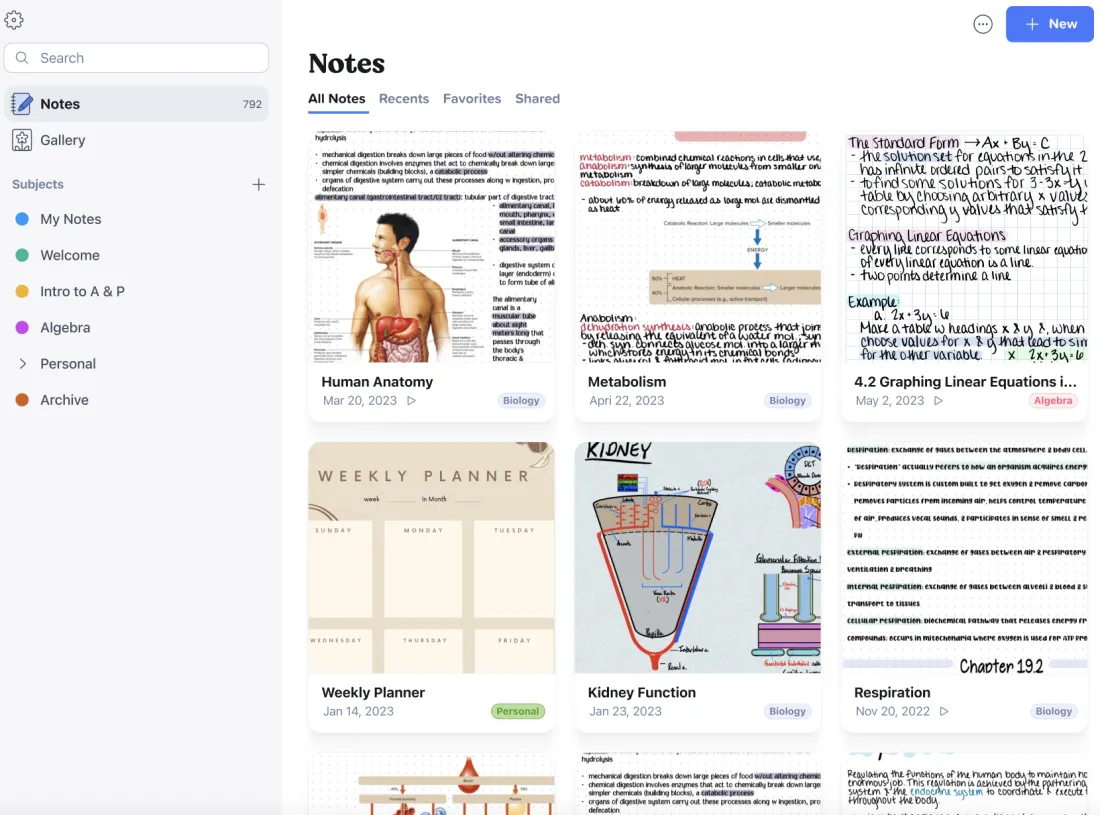
GoodNotes is one of the best note taking apps for various tablets. It has become a top choice for students to take notes in class. In general, Notability and GoodNotes are very comparable, and both are excellent choices on the iPad. Goodnotes, in particular, is the less expensive alternative, but Notability's simple interface and privacy features are welcome.
Pros of GoodNotes
- Excellent support for handwritten notes.
- Audio recording enhances note context.
- More affordable when considering its one-time payment.
Cons of GoodNotes
- Limited collaboration features.
- Limited free templates.
Available for
Windows, Mac, iOS, Android, and web interface.
Conclusion
To sum up, the best note-taking app for you depends on your specific needs and preferences. Simply put, Notion, OneNote, and Evernote are the three best note taking apps on the market, mostly used to create complex notes and run project management. Notability and Goodnotes are most welcome among students who prefer to take handwriting notes. Apple Notes is a user-friendly tool for quick note taking. In addition, Miro and NearHub Canvas stand out when it comes to real-time team collaboration. Choose the one that best meets your needs and tastes, and improve your note-taking experience at work or in school.
NearHub is an all-in-one solution for meeting rooms and classrooms. NearHub possesses an interactive digital Board with cutting-edge smart software. By combining your favorite programs with mess-free writing canvas and video conferencing, you can improve your interaction and productivity in the online classroom. Besides, NearHub also provides MagicPad S13 to improve digital learning and creativity. Click here to view more on NearHub.
FAQ
1. Which apps are best for project management and complex organization?
Notion is the industry leader for this. It functions as an all-in-one workspace combining notes, databases, and task management. OneNote and Evernote are also top-tier choices for users who need to manage high volumes of information and diverse content types.
2. I prefer handwriting my notes. What should I use?
For tablet users (especially iPad), Notability and GoodNotes are the gold standard.
- Notability is praised for its simple interface and unique audio-syncing feature.
- GoodNotes is often preferred for its one-time payment model and superior digital stationery options.
3. Are there any high-quality free options?
Yes. Apple Notes is completely free for users in the Apple ecosystem and offers a very low learning curve. OneNote is also a powerful free alternative, especially for those who already use Microsoft Office.
4. Which tools are best for real-time team collaboration?
- Miro: A highly mature collaborative whiteboarding tool with deep integration and extensive templates.
- NearHub Canvas: An intuitive online whiteboard that allows teams to brainstorm on an infinite canvas, specifically optimized for real-time data syncing across devices.
5. Is Evernote still worth the investment?
Evernote remains a strong choice for users who want a user-friendly interface and advanced search capabilities. However, keep in mind that its free plan is limited, and its premium tiers are more expensive than competitors like Notion.
6. How do I choose between Notability and GoodNotes?
It mostly comes down to your budget and specific features:
- Choose Notability if you want a simpler UI and integrated audio recording.
- Choose GoodNotes if you prefer a one-time purchase and more affordable pricing for long-term use.
7. What is the benefit of using NearHub products?
NearHub provides a holistic solution for modern classrooms and meeting rooms. By combining the NearHub Canvassoftware with hardware like the NearHub Board or MagicPad S13, users can bridge the gap between digital creativity and physical collaboration.






 sales@nearhub.us
