
































































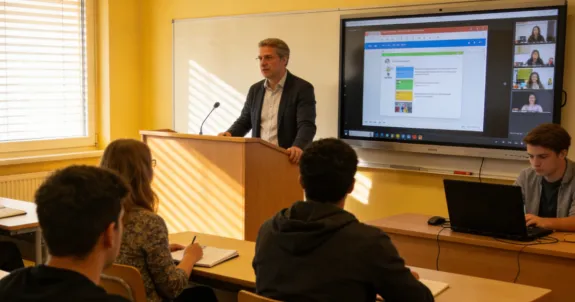
As the hybrid learning model becomes the global standard for inclusive education in 2026, institutions must prioritize tools that ensure educational equity. This article identifies five essential technologies—interactive smart boards, 360-degree AI cameras, robust LMS platforms, AI-driven transcription, and collaborative software—that bridge the participation gap. Learn how to transform technical hurdles into pedagogical triumphs while creating a borderless, accessible classroom environment for all.
Key Takeaways
- Educational Equity: Successful hybrid learning in 2026 focuses on ensuring remote students feel as engaged as those in the physical classroom.
- The Digital Hub: Interactive smart boards are essential for real-time collaboration and pixel-perfect digital annotation across locations.
- 360-Degree Visibility: AI-powered cameras like the Nearity 360 Alien eliminate "tunnel vision," providing remote students with a full view of classroom interactions.
- AI Accessibility: Real-time transcription and translation tools are critical for supporting diverse learners and international classroom setups.
- Unified Infrastructure: A robust Learning Management System (LMS) serves as the "single source of truth" for all synchronous and asynchronous materials.
Imagine this: It’s Monday morning in 2026. Your classroom is at 50% capacity by design—half the students are in their seats, while the rest log in from training facilities, distant libraries, or other districts. In this hybrid learning environment, the challenge is no longer just "streaming" a lesson, but ensuring every student has a front-row seat without feeling like a "second-class citizen."
The "participation gap" is the biggest hurdle for any hybrid learning model. However, as we move further into the decade, hybrid schooling has become the standard for inclusive education. This guide explores the five essential tools and strategies needed to master your hybrid program, turning technical hurdles into pedagogical triumphs.
What is Hybrid Learning?
To move forward, we must have a clear starting point. While the concept has evolved, people still ask: what is hybrid learning in the context of today's technology?
Simply put, the hybrid learning model is a synchronous educational approach where a single class is taught simultaneously to in-person and remote students. Unlike "blended learning," which often separates online and offline tasks, hybrid learning focuses on a unified, real-time experience. In 2026, this model is built on the pillars of intentionality and accessibility, ensuring that geography never limits a student's ability to engage with high-quality instruction.
Essential Tool 1: Interactive Smart Boards
In a traditional classroom, the chalkboard or whiteboard was the focal point of the room. In a modern hybrid program, that focal point must become digital.
Beyond the Dry-Erase Marker
If you are still using a physical whiteboard and pointing a webcam at it, your remote students are likely struggling with glare, low resolution, and obstructed views. This is where digital interactive boards change the game.
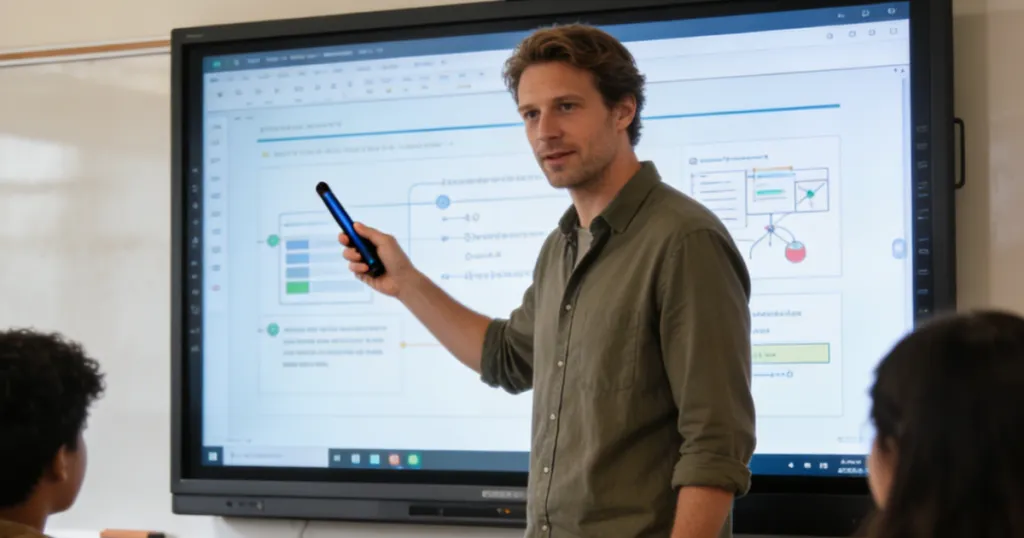
An interactive smart board acts as the "brain" of the classroom. It allows teachers to:
- Digital Annotation: Write directly on top of slides, PDFs, or live websites, which remote students see with pixel-perfect clarity.
- Cloud Integration: Instantly save the session's notes and share them via the school's LMS.
- Seamless Collaboration: Allow a student in the classroom and a student at home to "draw" on the same digital canvas simultaneously.
Bridging the Physical and Virtual
These boards are more than just screens; they are comprehensive hardware-software solutions. By digitizing every stroke of the pen, you eliminate the "visual distance" between local and remote learners, making the transition between presenting and collaborating seamless and equitable for all.
Essential Tool 2: 360-Degree AI Cameras (The "Equity" Lens)
If the smart board is the "brain," then the camera is the "eyes" of the hybrid learning experience. The biggest complaint from remote students in any hybrid learning model is feeling like an outsider looking in through a "keyhole."
The Power of the Nearity 360 Alien
To solve this, you need a specialized video conference camera for large room environments. The Nearity 360 Alien is designed specifically to sit in the center of the action.
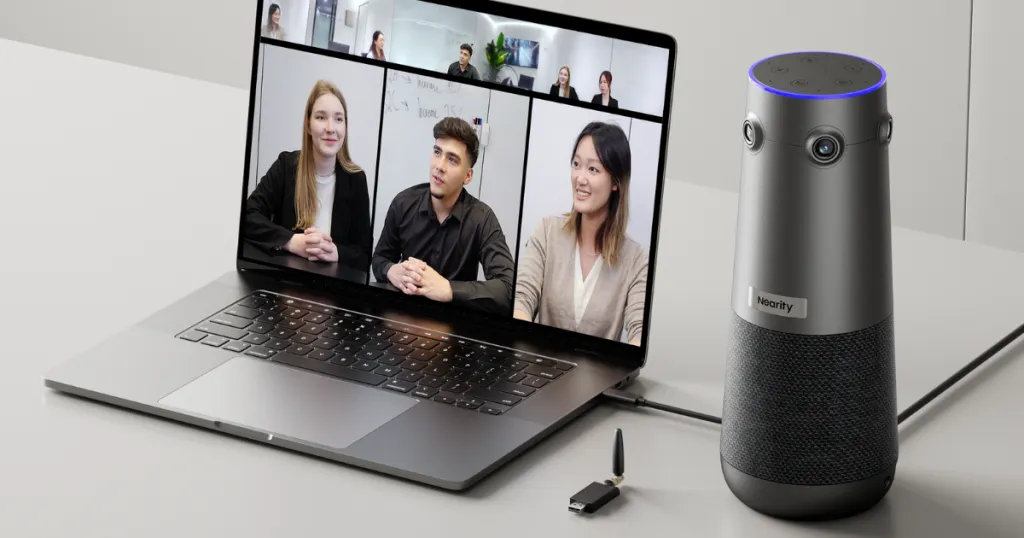
360-Degree Field of View: Unlike traditional cameras that only see what's in front of them, the 360 Alien captures the entire room. Remote students can see their peers' reactions, not just the teacher's back.
AI Speaker Tracking: Using advanced algorithms, the camera automatically identifies who is talking and zooms in on them. This mimics the natural movement of a student's eyes in a physical classroom.
Human-Centric Design: By using the best conference room camera, institutions ensure that remote learners feel like they are "at the table" rather than just watching a video.
Eliminating Tunnel Vision
In hybrid schooling, student-to-student interaction is just as important as teacher-to-student interaction. When a student at the back of the room asks a question, the 360 Alien pivots to show that student. This visual cue is vital for social-emotional learning and class cohesion.
Essential Tool 3: Robust Learning Management Systems (LMS)
A successful hybrid program requires a digital home where all resources live. You cannot rely on physical hand-outs when half your class isn't there to receive them.
Centralizing the Experience
Whether you use Canvas, Google Classroom, or Moodle, your LMS must be the "single source of truth." In 2026, the best hybrid learning setups use API integrations to automatically sync classroom recordings and board notes.
Feature | Impact on Hybrid Learning | 2026 Best Practice |
Real-time Sync | Reduces delay in material access. | Auto-upload Board S Pro notes to the module. |
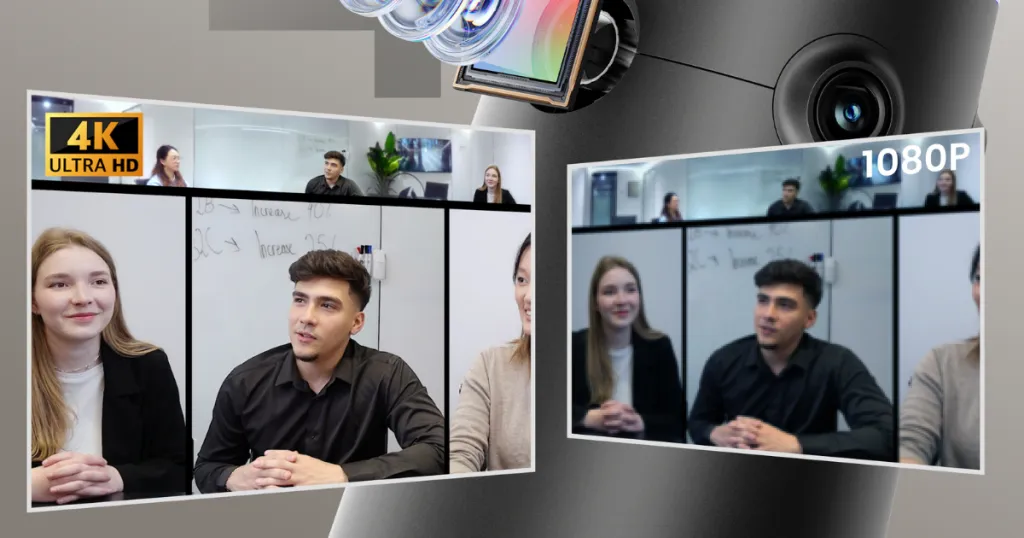
Video Hosting | Allows for review of synchronous sessions. | Use 4K recordings from the 360 Alien for playback. |
Assessment Tools | Ensures equitable testing. | Use digital-first proctoring and submission. |
Discussion Boards | Fosters community outside class hours. | Require "mixed" groups (local + remote) to post. |
Essential Tool 4: AI-Powered Real-Time Transcription & Translation
In 2026, the hybrid learning model has expanded beyond local borders. You might have students whose first language isn't English, or students with hearing impairments who need visual support.
Breaking the Language Barrier
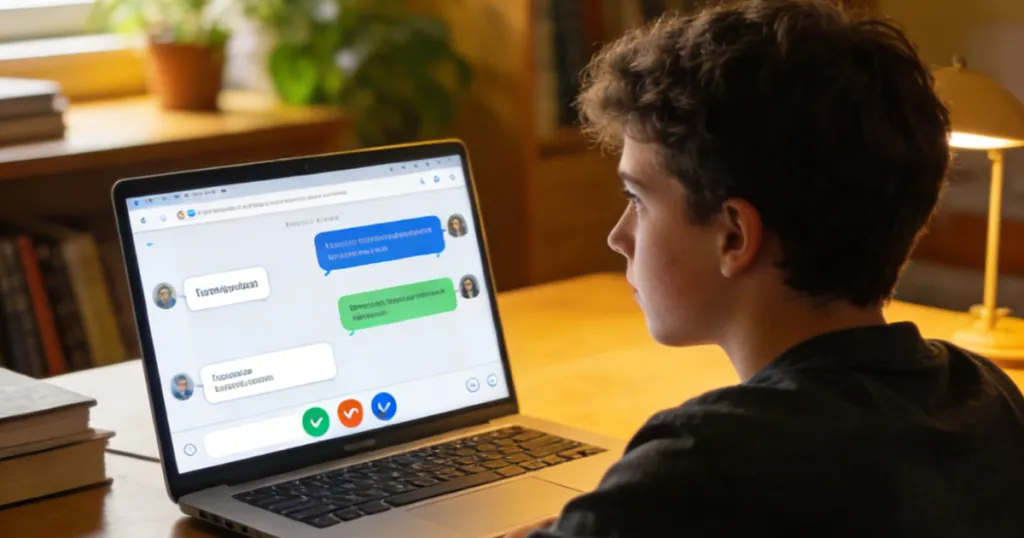
AI-driven transcription tools now provide live, scrolling captions during a lecture. This ensures that even if the audio fluctuates, the student never misses a key term. For international hybrid program setups, real-time translation allows a guest lecturer in Berlin to speak in German while students in Ohio see English subtitles on their screens instantly.
Automated Study Guides
The real magic happens after class. These tools take the audio captured by your conference room solutions and turn it into a searchable, categorized transcript.
- Keyword Indexing: Students can search for "Photosynthesis" and jump straight to that moment in the video.
- AI Summarization: The tool can generate a 5-point summary of the 60-minute lecture, saving hours of review time.
Essential Tool 5: Collaborative Software & Breakout Tech
The final piece of the puzzle is the software that allows for real-time interaction. In a hybrid program, you must be able to facilitate group work between a student in Seattle and a student in the classroom in New York.
Virtual Breakout Rooms 2.0
Tools like Zoom, Microsoft Teams, and Slack have evolved. They now offer "persistent" breakout rooms where students can leave work and return to it later. When combined with an interactive display, these rooms allow for a level of collaboration that actually exceeds traditional classroom capabilities.
Gamification and Engagement
Software like Kahoot!, Miro, or specialized EdTech apps allow for live polling and competitive learning. These tools are essential for keeping the "energy" high in a hybrid learning environment, especially during longer lecture blocks.
The Science of Success: Why Technology Matters
According to a recent report by Statista, the use of AI and advanced video hardware in the classroom has led to a 15% increase in student retention rates in higher education. Why? Because the technology reduces the cognitive load on the student. When the video is clear (thanks to a best conference room camera) and the notes are accessible, the student can focus on learning rather than coping with technical glitches.

The "Intentionality" Factor
As Harvard Business Review notes in their analysis of hybrid work environments, "Success is not about the technology itself, but the intentionality behind its use." For hybrid schooling to work, the technology must feel invisible. It should support the pedagogy, not distract from it.
Best Practices for Implementing Your Hybrid Learning Model
If you are an administrator or an IT director looking to upgrade your hybrid program, consider these three steps:
Prioritize Ease of Use: If it takes more than 3 minutes to start the class, the tech is too complicated. Choose "Plug-and-Play" tools like the NearHub series.
Focus on Audio First: Ensure your room is acoustically treated or use microphones with strong background noise cancellation.
Regular Training: Technology moves fast. Ensure your educators have quarterly "deep dives" into new features of their LMS and smart boards.
Overcoming Common Challenges
Tackling "Zoom Fatigue"
In a hybrid learning environment, students can get tired of staring at screens. Use the 360-degree view of the 360 Alien to encourage "look around" breaks and ensure that the digital whiteboard is used for active drawing, not just static slides.
Managing the "Split" Attention
Teachers often struggle with where to look. The best hybrid learning model suggests placing a monitor at the back of the classroom that shows the remote students' faces. This allows the teacher to make "eye contact" with remote learners while still facing the in-person class.
FAQs
Q1: What is hybrid learning compared to remote learning?
Hybrid learning happens simultaneously for both in-person and remote students. Remote learning is purely online, often without a physical classroom component.
Q2: Why is a 360-degree camera better for hybrid schooling?
A 360 camera like the NearHub 360 Alien provides context. It allows remote students to feel the "energy" of the room and see their classmates, which is crucial for building a sense of community in a hybrid program.
Q3: Do I need a special license for a hybrid learning model?
While most software (like Zoom or Teams) is standard, you will need an LMS and hardware that is compatible with educational privacy standards (like COPPA in the US).
Q4: How does a hybrid program benefit students with disabilities?
It is incredibly powerful for accessibility. Students with mobility issues or chronic illnesses can attend class from a comfortable environment without missing the social interaction of a live lecture.
Looking for a reliable hybrid learning solution to transform your institution? Check out our Nearity 360 Alien here: https://www.nearhub.us/product/true-4k-conference-camera-360-alien.




 sales@nearhub.us
