










































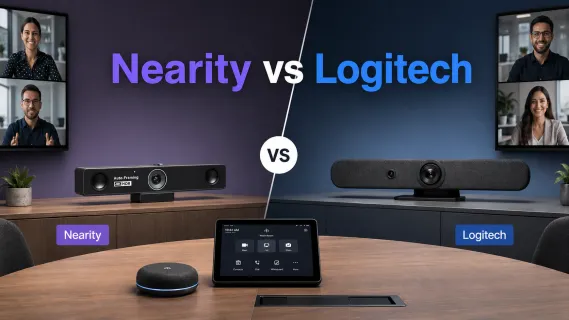
In the rapidly evolving landscape of hybrid work, the “good enough” webcam era is officially over. As businesses upgrade every conference room camera setup in 2026, many IT teams start with one familiar option: a Logitech conference camera. From the Logitech Rally Bar video conferencing system to smaller huddle-room cameras, Logitech has long been a default choice for meeting rooms. But newer challengers like Nearity are changing the conversation with flexible 4K video, AI-powered audio, and simpler deployment.
If you are upgrading your meeting rooms, you have likely narrowed your search down to two major players: the established giant, Logitech, and the innovative challenger, Nearity.
This comprehensive comparison aims to answer the burning question: Logitech Conference Camera vs. Nearity: Which is Better? We will break down every pixel, microphone decibel, and AI feature to help you make an informed decision for your huddle rooms, boardrooms, and everything in between.
Key Takeaways
- 360° Dominance: The Nearity 360 Alien outshines the Logitech Sight as a standalone, cost-effective all-in-one solution.
- Audio Excellence: Nearity’s deep-learning AI noise cancellation provides superior suppression of non-stationary background noise compared to standard DSP.
- Ecosystem vs. Value: Logitech is ideal for massive enterprise standardization, while Nearity offers significantly better price-to-performance for agile teams.
- Huddle Room Flexibility: The Nearity V30S offers a portable, plug-and-play 4K alternative to the fixed, managed installation of the Logitech MeetUp 2.
- Lower TCO: Choosing Nearity can reduce per-room deployment costs by up to 70% without sacrificing essential AI features.
The State of Video Conferencing in 2026
Before we dive into the hardware, let’s look at the market landscape. According to recent data from Fortune Business Insights and Grand View Research, the global video conferencing market is projected to reach over $37 billion by the end of 2026, growing at a CAGR of over 7%.
- The Shift to Huddle Rooms: The massive open-plan office is shrinking. Statistics show a 30% increase in the deployment of "huddle rooms" (small spaces for 3-6 people) compared to 2023.
- The Demand for Equity: "Meeting Equity" is the buzzword of the year. It means ensuring the person dialing in from home has the same experience as the person sitting at the head of the table.
- AI is Non-Negotiable: Static cameras are out. Intelligent, speaker-tracking cameras are the new standard.
Both Logitech and Nearity are vying for dominance in this expanding market. But while a logitech conference camera is often the default choice for IT procurement due to brand legacy, Nearity is rapidly gaining market share by offering superior specs at a more competitive price point.

Brand Philosophy: The Giant vs. The Innovator
Logitech: The Ecosystem Play
Logitech needs no introduction. They have defined the peripheral market for decades. Their approach to the conference room is "Ecosystem First." When you buy a logitech conference camera like the Rally Bar, you aren't just buying a camera; you are buying into the Logitech Sync platform, the RightSight AI, and often, a complex web of accessories (Tap controllers, Mic Pods, Swytch hubs).
- Pros: Massive compatibility certification (Teams, Zoom), consistent user interface, premium build materials.
- Cons: High Total Cost of Ownership (TCO), complex cabling requirements for larger setups, and "feature-locking" where new capabilities often require buying new hardware tiers.
Nearity: The Audio-First Innovator
Nearity entered the market with a background in high-end audio engineering, which is immediately apparent in their products. Their philosophy is "Simplicity and Performance." They focus on building hybrid meeting equipment that solves the two biggest complaints in modern collaboration: background noise and complex setup.
- Pros: Best-in-class AI noise cancellation, "Plug-and-Play" USB simplicity, significantly better price-to-performance ratio, and innovative form factors (like true 360° standalone towers).
- Cons: Newer brand name compared to Logitech, fewer "accessory" options like touch controllers (though they work with standard tablets).
Logitech Conference Camera vs Nearity: Quick Comparison
| Category | Logitech Conference Camera | Nearity Conference Camera |
|---|---|---|
| Best For | Enterprise Teams Rooms, managed conference rooms | SMBs, huddle rooms, BYOD hybrid meetings |
| Popular Models | Logitech Rally Bar, MeetUp 2, Logitech Sight | Nearity 360 Alien, Nearity V30S |
| Setup Style | Ecosystem-based room system | Plug-and-play USB / flexible setup |
| Audio Focus | RightSound, AI noise suppression | AI noise cancellation, voice-focused pickup |
| Cost | Higher total system cost | More cost-efficient for multi-room deployment |
The 360° Camera Showdown: Nearity 360 Alien vs. Logitech Sight
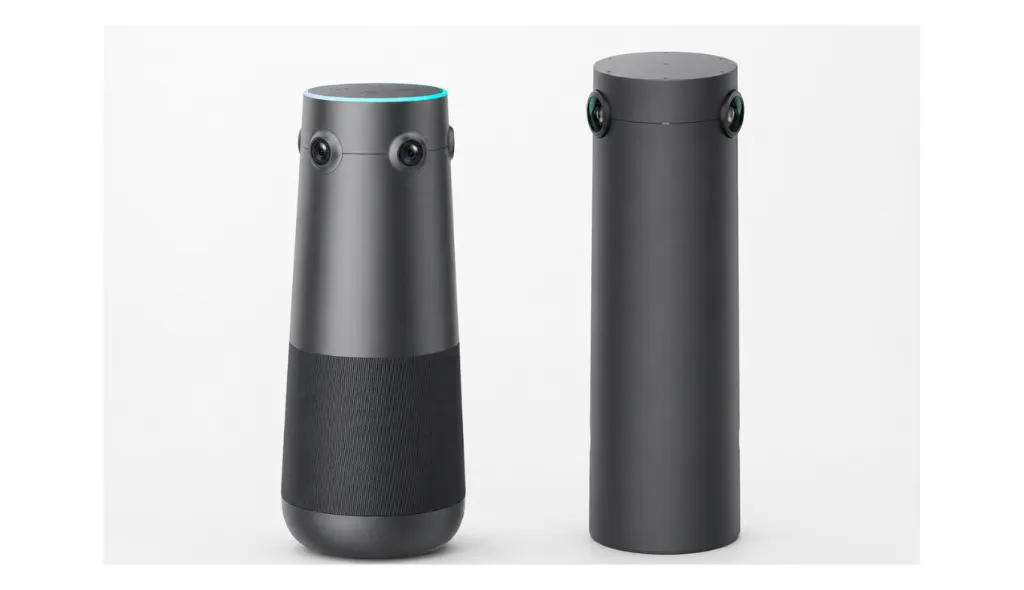
This is the most critical comparison for modern meeting rooms. The "center-of-table" camera is the best way to solve the "bowling alley" view where remote users only see a long table of tiny heads.
Logitech Sight: The "Companion"
The Logitech Sight is a tabletop camera designed to work with a front-of-room video bar (like the Rally Bar).
- Concept: It captures faces at the table while the Rally Bar captures the room.
- Limitations: It is not a standalone device. You must own a Rally Bar to use it. It also features a 315° field of view (FOV), leaving a "blind spot" that the front camera is supposed to fill.
- Cost: You pay for the Sight (~$999) + the Rally Bar (~$3,000+).
Nearity 360 Alien: The "All-in-One Hero"
The Nearity 360 Alien is a standalone powerhouse and a strong Meeting Owl alternative, designed to sit in the center of the room and handle audio and video independently. It supports both USB and dongle connections, giving teams more flexibility for different meeting room setups.
- Concept: A true 360° panoramic 4K camera with 6-element microphone arrays that requires no other cameras to function.
- Advantages: True 360° view, works as a standalone USB device, superior "Speaker Focus" that isolates the active talker instantly.
- Cost: Significantly lower than the combined Logitech ecosystem cost.
Comparison Table: 360° Solutions
| Feature | Logitech Sight (+ Rally Bar Required) | Nearity 360 Alien | Winner |
|---|---|---|---|
| Operation Mode | Companion Device (Requires Host) | Standalone All-in-One | Nearity |
| Field of View | 315° (Blind spot intended for front cam) | True 360° Panoramic | Nearity |
| Resolution | Dual 4K Sensors | Dual 4K Sensors | Tie |
| Audio Pickup | 2.3m (Sight only) | 6m (Built-in) / 16m (w/ 2 Ext. Mics) | Nearity |
| Setup Complexity | High (Requires network pairing + cabling) | Low (Single USB/Power) | Nearity |
| Price | $2,199 (Sight Only) | $1,599 | Nearity |
Verdict: If you are building a new room from scratch and want a 360 camera that "just works" without buying a $3,000 front-of-room bar, the Nearity 360 Alien is the stronger choice for teams that want a standalone 360° conference camera without investing in a full Logitech room ecosystem.
Huddle Room Strategy: Nearity V30S vs. Logitech MeetUp 2
For millions of small-to-medium rooms and huddle spaces, choosing the right conferencing camera is not just about resolution or audio specs. It is also about deployment style, room layout, and meeting flexibility. Should you use a traditional front-of-room video bar, or a compact 4K conference webcam that can adapt to different small-room setups?
The Contenders
Logitech MeetUp is a traditional all-in-one conference camera designed for huddle rooms and small meeting spaces. It is usually placed at the front of the room, under or near the display, and captures participants from a fixed front-facing angle. With a wide field of view, 4K camera, beamforming microphone array, and integrated speaker, it is a strong option for dedicated meeting rooms where everyone faces the screen.
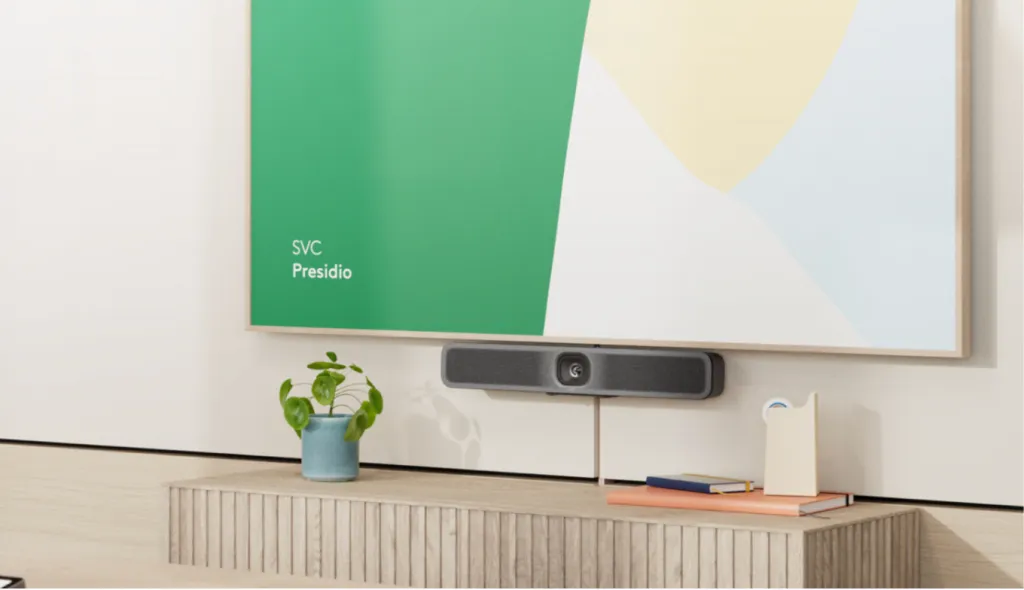
Nearity V30S is a compact 4K UHD conference webcam designed for huddle rooms, small meeting spaces, and hybrid collaboration. It features an 8MP CMOS sensor, 4K Ultra HD video, a 120° wide-angle lens, AI noise reduction, dual MEMS microphones, an integrated full-duplex speaker, plug-and-play USB setup, and multiple mounting options including display placement, tabletop tripod, and standard 1/4'' screw thread mounting.
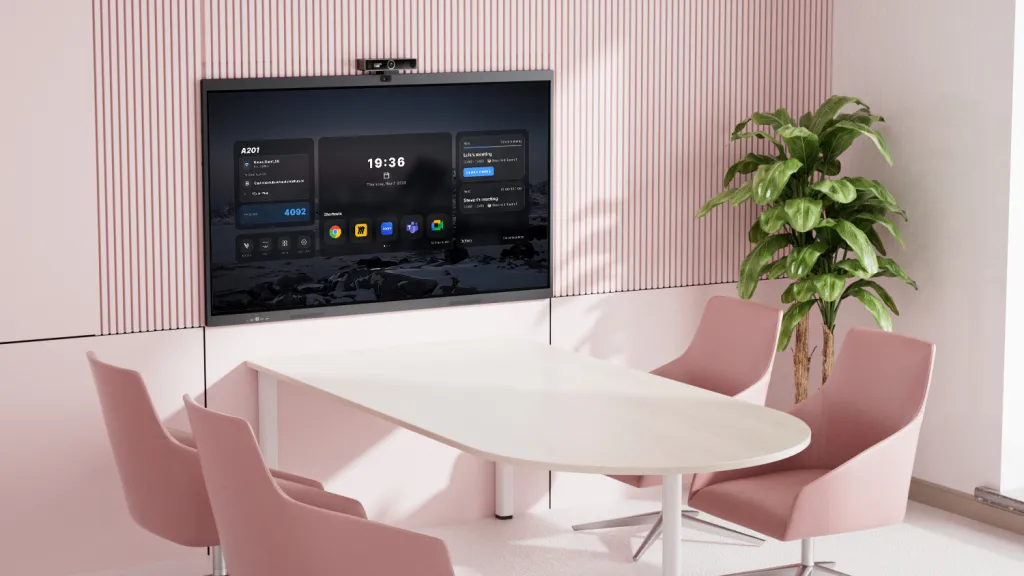
The “Room Flexibility” Factor
- Logitech MeetUp 2 Approach: MeetUp 2 is ideal for dedicated small rooms where the camera is usually placed at the front of the room near the display. This works especially well for presentation-style meetings, client calls, and structured discussions where participants naturally face the screen.
- Nearity V30S Approach: The Nearity V30S is better suited for teams that need a more lightweight and flexible setup. It can sit on top of a display, be placed on a tabletop tripod, or mounted on a stand, making it easier to adapt to different huddle room layouts. Its 120° wide-angle view helps capture participants in compact meeting spaces, while AI noise reduction and dual microphones support clearer conversation in everyday office environments.
Audio and Meeting Experience
- MeetUp 2 uses Logitech RightSound 2 features, including voice equalization, AI noise suppression, and AI echo suppression, with a pickup range of up to 23 feet. This makes it a strong option for managed meeting rooms that need enterprise-level audio and remote device management.
- Nearity V30S focuses on practical all-in-one usability for smaller spaces. Its dual MEMS microphones capture voices within a 5m/16ft radius, while AI noise cancellation helps suppress keyboard clicks, air-conditioning noise, and background chatter. The integrated full-duplex speaker also supports more natural two-way conversation during hybrid meetings.
Cost and Deployment Efficiency
- Logitech MeetUp 2 is positioned as a managed video bar for small rooms, with features like Logitech Sync remote management, Wi-Fi or Ethernet connectivity, and platform compatibility with Microsoft Teams, Zoom, and Google Meet.
- Nearity V30S is a more cost-efficient and easier-to-deploy option for businesses that need to upgrade multiple small rooms, executive offices, or flexible meeting corners without investing in a full room video bar system.
Key Takeaway
If your huddle room needs a fixed front-of-room video bar with enterprise management, AI meeting features, and room-scale audio pickup, Logitech MeetUp 2 is a strong option.
But if your team wants a more affordable, flexible, and plug-and-play 4K conference webcam for small rooms, hybrid calls, and everyday collaboration, Nearity V30S offers a practical alternative with 4K clarity, 120° wide-angle coverage, AI noise reduction, dual microphones, an integrated speaker, and flexible mounting options.
Feature Deep Dive: AI Noise Cancellation & Framing
The hardware specs only tell half the story. In 2026, software defines the hardware.
Logitech RightSound vs. Nearity Deep-Learning Denoising
Logitech uses "RightSound," a set of algorithms to level voices and suppress noise. It is effective against steady noises like HVAC hums.
Nearity takes a different approach. They trained their audio models on millions of hours of conference data. Their AI doesn't just lower the volume of noise; it identifies the frequency signature of a human voice and subtracts everything else.
- Scenario: Someone drops a metal water bottle on a table.
- Logitech: The loud clank might be dampened, but is still audible and may duck the audio momentarily.
- Nearity: The system recognizes the transient spike is not speech and aggressively filters it, often rendering it silent to the far end.
Auto-Framing & Speaker Tracking
Both brands offer "Speaker Tracking."
- Logitech: Uses a "slow and smooth" cinematic approach. It takes a second or two to pan to the new speaker to avoid motion sickness.
- Nearity: Offers adjustable speeds. For dynamic brainstorming sessions, Nearity’s "Speaker Focus" can cut instantly to the active speaker (similar to a TV broadcast), ensuring remote users never miss a reaction.

Installation & Total Cost of Ownership (TCO)
This is the section that CFOs and IT Managers should read twice.
The "Hidden" Costs of Logitech
A typical logitech conference camera setup for a medium room (Rally Bar) often involves:
- The Rally Bar ($3,000+)
- A Tap Touch Controller ($1,000+)
- A dedicated PC/NUC (if not using appliance mode) ($800+)
- Swytch Hub (for BYOD capability) ($300+)
- Total: ~$5,000+ per room.
The Nearity Approach
Nearity designs for USB simplicity.
- Nearity C50 or 360 Alien ($600 - $1,599)
- Standard USB connection to user laptop or room PC.
- Total: ~$1,000 - $1,600 per room.
Maintenance: Logitech updates often happen through the Sync portal, which is excellent for enterprise fleet management. Nearity devices are plug-and-play and firmware is easily updated via USB tools, requiring less network configuration.
Summary of TCO
- Enterprises with dedicated IT teams: May prefer Logitech for the granular management of 500+ rooms via Sync.
- SMBs and Agile Teams: Will find Nearity offers 95% of the functionality (and better audio) for 30% of the cost.
User Experience: What Real Reviews Say
We analyzed hundreds of user reviews from 2024 and early 2025 to find common themes.
Positive Feedback for Logitech
- "It just works with Teams Rooms."
- "The Tap controller looks very professional on the table."
- "Build quality feels heavy and premium."
Pain Points for Logitech
- "The cabling is a nightmare. The power brick is huge."
- "Sync issues between the Sight and the Rally Bar are frustrating."
- "Expensive to replace if out of warranty."
Positive Feedback for Nearity
- "The noise cancellation is magic. We have a coffee machine in the room and clients can't hear it."
- "Setup took 5 minutes. Plugged in USB and Zoom recognized it immediately."
- "The 360 view changed how our remote team interacts with us."
Pain Points for Nearity
- "Doesn't have a native touch controller like the Logitech Tap (yet)."
- "Digital zoom on the smaller C45 isn't as good as optical zoom on large PTZ cams."

Best Logitech Conference Camera Alternative: Final Recommendation
Choosing between a logitech conference camera and a Nearity solution comes down to your priorities: Ecosystem vs. Performance/Value.
Choose Logitech IF:
- You are a Global 500 company standardizing 1,000+ rooms.
- You require a "native" Microsoft Teams Room (MTR) console experience without using a separate PC.
- Budget is less of a concern than brand standardization.
- You have a dedicated AV integrator to handle cabling.
Choose Nearity IF:
- You prioritize audio quality and noise cancellation above all else.
- You want a 360° immersive experience (using the Nearity 360 Alien).
- You want to outfit 3 rooms for the price of 1 Logitech room.
- You prefer a simple, driver-free BYOD workflow where users plug in their laptops and start.
The 2026 Recommendation
For the vast majority of businesses adopting hybrid work, flexibility is key. Nearity offers a modern, agile solution that adapts to how people actually work—using their own laptops and diverse platforms—rather than forcing them into a rigid room system.
The Nearity 360 Alien stands out as a strong alternative to a traditional Logitech conference room camera setup. While Logitech Sight works as an add-on to a front-of-room Logitech system, Nearity 360 Alien is a standalone 360° conferencing device with simpler deployment, flexible USB and dongle connectivity, and a lower overall setup cost.
FAQs
1. Can Nearity cameras work with Microsoft Teams Rooms (MTR)?
Yes. While Nearity cameras are USB-based, they can be plugged into any MTR Compute unit (like a Lenovo ThinkSmart or Dell OptiPlex) and function as the certified audio/video peripheral.
2. Is a Logitech conference camera worth the extra money?
For "Appliance Mode" (no PC required), yes, Logitech offers a unique value. However, for pure audio/video performance connected to a PC, Nearity often matches or exceeds the quality for a fraction of the price.
3. Do I need a 4K camera for Zoom or Teams?
Yes. Even if the stream is compressed to 1080p, a 4K conference camera allows for "lossless digital zooming." The camera can zoom in on a face without the image becoming blurry, which is essential for AI auto-framing.
4. Does the Nearity 360 Alien require a driver?
No. It is fully Plug-and-Play. You plug the USB into your laptop, select "Nearity 360 Alien" as your camera and microphone in Zoom/Teams, and you are ready to go.
5. How does Nearity's noise cancellation compare to Logitech's?
Logitech uses standard DSP (Digital Signal Processing). Nearity uses AI Deep Learning. In head-to-head tests with non-stationary noise (typing, potato chip bags), Nearity consistently removes more noise while keeping the voice natural.
Conclusion
The battle between the established logitech conference camera lineup and the agile Nearity innovations is a win for the consumer. It drives features up and prices down.
If you are looking for the safe, traditional choice and have the budget for a complex ecosystem, Logitech remains a solid contender. However, if you are looking to future-proof your office with 360° technology, superior AI audio, and a setup that doesn't require an IT degree to operate, Nearity is the best conference camera choice for hybrid team.
It's time to upgrade your setup and enhance team collaboration!