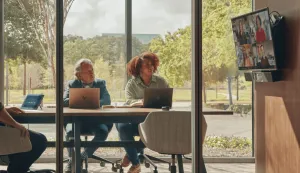
Hybrid teams have emerged as a response to the changing social dynamics and the need for flexibility in the workplace, and the COVID-19 has significantly accelerated the growth and adoption of
hybrid work models. These days organizations face the challenge of seamlessly integrating both in-person and virtual collaboration. This article explores the concept of a huddle space—a designated area for hybrid teams to come together—and discusses its significance in addressing the pain points of hybrid work.
Why Huddle Space Matters for Hybrid Teams
A "huddle space" refers to a designated, dedicated area within a workspace that is designed to facilitate collaboration and interaction among hybrid teams - those with both in-person and remote participants. The unique challenges posed by hybrid work arrangements highlight the importance of huddle rooms in facilitating effective collaboration and teamwork. Here are some reasons why huddle spaces matter for hybrid teams:
-
Bridging the physical and virtual divide: Hybrid teams often face the challenge of bridging the geographical gap between remote and in-person employees. Huddle spaces provide a physical environment where team members can come together, fostering a sense of connection. By creating a designated space for collaboration, huddle rooms help bridge the divide between virtual and physical presence, enabling seamless communication and interaction.
-
Encouraging spontaneous collaboration: Impromptu meetings and discussions often happen naturally in traditional workplace, while in hybrid teams, the lack of physical proximity can hinder spontaneous collaboration. Huddle spaces serve as a central hub for team members to gather, encouraging impromptu discussions, brainstorming sessions, and idea sharing. The informal nature of huddle spaces promotes creativity and fosters a collaborative culture among team members.
-
Facilitating interactive and engaging discussions: Huddle spaces can be equipped with interactive tools and technologies, such as interactive whiteboards, video conferencing systems, and collaboration software. These resources enable team members to share ideas, present information, and engage in real-time discussions, regardless of their physical location. The interactive nature of huddle spaces enhances engagement and participation, resulting in more productive meetings.
-
Supporting hybrid work flexibility: Hybrid work arrangements offer employees the flexibility to choose their work environment. Huddle spaces provide a dedicated area within the office premises where remote employees can come together with their in-person counterparts. This flexibility allows team members to switch seamlessly between virtual and physical collaboration, adapting to their preferred working styles while maintaining effective teamwork.
-
Nurturing a sense of belonging: Hybrid work can sometimes lead to feelings of isolation and detachment, especially for remote employees. Huddle spaces help create a sense of belonging and teamwork by providing a physical space for face-to-face interactions, fostering stronger personal connections, teamwork, and a shared understanding among team members. This sense of camaraderie and unity contributes to a positive work culture and employee satisfaction.
Upgrade Equipment for Your Huddle Room
As more and more companies embrace the hybrid work model, upgrading the equipment in huddle rooms becomes crucial to meet the evolving needs of this new work paradigm. Here are some tips on how to upgrade huddle room equipment for hybrid teams:
Ensure a robust and reliable network infrastructure to support seamless communication and connectivity in huddle rooms. Evaluate the existing network capabilities and upgrade network equipment like routers, switches, and Wi-Fi access points to handle increased bandwidth demands. Provide a stable and secure internet connection to avoid disruptions during virtual meetings and data sharing. Additionally, ensure easy access to power outlets and charging stations for personal devices.
Clear and reliable audio and video systems are essential for effective communication in a hybrid work environment. Upgrade your huddle room with high-quality microphones, speakers, cameras and displays to ensure crystal-clear audio and video during virtual meetings. Ensure compatibility with
video conferencing platforms and consider features like noise cancellation and wide-angle lenses.
Equip your huddle room with collaboration software and tools that facilitate seamless communication and information sharing. Look for platforms that offer features like screen sharing, file sharing, real-time document editing, and whiteboarding. Ensure compatibility with various devices and operating systems to accommodate the diverse technology preferences of team members.
Upgrade the furniture and layout of your huddle room to create a conducive environment for collaboration and creativity. Consider flexible seating arrangements, such as modular furniture or movable chairs, to accommodate different meeting formats and group sizes. Provide ample workspace, whiteboard surfaces, and writable walls to encourage idea generation and visual thinking. In addition, ensure comfortable and ergonomic seating options to
promote productivity and well-being during long meetings or brainstorming sessions.
Advice for Those Who Have Limited Budget
Setting up a fully-equipped huddle room can cost a substantial amount, particularly because advanced audiovisual equipment tends to be quite expensive. However, it doesn't mean a newly established small company has no chance to enjoy a qualified and seamless huddling experience. Consider the following:
-
Start with the Basics
Instead of trying to create a fully-equipped huddle room from the beginning, focus on setting up the essentials when the funds are insufficient. Invest in a reliable video conferencing system, decent audio equipment, and a display monitor.
Take a look at interactive smartboards such as
NearHub, which integrates whiteboard, 4K camera, 24-element microphone in the same board and is compatible with almost all collaboration softwares like Zoom and Teams. Some other brands like
Vibe also support most of the functions mentioned, the only shortcoming may be that you need to buy additionally the camera and mic.
As for price, they may vary from 2000$ to 7000$ depending on brands and features, but investing in one interactive whiteboard is always cheaper than buying seperately professional screen projector, microphone and cameras. Additionally, a smart board is usually equipped with portable stands so that you can use it not only in the huddle room. Anyway, if you want a modern huddle room with limited budget, an all-in-one smart whiteboard is definitely worth buying.
-
Find Cost-Effective Solutions and Utilize Existing Resources
Look for budget-friendly options that still provide essential features and try to leverage existing resources within your company. Prioritize the functionality that aligns with your specific collaboration needs and budget constraints.
-
Create a functional layout
Focus on creating a functional layout that maximizes the use of available space. Ensure that the room design allows for easy movement, interaction, and visibility among team members. Consider flexible furniture options that can be easily rearranged to accommodate different meeting formats and group sizes.
-
Consider Scalability and Future Upgrades
When designing your huddle room setup, consider scalability to accommodate future growth and budget improvements. Establish a foundation that can easily expand, such as an adaptable audio-visual system or modular furniture. This will allow you to gradually invest in enhancements as your needs and finances evolve.
Conclusion
With the rise of hybrid work, huddle spaces have become essential for enabling collaboration between in-person and remote teams. These dedicated areas bridge the physical-virtual divide, facilitating seamless communication and a sense of togetherness. By upgrading or establishing huddle rooms, organizations can enhance team collaboration, innovation, and overall success. Embracing huddle spaces helps organizations adapt to the evolving work landscape and empower hybrid teams to thrive in an increasingly connected world.
NearHub is an all-in-one solution for meeting rooms and classrooms. NearHub possesses an interactive digital Board with
cutting-edge smart software. By combining your favorite programs with mess-free writing canvas and video conferencing, you can improve your interaction and productivity in the online classroom. Besides, NearHub also provides
MagicPad S13 to improve digital learning and creativity. Click
here to view more on NearHub.