

































































You’ve been there before: the high-stakes board meeting starts in two minutes. The CEO is tapping her pen, the remote clients are waiting in the Zoom lobby, and you’re wrestling with a tangled web of HDMI adapters and a flickering projector. By the time the screen finally turns on, the audio is echoing, and the momentum is dead.
This "tech friction" costs US businesses billions in lost productivity every year. Whether you are building a new office or retrofitting an old one, a professional conference meeting room setup is the difference between a team that innovates and one that stagnates. In this comprehensive guide, we will walk you through the ultimate 7-step checklist to ensure your meeting spaces are ready for the demands of 2026.
Key Takeaways
- Holistic Room Foundation: A professional conference meeting room setup begins with acoustics and lighting. Proper sound treatment can increase information retention by 20%, ensuring that meeting room tech performs at its peak.
- Visual & AI Integration: Modern video conference setup standards in 2026 require 4K interactive displays with optical bonding and AI-powered cameras that offer auto-framing and speaker tracking for "meeting equity."
- Audio is the Priority: Audio quality is the most critical element of any conference meeting room setup. Utilizing beamforming microphone arrays and spatial audio is essential to combat "Zoom fatigue" and ensure clear communication.
- One-Touch Automation: Implementing conference room automation reduces tech friction by allowing "One-Touch Join" functionality, environmental controls (lighting/HVAC), and seamless room scheduling.
- Wireless BYOD Freedom: A future-proof video conference setup must support cable-free collaboration (AirPlay, Miracast, Google Cast) to facilitate fast transitions between presenters and hybrid teams.
- Infrastructure & Security: High-speed Wi-Fi 7 and PoE+ are the backbones of modern meeting room tech. Additionally, conference room automation must be protected with enterprise-grade encryption and remote MDM oversight.
- Scalable ROI: Choosing modular solutions like the NearHub S Pro allows businesses to upgrade internal compute components without replacing expensive 4K panels, ensuring a higher long-term ROI for your conference meeting room setup.
Step 1: Laying the Foundation for a Professional Conference Meeting Room Setup
Before you buy a single piece of hardware, you must consider the "shell" of the room. A conference meeting room setup fails if the environment fights the technology. In the modern workspace, the physical and digital worlds must be perfectly aligned.
Prioritizing Room Acoustics and Noise Reduction
In 2026, the biggest complaint in hybrid meetings is not bad video—it’s bad audio. If your room has glass walls and hard floors, it’s an echo chamber. To solve this, consider acoustic panels or "sound clouds" that hang from the ceiling. According to a report by Frost & Sullivan, poor acoustic environments can reduce information retention by up to 20% in professional settings. Investing in sound-dampening materials ensures that your meeting room tech can capture clean, intelligible speech without the interference of background noise or reverberation.
Lighting Design for the Camera, Not Just the People
We’ve all seen the "witness protection" look where a participant is silhouetted against a bright window. Your video conference setup requires balanced lighting. Avoid placing the main light source directly behind participants. Instead, use diffused LED panels with a high Color Rendering Index (CRI) to ensure everyone looks professional on screen. Proper lighting reduces eye strain and ensures that the AI-driven facial recognition features of your camera can function at peak performance.
Ergonomics and Furniture Integration
The table is no longer just a place to rest a coffee cup; it’s a mounting point for meeting room tech. Ensure your conference table has integrated cable management and power ports. In 2026, we are seeing a shift toward "V-shaped" or "trapezoidal" tables that ensure every person in the room has a clear line of sight to the camera. This layout is essential for "meeting equity," a concept where every participant, whether remote or local, feels equally present in the conversation.
This layout is essential for "meeting equity." As Harvard Business Review reports, designing spaces that prioritize inclusivity for both remote and in-person staff is the key to psychological safety and effective team contribution. This concept ensures every participant feels equally present in the conversation.
Step 2: Visual Excellence—Selecting Displays for Your Video Conference Setup
The display is the window into your collaborative world. For a high-impact video conference setup, a consumer-grade television from a big-box store simply won't cut it. You need commercial-grade hardware designed for constant use and high-performance interactivity.
The Shift to 4K Interactive Displays
Static screens are becoming obsolete. Today’s teams expect to interact with their data. This is where a meeting room smart board becomes the center of the room. These displays offer 4K resolution combined with optical bonding technology, which eliminates the air gap between the glass and the LCD, providing a "pen-on-paper" writing feel that is essential for brainstorming. The NearHub S Pro Smart Whiteboard is a prime example of a device that blends high-end visual fidelity with tactile responsiveness.
Dual-Screen vs. Ultra-Wide Configurations
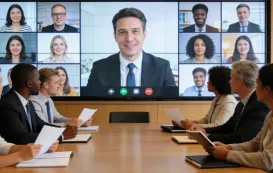
For larger rooms, a dual-screen conference meeting room setup is the gold standard. One screen displays the gallery view of remote participants, while the other shows the shared content. Alternatively, the "21:9" ultra-wide format is gaining popularity in 2026, allowing for a cinematic view of the "Front Row" feature in Microsoft Teams or Zoom. This layout keeps remote participants at eye level, fostering a more natural sense of connection.
AI-Powered Camera Placement
A camera should never be an afterthought. Your video conference setup should feature 4K AI cameras mounted at eye level. Modern cameras now feature "Auto-Framing" and "Speaker Tracking," which use facial recognition to ensure that the person speaking is always front and center, even if they walk around the room. High-end cameras can even create individual "tiles" for each person in the room, making it easier for remote viewers to read facial expressions and body language.
| Feature | Standard Setup | 2026 Pro Setup ( use NearHub ) |
|---|---|---|
| Display | Static 1080p TV | 4K smart electronic whiteboard |
| Camera | Fixed 720p USB Web Cam | 4K AI-Tracking Camera Array |
| Audio | Laptop Speakers | Beamforming Mic Ceiling Tiles |
| Cables | HDMI/Dongles | Wireless BYOD / Single USB-C |
Step 3: Audio Engineering—The Unsung Hero of Effective Meeting Room Tech
If the video fails, the meeting continues via audio. If the audio fails, the meeting is over. Deeply integrating audio into your meeting room tech stack is non-negotiable for any professional conference meeting room setup.
Beamforming Microphone Arrays
The days of passing a "puck" microphone around the table are gone. For a premium conference meeting room setup, you should invest in beamforming microphone arrays. These can be mounted on the ceiling or the table and use sophisticated algorithms to "steer" their focus toward the person speaking while ignoring the hum of the air conditioner or the crinkling of a snack bag. This ensures that remote participants hear clear, direct speech rather than a muddy mix of room noise.
Spatial Audio and Speaker Placement
To combat "Zoom fatigue," 2026 technology uses spatial audio. This means the sound of a remote participant's voice comes from the direction of their image on the screen. This mimics natural human interaction and makes long meetings much less taxing on the brain. When audio is localized, the brain doesn't have to work as hard to identify who is speaking, leading to better focus and less cognitive load.
Eliminating the "Acoustic Fence"
Hybrid teams often struggle with side conversations in the physical room that remote people can't hear. Advanced meeting room tech now features "acoustic fencing," which creates a virtual perimeter around the conference table. Sounds inside the fence are transmitted; sounds outside (like someone walking by the door) are blocked. This level of control is essential for maintaining the professionalism of your video conference setup in busy office environments.

Step 4: Enhancing Efficiency with One-Touch Conference Room Automation
The ultimate goal of conference room automation is to make the technology invisible. When a user walks into a room, they shouldn't have to think about which input to select or how to connect their audio.
The "One-Touch Join" Experience
A centralized control panel—whether it's a dedicated tablet or a part of your nearhub ecosystem—allows users to start a scheduled meeting with a single tap. This eliminates the "10-minute delay" caused by logging into accounts or finding meeting IDs. Integration with platforms like Zoom Rooms or Microsoft Teams Rooms is a core component of successful conference room automation.
Environmental Automation
True conference room automation goes beyond the screen. It integrates with the building's smart systems to create a seamless user experience:
- Occupancy Sensors: When people enter the room, the lights turn on, and the display wakes up.
- Auto-Off: When no motion is detected for 15 minutes, the system powers down to save energy and extend hardware life.
- Climate Control: The system can signal the HVAC to cool the room when the occupancy sensor detects a high density of people in a small space.
Intelligent Scheduling Panels
Outside the room, a digital scheduling panel is a key part of your conference meeting room setup. It shows the room's availability and allows employees to book the space on the fly. These panels sync in real-time with Google Calendar or Outlook, preventing the awkward "room poaching" that disrupts office workflow and ensures that your meeting room tech is utilized efficiently.

Step 5: Enabling Seamless Wireless Collaboration within Your Meeting Room Tech Stack
In 2026, cables are a legacy fallback. A modern meeting room tech stack must prioritize wireless freedom without sacrificing security or performance.
The BYOD (Bring Your Own Device) Standard
Employees want to use the laptops they are comfortable with. Your video conference setup must support wireless casting from Windows, macOS, iOS, and Android. Protocols like AirPlay, Miracast, and Google Cast should be natively supported so that no proprietary apps or dongles are required. This "bring your own meeting" approach allows for much faster transitions between presenters.
Interactive Whiteboarding in the Cloud
When you use a smart electronic whiteboard, collaboration becomes two-way. Participants in the room can draw on the screen, while remote users can annotate from their tablets. This creates a "single source of truth" for the brainstorming session. If you are curious about the investment, checking the smart whiteboard cost reveals that the productivity gains far outweigh the initial hardware spend.
Real-Time Document Editing
The best meeting room tech allows for more than just screen sharing; it allows for co-authoring. Imagine pulling up a budget spreadsheet on the main display and having three people—two in the room and one in London—editing cells simultaneously. This is the level of friction-less work that 2026 demands. By integrating with cloud-based suites, your conference meeting room setup becomes a production engine rather than just a presentation tool.
Step 6: Optimizing Network Performance for a Lag-Free Video Conference Setup
You can have the most expensive cameras in the world, but if your Wi-Fi is weak, your video conference setup will fail. The network is the backbone of all modern conference room automation.
High-Speed Infrastructure: Wi-Fi 7 and Beyond
By 2026, Wi-Fi 7 will be the standard for corporate environments. It offers lower latency and higher capacity, which is essential when you have 15 people in a room all connected to the network while a 4K video stream is running on the main board. However, for the most critical conference meeting room setup, a hardwired Cat6e or Cat7 Ethernet connection for the main display and camera is still highly recommended to guarantee stability.
Bandwidth Management and Quality of Service (QoS)
Your IT team must configure the network to prioritize "Real-Time Communication" (RTC) traffic. This ensures that even if someone in the next room is downloading a massive file, your video conference setup doesn't stutter or drop frames. Proper QoS tagging ensures that voice and video packets are always at the front of the line.
Power over Ethernet (PoE+)
To simplify your conference meeting room setup, use PoE+ wherever possible. This allows a single cable to provide both data and power to cameras, microphones, and scheduling panels. It reduces clutter behind the display and makes the installation process significantly faster and cheaper. A clean room without visible wires also contributes to a more professional brand image.

Step 7: Securing and Scaling Your Modern Conference Room Automation System
As your conference room automation becomes more sophisticated, it also becomes a target for cyber threats. Security must be baked into every step of the conference meeting room setup process.
Enterprise-Grade Security Protocols
Every device in your meeting room tech stack should be secured with:
- End-to-End Encryption: Ensuring that video and audio streams cannot be intercepted by unauthorized parties.
- Network Segregation: Putting your conference room devices on a separate VLAN from your main corporate data to prevent lateral movement in the event of a breach.
- Regular Firmware Updates: Using a platform like NearHub allows IT managers to push security patches to all boards across the globe simultaneously, ensuring no device is left vulnerable.
Scaling and Remote Management
If you have multiple offices, you need a way to manage your conference meeting room setup remotely. Mobile Device Management (MDM) software allows your IT department to monitor the health of every board, camera, and microphone from a single dashboard. They can troubleshoot issues in a New York huddle room from an office in San Francisco without ever getting on a plane, drastically reducing maintenance costs.
Calculating ROI and Lifecycle
When planning your conference meeting room setup, consider the 5-year lifecycle. Technology moves fast, but hardware like the NearHub S Pro Smart Whiteboard is designed with upgradable modules (OPS) that allow you to swap out the internal computer without replacing the entire 4K panel. This significantly lowers the total cost of ownership and improves your long-term ROI. By planning for scalability, you ensure that your office remains at the cutting edge of meeting room tech without constant, massive capital reinvestment.
Frequently Asked Questions (FAQ)
1. What is the most important part of a conference meeting room setup?
While many focus on the screen, the most important part of a modern conference meeting room setup is actually the audio. If participants can't hear clearly, the meeting fails. High-quality beamforming microphones and acoustic treatment are the foundational elements of a successful hybrid space. Without clear sound, "meeting equity" is impossible to achieve.
2. How much does a professional video conference setup cost in 2026?
The cost varies based on room size. A small huddle room might cost between $2,000 and $5,000, while a high-end boardroom with conference room automation and a large meeting room smart board can range from $15,000 to $50,000. It is important to weigh this against the saved travel costs and the measurable increase in team productivity.
3. Can I use a regular TV for my conference meeting room setup?
You can, but it is not recommended for professional environments. Regular TVs lack the brightness required for well-lit offices, don't have the durability for 12-hour-a-day usage, and lack the integrated meeting room tech (like whiteboarding and AI cameras) found in dedicated commercial displays. Furthermore, TVs lack the remote management features required by IT departments.
4. Is wireless casting secure enough for enterprise meetings?
Yes, as long as you use enterprise-grade hardware. Modern conference room automation systems use encrypted casting protocols and can generate unique PIN codes for every session, ensuring that only people physically in the room (or invited to the call) can share their screens. This prevents "screen hijacking" in open office environments.
5. How do I choose the right size for my smart electronic whiteboard?
As a general rule for your conference meeting room setup:
- 55-65 inches for huddle rooms (2-4 people).
- 75-86 inches for standard conference rooms (6-12 people).
- 98 inches or dual-screen setups for large boardrooms.
Always consider the "farthest viewer" rule to ensure text is legible for everyone at the table.
Conclusion: Making Every Meeting Count
Building a world-class conference meeting room setup is no longer just an IT project; it is a fundamental business strategy. As we move further into 2026, the companies that succeed will be the ones that have mastered the art of hybrid collaboration. By following this 7-step checklist—from the physical foundation to the final security protocols—you are ensuring that your team has the tools they need to communicate without limits.
The right meeting room tech doesn't just display slides; it fosters human connection. It allows a developer in Tokyo to brainstorm with a designer in London as if they were standing at the same physical board. When you invest in a solution like the NearHub S Pro Smart Whiteboard, you aren't just buying a screen; you are buying the future of your company's creative output.
Don't let tech friction hold your organization back. Take the first step today by auditing your current spaces and identifying where conference room automation can bridge the gap.





 sales@nearhub.us
