Yealink MeetingBoard Alternative: 10 Scenarios to Consider
Compare Yealink MeetingBoard Pro and NearHub Board Max across 10 real meeting-room scenarios—Teams Rooms, Windows apps, room size, audio, and budget.
Yealink MeetingBoard Pro alternative
Yealink vs NearHub
Updated: Sep 7, 2026 · 9 minutes read
Global Business, Brought Near.
No Installer, No Hassle, Just Works.
Key Takeaways
Rooms with 20+ standardized Teams Rooms deployments gain less from switching than from staying consistent—with one exception: adding documentation, training, and support overhead.
Yealink MeetingBoard Pro holds a spec advantage for large rooms: 12 m full-duplex mic, plus an 86-inch option NearHub Board Max lacks.
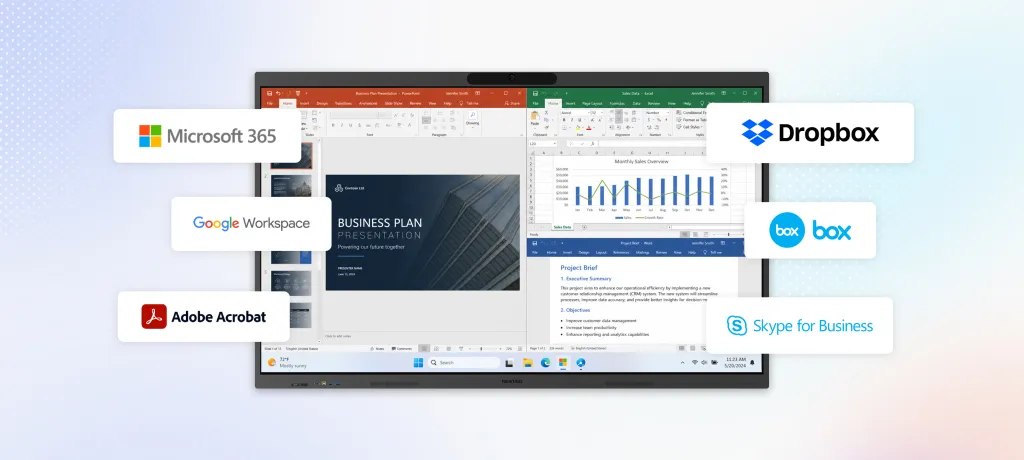
NearHub Board Max runs Windows 11 Pro, so you can install and run the Windows apps your team already uses—from Microsoft 365 and Adobe to AutoCAD—with every desktop feature intact.
For frequent annotation, NearHub Board Max offers up to 40 touch points with 5 ms response versus MeetingBoard 65 Pro's 20 points and 21 ms.
For multi-room rollouts under budget pressure, request quotes for identical configurations—NearHub is positioned as the lower-cost option, but pricing varies by size and accessories.
Thinking about replacing a Yealink MeetingBoard? Don't start with the spec sheet.
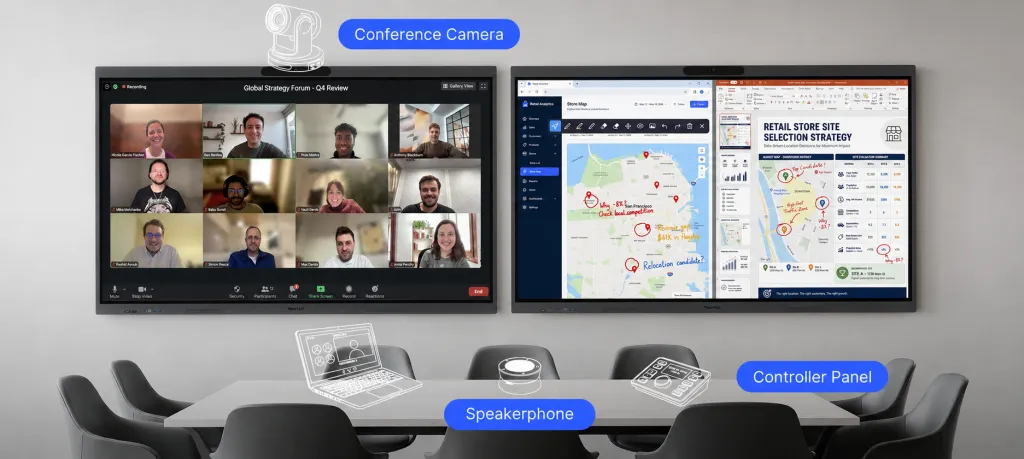
At first glance, Yealink MeetingBoard Pro and NearHub Board Max look similar: large interactive displays with built-in cameras, microphones, speakers, and meeting capabilities.
But your meeting room isn't just a meeting room. One day, your design team may open Revit and mark up drawings. The next, finance may need Power BI and Excel. Then eight people may sit around the table for a hybrid client workshop.
So when you're searching for a Yealink MeetingBoard alternative, the better question isn't: Which board has better specifications?
It's: Which board best fits how our rooms actually work?
Yealink takes an appliance-first approach, while NearHub Board Max takes a Windows-first approach, running Windows 11 Pro as a full computer alongside its meeting and collaboration hardware.
Neither approach is automatically better. The right choice depends on what happens in your room before, during, and after the meeting.
This guide compares them through 10 real-world scenarios—from Teams Rooms standardization and large-room audio to desktop applications, IT management, hybrid meetings, whiteboarding, room size, and budget.
How Does NearHub Board Max Compare With Yealink MeetingBoard Pro?
Feature
NearHub Board Max
Yealink MeetingBoard Pro
Operating system
Windows 11 Pro
Android-based meeting appliance
Meeting platforms
Native Teams, Zoom, Google Meet, and Webex
Teams / Zoom / General modes
Display sizes
55", 65", 75"
65", 75", 86"
Camera
130° ultra-wide 4K AI camera
Triple 50MP camera system with IntelliFocus
Microphones
8-mic array
16 MEMS microphones
Mic pickup
Up to 8 m
Up to 12 m full duplex
Touch
Up to 40 touch points
Up to 20 touch points
Touch response
5 ms
21 ms
Windows desktop apps
Yes
Designed around meeting-room use rather than a general Windows desktop
IT management
Supports Microsoft Intune and Windows management workflows
Yealink management ecosystem
Digital signage
One-click signage mode
—
Note: Manufacturer specifications and testing conditions can differ. Use the specifications as a starting point and test the configuration in your actual room when audio coverage, touch response, or camera framing is critical.
What Should You Look for in a Yealink MeetingBoard Alternative?
Before comparing individual specifications, look at the job the device needs to perform.
A useful evaluation starts with five questions:
What happens in the room besides video meetings?
What operating environment does your IT team already manage?
How large is the room and how far are participants from the board?
How much writing, annotation, or interactive work happens on the display?
Are there procurement requirements—such as Teams Rooms certification—that cannot be compromised?
These questions quickly separate two different product approaches.
Yealink MeetingBoard Pro is designed primarily as an all-in-one meeting-room appliance, with dedicated meeting modes and integrated audio/video hardware.
NearHub Board Max combines meeting-room hardware with Windows 11 Pro, so the board can also function as a general Windows workstation for compatible applications.
Why Consider NearHub Board Max as a Yealink MeetingBoard Alternative?
For many organizations, the reason to consider an alternative is not that the existing meeting system cannot hold a video call. It is that the room needs to do more.
Do You Need Windows Apps in the Meeting Room?
Imagine a design firm holding its Monday project review.
The team opens a 200 MB Revit model, marks up the design, checks an Excel budget sheet, and captures annotated screenshots for follow-up. Or consider a finance team during month-end: someone drills into Power BI Desktop, exports results to Excel, and runs a macro. An engineering team may need to open CAD files, annotate documents in Bluebeam, and review photos from a USB drive.
These workflows are built around desktop applications.
NearHub Board Max runs Windows 11 Pro, allowing the meeting room to function as a large Windows workstation as well as a meeting device. Users can work with compatible desktop applications and arrange multiple windows side by side.
This is one of the clearest reasons to evaluate a Yealink MeetingBoard alternative: if the room needs to be a workspace as well as a meeting space, a Windows-based board gives you a different level of flexibility.
Do You Need a Meeting Board for a Smaller Room?
Not every meeting room needs a 65-inch display.
Picture a 4–6-person huddle room, manager's office, or small project room where participants sit close to the screen.
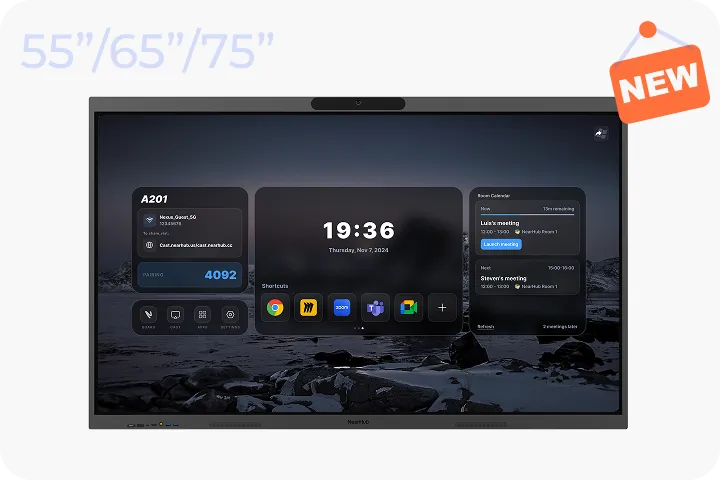
NearHub Board Max is available in a 55-inch configuration, giving organizations an option for smaller spaces where a larger display may be unnecessary.
Matching the display size to the room can make the overall setup more practical—especially when the goal is to equip several different room types across an organization.
Does Your IT Team Already Use Windows and Microsoft Intune?
Suppose your organization already manages Windows endpoints through a familiar stack: domain policies, Microsoft Intune, BitLocker, Defender, and a standardized patch cycle.
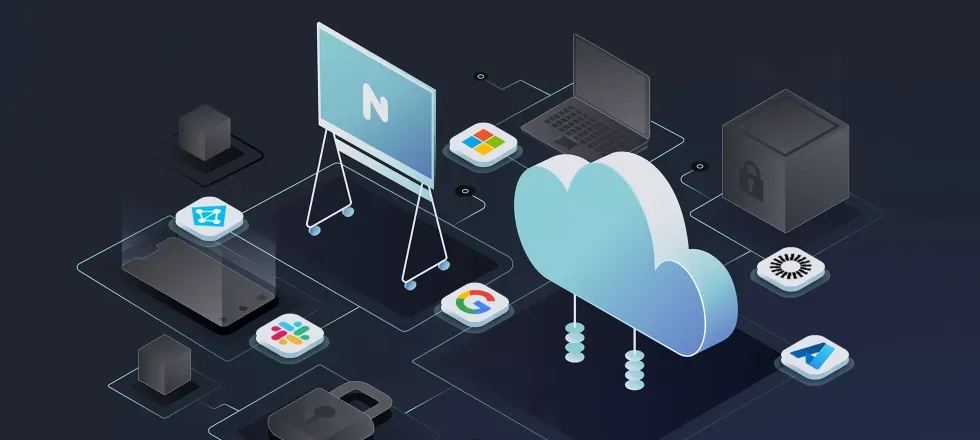
A Windows-based meeting board can fit into that existing management model.
With NearHub Board Max, the device can be managed as a Windows endpoint rather than introducing a completely separate operating environment for this class of room hardware.
For IT teams, the practical question is simple:
Can we manage this room device using the tools and policies we already have?
If your organization is heavily invested in Windows endpoint management, that can make a Windows-based Yealink MeetingBoard alternative worth evaluating.
Is Interactive Writing a Major Part of Your Meetings?
Consider a team that uses its board every day for brainstorming, flowcharts, document markup, and collaborative planning.
NearHub Board Max supports up to 40 touch points with a 5 ms response time, while the MeetingBoard 65 Pro is listed with 20 touch points and a 21 ms response time.
For rooms where several people interact with content at the same time, touch capacity and response time become practical considerations rather than just specification lines.
Manufacturer test conditions can differ, so teams where writing feel is critical should still test both systems with their actual workflow.
Is Remote Participant Visibility Important?
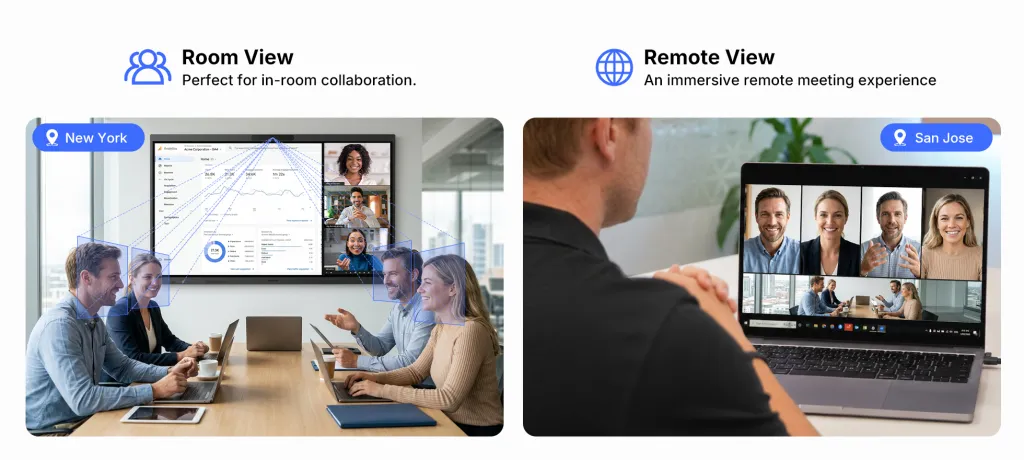
Imagine a consulting company running a weekly client workshop with eight people sitting around a long table and three participants joining remotely.
For remote participants, seeing the whole room is not always the same as seeing the people in the room clearly.
NearHub Board Max's AI Gallery View is designed to frame individual participants so remote attendees can see people more distinctly rather than relying only on a wide room view.
This can be particularly useful when the meeting depends on reactions, discussion, and equal visibility across participants.
Camera systems use different framing approaches, so the best comparison is a live demo using your actual seating arrangement.
Do You Want One Board to Handle Meetings and Other Workflows?
A meeting room may be used for a video call at 10 a.m., a product presentation at 11 a.m., a design review after lunch, and training in the afternoon.
That makes flexibility valuable.
With Windows 11 Pro, NearHub Board Max can support compatible Windows applications alongside meeting platforms, presentations, whiteboarding, and other room workflows.
NearHub also provides a one-click digital signage mode on its Max line, allowing compatible displays to be reused for dashboards, announcements, schedules, or branded information when they are not being used for meetings.
The broader idea is simple:
If the room has to support several jobs, the board should not be limited to one job.
Where Does Yealink MeetingBoard Still Make More Sense?
A good comparison should also identify situations where Yealink's approach may be the better fit.
The key is to treat these as specific deployment requirements, not as a general verdict on either product.
Is Your Organization Already Standardized on Teams Rooms?
Imagine a company with 20+ meeting rooms, all standardized on Microsoft Teams Rooms.
Employees book a room through Outlook. They walk in, see “Marketing Weekly — Join”, tap once, and start the meeting. IT monitors the rooms through its existing management workflow.
Introducing a different type of room system creates an exception. The operational cost can include additional documentation, troubleshooting procedures, training, and support processes.
If your organization already has a highly standardized Teams Rooms deployment, staying within that standard may be the simplest choice.
Do You Need More Than 8 Meters of Microphone Coverage?
Consider a 12-person conference room where the farthest seat is 9–10 meters from the display.
Yealink MeetingBoard Pro is rated for 12-meter full-duplex pickup with its 16-MEMS microphone system, while NearHub Board Max is rated for up to 8-meter pickup with its 8-mic array.
If microphone coverage is a hard requirement for a large room, compare the rated pickup range against the actual seating layout and consider an in-room audio test.
For rooms where participants sit beyond NearHub Board Max's rated pickup range, Yealink has a clear specification advantage.
Is Teams Rooms Certification a Procurement Requirement?
If your procurement checklist explicitly requires a Microsoft Teams Rooms-certified device, certification is a compliance requirement rather than a matter of preference.
Yealink MeetingBoard Pro models are listed among Microsoft's certified Teams Rooms on Android devices.
For a procurement process where certification is a mandatory line item, that requirement can determine the shortlist before other features are compared.
Always check the current Microsoft certification list for the exact model and configuration required by your procurement team.
Does Your Organization Already Use Yealink Across Its Meeting Rooms?
Suppose your company already uses Yealink headsets across the organization, MeetingBar A30 devices in smaller rooms, and YMCS for centralized device management.
In that environment, another Yealink MeetingBoard can fit naturally into an existing ecosystem.
One management environment, one firmware cadence, existing support knowledge, and an established spare-parts process can all reduce operational friction.
If vendor consolidation is already an IT priority, Yealink's broader ecosystem is a legitimate reason to stay with the platform.
Yealink MeetingBoard vs. NearHub Board Max: Which Fits Your Room?
Use the scenario rather than the spec sheet to narrow the choice.
If your situation is…
Consider
Why
20+ rooms already standardized on Teams Rooms
Yealink
Keeps the room within the existing deployment standard
Meeting room needs Revit, Power BI, CAD, or other Windows apps
NearHub
Windows 11 Pro supports desktop workflows
Farthest seat is beyond 8 m
Yealink
Higher-rated microphone pickup range
Room seats 4–6 people
NearHub
55-inch option
You specifically need 86 inches
Yealink/ NearHub
86-inch NearHub Board Pro and 86-inch MeetingBoard Pro option
IT already manages Windows devices with Intune
NearHub
Fits an existing Windows management model
Procurement requires Teams Rooms certification
Yealink
Certified MeetingBoard Pro models meet the requirement
Budget is a hard constraint
NearHub
Worth comparing for lower-cost configurations
Remote participant visibility is a priority
NearHub
AI Gallery View provides individual participant framing
Board is used heavily for writing
NearHub
Up to 40 touch points and 5 ms response
Organization already has a Yealink ecosystem
Yealink
Easier vendor consolidation
Visitors frequently start meetings themselves
Yealink
Appliance-style modes can simplify room operation
You want flexibility after the initial deployment
NearHub
Windows-based hardware can support additional use cases
Is NearHub Board Max a Good Alternative to Yealink MeetingBoard?
It can be—if your meeting room needs more than a meeting appliance.
Yealink MeetingBoard Pro is a strong fit when your priority is a standardized meeting-room experience, large-room microphone coverage, an 86-inch option, Teams Rooms certification, or integration with an existing Yealink deployment.
NearHub Board Max takes a different approach.
It combines the meeting-room hardware people expect—large interactive display, camera, microphones, speakers, and meeting software—with Windows 11 Pro, making the board useful for desktop applications and workflows that extend beyond video meetings.
That makes the decision less about finding a universal “winner” and more about identifying the role the device needs to play.
Choose Yealink when your room is primarily a standardized meeting room.
Consider NearHub when your room is also a workspace, presentation station, whiteboard, Windows workstation, or multi-purpose collaboration space.
If your team spends as much time working on the content as it does talking about the content, that's the scenario where a Yealink MeetingBoard alternative like NearHub Board Max becomes particularly worth evaluating.
Final Takeaway
The best Yealink MeetingBoard alternative isn't necessarily the product with the longest feature list.
It's the one that fits the way your rooms are actually used.
For standardized meeting rooms, large-room audio, 86-inch deployments, or an existing Yealink ecosystem, Yealink may be the better fit.
For Windows workflows, interactive work, smaller rooms, frequent whiteboarding, and multi-purpose spaces, NearHub Board Max offers a different—and often more flexible—approach.
The most useful next step is simple: take one of your actual meeting rooms, list what people do there before, during, and after meetings, and compare the two systems against that workflow.
FAQs
What is the best Yealink MeetingBoard alternative?
There is no single best alternative for every organization. The right choice depends on room size, meeting platform, IT management, required applications, touch usage, budget, and procurement requirements. NearHub Board Max is particularly relevant for organizations that want a Windows-based interactive meeting board.
Is NearHub Board Max compatible with Microsoft Teams?
Yes. NearHub Board Max supports native Microsoft Teams use and runs Windows 11 Pro.
Is NearHub Board Max compatible with Zoom?
Yes. NearHub Board Max supports native Zoom use.
Does NearHub Board Max run Windows applications?
Yes. NearHub Board Max runs Windows 11 Pro, allowing users to run compatible desktop applications rather than being limited to a meeting-appliance environment.
Does Yealink MeetingBoard support Teams Rooms?
Yes. Yealink MeetingBoard Pro models are listed among Microsoft's certified Teams Rooms on Android devices. Certification should be checked for the exact model and current firmware/configuration before procurement.
Does Yealink MeetingBoard have an 86-inch model?
Yes. MeetingBoard Pro is available in an 86-inch configuration.
What sizes does NearHub Board Max come in?
NearHub Board Max is available in 55-inch, 65-inch, and 75-inch configurations.
Which is better for a small meeting room, Yealink MeetingBoard or NearHub Board Max?
If a 55-inch display is a better fit for the room, NearHub Board Max has an advantage because its lineup includes a 55-inch model.
Which is better for a Windows-based meeting room?
NearHub Board Max is the more natural fit if the room needs to run Windows desktop applications, because Board Max runs Windows 11 Pro.
Should I replace Yealink MeetingBoard with NearHub?
That depends on why you're replacing it. If you want to stay within an established Yealink or Teams Rooms deployment, another Yealink device may be the simpler choice. If you want the meeting room to function as a Windows workspace as well as a meeting room, NearHub Board Max is worth comparing.