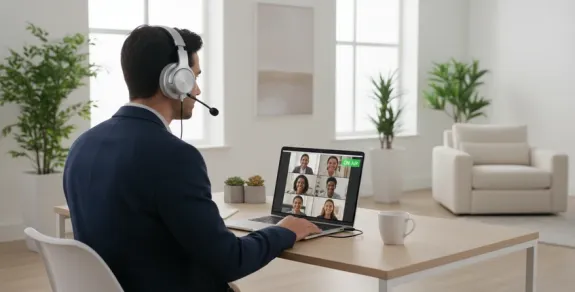
USB Headsets with Mic for PC: Why Dongles Still Beat Bluetooth in 2026
By the time you finish reading this paragraph, three things will have happened in offices around the world: a Bluetooth headset will have dropped its connection mid-sentence, a video call participant will have been asked to repeat themselves because of audio glitches, and an IT help desk will have received another ticket about "headset not working with my PC." These failures aren't random—they're the predictable consequence of a technology mismatch that most buyers never consider until it costs them a client, a promotion, or simply their patience.
The mismatch is this: Bluetooth was designed as a general-purpose wireless protocol for consumer devices. Your PC's Bluetooth implementation is an afterthought—a basic radio chip running generic drivers that handles keyboards, mice, headphones, and random peripherals simultaneously. When you connect a premium headset to a mediocre Bluetooth stack, you're bottlenecking your audio quality at the weakest link in the chain. The solution that professional environments have quietly adopted is both simpler and more reliable than most people realize.
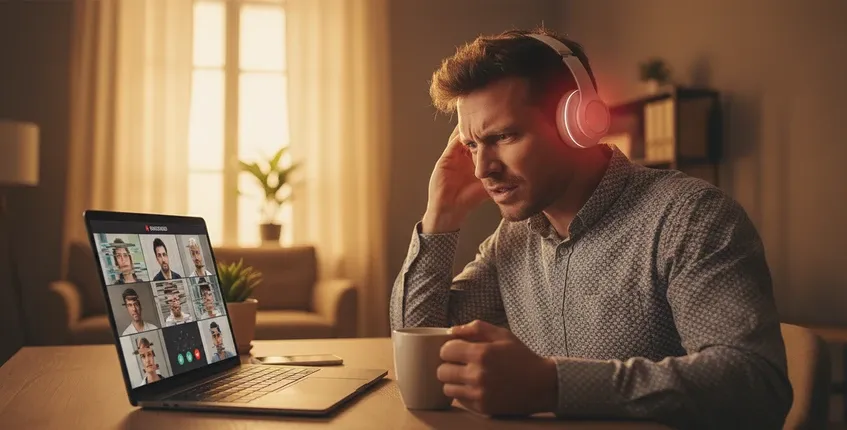
To understand why USB dongle headsets deliver superior PC performance, you need to understand how Bluetooth audio works on computers—and where the failure points hide.
Your PC's Bluetooth controller manages multiple wireless protocols simultaneously: Human Interface Devices (keyboards, mice), Audio Distribution Profile (A2DP for music), Hands-Free Profile (HFP for calls), and Generic Attribute Profile (for miscellaneous devices). Each of these protocols competes for radio bandwidth and processing priority. When your Bluetooth stack is busy handling mouse movements and keyboard inputs, audio packets can be delayed or dropped—a phenomenon that manifests as stuttering, dropouts, or lip-sync drift on video calls.
IEEE research on Bluetooth wireless communication highlights that performance is influenced by radio interference, protocol coexistence, and device implementation. These factors explain why Bluetooth performance can vary significantly across different PCs, while dedicated wireless solutions provide more predictable connectivity.
A dedicated USB wireless dongle operates on a separate radio frequency—typically 2.4 GHz like Bluetooth, but with a proprietary protocol optimized exclusively for audio transmission. Because the dongle has one job (transmitting audio between your headset and PC), it doesn't compete with other devices for bandwidth or processing priority. The connection is pre-paired at the factory, eliminating the pairing process as a potential failure point. And because the dongle connects via USB, it bypasses your PC's entire Bluetooth stack—the generic drivers, the Windows Bluetooth service, the potential conflicts with other paired devices.
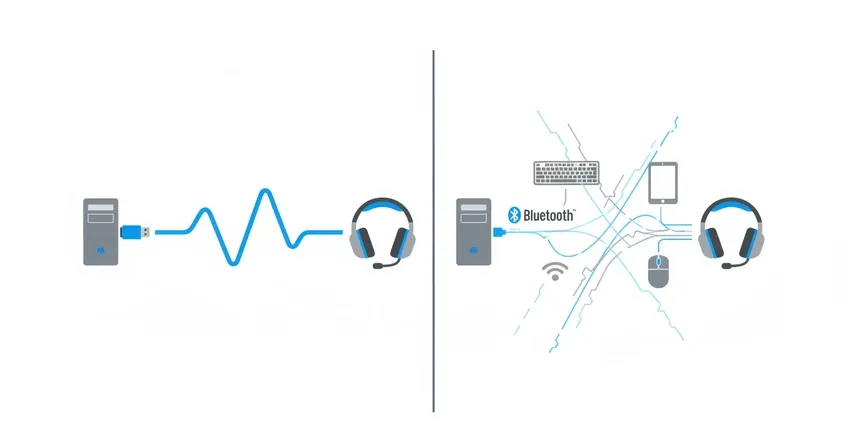
The practical difference is consistency. A Bluetooth headset on a PC might work perfectly one day and develop latency issues the next, depending on what other devices are connected, what Windows updates were installed, and whether your PC's Bluetooth radio is having a good day. A USB dongle headset delivers the same reliable performance every single time because it controls the entire transmission path from the USB port to the headset.
The Trade-Off: USB Dongle vs. Bluetooth vs. Wired
USB dongle connections offer the highest reliability for PC use. The dedicated protocol, pre-paired connection, and independence from the PC's Bluetooth stack eliminate the variables that cause intermittent issues. For professionals who cannot afford audio problems during client presentations, sales calls, or executive briefings, this reliability advantage is decisive.
Bluetooth 5.4 offers good reliability when your PC has a quality Bluetooth implementation, but performance varies significantly between computer models. High-end laptops from major manufacturers typically have better Bluetooth chips and antennas than budget desktops or older machines. If you use multiple PCs (office desktop, home laptop, travel ultrabook), Bluetooth consistency varies across all of them.
Wired USB connections offer absolute reliability—no wireless interference, no battery concerns, no connection drops. The trade-off is mobility: you're tethered to your computer by a cable that can snag, tangle, or limit your movement.
All three connection methods deliver acceptable latency for voice calls (where sub-50ms latency is imperceptible). However, USB dongle connections typically achieve the lowest and most consistent latency because they don't share radio bandwidth with other devices. For video editing, media production, or applications where precise audio-video synchronization matters, the consistency advantage becomes meaningful.
Here's where Bluetooth wins. A Bluetooth headset pairs with your PC, phone, tablet, and any other Bluetooth device without requiring a dongle per device. If you frequently switch between a PC and phone throughout the day, Bluetooth multipoint handles this seamlessly. A USB dongle headset can still connect to phones via Bluetooth (most modern business headsets offer both), but the primary PC connection uses the dongle while secondary devices use Bluetooth—a hybrid approach that gives you dongle reliability where it matters most and Bluetooth flexibility where it's most useful.

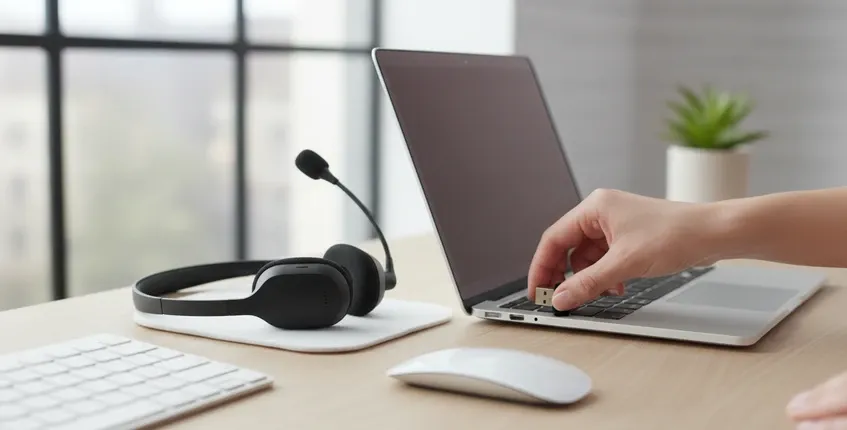
USB dongles are genuinely plug-and-play: insert the dongle, turn on the headset, and it works. No pairing mode, no Bluetooth settings, no driver installation. This simplicity matters for enterprise deployments where IT teams need to provision hundreds of headsets without individual configuration. It also matters for less technically inclined users who find Bluetooth pairing frustratingly opaque.
The IT Deployment That Reveals the Real Cost
Consider an IT manager deploying headsets to a 200-person customer support team. She has two options: Bluetooth-only headsets at $90 each, or dongle + Bluetooth headsets at $120 each. The Bluetooth option saves $6,000 upfront—a meaningful budget difference.
But within the first month, the help desk sees a 40% increase in audio-related tickets: "My headset keeps disconnecting," "Callers say I'm breaking up," "Audio is out of sync with video." Each ticket takes 15 minutes of IT time to diagnose, and the root cause is almost always the interaction between the headset and the user's specific PC Bluetooth implementation. Over three months, the accumulated IT support time exceeds the initial cost savings. More importantly, the audio issues affect customer interactions—support calls where agents can't be heard clearly, frustrated customers, and the subtle brand erosion of unprofessional call quality.

The lesson: connectivity reliability isn't a technical nicety—it's a total cost of ownership factor that affects IT overhead, user productivity, and customer experience simultaneously. The $30 per-headset premium for dongle connectivity pays for itself in reduced support burden within the first quarter.
Key Features for PC USB Headsets
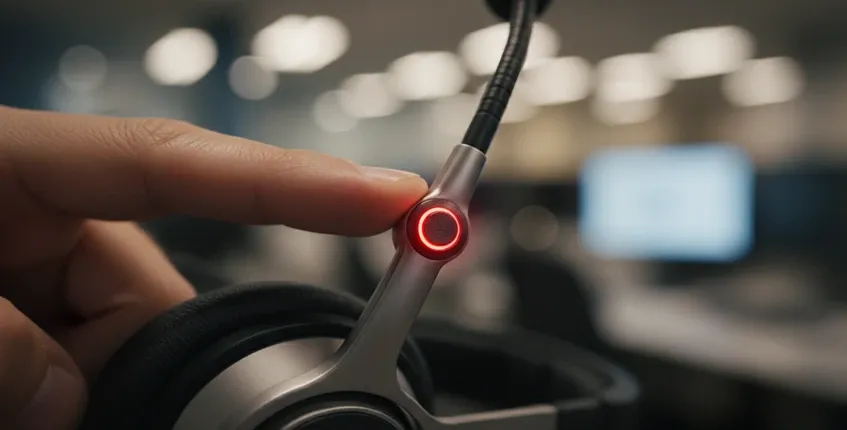
- Mute button placement: During a video call, you need to mute instantly when the doorbell rings, a colleague interrupts, or background noise spikes. A tactile mute button on the microphone boom—where your hand naturally rests—enables this without breaking eye contact with your camera or fumbling with software controls. This seems like a minor detail until you've experienced the panic of searching for a software mute button while your dog barks at a delivery driver.
- Noise cancelling microphone: PC users often work in less-than-ideal acoustic environments—open offices, home offices with family activity, coffee shops. A USB headset with mic noise cancelling technology ensures your callers hear you, not your environment. Look for headsets with multiple microphone elements and dedicated ENC processing.
- Battery and charging: Wireless USB headsets for PC should deliver at least a full workday of battery life—ideally multiple days. A charging stand provides a visual reminder to dock the headset at the end of each day, ensuring it's always charged when you need it. Cable-only charging leads to the "dead headset Monday morning" problem that disrupts your week.
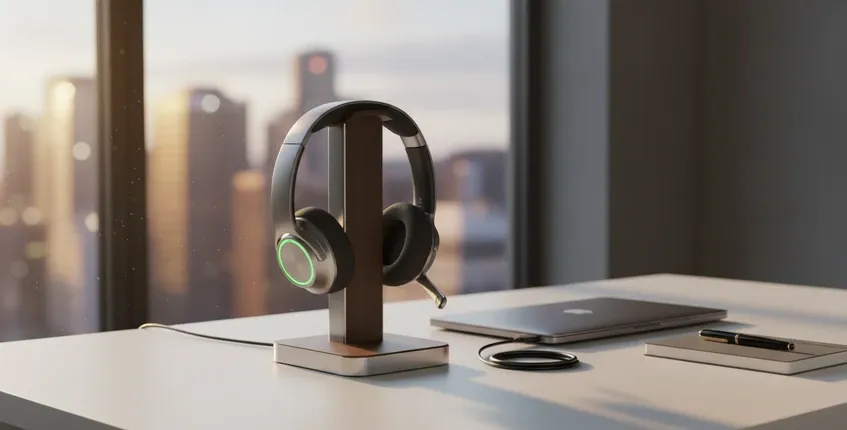
- Compatibility: True plug-and-play compatibility means the headset works with Windows, macOS, and Linux without special drivers. It should appear as a standard USB audio device that any video conferencing software can recognize. The Nearity EP320 connects via USB dongle, Bluetooth 5.4, or USB-C cable, covering virtually any PC configuration without software installation.
Where the Nearity EP320 Fits for PC Users
The Nearity EP320 addresses the PC connectivity challenge with a three-pronged approach: a pre-paired USB-A dongle for primary PC connection, Bluetooth 5.4 for phone and secondary device pairing, and USB-C cable for wired use or charging. This flexibility means PC users get dongle reliability for their primary workstation while maintaining Bluetooth convenience for mobile devices.
The 4-mic ENC array handles the acoustic realities of PC work environments—keyboard clicks, office chatter, household noise—while the HiFi5 DSP processes the microphone signal for clear transmission. At 35 hours of talk time, it covers more than a full work week, and the included charging stand ensures consistent charge levels without requiring conscious charging habits.
FAQs
Do I need special software to use a USB headset with my PC?
No. USB audio devices use standard drivers built into Windows, macOS, and Linux. When you plug in a USB headset or dongle, your operating system recognizes it automatically and adds it to your available audio devices. You simply select it as your microphone and speaker in your video conferencing app or system settings. Some headsets offer optional companion apps for advanced features like EQ customization or firmware updates, but these are never required for basic operation.
Why does my Bluetooth headset keep disconnecting from my PC?
Bluetooth disconnections on PCs typically stem from four causes: power management settings that turn off the Bluetooth radio to save battery, interference from WiFi networks operating on the same 2.4 GHz frequency, outdated or generic Bluetooth drivers, and Windows Bluetooth service instability. USB dongle headsets bypass all of these failure points because they use their own dedicated wireless protocol and USB power. If you're experiencing persistent Bluetooth issues on your PC, switching to a USB dongle headset is the most reliable solution.
Can I use a USB dongle headset with multiple PCs?
A USB dongle pairs with one headset but can be moved between PCs by physically moving the dongle. If you regularly use two PCs (desktop and laptop), you can either move the dongle between them or use Bluetooth for the secondary PC while keeping the dongle in your primary workstation. Some headsets support pairing with multiple dongles, but this is less common. For users who frequently switch between multiple PCs, the hybrid dongle + Bluetooth approach offers the best balance of reliability and flexibility.
What's the difference between a USB headset and a wireless headset with USB dongle?
A "USB headset" typically refers to a wired headset that connects directly via USB cable—no wireless component. A "wireless headset with USB dongle" connects wirelessly to the USB dongle, giving you the freedom to move around (usually up to 30+ feet) while maintaining a reliable connection. The dongle itself is a small USB device—often the size of a wireless mouse receiver—that plugs into your PC and handles the wireless communication with the headset.
Ready for rock-solid PC audio? Explore the Nearity EP320 with USB dongle, Bluetooth 5.4, USB-C cable, and 4-mic ENC for reliable professional calls.